This Week's Sponsor:

Turbulence Forecast

Know before you go. Get detailed turbulence forecasts for your exact route, now available 5 days in advance.


Posts tagged with "iOS"

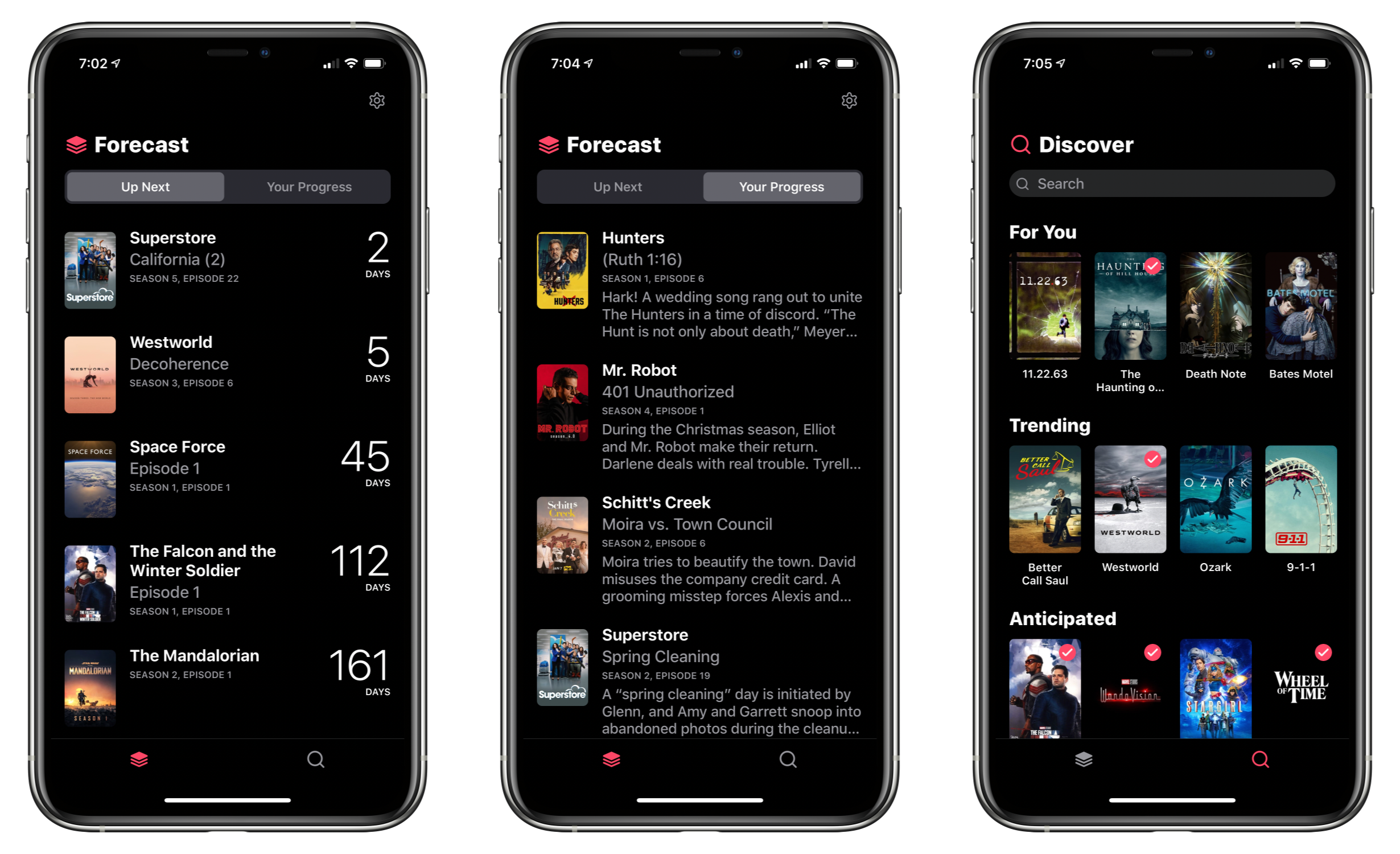
TV Forecast Review: An Elegant Way to Track Your Favorite Shows

I’ve tried a lot of TV tracking apps and none ever stuck for long, until I tried TV Forecast. Some of the apps I’ve used had busy UIs, were hard to navigate, or just weren’t organized in a way that fits with how I watch TV. In contrast, I’ve been using TV Forecast for the last 11 months and absolutely love it. TV Forecast elegantly combines a simple, modern design aesthetic with smooth, fluid UI that carefully balances the shows you already watch with effortless browsing of new shows.

Read more


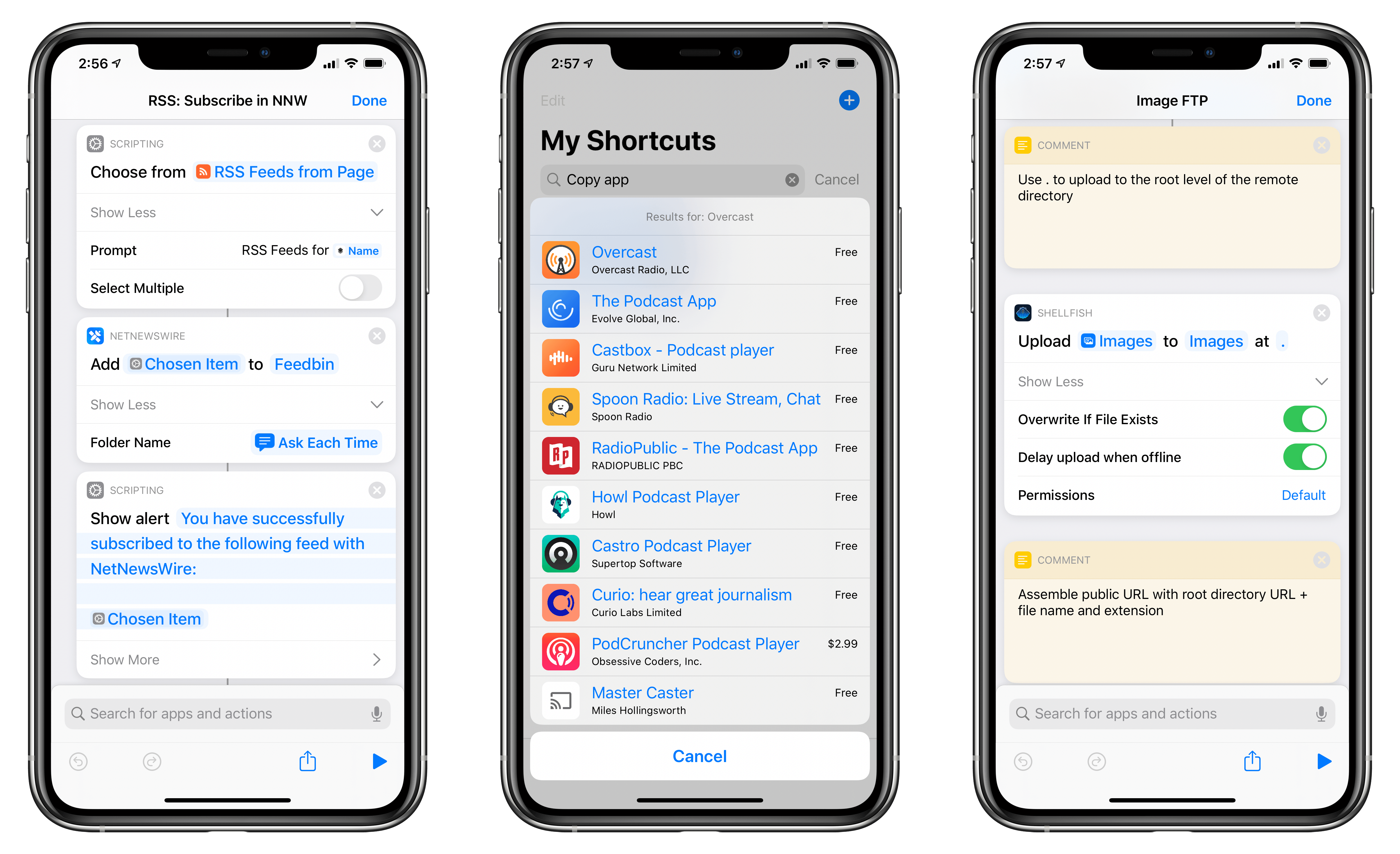
Shortcuts Corner: Opening YouTube Watch Later, Subscribing to RSS Feeds with NetNewsWire, and Uploading Images via FTP

For this week’s installment of the Shortcuts Corner, I’ve prepared quite an assortment of miscellaneous shortcuts to share with MacStories readers and Club MacStories members (because I’ve been spending all my time at home due to the state of emergency in Italy, I’ve been reorganizing my entire Shortcuts library, among other things). Following this week’s launch of NetNewsWire for iPhone and iPad, I’ve adapted an existing shortcut to let you subscribe to feeds using the popular RSS client. I’ve also created shortcuts to reopen the watch later queue in the YouTube app, copy app links from the App Store, and copy a webpage selection from Safari as rich text.

Furthermore, exclusively for Club MacStories members, I’ve created an advanced shortcut to upload images to a remote FTP server and copy their public URLs to the clipboard. Let’s dig in.

Read more


HomeCam 2 Brings Auto Cycling of Camera Feeds, Improved Data Layers, and More

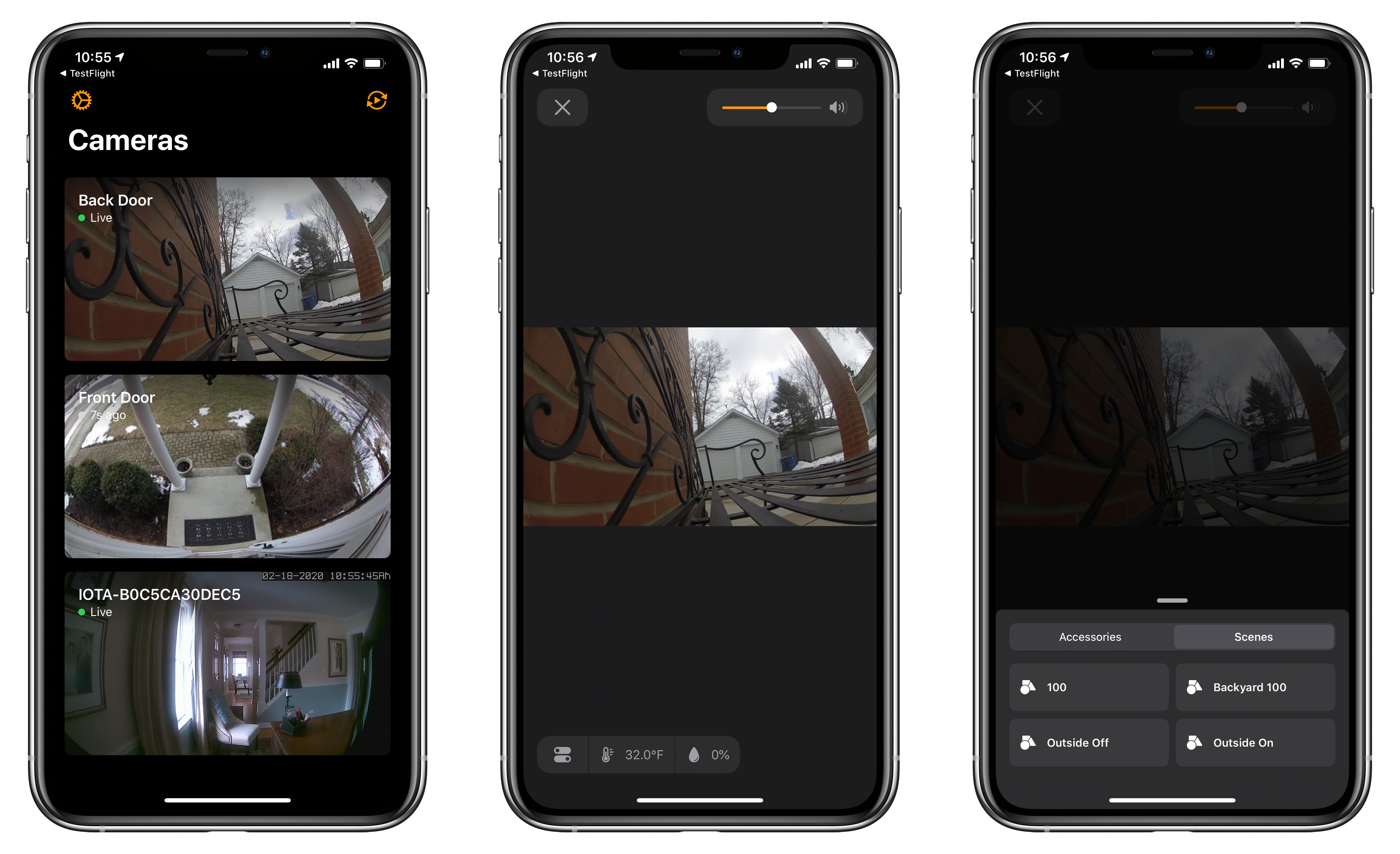
HomeCam by Aaron Pearce, which consolidates all of your HomeKit-compatible cameras into a simple, streamlined UI, has been updated to version 2.0 across the many platforms it supports. I’ve been a fan of the app since it debuted, and this update is an excellent refinement of the app’s original concept.

The value of HomeCam lies in its elegant UI that focuses first and foremost on your HomeKit video cameras. Apple’s Home app displays feeds from HomeKit cameras in one of two places. You can add them as favorite devices, so they show up at the bottom of the Home tab. Otherwise, though, your cameras only show up in the rooms to which they are assigned where they compete for space and attention with other accessories and scenes and aren’t live until tapped. I’ve been testing HomeCam with two Logitech Circle 2 cameras and an abode iota security kit camera, and the app’s design and availability on a wide variety of devices adds a level of flexibility to monitoring multiple cameras that isn’t possible with Apple’s system app.

Read more


My Must-Have Apps, 2019 Edition

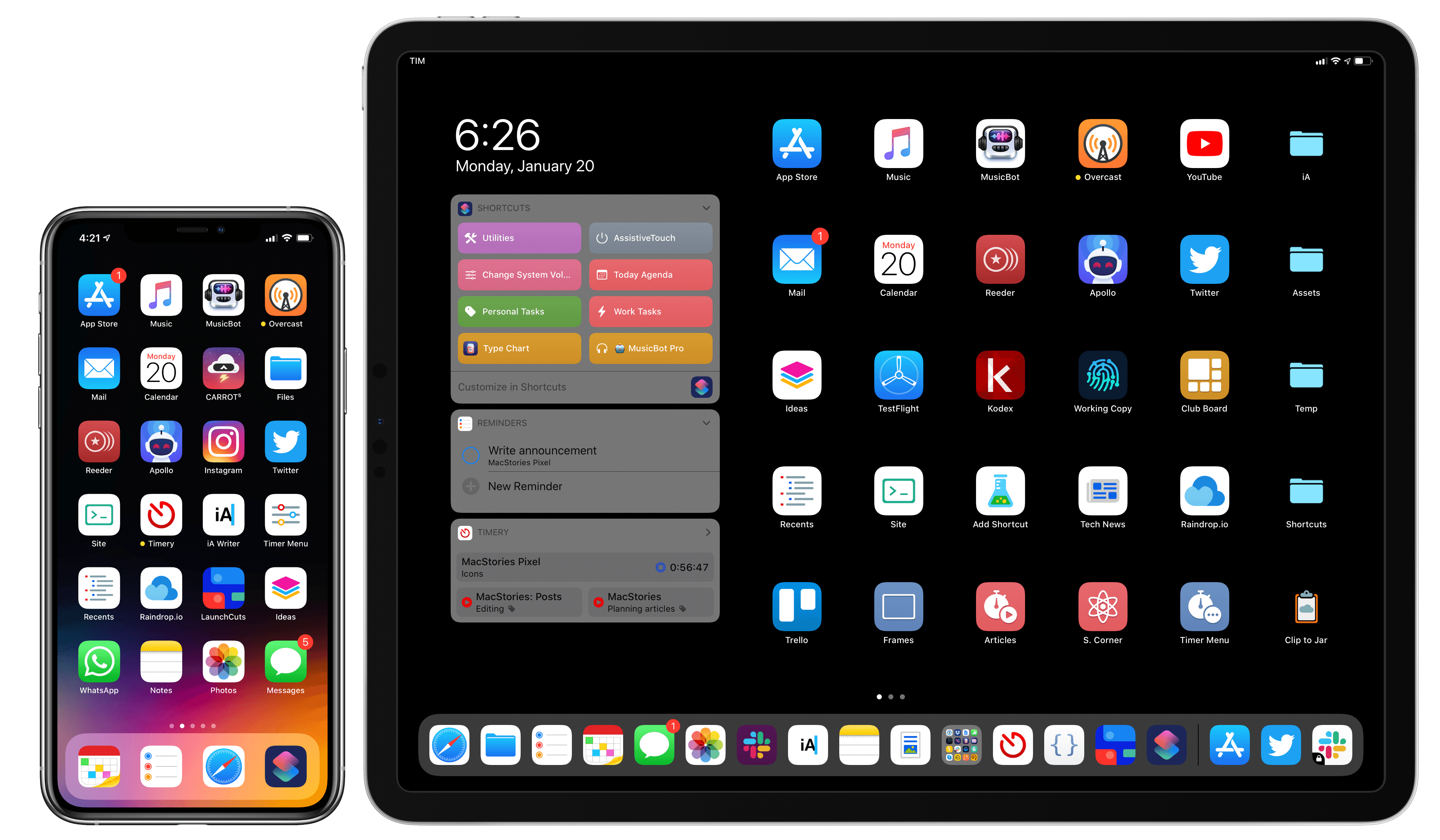
My Home screens.

My Home screens.

Every year in late October, I start putting together a rough list of candidates for my annual ‘Must-Have Apps’ story, which I’ve historically published in late December, right before the holiday break. As you can tell by the date on this article, the 2019 edition of this story is different: not only did I spend the last months of the year testing a variety of new apps and betas, but I also kept tweaking my Home screen to accomodate MusicBot and new Home screen shortcuts. As a result, it took me a bit longer to finalize the 2019 collection of my must-have apps; in the process, however, I’ve come up with a slightly updated format that I believe will scale better over the next few years.

In terms of app usage, 2019 was a year of stabilization for me. Having settled on a specific writing workflow revolving around iA Writer and Working Copy, and having figured out a solution to record podcasts from my iPad Pro, I spent the year fine-tuning my usage of those apps, refining my file management habits thanks to iPadOS’ improved Files app, and cutting down on the number of apps I kept tucked away in folders on my iPhone and iPad.

Two themes emerged over the second half of 2019, though. First, thanks to various improvements in iOS and iPadOS 13, I increased my reliance on “first-party” Apple apps: I embraced the new Reminders app and its exclusive features, stopped using third-party note-taking apps and moved everything to Notes, and switched back to Apple Mail as my default email client. I’ve written about the idea of comfort in the Apple ecosystem before, and I’ve seen that concept work its way into my app preferences more and more over the course of 2019.

The second theme, unsurprisingly, is my adoption of a hybrid Home screen that combines apps and shortcuts powered by our custom MacStories Shortcuts Icons. Following changes to running shortcuts from the Home screen in iOS 13, I realized how much I was going to benefit from the ability to execute commands with the tap of an icon, so I decided to mix and match apps and shortcuts on my Home screens to maximize efficiency. Thanks to the different flavors of MacStories Shortcuts Icons (we just launched a Color set), I’ve been able to assemble a truly personalized Home screen layout that puts the best of both worlds – my favorite apps and custom shortcuts – right at my fingertips.

For this reason, starting this year you’ll find a new Home Screens section at the beginning of this roundup that covers the first tier of my must-have apps – the “ultimate favorites” I tend to keep on the Home screens of both devices. Because I like to keep my iPhone and iPad Home screens consistent, it made sense to start grouping these apps together in their own special section. These are the apps I use most on a daily basis; I’m pretty sure you’ll find at least a couple surprises this year.

This entire story features a collection of the 50 apps I consider my must-haves on the iPhone and iPad, organized in seven categories; whenever possible, I included links to original reviews and past coverage on MacStories. As for the traditional list of awards for best new app and best app update: those are now part of our annual MacStories Selects awards, which we published last December and you can find here.

Let’s dig in.

Read more


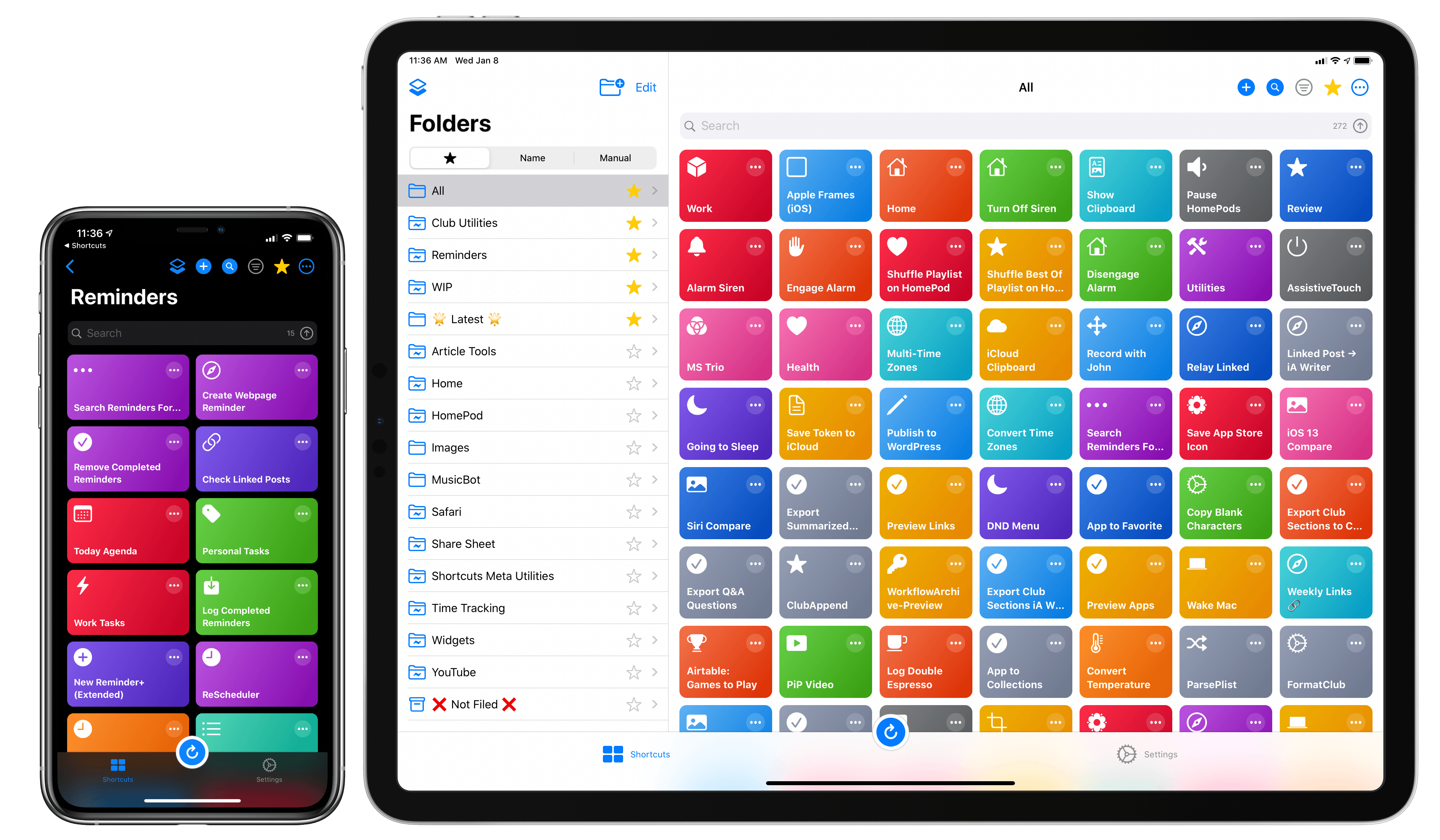
LaunchCuts Review: A Better Way to Organize Your Shortcuts with Folders, Advanced Search, and Custom Views

LaunchCuts' shortcuts view.

LaunchCuts’ shortcuts view.

Developed by Adam Tow, LaunchCuts is the latest entry in a series of meta-utilities designed to extend Apple’s Shortcuts app with new functionalities. Unlike Toolbox Pro and Pushcut, however, LaunchCuts is the most peculiar and niche I’ve tested insofar as it doesn’t provide Shortcuts with exclusive actions nor does it come with its own web service to deliver rich push notifications; instead, LaunchCuts’ sole purpose is to offer an alternative view for your shortcut library with folders and powerful search filters. If you have less than 20 shortcuts installed on your iPhone or iPad, you’re likely not going to get much benefit out of LaunchCuts’ advanced organizational tools; but if you’re like me and use hundreds of different shortcuts on a regular basis, and especially if your library has grown out of control over the past few years, you’re going to need the assistance of LaunchCuts to make sense of it all.

Like the aforementioned Shortcuts utilities, LaunchCuts was born of its developer’s frustration with the lack of folders in Shortcuts – a basic feature that is still bafflingly absent from the app in 2020. As I keep pointing out in my iOS reviews, I find Apple’s continuing reliance on a crude, one-level-deep grid for shortcuts perplexing at best – particularly when the app is so very clearly employed by professional users who want to accomplish more on their iPhones and iPads.

LaunchCuts was originally created by Tow as an advanced shortcut that let you tag and organize your shortcuts from within the Shortcuts app itself. I remember playing around with the original version of LaunchCuts and, although technically remarkable, I didn’t find much utility in it since it was limited by the UI constraints of Shortcuts; LaunchCuts was begging to become a fully-fledged app with a custom interface to take advantage of Tow’s original concept. Now that it’s a native app, LaunchCuts can fulfill Tow’s vision for taming cluttered and disorganized Shortcuts libraries in a way that wouldn’t have been possible as a shortcut – all while taking advantage of new features in iOS and iPadOS 13.

Read more


Introducing MusicBot: The All-in-One Apple Music Assistant, Powered by Shortcuts

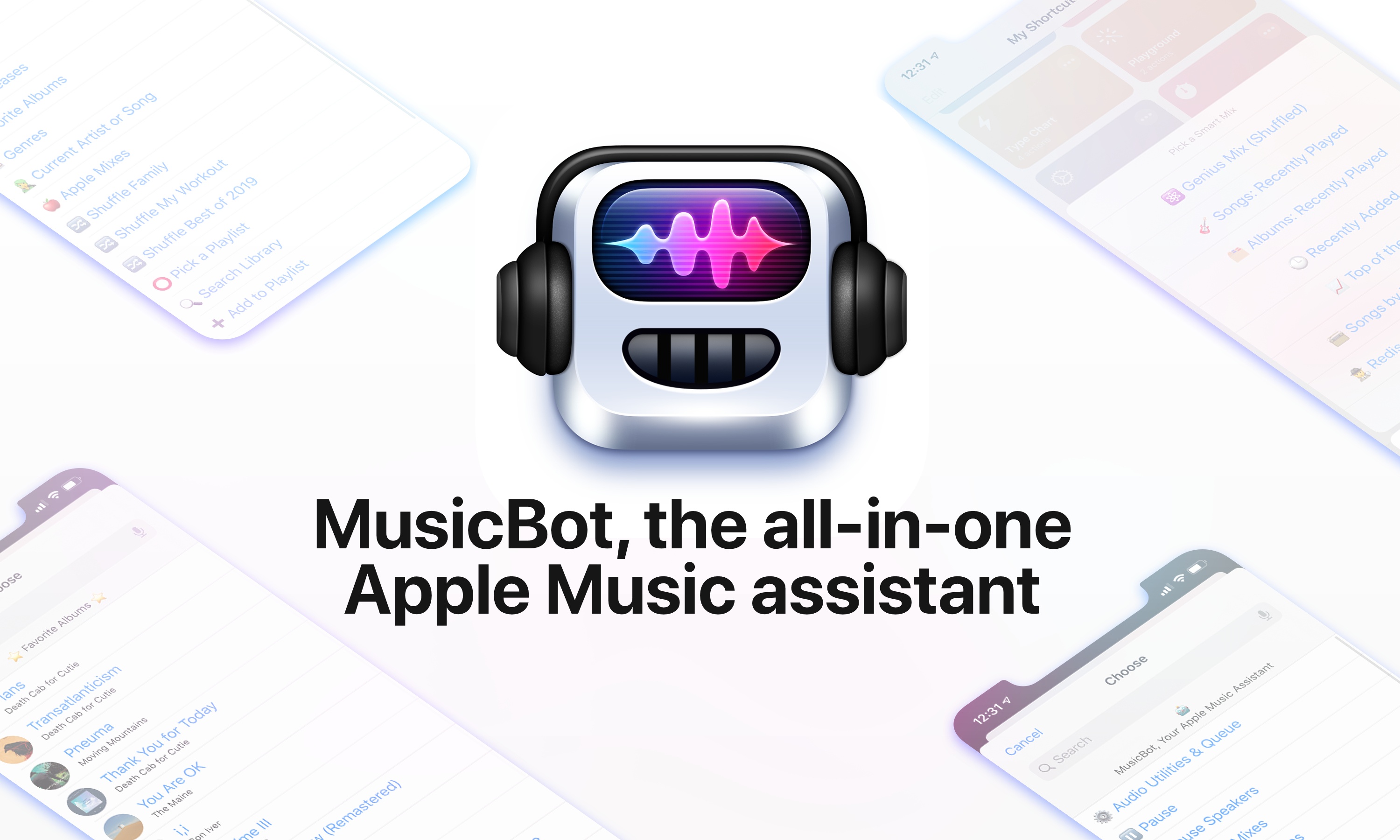
For the past several months, I’ve been working on a shortcut designed to be the ultimate assistant for Apple Music. Called MusicBot, the shortcut encompasses dozens of different features and aims to be an all-in-one assistant that helps you listen to music more quickly, generate intelligent mixes based on your tastes, rediscover music from your library, control playback on AirPlay 2 speakers, and much more. I poured hundreds of hours of work into MusicBot, which has gained a permanent spot on my Home screen. Best of all, MusicBot is available to everyone for free.

I’m a happy Apple Music subscriber, and I love the direction Apple has taken with the service: fewer exclusive deals, more human curation, artist spotlights, and playlists updated daily. However, I believe the Music app for iPhone and iPad leaves much to be desired in terms of navigation and fast access to your favorite music. While Music gets the job done as a gateway to a streaming catalog, I find its interactions somewhat slow when it comes to playing my favorite playlists on shuffle or getting to albums I frequently listen to. Some of Music’s most interesting mixes are only available by asking Siri; additionally, getting to certain sections of the app or tweaking specific settings often takes far too many taps for my taste.

I created MusicBot for two reasons: I wanted to speed up common interactions with the Music app by using custom actions in the Shortcuts app; and I also wanted to build a series of “utilities” for Apple Music that could be bundled in a single, all-in-one shortcut instead of dozens of smaller, standalone ones.

The result is, by far, the most complex shortcut I’ve ever ever created (MusicBot spans 750+ actions in the Shortcuts app), but that’s not the point. MusicBot matters to me because, as I’ve shared before, music plays an essential role in my life, and MusicBot lets me enjoy my music more. This is why I spent so much time working on MusicBot, and why I wanted to share it publicly with everyone for free: I genuinely believe MusicBot offers useful enhancements for the Apple Music experience on iOS and iPadOS, providing tools that can help you rediscover lost gems in your library or find your next music obsession.

Let’s dive in.

Read more


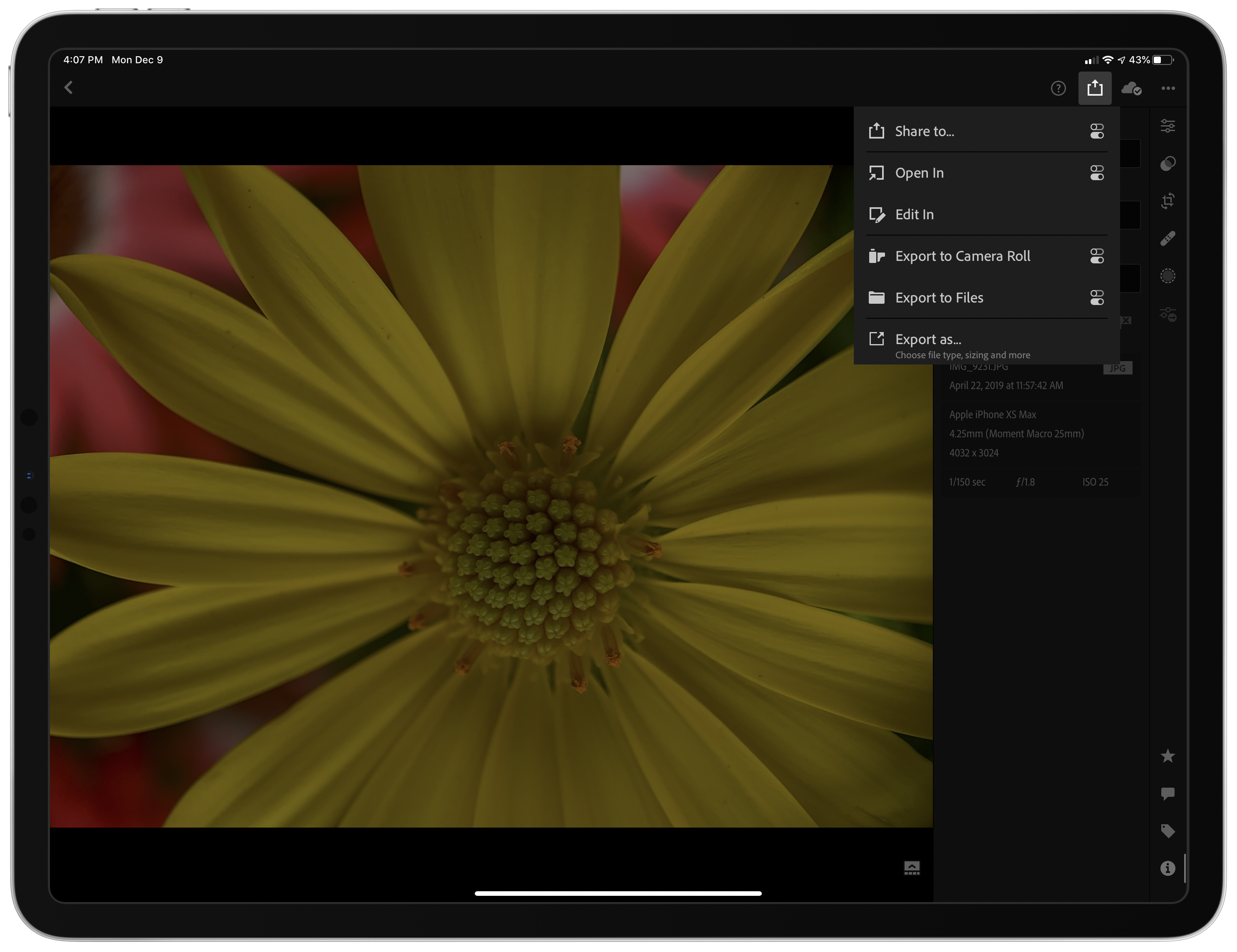
Lightroom 5.1 Adds Direct SD Card Importing on iPad and iPhone, Plus New Export Options

As promised this fall, Adobe has updated Lightroom for iPad and Lightroom Photo Editor for the iPhone with the ability to import image files from SD cards directly inside the app. The company has added new options when exporting your photos too. I’ve been using the beta of Lightroom 5.1 for the past couple of weeks, and the update has worked exceptionally well, reducing the friction of getting images into the app and adding flexibility to getting them back out again.

Read more


Triode: Internet Radio from The Iconfactory with AirPlay 2, Apple Music Integration, and CarPlay

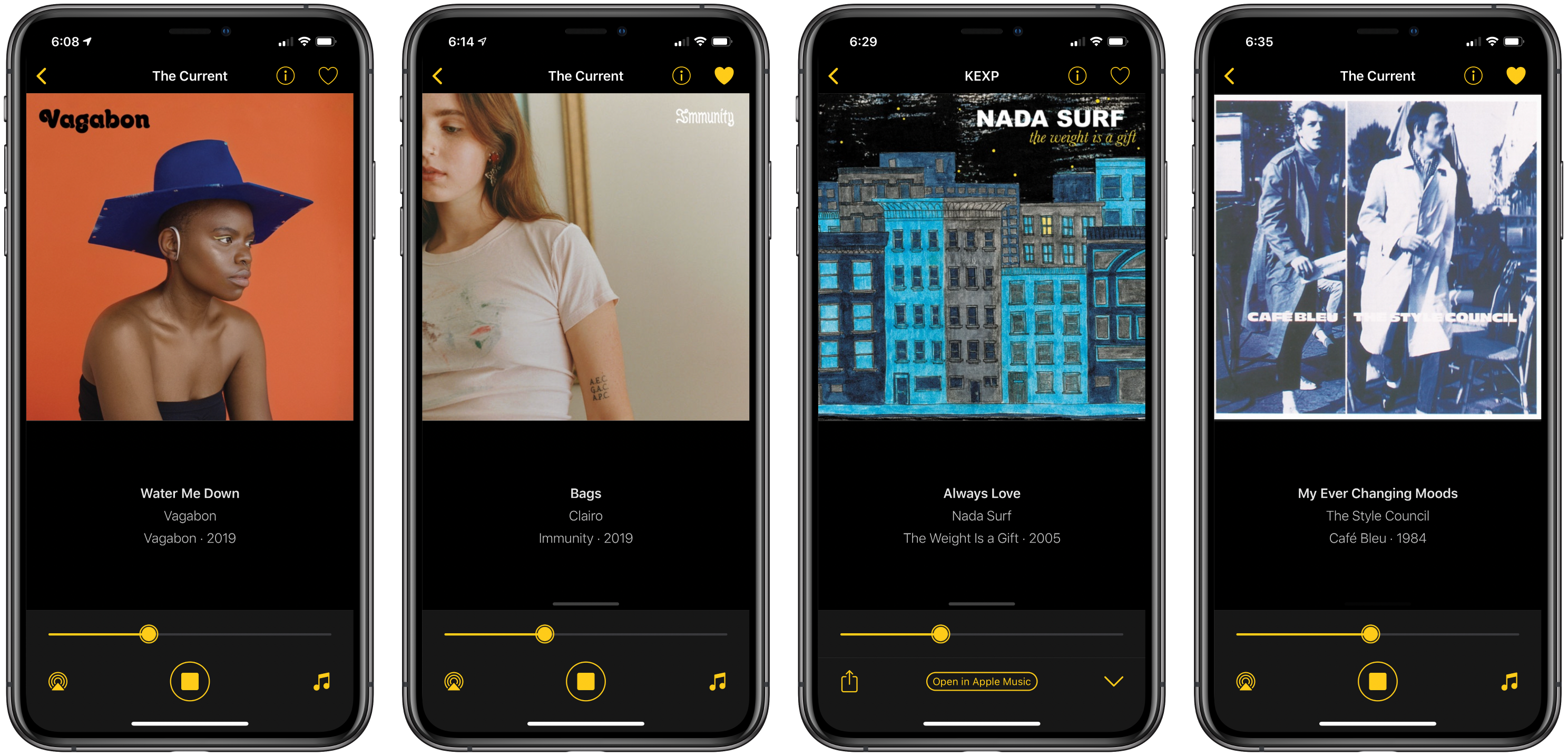
Triode is a new Internet radio app from The Iconfactory for iOS and iPadOS, the Mac, and Apple TV that fills a niche all but abandoned by Apple. Internet radio stations used to claim a more prominent place in iTunes, but in Apple’s new Music app, they have been mostly abandoned in favor of Apple’s own radio stations. A handful of third-party broadcast stations are available in Music, the HomePod can play many more stations, and you can open any station’s stream on a Mac if you know the URL, but that’s it. Triode fills the gap with support for iOS, iPadOS, the Mac, and tvOS, plus CarPlay via the app’s iOS app.

As someone who hasn’t listened to the radio in years, I was a little skeptical of the utility of an Internet radio app at first, but Triode immediately won me over. The app is beautifully-designed, as you’d expect from The Iconfactory, and easy to use. Coupled with Apple’s latest technologies and a set of 31 hand-picked stations, the combination makes for a compelling way to discover new music.

Read more


Toolbox Pro Review: A Must-Have Companion Utility for Shortcuts Power Users

When I covered the updated Shortcuts app in my iOS and iPadOS 13 review earlier this year, I argued how, thanks to parameters, Shortcuts actions provided by third-party apps could become native features of the Shortcuts app.

With his debut app Toolbox Pro, released today on the App Store, developer Alex Hay has taken this idea to its logical conclusion: Toolbox Pro is a new kind of “headless” app – a utility whose sole purpose is to complement and extend Apple’s Shortcuts app with over 50 new actions, providing a native implementation of functionalities that Apple hasn’t brought to Shortcuts yet. After having used Toolbox Pro for the past couple of months, not only is the app a clever idea well suited for Shortcuts’ parameter framework, but it’s also a must-have for anyone who relies on Shortcuts on a daily basis.

Read more