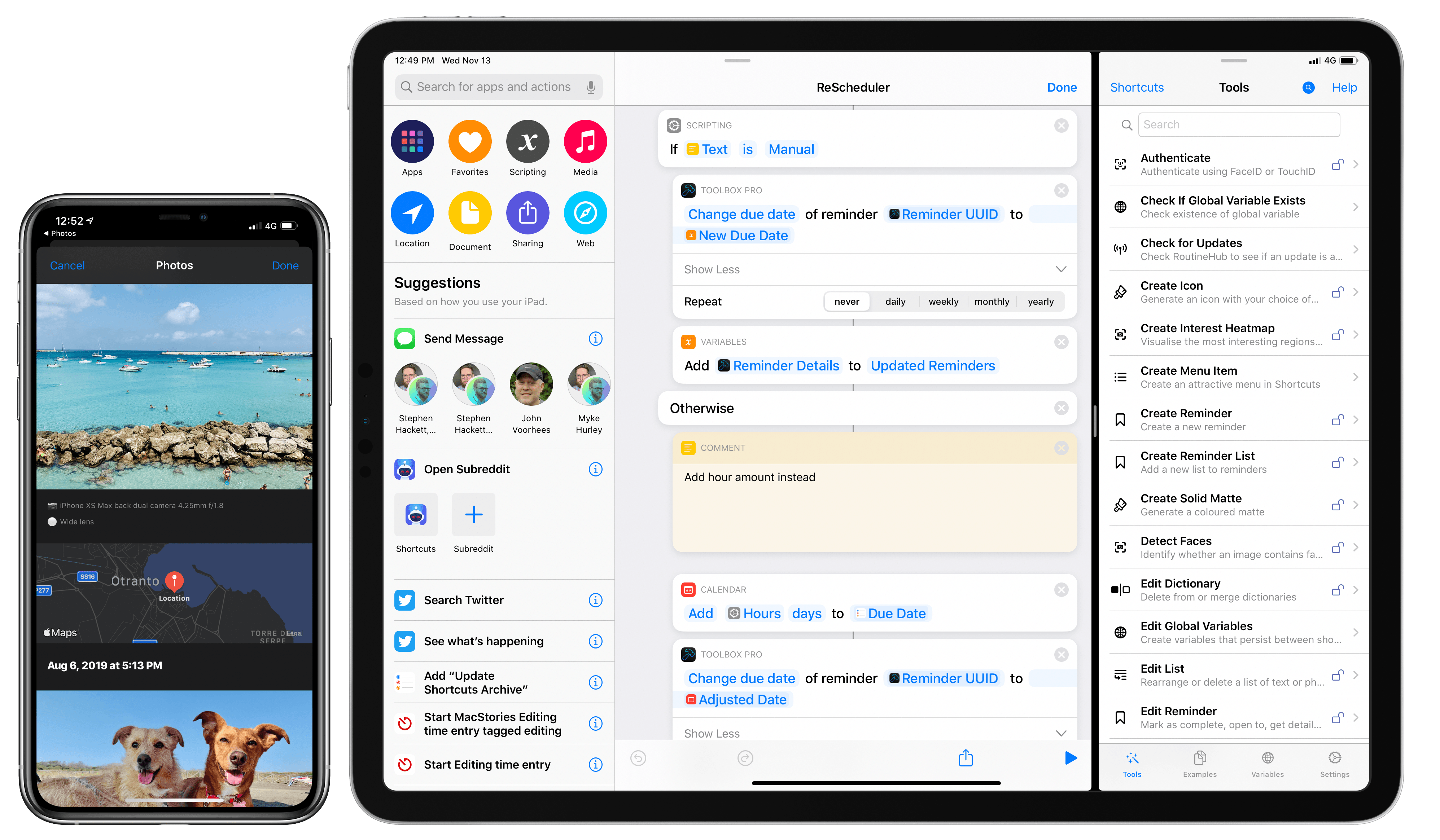
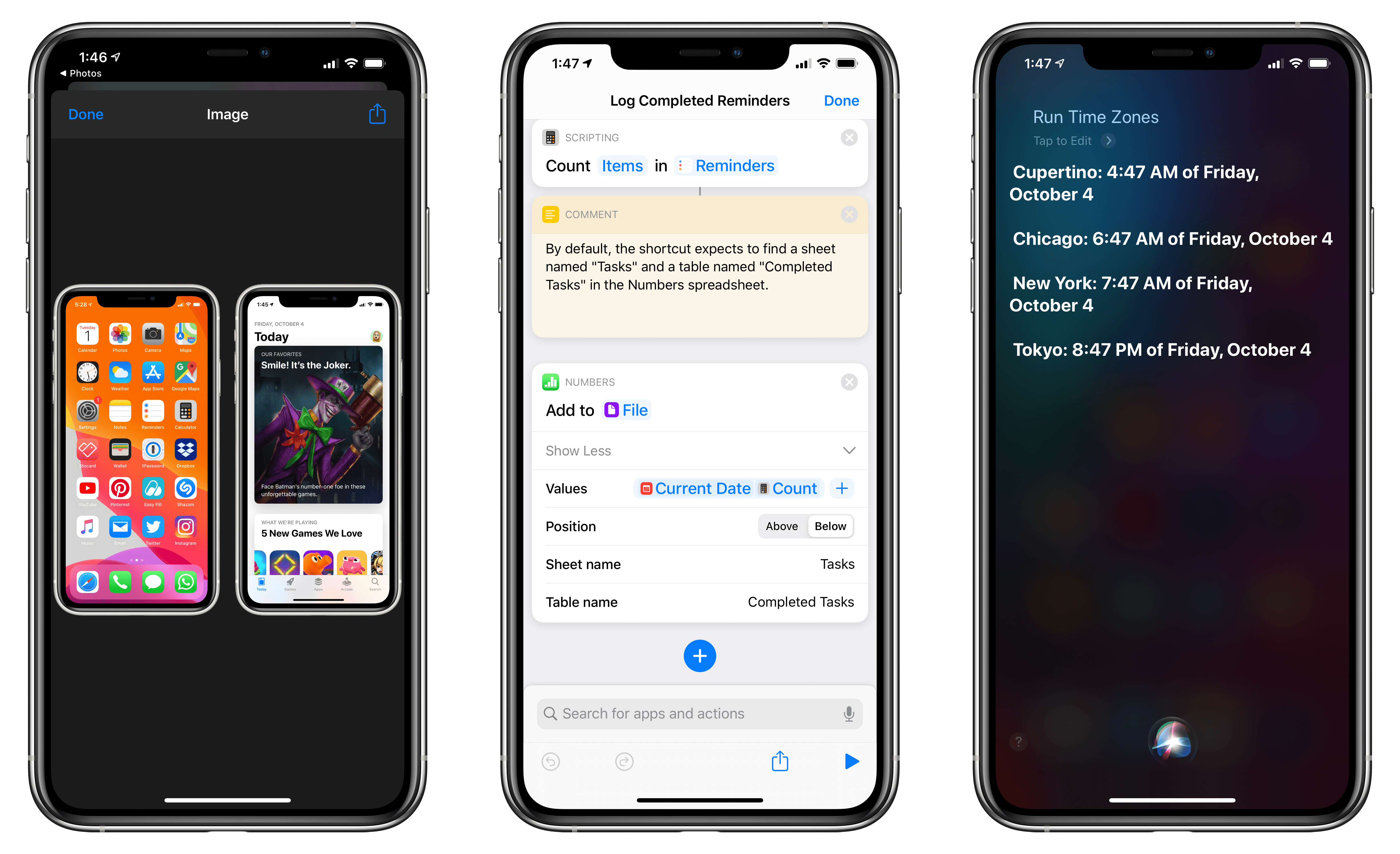
When I covered the updated Shortcuts app in my iOS and iPadOS 13 review earlier this year, I argued how, thanks to parameters, Shortcuts actions provided by third-party apps could become native features of the Shortcuts app.
With his debut app Toolbox Pro, released today on the App Store, developer Alex Hay has taken this idea to its logical conclusion: Toolbox Pro is a new kind of “headless” app – a utility whose sole purpose is to complement and extend Apple’s Shortcuts app with over 50 new actions, providing a native implementation of functionalities that Apple hasn’t brought to Shortcuts yet. After having used Toolbox Pro for the past couple of months, not only is the app a clever idea well suited for Shortcuts’ parameter framework, but it’s also a must-have for anyone who relies on Shortcuts on a daily basis.
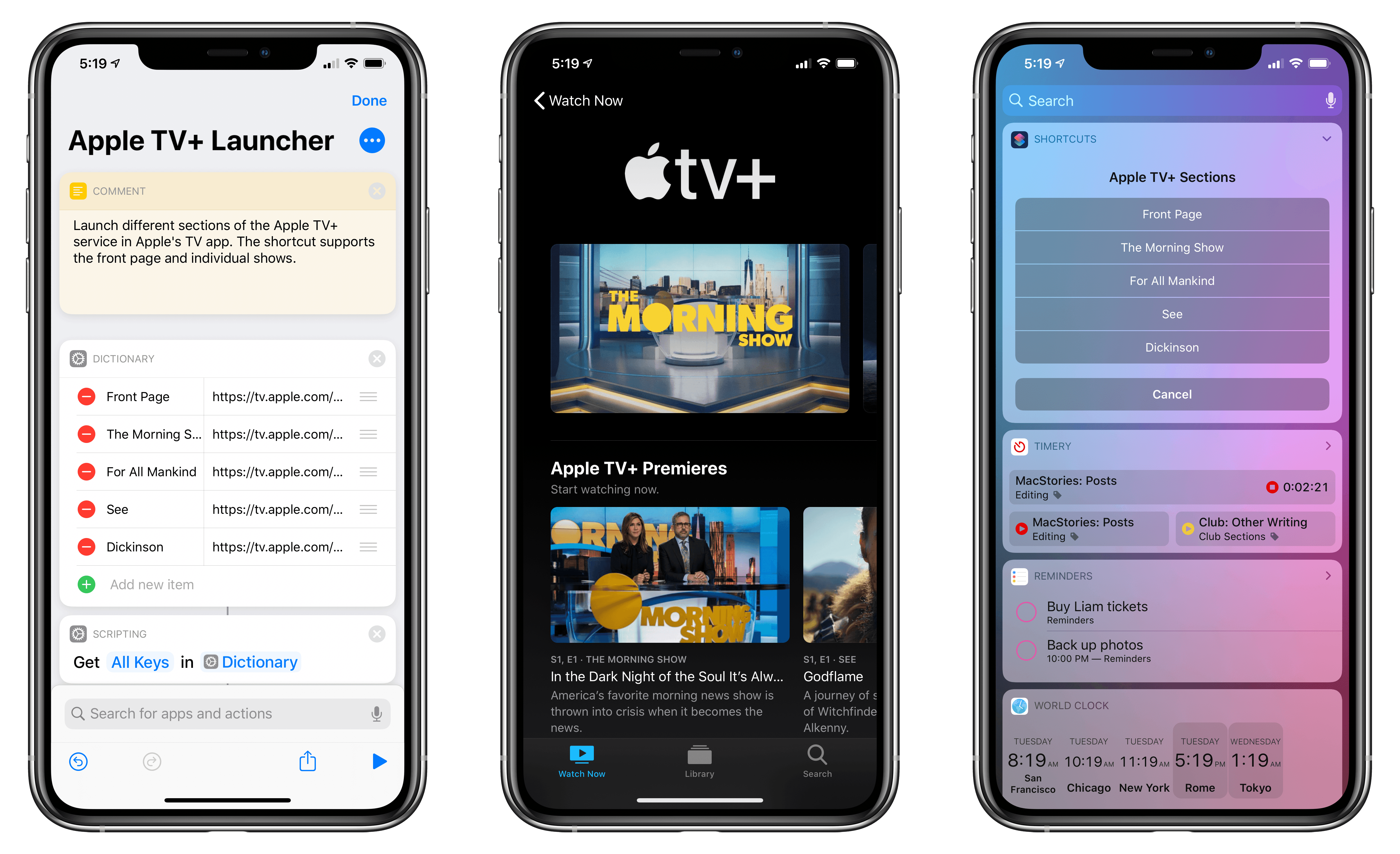
Update, November 7: The shortcut has been updated with links to all currently announced Apple TV+ shows. You can find the updated download link below and in the MacStories Shortcuts Archive.
I was listening to the latest episode of Upgrade, and, among several fair points about the shortcomings of Apple’s TV app for iPhone and iPad, Jason Snell mentioned an issue that stood out to me: if you don’t know where to look, it can be hard to tell where exactly the Apple TV+ service lives inside the Apple TV app. This sentiment was echoed earlier today in this article by Benjamin Mayo at 9to5Mac:
Apple has made very few changes to the TV app design and feature set to accommodate the TV+ launch. TV+ is shoehorned in as just another source of content with very little consideration. With other streaming services, if you want to commit to their world and explore everything they have to offer, you can just open the dedicated app and never touch the TV app. With TV+, that’s simply not possible.
There is a channel section of the TV app that is dedicated to TV+ content — but it’s far from perfect. Finding the TV+ section requires a lot of scrolling, meandering past several screens worth of Watch Now recommendations for everything in the iTunes catalog.
I’ve been watching The Morning Show over the weekend (which I surprisingly liked a lot; I’m going to start For All Mankind and See next), and even though I’m used to the TV app’s quirks by now, I recognize that its navigation should be improved. And in particular regarding the new Apple TV+ service, I do believe that it’s somewhat buried in the TV app experience – by default, Apple doesn’t offer a single, easy way to open a “page” with Apple TV+’s complete catalog. So, I had to figure out a solution on my own.
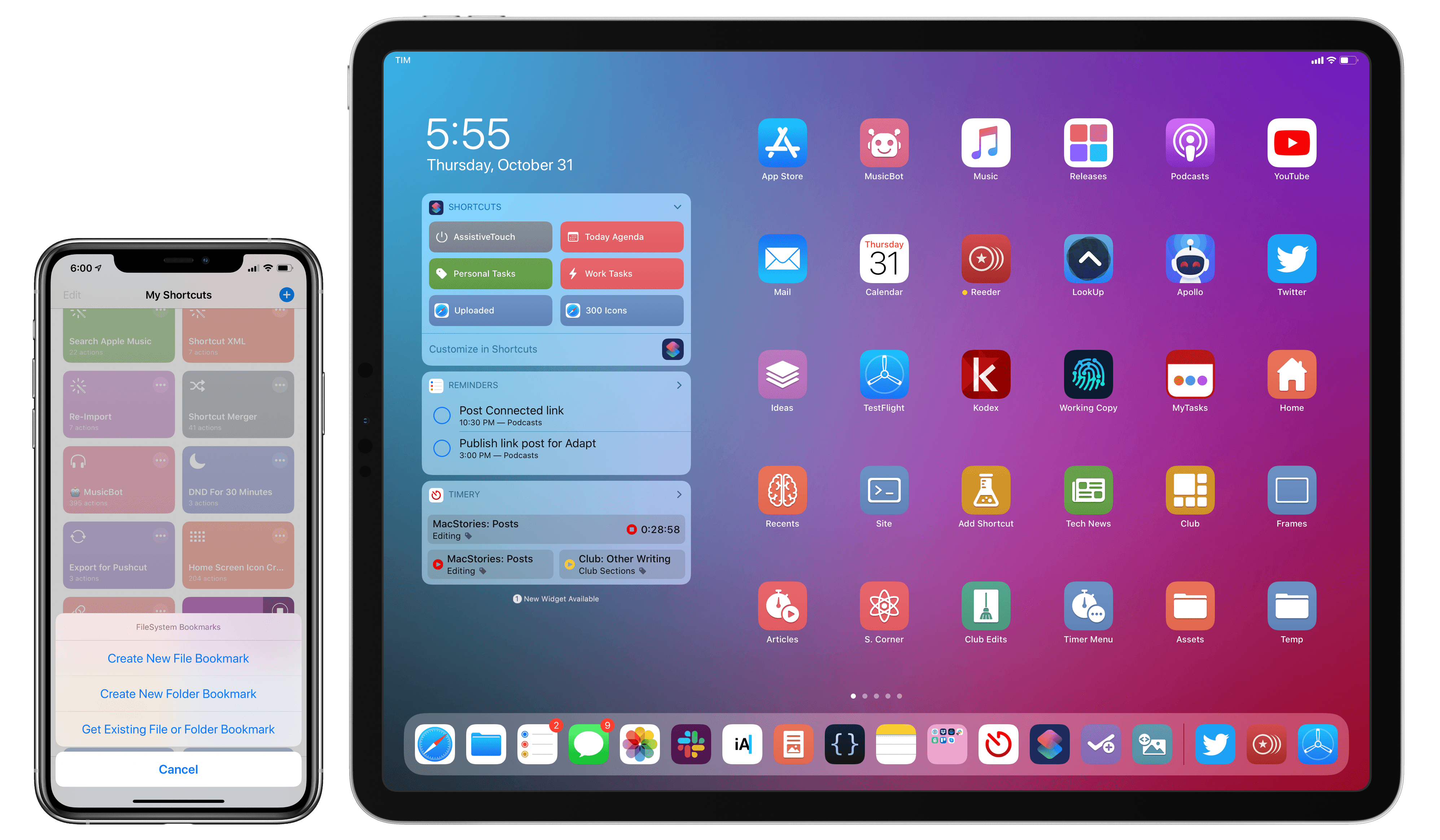
A couple weeks ago on our iPad-focused podcast Adapt, Ryan challenged me to figure out a way to turn the iPad’s Home screen into a desktop-like environment with icons to reopen files and folders directly in the Files app. At first, I thought it couldn’t be done: unlike the Mac’s Finder, Files doesn’t let you create aliases to folders or place files on the Home screen; the Shortcuts app can create Home screen icons, but it doesn’t have access to documents located outside Shortcuts’ iCloud Drive container.
As I detailed on Adapt yesterday, I’m happy to introduce FS Bookmarks, a shortcut that lets you create direct launchers for files and folders stored in the Files app. FS Bookmarks is a hybrid Shortcuts-Scriptable tool that takes advantage of a native Files API (which I will call “bookmarks”) to expose the filesystem path of any file or folder stored in the Files app.
With the launchers created via FS Bookmarks, you’ll be able to reopen any document in the Files app (in Quick Look preview mode) or navigate to any folder you want to quickly access. Best of all, you don’t need to know or even see Scriptable’s JavaScript code at all: FS Bookmarks takes care of installing the necessary scripts for you; you just need to pick the files and folders you want to create launchers for, and that’s it. FS Bookmarks was designed to abstract the complexity involved with retrieving the filesystem paths used by the Files app.
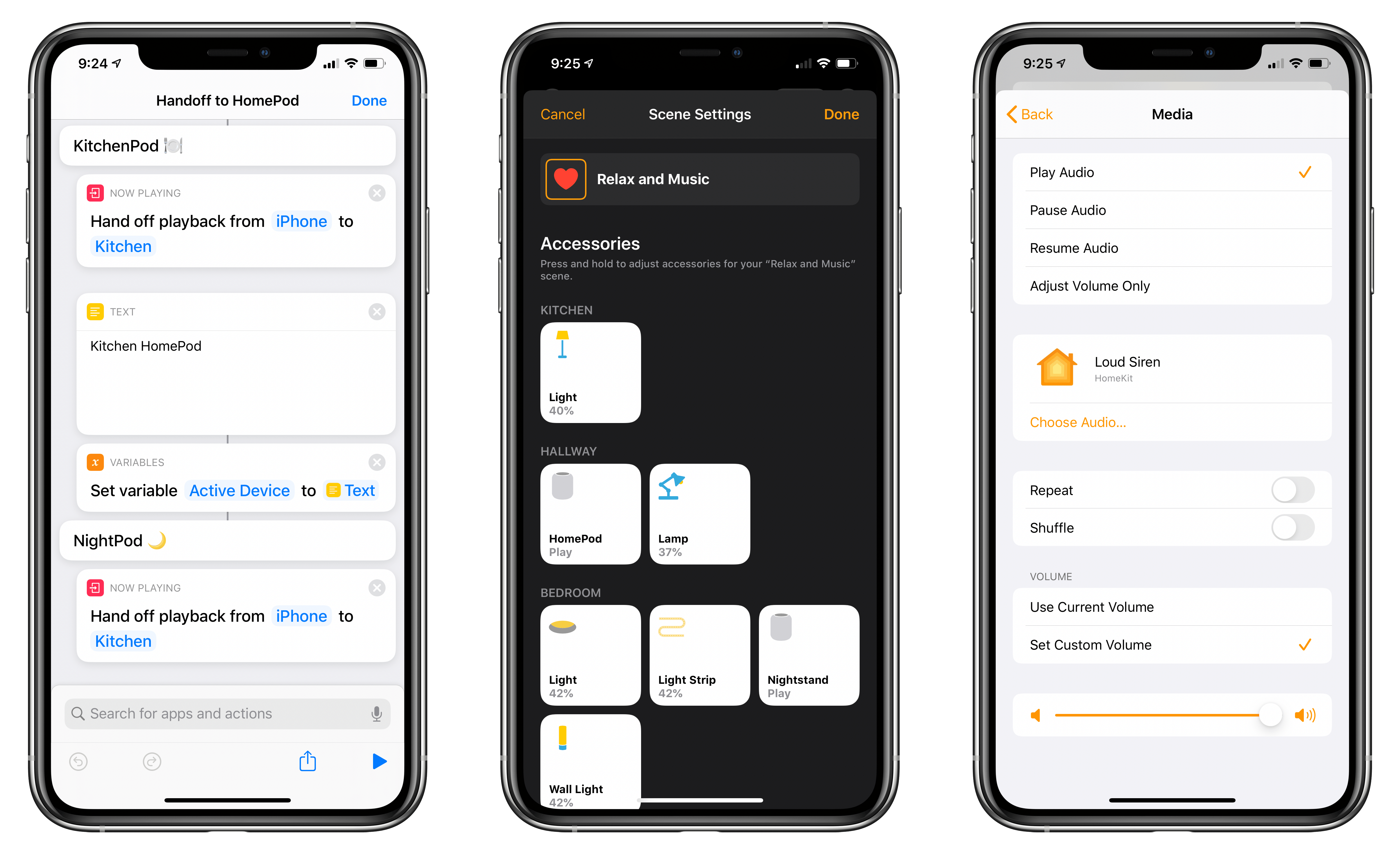
Following the announcement of AirPods Pro earlier today, Apple also released iOS, iPadOS, audioOS, and tvOS 13.2. Among various features (which we’ve detailed in a separate story here), one of the key improvements in this suite of software updates is extended flexibility of the HomePod’s music playback abilities.
In fact, by updating to the latest version of Apple’s software, you’ll gain a variety of new audio-related functionalities for HomePod, ranging from the ability to wave an iPhone atop the speaker to hand off audio to brand new integrations with the Shortcuts app as well as HomeKit scenes and automations. In this post, I’m going to go over all the different ways you can control audio playback on Apple’s Siri-integrated speaker, explain new shortcuts that can be built with these features, and share some first impressions based on my initial tests with today’s changes. We’re going to cover HomePod’s other new functionalities such as multi-user support and ambient sounds later this week. Let’s dive in.
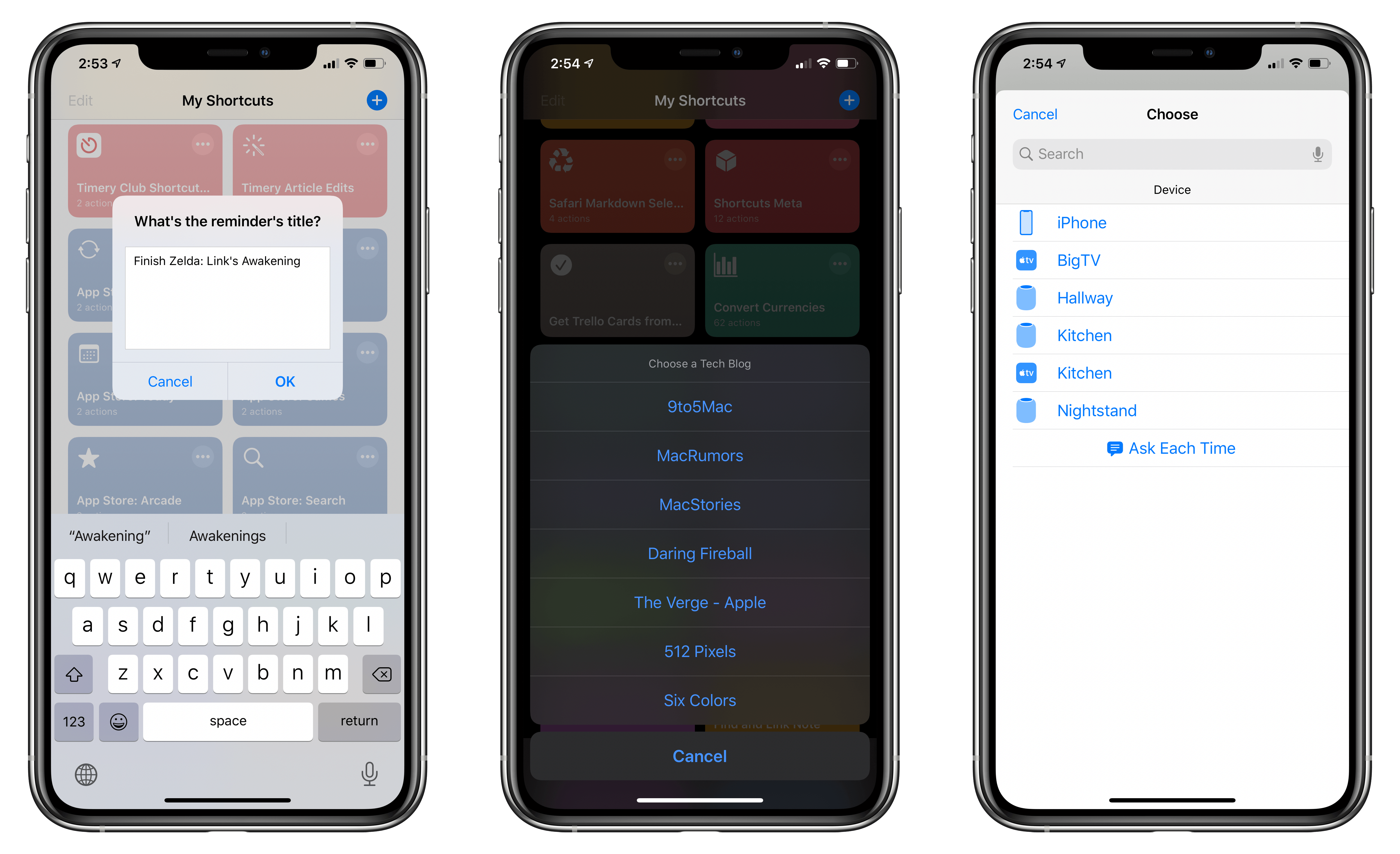
In this week’s installment of the Shortcuts Corner, I share a custom Reminders-specific shortcut I’ve built to customize and enhance my daily experience with Apple’s task manager. Furthermore, I share a simple shortcut to quickly resume audio playback of any HomePod around the house and detail a new version of an old shortcut, which I’ve updated for iOS 13, made more flexible, and integrated with the rest of the system. Let’s dig in.
Last March, I sat down with Eli Hodapp at Blue Bottle Coffee in San Francisco. We were in town for the annual Game Developers Conference (GDC). For me, it was strange to be back in the environs of the Moscone Center for something other than WWDC. I felt a little like a fish out of water, and I sensed Hodapp did too, though for a very different reason.
You see, Hodapp had just announced that he was leaving as Editor-in-Chief of TouchArcade, after a decade of helping build it into one of the premier websites that covers iOS games. As a reader, I was sorry to see him go, but I was also eager to chat with Hodapp because what brought us together was the buzz surrounding the reason he left: GameClub.
GDC San Francisco 2019.
Hodapp and I are both from the Chicago area, but we’d never met before GDC. What led me to contact him was a column he’d written for gameindustry.biz about preserving the legacy of iOS games that had disappeared from the App Store, a topic that we’ve covered manytimes on MacStories and elsewhere in the past.
In the gameindustry.biz story, Hodapp explained why he left TouchArcade:
I’ve been incredibly vocal about preserving our digital history over the years, and it’s distressing to think how many great, historically important (and simply fun!) games have been lost. That reality is my prime motivation in stepping down from TouchArcade: to raise awareness of this problem.
Hodapp had joined GameClub as its VP of Business Development shortly before GDC to help build the library of 70 classic iOS games that are launching with the service today.
Over coffee, Hodapp and I discussed the state of gaming on iOS, game preservation, and, of course, GameClub. It was still very early days, but Hodapp articulated a clear vision of how classic iOS games could be resurrected in an economically viable way. As we chatted, Hodapp outlined the very thing GameClub is launching today: a service designed to reintroduce dozens of games to a new generation of iOS gamers without ads, manipulative In-App Purchases, or other gimmicks. The business model hadn’t been locked down yet, but if all the business and technical hurdles could be cleared, a subscription service was likely.
Shortly thereafter, GameClub launched a beta program to test games that it had already updated to work on modern iOS hardware and software. I joined immediately. I enjoyed playing some old favorites throughout the summer, and watching as the ranks of GameClub’s beta testers grew on Discord.
As I checked in periodically over the summer, it was clear that something about GameClub had struck a chord. For some gamers, it was the fatigue built up over many years from the constant barrage of ads and In-App Purchases. For others, it was the delight and nostalgia of rediscovering the first games they’d played on iOS. Even in those early days, it was clear that GameClub had tapped into something special by releasing a steady stream of classics and building a community of people that cared about them.
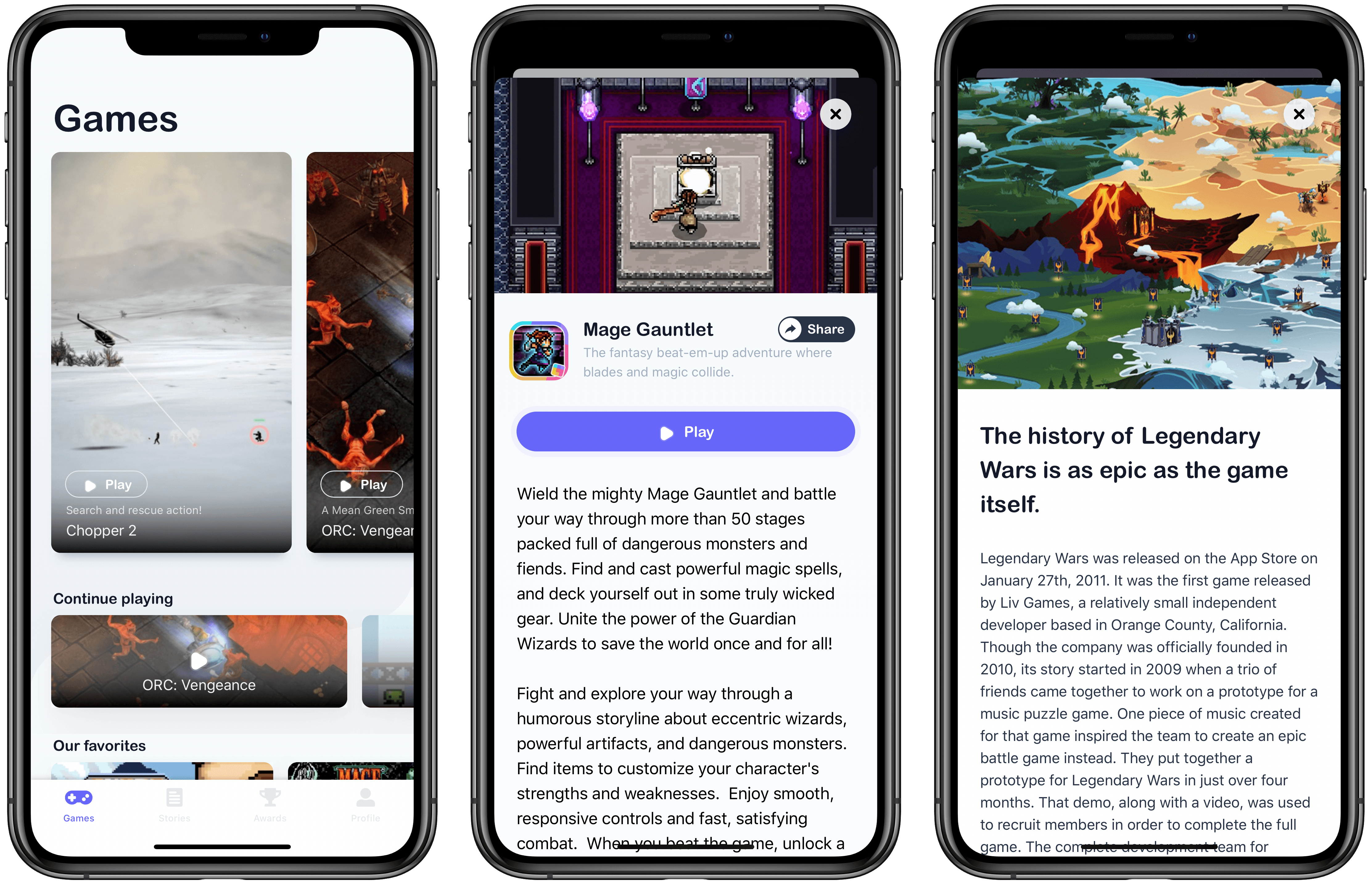
Now, after over seven months and many more beta-tested games, GameClub has launched, and I love it. Not only is the service brimming with many of my all-time favorite iOS games, but the GameClub app itself is a terrific way to discover new games and keep track of favorites. There’s a lot going on with GameClub, so let’s dig in.
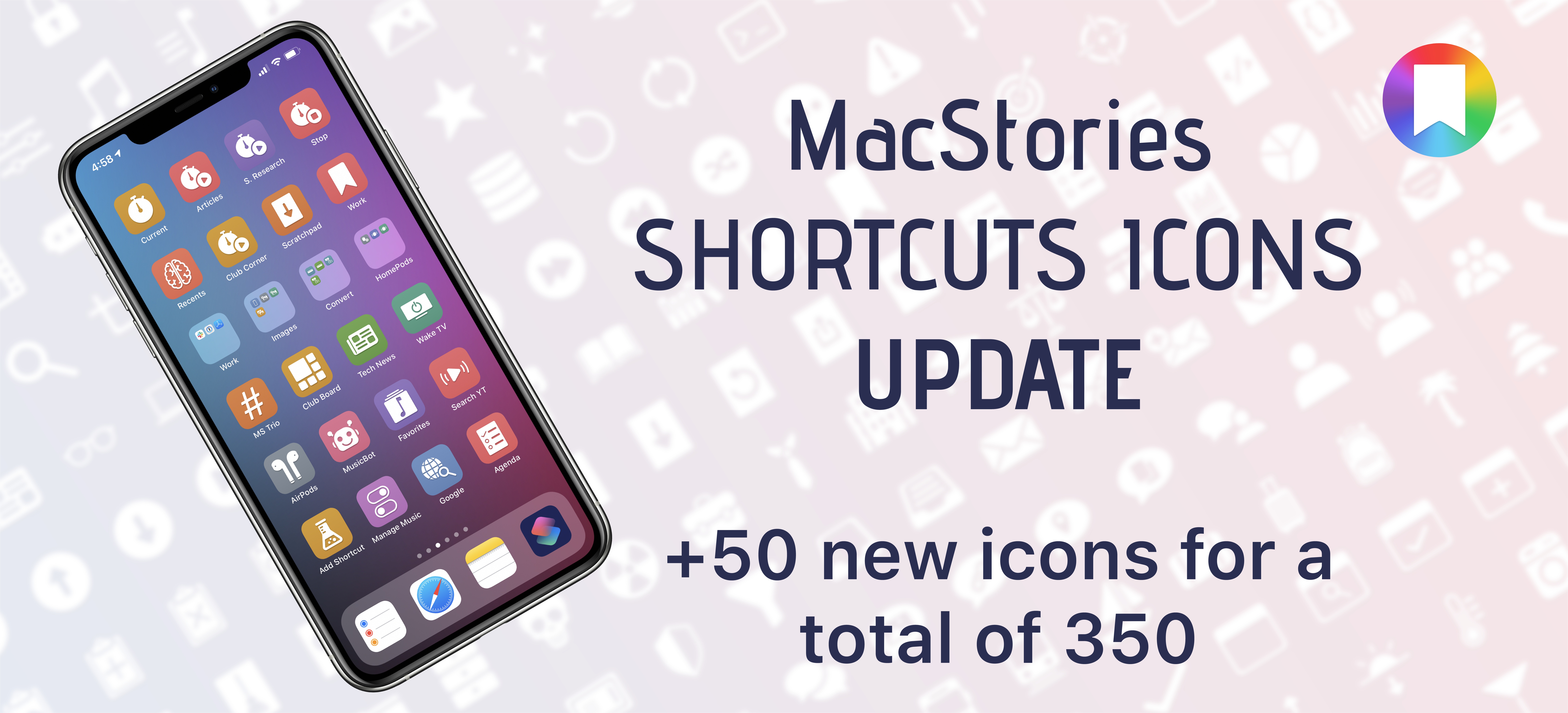
I’m happy to announce that MacStories Shortcuts Icons, our custom icon set for adding shortcuts to the Home screen, has received an update today that adds 50 new glyphs.
The update is available now for free for existing customers (just download the file again with the link in your original email receipt); for new customers, the update is part of the standard MacStories Shortcuts Icons purchase, which is available at $14.99 for a total of 350 custom Home screen glyphs.
All sales are final. You can read our license and terms of use here.
For those who may have missed it last month: MacStories Shortcuts Icons lets you customize the look of your shortcuts added to the Home screen by choosing from hundreds of glyphs designed specifically with Shortcuts users in mind, going beyond what’s provided by Apple in the Shortcuts app.
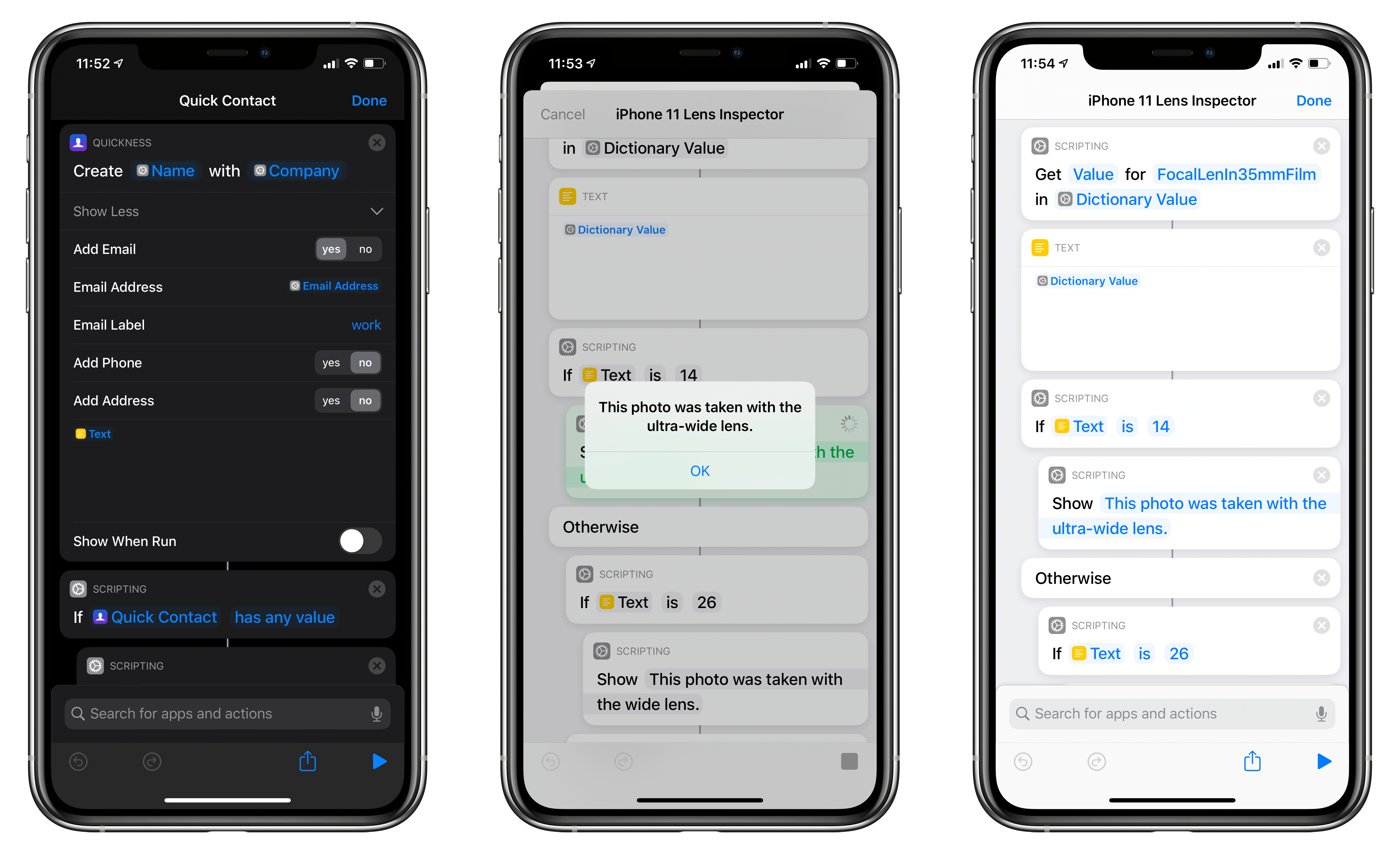
In this week’s installment of the Shortcuts Corner, I share two app-based shortcuts (for Quickness and Fiery Feeds) that I teased earlier this week, which let you create new contacts and subscribe to RSS feeds, respectively. Additionally, I’ve been working on an iPhone 11 Pro photography story, and I’ve created a shortcut that lets you double-check which camera was used to take a particular picture. Lastly, I share a preview of a shortcut to batch-convert reminders to notes, which is exclusive to Club MacStories members this week. Let’s dive in.
In this week’s installment of the Shortcuts Corner, I share an interesting assortment of shortcuts, from an updated version of my Apple Frames shortcut and an easy way to open the App Store’s Updates page to an automation that takes advantage of a feature in the latest Numbers update. And for Club MacStories members, I’ve prepared two shortcuts that should speed up the process of getting the current time for different cities around the world – both via the Shortcuts app and Siri. Let’s dive in.