This Week's Sponsor:

Turbulence Forecast

Know before you go. Get detailed turbulence forecasts for your exact route, now available 5 days in advance.


Posts tagged with "iOS"

Shortcuts Corner: Search YouTube, Preview Folder Contents, and Play Recent Music Albums

As I explained in today’s issue of MacStories Weekly for Club MacStories members, we’re bringing the newsletter’s Shortcuts Corner section to the site, with a twist: in this series, you’ll find simpler shortcuts that you can download for free, and which will be added to the public MacStories Shortcuts Archive; you’ll also get a preview of an exclusive shortcut available today for Club MacStories members.

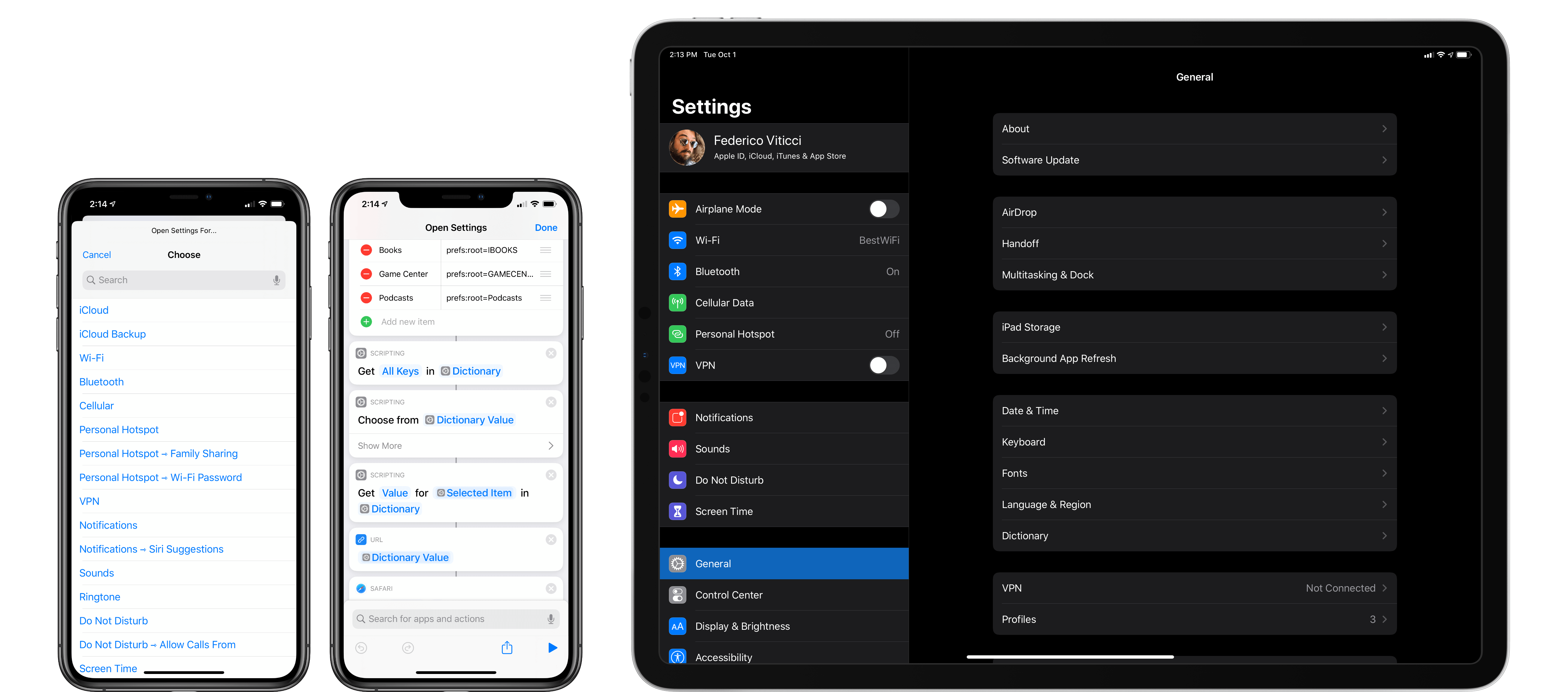
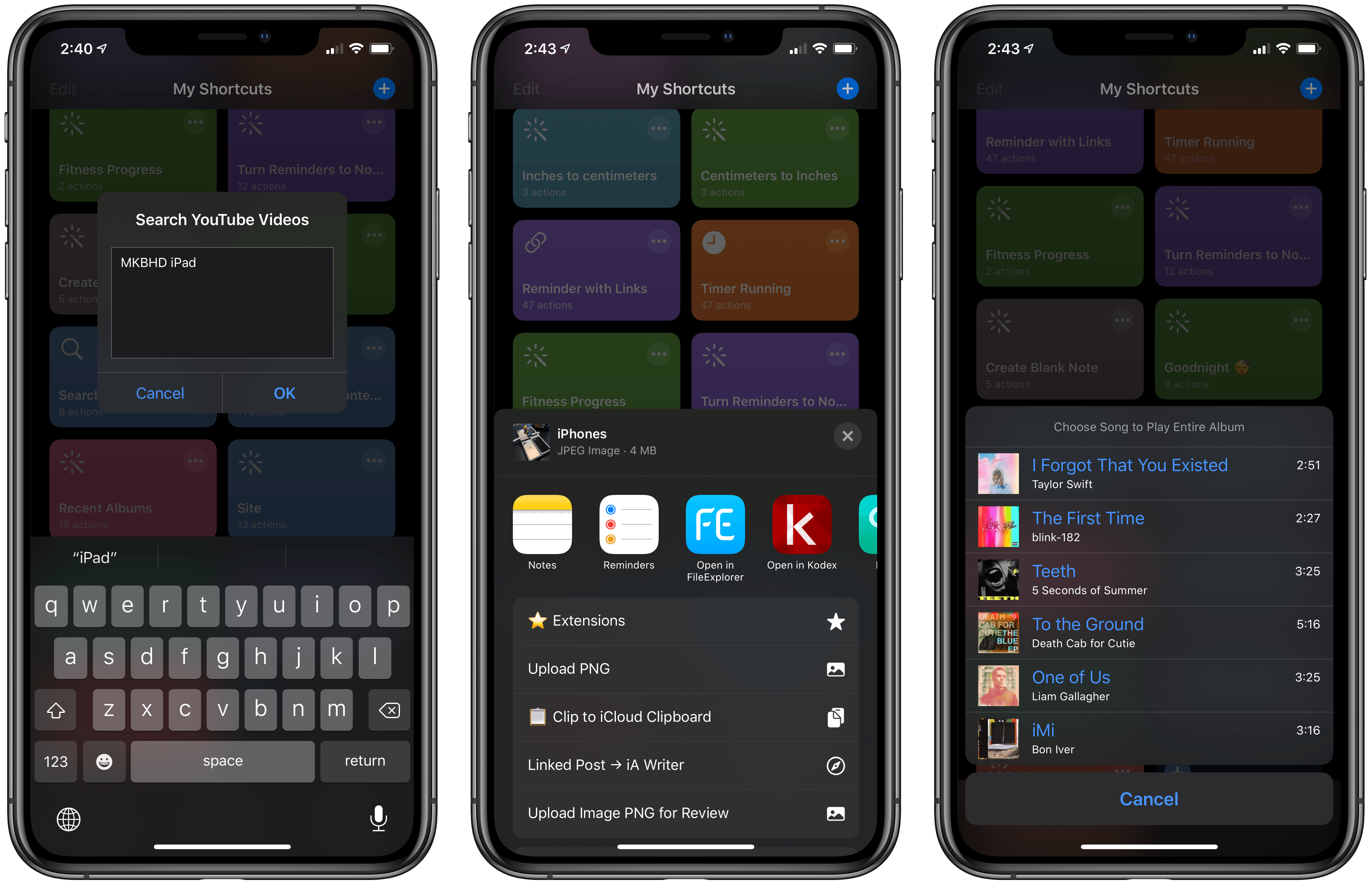
In this week’s Shortcuts Corner, I share shortcuts to quickly launch a search query in the YouTube app, preview the contents of a folder in iCloud Drive, and start playback for one of your recently played albums in the Music app. Let’s dive in.

Read more


Apple Hits Restart on Game Controller Support

It’s hard to believe it’s been nearly six years since Apple added game controller support to iOS. The big news at WWDC in 2013 was the iOS 7 redesign, but for game developers, it was rivaled by the announcement that third-party Made For iPhone (MFi) controllers were coming.

The game press and developers understood the potential of controller support immediately. Even though it wasn’t announced there, Chris Plante of Polygon declared controller support the biggest story of E3, the game industry trade show that was happening at the same time as WWDC. Plante imagined that:

If Apple finds a way to standardize traditional controls, every iOS device will become a transportable console. In a year, both iPhones and iPads will approach the processing power of the current-generation devices. Companies will have the ability to port controller-based games for the mobile devices in millions of pockets — an install-base far greater than they’ve ever had before.

Game industry veteran Gabe Newell, the co-founder of Valve, saw Apple’s entry as a big risk to companies making PC and console games:

The threat right now is that Apple has gained a huge amount of market share, and has a relatively obvious pathway towards entering the living room with their platform…I think Apple rolls the console guys really easily.

I was right there with them. iOS devices couldn’t match the power of a traditional console in 2013, but you could see that they were on a trajectory to get there. With the addition of controller support, Apple felt poised to make a meaningful run at incumbents like Sony and Microsoft.

It didn’t work out that way though. iOS’ controller support was rushed to market. Early controllers were priced at around $100, in part because of the requirements of the MFi certification, and they couldn’t match the quality of controllers from Sony and Microsoft.

As anticipated, controller support was extended to the Apple TV when its App Store launched in 2015. Initially, it looked as though Apple would allow game developers to require a controller. In the end, though, the company went an entirely different direction by requiring that games support the Apple TV Remote, a decision that complicated development and dumbed down controller integration to match the remote’s limited input methods. Apple changed course eventually, and now lets developers require controllers, but by the time of that change the damage had been done. Many developers had already lost interest in controller support. It didn’t help either that for a very long time, the App Store didn’t indicate which games were compatible with MFi controllers, leaving the void to be filled by third-party sites.

Last year, when I looked back at the history of games on the App Store for its tenth anniversary, I came away pessimistic about the future of games on Apple’s platforms. After a decade, I felt like we were still asking the same question that Federico posed in 2013:

Will Apple ever develop a culture and appreciation for gaming as a medium, not just an App Store category?

Sadly, Federico’s question remains as relevant today as it was six years ago. Still, I’m cautiously optimistic based on what’s happened in the past year. Part of that is the App Store editorial team’s excellent track record of championing high-quality games in the stories published on the App Store. Another factor is Apple Arcade, the game subscription service we still don’t know a lot about, but which appears designed to showcase high-quality, artistically important games.

The latest cause for optimism is Apple’s announcement at WWDC this past June that iOS, iPadOS, tvOS, and macOS would all support the Sony DualShock 4 and Bluetooth-based Xbox controllers when Apple’s OSes are updated this fall. The reaction from developers and other observers was a combination of surprise and excitement that was uncannily similar to the MFi announcement in 2013. Yet, the news begs the question: ‘How is this time any different?’ The answer to that question lies in how the new controllers work and the role they will play in Arcade.

Read more


Dark Noise Review: Ambient Noise Never Looked So Good

An ambient noise app’s most important job is providing a variety of sounds that can evoke a soothing sense of calm, and offer environment control. The App Store is full of apps that accomplish this purpose, and a new one’s being added to that roster today: Dark Noise, from developer and designer Charlie Chapman.

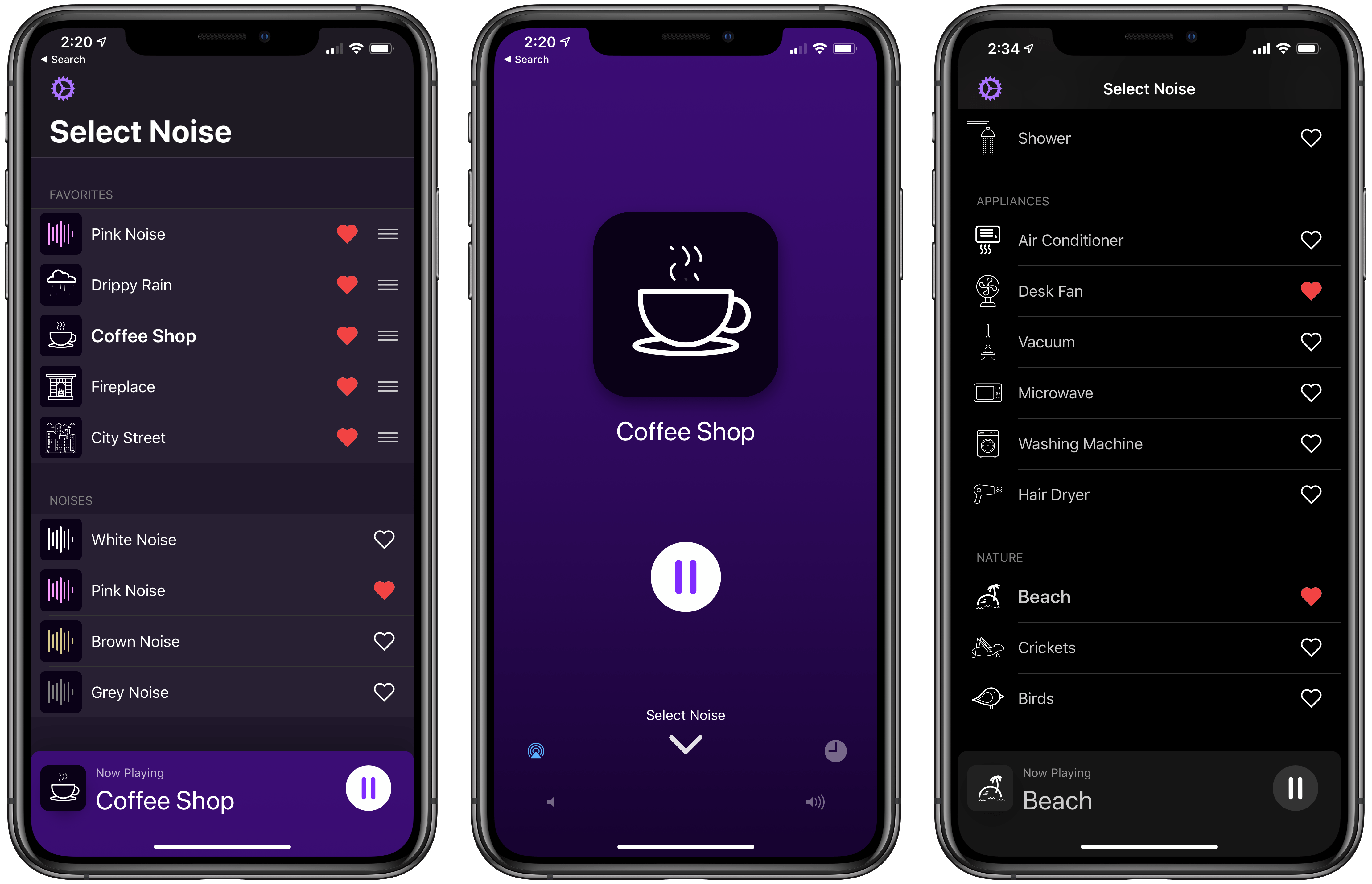
One chief advantage of Dark Noise over its competition is that out of the gate it’s the best of iOS citizens. Nearly every relevant iOS technology that Apple puts at developers’ disposal has been implemented in Dark Noise: Siri shortcuts, haptic feedback, alternate app icons, a customizable widget, an iPad version with Split View support, and more. I’ve never used an ambient noise app with such strong system integrations.

What makes Dark Noise truly special, however, is the way it’s easy not only on the ears, but the eyes too. Chapman’s pedigree as a designer and motion graphics artist shines throughout the app, creating a design experience through animations and gestures that’s truly delightful.

Read more


Prizmo 5 for iOS Delivers Fast Scanning and Powerful OCR

I own a ScanSnap S1300i scanner, but I’m not sure why anymore. I used to scan paper documents and store them on my Mac. I’d OCR the scans, so they would be text searchable, and I used Hazel rules to organize them in folders automatically. However, I realized recently that not only do I rarely need to refer back to those scanned documents, but most are already available in electronic form online. If I need to look at an old credit card statement or bill, I can log into those accounts to find the information I need, so I tossed my scanner in a drawer.

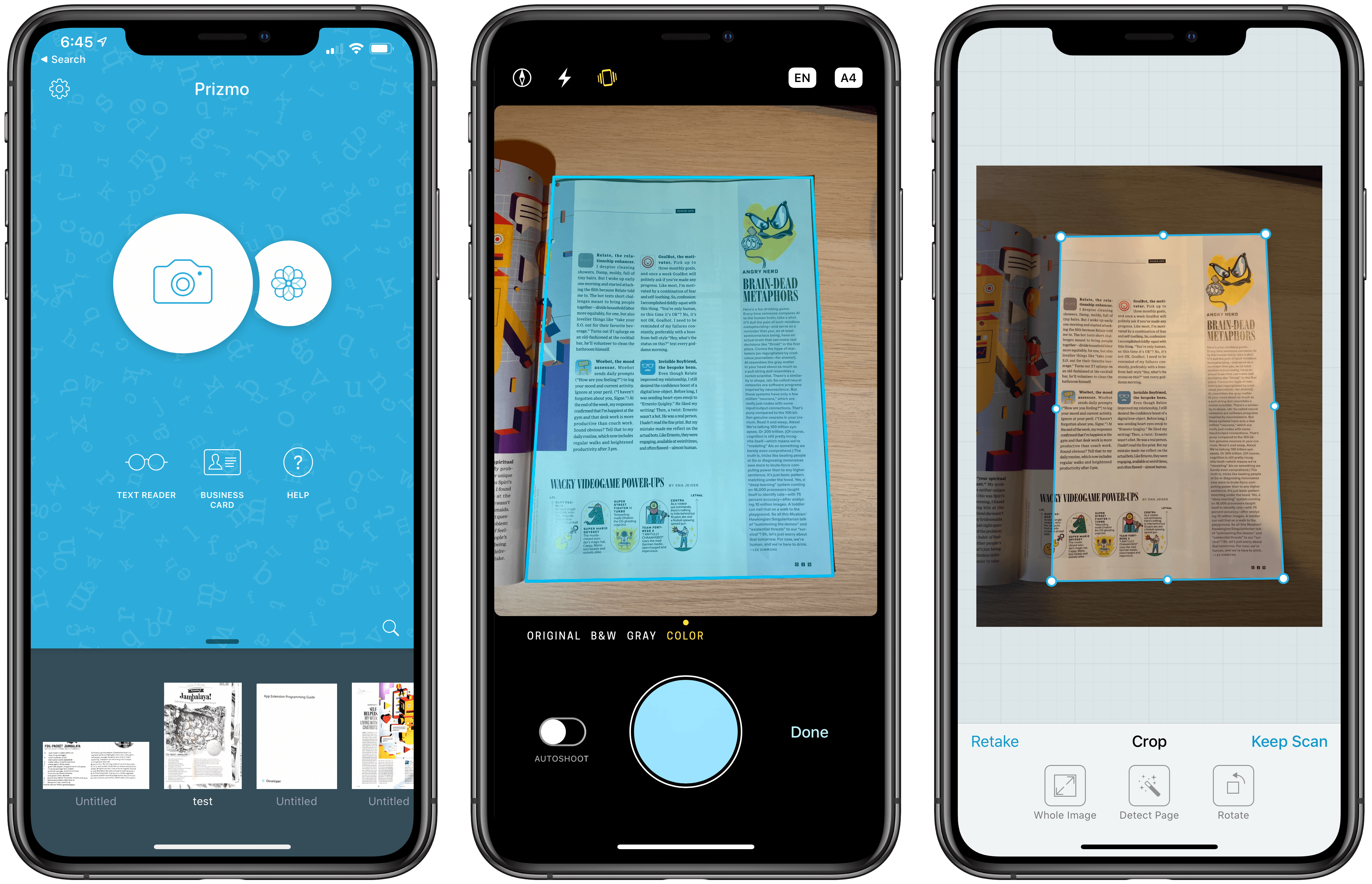
Important bits of paper still come into my life now and then, but I’ve found that an iOS scanning app is more convenient for the volume of scanning I do now. There are lots of terrific apps on iOS to capture and organize scans, but Prizmo by Creaceed, which I’ve been testing for the past week, has quickly become one of my favorites, distinguishing itself with its ease of capture and terrific OCR functionality.

Read more


Flighty: A Pro-Level iOS App for Frequent Travelers

Good flight tracking apps are few and far between. Simply by having a top-notch design, Flighty is superior to most of its competition. There’s more to the app than superior design though. Flighty combines smart design choices with traveler-centric features to generate a comprehensive picture of every flight you track. The result is a pro-level travel app that’s an excellent fit for frequent travelers.

That said, Flighty isn’t for everyone. The app is free to download and use to track basic flight details. However, much of Flighty’s value lies in its granular level of flight detail, extensive push notification options, and inbound flight tracking, which require an expensive subscription.

You can try Flighty’s pro features free for 14 days, after which the subscription costs $8.99/month or $69.99/year, which is currently $49.99/year for a limited time. That’s more than any other flight tracking app I’ve tried, but I expect many travelers who spend lots of time in the air will be willing to pay monthly or annually.

Fliers who don’t need push notifications or the level of detail Flighty’s subscription offers can still track basic flight data with the free version of the app. However, as I’ll explain in greater detail below, the prominence of banners advertising the app’s pro subscription doesn’t make that a good option.

Read more


Marzipan: A Chance to Revitalize the Mac App Ecosystem

My annual practice of deciding which Mac apps qualify as ‘must-haves’ is always an interesting exercise. At the core of this reflection is a simple question: ‘Why?’ Why this app instead of another one? Sometimes it’s an app that stands out from its competitors, making the choice easy. Other times it’s a unique feature that fits well with the way I work. Most of the apps I include in my annual round-ups fit into one of those categories.

Last year though, too many apps fell into a couple of different, troubling categories. First, I tolerate a handful of underwhelming apps because they’re associated with services I like or which are essential to my work. Apps like Slack, Skype, and Trello fall into this category. Second, there are apps like Due and Reeder that I like, but either they don’t get much attention or have fallen behind compared to alternatives on iOS. Fortunately, these apps are still in the minority among the apps I use regularly. For every disappointment, there are apps like Things, Ulysses, MindNode, iA Writer, Screens, and Yoink that are not only a pleasure to use on macOS, but offer excellent iOS apps too.

Still, as I covered in the conclusion of my 2018 must-have Mac apps round-up, the exercise of going through the Mac apps I use left me with an uneasy feeling:

there’s an interesting contrast between what I consider must-haves on iOS and the Mac. On iOS, many of the apps I consider must-haves are compelling because of a single feature that sets one app apart from others or because it fits especially well with how I work. Too often that’s not the case on the Mac. I find myself explaining that I use a particular app because ‘it gets the job done.’ That’s because there are too few alternatives to some apps, which is a shame.

Mac apps are not in a state of crisis, but at the same time, the universe of Mac apps is not nearly as big or diverse as iOS. That’s not surprising given that the number of iOS devices in use is roughly 10x the number of Macs in use. As someone who works on and studies both platforms though, the trends are troubling.

Read more


Shortcuts 2.2 Brings New Apple Notes Actions, Travel Time Enhancements

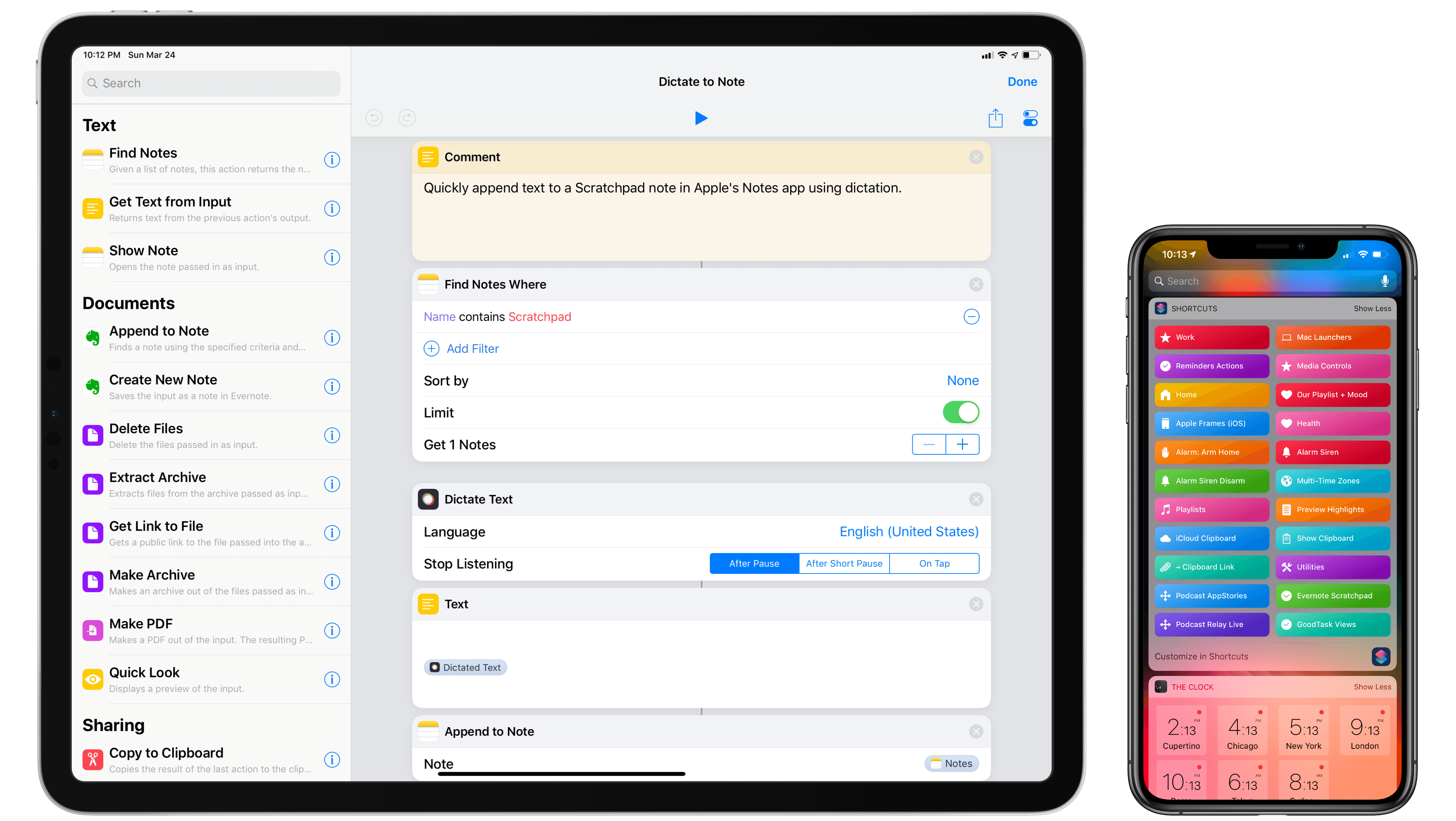
Shortcuts 2.2, the second major update to Apple’s automation app following October’s 2.1 release, has been released on the App Store today. The new version of Shortcuts, which has been available to developers for testing via TestFlight for several weeks now, brings a variety of smaller refinements and bug fixes; more importantly, it extends Shortcuts’ integration with one of Apple’s most popular built-in apps: Notes. Additionally, Shortcuts 2.2 builds upon the existing ‘Get Travel Time’ action (based on the Apple Maps framework) with new Magic Variables well suited for shortcuts that integrate with Siri.

For the past few weeks, I’ve been building advanced shortcuts that take advantage of the new actions for Notes and Maps, which I’m going to explain and share in this article. The new shortcuts are also available through the MacStories Shortcuts Archive, which now features a dedicated Apple Notes section as well. Let’s dive in.

Read more


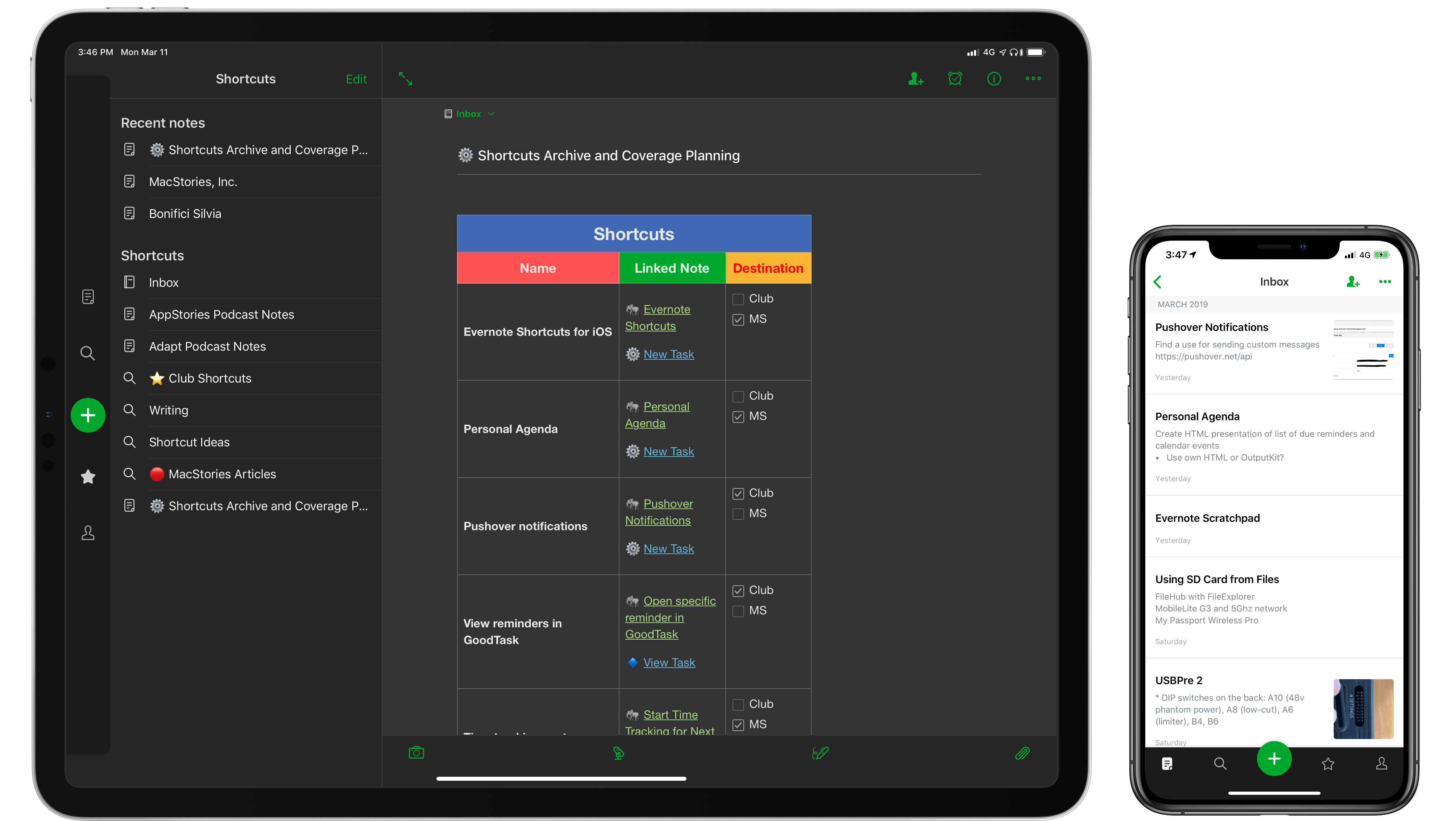
Reconsidering Evernote in 2019

Like the best origin stories, this article comes from humble beginnings. A few weeks ago, I had the idea of adapting my shortcut to save webpage selections from Safari (see Weekly 151, 152, and 153) to make it work with Keep It rather than a JSON file. Simple enough, right? Given a text selection in Safari, I wanted to see if I could create a shortcut to append rich text to an existing document in Keep It without launching the app.

As Club MacStories members know, Keep It is the app I’ve been using for the past several months to hold my research material, which played an essential role in the making of my iOS 12 review (see Issues 135 and 144) of MacStories Weekly). But then I remembered that Keep It’s integration with Shortcuts was limited to URL schemes and that the app did not offer Siri shortcuts to append content to existing notes1. That was the beginning of a note-taking vision quest that culminated in this column, even though I’m not sure I reached the destination I was originally seeking.

Read more