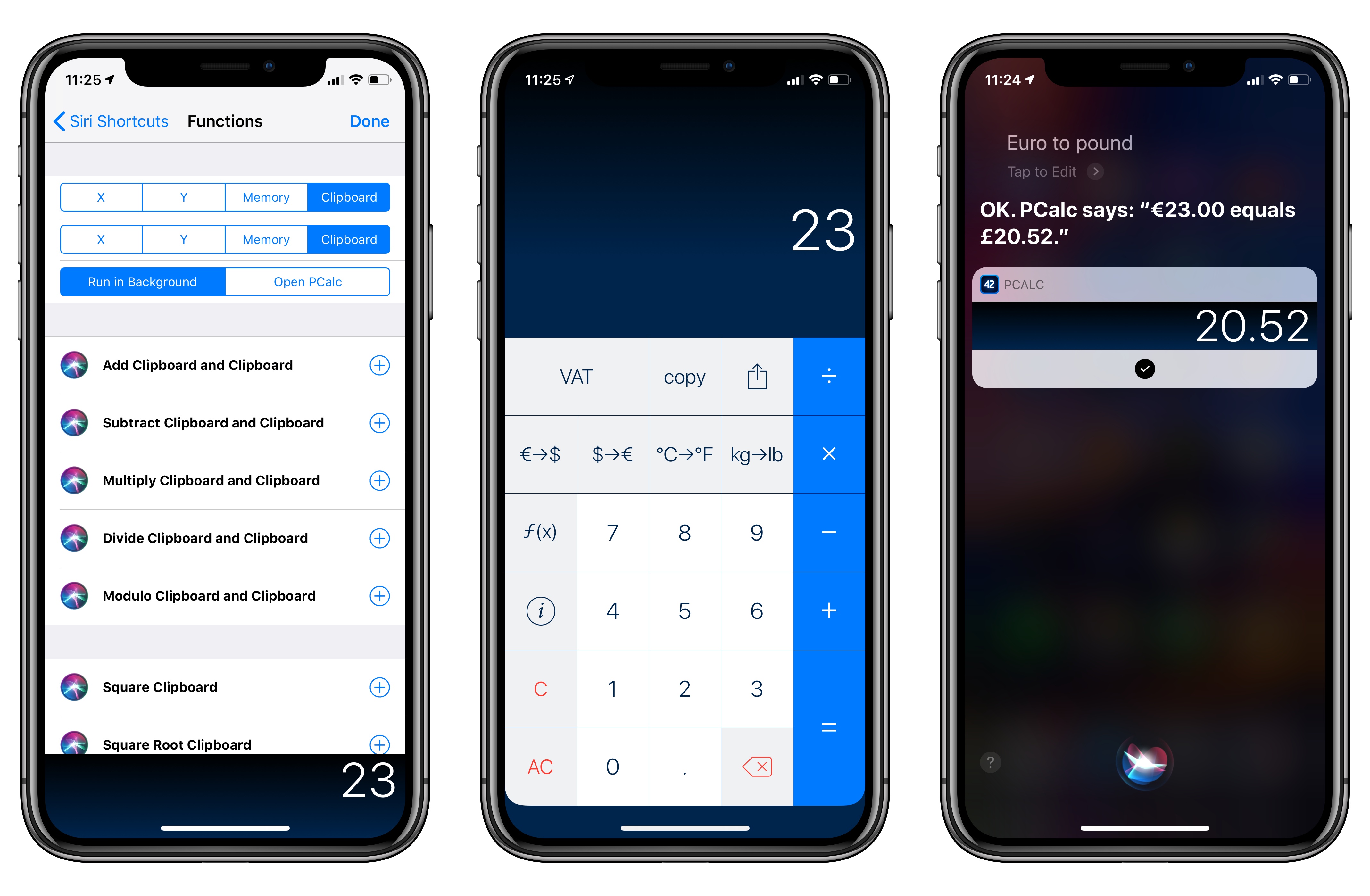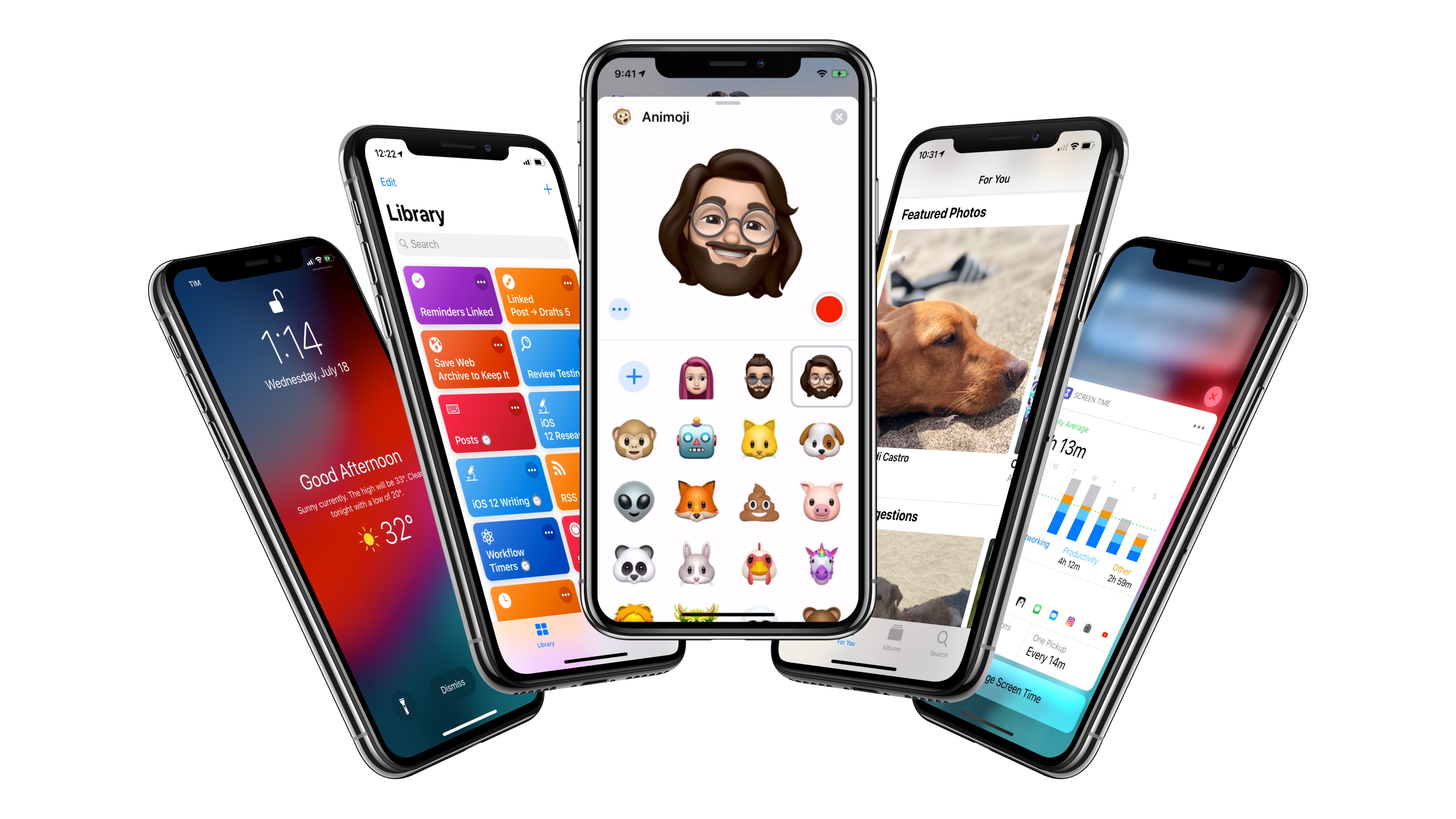
PCalc, James Thomson’s advanced calculator for iPhone and iPad, has been updated this week to version 3.8. I’ve been testing PCalc 3.8 for the past couple of months on my devices running iOS 12, and it features one of the best implementations of Siri shortcuts I’ve seen from a third-party developer yet. Even more than the app’s excellent widget, shortcuts have enabled me to integrate PCalc features into different aspects of my daily workflow, including conversations with Siri via my HomePods.
Posts tagged with "iOS"
PCalc 3.8 Adds Support for iOS 12’s Siri Shortcuts, Including Powerful Clipboard Commands
Compiling and Exporting Chapters for My iOS 12 Review with Drafts 5
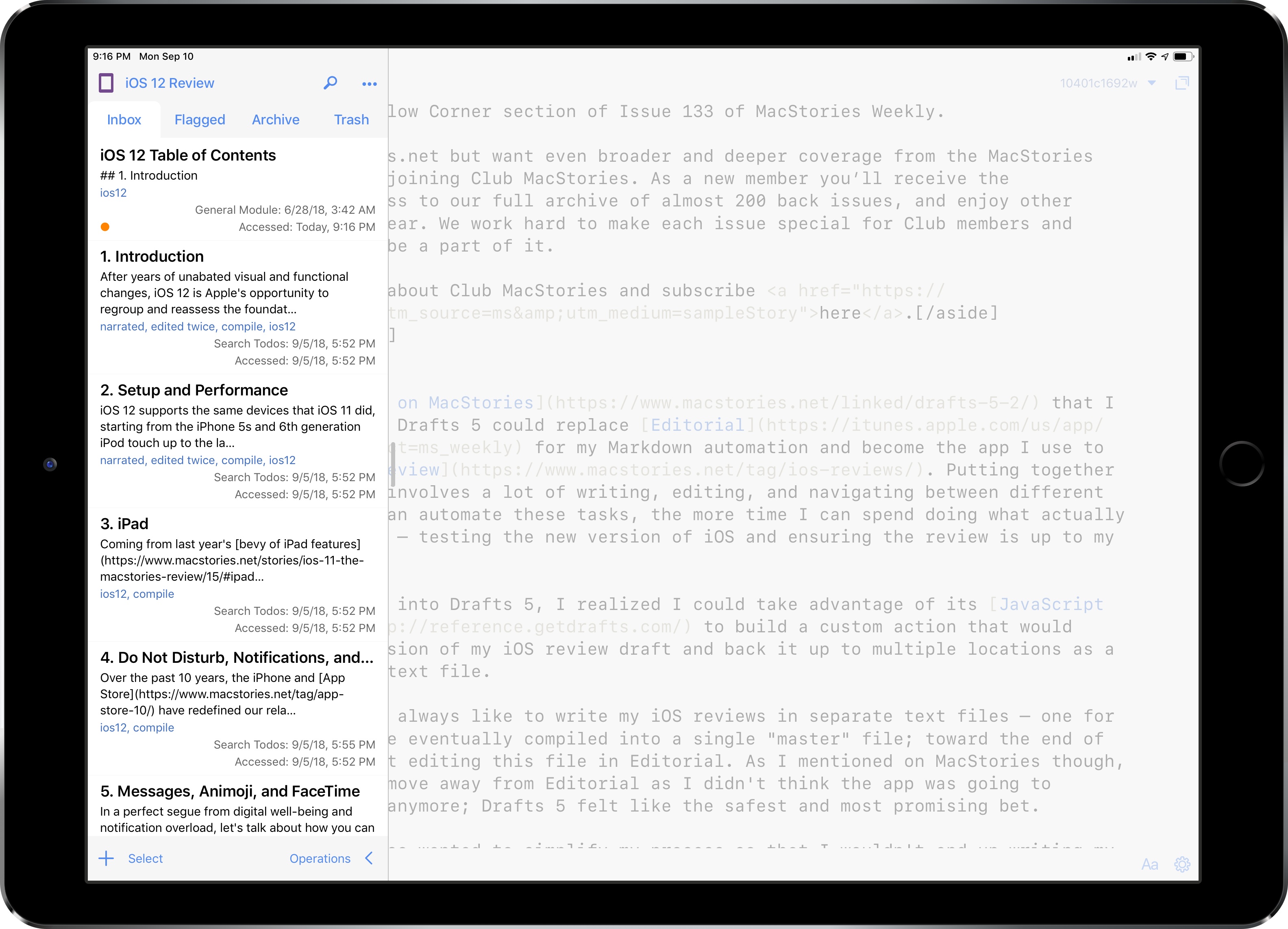
Back in June, I wrote on MacStories that I was evaluating whether Drafts 5 could replace Editorial for my Markdown automation and become the app I use to write my annual iOS review. Putting together these longform pieces involves a lot of writing, editing, and navigating between different sections; the more I can automate these tasks, the more time I can spend doing what actually matters for the review – testing the new version of iOS and ensuring the review is up to my standards.
Once I started looking into Drafts 5, I realized I could take advantage of its JavaScript automation engine to build a custom action that would compile the latest version of my iOS review draft and back it up to multiple locations as a single Markdown (.md) text file.
Text Case for iOS Adds Title Case Text Transformations Based on Popular Style Guides
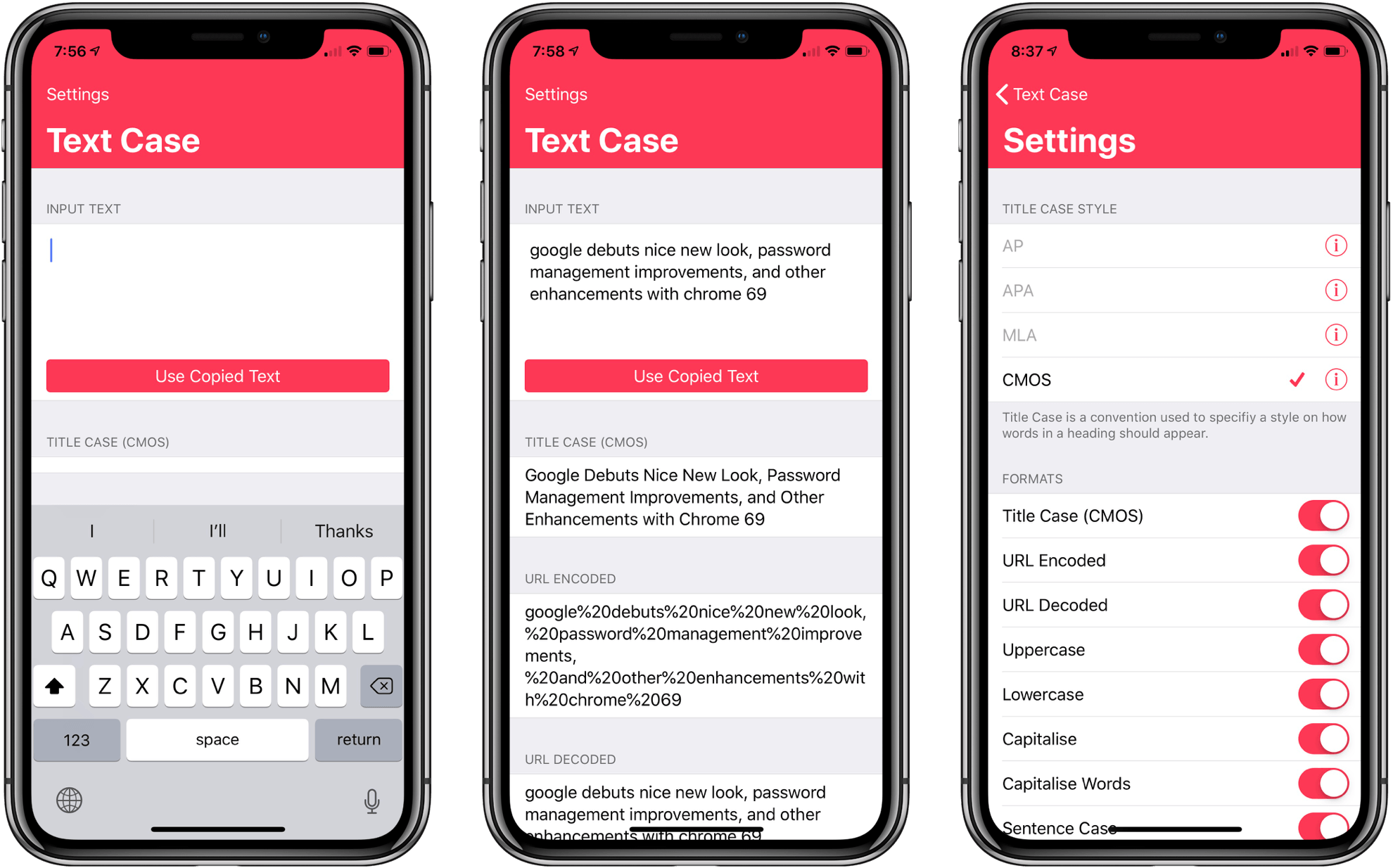
Several weeks ago I mentioned Chris Hannah’s recently-released iOS text transformation utility Text Case in the Club MacStories weekly newsletter. The app has a simple, utilitarian design that uses the big, bold header text popularized by Apple apps like News and Music. Version 1.0 included a long list of built-in text transformations. Some, like URL encoding and decoding, are useful, and others, like ‘Mocking SpongeBob,’ are just for fun. By and large though, the transformations in version 1.0 were geared more towards developers than writers. That’s changed with version 1.2 of the app, which should make it appeal to a wider audience.
The latest update adds Title Case, which can transform headlines according to the style guides for the Associated Press, American Psychology Association, Modern Language Association, or Chicago Manual of Style. The update also adds sentence case and Pascal case.
Due 3.0 Adds Pure Black Theme, Custom Snooze Times, and Haptic Feedback
My task manager is packed with personal and work tasks. I rely on it to keep me on track day-to-day and week-to-week. The reason my task system works though is that it doesn’t include absolutely everything. If I started adding the minute-to-minute minutiae of life, I’d get bogged down in the volume of tasks each day.
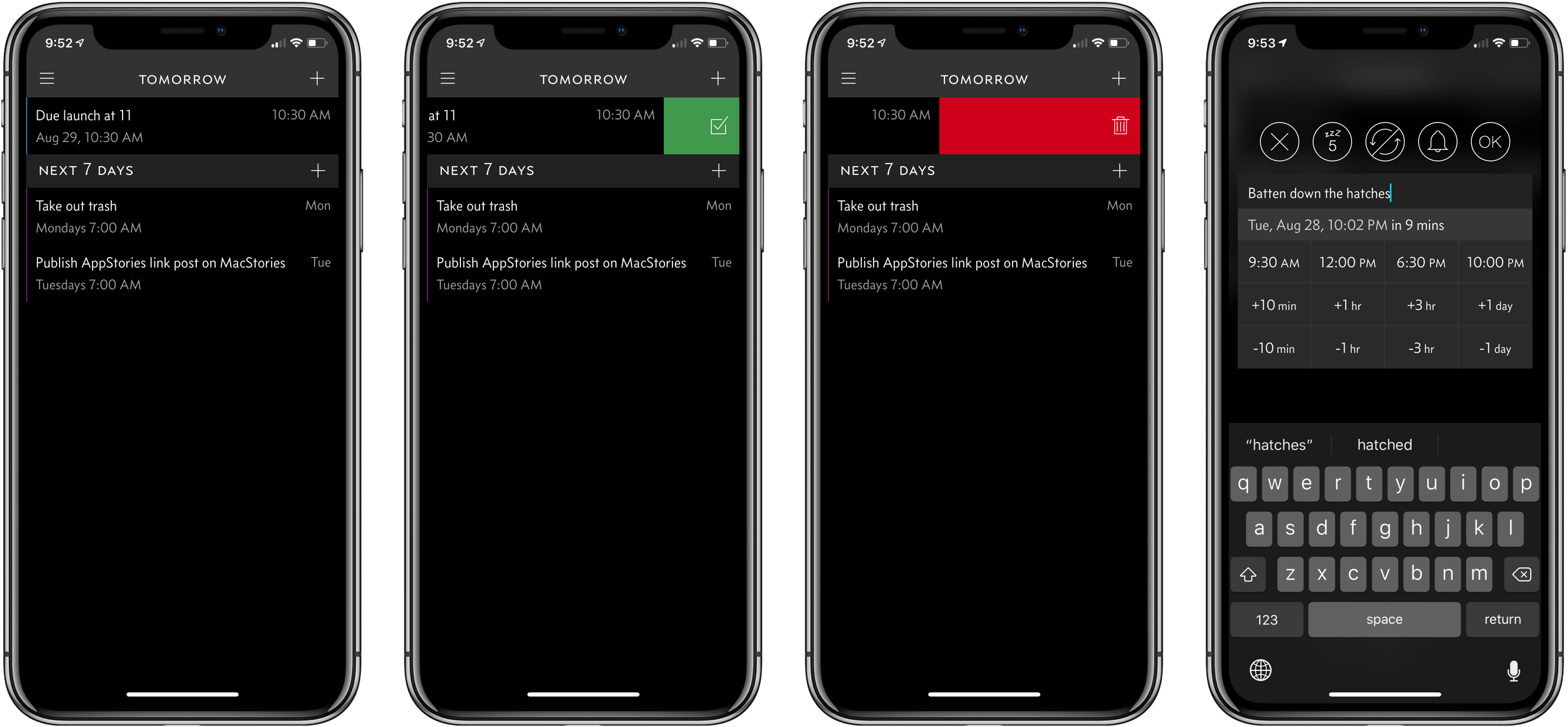
For a while now, I’ve been using Apple’s Reminders app to keep track of one-off tasks, little things I might forget to do, errands, and tasks with deadlines. I’ve found that it’s a great way to stay on top of items that don’t have a home in a formal project. For the past couple of weeks though, I’ve largely replaced Reminders with Due, which was updated to version 3.0 today.
Game Day: Donut County
Tomorrow, Donut County by developer Ben Esposito will be published by Annapurna Interactive, which also backed the critically-acclaimed Florence. The game, which was announced in 2014, but has been in development since 2012, tells the story of a raccoon named BK, his friend Mira and an assortment of other characters from Donut County who are trapped 999 feet beneath the surface of the Earth. You play by manipulating a hole that grows as you move it across the landscape swallowing objects. If the premise sounds strange, that’s because it is, but it also works through a combination of a clever game mechanic, funny writing, and engaging sound design and artwork.
Dark Sky Update Consolidates Weather Data in a Single Vertical View
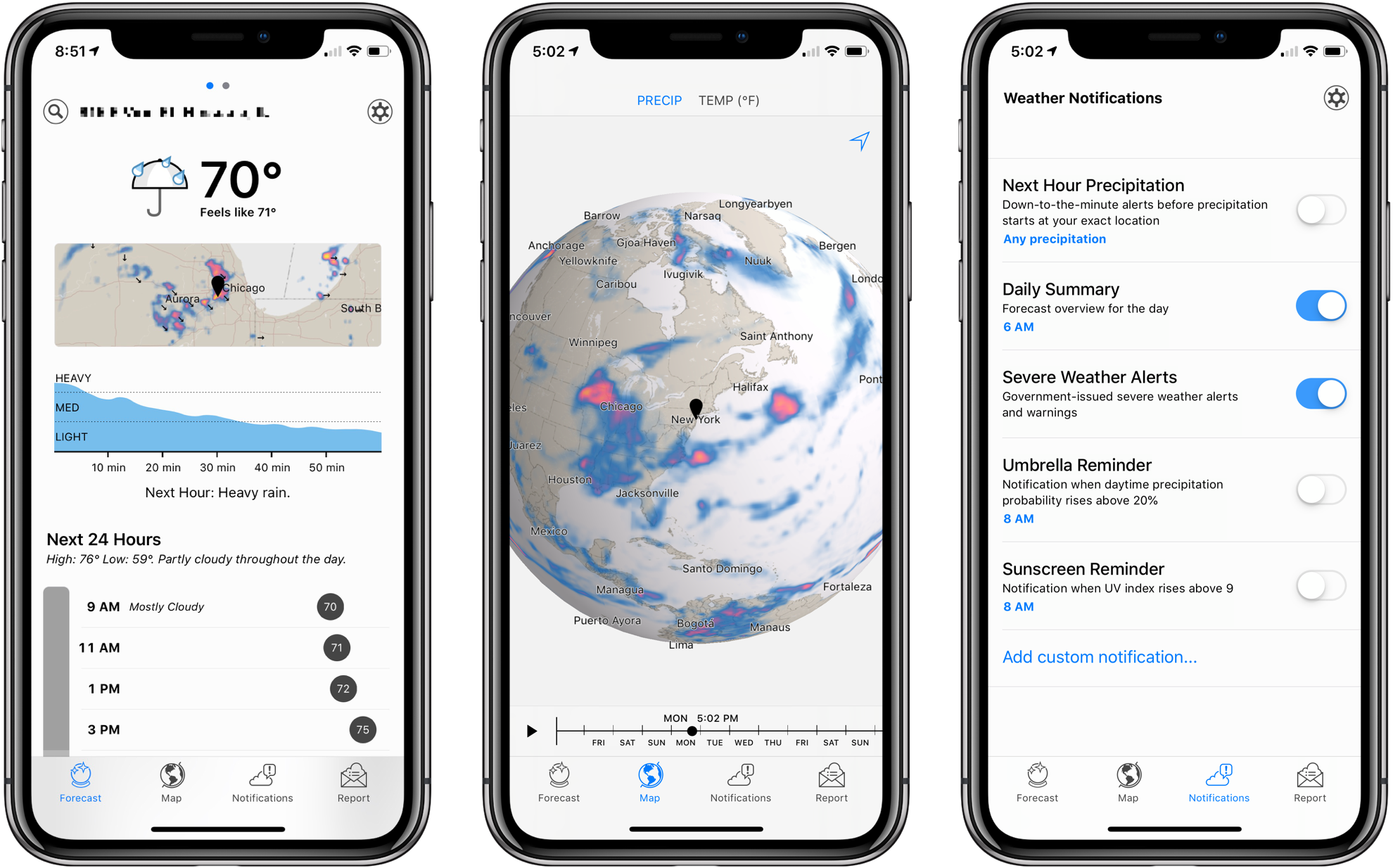
Dark Sky’s signature feature has always been its uncanny ability to predict when it was about to rain. The app has a reputation for working better in the US than other parts of the world, and in my experience, it’s not as good at predicting snowfall, but its ability to keep users from getting caught off guard by a sudden storm has garnered it a lot of fans.
Besides an app, Dark Sky is an API that other weather apps use to deliver their data. That means you can experience many of the benefits of Dark Sky by using other weather apps, which is what I’ve done for some time. Dark Sky was once my weather app of choice, but over time, I moved to other apps that used its API and presented weather data in ways I prefer.
Yesterday, Dark Sky’s app was updated with a redesign that addresses many of the shortcomings of earlier versions. The main Forecast view now features a higher density of information and visual cues that make it easier to understand predicted weather changes at a glance. It’s a marked improvement over previous versions of the app, but the new focus on a vertical timeline comes with drawbacks that won’t be to everyone’s taste.
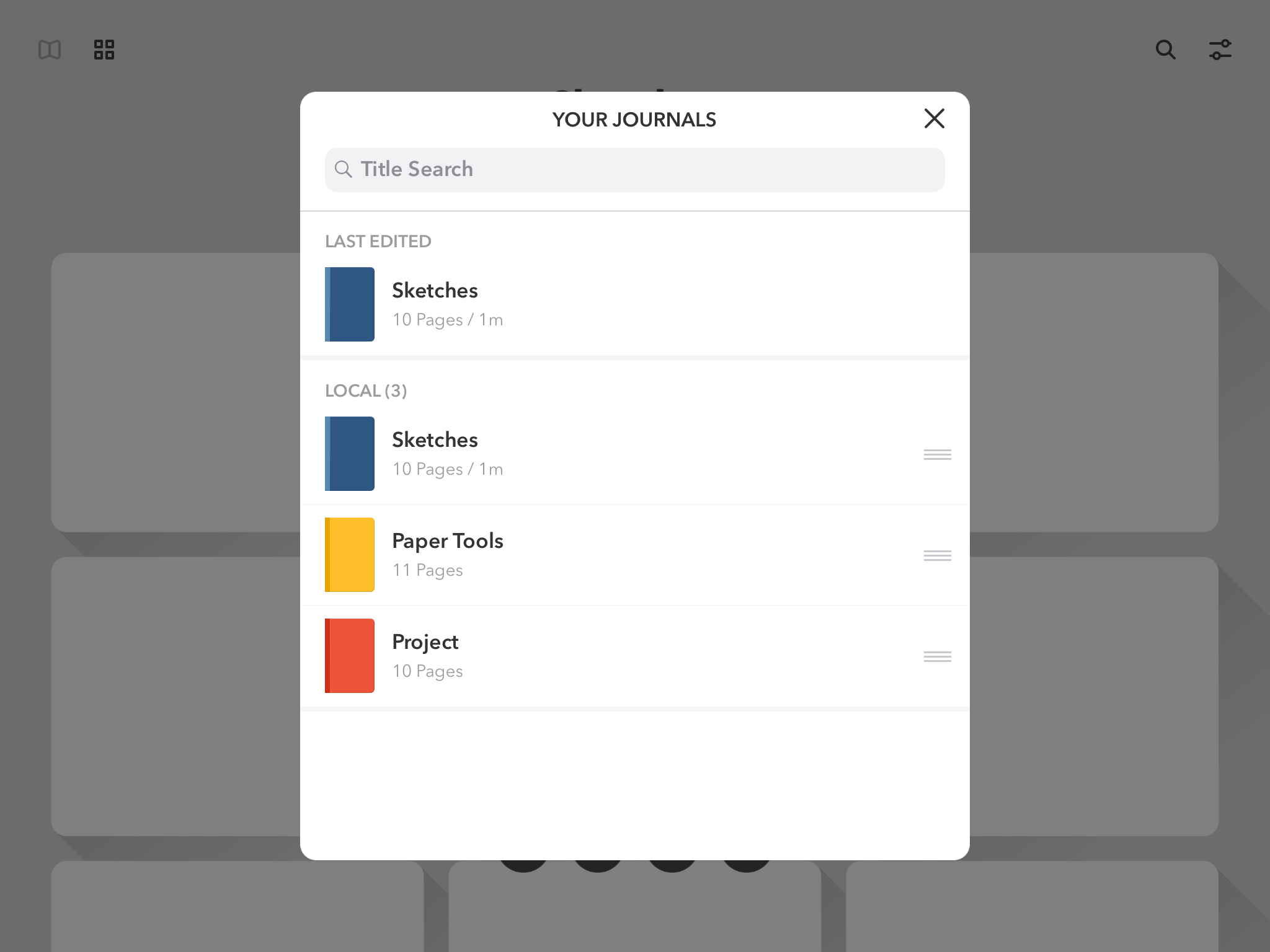
FiftyThree Apps Paper and Paste Acquired by WeTransfer Along with Its Other Assets
FiftyThree, the maker of the iOS apps Paper and Paste, has been acquired by WeTransfer, a file transfer company based in Los Angeles and Amsterdam. Paper, FiftyThree’s iPad drawing app, was named iPad App of The Year in 2012. Paste, which is FiftyThree’s iOS presentation app, allows users to create slides collaboratively.
In addition to its apps, FiftyThree is well-known for its creation the Pencil, a BlueTooth stylus that debuted before Apple’s identically-named Pencil. Although the Pencil is not mentioned by name in WeTransfer’s press release, the company is acquiring all of FiftyThree’s assets including intellectual property, which presumably covers hardware too.
WeTransfer provides web and app-based tools for transferring files among its users. In addition to offering a free version of its service, WeTransfer includes a premium paid version of its service and sells ads that appear in its web app. WeTransfer’s CEO Gordon Willoughby stated in the company’s press release that it had acquired FiftyThree to expand its ‘family of obvious creative tools, both on mobile and the web.’
FiftyThree has sought to reassure customers saying that:
For the millions using Paper and Paste, we want to assure you that we are dedicated now more than ever to building and growing both tools. This doesn’t change our path, it only accelerates it — the same great team will continue working on both tools. If you’re a paying Paste or Paper customer, nothing is changing around pricing or functionality in the near term, and we’ll keep you well-informed of any upcoming changes that may impact you. We’ve got a few big ideas cooking that we think you’ll be thrilled about.
I imagine the introduction of Apple’s Pencil took its toll on FiftyThree’s attempt to use hardware to build a sustainable business model. Hopefully, joining forces with WeTranfer will allow Paper and Paste, which are both excellent apps, to continue to be developed long into the future.
Castro Adds iCloud Drive Sideloading and Chapter Playback Pre-Selection
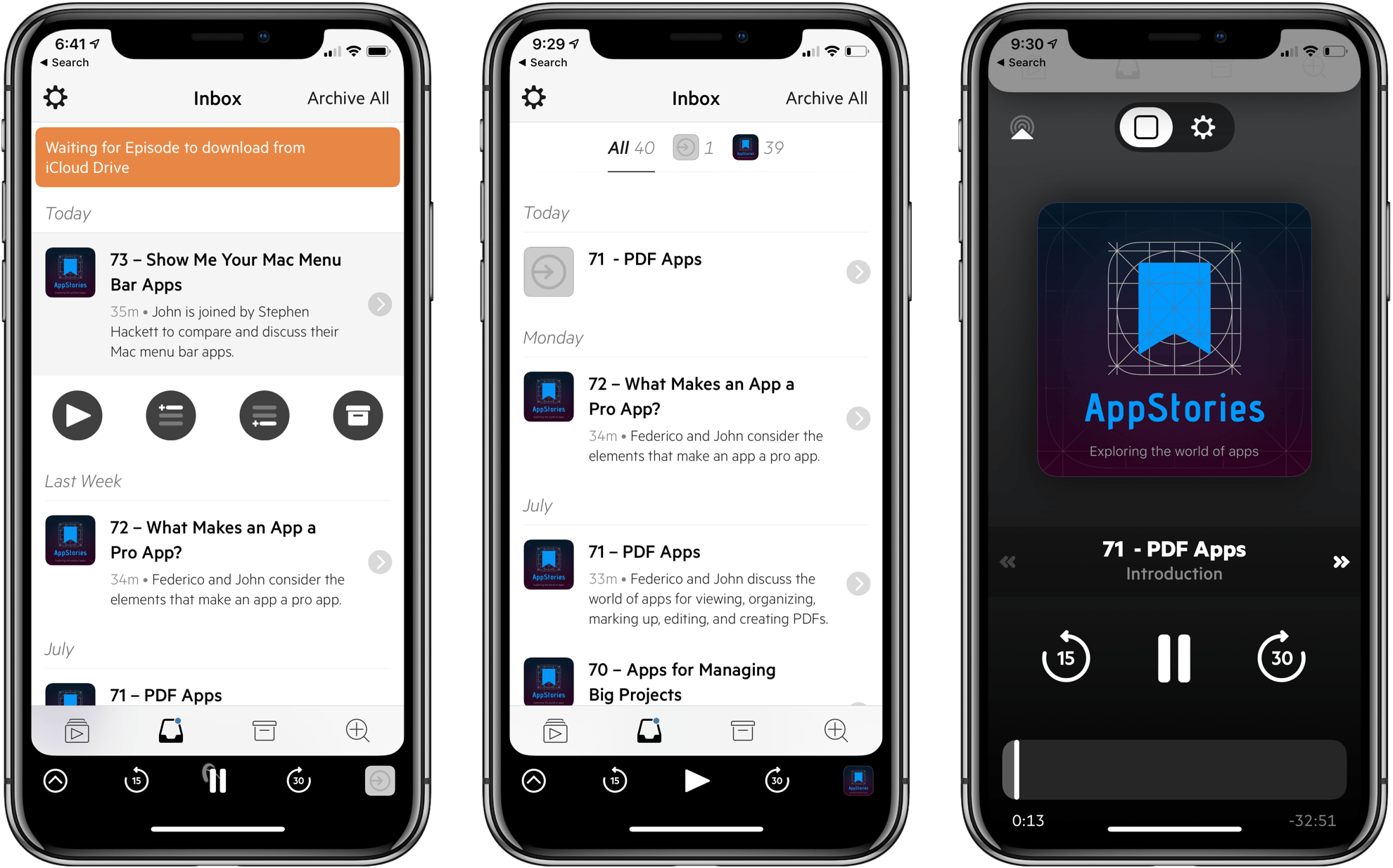
Supertop has released another solid update to its podcast player, Castro. In today’s update, Castro adds file sideloading for Plus subscribers, significantly adding to the app’s utility as general purpose audio player. Subscribers can also pre-select the chapters of a podcast they want to play too.
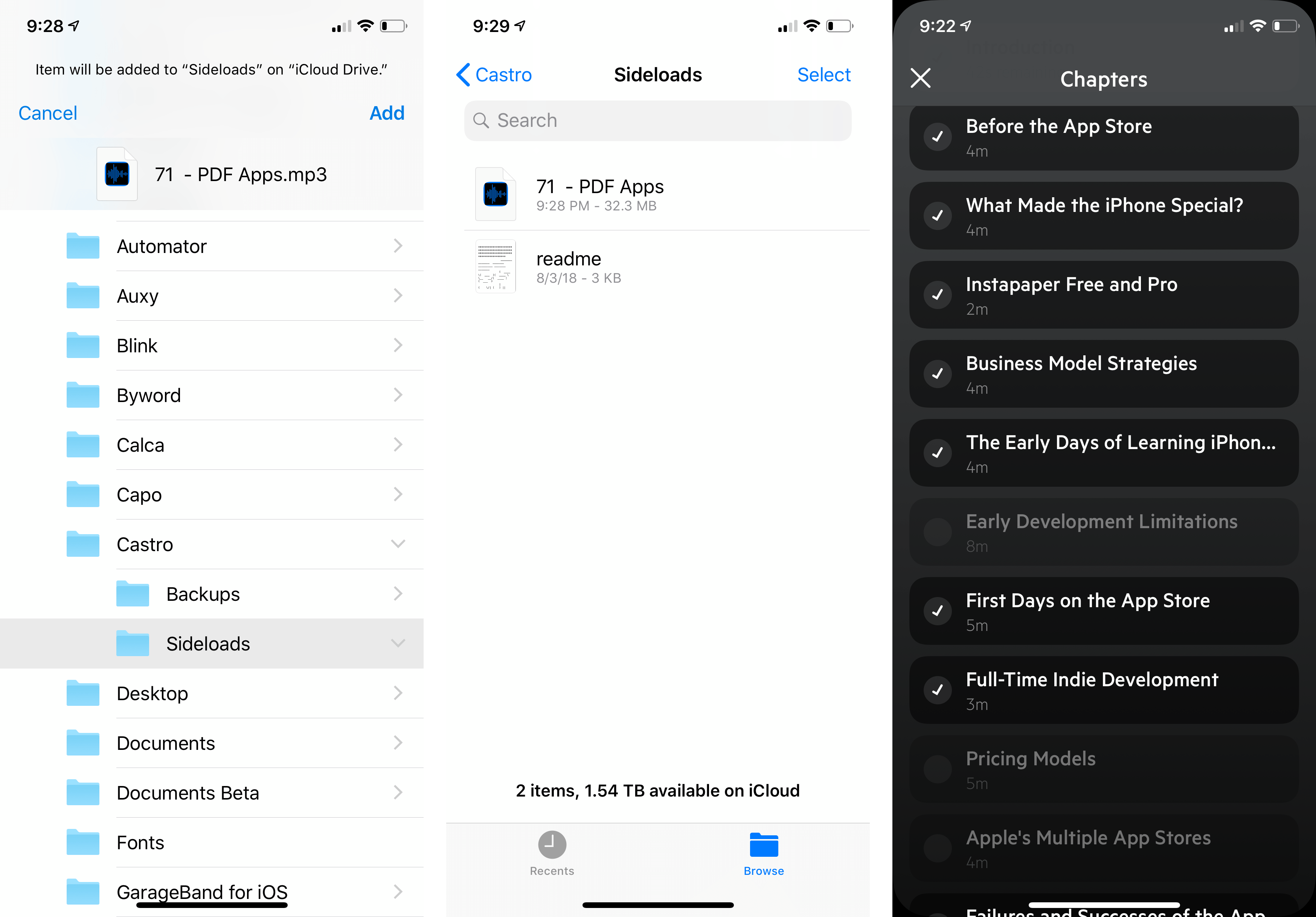
For plus subscribers, the update adds a ‘Castro’ folder in iCloud Drive. Add an MP3 or AAC file into the ‘Sideloads’ folder, and it shows up in your Castro inbox (or wherever else you designate in settings) ready for playback.
Adding audio to Castro is equally simple on a Mac or iOS device. On a Mac, open the Finder and drag in the audio files you want to add. On iOS, use the Files app to add files to your Sideloads folder from any file provider like Dropbox, Box, or Google Drive.
Once added, audio files show up in your Castro Inbox by default where they can be added to your listening queue like any podcast to which you subscribe. Instead of your Inbox, you can also add sideloaded audio to the front or back of your Queue or Castro’s Archive from the app’s settings.
Sideloading opens up exciting possibilities, especially when combined with other apps. For example, you can add DRM-free audiobooks, audio from lectures or conferences recorded from YouTube or other sources using an app like Audio Hijack, or add downloaded bonus podcast episodes like the AppStories Unplugged episodes that we’ve created for Club MacStories members. Podcasters can also use sideloading as a way to listen to draft episodes before publishing them. With one straightforward feature, Castro has become a far more flexible, general-purpose audio player.
Overcast has a similar feature for subscribers, but it’s web-based and limited to 2 GB of storage. Overall, I prefer Castro’s implementation, which doesn’t require navigating to a website. Though Overcast’s 2 GB limit hasn’t been an issue for me, the lack of a cap in Castro is a definite advantage for anyone who wants access to lots of sideloaded audio.
The second feature added to Castro is what Supertop calls Chapter Pre-Selection. In Castro, if you tap on the current chapter in a podcast episode, it displays a list of all the chapters so you can skip around inside the episode. With today’s update, Castro adds checkboxes to each chapter. By default, all of the chapters are selected. If there are chapters in the list to which you don’t want to listen, tap the checkmark icon to deselect the chapter, and only the selected chapters will play.
The convenience of selecting chapters in advance is greater than I had imagined. By pre-selecting chapters, I can, for example, head out for a run or walk without having to fiddle with skipping chapters on the go, which means fewer distractions and opportunities to drop my iPhone.
Supertop continues to regularly update Castro with interesting features. If you haven’t tried Castro in a while, it’s worth another look. The app is free to download on the App Store and you can try the Plus features, including sideloading, free for one week, after which they are $2.99 every three months or $8.99 per year.
Kano Announces Harry Potter Magic Wand Coding Kit
With three children, I’ve looked at many products over the years that are designed to make learning to code fun and engaging for kids. Of all the things I’ve tried, one of my favorites is a build-your-own computer kit from Kano. The kit is a kid-friendly Raspberry Pi with tiny, bright orange wireless keyboard.
The Pi runs a Kano-skinned version of Linux with a bunch of activities for kids ranging from Minecraft mods to simple building block-style JavaScript programs that abstract away the language’s syntax but makes it available just under the surface as kids become more comfortable with coding. It’s an excellent kit that strikes a good balance between learning and fun.
This week, Kano announced a new Harry Potter-themed magic wand. Kids build the wand, which contains an accelerometer, gyroscope, and magnetometer, and then use an iPad, Mac, PC, or Android tablet to program magic spells straight from the Harry Potter book series using JavaScript. Kano says the wand, which can be pre-ordered for $99 and will be delivered on October 1st, comes with a book of over 70 projects and can be ordered from Kano directly, Amazon, and other retailers.
My kids are a little old for the Kano wand now, but I know that if it were available back when they were tearing through the Harry Potter series, the wand would have probably turned up at my house over the holidays.