This Week's Sponsor:

Turbulence Forecast

Know before you go. Get detailed turbulence forecasts for your exact route, now available 5 days in advance.


Posts tagged with "iOS"

PDF Viewer Offers a Pro Pack with Advanced PDF Editing and Collaboration Tools

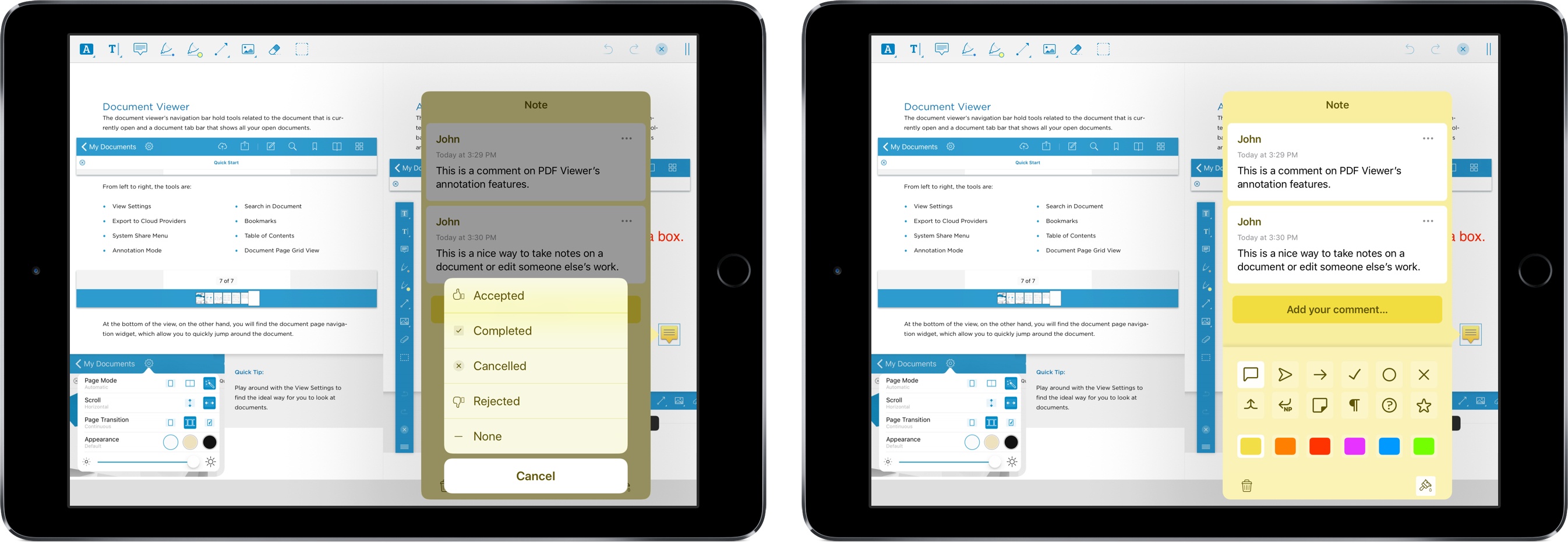
As Federico and I discussed on AppStories this week, PDFs are a big part of the work day for many people. There are several solid PDF apps for iOS, but one of my favorites is PDF Viewer by PSPDFKit, the maker of a PDF viewing and editing SDK that many well-known companies use to integrate PDF functionality into their apps.

One of PDF Viewer’s advantages is that it’s free. With version 3, PDF Viewer’s core functionality remains free, but it is introducing a Pro Pack that is a set of advanced features available as part of a $9.99/year or $2.99/3-month subscription.

It’s a savvy move and one that’s been well-executed. By first building a free PDF app with functionality that rivals established paid apps, PDF Viewer has made a name for itself in a crowded market. The broad feature set of the free version of PDF Viewer, which we’ve covered in the past here, here, and here makes it hard for someone to argue that the app is only useful if you pay for the In-App Purchase. That’s just not the case. If you work with PDFs every day, you’ll love the new pro features, but the app’s free version still serves more casual users as well as ever.

Read more


Sharecuts

Fun new project by iOS developer extraordinaire Guilherme RamboSharecuts is a (so far, beta and invitation-only) directory to browse and install custom shortcuts created by other users. Sarah Perez has more details at TechCrunch:

But by the time iOS 12 releases to the public later this fall, Sharecuts’ directory will be filled out and a lot more functional.

The premise, explains Sharecuts’ creator Guilherme Rambo, was to make an easily accessible place where people could share their shortcuts with one another, discover those others have shared, and suggest improvements to existing shortcuts.

“I was talking to a friend [Patrick Balestra] about how cool shortcuts are, and how it should be easier for people to share and discover shortcuts,” says Guilherme. “He mentioned he wanted to build a website for that – he even had the idea for the name Sharecuts – but he was on vacation without a good internet connection so I decided to just build it myself in one day,” he says.

The site is currently a bare bones, black-and-white page with cards for each shortcut, but an update will bring a more colorful style (see below) and features that will allow users to filter the shortcuts by tags, vote on favorites, among other things.

This isn’t the first time users have tried to launch curated directories for workflows (there were a bunch for the old Workflow app), but I think projects like this are going to be especially important given the lack of an official public directory for Shortcuts; the gallery built into the Shortcuts app is managed by Apple and doesn’t accept user submissions. For now, Sharecuts works by uploading plain .shortcut files to the service, but I’m hoping that, once Apple brings back link-based sharing, you’ll be able to just paste a link to a shortcut you’ve created. In the meantime, you can find a couple of shortcuts I’ve shared here and here.

Permalink

Fantastically Good Event Parser for Drafts 5

Peter Davison-Reiber created something pretty amazing in Drafts 5 – a natural language parser to create events in the system calendar natively, without launching other apps:

The way apps like Fantastical actually integrate with the system calendar in iOS is via an API which allows direct manipulation of calendar events. You may have seen the Allow app to access the Calendar? prompt when first launching apps which use this. Drafts integrates this API into its scripting capabilities, and so it occurred to me recently that perhaps I could build a similar functionality within Drafts using JavaScript. This would allow me to use the system calendar app, which I prefer aesthetically over Fantastical, while retaining the ability to enter events in natural language.

What I’ve ended up creating has almost all of the same functionality as Fantastical, but since it does not rely on launching an external URL scheme, is considerably faster. You can enter multiple events, each on a different line, and have them all instantly added to your calendar without even launching another app.

He used chrono.js, which is a natural language date parser written in JavaScript that he adapted to Drafts 5. This allows you to write something like “Monday at 2 PM” and the Drafts action will correctly interpret it as a date and time. This is not the first time Davison-Reiber created a Drafts 5 action based on chrono.js either – you should check out his natural language Things parser too, which takes my original idea and makes it even better and easier to use in Drafts.

Permalink

Shortcuts: A New Vision for Siri and iOS Automation

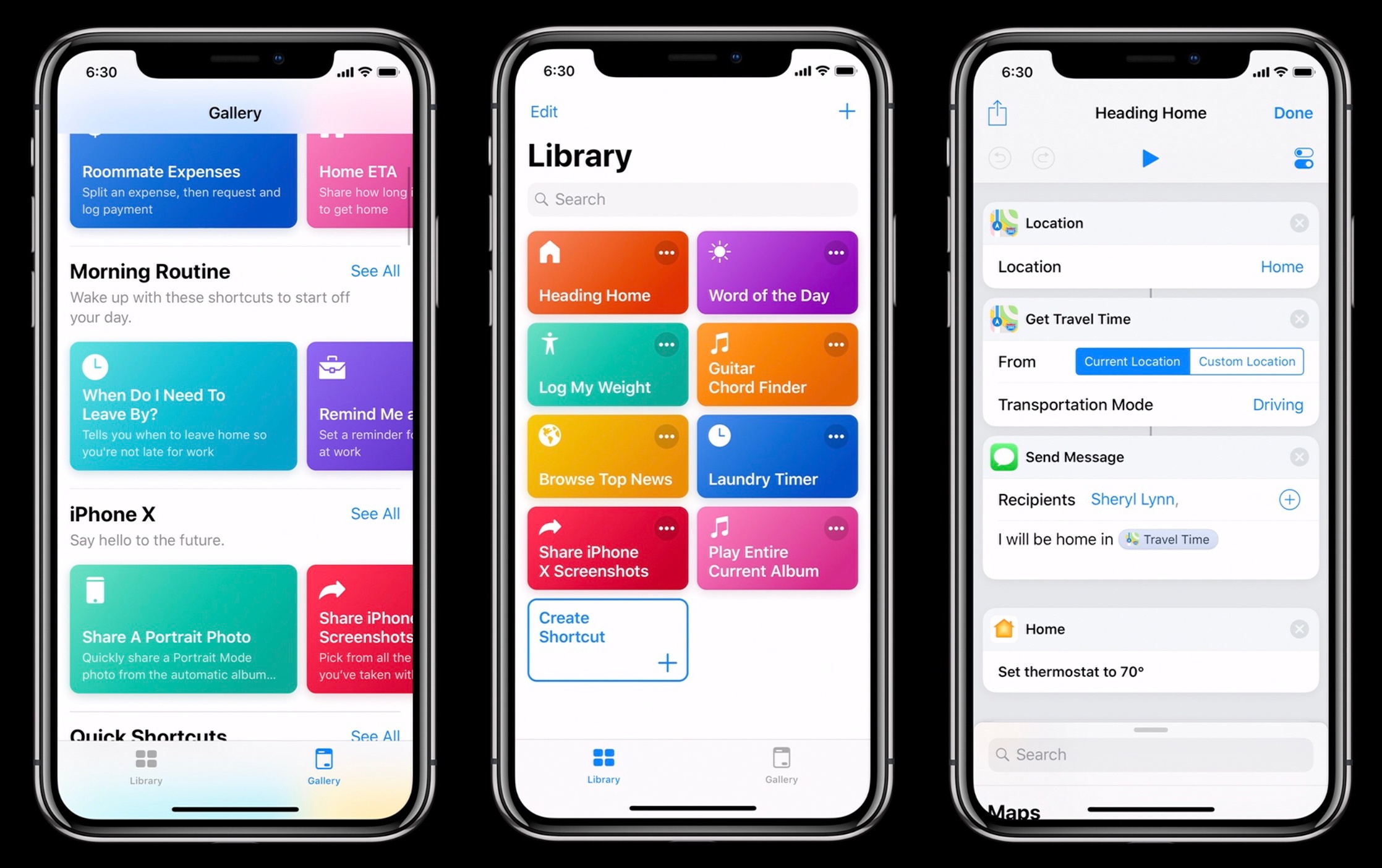
In my Future of Workflow article from last year (published soon after the news of Apple’s acquisition), I outlined some of the probable outcomes for the app. The more optimistic one – the “best timeline”, so to speak – envisioned an updated Workflow app as a native iOS automation layer, deeply integrated with the system and its built-in frameworks. After studying Apple’s announcements at WWDC and talking to developers at the conference, and based on other details I’ve been personally hearing about Shortcuts while at WWDC, it appears that the brightest scenario is indeed coming true in a matter of months.

On the surface, Shortcuts the app looks like the full-blown Workflow replacement heavy users of the app have been wishfully imagining for the past year. But there is more going on with Shortcuts than the app alone. Shortcuts the feature, in fact, reveals a fascinating twofold strategy: on one hand, Apple hopes to accelerate third-party Siri integrations by leveraging existing APIs as well as enabling the creation of custom SiriKit Intents; on the other, the company is advancing a new vision of automation through the lens of Siri and proactive assistance from which everyone – not just power users – can reap the benefits.

While it’s still too early to comment on the long-term impact of Shortcuts, I can at least attempt to understand the potential of this new technology. In this article, I’ll try to explain the differences between Siri shortcuts and the Shortcuts app, as well as answering some common questions about how much Shortcuts borrows from the original Workflow app. Let’s dig in.

Read more


Consistent Accessibility: How Apple Can Make iOS and the Mac More Accessible

Like all Apple products, macOS is an accessible platform. Blind and low vision users can navigate their Mac using VoiceOver, while someone who has physical motor delays can use Switch Control to edit videos in Final Cut. And under the Accessibility pane in System Preferences, there is a multitude of other features one can use, ranging from Zoom to Invert Colors to closed-captioning and more. Whatever your need, the breadth and depth of Apple’s accessibility software spans many domains. This is why Apple is lauded as the industry leader in accessibility: the tools run deep and they’re well-designed.

Still, accessibility on macOS doesn’t quite reach feature parity with iOS. Amidst rumors that Apple is working on a cross-platform set of APIs to bridge the company’s two primary operating systems, now is an opportune time to consider what each platform does and what they offer one another.

In the context of accessibility, the way Apple brings consistency between iOS and macOS is by sharing features and technologies among the two. As such, there are some iOS-first features macOS sorely needs, while the Mac offers things iOS would benefit from as well. Such enhancements would not only improve the user experience across devices, but also would make iOS and Mac software richer, fuller products overall. And most importantly, more accessible.

Read more


The Fragmentation of iOS’s UI Design

Benjamin Mayo on the state of iconography in Apple’s built-in iOS apps:

My gripe is there is no consistency, no structure or logic to this. Apps introduced later sometimes use rounded icons, sometimes not, sometimes create all-new custom glyphs of their own. Incredulously, you could open flagship apps like Messages, Mail and Safari and have no idea Apple was even playing with bold icons as a conceptual change. These apps adopted the iOS 11 large bold navigation bar title formats, but their icons and glyphs have stagnated for more than four years at this point.

Mayo uses eight examples of Apple’s action icon to emphasize the design inconsistencies.

Since iOS 7, each revision of iOS has felt like a tentative design experiment, with icons in a handful of apps moving in different directions. The trouble is, Apple doesn’t seem to have settled on a clear winner among the several options tested, which has begun to make the UI feel directionless. Although rumors seem to indicate that a design refresh of iOS is at least another year off, I hope we’ll start to see indications of where iOS design is going this year at WWDC.

Permalink


1Blocker X for iOS Review

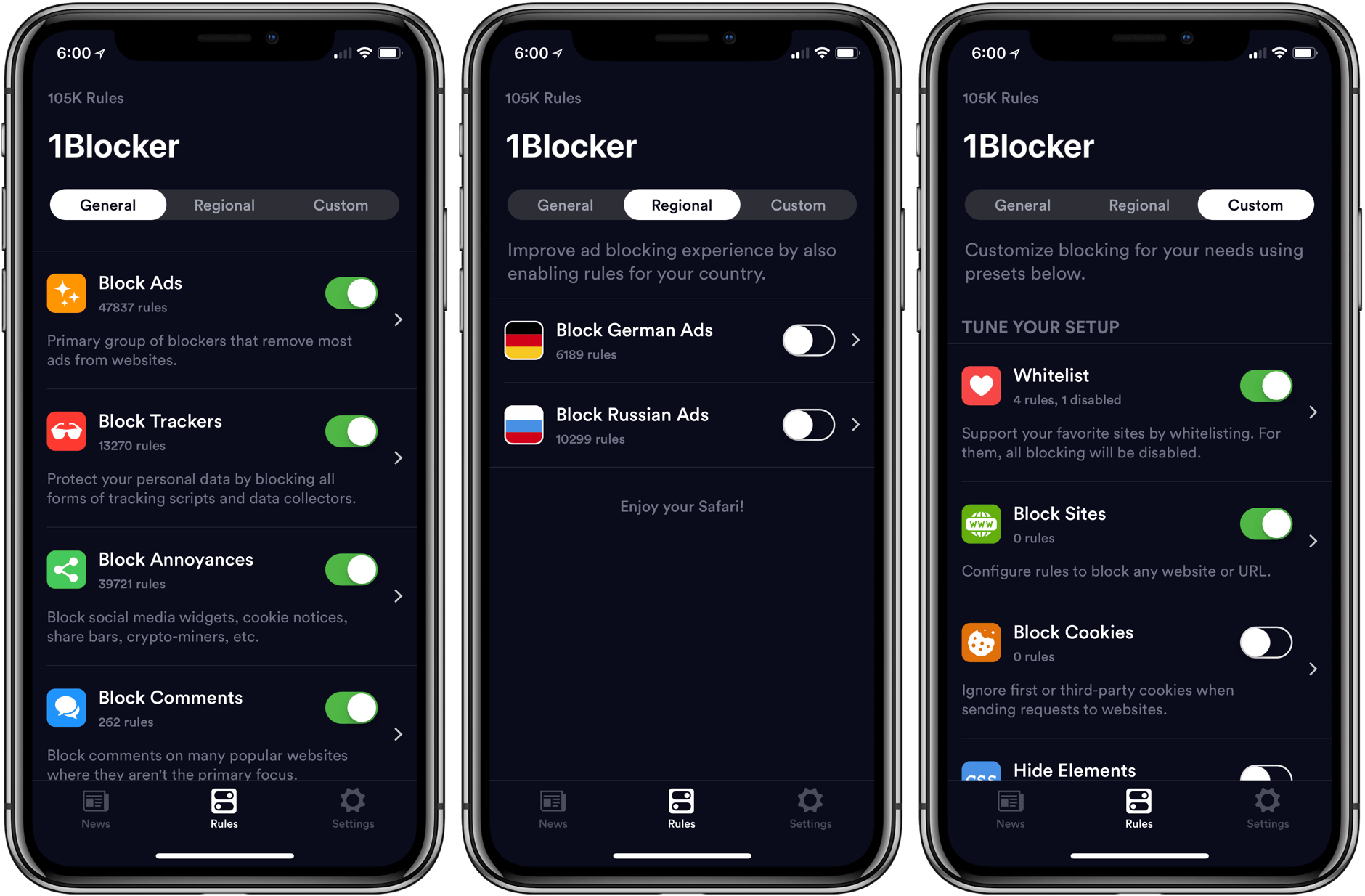
The first thing you will notice when you set up 1Blocker X on an iOS device is its 7 toggles in Safari’s Content Blocker section of the Settings app. It’s a bit of a head-scratcher at first until you realize that this is what allows 1Blocker X to expand beyond the confines of its predecessor.

You see, iOS limits the number of blocking rules that can be implemented by an app to 50,000. That’s a lot of rules, but sadly not enough given the amount of junk on the Internet these days. As a result, it’s a limit that 1Blocker began to run into not long after it launched in 2015.

Finding a way around that hard limit required a rewrite of 1Blocker from the ground up. The result is 1Blocker X, an app with around three times as many blocking rules, room to grow, and enhanced flexibility for applying those rules.

Read more


Microcasting on Micro.blog with Wavelength

Last month I covered the return of Sunlit, the iOS photo blogging app from Manton Reece that works with Micro.blog and blogging platforms like WordPress. Reece is back with another iOS app that’s aimed at bringing microcasting, which is short-form podcasting, to Micro.blog. Wavelength is an end-to-end solution for recording, editing, and publishing audio using nothing but an iPhone. It’s an interesting approach to podcasting designed to lower the barriers to entry by simplifying the workflow, while also creating new uses for Micro.blog.

Read more