This Week's Sponsor:

Turbulence Forecast

Know before you go. Get detailed turbulence forecasts for your exact route, now available 5 days in advance.


Posts tagged with "iOS"

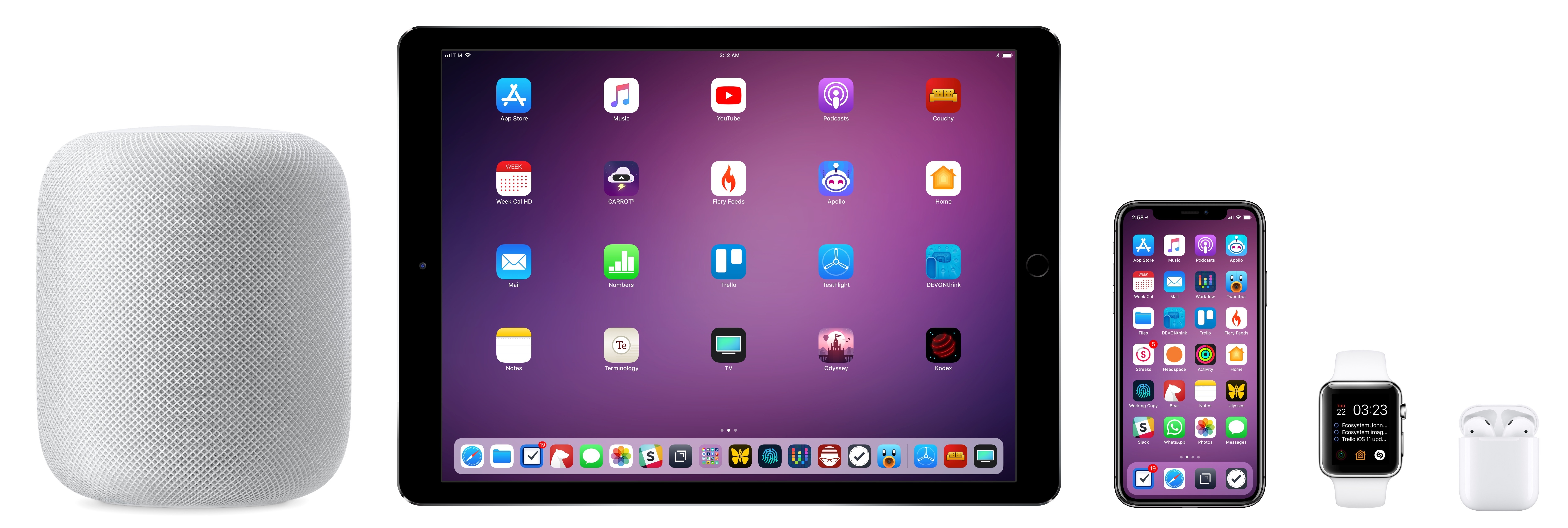
Erasing Complexity: The Comfort of Apple’s Ecosystem

Every year soon after WWDC, I install the beta of the upcoming version of iOS on my devices and embark on an experiment: I try to use Apple’s stock apps and services as much as possible for three months, then evaluate which ones have to be replaced with third-party alternatives after September. My reasoning for going through these repetitive stages on an annual basis is simple: to me, it’s the only way to build the first-hand knowledge necessary for my iOS reviews.

I also spent the past couple of years testing and switching back and forth between non-Apple hardware and services. I think every Apple-focused writer should try to expose themselves to different tech products to avoid the perilous traps of preconceptions. Plus, besides the research-driven nature of my experiments, I often preferred third-party offerings to Apple’s as I felt like they provided me with something Apple was not delivering.

Since the end of last year, however, I’ve been witnessing a gradual shift that made me realize my relationship with Apple’s hardware and software has changed. I’ve progressively gotten deeper in the Apple ecosystem and I don’t feel like I’m being underserved by some aspects of it anymore.

Probably for the first time since I started MacStories nine years ago, I feel comfortable using Apple’s services and hardware extensively not because I’ve given up on searching for third-party products, but because I’ve tried them all. And ultimately, none of them made me happier with my tech habits. It took me years of experiments (and a lot of money spent on gadgets and subscriptions) to notice how, for a variety of reasons, I found a healthy tech balance by consciously deciding to embrace the Apple ecosystem.

Read more


iOS Plays a Big Role at the Game Developers Conference without Apple’s Direct Participation

Just before the annual Game Developers Conference began in San Francisco, Epic Games released its hit game Fortnite on iOS. In the first four days as an invitation-only game, it made over $1.5 million. As the conference got into full swing this week, PUBG was released. Both games are full versions of their PC and console counterparts and support cross-platform play, which is an impressive accomplishment.

Matthew Panzarino of TechCrunch interviewed Apple Vice President Greg Joswiak about the ramifications for mobile gaming:

“They’re bringing the current generation of console games to iOS,” Joswiak says, of launches like Fortnite and PUBG and notes that he believes we’re at a tipping point when it comes to mobile gaming, because mobile platforms like the iPhone and iOS offer completely unique combinations of hardware and software features that are iterated on quickly.

“Every year we are able to amp up the tech that we bring to developers,” he says, comparing it to the 4-5 year cycle in console gaming hardware. “Before the industry knew it, we were blowing people away [with the tech]. The full gameplay of these titles has woken a lot of people up.”

Ryan Cash of Snowman, part of the team that recently released Alto’s Odyssey agreed:

“We have a few die-hard Fortnite players on the team, and the mobile version has them extremely excited,” says Cash. “I think more than the completeness of these games (which is in of itself a technical feat worth celebrating!), things like Epic’s dedication to cross-platform play are massive. Creating these linked ecosystems where players who prefer gaming on their iPhones can enjoy huge cultural touchstone titles like Fortnite alongside console players is massive. That brings us one step closer to an industry attitude which focuses more on accessibility, and less on siloing off experiences and separating them into tiers of perceived quality.”

There’s a lot to like about iOS if you’re a game developer. The hardware is iterated on faster than consoles, a high percentage of users are on the latest version of the operating system, the device is always with players, and the install base is enormous. Those are all factors that have led iOS devices to succeed as gaming platforms, even though it sometimes feels as if Apple doesn’t quite understand the industry. The fact that Greg Joswiak comprehends the importance of full console games coming to iOS gives me a little hope that we may see better support for games on platforms like the Apple TV in the future.

For more from Ryan Cash about the state of gaming on iOS and a look behind the scenes at the making of Alto’s Odyssey, check out Episode 45 of AppStories.

Permalink

Apple Adds a Families Section to Its Website with Information for Parents

Apple has introduced a new webpage that highlights the tools it makes for parents to limit kids’ use of the company’s devices, keep them safe, and make sure they are viewing appropriate content. The page provides an overview of:

  • The Kids section of the App Store
  • The App Store’s Ask to Buy feature, which requires children to get an adult’s permission to download apps
  • Restrictions that allow parents to block In-App Purchases and viewing of certain media
  • Settings that block adult content or limit browsing to certain sites on the Internet
  • Location Services, including Find My Friends and Find My iPhone
  • Media sharing
  • Health and Safety Features, including the Emergency SOS and Medical ID features of the iPhone
  • The Apple Watch’s fitness features
  • Privacy features like Face ID and Touch ID
  • The Classroom app

Each section links to additional resources on Apple’s website.

Apple was recently criticized by certain institutional shareholders in advance of its annual shareholders’ meeting for doing too little to help parents protect children that use their devices. The company responded swiftly with a statement:

“We think deeply about how our products are used and the impact they have on users and the people around them,” Apple said in the statement. “We take this responsibility very seriously and we are committed to meeting and exceeding our customers’ expectations, especially when it comes to protecting kids.”

Apple’s new Families webpage doesn’t include any new features. Instead, it’s a useful one-stop resource for parents looking for guidance about the tools already at their disposal. Apple has said, however, that additional features and enhancements to parental controls in the works.


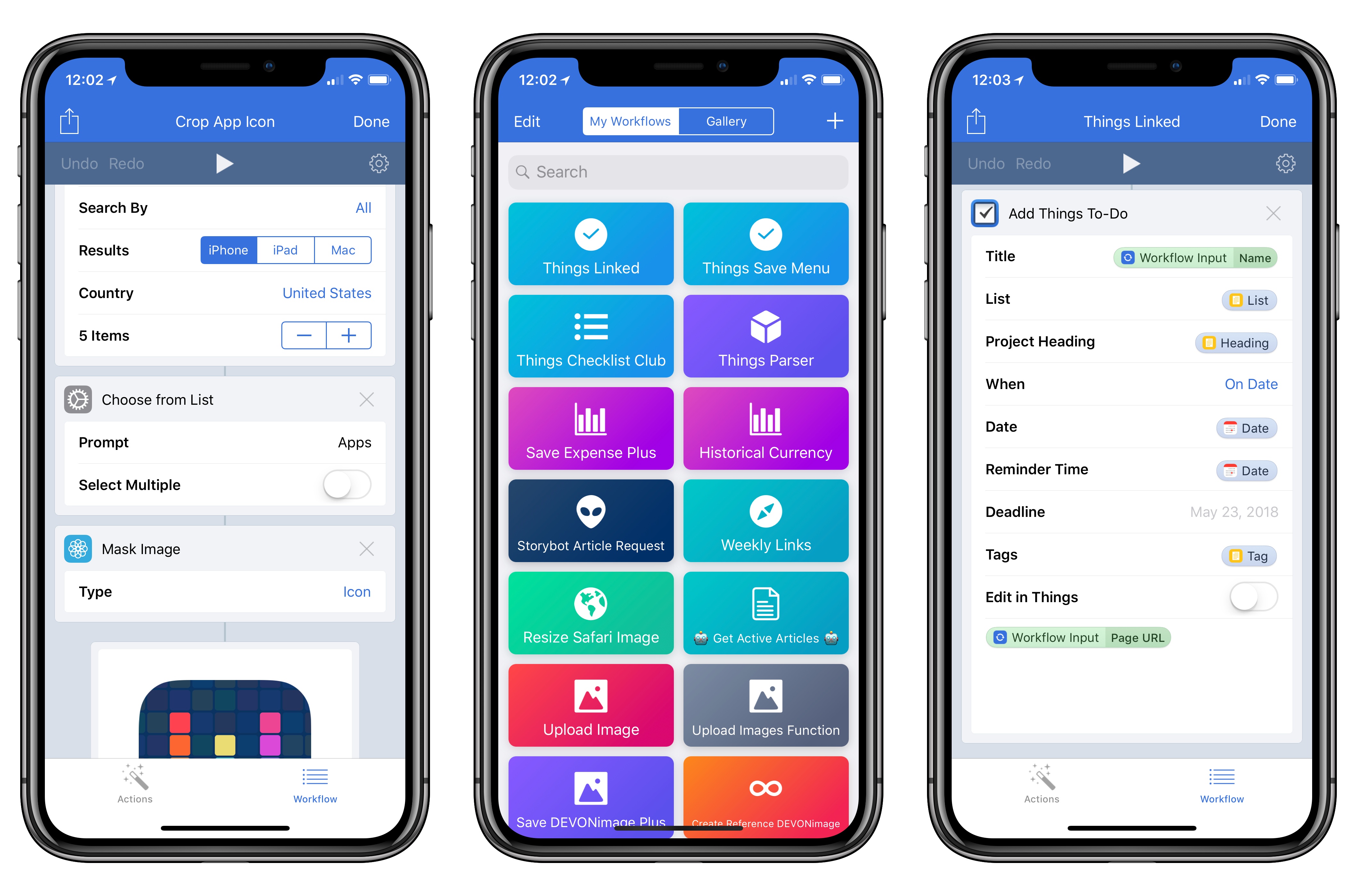
Workflow 1.7.8 Adds ‘Mask Image’ Action, Things Automation Support, PDF Text Extraction, and More

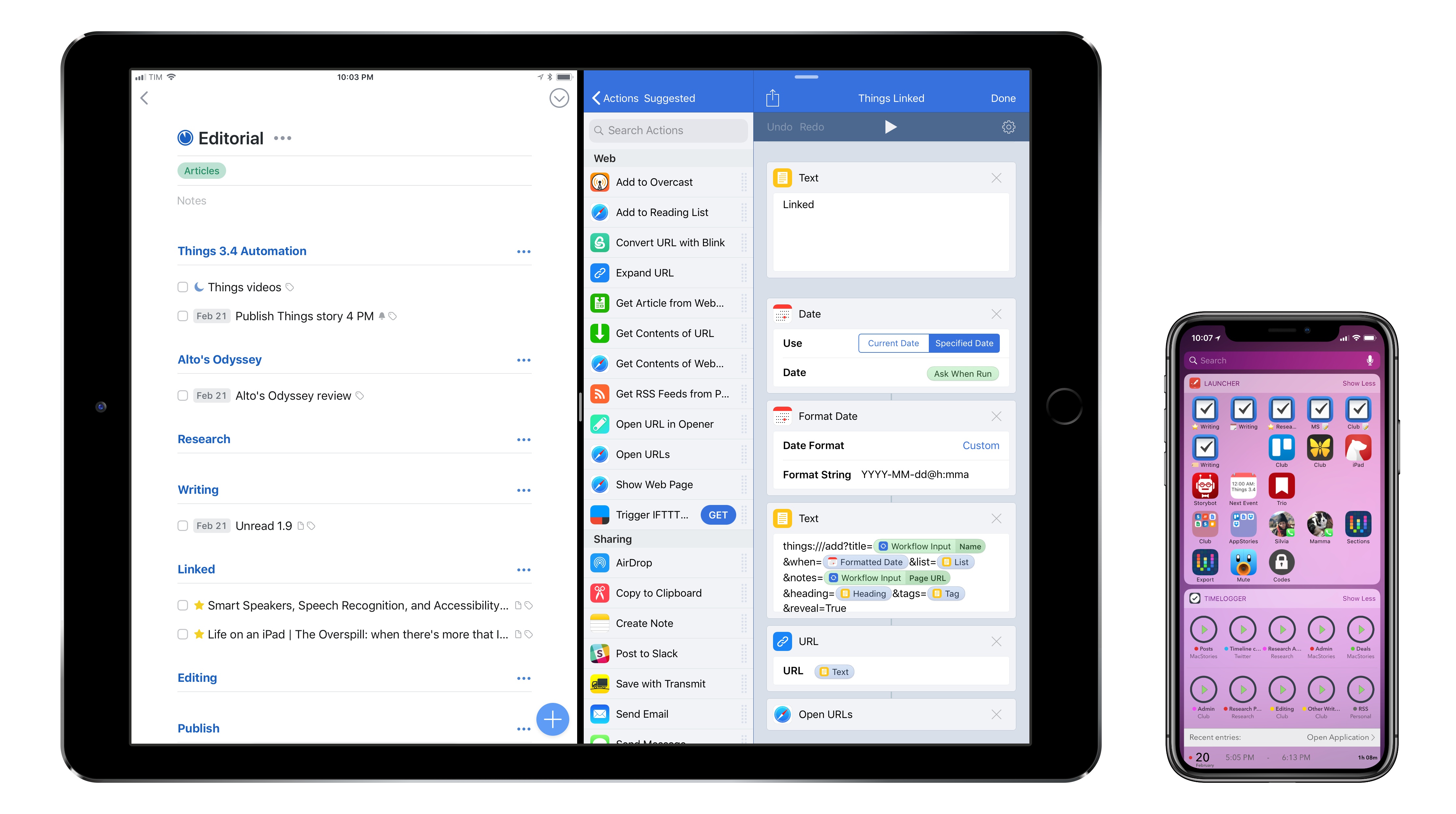
In the first update since November 2017, Apple today released version 1.7.8 of Workflow, the powerful iOS automation app they acquired last year. The latest version, which is now available on the App Store, introduces a brand new Mask Image action, adds support for Things’ automation features, and improves the ability to extract text from PDFs using the company’s PDFKit framework, launched in iOS 11. While the unassuming version number may suggest a relatively minor update, Workflow 1.7.8 actually comes with a variety of noteworthy changes for heavy users of the app.

Read more


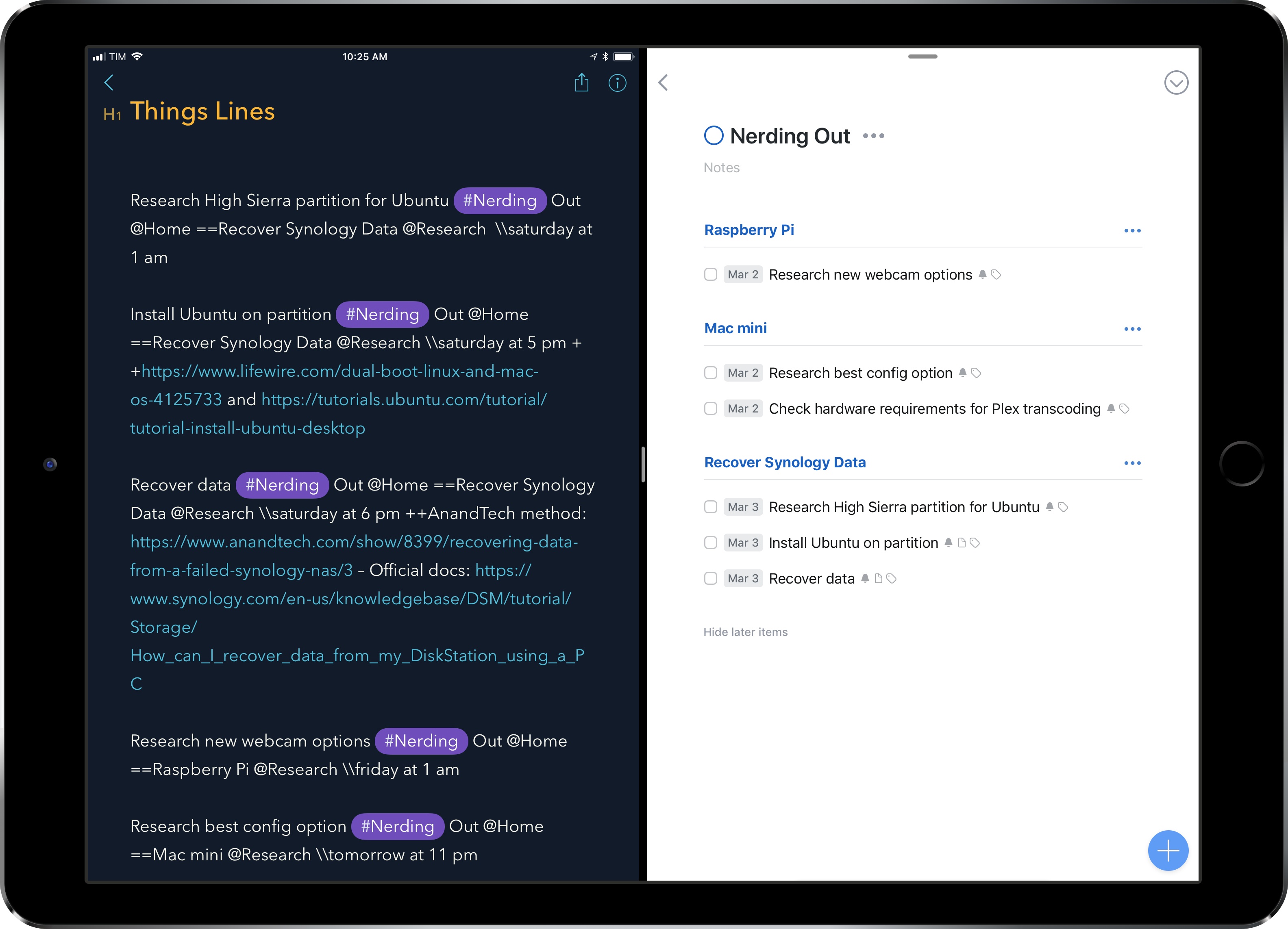
Things Automation: Building a “Natural Language” Parser in Workflow

One of the Todoist features I miss the most as a Things user is the service’s natural language parser. Available in the Quick Add field of Todoist for iOS, web, and macOS, this feature is, effectively, Fantastical for tasks. Instead of having to manually select task fields such as projects, tags, or dates, you can take advantage of an easy-to-remember syntax and quickly type them out. As you do that, Todoist will highlight the parts it understands in red, indicating that it knows how to parse them. I entered hundreds of tasks in Todoist using this system, and I think it’s an aspect of task creation that every other task manager should implement as well. It makes perfect sense, and it saves a lot of time.

Aside from a half-baked attempt at supporting natural language entry in its date assignment UI, Things doesn’t unfortunately offer a quick entry feature comparable to Todoist’s. So, of course, I set out to make my own using the app’s latest automation features.

Well, kind of. For starters, as much as I’d love to, automation doesn’t mean I can make my own interfaces in Things, supplementing the app with my custom UI to more easily create tasks. Things’ new URL scheme only lets us send data from other apps such as Workflow or Drafts. More importantly though, the workflow I’m sharing today isn’t based on a complex natural language engine such as the one used by Todoist or, say, the Chrono JS parser; I’m just using some special characters sprinkled with some delicious regex to make sure Workflow knows what constitutes a task title, a project, or a due date. Thus the quoted “natural language” in the headline of this story: it’s only natural as long as you don’t forego the special syntax required to make the workflow run.

That said, I’m quite happy with how this workflow lets me add multiple tasks to Things at once. I’ve been finding it especially useful at the end of the work day or during my weekly review, when I make a list of all the things I’m supposed to do next and want an easy way to add them all to Things. For this reason, rather than restricting this workflow to Club MacStories members, I thought every MacStories reader could benefit from it and modify it to their needs.

If you’re a Club member, you can still look forward to advanced Things workflows over the next few issues of MacStories Weekly; this one, however, has been too useful for me not to share with everyone.

Read more


Things 3.4 Brings Powerful New Automation Features and App Integrations

I switched to Things as my task manager late last year, sometime before the holidays. While I discussed this decision at length on Connected and AppStories, I didn’t write about it on MacStories because I didn’t want to rehash Ryan’s in-depth review of Things 3. In terms of design and features, everything I like about Things is covered in his original review.

My personal motivation for switching to Things boils down to this: the way projects and the Today screen are designed in Things fits well with my schedule, and doesn’t stress me out. Things has a “calm” interface that doesn’t turn overdue tasks red, making me feel guilty; projects are clearly laid out with a tasteful use of San Francisco, and further organization can be applied to a project using headings, a feature I’ve never seen in any other task manager. And among dozens of thoughtful touches, Things’ separation of Today and This Evening for the current day is absolutely in line with how I think about my typical day. In short: I want 2018 to be less stressful than last year, and Things is helping with the task management part.

That said, as someone who used 2Do and Todoist in the past and heavily automated them for integration with other apps, I was missing some solid automation options from Things. Cultured Code has offered a basic URL scheme in their iOS app for a few years now, but the supported commands never went beyond the ability to create basic, metadata-free tasks in the app.

This is changing today with Things 3.4, which I’ve had the opportunity to test and experiment with for the past couple of months. With this new version, the folks at Cultured Code have shipped one of the most powerful and versatile URL scheme action libraries seen in a task manager for iOS – comparable to Omni’s work on OmniFocus, and, in a way, perhaps even more flexible.

The new Things URL scheme, which has been documented here, lets you create tasks, projects, show specific sections of the app, and search across your entire Things database. This may not sound too impressive on paper, but what sets this feature apart is the level of customization and detail that can be applied to every single parameter of every action. As a result, Things is now a first-class citizen of the iOS automation scene, and, within the limitations of iOS inter-app communication, its URL scheme unlocks several new possible integrations with apps and workflows.

Furthermore, Cultured Code wants to make it easy for third-party developers to natively support sending data to Things from their apps. Today, the company is also introducing a JSON-based command to allow more control when adding items to Things from external apps, and they’ve created a set of Swift helper classes that apps can use to easily generate the JSON needed to pass data to Things. As I’ll demonstrate later in this article, a couple developers of two of my favorite iOS apps are already taking advantage of these capabilities to great effect.

As you can imagine, I’ve been busy experimenting with the new automation features of Things and identifying aspects of the app I wanted to speed up by integrating them with other apps. Below, you’ll find a collection of the launchers and workflows I’ve put together for Things 3.4. These are the actions and scripts I find myself using the most on a daily basis, and which I believe considerably extend Things’ capabilities on the iPhone and iPad. More advanced workflows will follow over the next couple of weeks (and months) exclusively for Club MacStories members in the Workflow Corner section of MacStories Weekly.

Let’s dig in.

Read more


OmniOutliner 3 for iOS Review

I think in outlines. When I was in law school, that’s how I was taught to break down legal issues and structure the enormous amount of information I needed to know to pass exams. Outlines became second nature – something I still use today to organize research, write longer articles, and organize projects.

I wish I had OmniOutliner when I was in law school. Those outlines grew as the semester wore on, adding complexity that made them harder to edit. Although the word processor I used could handle outlining, it wasn’t optimized for huge outlines the way OmniOutliner is.

Today, my outlining needs are much simpler. I’m not creating 100-page outlines. If an outline is more than a few pages long, it’s only because it’s full of detailed notes. More often than not, all I need is a quick indented list, with simple formatting, and the ability to reorder sections easily.

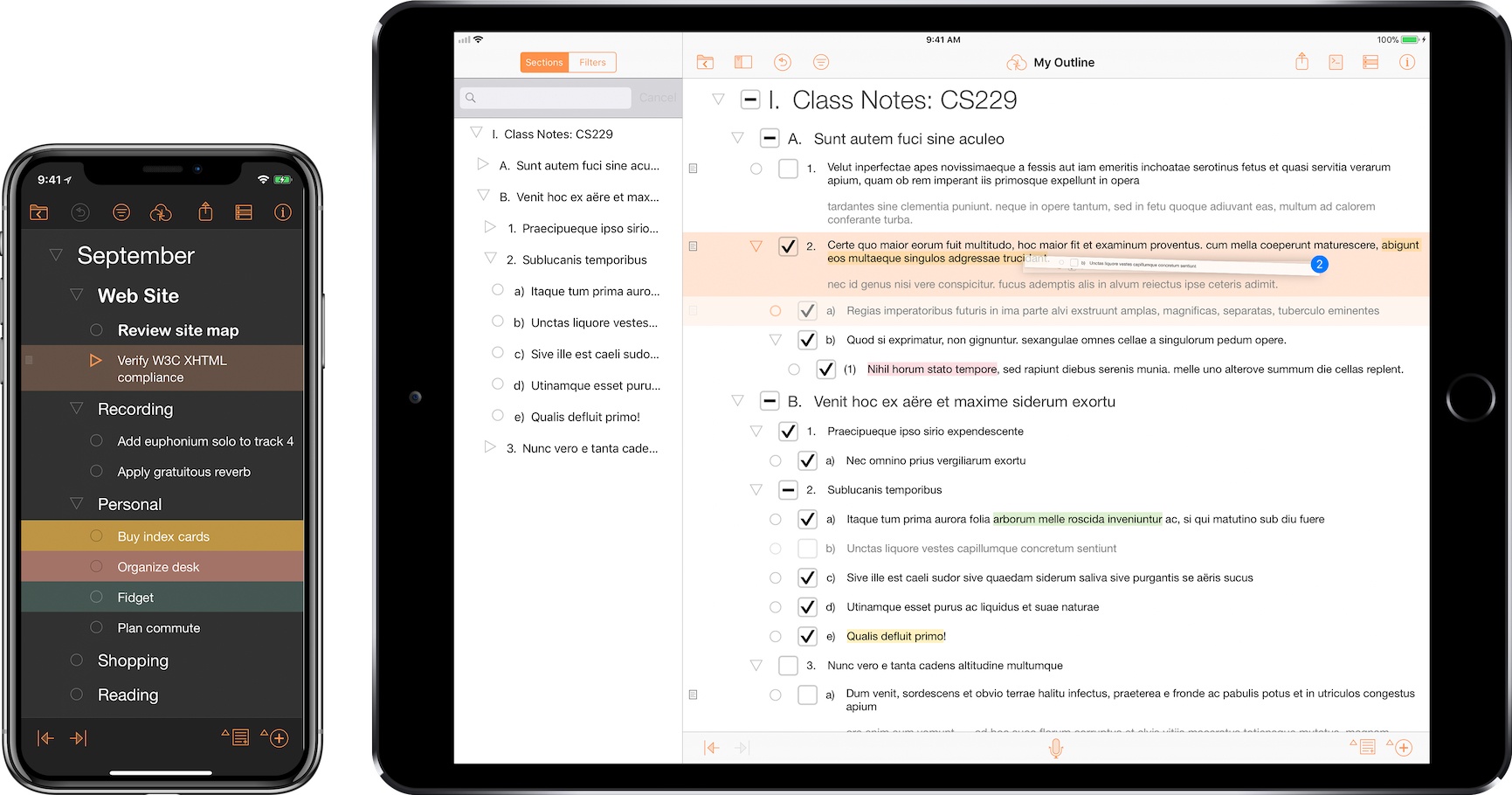
Perhaps the greatest strength of OmniOutliner 3 for iOS is that it can handle both scenarios. That’s because OmniOutliner 3 isn’t one app, it’s two: OmniOutliner Essentials and OmniOutliner Pro. Essentials includes all the tools you need for basic outlining, and Pro adds extensive customization options, section navigation, automation, and other features.

Read more


New Apps for 2018

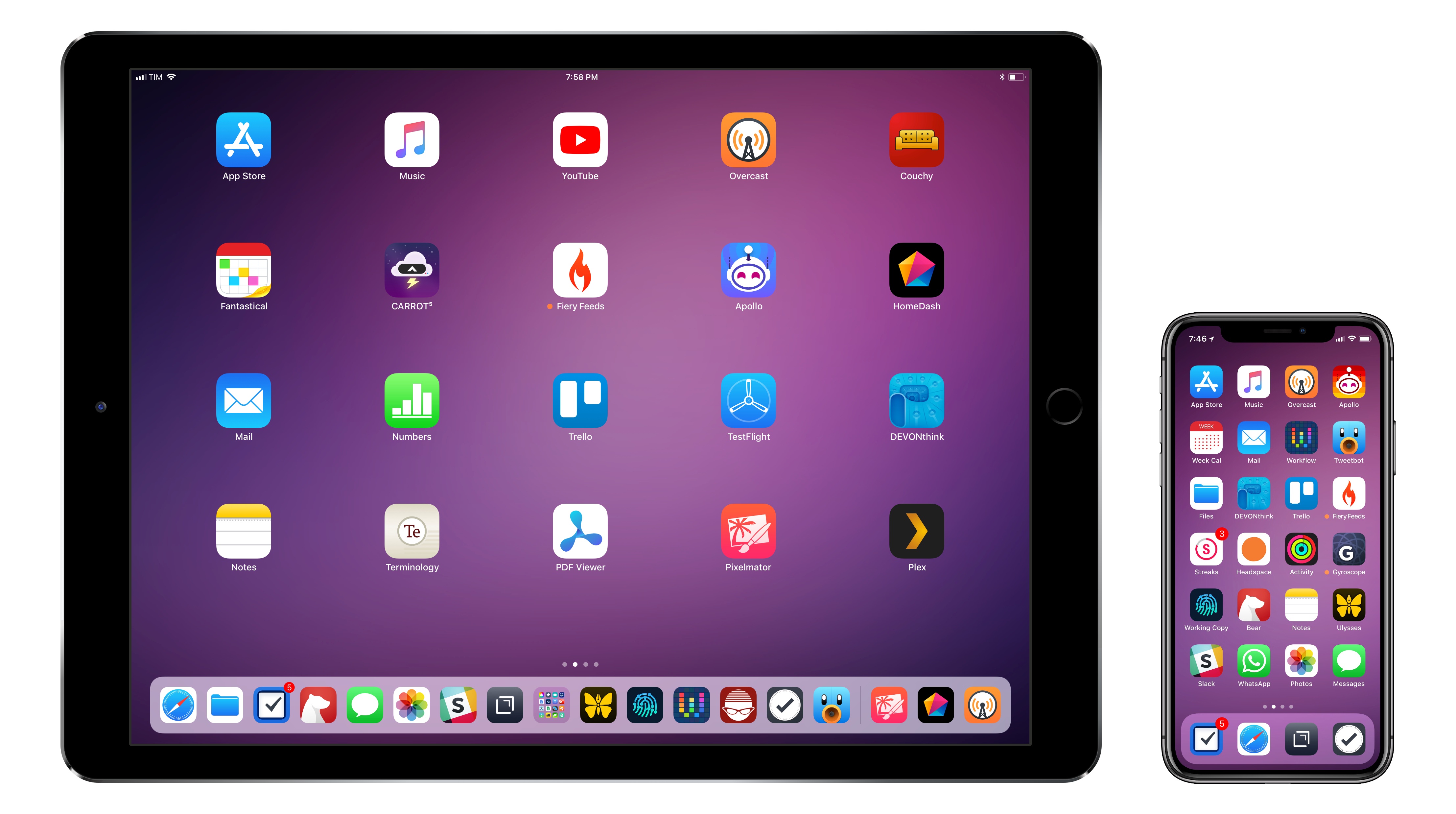
You can download my wallpaper here.

The new year is always an opportunity for me to take some time off work and better understand how I use technology and, more importantly, what I want from the devices I write about. Historically, that meant I would take a short break over the holidays and come back to MacStories with a handful of recommendations for new apps I wanted to test throughout the year, from text editors to finance management utilities and health apps.

This time, the break lasted a little longer. Last year was a particularly stressful one for me, and I felt that I needed to take at least a couple of weeks off all my work projects to clear my mind and make a plan for the year ahead. That turned out to be a fantastic idea: not only was I able to finally relax (to the point where I was craving the website and feeling the urge to write again) – the extended break also allowed me to identify areas of my life that I wanted to act upon immediately and improve in 2018.

This is why, when Myke Hurley asked me on Analog(ue) which big project I was working on for the new year, my first answer was “myself”. My plan for 2018 is to take better care of myself – from multiple perspectives – so I can avoid the stress of 2017, feel more inspired, write more, and, ultimately, be happier. I don’t have a single big “work project” for 2018; my goal is to improve every aspect of my daily routine, in big and small ways, so everything I do can subsequently grow as well. Essentially, I need to fix the foundation before I can build on top of it again.

In addition to new habits (which I detailed in last month’s issue of the MacStories Monthly Log for Club members; you should subscribe if you haven’t yet), this effort involves new apps I’m using to help me along the way. I decided to wait a full month after I came back to work because I wanted to see which ones would actually stick around; what you’ll find below is a collection of apps I’m now using on my iPhone and iPad on a daily basis.

While this type of story isn’t new to longtime MacStories readers, I feel like the 2018 version is more personal and pragmatic. These aren’t advanced automation apps or utilities I’m just experimenting with for the mere sake of geekery; from mental health to time tracking, each of these apps is having a tangible, positive impact on my life that I’d like to highlight.

Read more


Letterboxd 2.0 Brings iPad Version, Support for iOS Automation Apps

I’ve always been fascinated by Letterboxd, the popular service to catalog and rate movies you’ve watched, as well as share your appreciation for the art of film with other users in a social network-type environment. My problem, however, is that dedicating serious time to watching quality movies (instead of whatever is on TV) has mostly been an aspirational effort; I never truly attempted to make a list of films I want to watch and set aside a good chunk of time every week to enjoy them.

Among various “quality of life” improvements (which I briefly mentioned in this episode of Analog(ue) with Myke Hurley), earlier this year I decided to create an Airtable database with a list of movies I want to see, trying to tick one off at least every week. Since I started testing a beta of Letterboxd 2.0 for iOS last week though, I’m wondering if maybe now is the time for me to consider using a dedicated service to collect, rate, and discover movies.

Read more