Posts tagged with "iOS"

Workflow Adds Bear Automation

In the latest update released today, Workflow has received support for six new Bear actions. Bear is the note-taking app with power-user features I reviewed in November, which I’m still using.

With the new Workflow actions, you can further automate Bear without writing a single URL scheme yourself. They are quite powerful: you can create new notes in the app, open a specific note in Bear (something Apple Notes can’t do), and even turn a webpage into Markdown and save it as a note in Bear.

My favorite action, though, is ‘Add to Bear Note’, which can take any file or text and append it to an existing note. I have a Scratchpad note in Bear where I keep a little bit of everything, and with this workflow I can quickly pick a file or a photo and send it to the bottom of the note. Great stuff.

Bear actions are available in the latest version of Workflow.

Permalink

Workflow 1.6 Brings Revamped Gallery, Better Tools to Share and Import Workflows

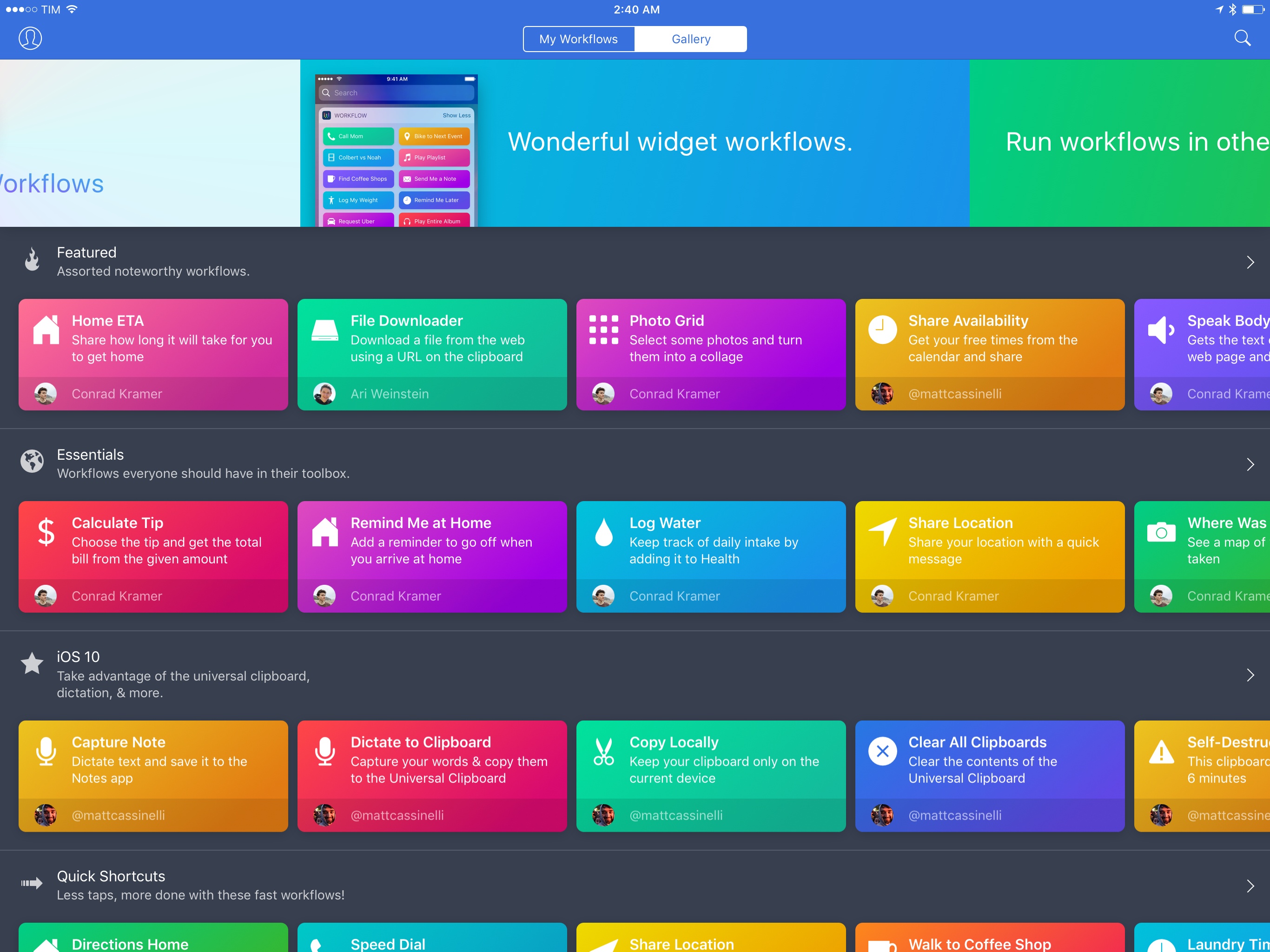
Since version 1.0 launched nearly two years ago, Workflow has always offered the ability to share workflows with others. While somewhat simplistic, Workflow’s ‘Copy Link’ button has allowed the proliferation of sites and communities aimed at sharing workflows with the app’s users – here at MacStories, workflows are one of the key aspects of our MacStories Weekly newsletter, for instance.

With version 1.6, launching today on the App Store, the Workflow team is revising some of the features that have been in the app since the beginning, starting with the Workflow Gallery and major updates to how workflows are shared, installed, and explained to other users.

Read more


iOS 10.1 Stands Out Among Updates to All Apple OSes

Apple updated iOS, watchOS, macOS, and tvOS all at once today. Most of the changes consist of bug fixes, security enhancements, and similar updates, but there are also a handful of new features concentrated in iOS 10.1.

iOS 10.1 adds Portrait Mode to the Camera app for iPhone 7 Plus users. Portrait Mode simulates shallow depth of field photos taken by DSLR cameras by creating a depth map using the dual cameras of the 7 Plus. The result is a foreground image in sharp focus with a blurred background.

In the Photos app, iOS 10.1 improves the display of wide color gamut photos when viewed in the app’s preview grid. In addition, the names of people associated with photos are now included in iCloud backups.

Maps added transit support for the cities of Tokyo, Osaka, and Nagoya in Japan. Sign-based transit navigation, including the layout of underground structures and walkways in large transit stations, and fare comparisons when viewing alternate transit routes were also added to Maps.

iMessage bubble effects, including ‘slam’ and ‘gentle,’ as well as full-screen effects like ‘balloons,’ ‘confetti,’ and ‘lasers’ can now be replayed in Messages. When you receive a message with effects, iOS 10.1 displays a little replay button below the message. With bubble effects the replay button appears regardless of whether the message you receive is text or a photo. iOS 10.1 also allows users to play effects if Reduce Motion is turned on in the Accessibility settings. In addition, the iMessage app browser has replaced page indicators with a scroll bar so users with lots of sticker packs and iMessage apps no longer have page indicators spilling outside the bounds of the controls below the browser.

In the Activity app, iOS 10.1 adds distance and average pace to workout summaries for outdoor wheelchair run pace and outdoor wheelchair walk pace activities.

Similar to changes to Messages in iOS 10.1, watchOS 3.1 adds the ability to replay messages received with bubble and full screen effects and play effects with Reduce Motion enabled. watchOS 3.1 also includes a handful of bug fixes.

Version 10.12.1 of macOS Sierra primarily improves the ‘stability, compatibility, and and security’ of Macs running Sierra. The update adds a new smart album to the Photos app that collects ‘Depth Effect’ photos taken in Portrait Mode using an iPhone 7 Plus. Sierra also includes improved compatibility with Microsoft’s Office Suite when iCloud Desktop and Documents is turned on.

tvOS received a minor update that fixes unspecified bugs and improves security.



Apple Starts Selling App Store Search Ads, Launching October 5th

First announced at WWDC in June and beta-tested over the Summer, Apple launched Search Ads for iOS apps today. The ads will appear at the top of App Store customers’ search results based on a combination of search relevancy and bidding. According to Apple, the program is designed to be a simple way for developers to get their apps in front of potential customers. Developers can sign up today and schedule campaigns, but ads won’t go live until October 5, 2016.

In an email to developers Apple says:

Search Ads was designed to be effortless for small and independent developers. Invest as much or as little time as you have and still get results. We create your ads and match them to relevant searches. You can refine who sees your ad with optional keyword, audience and location features, and you only pay when a customer taps on your ad.

Read more


Castro 2 Review

Castro 2 from Supertop demonstrates that there is still plenty of room for innovation in podcast apps. Although every podcast app starts with the goal of helping listeners find and play podcasts, the path each app takes varies as widely as the listening habits of users.

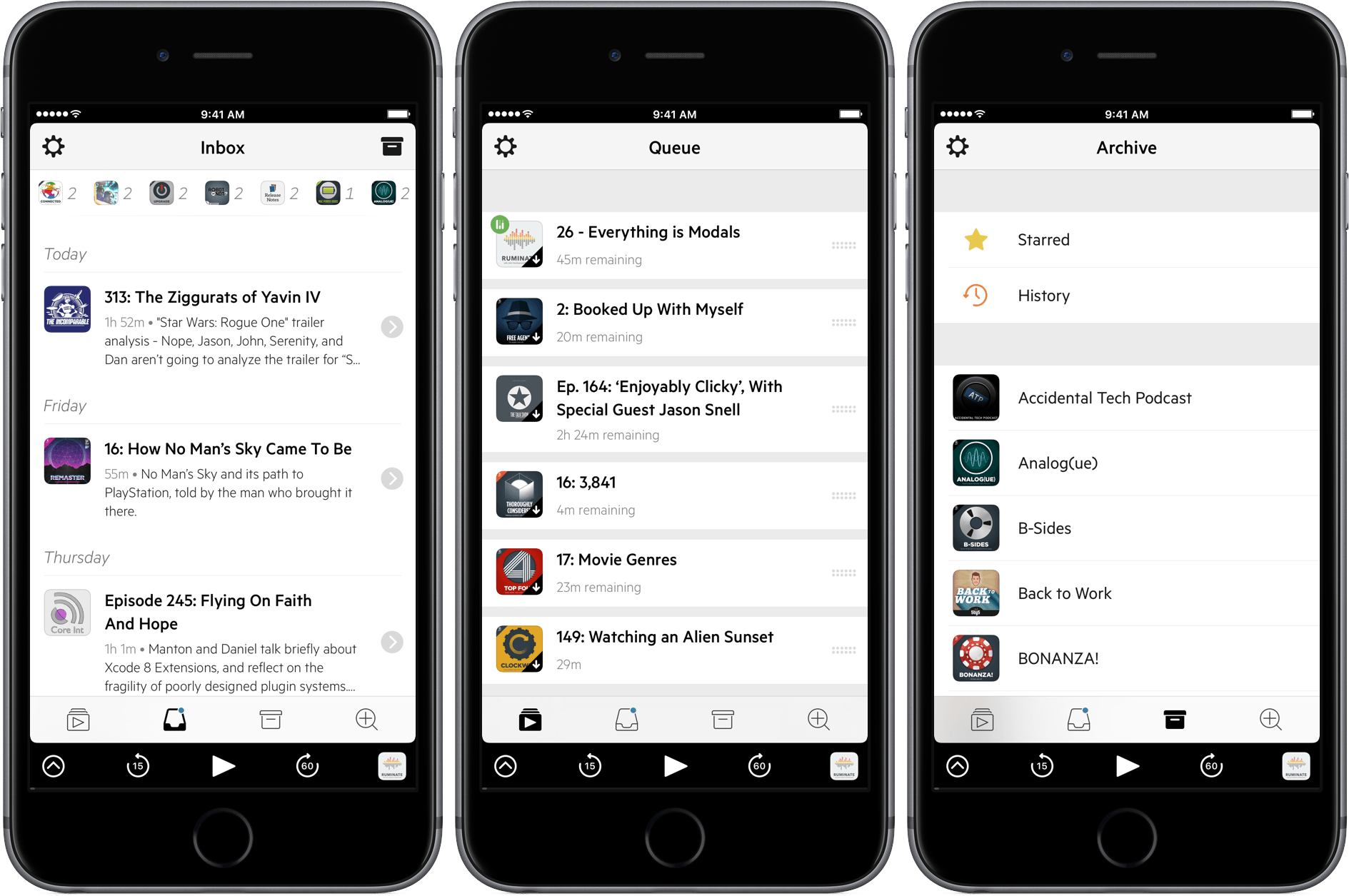
Castro 2 eliminates much of the complexity of other podcast apps by focusing on a single podcast queue. The result is a focused listening experience that emphasizes episodes over shows, playlists, or feeds. It’s not an approach that will appeal to everyone, but if you find yourself looking for a simpler way to manage podcasts, or listening to some, but not all, episodes of shows, Castro is worth considering.

Read more


Workflow Adds IFTTT Integration

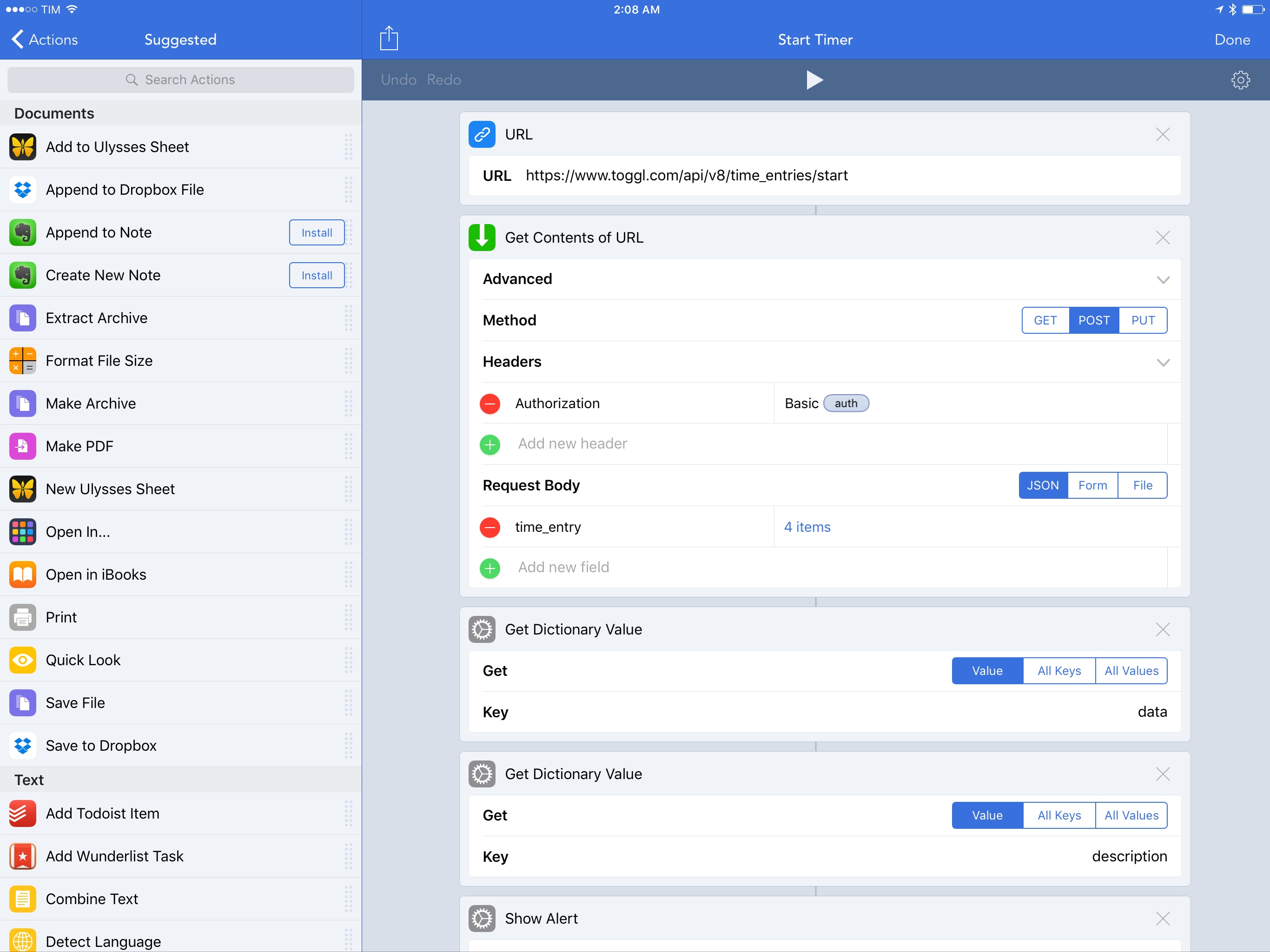
One of the unique traits of Workflow is its integration with native iPhone and iPad apps. By abstracting URL schemes from the process of building workflows that communicate with apps, the Workflow team has been able to offer actions to automate apps such as OmniFocus, Drafts, and Ulysses with support for text, images, and even documents.

Increasingly, however, iOS users who rely on their devices as their primary computers are leveraging web services for their daily tasks. And in the past few years, a different kind of automation – web automation – has complemented (if not replaced altogether) native automation to save time on the iPhone and iPad through web APIs.

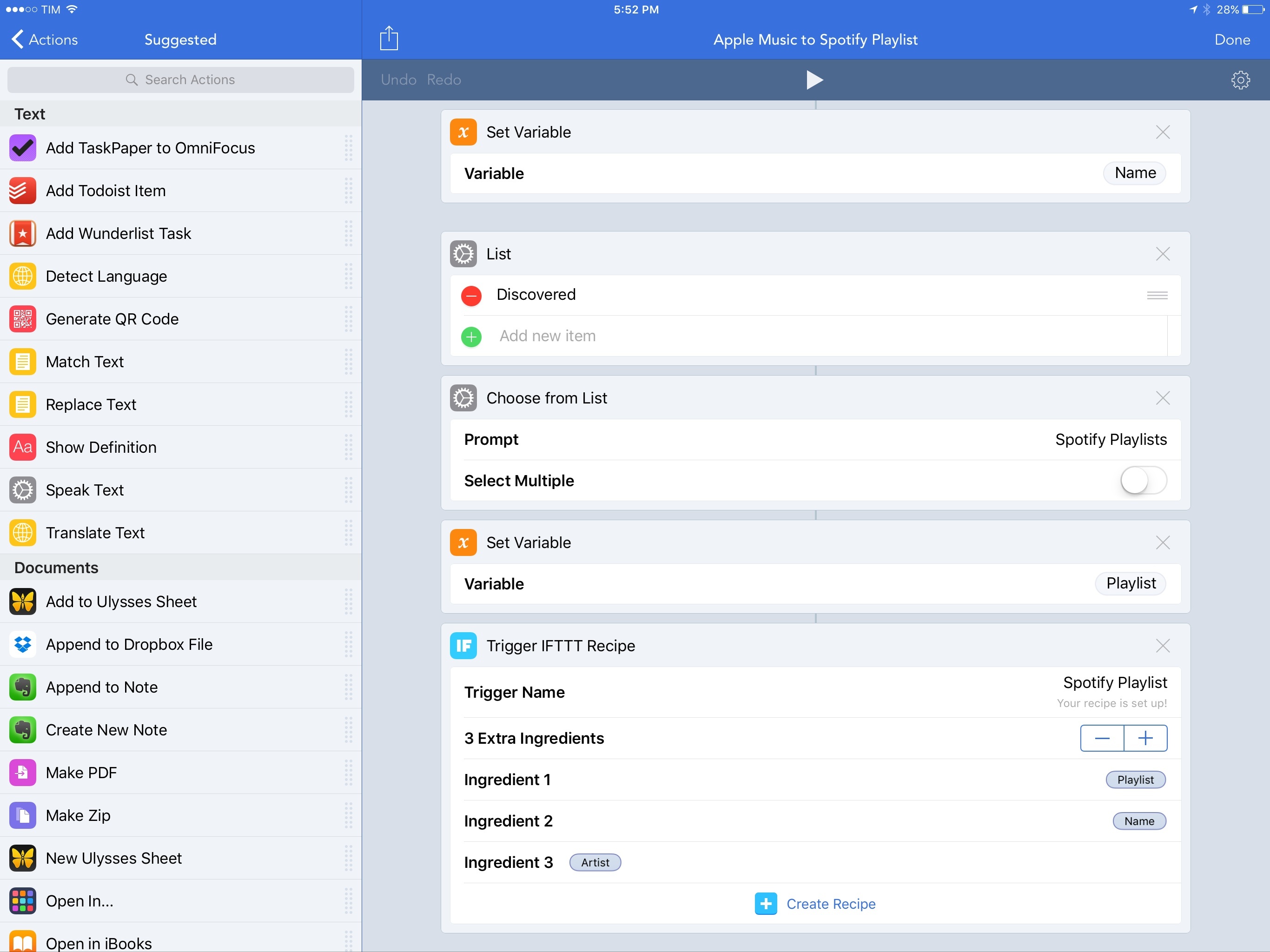
The Workflow team knows this, and their latest integration is aimed at extending Workflow to any web service – even if it doesn’t offer an iOS app or a native web action in Workflow. Today, Workflow is launching a new IFTTT integration to trigger web recipes.

By fusing workflow actions with the power of IFTTT’s web API glue, IFTTT support in Workflow promises to take iOS automation further than it’s ever been, drastically altering the scope of Workflow’s capabilities.

Read more