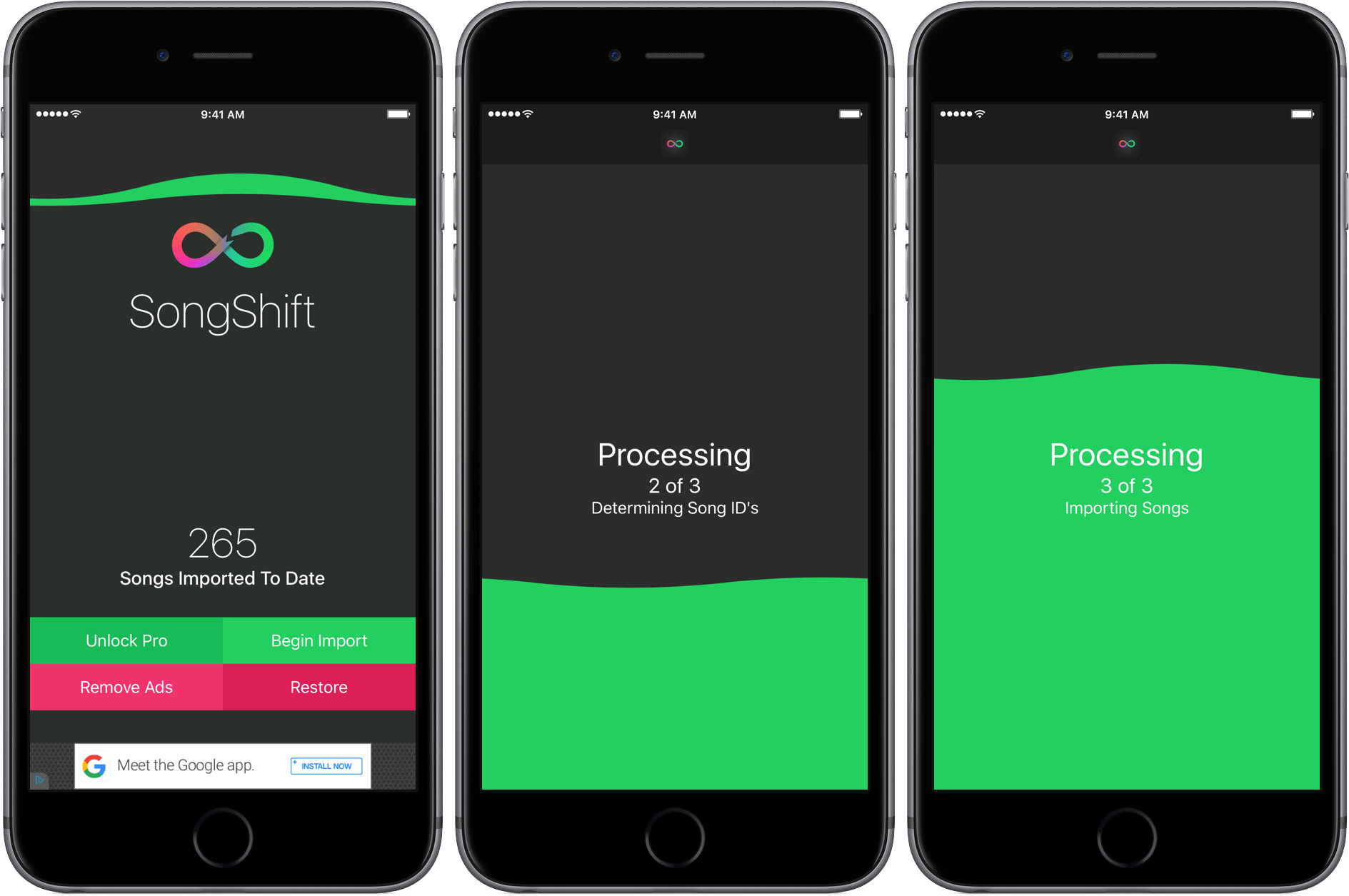
When Apple Music debuted last summer I switched to it from Spotify. I wasn’t on Spotify all that long, but I did have a few playlists I wanted to take with me, including a big one with all the songs I had favorited. At the time, I found a script that logged into both services, tried to match the songs, and replicate the playlists on Apple Music. It worked reasonably well, but not great. SongShift automates that process. In my tests, SongShift did a solid job matching songs between Spotify and Apple Music, but because it is an import utility and not a sync service, it is a little cumbersome to use as a way to keep up with playlists you follow on Spotify that are frequently updated.
Posts tagged with "iOS"
SongShift Eases the Transition From Spotify to Apple Music
iOS 10: Wishes and Concept Video
I almost can’t believe there was a time when the iPad didn’t have Split View. Or that, for years, I thought Apple would never bring split-screen multitasking to iOS.
More than any other iOS update before, iOS 9 has fundamentally reinvented the role of the iPad in my computing life. As I’ve written in my iOS 9 review and look at the iPad one year after my decision to stop using my Mac, iOS 9 and its multitasking improvements have catapulted the iPad away from the old limitations of iOS into a different league.
With iOS 9 and the iPad Pro, the list of tasks I can’t perform on my iPad is down to a single item.
I’ve never been happier with an iOS device and operating system than I am with the iPad Pro and iOS 9. Getting my work done is faster; using apps in Split View is a treat compared to iOS 8; and the software keyboard (despite some problems) continues to impress me with the addition of trackpad mode and the Shortcut Bar. The iPhone 6s, too, has been a pleasant surprise thanks to its superior performance and 3D Touch.1
There’s never been a better time to be an iOS user. But that doesn’t mean that everything’s perfect. When it comes to iOS, happiness is often a fleeting moment – a temporary satisfaction with the current state of things before the inevitable longing for something deeper. Such is the constant pursuit of the future.
Every year, I put together a list of the changes I’d like to see in the next version of iOS. I’ve been doing this for several years now. This year, I wanted to prepare something bigger. The tenth version of iOS due to be released later this year will be a major milestone for Apple and iOS users. It only felt appropriate to celebrate the occasion with a different take on my annual iOS wish list.
For the past few months, I’ve been collaborating with Sam Beckett (author of a fantastic Control Center concept we linked to a while back) to visualize my iOS 10 wishes with a professional concept video and static mockups. Sam and I discussed my ideas for a couple of months, and he was able to visualize2 what I would like to have in iOS 10 – both for the iPhone and iPad – with a style and attention to detail I’m extremely happy with.
Below, you’ll find a collection of my iOS 10 wishes, organized in tentpole features (the ones also shown in the video) plus additional sub-sections. Some of these wishes have been on my list for years; others are a consequence of the features Apple shipped with iOS 9.
Let’s get started.
- I use 3D Touch heavily every day. Peek previews for tweets and links in Tweetbot, Home screen actions, keyboard cursor control, and channel shortcuts in Slack are gestures I intuitively perform daily. ↩︎
- He was also very patient. As you can imagine, I sent him a lot of ideas and comments before signing off on the final version. I can't recommend working with Sam enough. ↩︎
Stanford’s iOS 9 Class Has Started on iTunes U→
Stanford University has published an iOS programming course (CS193P) on iTunes U annually since the very first iPhone SDK was released. Back then, the course was taught by Apple engineers, which was unheard of at the time, and a perhaps a sign of greater openness to come. There are still a lot of good basic lessons on Objective-C, model-view-controller patterns, and other fundamentals in that first lecture series, even though Cocoa Touch APIs have changed substantially over the years. But, perhaps my favorite lecture from that first class is a short talk Loren Brichter gave on the development of Tweetie, his Twitter client that was the first app to feature pull-to-refresh and was eventually purchased by Twitter.
Now, seven years later, Stanford has begun posting lectures for Developing iOS 9 Apps with Swift. It helps to have some basic object oriented programming experience before taking on this class, but don’t let that discourage you. When I started teaching myself programming I watched that first lecture series over and over, stopping to research things I didn’t understand as I went. And even if you’re not interested in learning to program for iOS, go back and watch Loren Brichter’s talk, it’s a fascinating time capsule of how far iOS has come and the clever tricks programmers used in 2009 to get around the technical limitations of early iPhones.
App: The Human Story Team Shoots for June Premiere and Launches Quantify
Last week, Story & Pixel announced that it is pushing to release the upcoming documentary App: The Human Story in early June, just before WWDC. I remember being at The Talk Show live recording at WWDC in 2014 when Jake Schumacher and Jedidiah Hurt, the team behind Story & Pixel, captured some of their first footage for the film. That was followed by a successful Kickstarter later that summer, and a whole lot of work since then. This past Fall, Story & Pixel debuted fifteen minutes of opening footage for App at XOXO Fest in Portland.
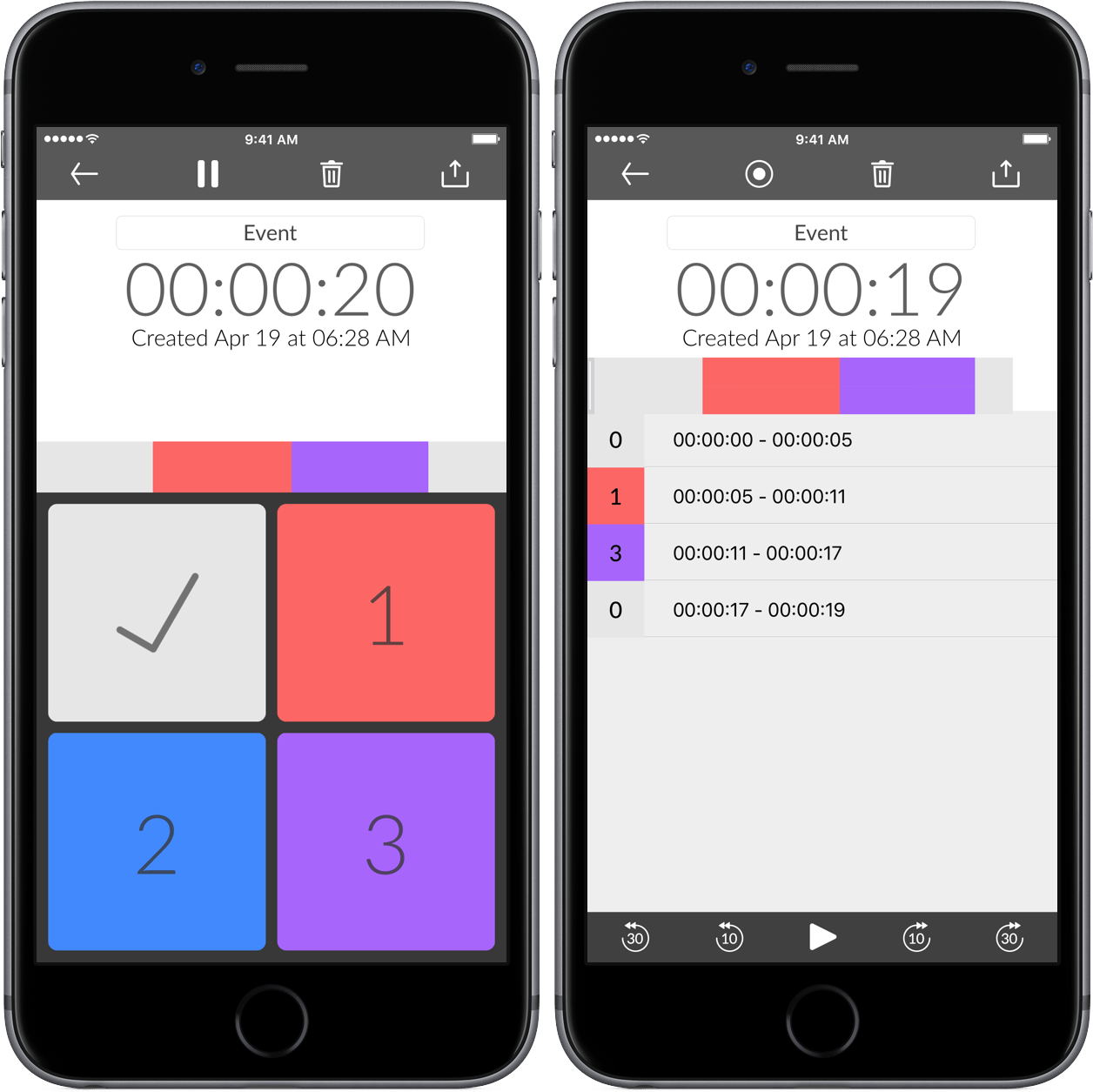
During production of App, the Story & Pixel team needed a discrete way to timestamp footage while they were filming as a sort of bookmarking system that would allow them to quickly jump to certain footage during the editing process. They tried things like taking notes, but found that it disrupted interviews. To solve the problem, Story & Pixel, working with developer Ryan Newsome, created an iPhone app with four large buttons that can be discretely tapped while filming to create up to four different types of bookmarks. The bookmarks can be exported into Adobe Premiere Pro (subscription required) when you’re ready to edit your footage.1
The app, called Quantify, launched last week and is free with a choose-your-own-price subscription model. Subscribing adds the ability to export to Adobe Premiere Pro and premium support.
App has been in production for almost two years now and it’s great to see that Story & Pixel are in the final home stretch. Judging from the footage that has been previewed so far, I think we are in for a real treat.
- One thing that immediately occurred to me when playing around with Quantify is that something like this would be handy for podcasters who want to mark portions of audio that need editing, contain information that should be added to show notes, or where a chapter marker could be added. ↩︎
Reddit App Takedowns Expose Serious App Review Flaws
[Editor’s Note: The following is adapted from Ongoing Development, a column by John Voorhees published 2-3 times a month in MacStories Weekly, the email newsletter sent to Club MacStories members. This installment first appeared in MacStories Weekly #28 and is being published here at the request of Club members.
Ongoing Development focuses on issues facing app developers and others in creative fields that rely on the web to reach an audience. Previous installments have covered topics like app marketing strategies and making the time to tackle new projects.
You can access past issues of MacStories Weekly, including Ongoing Development, and enjoy other perks by becoming a Club MacStories member.]
Something has been bothering me since last week that I can’t shake - the Reddit debacle that unfolded last Monday night. That evening, Apple pulled several third party Reddit clients for violating App Review rule 18.2 which says that:
Apps that contain user generated content that is frequently pornographic (e.g. “Chat Roulette” Apps) will be rejected.
Sounds awful right? It turns out that what Apple didn’t like was that these apps had a NSFW switch in their settings that allowed you to block (or show) NSFW content. Narwhal’s developer who spoke to Gizmodo said:
Today, we received notice that our new update with a lot of great new features was rejected under the App Store rule 18.2: “Your app contains a mechanism to enable or disable Not Safe For Work (NSFW) content, including pornographic content. Apps with sexually explicit content are not appropriate for the App Store.” About 15 minutes afterwards, we received notice that the current version of our app has been removed from the app store.
You can argue with the policy choice Apple made and rightly point out that every browser violates Rule 18.2 if Reddit clients do, but it’s that last bit of the quote above that’s been bothering me. The part where Apple decided that a feature that was in some of these apps for over a year violated rule 18.2 and then immediately pulled them off the App Store. These weren’t new apps pushing boundaries, these were existing approved apps. The only thing that changed was Apple’s interpretation of its own rule.
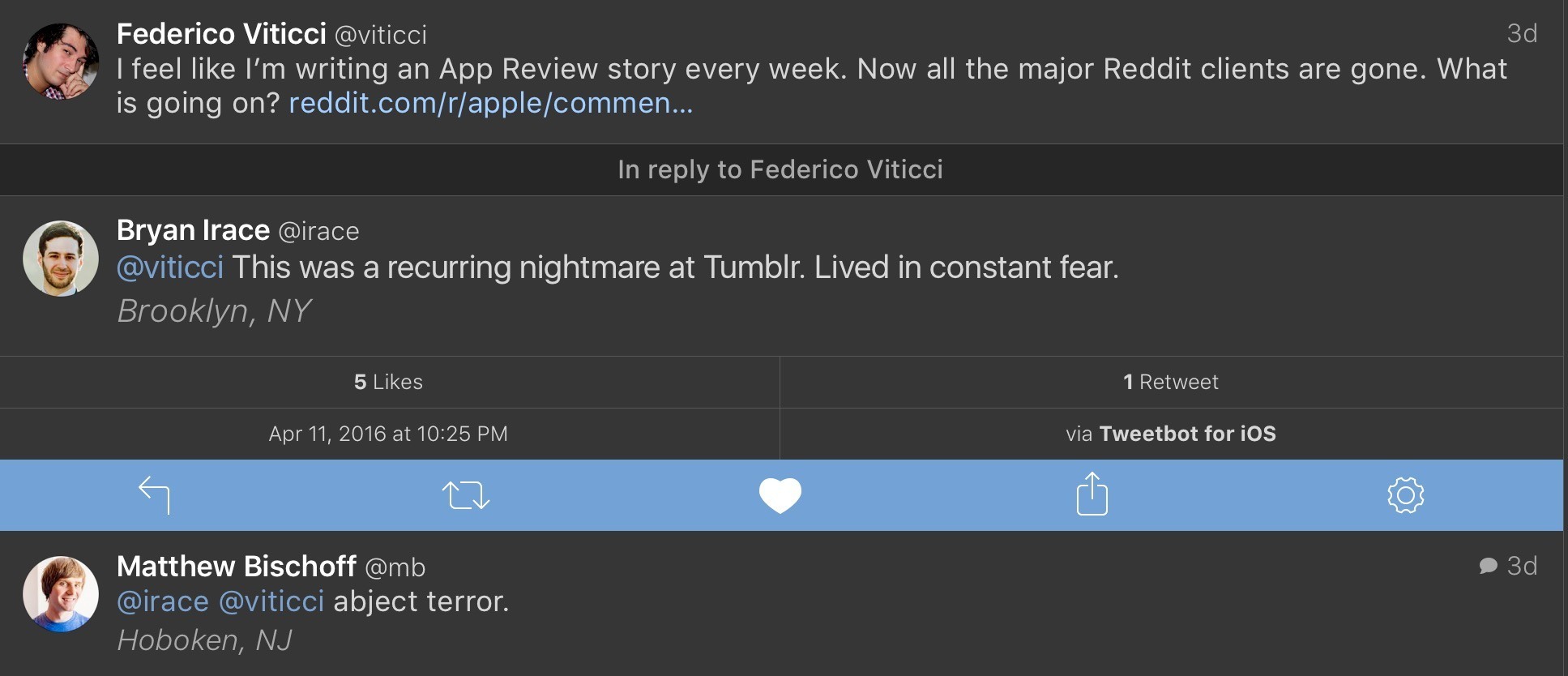
Federico wasn’t joking when he tweeted that he feels like he’s writing an App Review story every week. This particular story came and went quickly, in part because the developers affected scrambled to update their apps and Apple expedited review. But the implications of the shoot first, ask questions later approach to App Review bear further examination because they has lasting negative effects on the developer community and, ultimately, Apple and its customers.
This sort of out-of-the-blue, unilateral action legitimately strikes fear into the hearts of developers. Consider these responses to Federico’s tweet from Bryan Irace and Matt Bischoff, both formerly of Tumblr:
This is no exaggeration. I don’t know a developer who hasn’t had a run-in with App Review and wondered, ‘Maybe this is it. This is where my my app dies.’ That may sound a little dramatic, but read the results of Graham Spencer’s poll of developers - the feeling is real.
I can imagine that some at Apple may roll their eyes at this as an overreaction, or be a little offended at the implied lack of trust, but step into developers’ shoes. In the absence of meaningful communication by Apple of its intentions, it’s stories like the Reddit client take-downs that shape developers’ behavior. And as Federico noted, it’s not like this is an isolated story, it’s one of a long string of similar stories that make developers jumpy.
What bothers me the most about this incident is how Apple implemented its policy change. There was no imminent threat or emergency that made Reddit clients any more a threat than they were twelve months prior, but nonetheless Apple summarily pulled them and offered to reconsider the apps if the developers resubmitted. The developers worked through the night, resubmitted their apps and many were back on the App Store by the next morning. As a result, the story barely got traction and, while Apple may have avoided an onslaught of bad press, the damage was done. Developers took note.
So what to do? Probably the other reason this episode bothers me as much as it does is that it seems like the solution is obvious. I will grant that it’s easy for me to say that sitting here blissfully ignorant of many of the issues Apple faces, but just because it may be a hard problem to solve isn’t an excuse not to try. Apple needs to define when apps can and should be pulled from the App Store without advance warning and make that clear to developers. Those circumstances no doubt exist, such as where there is an immediate threat to customers or their data, but in circumstances like this, where a feature has been in apps for over a year, developers should be given advance notice of any policy change and a fair period of time to make adjustments before an app is pulled from the Store.
I also think that it’s time for Apple to appoint an internal advocacy group for third party developers. A group that takes developers’ calls, attends conferences, and is a voice for developers when policy choices like this are made.
The distrust caused by events like this is the sort of thing that is not easily fixed and will erode developer support for iOS in the long term if it’s not addressed. That’s not good for Apple or its customers. It’s hard enough to build a sustainable business on the App Store. Making app take-down stories a thing of the past would go a long way toward eliminating some of the negative sentiment we saw in the MacStories developer poll.

Screens 4 Refines Remote Management of Macs and PCs
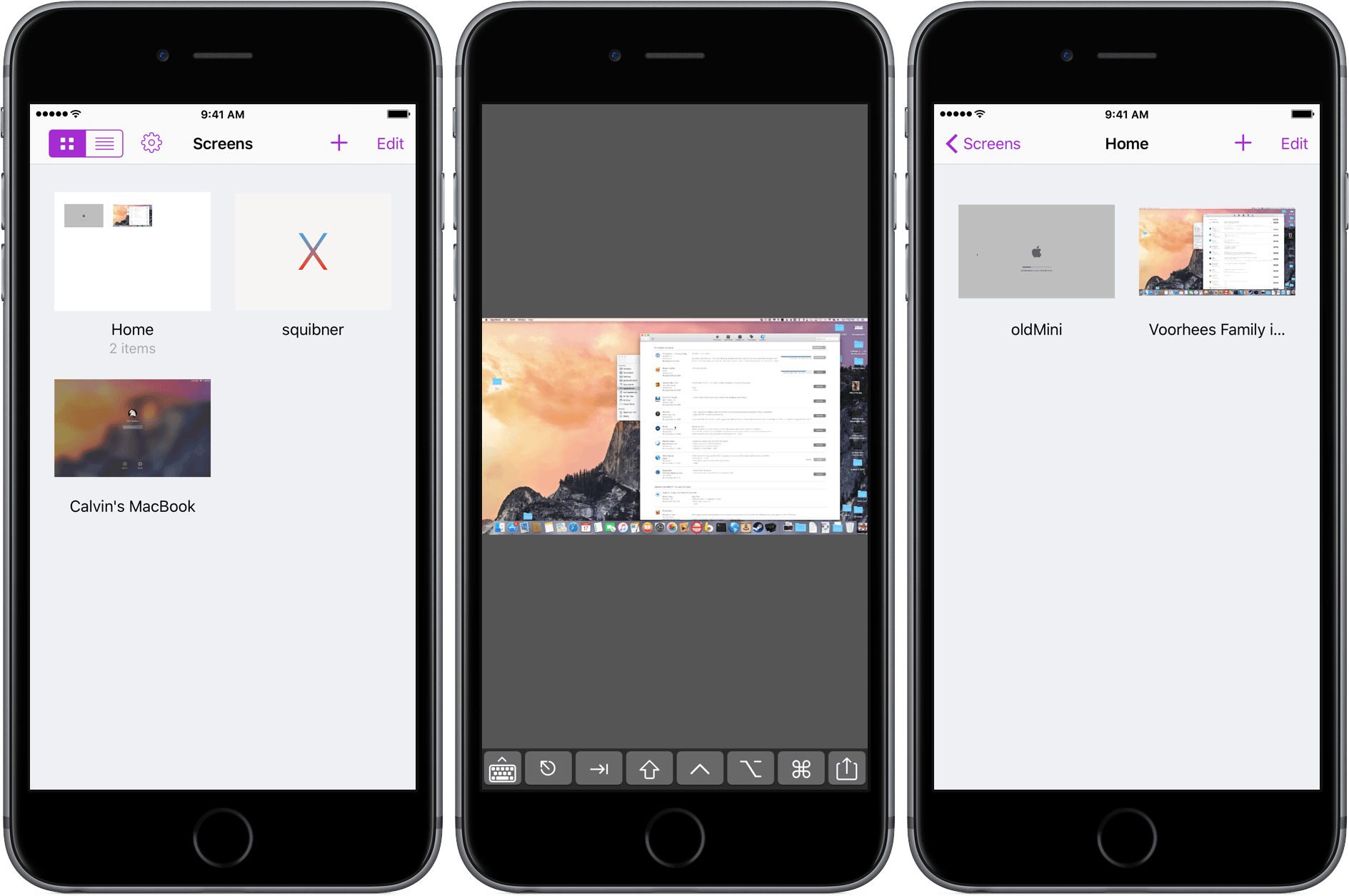
Screens for iOS is a great example of an iOS app that has been at the top of its category for years and stayed there by not standing still. Longtime readers of MacStories will know that Screens has been a favorite from the earliest days of the site when Federico declared that:
Screens by Edovia has become the best VNC app I’ve ever run on my iPhone and iPad.
That’s as true today as it was in 2010, but with today’s release of Screens 4, connecting remotely to Macs, Windows PCs, and Linux PCs from an iOS device has never been more convenient and fast.
Imprint Brings Effortless Shopping to iOS
Imprint for iOS is designed to make shopping easy and enjoyable, which is a good thing because I can’t stand shopping, especially for clothes. I’d much rather order clothes online and have them show up on my doorstep than go to the mall. The trouble is, clothes shopping on the web is usually a mixed bag. Many sites do a poor job of describing and photographing what they sell, making it hard to know what you’re ordering, which leads to returns. Other sites have overly complex and tedious checkout processes, requiring what sometimes feels like page after page data entry that fails if you don’t enter information exactly as the site expects.
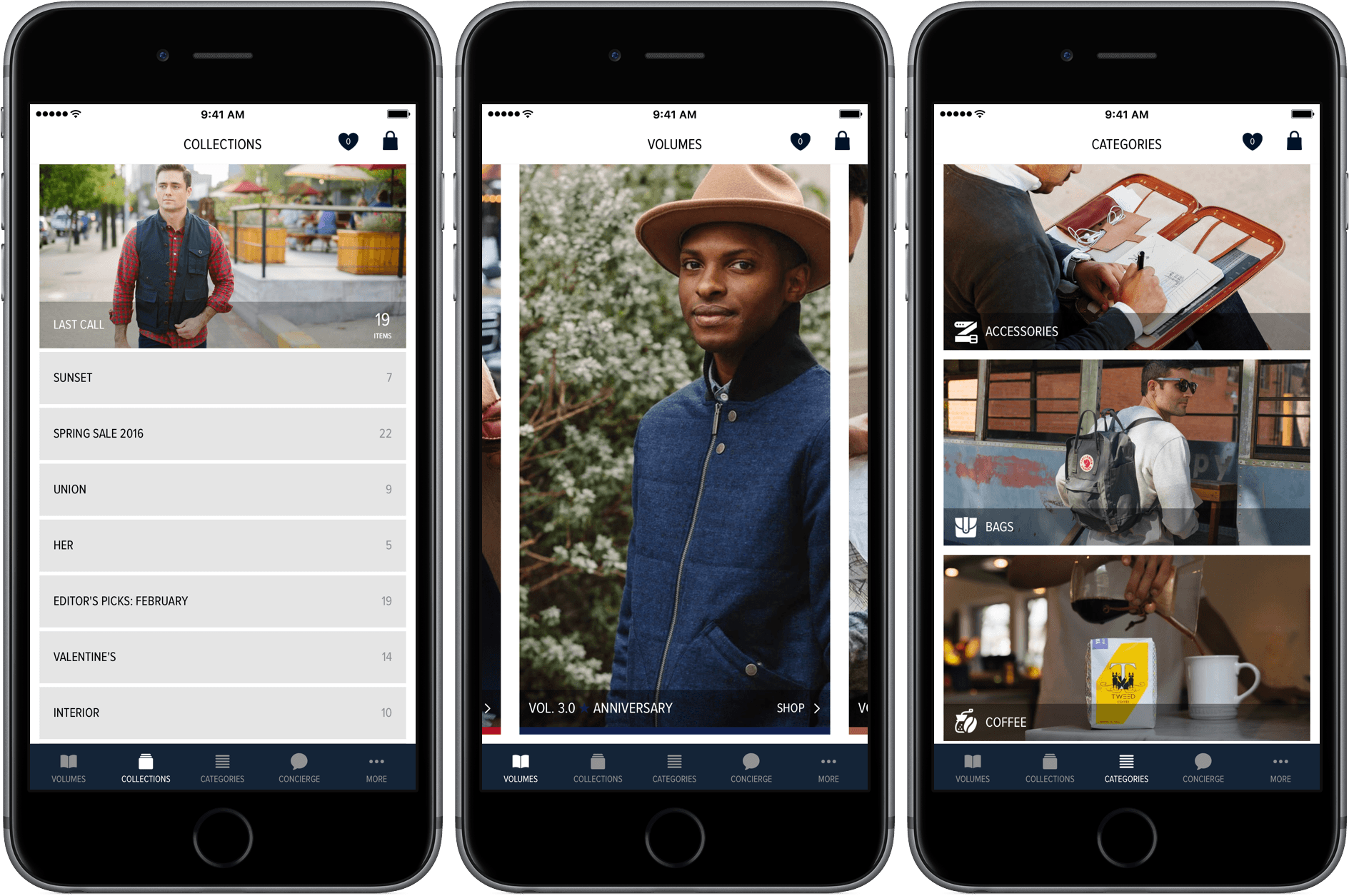
Need, which offers hand-picked collections of clothing, accessories, and other items like coffee and books, is different. I’ve been a customer of Need since Matt Alexander launched it in late 2013. Through a combination of excellent photography, quality writing, and attention to customer service, Need has provided a superior shopping experience on the web from the beginning.
Today, Need relaunched and rebranded its website as Imprint and released a companion iOS app by the same name. Imprint for iOS is a delight to use. Imprint’s browsing and shopping experience is faster, easier, and more fluid than other iOS shopping apps, exhibiting the same degree of care and attention to detail that has made me a happy customer of its predecessor, Need, from the beginning.
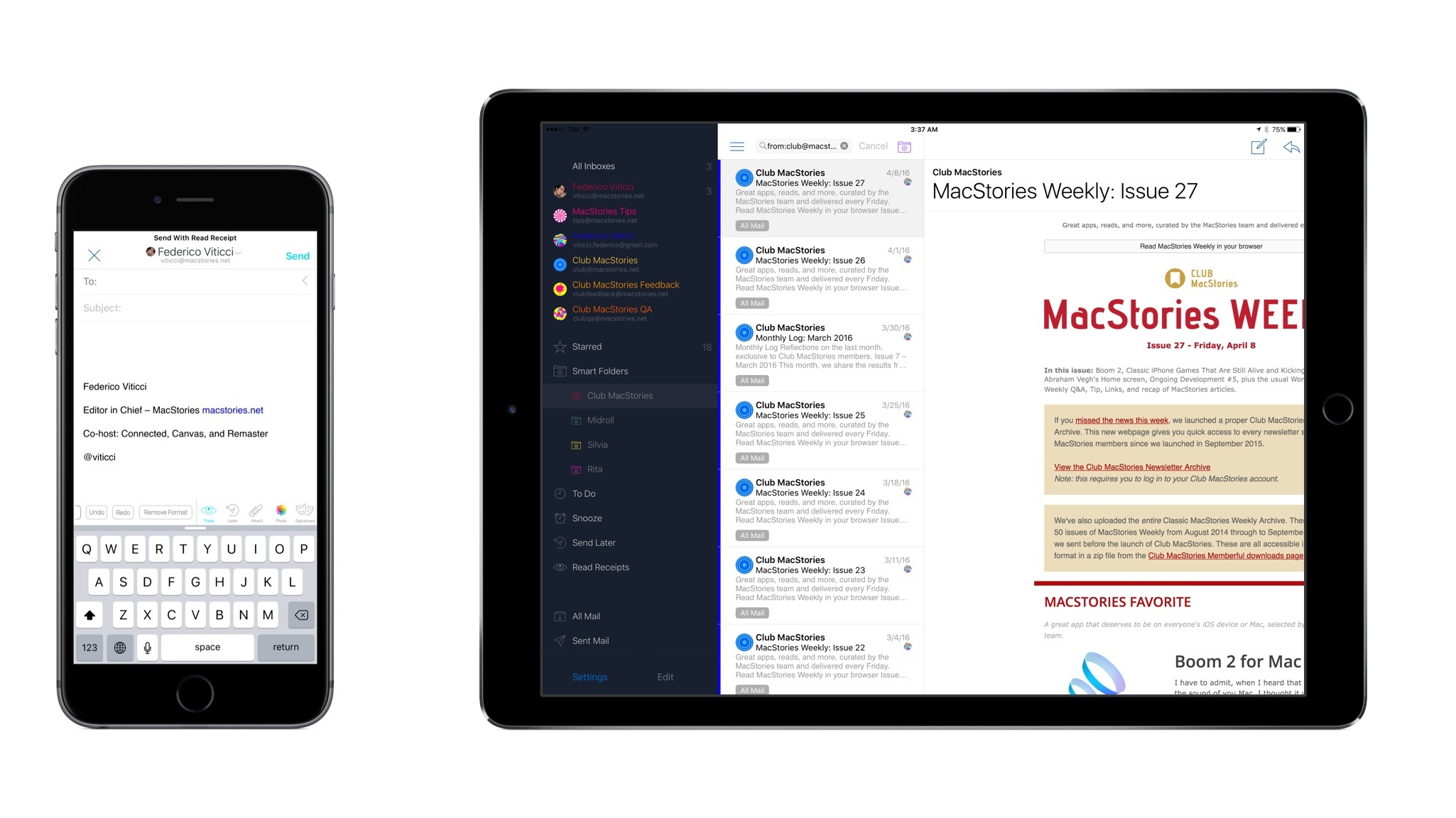
With Version 1.1 and an iPad App, I’m Switching to Airmail
When I first covered Airmail for iPhone, I noted how the vision of an email client for power users on iOS was only halfway there due to the lack of an iPad app and a variety of glitches and technical issues. Airmail showed that it was possible to build an email app for power users on mobile devices – asking for a fair price in the process – but I couldn’t switch to it as my full-time client yet.
That’s changing with today’s update to Airmail for iOS, which I’ve been using as my only email client on the iPhone and iPad for the past several weeks. In addition to an iPad app – which mostly follows in the footsteps of its iPhone counterpart in terms of UI and navigation choices – Airmail 1.1 brings powerful new features such as saved searches, customizable keyboard shortcuts, support for send later and read receipts, and more.
While the majority of “modern” email clients are focused on reinventing email with new display options for the inbox and novel interfaces, Airmail wants to redefine how much control you’re given over your email on iOS. Which is to say – Airmail is the most powerful email app for iOS out there right now, treating iPhone and iPad users with the same respect and attention other developers would only show for their Mac apps.
See the World With Streets 3
I almost didn’t get this review finished. While I should have been writing, I found myself wandering the globe with the help of Streets 3, a browser for Google Street View from FutureTap. I started at a remote church on the coast of Iceland, stumbled into a pub in London, and then made stops in Kings Park in Perth, El Calafate, Argentina, and finally, Plaza Navona in Rome. From the remotest location to the biggest cities, Streets’ panoramas were gorgeously detailed and easy to navigate.