Posts tagged with "iOS"

Gmail for iOS Is Back In The App Store

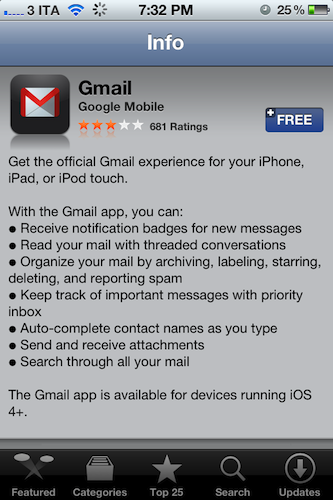
Following an unsuccessful launch on November 2, Google has re-released its official Gmail app for iOS in the App Store, which was pulled due to a bug that affected push notifications. In spite of the criticism received by the app, it appears Google didn’t make any substantial changes, as reported by this version’s changelog:

If you already have the Gmail app 1.0.1 released on 2 Nov, you will need to uninstall or log out of the old app prior to installing the new app.

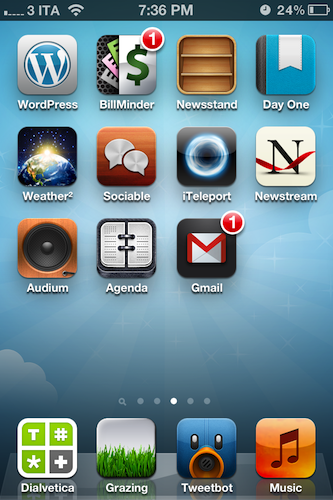
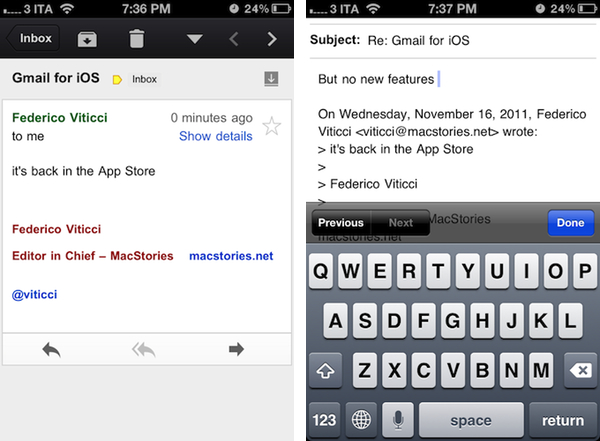
We’re currently re-testing the Gmail app for iOS and we’ll update this post with more details if necessary. Update: push notifications are now working in this version (as you can see I have a badge on my Home screen), but there are no new features. The app is still web-based as in the first version, with no support for multiple accounts and poor scrolling performances, among other issues.

Download Gmail for iOS here.


Official Minecraft: Pocket Edition for iOS Coming Today

Mojang’s Minecraft, a popular sandbox building game that gathered quite a following in the past year since its “beta” release, is coming to iOS as a universal app later today, GamePro reports. Minecraft: Pocket Edition is already available in the New Zealand App Store and, as usual with timezone releases in iTunes, it should become available in the United States later today at 11 PM. The game is currently propagating in the various international App Stores.

In the past year, several unofficial clones of Minecraft surfaced on iOS. Ever since developer Notch and his company, Mojang, announced an official mobile version – the aforementioned Pocket Edition – buzz started building around the game as fans of desktop Minecraft were anticipating a way to enjoy Minecraft’s game mechanics (an open world where you can build virtually anything using “blocks”) on mobile devices. Minecraft: Pocket Edition was initially released on the Xperia Play and, with Minecraft hitting 1.0 version this week and MineCon underway, is now coming to the iPhone and iPad.

Early feedback on TouchArcade seems to suggest Pocket Edition isn’t nearly as complex as regular Minecraft, lacking several features such as enemies, animals and online multiplayer. Pocket Edition comes with local WiFi multiplayer, 36 different kinds of blocks, and randomized worlds.

Minecraft: Pocket Edition is available now at this link, and is expected to go live worldwide today.


Nintendo 3DS From An iOS User’s Perspective

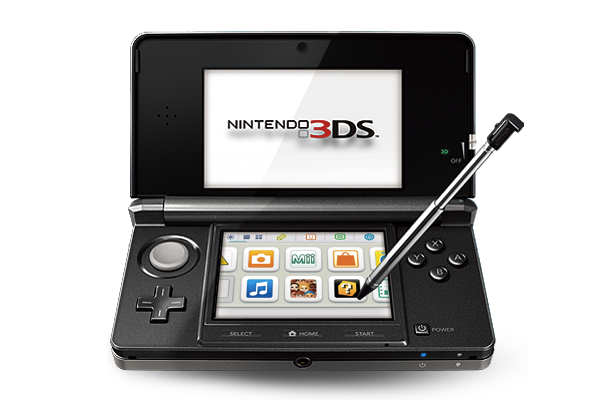
Last week, I bought a Nintendo 3DS with Legend of Zelda: Ocarina of Time 3D. And coming back to “regular” portable console gaming after four years of multitouch iOS gaming felt strange.

As I explained in my Aquaria review yesterday, I started playing with a Super Nintendo Entertainment System when I was six. Actually, my home console gaming experience started with the SNES, but my parents had already bought me a Game Boy. I grew up with Game Boys (classic, Pocket, Color, Advance, and various iterations of the latter), Nintendo’s consoles (SNES, N64, Game Cube, Wii) and Sony’s PlayStation (PSX and PS2). I skipped SEGA’s Dreamcast and Microsoft’s original Xbox, albeit in 2008 I decided, for some reason, to buy an Xbox 360. I basically never touched it. In fact, I’m pretty sure my 360 still has the original Dashboard view – I don’t even know how to update the thing.

I’ve been a “regular” gamer from 1994 to 2007. Four years ago, something happened: as I graduated from high school and got a job, I found to have less time for gaming. Things got even worse after I started MacStories, gaming time-wise. At the same time, whilst my DS and PSP and 360 were catching the dust, I started playing the casual game for iPhone that you can get at $0.99 in the App Store and doesn’t make you fell all guilty about it. After all, it’s just a .99 game that you can play for 20 minutes, not hours. You didn’t spend $60 and 40 hours on a game – I bet a lot of people know the feeling. At least initially, casual iPhone gaming was the cure for ex-gamers that still wanted a quick bite off the digital entertainment scene.

So for nearly four years I bought nothing but iPhone and iPad games. I was quite happy with the results: I could play the latest hit for 30 minutes a day, and say that “I enjoyed it”. I clicked the Buy button on a lot of games: most of them I never finished. But they still gave me the illusion of enjoyment as they were little $0.99 gems I couldn’t feel guilty about. It’s easy to say you’ve “enjoyed” something that costs less than a dollar. So my iTunes library grew larger and full of half-finished, presumably enjoyed iOS games. Read more


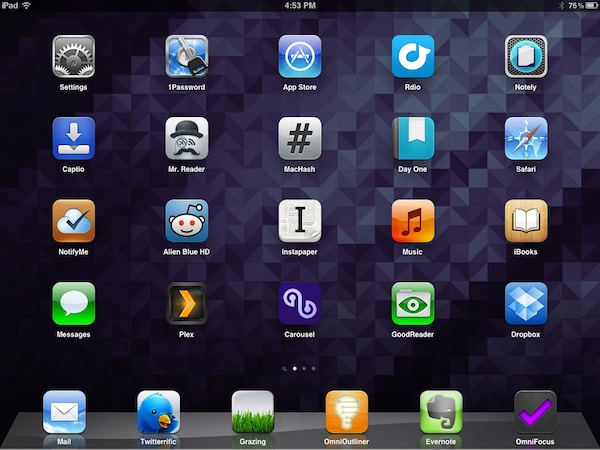
My Must-Have iPad Apps, 2011 Edition

Last year, six months after the release of the original iPad, I published an article called “My Must-Have 20 iPad Apps” in which I collected my favorite iPad applications – the ones I used and enjoyed the most – as of September 2010. Fast forward thirteen months, the iPad’s software ecosystem has matured into something completely different from last year’s “experimentation” stage, when third-party developers, and quite possibly Apple as well, were still trying to figure out how, exactly, the iPad would change our digital lifestyles. Looking back to the iPad 1 and the App Store in 2010, it’s no surprise the list of apps I have today is so much different.

In the past year, Apple has sold millions of iPads and has seen the device being used in far more variegate scenarios than they initially expected. The whole point of the iPad: Year One video presented at the iPad 2’s introduction in March was, in fact, to showcase not only the hardware and software capabilities of the device, admittedly improved over the past months, but to demonstrate how the iPad has entered more markets than “consumer technology” alone. The iPad is being used by pilots, doctors, teachers, parents and artists who have found a whole new dimension through the tablet’s multi-touch screen. If the demographics of the iPad expanded to new segments and usage scenarios, so did the kinds of apps that are available on the App Store.

Once again, Apple itself has set new standards for developers to write their apps against. With iOS 5 and iCloud, released in October, the company is providing third-party app makers with powerful new tools to optimize their software and make it interconnected across devices and platforms. But I believe that there’s been a shift in “iPad development mentality” among developers and users alike that goes way back prior to iCloud’s announcement and launch. Sure, iOS 5 and iCloud will lead towards a future of invisible cloud backups and app connections, but Ambitious iOS Apps started making their way to the App Store before iCloud and all these latest, greatest software updates. It was immediately after the 2010 holiday season and the “second wave” of iPad apps that developers realized the iPad could be so much more. And so they wrote great, innovative, standard-setting apps that shaped the past thirteen months and are helping us transition to the next great revolution – the cloud and the post-PC device.

It’s always been about the apps. And I’m fairly certain that as long as Apple doesn’t focus on hardware specs alone and stands at the intersection of technology and liberal arts, it’ll always be about great software, rather than processors and RAM amounts. And more importantly, it will be about the people creating the apps that we use every day.

So here’s my list of “must-have” apps that have improved my workflow and ultimately made it more fun to use the iPad in the past year. And here’s to another year of iPad. Read more


Security Researcher Demoes Bug To Execute Unsigned Code on iOS Devices

Security researcher Charlie Miller, former NSA analyst now working for consultancy firm Accuvant, plans to publicly demonstrate a new security hole that could allow regular App Store apps to download and execute unsigned code on any iOS device. As Forbes reports, Miller, who isn’t new to the Mac and iOS hacking and security scene, plans to detail his discoveries at the SysCan conference in Taiwan next week.

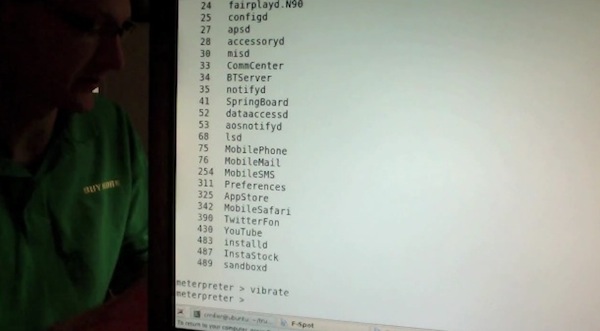
Full details of the security hole aren’t available – Miller is apparently saving the presentation for next week to give Apple time to fix the issue, and the company is indeed already working on an iOS 5.0.1 update – but Miller had a “stealth app” approved by Apple in the App Store to record a video of the hidden “functionality”. The app was called Instastock, and it behaved as a regular stock monitoring app until Miller recorded a video of his iPhone being subject to malicious attacks through the app, which has since been pulled. Apparently, since Apple found out about Miller’s app and YouTube video, he’s also been removed from the iOS Developer Program.

As you can see in the video, the app gets downloaded from the App Store as any other free or paid app. The first time Miller runs it on his iPhone, nothing happens and the app performs as advertised. But as soon as Miller activates the hidden functionalities on his web server, somehow connected to the iOS app, the app “phones home” and starts downloading and executing unsigned code. As per Apple’s technical rules and guidelines, App Store apps can only execute code approved by Apple. Yet with Instastock, Miller managed to make the iPhone vibrate remotely, open a YouTube video, and even download the device’s entire Address Book remotely. The app is seen exposing parts of the iOS filesystem, listing installed apps, and presumably giving access to a user’s documents, photos and more. In the video – which we’ve embedded below – you can also watch Miller execute commands remotely (from his computer to iPhone) using a command line interface.

Apparently, the hack has been made possible by a flaw in Apple’s JavaScript engine Nitro, introduced with iOS 4.3, that makes a series of system exceptions for Mobile Safari to render web pages faster. Forbes quotes Miller as saying “Apple runs all these checks to make sure only the browser can use the exception,” he says. “But in this one weird little corner case, it’s possible. And then you don’t have to worry about code-signing any more at all.”

Instastock has already been pulled from the App Store, and it’s unlikely that anyone else will figure out the exact bug that Miller has discovered before Apple releases iOS 5.0.1, which has reached beta 2 status and has been reported to introduce security fixes for iOS devices. Apple will likely include a fix for Miller’s discovery in iOS 5.0.1, but  in the meantime you can check out the interesting demo after the break.
Read more