

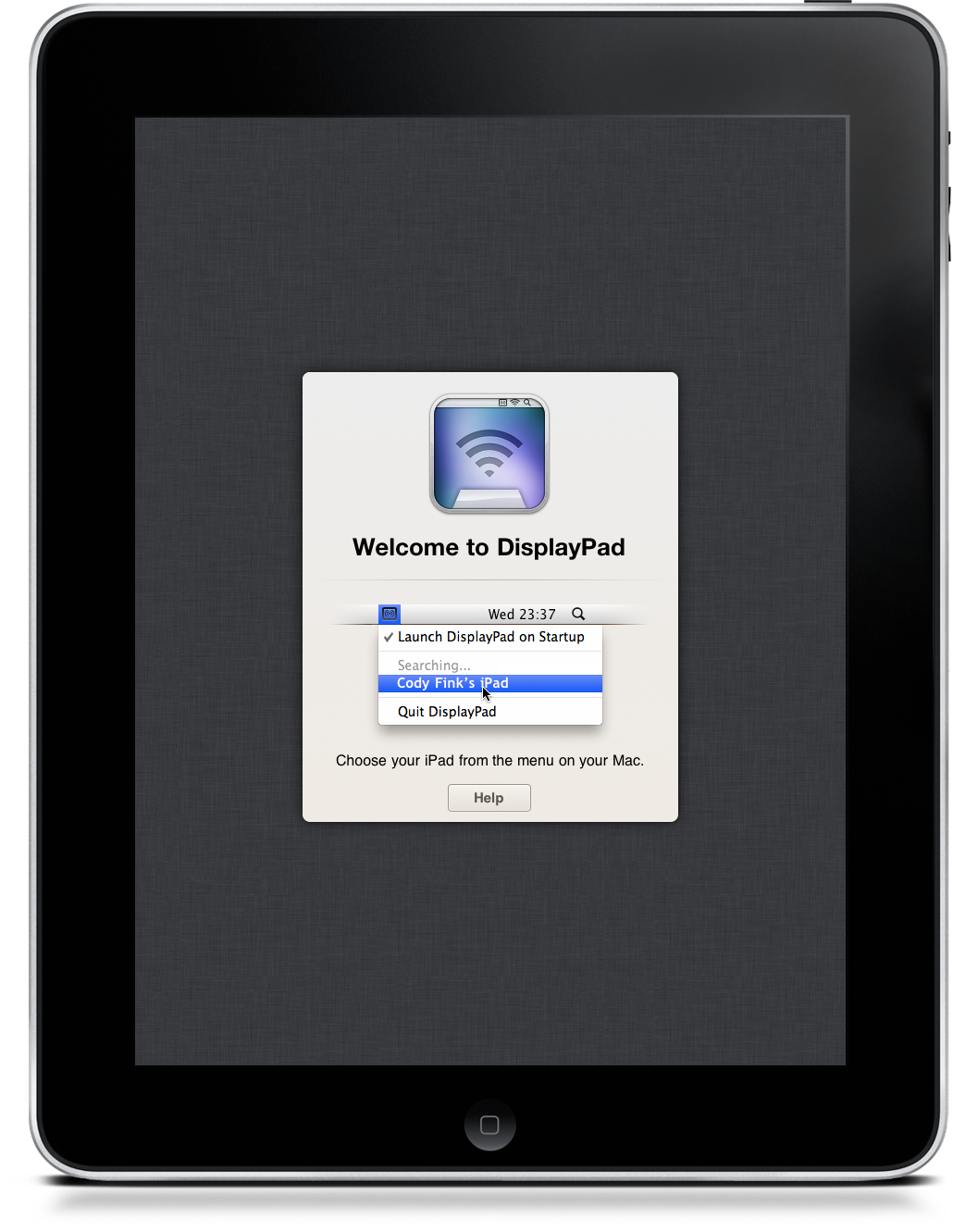
Thinking about buying a monitor for the holiday? How about a multi-touch monitor that doubles as a computer when it isn’t sitting in a dock next to your iMac? DisplayPad for the iPad was reviewed yesterday as the multi-touch champ that is drop-dead simple to set up. Who doesn’t want a whole second monitor dedicated to iTunes or Reeder for OS X? DisplayPad is currently on sale for $.99 in the iTunes App Store, but Christmas penny pinchers may want to click past the break for a MacStories-to-Ten chance to win DisplayPad for your iPad.
Posts tagged with "iPad"
Because Everyone Needs A Second Monitor, We’re Giving Away 10 Copies Of DisplayPad
iPhones and iPads Take Over The Italian Parliament

In spite of the major conflicts and debates going on right now in the Italian Parliament, it seems like every member agrees on one thing: getting an Apple device for Christmas. As noted by iSpazio, members and senators from PD, PDL (Italian Prime Minister Berlusconi’s party) and FLI are all getting iPads from Santa.
It is unknown whether the devices will be gifted as a “bonus” for personal use or will be deployed for work purposes in the Parliament. We read about the iPad being used by congressmen at the U.S. House of Representatives before, and at the White House, too. I wouldn’t be surprised to see the Italian Parliament coming up with its own apps to check on daily appointements, logs and activities.
As iSpazio also notes, members of FLI will be able to choose from iPads and iPhones. Not bad! Why not giving away some Macs as well at this point? I think members would enjoy an awesome app like Screens.
Skyfire for iPad Now Available
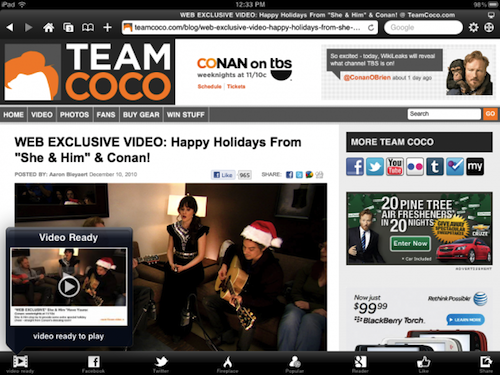
As noted by 9to5mac, Skyfire for iPad is now available. As previously reported, Skyfire takes advantage of the iPad’s larger screen to integrate more social features in the app and allow users to constantly share items on Twitter, Facebook and Google Reader (or send over to Pinboard, Instapaper and Read It Later) with the app of a button. Most notably, Skyfire for iPad comes with a series of buttons in the bottom toolbar that let you check on your Reader feeds, Twitter timeline and Facebook wall, together with the possibility to like every page with a universal Like button and see only updates from friends who shared links.
Social features aside, Skyfire for iPad has the same on-the-fly Flash video conversion technology seen on the iPhone version. If the iPhone app is to be trusted, Skyfire Flash-to-HTML5 conversion tool is pretty awesome, and it converts video to an iOS-compatible format in seconds. One could ask why Flash videos are needed on iOS when most of web video has iOS-optimized fallbacks now, but still. Skyfire for iPad also comes with additional functionalities such as a new tab design, desktop option to avoid loading websites in mobile versions, private browsing a.k.a. “porn mode”. Also, guess what kind of websites still doesn’t provide iOS-compatible video. I think I know why Skyfire is selling all those copies.
Skyfire for iPhone made $1 million in its weekend in the App Store. With the App Store charts freezing tomorrow until the 28th, I wouldn’t be surprised to see the app having a tremendous success on the tablet as well. Go download it here at $4.99, and check out the demo video and feature list below. Read more
Project Mag Goes Free Tomorrow, New Issue Coming On January 7

Remember Richard Branson’s Project for iPad? In case you have forgotten, it’s Virgin’s first attempt to build an iPad-only magazine “about creative people, for creative people”. While the first issue of the app wasn’t that revolutionary or feature-rich, there was some potential in there, for sure. The animated cover looked nice and content was pretty good, too.
Today Virgin has announced that users will be able to download Project Issue 1 for free starting tomorrow (December 23) until December 29. Project Issue 2 will be released on January 7, although no further details have been provided.
In early 2011 Virgin will also release an entirely crowd sourced issue of Project, with a new animated cover that’s been selected from a contest held in NYC three weeks ago. Videos of the selected cover and the contest featuring Richard Branson have been posted online, check them out below. Read more
DisplayPad Turns Your iPad Into A Touch Friendly Second Monitor
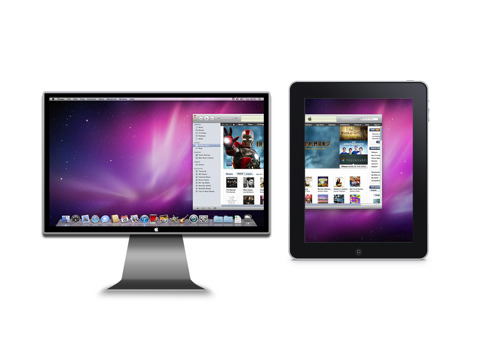
As a compliment to your MacBook, your iPad often becomes the getaway for reading, playing games, and couch surfing the Internet. Though we readily find uses for the iPad such as turning it into a giant trackpad for controlling a Mac Mini underneath your TV or for remotely controlling Dropbox shares, one use we occasionally struggle with is utilizing our iPad as a second monitor when the extra screen real-estate is necessary for getting work done. DisplayPad by Clean Cut Code is one of many apps that turns your iPad into a remote monitor, perfect for extending your desktop like we do when covering Apple events.
An iPad App and Something Else - Meet Flipboard, Again
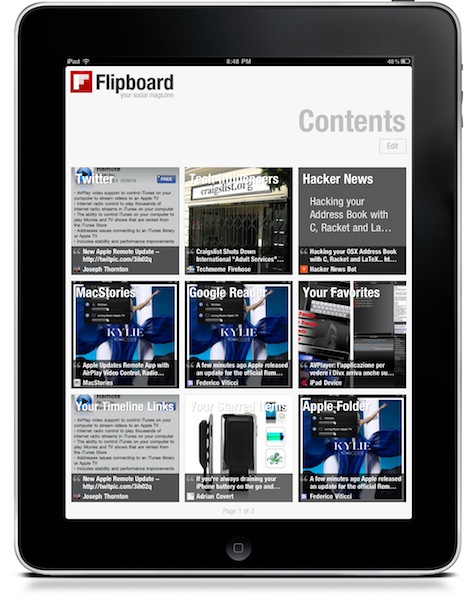
In case you missed it, Flipboard received a huge update last week. The new version, which I guess you’ve been using extensively, adds support for more services than the initially implemented Facebook and Twitter. Those two got a facelift, too, but Flipboard 1.1 is all about making the app the ultimate social magazine that can fetch articles and media from Google Reader and Flickr – something that loyal Flipboard users have been asking since the first version was released in July. In case you missed Apple’s 2010 roundup of the best apps from the App Store as well, Flipboard is now featured as the iPad App of 2010. To me, it’s an absolutely deserved position and I would have been surprised if Apple had chosen another app.
Before focusing on the new features and the interactions implemented in this update, I want to make my point clear: I do think that Flipboard is the iPad app of 2010, but not because of popularity, success or media coverage. Not because of the Apple commercials or the rave reviews it got on blogs and the App Store. Flipboard is the iPad app of the year because, in my opinion, it perfectly sums up the essence of the iPad as a consumer electronic product: it’s an app everyone can use, it looks simple and straightforward on the surface but if you want – you can make it go deeper on many levels. Flipboard, like the iPad itself, can be seen as something simple, an app for non-geeks, for the non-tech savvy audience that wants an aggregator of social content. I’m sure thousands of users think of Flipboard that way, and use it that way. Just like I know millions of people see the iPad as a simple and enjoyable alternative to the most complicated notebook. But a question has arisen between me, my followers and co-workers lately: does simple mean casual?
Better: does simplicity represent a weak point of a certain product? Read more
#MacStoriesDeals - HUGE Wednesday!

TODAY is the last day before iTunes Connect shutdown for the holiday, so we’re re-running a few things you may have missed -> Here’s some great deals for today on iOS & Mac apps that are on sale for a limited time, so get ‘em before they’re gone!
Reeder for iPad Can Now Fetch Full Articles From Any Website
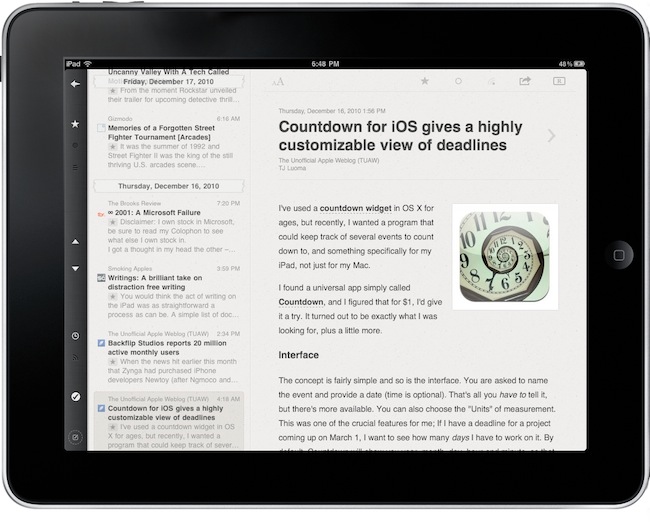
Reeder, the best Google Reader client for the iPad (and Mac, too), just got a lot better with the 1.3 update that showed up in iTunes a few minutes ago. Just in time for the iTunes Connect holiday shutdown, Reeder 1.3 introduces a few bug fixes but, most of all, the possibility to fetch full content on articles from any website thanks to initial Readability integration.
Readability is a great tool (also used by Apple in Safari Reader) that removes clutter from webpages to display text in an elegant way without all the images, ads and links that are usually living on today’s webpages. In Reeder for iPad, developer Silvio Rizzi decided to use Readability to fetch full and uncluttered content from websites that come with truncated RSS feeds (unlike MacStories) and won’t let you read an entire article in the standard RSS view.
To activate the feature, open an article and tap on the Readability icon in the top toolbar. Wait a few seconds, and Reeder will display the full content without having to open the web view.
Reeder for iPad is available at $4.99 in the App Store.
Tap To Chat Is A Simple, Useful App for Facebook Chat
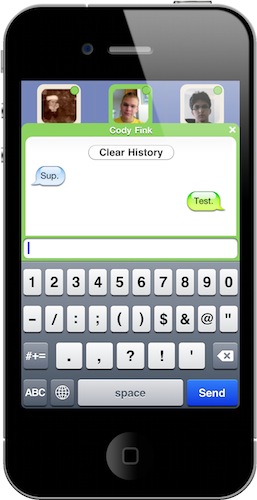
I don’t use Facebook much, but when I do it’s for one thing: chat. I don’t like Facebook Messages, I don’t want to get in touch with my friends on walls, I don’t get the new Groups functionality – thus, I use chat. It’s not exactly reliable and full-featured (hello? easily file and photo sharing?) but as all my friends are on Facebook (and addicted to it) it’s the best way to get ahold of them.
What about the iPhone? The official Facebook app does chat, among other things. Those “other things” is what I don’t need: I don’t need to jump to people’s profile while I’m chatting, I don’t need the grid interface, I just want to find my friends online and chat. A simple request.
Guess what, we have an app for that. It’s called Tap To Chat, it’s universal for iPhone and iPad and it’s available at $0.99 in the App Store. Tap To Chat is the simple Facebook chat app meant for those who just want chat to work without all the bells and whistles of Facebook. Simple factor aside, Tap To Chat (developed by the same creator of Buddies) has a few tricks up its sleeve that make it the best implementation of Facebook chat I’ve seen on iOS devices. Read more