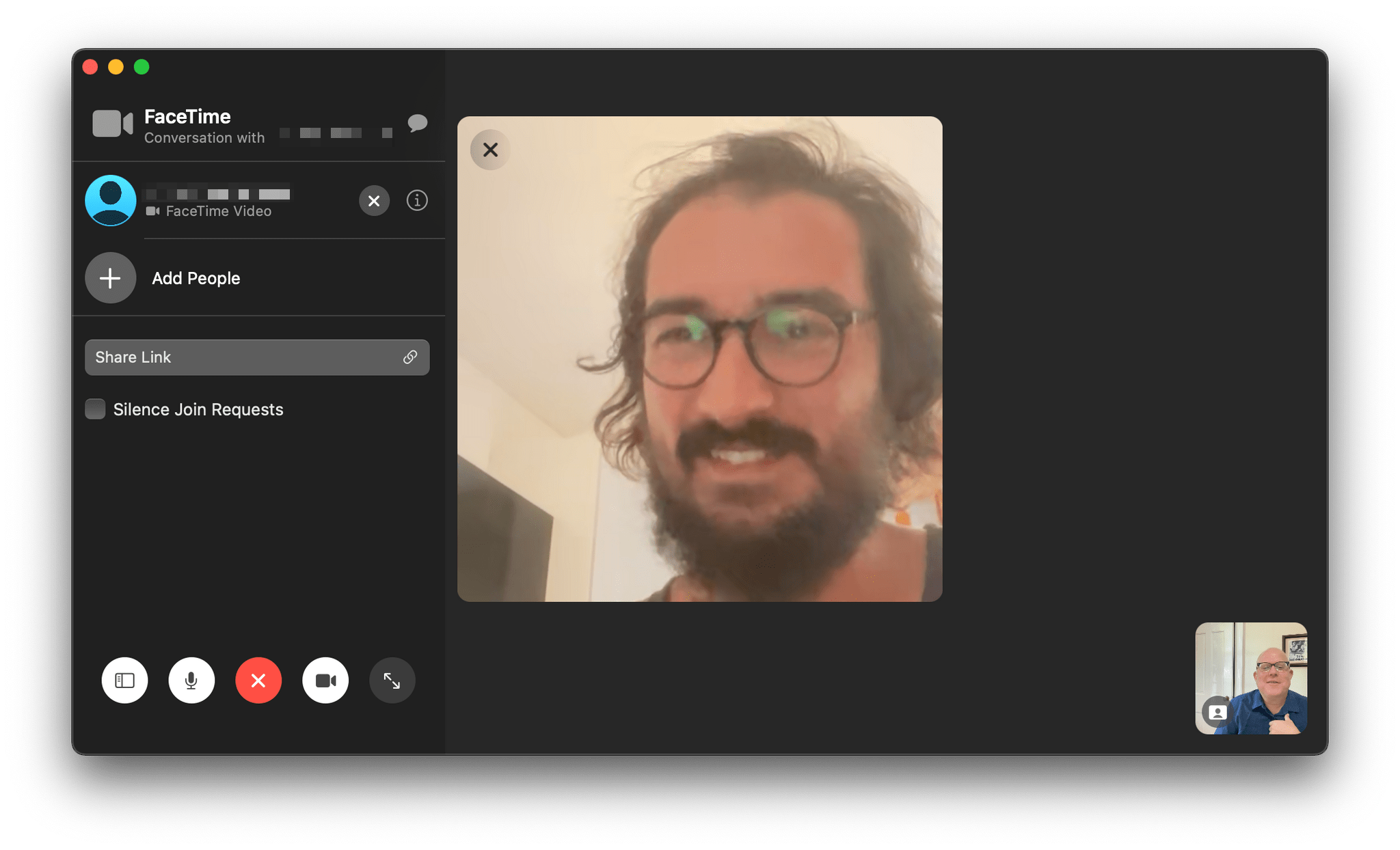
FaceTime has been a centerpiece feature across all of Apple’s platforms for a long time. However, with the pandemic, it became more important than ever, playing a critical role in the way friends and family have stayed connected. Of course, FaceTime isn’t the only way have kept in touch. The app had plenty of competition from Zoom, Skype, and other services.
So, it’s not surprising that this year’s FaceTime updates focus on fundamentals like audio and video quality and making the app available outside of Apple’s ecosystem, allowing it to compete better with other services. Nor is it surprising that Apple announced SharePlay, which won’t ship until later this fall, so friends and family who can’t be together can still enjoy synchronized group activities like watching a video or listening to music. I’m skeptical that SharePlay will be the hit that Apple’s marketing suggests the company hopes it will be, but even putting SharePlay aside, the app is getting some major improvements that I think everyone will appreciate, so let’s dig in.
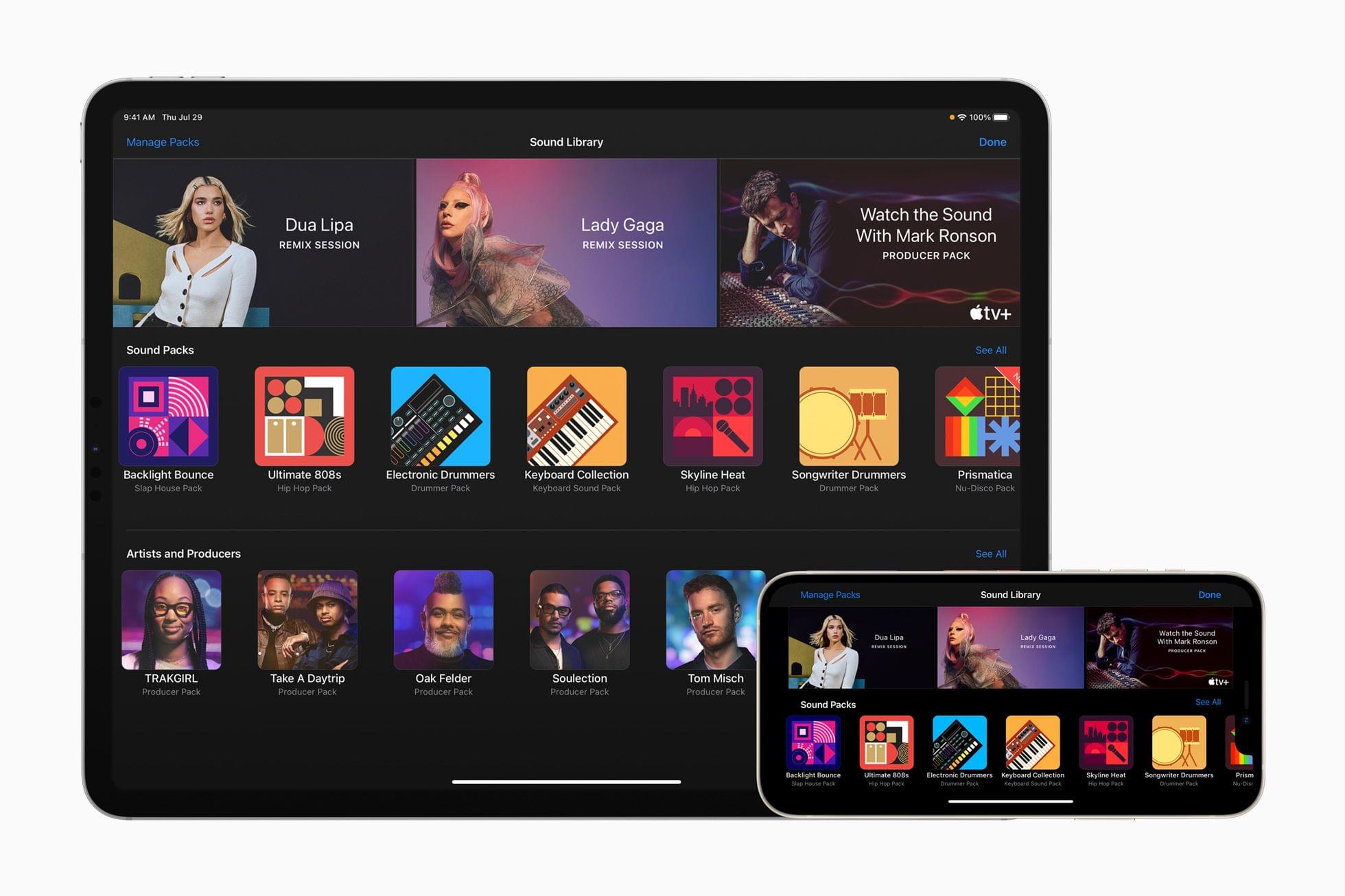
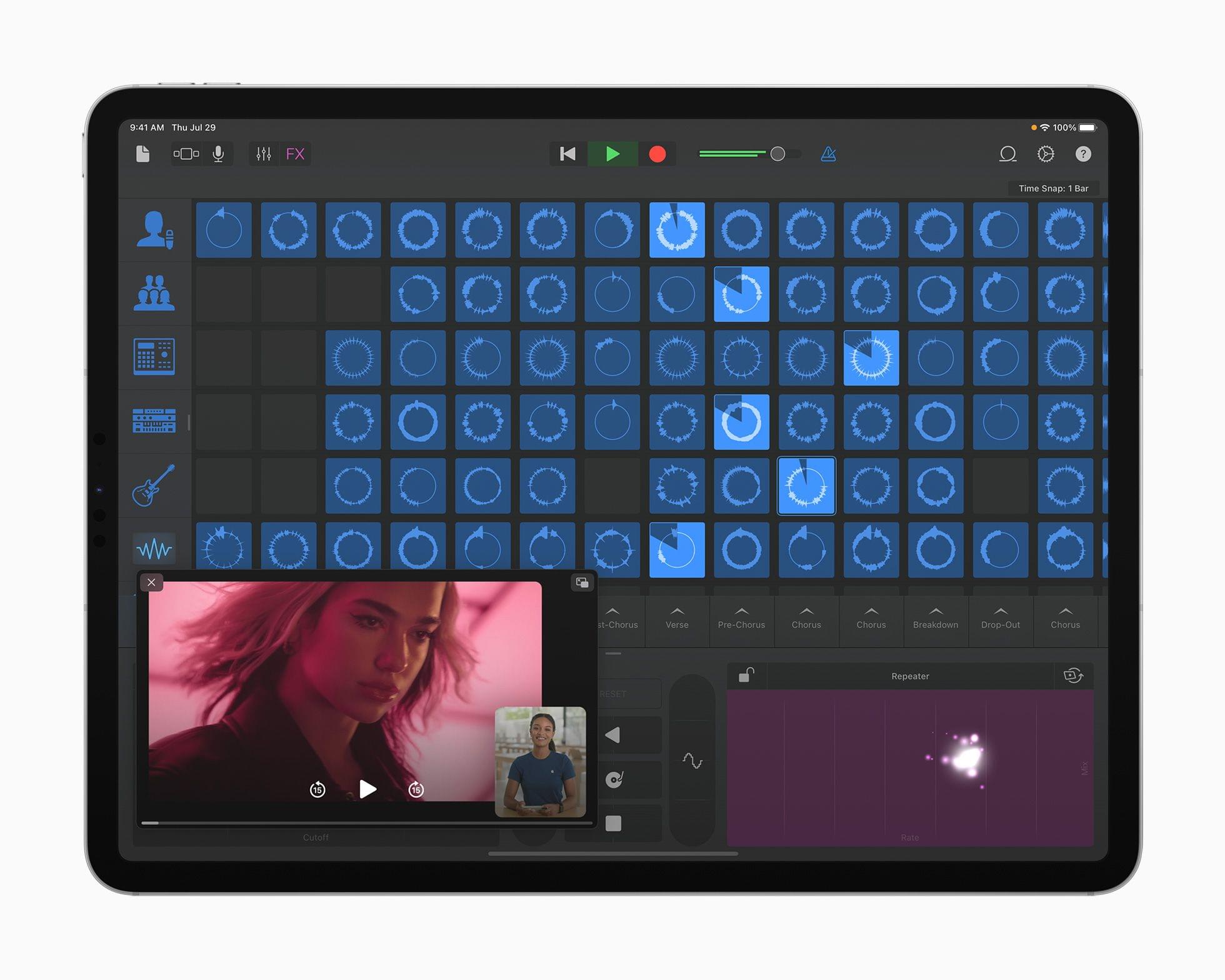
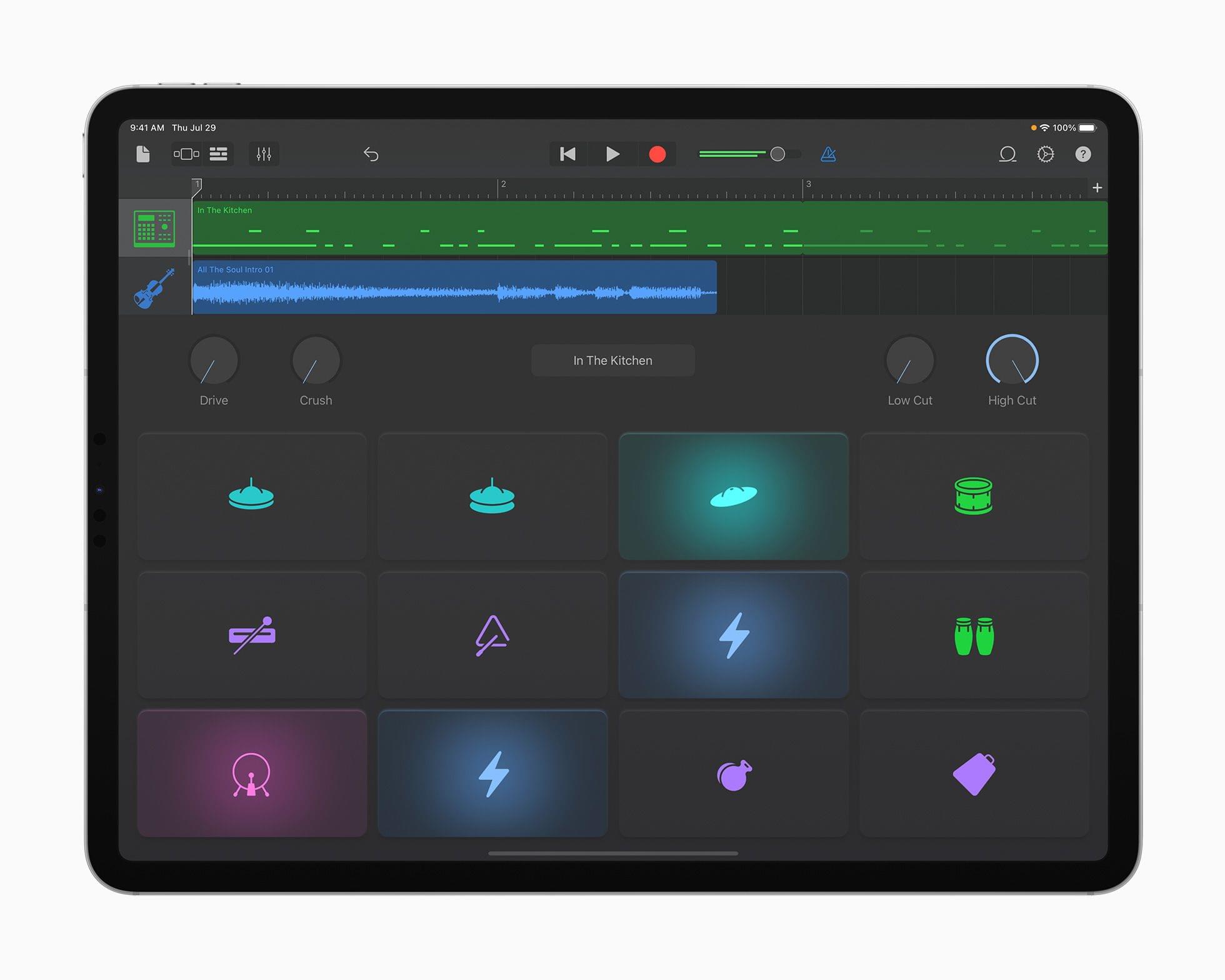
Today, Apple announced Sound Packs for GarageBand for iOS and iPadOS from artists and producers that allow users to remix hit tracks from Dua Lipa and Lady Gaga and create their own music, using hundreds of loops and sounds from producers that include Boys Noize, Mark Lettieri, Oak Felder, Soulection, Take A Daytrip, Tom Misch, and TRAKGIRL.
GarageBand continues to be a catalyst for music creation — making it easy for novices to get started and for seasoned pros to develop their ideas on the go. For this update, we’ve collaborated with an incredible group of artists and producers to give musicians an amazing collection of new sounds to play with, and we hope even more people will be inspired to tap into their creativity and start making music in GarageBand.
Each Producer Pack is bursting with hundreds of royalty-free loops, beats, instruments, drum kits, synth patches, and samples that embody the sound and vibe of each producer. And in-app videos feature each producer offering words of encouragement to beginners, as well as insights into their creative process.
Source: Apple.
One of the Producer Packs will serve as a companion piece to an upcoming docuseries with producer Mark Ronson called “Watch the Sound With Mark Ronson.” The TV+ series, which Apple says “explores and celebrates the intersection of music and technology,” will let GarageBand users create music using sounds inspired by the series.
I’m a little surprised that the Mac version of GarageBand isn’t part of Apple’s announcement today, but I love these sorts of add-ons to apps like GarageBand. This content allows fans of artists and producers to work with the same raw materials they do to come up with remixes and original music that express their personal tastes using a tool that is very approachable and fun.
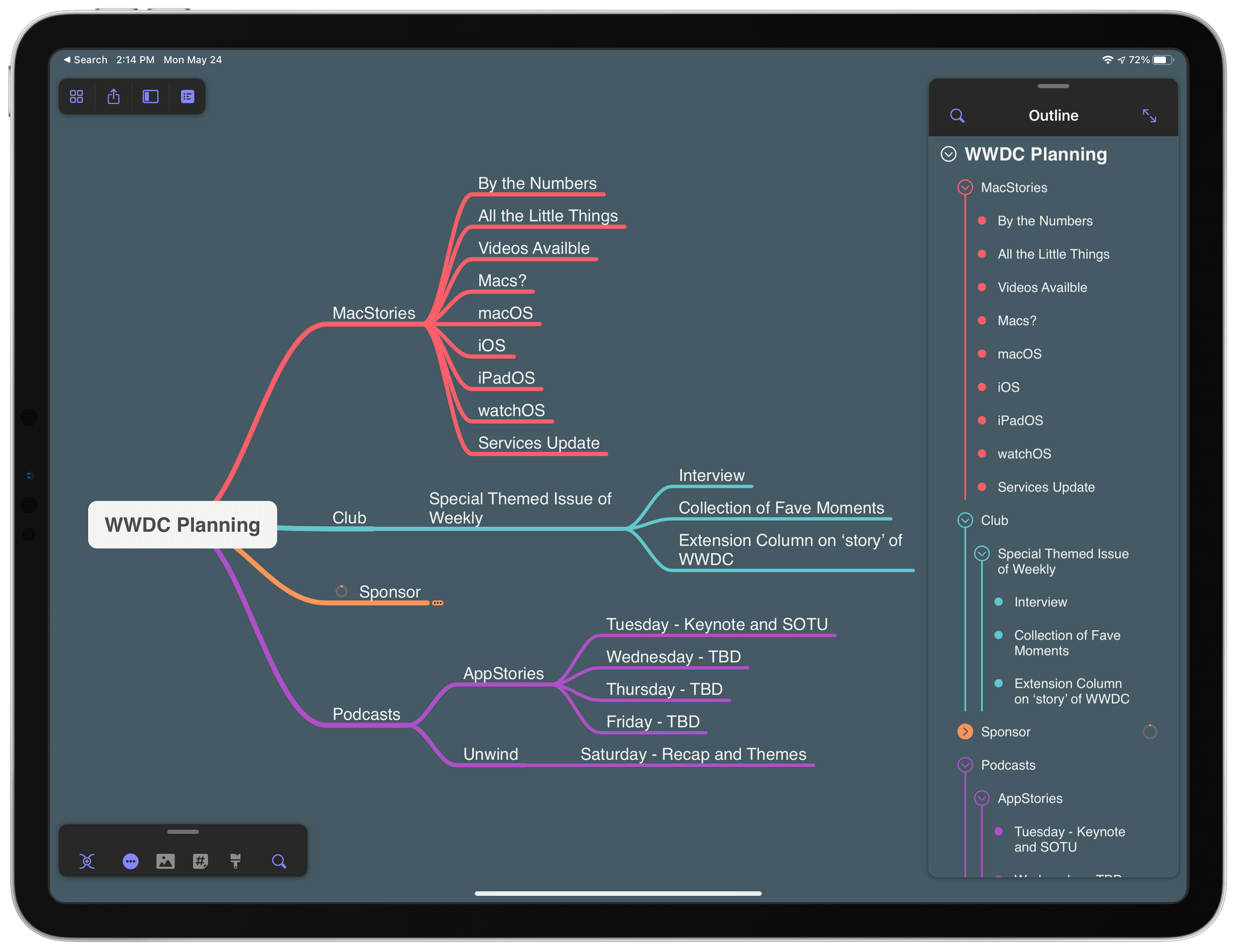
First seen in the mind mapping app’s Mac version earlier this year, MindNode has added an editable outline mode to its iPad and iPhone versions. I was impressed with MindNode’s editable outline mode on the Mac, and I’m happy to report that the iPad and iPhone versions are every bit as good. The app’s editable outline takes advantage of the iPad and iPhone’s unique features to provide the same useful alternative perspective on your mind map that the Mac version offers.
In recent years, the narrative surrounding the iPad platform, and particularly its more advanced Pro line, has largely focused on the great divide between the iPad’s hardware and software. It’s a story we’ve had to grapple with for a while now: it was clear with the original iPad Pro in 2015 that its software – still called iOS at the time – needed to take better advantage of the 12.9” display, but we had to wait until 2017’s iOS 11 to receive drag and drop between apps; similarly, the iPad Pro was redesigned in late 2018 with the Liquid Retina Display and a gesture-based interaction system, but it was only in 2019 that Apple relaunched the iPad’s software as a standalone platform parallel to iOS but optimized for iPad.
The perception since the iPad Pro’s introduction is that its hardware has consistently leapfrogged its software, leaving many to wonder about the untapped potential of iPadOS and a third-party app ecosystem that could have been vastly richer and more powerful if only iPadOS allowed developers to write more complex apps. Effectively, “too good for its software” has long been the iPad Pro’s hardware mantra.
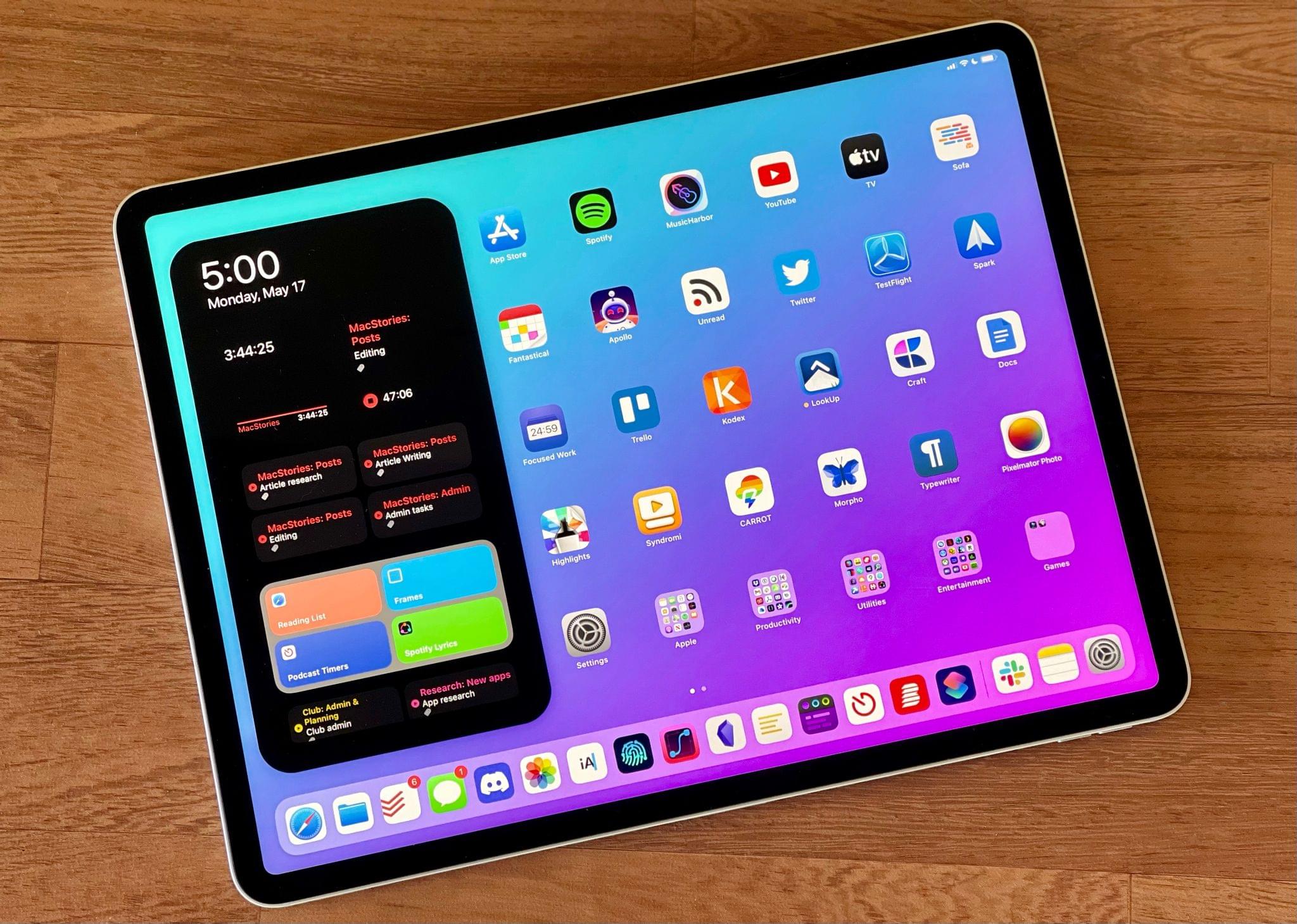
The 2021 iPad Pro, launching publicly this Friday, doesn’t alter that public perception at all. If anything, this new iPad Pro, which I’ve been testing in the high-end 12.9” flavor with 2 TB of storage for the past week, only widens the chasm between its hardware and software: it’s an absolute marvel of engineering featuring the Apple-designed M1 chip, a brand new Liquid Retina XDR display, and 16 GB of RAM1 that hints at a powerful, exciting future for its software that just isn’t here yet.
I say this as someone who’s been using the iPad as his main computer for nearly a decade at this point: from a mere hardware standpoint, the new iPad Pro is everything I could have possibly dreamed of this year, but it leaves me wanting for so many other iPadOS features I’d love to see Apple address at its developer conference next month.
The new 12.9” iPad Pro hits all the right notes as a modular computer that can be a tablet with an amazing display, a powerful laptop, and an extensible workstation; its hardware is a remarkable blend of tablet-first features and technologies first seen on Apple’s line of desktop computers. It’s hard to believe the company was able to deliver all of it in a device that is only 6.4mm thin. However, the new iPad Pro’s more powerful nature doesn’t fundamentally change my daily workflow. At least not with its current version of iPadOS that will (likely) be obsolete in two weeks.
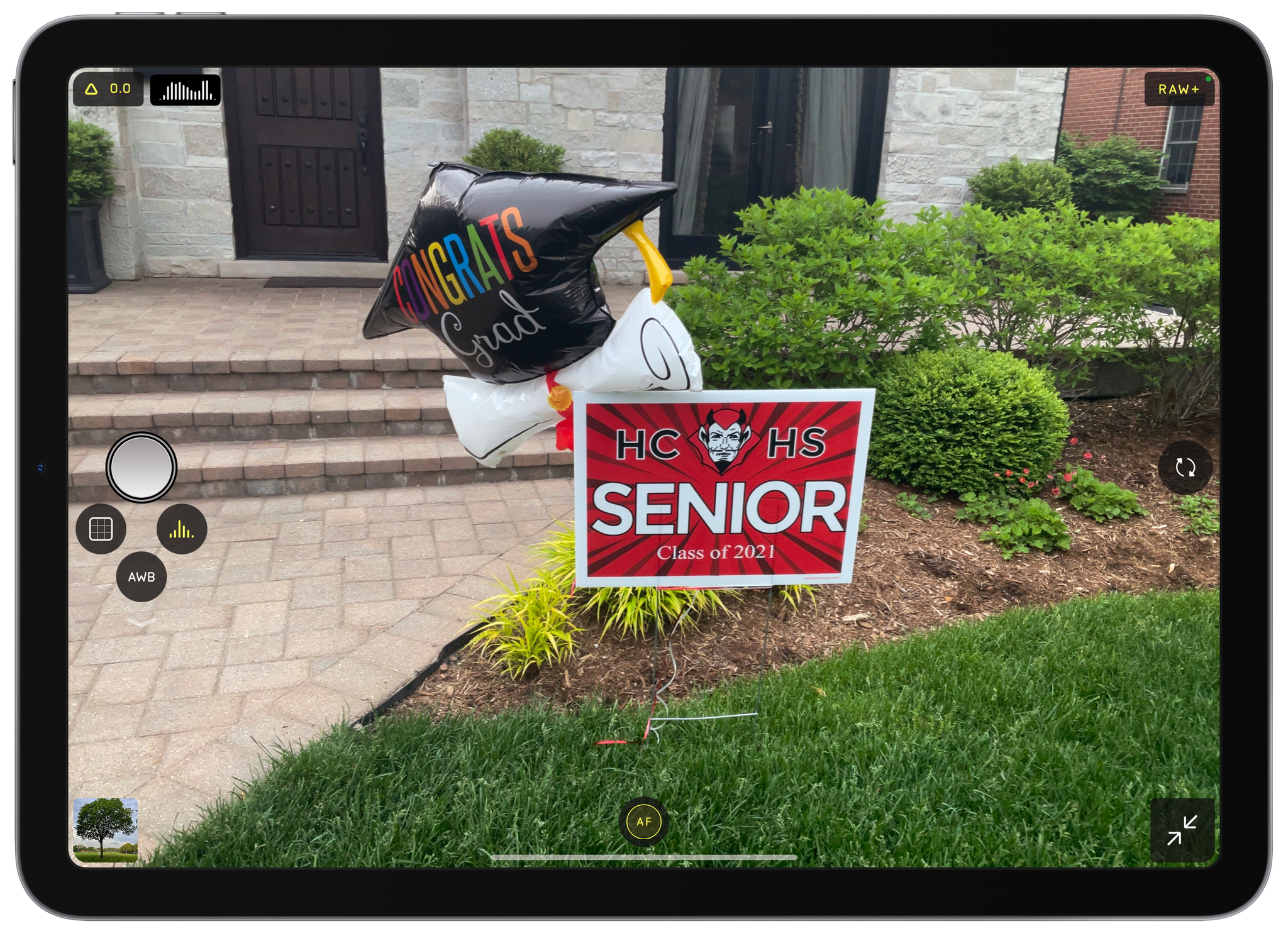
Students are finishing up the year here in the US, and nothing says graduation season like a relative gripping an iPad with two hands to snap photos of a graduate at a family gathering. It’s easy to poke fun at iPad photography, but those aren’t easy shots to get with Apple’s tablet. Both of your hands are occupied, and the viewfinder is huge and partially obscured by the app’s UI. If you’re at one of these events and see a relative struggling to take the perfect family portrait with their iPad, before you assume that they cut you out of the frame on purpose, show them Halide. The brand new iPad version of the app from the team at Lux makes taking iPad photos more natural and, of course, offers all the advanced features available in the iPhone version of the app.
I don’t take many photos with my iPad, and I doubt I ever will. The camera hardware isn’t as good as it is on the iPhone, and I don’t find myself in situations where I have my iPad but not my iPhone. However, once in a while, I’m using my iPad and want to capture a moment quickly without digging my iPhone out of my pocket. For those occasions, I’m going to use Halide because the app’s thoughtful design makes the experience far superior to other camera apps I’ve tried on the iPad.
Jason Snell, writing for Macworld about the new iPad Pro’s software limitations compared to its powerful hardware:
With the announcement of USB 4/Thunderbolt support on these new iPad Pro models, I’m thrown back to the past. In 2018, when Apple released the first iPad Pro with a USB-C port on the bottom, it didn’t update the software to read the entire contents of a thumb drive when you plugged it in. The hardware was willing, but the software was weak.
And here we are again. Thunderbolt adds even speedier connectivity, but for what? Faster photo and video imports? Okay, though once again, I’m reminded that Apple’s bread-and-butter pro media apps won’t run on these iPads.
Thunderbolt is great, but it’s difficult to take full advantage of it.
How about external display support? The new iPad Pros can drive even larger external displays, including Apple’s Pro Display XDR. Third-party video apps can take advantage of this to display high-resolution video and even some analytical displays. Which is great, but if you want to display the iPad interface itself, it’ll just be a pillarboxed mirror of what’s on the iPad’s own screen.
The last time a new iPad Pro’s hardware was so obviously more capable than its software demanded, we saw the debut of iPadOS seven months later. The 2021 iPad Pro’s hardware has created new low-hanging fruit for its software; I’d be really surprised if the second half of this story isn’t dropping in six weeks.
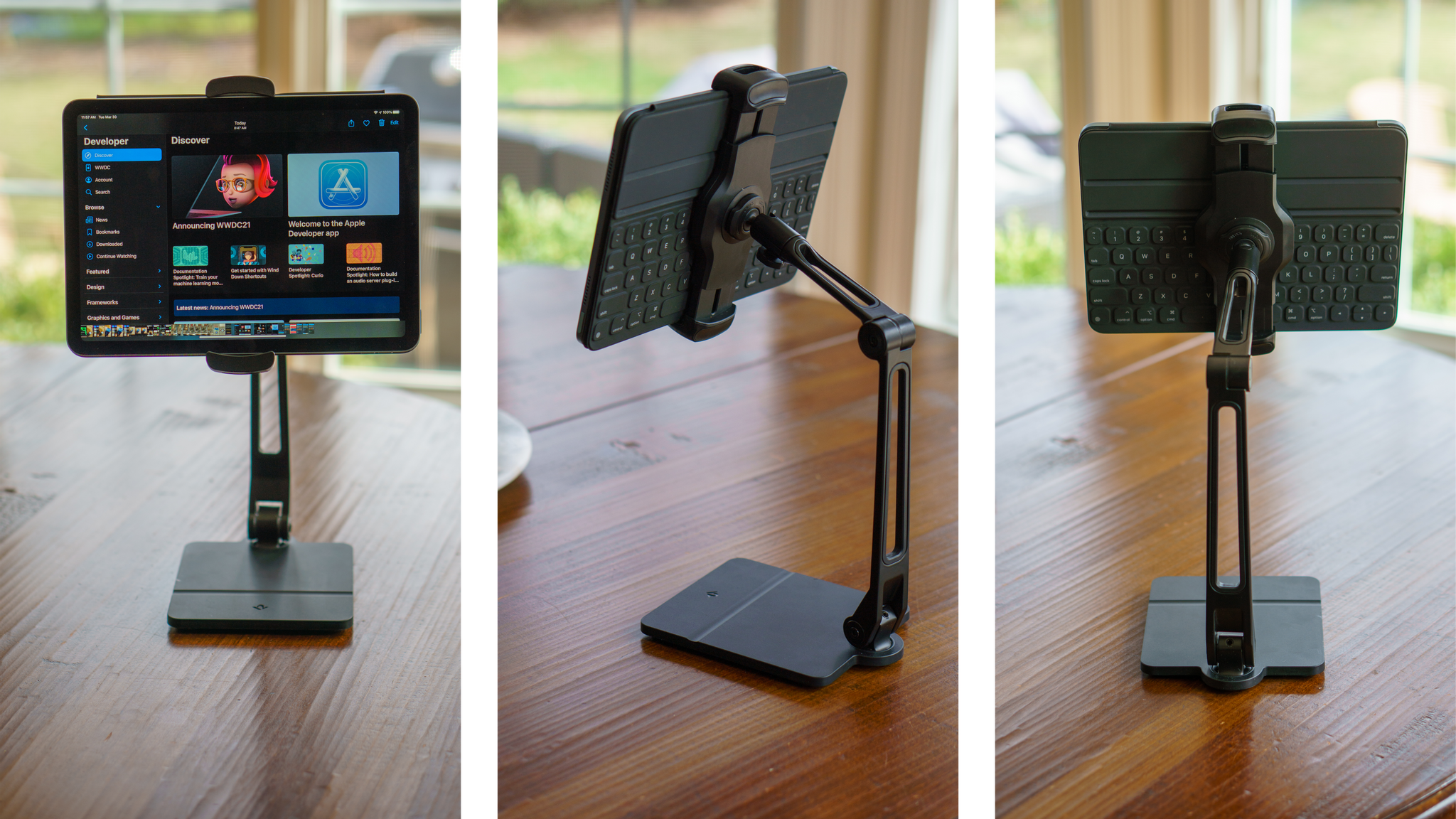
There is no shortage of iPad stands. Search for one on Amazon, for instance, and you’ll be met with page after page of results. Most stands are unremarkable, with little that distinguishes one from another.
Twelve South’s HoverBar Duo is different, though. The black aluminum and plastic stand has two articulating hinges with a clamp for your iPad that connects to the stand’s arm with a ball joint. The stand also rotates side-to-side at its base. The design, which is reminiscent of an attractive, modern desk lamp, provides a broader range of motion than most stands, making it useful in more scenarios. As a result, I’ve found myself using the HoverBar Duo far more than any stand I’ve tried before.
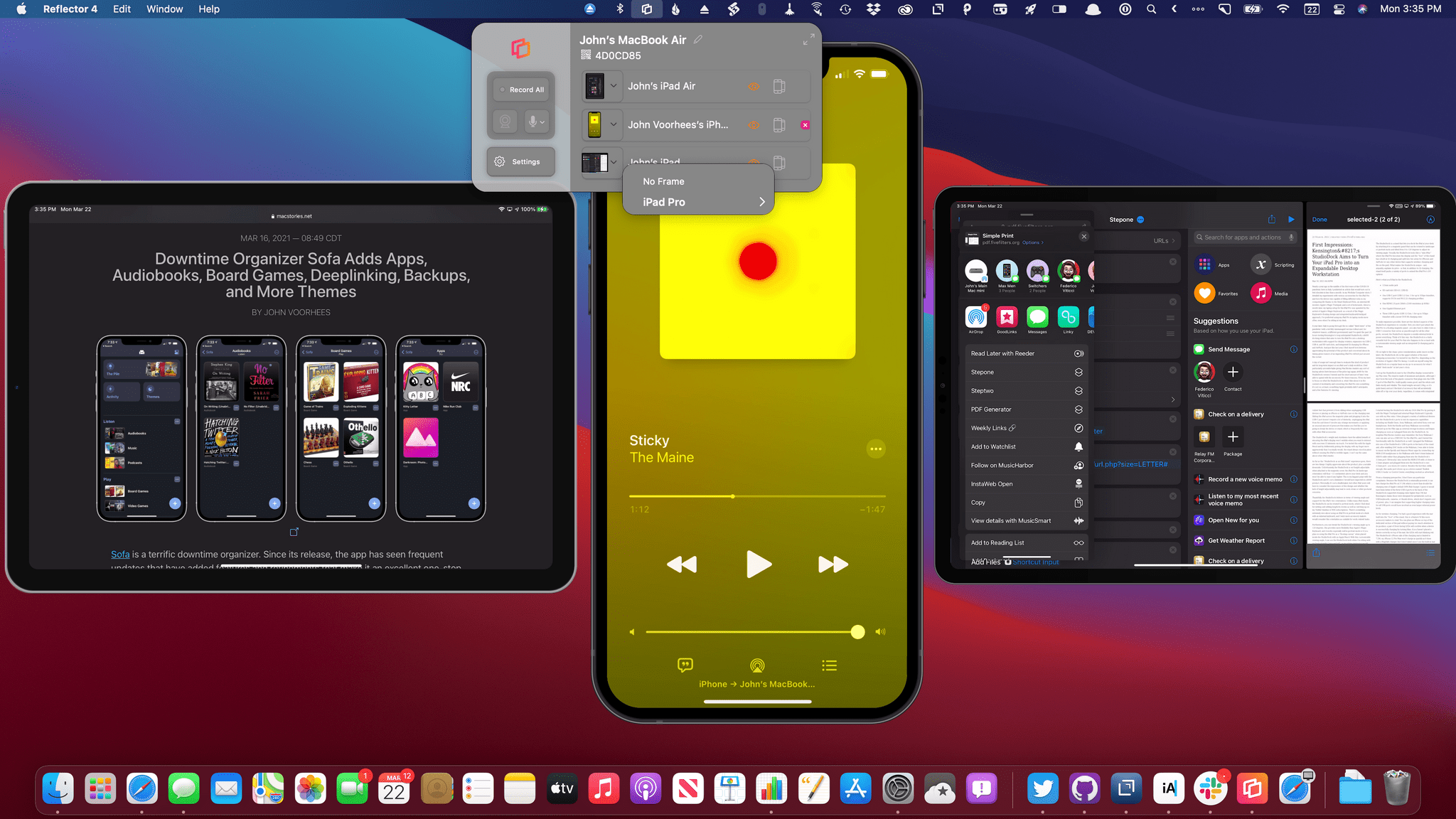
Reflector 4, an app for mirroring iPhones, iPads, and other devices to the Mac, has been updated with a new design, M1 Mac support, and new onscreen device frames. Whether you’re making screencasts, demoing apps for a group, or in a classroom environment, Reflector lets you wirelessly transmit your device’s UI to your Mac and record it too. In addition to mirroring iPhones and iPads, which is what I did in my testing, you can also mirror Android, Windows, and Chromebook devices. Think of it as Apple TV and Chromecast’s mirroring and streaming features all on a Mac, thanks to this one simple menu bar app.
There are various apps for the Mac that’ll download YouTube videos, but there’s nothing comparable for the iPad. I discovered that it’s possible to download these videos using the iCab browser if you change the user agent, but I could never get this to work consistently. There is a command-line program you can run called youtube-dl that will download videos from YouTube (and other sites). The problem is, the iPad doesn’t ship with a Terminal app like the Mac does, so while I could do this on my Mac, I struggled to find a way to use this command on my iPad.
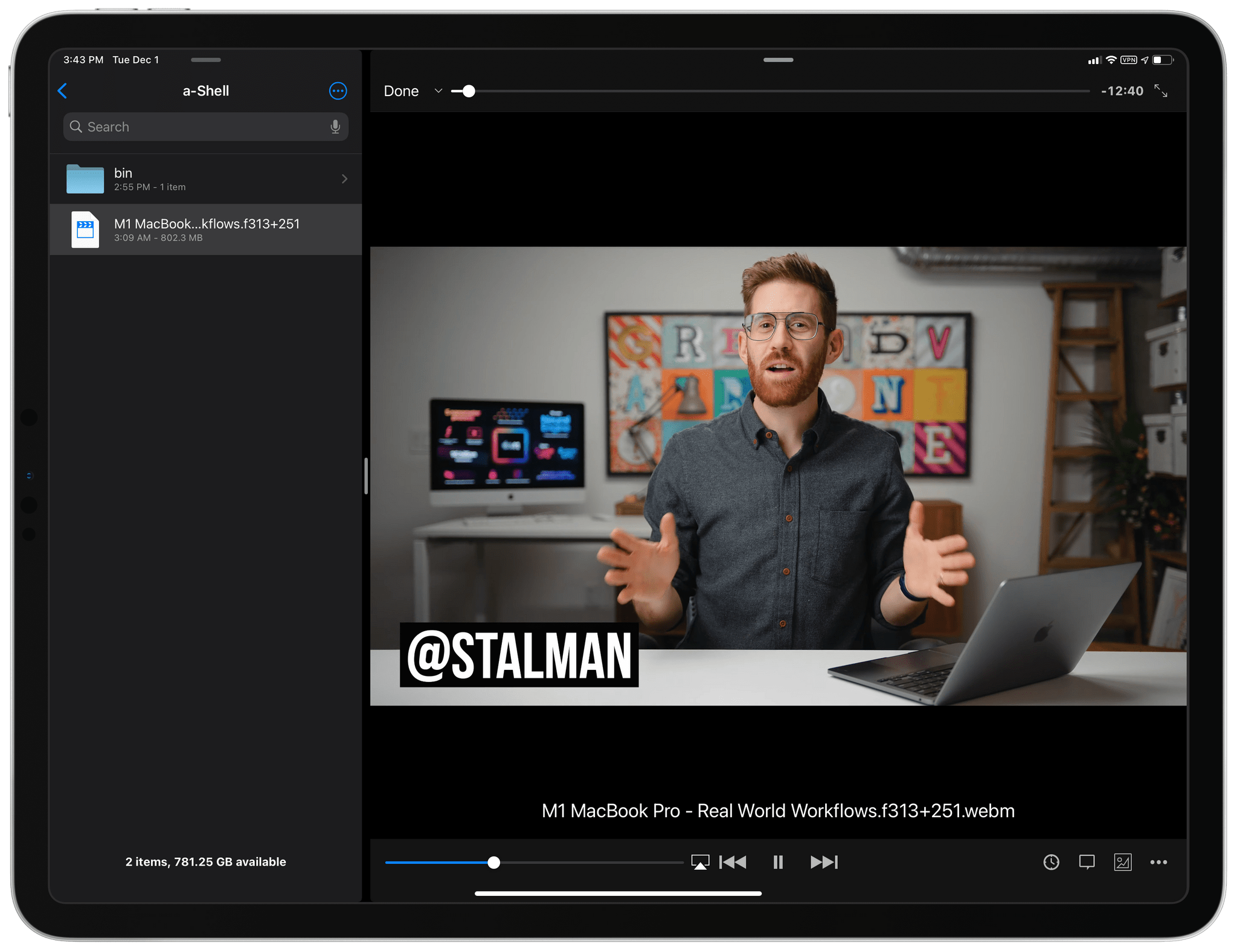
Greg has written an excellent tutorial on how to install the (recently reinstated) youtube-dl utility (which I’ve been using to download YouTube videos on my Mac mini for years) and use it on iPad via a-Shell. I followed their tutorial and was able to get youtube-dl up and running on my iPad Pro – with support for encoding files via ffmpeg – in literally two minutes. There’s probably less of a need for downloading YouTube videos on iPhone and iPad now that the YouTube app supports native 4K playback on Apple platforms, but I think it’s great to be able to download videos offline for research and archival purposes regardless. I always like to download the best possible version of a video in the WebM format, which plays beautifully at crisp 4K in the free VLC app for iPad.
One crisp Tyler.
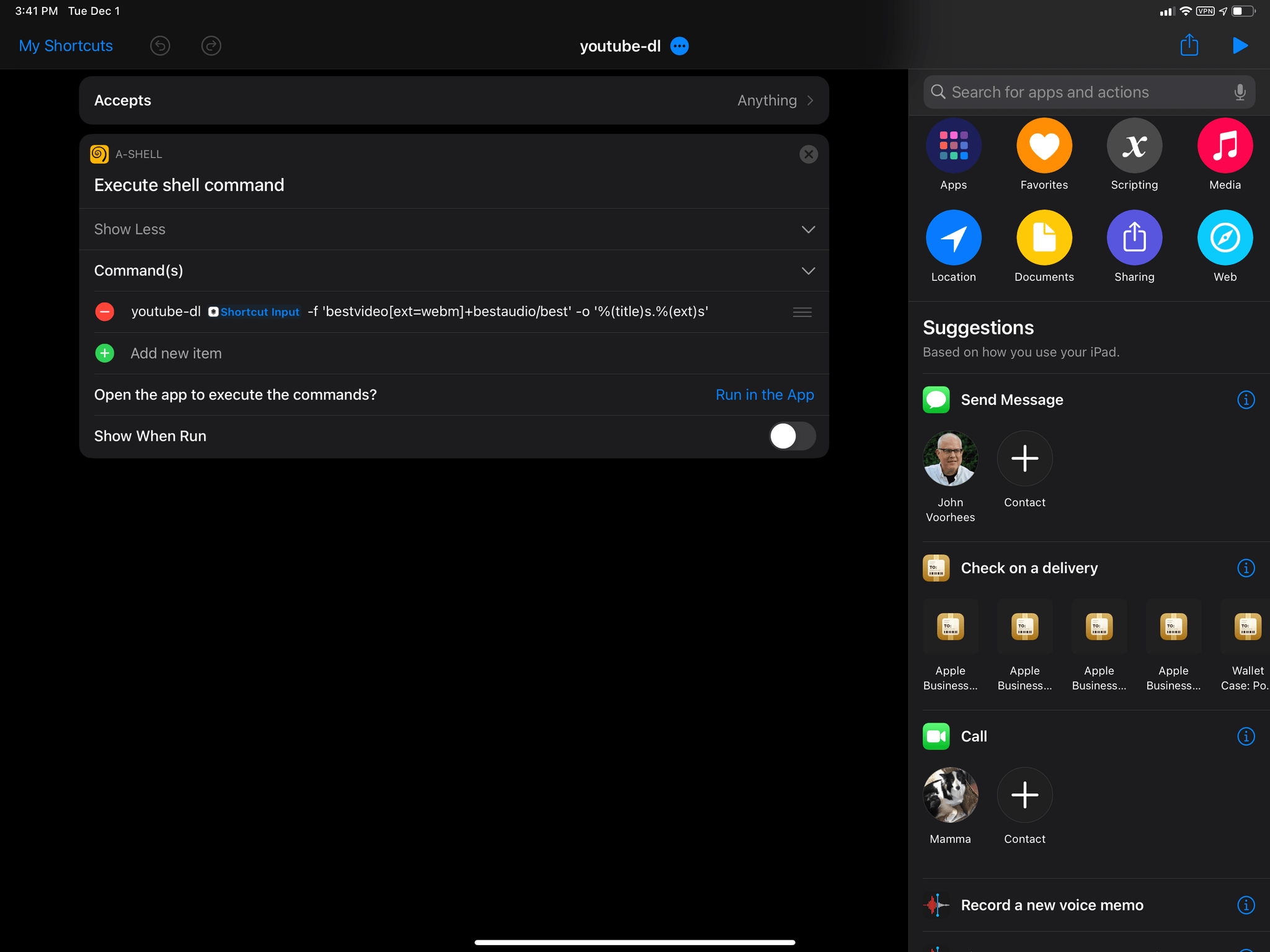
Side note: I’ve been trying to use this shortcut to pass the URL of the current video from Safari/YouTube to a-Shell via the share sheet. Unless I’m missing something obvious, the a-Shell app launches but doesn’t run my command, which is passed as a ‘Text’ parameter to its Shortcuts action.
Update: Thanks to MacStories reader Jay, I was able to make a-Shell’s Shortcuts action work by switching from single- to double-quotes. I’ve made a shortcut that lets you pass a YouTube URL from either Safari or the YouTube app to a-Shell – which will start downloading it – so you don’t have to type the command (and related options) manually each time. You can find it below and in the MacStories Shortcuts Archive. Also, don’t miss this tip by Greg on navigating a-Shell’s local folder structure.
youtube-dl
Download a video from YouTube using youtube-dl and the a-Shell app for iPhone or iPad. The shortcut accepts any YouTube URLs passed from Safari or the YouTube app via the share sheet. Detailed instructions on how to set up youtube-dl and a-Shell can be found here.