Posts tagged with "iPad"

Creepy Guy Destroys iPad, Delivers It To Steve Jobs [Video]

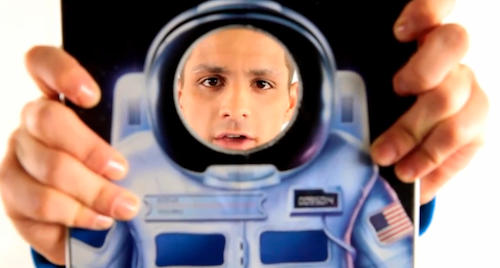
I don’t know what’s going on with mysterious website SayHiToSpace.com. Sure, there’s a countdown in there and even links to email and Twitter, but it’s their Youtube channel that creeps me out. Basically, the first video from SayHiToSpace went viral as it featured a creepy guy finding out that the iPad lacked a camera, then destroying it making a hole in the middle of the device with a water jet.

Here’s the first video:

Read more


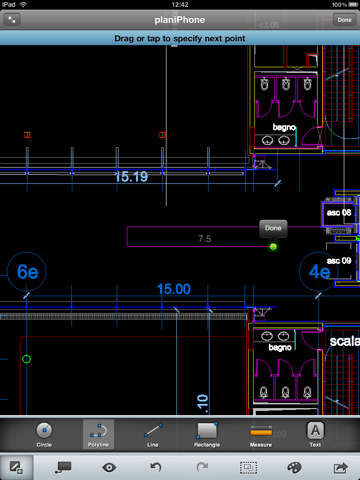
AutoCAD WS Updated with Retina Graphics, Offline Editing and Email Support

AutoCAD WS for iPhone and iPad was released in late September and it quickly became one of the most popular apps in the App Store – mainly thanks to the huge AutoCAD userbase that was looking forward to being able to edit and share DWG files on mobile devices. The app allows you to preview and annotate drawings using iOS’ multi-touch gestures and save your edits to the AutoCAD WS online workspace.

The 1.1 update, released a few hours ago, brings several new features and optimizations to WS – and it’s going to be an update AutoCAD users will love. First off, offline editing: by activating the option in your online AutoCAD account, you’ll be able to sync an offline copy of a document to the iPhone and iPad, edit it without a 3G or WiFi connection, sync it back to the account once you’re back online. Perfect for iPad WiFi users who carry their tablets around and don’t happen to have an internet connection available all the time.

AutoCAD WS can now also open email attachments: if you receive a DWG or DXF account via email, you can copy it to AutoCAD WS –but you’ll need an internet connection to upload it right after the import process. Among other changes, Retina Display-ready graphics and improved connectivity.

AutoCAD WS is available for free here. Check out the official video detailing offline support in AutoCAD WS below. Read more


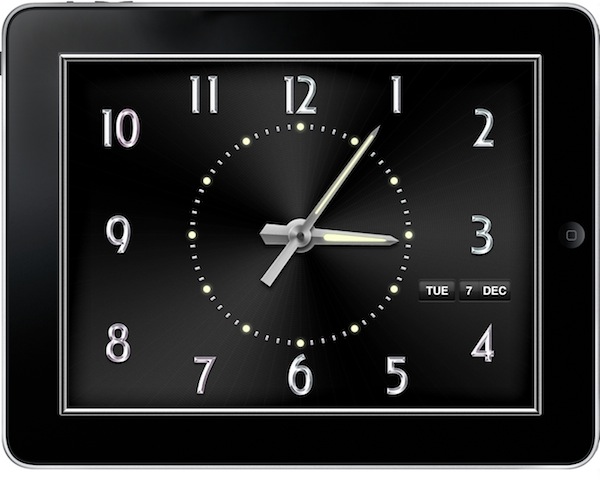
Rise Alarm Wakes You Up In Style - Review & Giveaway

iOS bugs aside, I’ve been using Apple’s default clock app for years to set my alarms, quick reminders and check on world’s time zones. Rise Alarm by Ken Yarmosh, though, is a nicer alternative to the Clock app, which comes with both an iPhone and iPad version and lots of options to choose from.

Rise Alarm sports a great design, a variety of sounds to customize the alarm clock experience and an intuitive user interface based on gestures. Can it replace the default Clock app? Read more


You Can Design Project Magazine’s Cover

Richard Branson’s Project magazine for iPad came out last week and it quickly climbed the charts of free and top grossing apps in Apple’s App Store. Fair enough, even if the app doesn’t revolutionize digital magazines on tablet it still features neat graphics and animations to appeal the average App Store user.

Branson may not know why the team decided to build it for the iPad and not the web – we think designers and magazine publishers will need to come up with something better than an animated cover to reinvent the publishing industry on Apple’s device.

If you feel like you can do something better, though, here’s your chance to design Project Mag’s next cover. As reported by Mashable, there’s a contest going on that allows designers from around the globe to submit their ideas for a new cover of Project Mag. Virgin apparently held a scavenger hunt both in NYC and San Francisco, hiding four paper mannequins containing the coordinates to USB keys with the details of the contest. Sounds pretty complex.

If you missed the hunt, Mashable uploaded the .zip file with all the details to Dropbox. Entries due by Dec. 15th, no money – just the glory and the chance to meet Branson someday. Or maybe a free ride on the Virgin Galactic. We’d choose the space thing.


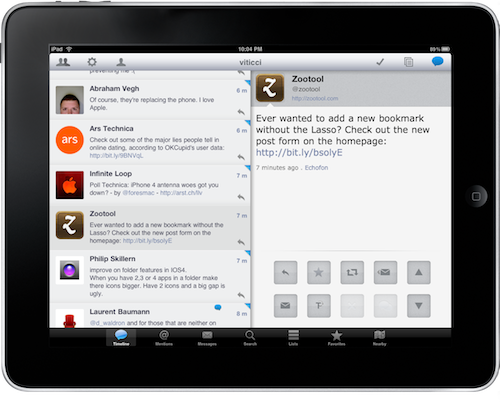
Osfoora HD for iPad Is Now iOS 4.2 Compatible

A few days after a sneak peek at the Mac version, popular Twitter client Osfoora for iPad has been updated to include support for iOS 4.2. The update took longer than expected, as Osfoora users have been asking for multitasking support for several weeks now. The app now runs smoothly on iOS 4.2 and can correctly save your position when switching to other apps.

The 1.2 version also brings improved scrolling in the timeline, a variety of bug fixes and updated image sharing services. For those who missed our review of Osfoora HD for iPad:

Osfoora for iPad comes with a couple of original and interesting ideas, combines them with tons of features geared towards the average Twitter power user and offers a good-looking, polished package which gets a very few things wrong, but surely deservers your attention.

Osfoora HD for iPad is available at $3.99 in the App Store.


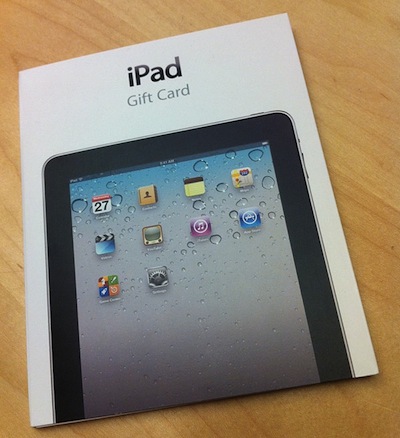
iPad Gift Cards Spotted at Apple Stores

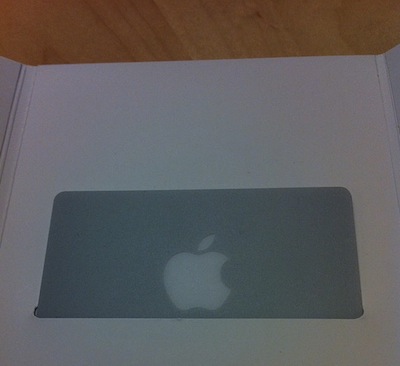
As noted by iLounge, Apple has started selling “iPad Gift Cards” in its retail stores right ahead of Christmas. The cards aren’t anything special – actually, they’re just standard Apple gift cards wrapped inside a nice iPad-specific package.

What’s interesting is that, apparently, Apple updated its iPad purchase policies to include support for discounts through the aforementioned gift cards. Until a few weeks ago, Apple only allowed customers to buy an iPad via a debit or credit card.

Now you don’t have excuses anymore: your wife wants an iPad. You know what to do.


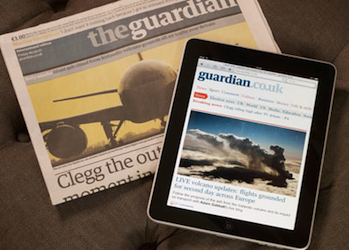
“The iPad Is Not Newspaper With Moving Words”

“The iPad Is Not Newspaper With Moving Words”

The problem for anybody wanting to believe that the iPad is a newspaper or magazine replacement is that it is not. It’s a digital device, which means people will get easily distracted and start playing Scrabble, or listening to music or whatever else one can get up to on a crowded carriage.

It’s also still too easy to jump from one news source to another, because digital has fundamentally changed people’s relationship with printed news sources. Once, a newspaper was not just a source of information, but a statement of identity, where most buyers would not dream of picking up a competing title.

Paid Content also cites a report from Screen Digest according to which the average iPad user downloads 60 apps a year – but only 6 are paid apps. Where did they get these numbers? I’m curious.

Perhaps the problem with the publishing industry on the iPad is that most newspaper / magazine apps suck? [via Brooks Review]

Permalink

How To: Install and Run iMovie On The iPad [Tutorial]

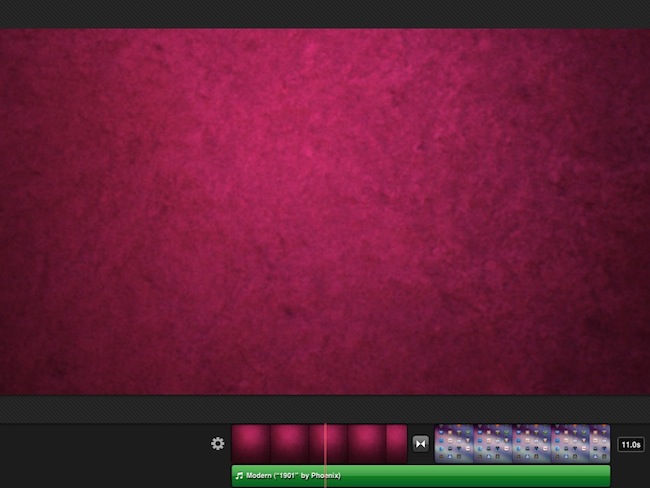
The current version of iMovie available in the App Store can’t run on the iPad. Apple specifically built it for the iPhone, and there’s no way to install it on the tablet. iTunes returns an error when trying to do so. As you can guess though, it would be great to be able to edit and manage videos on the iPad: thanks to its larger screen, multi-touch video editing would turn out to be much more comfortable.

Luckily for us, the folks over at iPadevice (Italian) have found a way to install and run iMovie on the iPad, but a jailbroken device is required. If you happen to have a jailbroken iPad running iOS 4.2 and you’ve always wanted to run iMovie on it, check out the tutorial below. Read more