Posts tagged with "iPad"

OmniFocus for iPad Updated for iOS 4.2 Multitasking

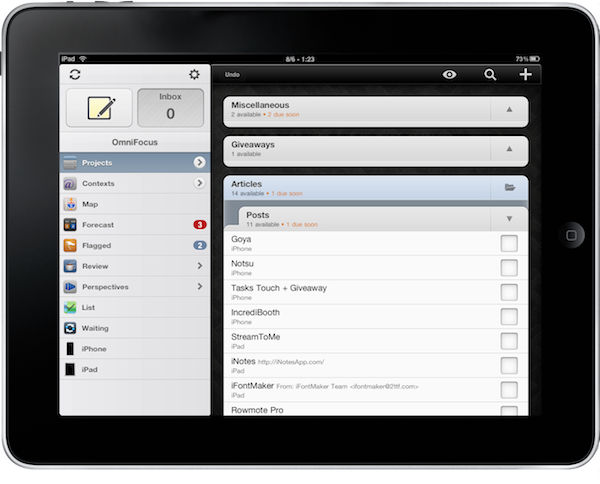
OmniFocus, my GTD app of choice on OS X and iOS, is now compatible with multitasking on the iPad. Although iOS 4.2 isn’t officially out and it looks like it won’t be at least until sometime next week, users running the latest iOS 4.2 GM can enjoy fast app switching, background sync and local notifications in OmniFocus for iPad.

The latest 1.2 update, released a few minutes ago in iTunes, adds a bunch of new features and lots of improvements, too. The changelog is really huge, so I suggest you go check it out below. Notable new features include the possibility to receive local notifications without the need of a sync server, seven new languages, a revamped editing panel and more geolocation functionalities.

Seriously, great update. The one users already on iOS 4.2 have been waiting for. Go get it. Then read why we love OmniFocus. Read more


MacStories Weekly Game: Robokill

This week’s featured game is the latest effort by Wandake, Robokill. See, Robokill on the surface may look a lot like other games available in the App Store such as Minigore or Age of Zombies. You control this robot, with a bird’s eye view, and you have to face enemies coming from all sides of the screen. Unlike Minigore, though, Robokill provides a greater attention to details in level design and enemy attack patterns.

For instance, Robokill’s droids are smart, while Minigore’s monsters just care about running against you. Enemies in Robokill shoot, cover, attack, back up. That’s not bad a simple action game for iPad. Plus, once you clear levels in the game your character will evolve and become able to equip new weapons and shields. With more than 450 levels and 13 missions, that’s quite an inventory to build. You can also collect cash and hidden loot to purchase upgrades through a virtual store – which is always welcome. I like this RPG-like side of Robokill, something the aforementioned similar games surely don’t provide. Not like in Robokill. Read more


New Gorillaz Album Recorded On An iPad

Damon Albarn, Blur’s singer and frontman of Gorillaz, announced the follow-up to Plastic Beach (3rd studio album of Gorillaz) has been recorded entirely on an iPad. He’s aiming at a holiday season release. In an interview with UK music magazine NME, he said:

I’ve made it on an iPad – I hope I’ll be making the first record on an iPad. I fell in love with my iPad as soon as I got it, so I’ve made a completely different kind of record.

I wonder how many music apps were necessary to get the album recording done on the tablet. Perhaps they needed to deploy their own app? We look forward to whatever Mr. Albarn has in store.


IA Writer Now iOS 4.2-ready

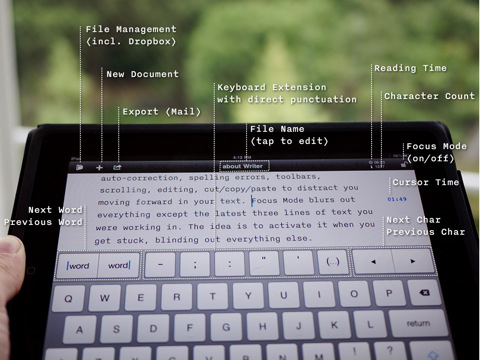
I’ve been waiting for this update: when IA Writer first came out, I couldn’t use it. I was already running iOS 4.2 beta on my iPad, and the app had a few bugs with the new operating system. The focus mode wasn’t working (and that feature is possibly the most important one in the app), custom keys didn’t match.

With the latest 1.0.2 that showed up a few minutes ago in iTunes, the app is finally ready for the elusive OS. Subfolders and auto-sync aren’t included yet, but they’re coming soon.

Finally, I can use IA Writer. Go get it, as it seems totally worth it.


iOS 4.2 “Delayed” Due to iPad WiFi Issues, New GM Build Coming [Updated]

Two days ago we reported Mac OS X 10.6.5 and iTunes 10.1 were set to come out on Wednesday, with iOS 4.2 for iPhone, iPad and iPod Touch to follow on Friday Nov. 12th – tomorrow. Mac OS X 10.6.5 indeed came out, without AirPrint functionality for shared printers as previously reported as well. iTunes 10.1 didn’t come out.

Basing on the information we got from a reliable source, it appears that iOS 4.2 won’t come out on Nov. 12th due to last-minute WiFi connection issues experienced by many users running the GM build on the iPad. The issues have been widely documented on MacRumors forums (here and here), Twitter and Apple’s own discussion boards, both by users and developers. You can check out a video of the bug in action below. Read more


Noteshelf 2.1: Dropbox Integration, Finer Ink, New Notebooks

From my Noteshelf review, about a month ago:

What totally convinced me to pick Noteshelf as my go-to app for handwritten notes, though, is wrist protection. When people write, they usually rest their wrist on paper – that’s natural and necessary to have a correct writing position. Well gentlemen, unlike all the other apps available for iPad, Noteshelf has an option to not detect your wrist as an active touch on the screen. Welcome to natural and human writing on a tablet.

As for features I’d like to see besides the upcoming Evernote and Dropbox integration and a template creator, it’d be nice to be able to pinch and zoom on pages, especially in landscape mode. I also don’t like the fact that you can’t select multiple pages when exporting them (email and iTunes are supported).

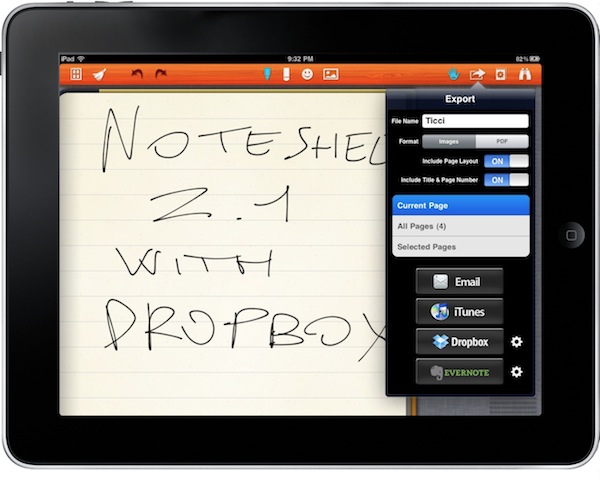
Noteshelf was already a great iPad app, now it’s even better. With the latest 2.1 update available in iTunes now, the developers added the possibility to export notes as images pr .PDF documents to Evernote and Dropbox, a feature many users have been asking since the first version of the app. Uploading to these services is simple and accessible through a popover menu in the top toolbar. You can also select and export multiple pages via email, or just email a whole notebook. Speaking of which, there are new notebook themes such as music notes and baseball scores. Read more


The iPad Protest

You can add this to the “iPad as a…” list. Spotted by 9to5mac, an iPad has been used in Lithuania during a protest against the government:

If the Western World use iPad for business and entertainment, in Lithuania the iPad is used by pensioners in demonstrations against the government.

Magical?


Readict for iPad Aggregates Twitter and Reader Favorites, But…

I’ve been looking for a very specific type of  app since the iPad came out: something that would allow me to pull content from Twitter and Google Reader favorite items and read it on the iPad. That’s simple. I don’t need tags, categories, offline access or sharing features: if I’ve saved the articles from social networks in the first place, it’s very likely that I won’t send them to Twitter again.

See, I save lots of links both from Reader and Twitter every day: most of them is silly stuff I don’t usually go back to, but a good part of them is made of articles, posts I want to check out later and I’m not sure they need to go into Instapaper. You know what it’s like on Twitter: you put a gold star there, another one here – and you’ve faved 60 tweets on a single day. Same happens on Google Reader.

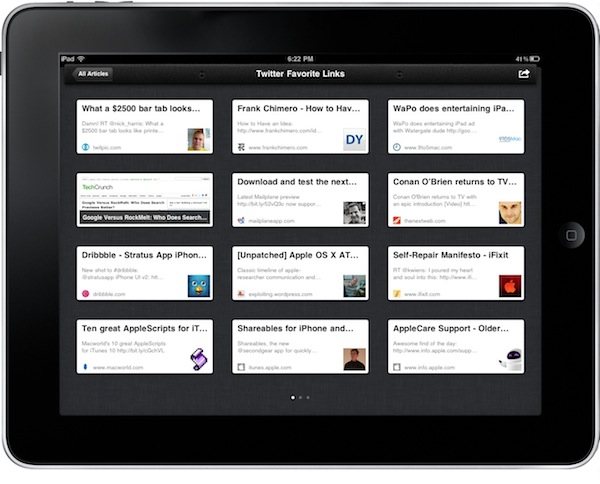
So like I said, I’m looking for a simple solution to display this content all together so that late in the evening I could sit down with my iPad and enjoy the stuff I saved during the day. This morning I found out about this new iPad app called Readict (free) which promises to aggregate all your favorite items from Twitter and Google Reader. Read more


Smule Wants To Make You A Musician Again With Their Magic Fiddle

There’s no doubt Smule knows how to release popular applications. If you look at their iOS portfolio, there’s not a single app that hasn’t sold thousands and thousands of copies in the App Store: I Am T-Pain, Magic Piano, Ocarina, Glee Karaoke and now, again on the iPad, the new Magic Fiddle.

Just like Magic Piano allowed you to play some sort of digital piano based on its own rules and system, Magic Fiddle recreates a violin on screen you can play with a few taps and swipes. The app is getting rave reviews on many blogs and publications, and while I haven’t tried the app myself (I’m not really a big fan of music apps in general) I have to admit it looks good from the screenshots and video posted by the developers.

The app contains a tutorial section to teach you how to bow, pluck, trill, vibrato and glissandi with your fingers; when you’re good enough to show off your skills, you can play with your friends and aim at the global leaderboards. Graphically speaking, Magic Fiddle looks interesting.

Magic Fiddle is available at $2.99 in the App Store. Check out the demo video below.