Posts tagged with "iPad"

Beautiful Modeler Sculpts 3D Models Using An iPad [Video]

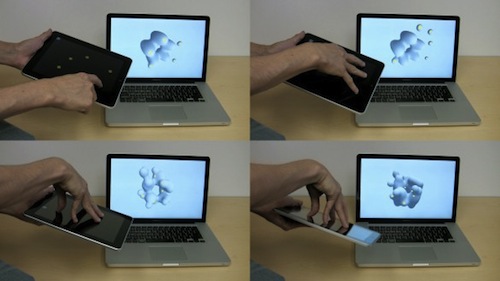
Of all the purposes we’ve seen the iPad used for, 3D models are kind of a novelty. Interactive Fabrication released a software tool for “gestural sculpting” which uses the iPad as a multitouch-based remote controller. The software renders 3D models on a Mac, the iPad is used for touch controls up to 5 fingers.

TUAW reports:

As you can see, the iPad works as a controller for the app running on the MacBook, and not only is touchscreen information passed on to the 3D modeling program (I like that multitouch works as well, so you can mold five different points in the sculpture at once), but accelerometer information is also passed across, so tilting the iPad around also tilts the onscreen view.

You can even pass the information along to a 3D printer and get a physical result of what you’ve been creating with the iPad and OS X. The developers released the tool as open source code, it’s available on their website. Check out the video below. Very cool. Read more
How to Read Comics Like a Pro on the Mac & iPad

We here at the MacStories institute of app reviews have a feeling that your stack of Dōjinshi, Green Latern, and The Walking Dead comics have been dwindling at an alarming pace. Surely you could fulfill all your Hentai Manga needs online, but what fun is downloading RAR files just to peep JPEGs when you could get with the times and scoop some CBZ or CBR files from your favorite digital vendors? And no doubt you’ve been pulling shenanigans like scanning Super Man covers into PDFs for easy reading in iBooks instead of faxing ass photos to your boss in Italy. While there’s nothing like tearing the plastic off Wonder Woman, flipping pages is best left for the DC fanatics who have a thing for glossy covers and tongue inspired paper crinkling. It’s time to give comics a quick swift kick in the rear and bring the treasure trove of paneled heroism into the 21st century. That’s what Danger Duck would have wanted right?

Read more


The Incident for iPad Is Coming To Your TV, With iPhone As A Controller [Update: Video]

We are big fans of The Incident by Big Bucket Software. Developed by Panic’s Neven Mrgan and Matt Comi, The Incident is a simple and addictive 16-bit styled game where you control a man named Frank who has to constantly jump and avoid obstacles falling from the sky. From our review:

As Frank, you’ll be climbing your way above and beyond mountains of just about anything that might fall from the sky. Couches, minivans, and propeller blades attempt to crush you under their fantastic weight; even with a little pushing and shoving, you’ll have quite the challenge in avoiding dangers from above and below.

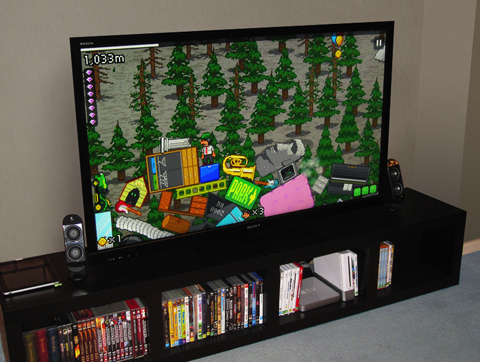
Now, after a 1.2 update that brought game controlling from the iPhone, The Incident 1.3 will come to a TV near you. That’s right: you’ll be able to play an iOS game on your television (just like we always used to, remember?) using the iPhone as a remote controller. No technical details have been provided by the developers yet, except that all you need to get the thing up and running is “pluggin your iPad into the TV”. I guess it’s a standard VGA cable from Apple, anyway. Read more


Apple’s Tablet Computer History

Apple’s Tablet Computer History

Now that Apple has released the market-leading iPad, with a barrage of other tablet computers and dedicated eReaders flooding the market, it’s worthwhile to look back and see where all of this came from. The focus will be on Apple, and their history with tablet computers.

I didn’t know many of those devices even existed. Great collection.

Permalink

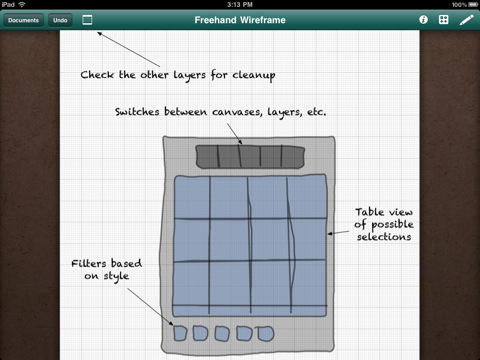
Adobe Ideas 1.1 Adds Layers, iOS 4 Support, Goes Universal

A huge update to Adobe Ideas for iPad has been released a few hours ago in the App Store. First off, the app is now Universal for iPhone and iPod Touch, supports the Retina Display and iOS 4 multitasking both on iPhones and iPads. A Universal version of the app was one of the most requested features since the app came out on the tablet, and it’s a great addition to an already popular app.

Then, layers: available as in-app purchase (smart move, Adobe), you can insert up to 10 layers plus a photo layer in each sketch. The user interface for this functionality looks fairly simple and accessible. You can also “redo” actions now. Last, the app is now much faster and optimized for every device.

Adobe Ideas is available for free here. Check out the introductory video below.


Aweditorium Aims At Revolutionizing Music Discovery On The iPad

It’s great when you wake up and you find an awesome new app waiting for you in the App Store. You see, I’ve been keeping an eye on Aweditorium for a while (months, I believe) since Robert Scoble first tweeted he had tested an early demo. The name was cool, the website featured some bands I didn’t know. I was intrigued, so I started following the developers on Twitter.

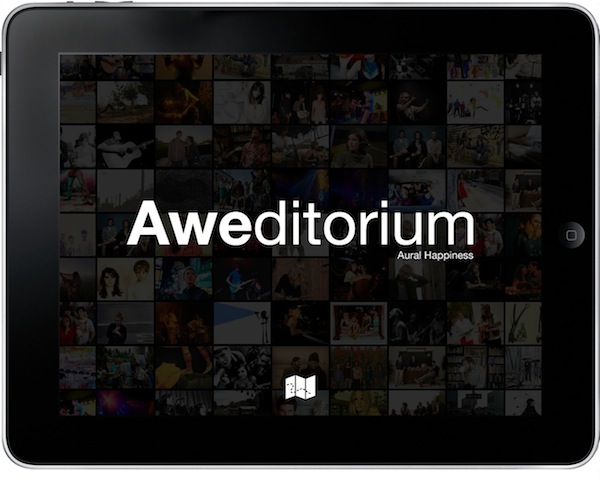
Aweditorium is now available in the App Store, and it’s more than I thought it would be – but it’s got a few technical limitations I hope will be addressed in future updates. Aweditorium aims at changing rules and conventions, but it has to deal with some iOS restrictions and a few bugs I’m pretty sure are caused by iOS 4.2 incompatibilities. The main concept, however, is all there: Aweditorium wants to change the way you discover great new music on the iPad.

After two hours using the iPad app I’ve already discovered more new music than in the last two weeks reading NME or Pitchfork. Read more


Verizon’s First iPad Commercial [Video]

Fresh off Youtube, here comes Verizon’s first official iPad commercial. Featuring a man with an iPad on his lap and a Verizon MiFi unit, the ad outs the focus on the “magical iPad” now available on the nation’s most reliable network.

It’s very well done, Apple-ish yet aimed at promoting Verizon’s network. We like it. [via The Next Web]


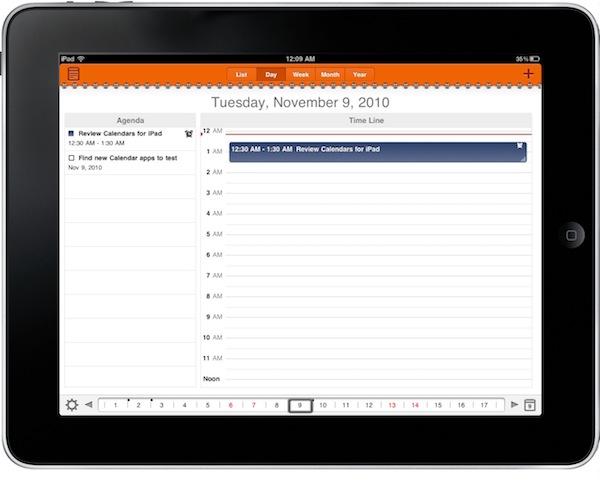
Calendars for iPad: Google Tasks and Calendar Sitting In A Tree

In my ongoing search for the best iOS and OS X calendar setup, I found a great iPhone app called Calvetica which I’m currently using and loving. Calvetica features a great UI design and a simple yet powerful feature set, make sure to read my review if you missed it. I asked for calendar suggestions on Twitter and I received lots of app recommendations, but I’m sticking with Calvetica on the iPhone. No wonder it was also the most recommended app.

On the iPad, though, the situation is much different. The device has been around for a few months, there aren’t as many calendar apps as on the iPhone (whose App Store launched in 2008) and Apple’s own calendar software is simply great – anything like the iPhone counterpart. There’s a huge market for alternative calendar solutions on the tablet, and it looks like developers are starting to understand this. A slew of iPad apps came out in the past weeks, and we’ll review the most notable ones here on MacStories in the next weeks.

Today I’m taking a look at Calendars by Readdle, the same guys behind my beloved PDF Expert, which aims at blending the usual calendar environment with the possibilities offered by another Google product, Google Tasks. Read more


OmniGraffle for iPad 1.4 Ships With iOS 4.2 Support, Sync, Stencil Management

A major new version of OmniGraffle for iPad has been approved – and it’s one hell of an update. OmniGraffle 1.4 introduces full iOS 4.2 compatibility, which means the app can now store its persistent state when you switch to another application and can print your diagrams and wireframes using AirPrint.

The OmniGroup didn’t stop at new OS support, even though that would have been enough. They added an enhanced Document Browser with improved sorting and filtering options, stencil management and remote file syncing to iDisk and WedDAV.  You can now also create your own stencils from scratch and access a Font Inspector popover from anywhere.

What a great update. OmniGraffle for iPad is available at $49.99 in the App Store. Check out the full 1.4 changelog below. Read more