This Week's Sponsor:

Turbulence Forecast

Know before you go. Get detailed turbulence forecasts for your exact route, now available 5 days in advance.


Posts tagged with "iPad"

MacStories Setups Update: Fresh Approaches, Wi-Fi Upgrades, and Handhelds

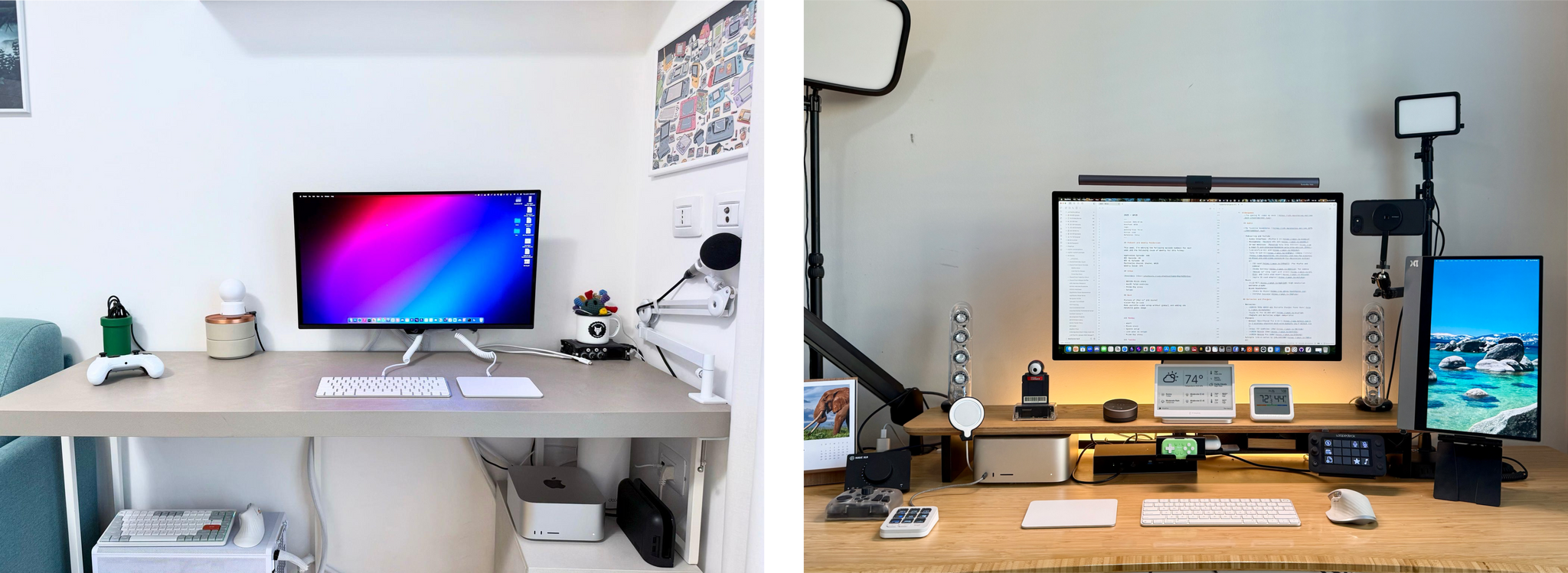
Our setups.

Our setups.

It’s time for another update to the MacStories Setups page, where you’ll find all the gear and apps that Federico and I use for work and play. With Prime Day upon us, it’s a great time to revisit our setups and see what’s on sale. Plus, there’s a handy changelog at the top of the page for those of you who are only interested in what’s new. If you want to hear more about what drove the latest changes to our setups, we’ll be discussing them in more detail on this week’s episode of MacStories Unwind, too.

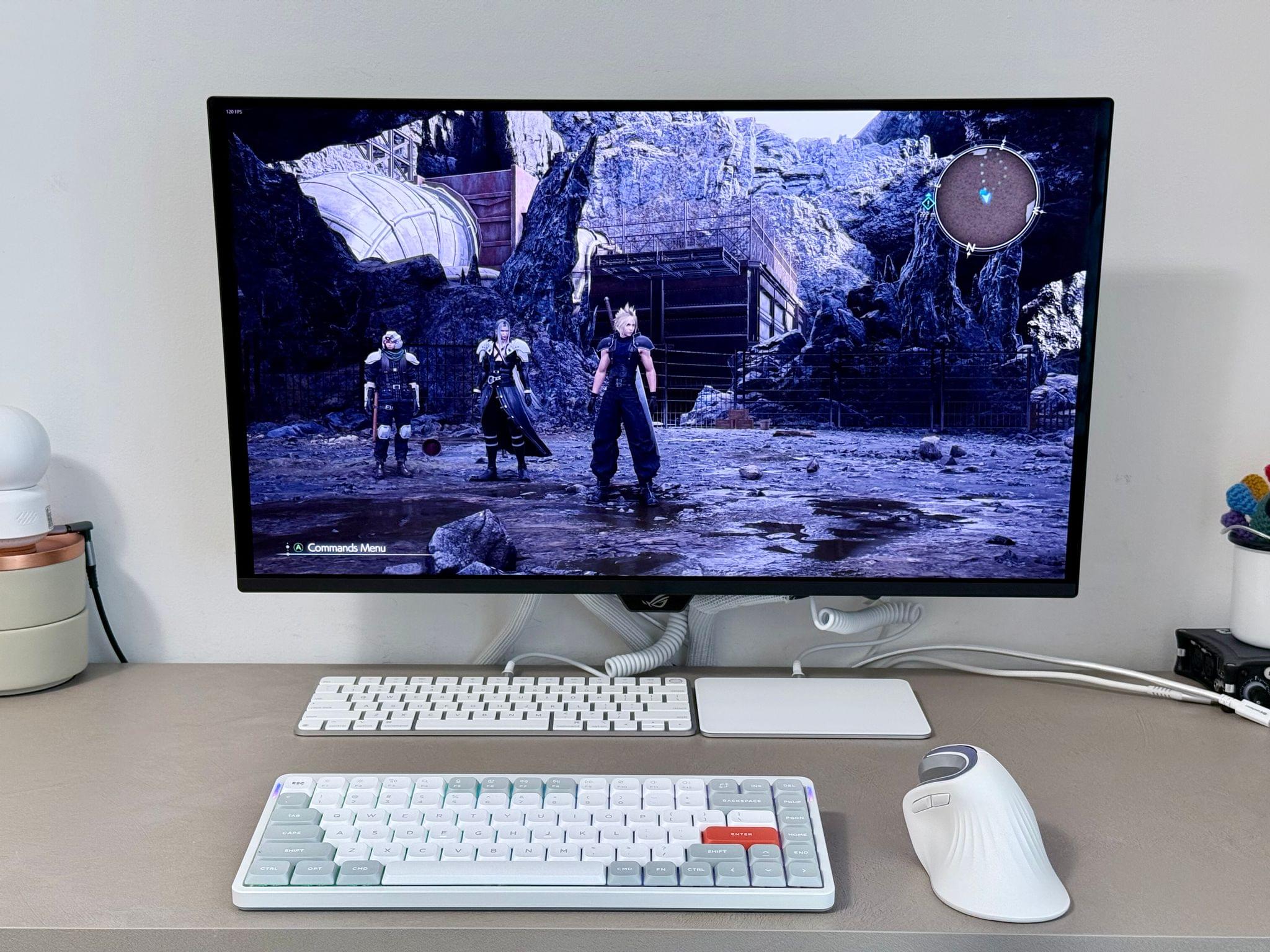
Federico's PC accessories.

Federico’s PC accessories.

It’s been a little while since we last heard from Federico about his setup, which took a recent turn with the developer beta of iPadOS 26. The iPad Pro is back at the center of Federico’s workflow, but he’s been able to keep everything as streamlined as ever with the help of his ASUS ROG PG27UCDM monitor that features a built-in KVM switch. That display lets him easily switch between the iPad, an M4 Max Mac Studio, his custom-built gaming PC, and the Nintendo Switch 2. When he’s not at his work and gaming monitor, Federico has the latest Viture Pro XR glasses that serve as a USB-C connected external display.

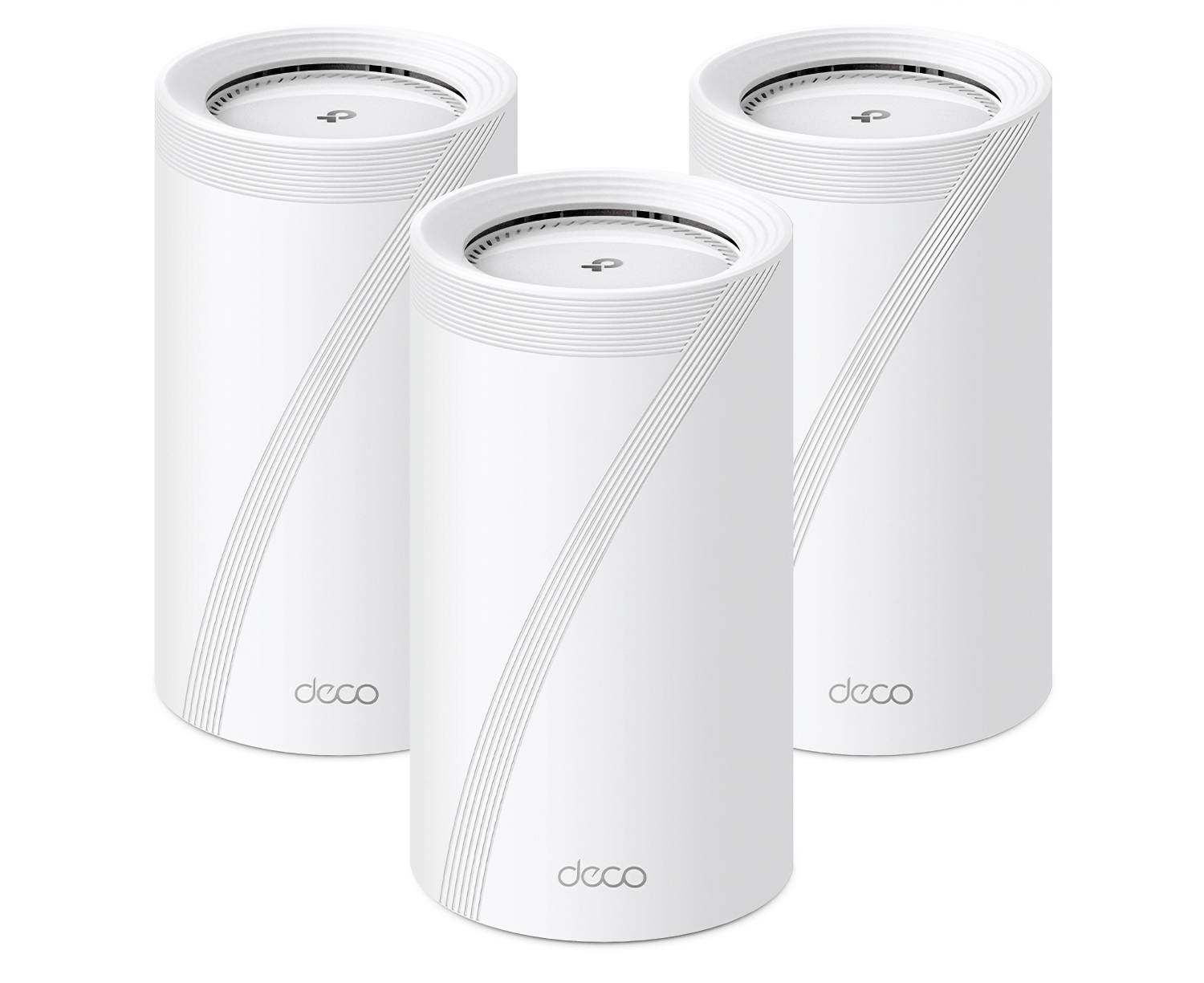
One highlight of both of our setup updates is the TP-Link WiFi 7 Deco BE85 routers. Federico got a two-pack, and I have a three-pack, thanks to my three-story condo. Home Wi-Fi 7 mesh networks are still on the expensive side, but they are much faster than Wi-Fi 6 and 6E in my experience, and the models that Federico and I each installed earlier this year are discounted during Prime Day.

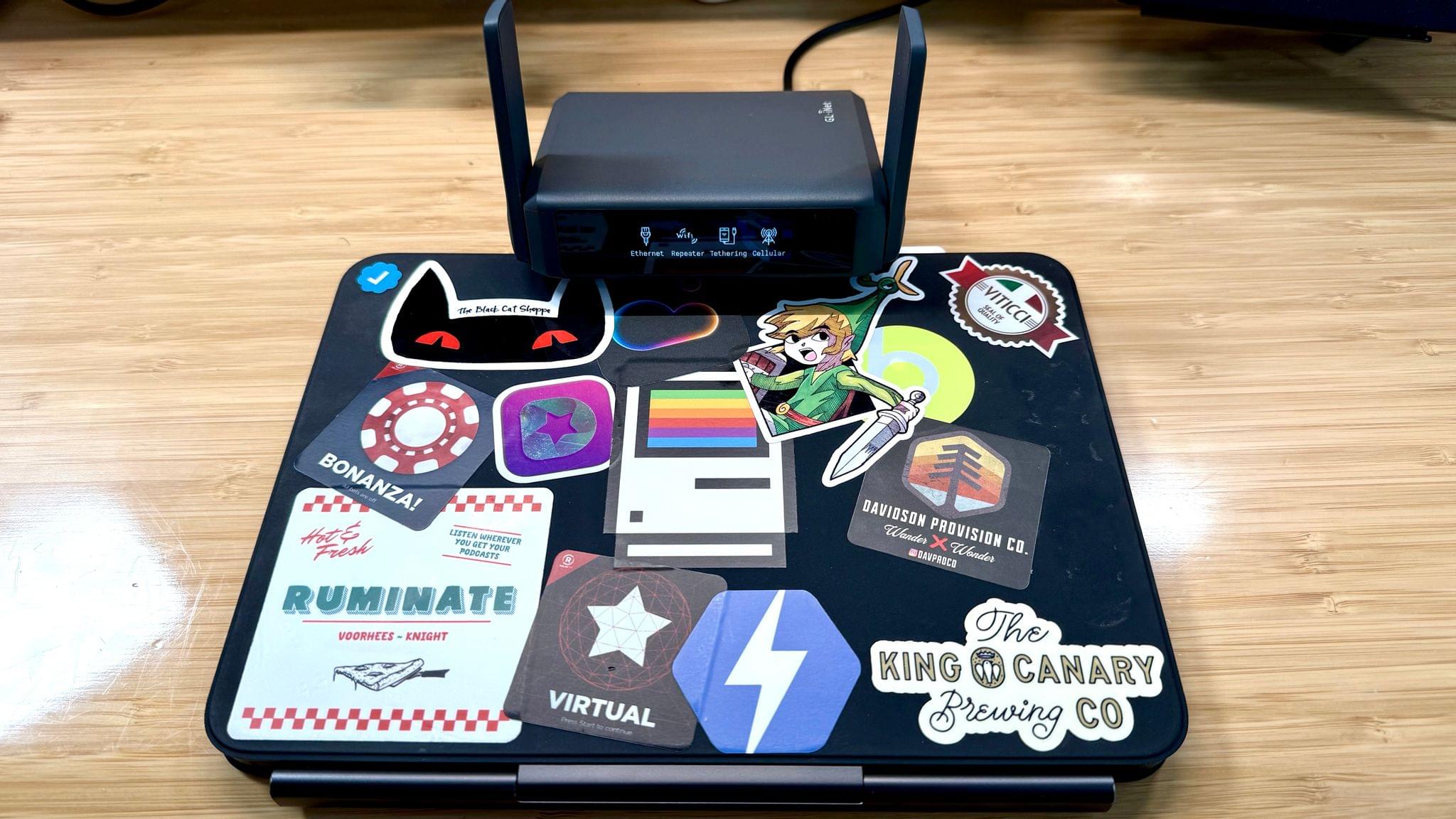
My 11" iPad Pro and GL.iNet portable Wi-Fi 7 router.

My 11” iPad Pro and GL.iNet portable Wi-Fi 7 router.

My setup has been simplified a bit with my latest update. I’m carrying a smaller tomtoc bag when I’m away from home (which I’ve been loving), I upgraded my travel router to Wi-Fi 7 with the GL.iNet GL-BE3600 (Slate 7) Portable Travel Router, and I’m a big fan of the compact elegance of the MOFT Invisible Laptop Stand that I reviewed earlier this year.

At my desk, I swapped a Belkin AirPlay 2 receiver for the more powerful Arylic LP10 AirPlay 2 Wireless Music Streamer, which drives my Harmon Kardon SoundSticks III speakers. I also replaced a pair of broken podcasting headphones with the inexpensive but very comfortable CCZ Yinyoo Melody In Ear Monitors. And I recently started using the Kensington SD5000T5 Thunderbolt 5 Docking Station to expand my Mac Studio’s peripheral options.

Finally, you’ll notice I’ve trimmed down my handheld console setup. There’s still a lot there, but I’ve been focused on flip-style handhelds and picking a favorite of each form factor instead of jumping endlessly from one handheld to the next. With this update, the big additions are the Retroid Pocket Flip 2 and the Miyoo Flip.

Both of us have added other apps and gear, too, so be sure to browse through the Setups page to find the complete listing of our current setups.

Permalink

Amazon Prime Day 2025: Our Top Picks

You’re sure to see a lot of Prime Day roundups around the web today, but ours is a little different. Although there are a lot of great deals during Prime Day, we gather ours from among the hardware we’ve actually tried and can recommend to readers. Here are the best deals we’ve found.

For even more deals, join Club MacStories+ or Premier to become a part of our Discord community, where members are sharing their favorite finds, too.

Storage

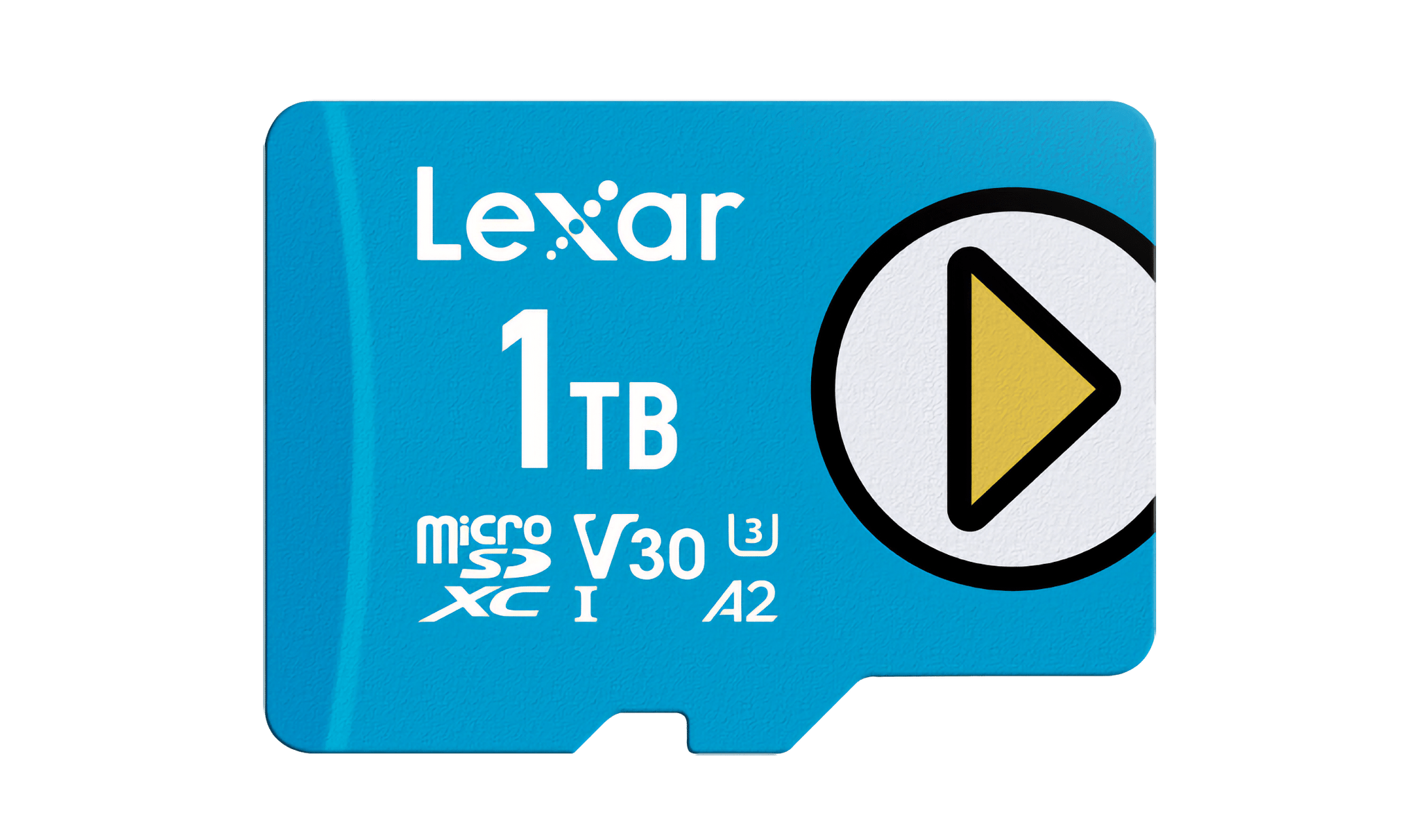
Lexar's 1TB blue microSD card.

Lexar’s 1TB blue microSD card.

I’ve tried just about every major brand of microSD card at this point while testing handheld gaming consoles for NPC: Next Portable Console. One of my go-to brands is Lexar, which has a bunch of cards on sale for Prime Day:

Also on sale are Lexar’s portable external SSDs, which I most recently used at WWDC for transporting large podcast files. You can get the 2TB SL500 model, with USB-C 3.2 data transfer rates, for 31% off during Prime Day.

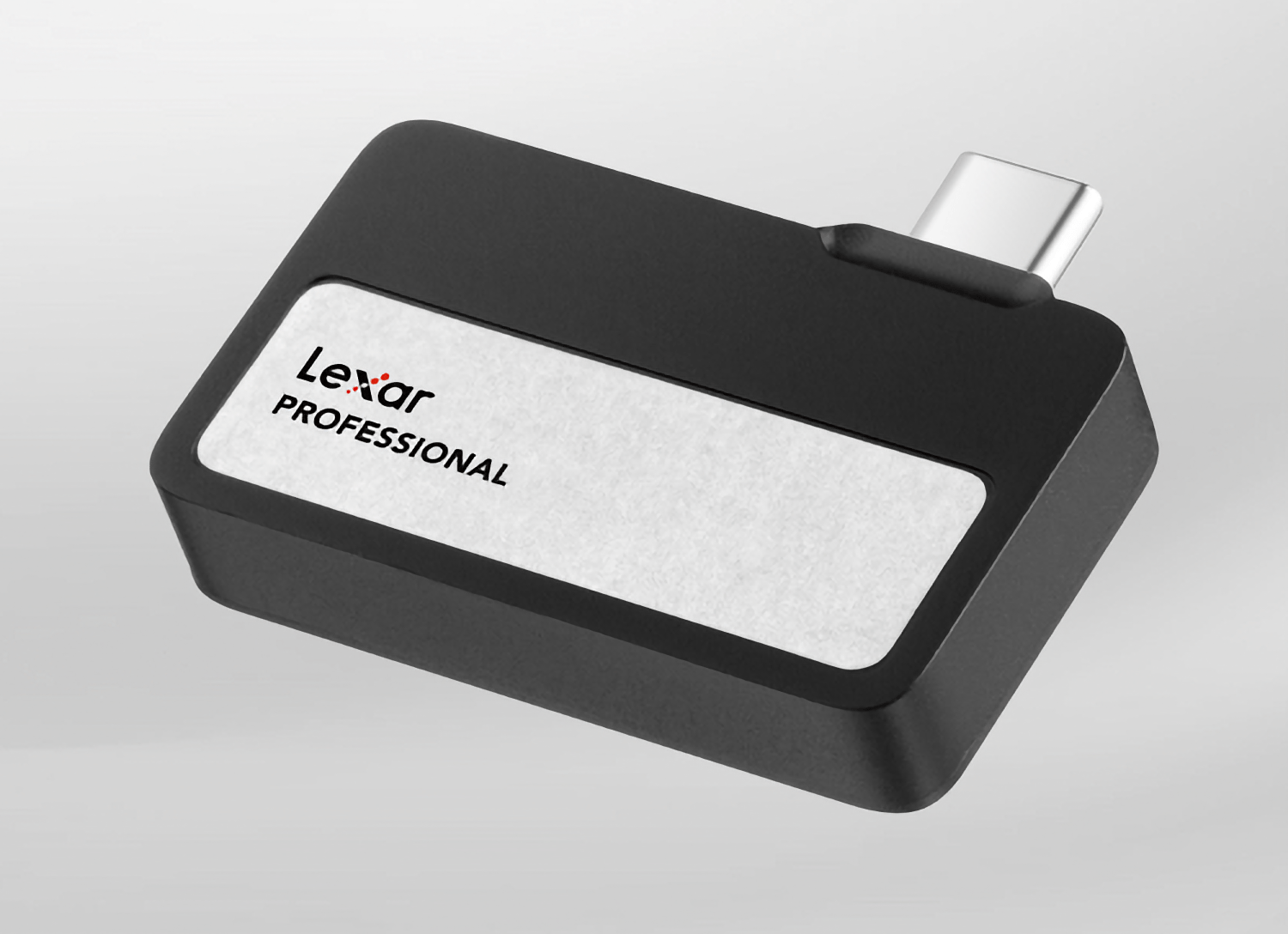
The Lexar Professional Go SSD.

The Lexar Professional Go SSD.

If you shoot video with your iPhone, you might want to check out Lexar’s 2TB Professional Go SSD and Hub, which I used to shoot video for NPC during CES in January. On sale for 30% off, the SSD fits right on the end of your iPhone, adding a bunch of extra storage for video footage, and with the hub (also 30% off), you can add an extra port for charging as you shoot videos. The 1TB version of the SSD is on sale for 26% off, too.

Apple Gear

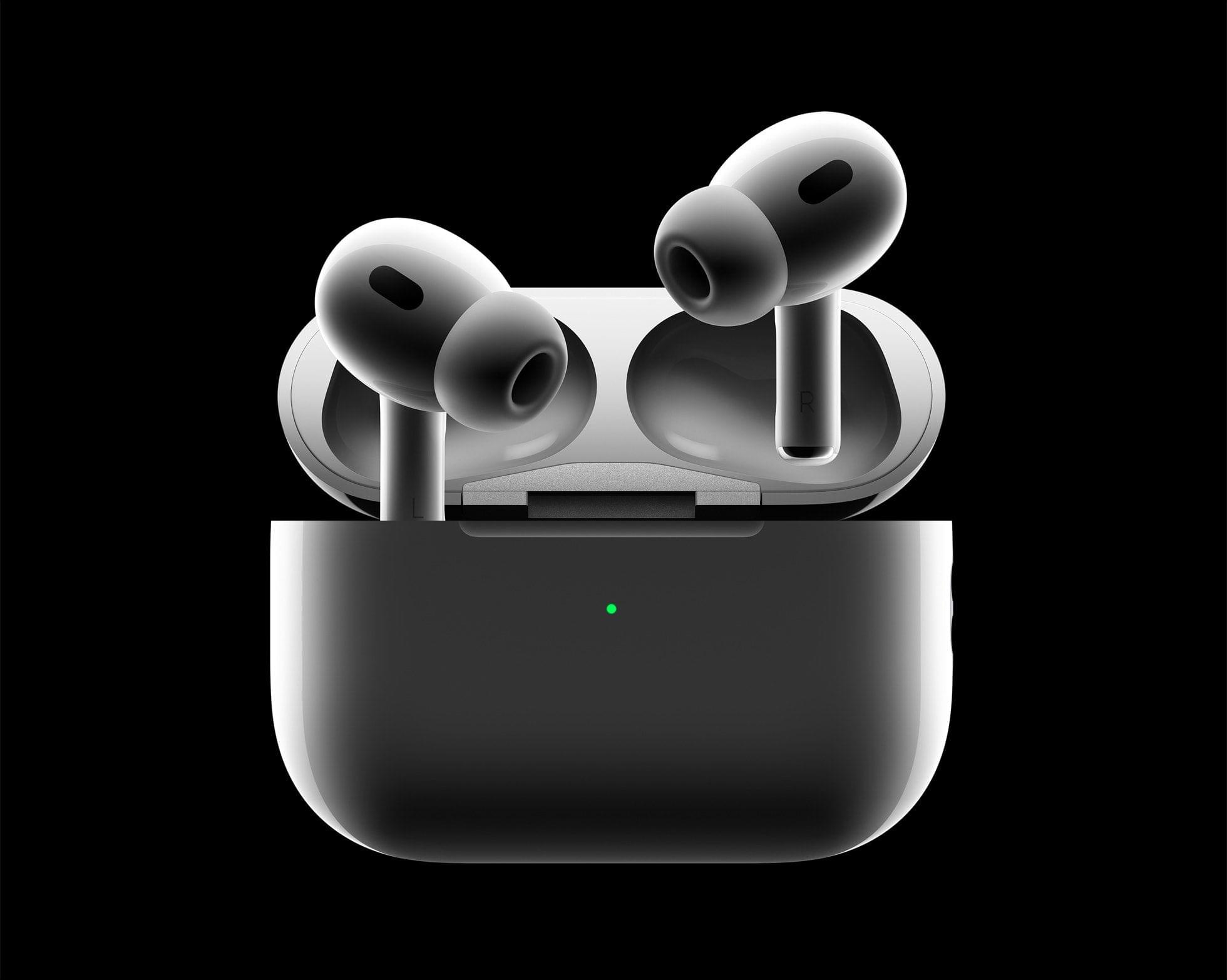
AirPods Pro 2.

AirPods Pro 2.

There are some great Apple hardware deals available for Prime Day, including:

Wi-Fi 7 Mesh Routers

Earlier this year, I upgraded my Wi-Fi to a TP-Link Wi-Fi 7 Mesh system. I came from a Wi-Fi 6E system and was pleasantly surprised to find that TP-Link’s Deco BE95 Wi-Fi 7 BE22000 routers are substantially faster. I’ve had the setup for about three months, and I love it. During Prime Day, you can get the routers individually or in a three-pack for 30% off.

Lighting

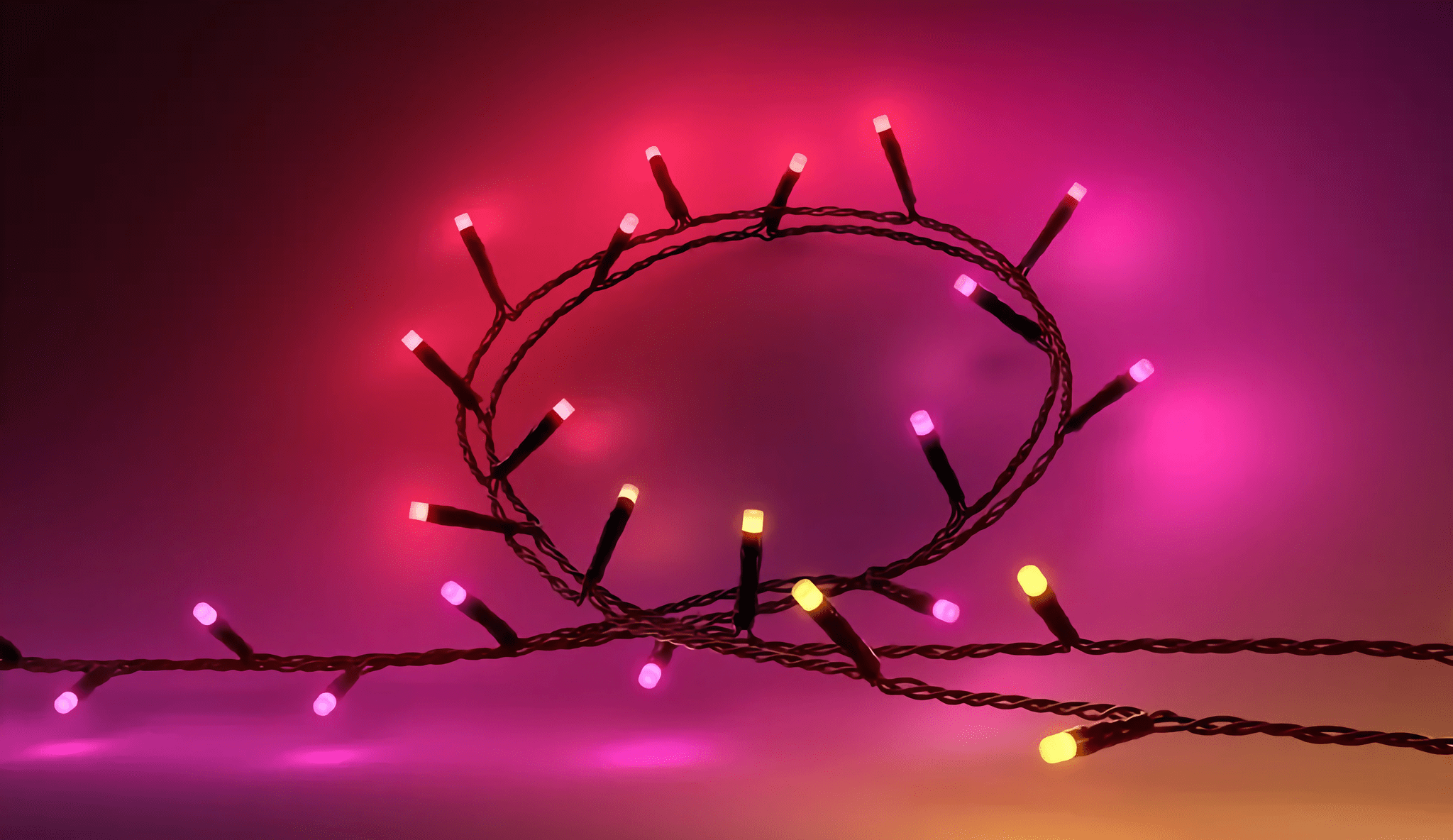
The Philips Hue Festavia string lights.

The Philips Hue Festavia string lights.

The 65-foot-long Philips Hue Festavia Lights that decorate my balcony are 30% off for Prime Day, as is the Philips Hue Play HDMI Sync Box 8K, which Federico swears by for mood lighting behind his TV. A four-pack of Hue 60W equivalent A19 color-changing smart bulbs is 41% off, too. It’s a great deal, and so is the 33% you can save on a four-pack of the recessed Hue lights that Federico added to his setup today.

Logitech Peripherals

Logitech's Keys-to-Go 2.

Logitech’s Keys-to-Go 2.

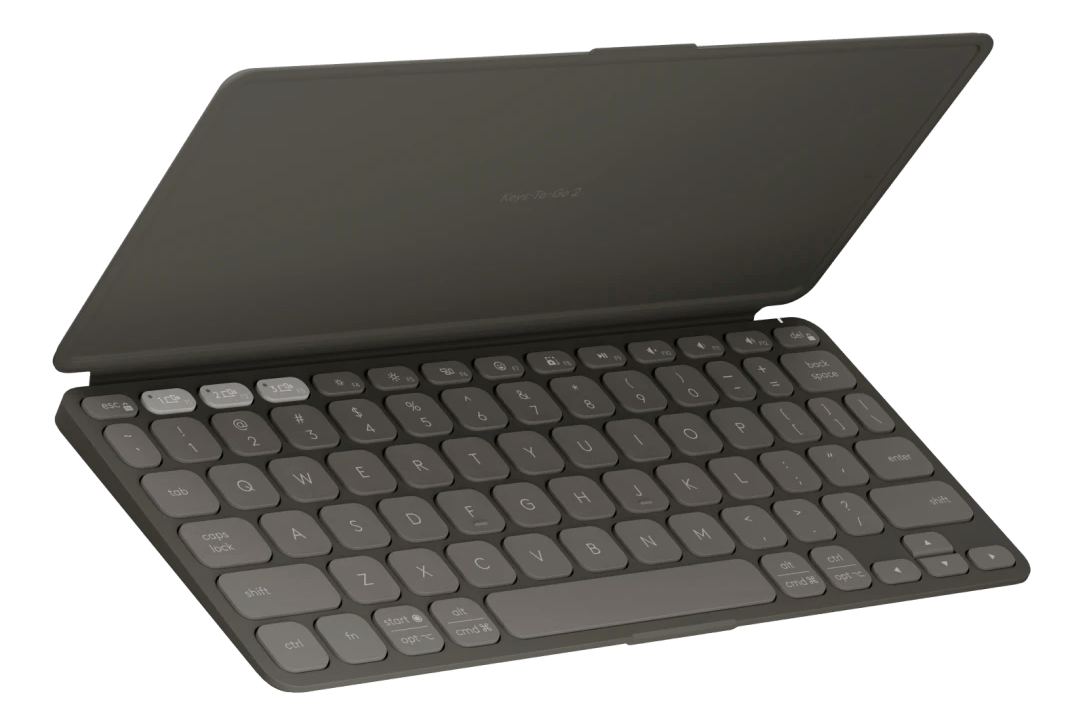
I’ve used Logitech keyboards and mice for a long time. For Prime Day, the company is offering its Keys-to-Go 2 keyboard, the slimmest and most usable small keyboard I’ve ever tried, for 25% off. The POP Mouse, which I use with a variety of handheld gaming devices and the Mac mini, is also on sale for 37% off. Finally, the Logitech C922x HD webcam is 37% off. I haven’t used mine since I went 4K, but if you’re looking for a 1080p webcam, the C922x is my personal favorite.

Elgato Gear and Gaming

Elgato's Prompter.

Elgato’s Prompter.

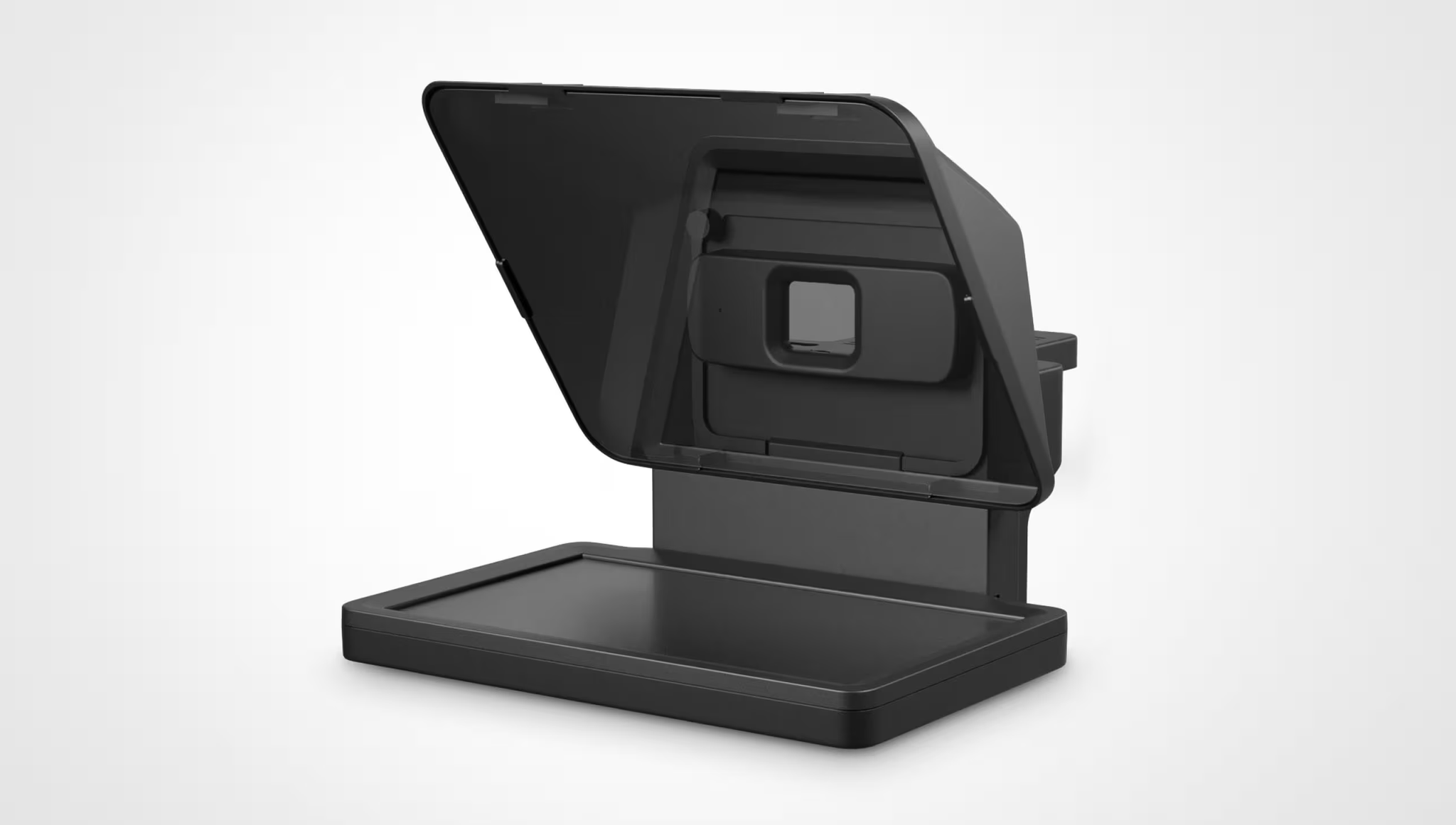
Earlier this year, I purchased an Elgato Prompter that uses mirrors to reflect a second Mac screen in front of a camera for recording videos. It’s a clever setup that works not only with Elgato’s webcams, but also with DSLRs and even iPhones, which is how I use it. During Prime Day, the Prompter is 33% off.

Two other handy podcasting tools I use every week are on sale too. The Elgato Key Light is 22% off during Prime Day, and the Wave Mic Arm is 30% off.

Elgato’s 4K capture card, which is compatible with HDMI 2.1, is on sale during Prime Day for 20% off. It’s one of the best ways I’ve found for capturing videogame footage or anything else that connects via HDMI.

Razer Kishi Ultra.

Razer Kishi Ultra.

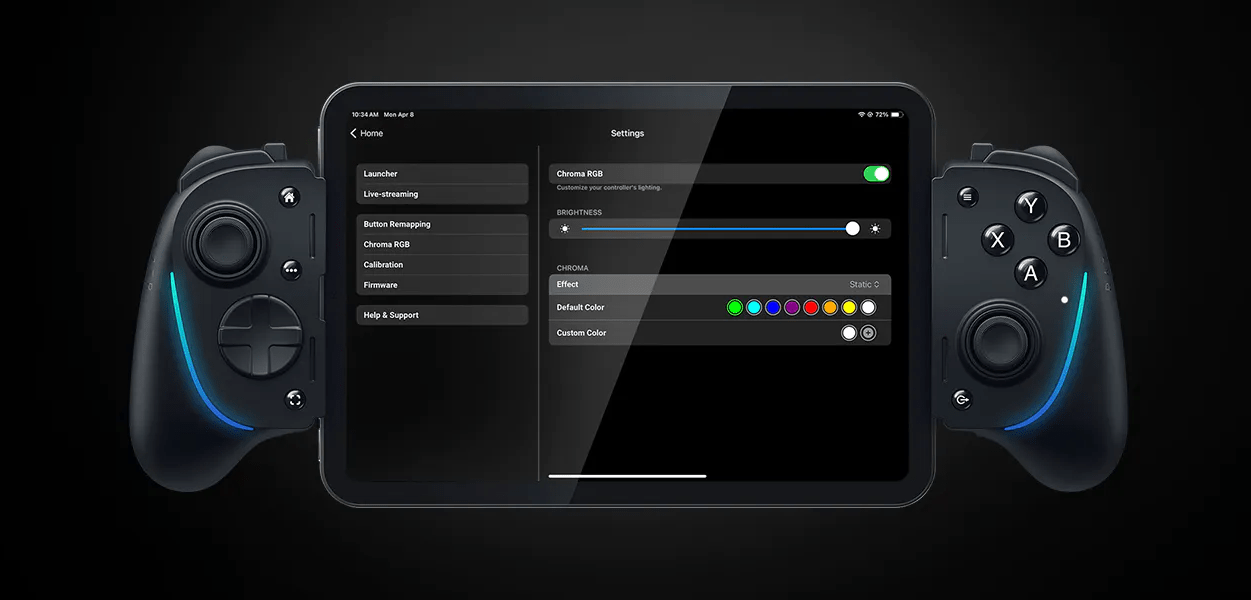
Speaking of games, Razer’s Kishi Ultra controller for the iPhone is also available at a deep 33% discount during Prime Day. The Kishi Ultra is on the large size of iPhone controllers, but as long as that isn’t an issue, you can’t find a better controller to drop your phone into.


Initial Notes on iPadOS 26’s Local Capture Mode

Now this is what I call follow-up: six years after I linked to Jason Snell’s first experiments with podcasting on the iPad Pro (which later became part of a chapter of my Beyond the Tablet story from 2019), I get to link to Snell’s first impressions of iPadOS 26’s brand new local capture mode, which lets iPad users record their own audio and video during a call.

First, some context:

To ensure that the very best audio and video is used in the final product, we tend to use a technique called a “multi-ender.” In addition to the lower-quality call that’s going on, we all record ourselves on our local device at full quality, and upload those files when we’re done. The result is a final product that isn’t plagued by the dropouts and other quirks of the call itself. I’ve had podcasts where one of my panelists was connected to us via a plain old phone line—but they recorded themselves locally and the finished product sounded completely pristine.

This is how I’ve been recording podcasts since 2013. We used to be on a call on Skype and record audio with QuickTime; now we use Zoom, Audio Hijack, and OBS for video, but the concept is the same. Here’s Snell on how the new iPadOS feature, which lives in Control Center, works:

The file it saves is marked as an mp4 file, but it’s really a container featuring two separate content streams: full-quality video saved in HEVC (H.265) format, and lossless audio in the FLAC compression format. Regardless, I haven’t run into a single format conversion issue. My audio-sync automations on my Mac accept the file just fine, and Ferrite had no problem importing it, either. (The only quirk was that it captured audio at a 48KHz sample rate and I generally work at 24-bit, 44.1KHz. I have no idea if that’s because of my microphone or because of the iPad, but it doesn’t really matter since converting sample rates and dithering bit depths is easy.)

I tested this today with a FaceTime call. Everything worked as advertised, and the call’s MP4 file was successfully saved in my Downloads folder in iCloud Drive (I wish there was a way to change this). I was initially confused by the fact that recording automatically begins as soon as a call starts: if you press the Local Capture button in Control Center before getting on a call, as soon as it connects, you’ll be recording. It’s kind of an odd choice to make this feature just a…Control Center toggle, but I’ll take it! My MixPre-3 II audio interface and microphone worked right away, and I think there’s a very good chance I’ll be able to record AppStories and my other shows from my iPad Pro – with no more workarounds – this summer.

Permalink

Scratchpad: The Cross-Device Text Utility That Pairs Perfectly with Your Clipboard Manager

One of the best indicators of how sticky a cross-device utility will be in my setup is how quickly I install it everywhere. For Sindre SorhusScratchpad, the answer was “very sticky.” The simple text utility works on the iPhone, iPad, Mac, Apple Watch, and Vision Pro (via iPad compatibility mode), and as soon as I tried it on my desktop Mac, I grabbed all of my other devices and installed it on them, too.

At its core, Scratchpad is a single view for typing or pasting plain text that syncs everywhere. What sets it apart from similar apps is its many small touches that demonstrate a deep understanding of the way people use a scratchpad app.

Read more


European Commission Orders Apple To Improve Third-Party Device Integration

Just as I was linking to Eric Migicovsky’s post about the disadvantages third-party smartwatch makers face when trying to integrate with the iPhone, the European Commission (EC) released a pair of related specification decisions regarding Apple’s Digital Markets Act compliance. The first covers iPhone connectivity with third-party devices:

The first set of measures concerns nine iOS connectivity features, predominantly used for connected devices such as smartwatches, headphones or TVs. The measures will grant device manufacturers and app developers improved access to iPhone features that interact with such devices (e.g. displaying notifications on smartwatches), faster data transfers (e.g. peer-to-peer Wi-Fi connections, and near-field communication) and easier device set-up (e.g. pairing).

The other decision focuses on the process of interoperability:

The second set of measures improves the transparency and effectiveness of the process that Apple devised for developers interested in obtaining interoperability with iPhone and iPad features. It includes improved access to technical documentation on features not yet available to third parties, timely communication and updates, and a more predictable timeline for the review of interoperability requests.

An unidentified spokesperson for Apple responded with a statement to 9to5Mac:

Today’s decisions wrap us in red tape, slowing down Apple’s ability to innovate for users in Europe and forcing us to give away our new features for free to companies who don’t have to play by the same rules. It’s bad for our products and for our European users. We will continue to work with the European Commission to help them understand our concerns on behalf of our users.

This decision shouldn’t come as a surprise to anyone who has been following our DMA coverage. It’s easy to understand why Apple is unhappy about this decision, but it’s also just as easy to understand how the status quo holds back competition. There are no easy answers to any of this, but as difficult as this may be for Apple to do while upholding its privacy, security, and other standards, I’m glad the EU is pushing for change and hope those changes spread to other corners of the globe.


The iPad’s “Sweet” Solution

In working with my iPad Pro over the past few months, I’ve realized something that might have seemed absurd just a few years ago: some of the best apps I’m using – the ones with truly desktop-class layouts and experiences – aren’t native iPad apps.

They’re web apps.

Before I continue and share some examples, let me clarify that this is not a story about the superiority of one way of building software over another. I’ll leave that argument to developers and technically inclined folks who know much more about programming and software stacks than I do.

Rather, the point I’m trying to make is that, due to a combination of cost-saving measures by tech companies, Apple’s App Store policies over the years, and the steady rise of a generation of young coders who are increasingly turning to the web to share their projects, some of the best, most efficient workflows I can access on iPadOS are available via web apps in a browser or a PWA.

Read more


Apple Announces the New iPad Air and Base Model iPad

The new iPad Air. Source: Apple.

The new iPad Air. Source: Apple.

Apple today introduced an update to the iPad Air featuring the company’s M3 chip and a new base model iPad with the A16 chip and more starting storage at 128GB.

According to Apple’s press release, the new Air is almost twice as fast as the model with an M1 chip and up to 3.5 times faster than the Air with an A14 Bionic chip. Apple elaborates:

The powerful M3 chip offers a number of improvements over M1 and previous-generation models. Featuring a more powerful 8-core CPU, M3 is up to 35 percent faster for multithreaded CPU workflows than iPad Air with M1. M3 features a 9-core GPU with up to 40 percent faster graphics performance over M1. M3 also brings Apple’s advanced graphics architecture to iPad Air for the first time with support for dynamic caching, along with hardware-accelerated mesh shading and ray tracing. For graphics-intensive rendering workflows, iPad Air with M3 offers up to 4x faster performance than iPad Air with M1, enabling more accurate lighting, reflections, shadows, and extremely realistic gaming experiences.

The new model is available in blue, purple, starlight, and space gray and in 11-inch and 13-inch screen sizes. The Air also has 128GB, 256GB, 512GB, and 1TB storage options.

The 11-inch iPad Air starts at $599, and the 13-inch model starts at $799 with education customers getting $50 off those prices. The cellular models add $150 to the price tag. The iPad Air can be preordered today for delivery and in-store pickup on March 12th.

The base model iPad. Source: Apple.

The base model iPad. Source: Apple.

As for the base model iPad, it comes in blue, pink, yellow, and silver, starting at $349 for the 128GB model. Cellular costs an additional $150, and education customers get $20 off. The other storage options for the iPad update are 256GB and 512GB. Like the iPad Air, the base model iPad can be ordered today for delivery March 12th.


From a Turntable to an iPad Home Dashboard: My First Experience with Vinyl

This month, amidst the increasingly chaotic rumblings of the world in the news, I found myself looking for a new distraction. Since Civilization VII wasn’t out just yet, my eyes quickly turned to the vinyl record player that my partner and I had been storing in its cardboard box for months without ever taking the time to set it up. It’s not even ours; we’ve been keeping it safe, along with a sizable vinyl collection, for a close friend who unfortunately doesn’t have enough space for it in their current home.

This turntable is definitely not fancy – it’s even quite affordable compared to similar models – but it looks pretty, and our friend gracefully gave us permission to set it up for ourselves in the living room. While I’m sure they only pitied my desperate need for a new distraction, I took them up on this offer and opened the turntable’s box for the first time.

At the risk of sounding like a total youngster, I must disclose that until three weeks ago, I had never interacted with vinyl before. All I had were some presumptuous preconceptions. ”Doesn’t music sound worse on vinyl? Also, why should I bother with large, fragile music discs and a whole record player when I already have Apple Music in my pocket with lossless audio and Dolby Atmos?”

Still, I was not only intrigued, but also motivated to solve the main problem that setting up this record player posed: how can I make it work when our audio gear at home consists only of a handful of HomePod minis, one pair of wired headphones, and several pairs of Bluetooth headphones? While some turntables ship with built-in Bluetooth connectivity, ours can only output audio over USB or RCA with the help of a sound amplifier, and it definitely can’t broadcast audio to AirPlay devices like our HomePod minis.

Allow me to spoil the ending of this story for you: in the end, unboxing this turntable escalated into a legitimately awesome tech upgrade to our living room. It’s now equipped with a docked 11“ iPad Pro that acts as a shared dashboard for controlling our HomeKit devices, performing everyday tasks like consulting the weather and setting up timers, and of course, broadcasting our vinyls to any HomePod mini or Bluetooth device in the apartment. This setup is amazing, and it works perfectly; however, getting there was a tedious process that drastically reinforced my long-standing frustrations with Apple’s self-imposed software limitations.

Let me tell you how it all went.

Read more


Bookshop.org Now Supports Local Booksellers with eBook Sales

Bookshop.org launched in 2020 as a way to sell books online while still supporting local bookstores, which have become a rarity in the U.S. The company has seen success selling physical books online. As Boone Ashworth explains at Wired:

For physical books, Bookshop lets buyers direct 30 percent of the proceeds of a sale to their favorite participating bookstore. An additional 10 percent of those sales, plus the sales of books that are not earmarked for a specific store, gets split up and distributed to every store on Bookshop’s platform.

Now, Bookshop has added eBooks that can be purchased online and read in the company’s new Bookshop.org app, available for iPhone, iPad, and Android devices. Ashworth breaks down how these sales work:

Ebook sales through Bookshop, however, will see 100 percent of the proceeds going to the store that sells them through the platform. If a user buys an ebook directly from Bookshop without naming a bookstore they want to support, then a third of that profit will go into the pool of funds that gets divided between stores. The rest will go to pay for Bookshop.org’s engineers and server costs.

Giving local bookstores the ability to sell eBooks fills a big hole for those businesses. Bookshop CEO Andy Hunter shared the company’s motivation for offering eBooks with Wired:

“It’s crazy that bookstores can’t sell ebooks to their customers right now,” Hunter says. He says he wants this program to continue his company’s mission of propping up local bookstores, but he also hopes this move will help take Amazon down a peg as well.

I’ve tried Bookshop’s app briefly with some book previews, and it works well. The settings options aren’t as extensive as in other eBook readers, but the basics – like text size, pagination versus scrolling, a couple of font options, and light, dark, and paper themes – are all there. The design makes browsing your library of books or finding something new to read easy, too. It may not be enough for some readers, but this is a 1.0 release, so I’m optimistic additional options will be offered with time.

It’s great to see Bookshop offering eBooks. We have an excellent bookstore here in Davidson that I love to browse, but more often than not, I prefer an eBook over the paper version, so it’s nice to have that as an option now.

The Bookshop.org app is available on the App Store as a free download. eBooks must be purchased online and synced with the app.

Permalink