This Week's Sponsor:

Turbulence Forecast

Know before you go. Get detailed turbulence forecasts for your exact route, now available 5 days in advance.


Posts tagged with "iPad"

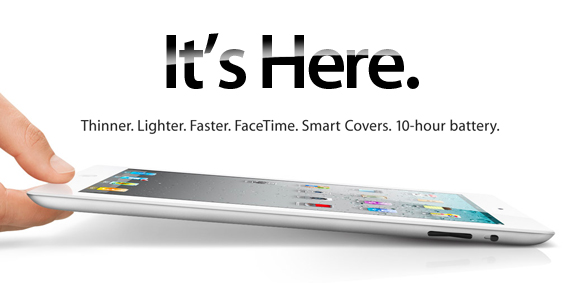
The Time Is Now! iPad 2 Is Online

The iPad 2 has officially launched in the Apple Store for United States shoppers, and if you don’t know why or what you’re getting into, quickly get the rundown from our iPad 2 roundup. It’s available in eighteen different models between white & black, storage capacities, and carrier compatibility, and they’re all up for grabs. Don’t forget about the iPad 2’s must have accessories, including those delicious Smart Covers (which I think are genius), the Apple iPad 2 Dock, the Apple Wireless Keyboard and the AV Digital Connector for HDMI out. Lastly, don’t forget about AppleCare!

Shipping Updates:

  • iPad 2s are shipping within 3-5 business days (limit two per order).
  • Smart Covers are shipping within 1-2 business days.
  • The iPad 2 Dock is shipping within 1-3 weeks.
  • Digital AV Adapters are shipping within 1-2 business days.

Apple will recommend a lot of these goodies at checkout. Once you add your iPad to the cart, the most common accessories (recommended for you) should help you checkout with a full basket faster.

If you’re considering some optional upgrades, the Apogee JAM is available as a companion for GarageBand, and will ship within 3-4 weeks.

Update: iPad 2 shipping times in the US are already up to 5-7 business days from 3-5 business days last night.
Flickpad Pro 2.4 Launches: Visual Updates & The Return of Flickr Explore Grid

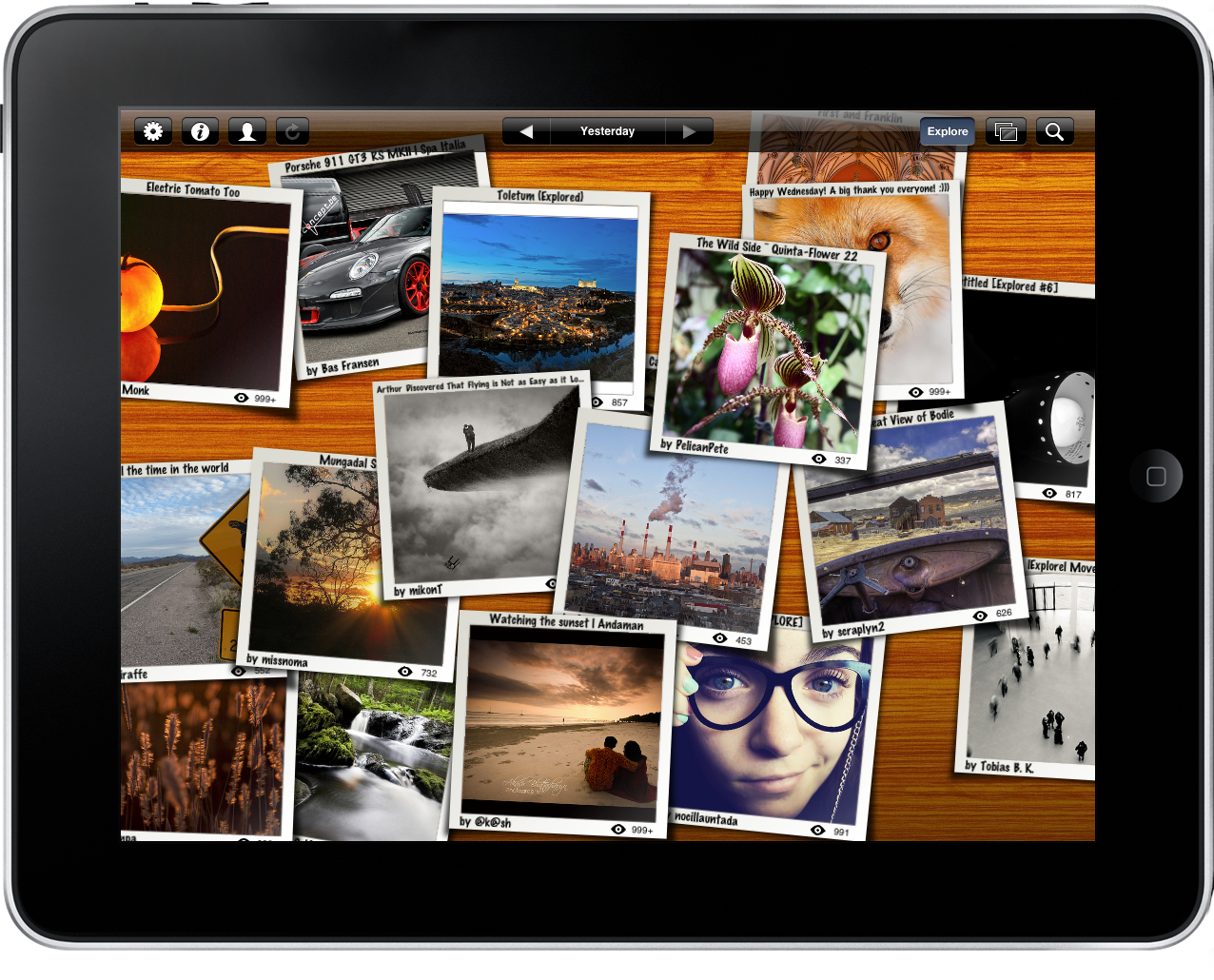
Flickpad is an immersive way to browse Flickr and Facebook photos with flickering fingers, and the latest Flickpad update brings an update interface (new app icon and wood background), introduces advanced search capabilities, and brings back Flickr Explore in a grid-tastic format. We reviewed Flickpad a while ago, and it’s still a fantastic way to browse through photos by flicking them off the screen, browsing the latest photos as a slideshow, and to comment on inspiring photographs. You can download Flickpad Pro on your iPad for only $0.99 from the App Store.


The HandStand: The iPad Case With A Hand Strap

HandStand

HandStand

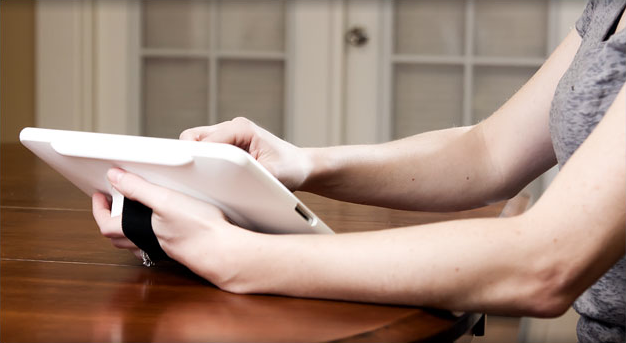
Similar to the Meglio whose Kickstarter we promoted yesterday, we’d be remiss if we didn’t talk about The HandStand for your iPad. A velcro strap secures the iPad to the palm of your hand, and allows the iPad to rotate a full 360 degrees for comfort and mobility. It offers a slight typing angle with its studded back, and provides full protection against scratches and dings. It might not be as functional in the movie stand or hanging shelf department, but this could be a better alternative for iPad walk-a-roos. You can get one for $49.95 if you’re holding on to your original iPad (an iPad 2 version is coming in the Spring).

The HandStand iPad Holder


GarageBand for iPad Now Available

Following the release of iMovie for iPad, Apple also pulled the trigger on the second app unveiled at the March 2 event, GarageBand for iPad. The app is available now in the App Store at $4.99.

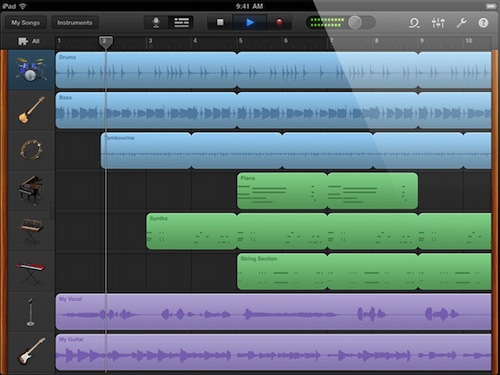
GarageBand for iPad features an intuitive interface depicting real music instruments you can play with your fingers and multitouch; with Smart Instruments, users who are not musicians but still want to play music can use the tools provided by the app to easily switch between chords and notes without actually having to precisely know music. For medium to advanced users, GarageBand offers a semi-professional music making and mixing environment with multi-track audio recording, exporting features, touch instruments with a realistic interface for drums, guitars, synthesizers, pianos and many more. GarageBand for iPad really is a full-functional port of the Mac version with the addition of multitouch that allows you, for example, to play instruments at different sensitivity levels thanks to the built-in support for pressure recognition through the accelerometer.

GarageBand looks like a must-have for iPad owners and an app that we’ll thoroughly test next week once we get our hands on the iPad 2. You can find it here at $4.99. Full changelog below. Read more


The iPad: Does It Need Programming Apps?

Many things have been said about the iPad as a content creation tool, rather than a device to consume media like music, movies and photos. In spite of the plethora of apps released in 2010 that proved you can actually do stuff on an iPad, at the iPad 2 event last week Steve Jobs himself wanted to remember the audience how the tablet is “no toy”, also thanks to the upcoming iMovie and GarageBand apps. But no matter how many apps allow you to produce and create original content using only your fingers and the virtual keyboard, there’s still a niche market Apple hasn’t addressed yet: coding apps. Read more


Developers Can Still Enable Multitasking Gestures in 4.3 Final with Xcode

With the final release of iOS 4.3 final yesterday, several readers asked us whether or not Apple pulled the multitasking gestures that had been implemented in developer betas of iOS 4.3. As we noted in January, multitasking gestures for iPad were only meant for testing purposes so developers could test the integration of gestures in their apps. The feature needed to be activated with Xcode.

We received word from several developers that the multitasking gestures can still be enabled in the final version of iOS 4.3 (build 8F190, same as GM), but you will need Xcode and an Apple Developer account to register the device for development and activate the gestures panel in the iOS Settings app. Again, the process takes less than a minute and you can find the instructions here.

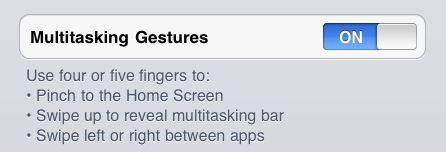
The gestures in iOS 4.3 final are the same of earlier betas:  four or five finger pinch to Home screen, swipe up to reveal the multitasking bar, swipe left or right to switch between apps. So if you have Xcode and a dev account, update your iPad to 4.3 final and you’ll still be able to activate gestures. [via RazorianFly]


Kickstarter Project - Meglio: Rotatable Handle & Stand for the iPad

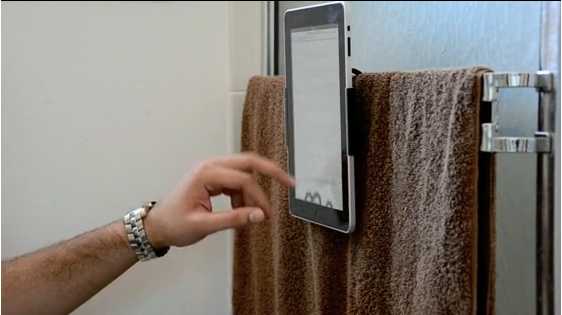
It’s just another iPad stand right? Maybe you’d be intrigued if I told you this particular handy iPad accessory was made out of Carbon Steel. The Meglio consists of an iPad grip that rotates on a handle that can be gripped with your hand, or stood on a table face down or face up for typing. An intriguing concept, the Meglio is built around the idea the iPad is just too heavy and flat to comfortably accommodate your computing needs. In fact, the handle can be used to free-ball your iPad from the shower railing. Carbon steel probably doesn’t rust, but I wonder if he realizes that he’s one mis-flush away from triggering the water sensor in his iPad?

If you pledge $40 or more, you’ll get a Meglio of your very own to accompany your iPad (and iPad 2), and you can catch the project pitch after the break.

Read more


Kickstarter Project - LetterMpress: A Virtual Letterpress on Your iPad

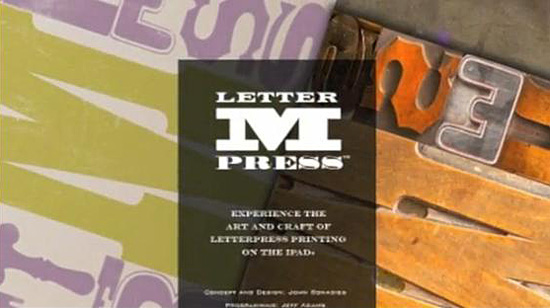
If you’re a typenerd like myself, you enjoy things such as serifs, kerning, ligatures, logotype, mean line, metrics, multiple master font, orphan line, outline font, just to name a few. I went to school for this stuff, so don’t hate me for dropping typenerd lyrics on you. If you have ever experienced the craft of a letterpress, I don’t have to explain to you how cool it is. I got into the newspaper industry after the letterpress was pulled away and replaced with computers, film machines and direct-to-plate technologies but the relics were still around, plus it was mandatory to experience it in college typography classes. The design process of an age-old letterpress process is this: you arrange type and “cuts,” or artwork, on a press bed, lock and ink the type, then print.

Video and screenshots after the break. Read more