


Sorry for not having Deals yesterday, it was hectic around MSHQ! But don’t worry, today will make up for it! Here are all of today’s deals on iOS, Mac, and Mac App Store apps that are on sale for a limited time, so get ‘em while they’re hot!
Posts tagged with "mac"
#MacStoriesDeals - Super Friday!
Apple Prepares For Retina Monitors With HiDPI Mode in OS X Lion
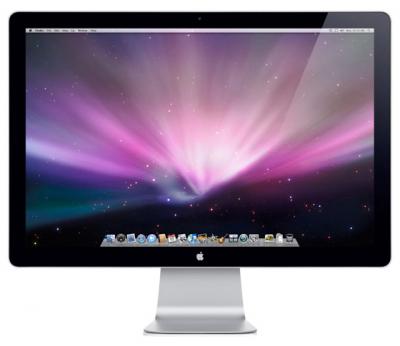
Digging through the build of Mac OS X Lion that was seeded to developers yesterday, MacRumors discovered the presence of “HiDPI display modes” which suggests that Apple is planning for the possibility of Mac displays running something similar to a Retina display sometime in the near future.
Developers would, as they have done on the iPhone, provide each UI element in two sizes, one in the size they currently are and then one at twice the resolution. It would work virtually identically to how Apple implemented the Retina display for the iPhone, with the high-resolution displays using the double sized UI elements so that physically the size of the elements would stay the same.
MacRumors gives the example of a 15” MacBook Pro that has a resolution of 1440x900 that could be doubled to 2880x1800 and then use an app’s UI 2X elements and which would leave the application’s UI elements the same physical size, but with much greater detail. Apple had previously dabbled in the notion of creating OS X a resolution independent OS through a number of methods from using vector graphics to providing bitmaps for multiple screen resolutions, but none had previously eventuated.
The HiDPI mode is not turned on by default and must be done so through Lion’s Quartz debug in Xcode.
[Via MacRumors]
Sparrow Lite Available in the Mac App Store
Sparrow, one of our favorite mail clients for the Mac, has just realeased Sparrow Lite via the Mac App Store. The Lite version integrates all the features of Sparrow but you can only use one Gmail mail account, it has ads by Carbon (very nice by the way), and your signature adds ‘Sent with Sparrow’ after your name.
Sparrow Lite is a great way to give it a try before deciding if you are interested in buying the full version for $9.99. Sparrow Lite is FREE and is now available in the Mac App Store.
What Is Thunderbolt?

Thunderbolt technology is what was Intel’s Light Peak. It’s not an Apple technology, but rather the culmination of Intel’s handiwork in combination with Apple’s mini DisplayPort. While Light Peak was developed to work over fiber (literally for light speeds), Thunderbolt is implemented over copper. Despite this, you’re still getting bi-directional (in and out as they say), 10 Gbps connection over a cable, plus a 10 Watt feed so you can power heavy equipment on the go (you don’t get that with USB). For comparison, your current USB 2.0 devices only get 480 Mbps through the cable! With this technology, you can drive multiple inputs including monitors, workstations, and audio equipment without a bird’s nest under your desk.
FaceTime for Mac Now Available in the Mac App Store, 720p Video Calling
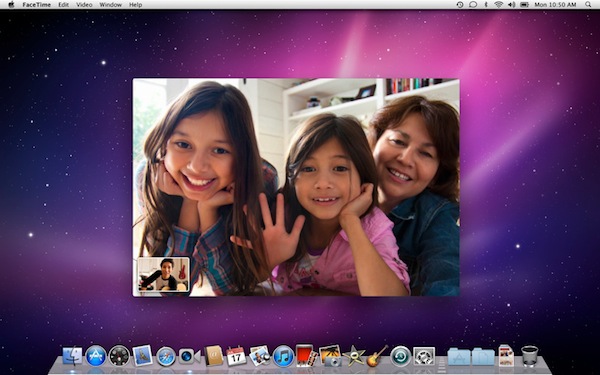
Ahead of the new MacBook Pros, Apple launched the final version of FaceTime for Mac in the Mac App Store today. It’s priced at $0.99. The new version of FaceTime for Mac will allow 720p video calling Mac-to-Mac with supported Intel models that have a FaceTime HD camera – the new MacBook Pros. New MacBook Pro owners will get the app pre-installed, other users will have to buy it from the Mac App Store.
Video calls require a built-in FaceTime camera, an iSight camera (built-in or external), a USB video class (UVC) camera, or a FireWire DV camcorder; and a 128-Kbps upstream and downstream Internet connection. Making HD video calls requires a built-in FaceTime HD camera and a 1-Mbps upstream and downstream Internet connection. Receiving HD video calls requires a supported Intel-based Mac (for a complete list, visit http://support.apple.com/bk/HT4534).
Full description below. Read more
Bodega Update Adds Background Updating

Bodega, the alternative Mac App ‘store’, has been updated to version 1.4 and has a new feature that allows Bodega to update apps in the background. The app has also received extensive feature and performance improvements.
The background updater works as a background daemon that will check once a week for any applications that can be updated. It utilizes the Sparkle update framework, so whilst it may not work for every app, it should work for most. Bodega does not have to be running for the daemon to check and users have the option of ignoring pending updates if they wish.
[Via MacNN]
#MacStoriesDeals - Wednesday

SyncMate 3 Syncs Androids To Mac Over WiFi, Bluetooth, & USB
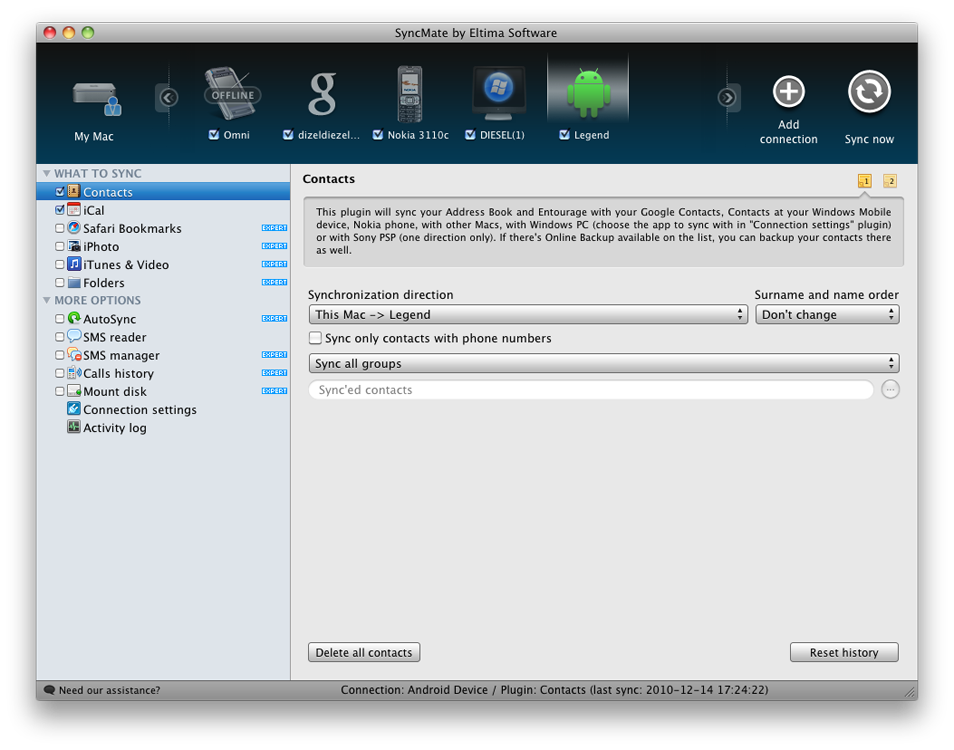
Why are we talking about Androids? Let’s just say our little green friends need some love too, and there’s nothing like a quick trip down syncing lane to remind us that manually inserting tunes onto your SDCard is definitely a lot more painful than iTunes. Without bloated music software, how can you manage your Droid or Nexus One? Eltima Software has the answer with their launch of SyncMate 3, which is a well rounded information manager I reviewed not too long ago. If you sport the latest in Google technology, SyncMate’s latest update can mount your Android phone wirelessly or by cable, and sync contact information like music, images, and video straight to the device.
One of my complaints was SyncMate was its interface, but the latest rendition is much improved to fit our sometimes picky standards. Plus, I quite like having a portrait of Andy giving me a quick link to my Motorola Droid when it’s time to load a podcast or two. If you’re still syncing with those Windows PCs, SyncMate also gives you more control over which accounts you want to pull information from.
If you have Android phone and use a Mac (don’t forget SyncMate is on the PC too), you’ll want to check out the latest update at Eltima Software. SyncMate Expert includes all the features described above (including the ability to manage SMS which is neat), and costs only $39.95 for a personal license (good for two Macs).
Lion To Feature “UI Overhaul”, Developer Beta Soon?

OS X 10.7 Lion was first shown off in October last year at the ‘Back to the Mac’ event with an expected launch of summer 2011. As we near the beginning of spring, TechCrunch has reported that it has seen a significant spike in traffic from computers running Lion. This, along with what TechCrunch has heard, suggests that Lion is being widely tested internally at Apple, perhaps in anticipation of a beta soon, they also note that:
And while we already know some of the new features thanks to Apple’s preview, there are still a few surprises, apparently. One of these is a much-anticipated UI overhaul. But that means that developers are going to need to be ready when it rolls out. And along those lines, we’re hearing that a developer beta should begin soon. There’s no firm timetable for this yet, but again, we’re only 4 months away from the summer.
This makes some sense to us here at MacStories; Apple would likely want to release a beta before WWDC so that some of the training sessions at WWDC can be about Lion, particularly if there are any significant changes to UI and then launch Lion at WWDC or soon after.
[Via TechCrunch]