This Week's Sponsor:

LookAway

It helps you take regular breaks from your Mac to rest your eyes, without breaking your flow.


Posts tagged with "mac"

Start the Clock! Speed-Up & Chronos Are In This Timely Giveaway

Podcasts and getting things done tend to go hand-in-hand at the office. For those who want to blaze through a podcast session, your iPhone offers the ability to speed up your talking heros for a quicker injection of information. Speed-up brings that same control to your Mac via the menubar, and it was reviewed a while ago as a podcast throttle for your Mac.

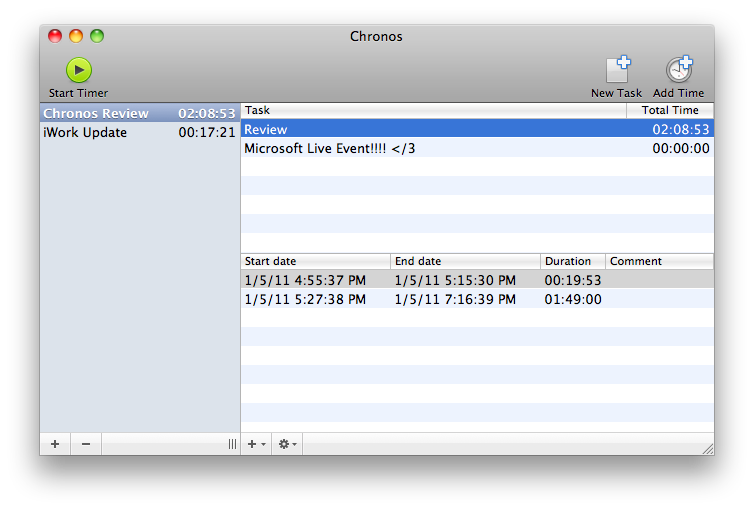
Chronos is also an app we recently reviewed, and continues our time theme by keeping track of various tasks and projects on your Mac. It’s very simple to use, and can accommodate a Mac user as a progress indicator from the dock or menubar.

We’re giving away four copies of each, and we recommend that you check out Speed-up and Chronos in the Mac App Store before clicking past to the giveaway after the break.

Read more


Twitterrific 4 Update Hides Dock Icon, Opens Links in Background

Twitterrific 4 Update

Twitterrific 4 Update

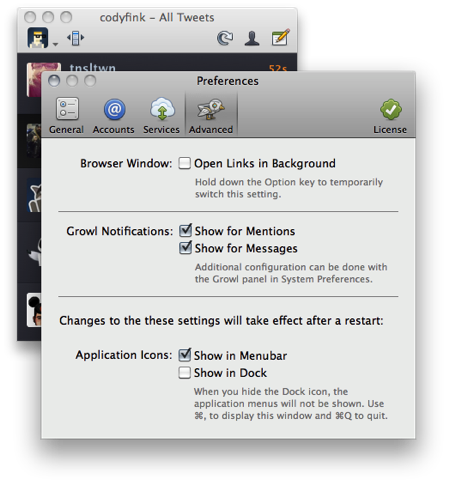
All hands on the Mac App Store! Get your update button ready for Twitterrific 4.0.1, a substantial update to the already awesome Twitter client that’s bringing loads of cool new features. Now supporting key commands for page-up & page-down, you’ll also find a “Full Metal Ollie” who’s ready to take on some of the client’s advanced features. Per your requests, you can now hide Twitterrific in the dock, open links in the background by default, and get notified of important mentions and messages through Growl.

If you don’t yet have Twitterrific, a free version is available at Twitterrific.com with ads, while a full version can be had for $9.99 on the site or on the Mac App Store.


First Lion App Compatibility List Is Here, You Can Contribute Too

With the first developer beta of Lion “out in the wild”, it’s no secret people want to know which apps are working on the new OS, and experimenting with ways to let incompatible software run just fine on 10.7. Website RoaringApps has put together the first unofficial app compatibility list for OS X Lion, and it’s already a pretty huge one.

Anyone can contribute to the Wiki by sharing details of an app that’s working on Lion or has issues, or you can join the community to discuss the list with fellow Mac testers and developers.

Again, the list is very useful and available here. Check it out.


Buy Todolicious Today, Donate To The New Zealand Red Cross

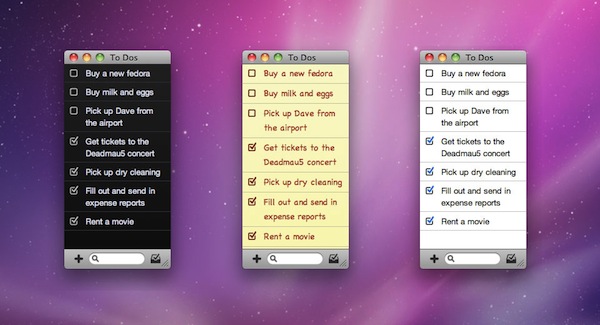
Mac app Todolicious by Mustacheware was one of the first Mac App Store-exclusive apps we covered ahead of the launch of the new Store and, overall, an elegant to-do manager for the Mac that makes it easy to jot down tasks with an intuitive keyboard-based panel you can invoke at any time. With the choice of multiple themes and cute sound notifications for completed tasks, Todolicious still is one of the “best new apps” available in the Mac App Store (also mysteriously not featured  by Apple since January 6th).

An update to Todolicious was released today adding a new editing engine and an option to delete completed to-dos, but that’s not what we want to focus on right now. The update is great and adds a bunch of much requested fixes, but what we think is absolutely worth of your consideration is the fact that Mustacheware decided to donate 100% of sales today to the New Zealand Red Cross in response of the earthquake that occurred on February 21. If you buy Todolicious today (February 25), you’ll give your contribution to the victims of the earthquake and, at the same time, you’ll end up with a sweet application on your Mac.

So head over the Mac App Store now, and download Todolicious.


#MacStoriesDeals - Super Friday!

Sorry for not having Deals yesterday, it was hectic around MSHQ! But don’t worry, today will make up for it! Here are all of today’s deals on iOS, Mac, and Mac App Store apps that are on sale for a limited time, so get ‘em while they’re hot!

Read more


Apple Prepares For Retina Monitors With HiDPI Mode in OS X Lion

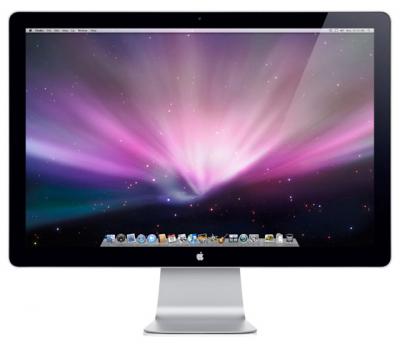
Digging through the build of Mac OS X Lion that was seeded to developers yesterday, MacRumors discovered the presence of “HiDPI display modes” which suggests that Apple is planning for the possibility of Mac displays running something similar to a Retina display sometime in the near future.

Developers would, as they have done on the iPhone, provide each UI element in two sizes, one in the size they currently are and then one at twice the resolution. It would work virtually identically to how Apple implemented the Retina display for the iPhone, with the high-resolution displays using the double sized UI elements so that physically the size of the elements would stay the same.

MacRumors gives the example of a 15” MacBook Pro that has a resolution of 1440x900 that could be doubled to 2880x1800 and then use an app’s UI 2X elements and which would leave the application’s UI elements the same physical size, but with much greater detail. Apple had previously dabbled in the notion of creating OS X a resolution independent OS through a number of methods from using vector graphics to providing bitmaps for multiple screen resolutions, but none had previously eventuated.

The HiDPI mode is not turned on by default and must be done so through Lion’s Quartz debug in Xcode.

[Via MacRumors]


Sparrow Lite Available in the Mac App Store

Sparrow, one of our favorite mail clients for the Mac, has just realeased Sparrow Lite via the Mac App Store. The Lite version integrates all the features of Sparrow but you can only use one Gmail mail account, it has ads by Carbon (very nice by the way), and your signature adds ‘Sent with Sparrow’ after your name.

Sparrow Lite is a great way to give it a try before deciding if you are interested in buying the full version for $9.99. Sparrow Lite is FREE and is now available in the Mac App Store.


What Is Thunderbolt?

Thunderbolt technology is what was Intel’s Light Peak. It’s not an Apple technology, but rather the culmination of Intel’s handiwork in combination with Apple’s mini DisplayPort. While Light Peak was developed to work over fiber (literally for light speeds), Thunderbolt is implemented over copper. Despite this, you’re still getting bi-directional (in and out as they say), 10 Gbps connection over a cable, plus a 10 Watt feed so you can power heavy equipment on the go (you don’t get that with USB). For comparison, your current USB 2.0 devices only get 480 Mbps through the cable! With this technology, you can drive multiple inputs including monitors, workstations, and audio equipment without a bird’s nest under your desk.

Read more