Posts tagged with "mac"

MagicWand Connects Magic Trackpad and Apple Keyboard

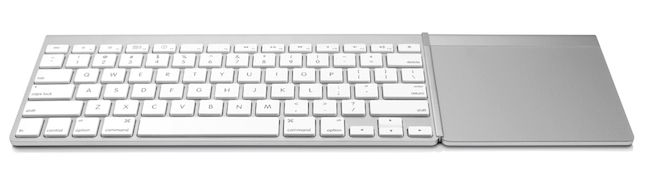
The MagicWand, a new accessory from Mac-only company TwelveSouth, aims at transforming your desk into the setup you’ve always dreamed of by connecting the Magic Trackpad you know and love with the Apple Bluetooth Keyboard. With the MagicWand, the Magic Trackpad and the keyboard will become a single input device you can use with any Mac anywhere you are – on your desk, sofa, kitchen, and so forth.

The concept of a unified keyboard and trackpad isn’t new to Mac aficionados. In the past months, we covered the BulletTrain Express, a product that puts the two pieces of hardware onto a single aluminum surface. The concept of the MagicWand is similar, but the experience looks more streamlined and easier to set up. Plus, you don’t have to buy a dedicated keyboard or additional trackpad as you just have to set up the accessory to connect Apple’s devices.

TwelveSouth’s promo video and product page detail some of the scenarios for the MagicWand, such as Photoshop “two hands at a time” or browsing photos on your Mac from the comfort of your couch. The idea, again, is interesting and elegant enough in typical TwelveSouth’s fashion.

The MagicWand will cost you $29.99 with free shipping for a limited time (United States only). Check out the MagicWand’s official page for more info, and video after the break. Read more

Midnight Inbox Touch - Get Things Done. Beautifully.

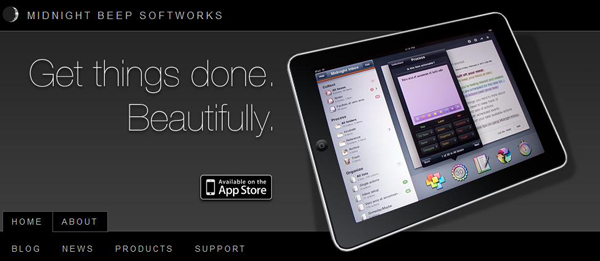
Today Midnight Beep Softworks released a major update to Midnight Inbox™ Touch, a GTD app for iPad. Midnight Inbox™ Touch is a professional-grade GTD productivity app and it’s now $9.99, compared to Thing’s $19.99 and OmniFocus ($39.99). The total system for an iPhone, iPad, and a Mac is only $35. There’s even a free version for Mac, Inbox Classic, if you want to save a few bucks and use an older version. Read more


#MacStoriesDeals - Tuesday

You can always tell when an holiday passes, app prices jump back up! Here are today’s deals on iOS, Mac, and Mac App Store apps that are on sale for a limited time, so get ‘em while they’re hot!

Read more


Free Utility Gives Spotify for Mac Global Hotkeys

Spotify, the music streaming service that’s struggling to launch in the US, comes with a nice desktop Mac app that allows you to access the service’s online library, social features and playlists created by you or shared by other users. The app, in spite of its beautiful design and ease of use, doesn’t provide an option to control playback with the keyboard, and if you try to use the Mac’s default media keys iTunes will open instead.

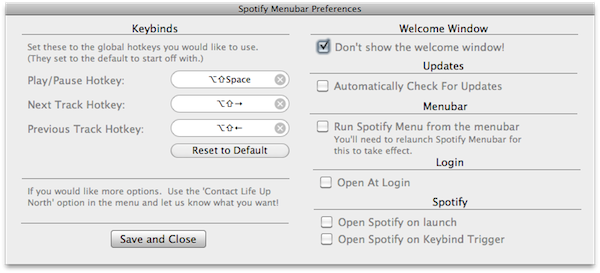
Spotify Menubar, a free utility developed by Life Up North, gives your Spotify for Mac a bit of keyboard shortcut love with controls to trigger play and pause, previous and next track, and so forth. The app runs in the menubar, and can force Spotify to launch on login or open on keybind trigger. It’s really simple and starightforward, and enables you to pause streaming without interfering with iTunes.

You can download Spotify Menubar here.


Portal 2 Available For Pre-Order Now

Well after some delays, Portal 2 is now finally available for pre-order for an expected release of April 18th.  Mac users can pre-order the game for US$44.99 on Steam or at selected retail shops, some of which have special pre-order offers;

Special pre-order offers vary at participating outlets around the world and include a variety of dollars off and/or exclusive in-game content for those who reserve the game for purchase before it is released the week of April 18. These include $5 off the full price, exclusive in-game skins for the coop bots (Atlas and P-body), and more.

Read more


Sparrow for Mac Update: Faster, AppleScript Support

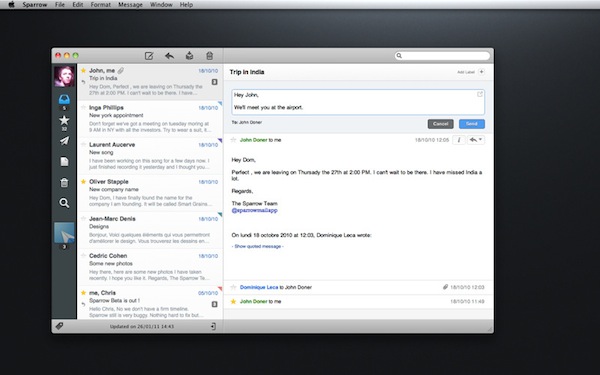
Since its release in the Mac App Store last week, Gmail desktop client Sparrow has been sitting among the top paid software charts and has gained a huge userbase. The app is clean, minimal and it perfectly blends the typical Gmail environment into a Mac-like package that reminds us of Tweetie. I like Sparrow, and although general IMAP support is still nowhere to be seen I have been using as my default email client for the past week (I use Gmail on a daily basis, more specifically Google Apps).

The developers are working hard on making Sparrow a full-featured email app for the desktop, and this begins today with the first update – available now in the Mac App Store. Sparrow 1.0.1 comes with improved sending speed for outgoing messages (it used to takes a few extra seconds to send an email in version 1.0), a finally-working menubar mode, basic AppleScript support – which I’ll make sure to try out. Loading times of conversation threads have been improved as well.

Sparrow 1.0.1 is available here. We look forward to version 1.1, which should bring IMAP compatibility and more.


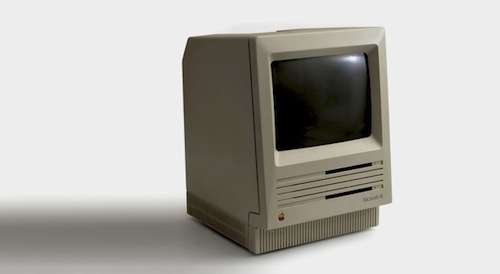
The Untold Story Of The First Mac

The Untold Story Of The First Mac

Aza Raskin shares a memo from his father Jef Raskin, one of the creators of the original Macintosh. An interesting tidbit about the vision of an integrated system, already growing at Apple back in the 80’s:

There were to be no peripheral slots so that customers never had to see the inside of the machine (although external ports would be provided); there was a fixed memory size so that all applications would run on all Macintoshes; the screen, keyboard, and mass storage device (and, we hoped, a printer) were to be built in so that the customer got a truly complete system, and so that we could control the appearance of characters and graphics.

Full document is available here, and it’s a must read. Thirty years ago, designers and engineers at Apple were already thinking about issues like software fragmentation and user’s ability to tinker with a device.

Permalink