Posts tagged with "mac"

Weet for Mac: The New Tweetie? More Like A Promising Beta App.

Weet for Mac was released yesterday as a first beta, and it quickly made the rounds of the internet as dozens of blogs covered the app, and thousands of users went ahead and downloaded the beta hosted on Droplr. It seems like until Loren Brichter comes out with his long-awaited Tweetie 2, there’s a real, tangible need of Twitter clients for OS X.

My guess is that, plain and simply, Tweetie still manages to be the best desktop Twitter client for many users. Sure it doesn’t support native retweets, it hasn’t got support for Lists yet and it hasn’t been updated in months – but the interaction and navigation methods developed by Brichter are still far superior than most clients available on the Mac.

That said – we don’t want to write another Tweetie-related post here – let’s take a look at Weet. It’s a first, rough and not-so-stable beta, but I think that it gives us an idea of things to come in this app, the path the developers have chosen with the app’s interface and the overall feeling. Read more


Apple Takes Down AirPrint Hacktivator, But It’s Already Back Online

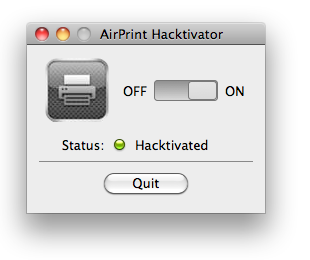
Remember AirPrint Hacktivator? It was a neat little hack thrown together by the folks over at Netputing which, by copying system files from the old developer betas of OS X 10.6.5, could enable AirPrint support for shared printers on the public version of 10.6.5. Admittedly, it wasn’t the most polished and “legal” hack, but it worked. And people liked it. And blogs covered it.

Too bad that when you publish software that re-distributes Apple’s source code, it comes a point where Apple legal makes a call. That’s exactly what happened to Netputing: they got an email from omm.com (one of Apple’s legal representatives) and were forced to remove the old versions of AirPrint Hacktivator, the one that copied old system files back into OS X 10.6.5. Read more


Apple Confirms: No Demos In The Mac App Store

Following last night’s seeding of a new build of Mac OS X 10.6.6, Apple updated its Developer News portal with a few tips for developers to consider before trying to submit their Mac apps for approval. Among these tips (which include file system usage and custom graphical controls), Apple confirmed what many developers feared since the Mac App Store was announced: Apple won’t accept any kind of demo, trial or beta version in the new Store.

Apple is, in fact, suggesting developers to host demos on their own websites, as the Mac App Store only accepts retail versions of apps:

Your website is the best place to provide demos, trial versions, or betas of your software for customers to explore. The apps you submit to be reviewed for the Mac App Store should be fully functional, retail versions of your apps.

We don’t know yet if Apple will provide a way to better showcase links to developers’ website in the App Store description pages (right now, the iOS App Store features two links buried under an app’s description, right above screenshots) but sure this is bad news for many developers who were hoping Apple would announce the possibility to release demo versions in the Mac App Store.

The Mac App Store opening isn’t too far away now, so we’ll know more about the whole process in the upcoming weeks.


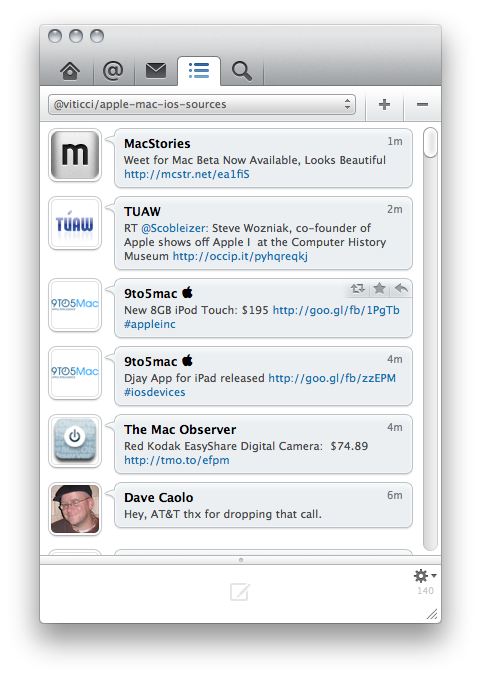
Weet for Mac Beta Now Available, Looks Beautiful

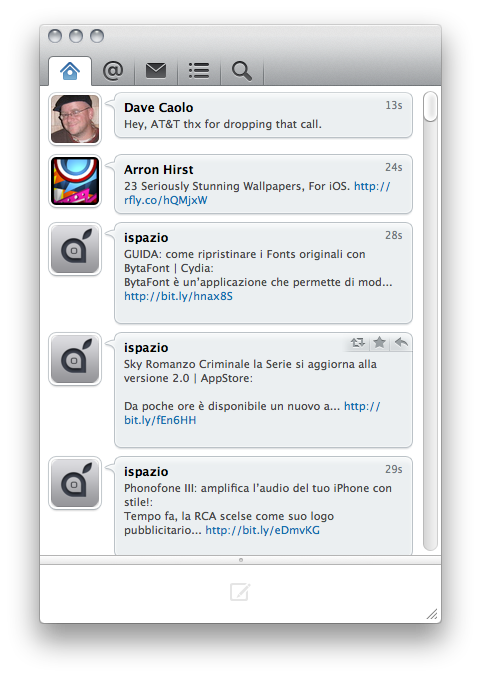
Weet, a popular Twitter client for iPhone released a few months ago (my review here), is now available for Mac users as “beta”. You can download the first version here.

From what we have seen so far, Weet for Mac looks like an extremely polished and elegant app to access your Twitter timeline. It seems like the developers did a great job in implementing lots of features, too. The app presents a tabbed interface at the top to let you switch between your timeline, mentions, direct messages, lists and search. The search tab contains your saved searches and trending topics. In the Lists tab, you can subscribe to a new list or check on your existing ones.

Weet’s interface is very clean and resembles the iPhone counterpart, great pixels by designer Marcelo Marfil are all over the place. After 5 minutes of usage, I can say I like the subtle tones of the “message bubbles” in the timeline, but I’m not sure about the huge scrollbar you can see in the screenshots. The app comes with multi-account support and lots of other stuff to tweak in the preferences. It’s also pretty fast at fetching tweets, although there’s no visual notification of refresh. Weet for Mac also features a Mute feature and keyword block functionalities.

Look for a detailed review here on MacStories tomorrow.

More screenshots below. Read more


FlickrExport 4.0 for iPhoto and Aperture Released

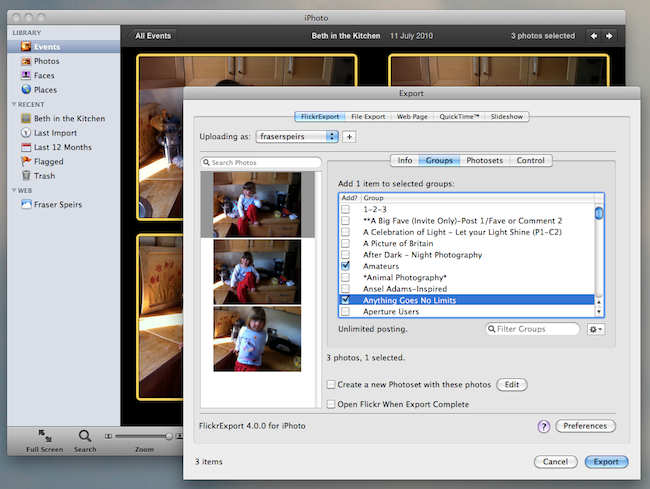
FlickExport by Connected Flow is a popular plugin for Apple’s iPhoto and Aperture which allows users to upload photos to online photo sharing service Flickr without having to leave the app. Today Connected Flow announced the release of a major update to FlickrExport, which reaches version 4.0 and, among a number of overall performance improvements and a simplified user interface, adds several new functionalities to an already powerful and full-featured package.

FlickrExport for iPhoto adds the possibility to upload videos, while both the iPhoto and Aperture versions got support for multiple Flickr accounts. All you have to do to add a new account is open FlickrExport’s window (which will sit on top of iPhoto or Aperture) and log in with your Flickr credentials. Switching between accounts is as easy as selecting one in a dropdown menu. Both versions are now also capable of uploading photos to multiple photosets, a much requested feature in version 3.x. Last, FlickrExport for iPhoto finally lets you edit a photo’s license once the photo is uploaded. Read more


So, Uhm, Soon You’ll Be Able To Use AirPrint With 6 More Printers

We thought AirPrint would make us print again, thanks to the power of iOS 4.2 and printers shared through OS X or Windows. It turns out achieving stable driverless printing ain’t that easy even for Apple, and the engineers at Cupertino were forced to remove support for AirPrint on OS X 10.6.5. We’ve already heard this story.

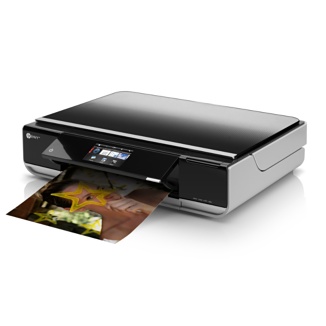
Steve Jobs promises more is coming soon and a few alternative solutions to print via OS X have surfaced, but as it stands now AirPrint officially works only with 7 HP printers out of the box. Read more


Old Macs Still Rock

Old Macs Still Rock

Of course, using Tiger means I personally couldn’t use a lot of the apps I require, like Espresso, nor could I manage Photoshop or InDesign with such a small visual canvas. I can’t stand notebooks anyway. But the intended audience wasn’t me. I chose Tiger over Leopard because it was intended on being used by people in an office environment, who needed word processing, internet, and email. And this is what most people use a computer for. They’ve been using the iBook for the past week, day-in day-out, and I’ve received no complaints so far — they have no clue that the brushed metal UI is ugly, even though they also have a Snow Leopard Mac mini running.

Techno-lust can lead to a flawed vision, making it difficult to see the true value in things.

Such a re-discovery wouldn’t be possible on iOS. You can’t download old versions of apps, and if you run the latest version most likely you’ll end up frustrated by the lack of optimization on older units.

You’ve got to play the update game with iOS.

Permalink


I Finally Closed My Google Reader Tab. Reeder for Mac Is That Good.

RSS readers for Mac have been ignored for too long. After an enormous, and maybe initially unexpected, success on the iPhone and iPad, developer Silvio Rizzi set out to create the best new desktop RSS reader. A very simple goal. Perhaps the most difficult to accomplish.

See, they say RSS is dead. Some claim saying “something is dead” is dead. Truth is, Twitter users, Instapaper lovers and Foursquare dwellers don’t know what “dead” means anymore. Especially when it comes down to apps and services, everything can be dead or excellent in a matter of a few weeks. Just take a look at Instragram’s numbers. RSS isn’t for my father or my average non-tech savvy friends, but it definitely isn’t dead. It was just looking for a new desktop house to spend his retirement days in.

Here comes Reeder for Mac to redefine the rules, conventions, UI decisions and navigation schemes of RSS on the desktop.  Read more