Posts tagged with "mac"

Mac OS X 10.6.5 Update Fixes MacBook Air Graphic Issues

A few weeks ago we reported of the graphic issues and kernel panics many users were experiencing on the new MacBook Airs. The issues got quickly reporte to Apple, which acknowledged them in a document leaked by BGR. With the latest Mac OS X 10.6.5 update, it seems like the issues have been fixed.

As Apple writes in a support document:

Symptoms

After waking from sleep, your MacBook Air display may flicker or fade from light to dark repeatedly.

Resolution

Download and apply the Mac OS X v10.6.5 update to resolve this issue.

You can go download 10.6.5 from Software Update or Apple’s website, and watch a video of the aforementioned MacBook Air graphic issues below.


Flight Control HD Now Available On The Mac via Steam

Just as promised two days ago, Firemint released Flight Control HD for Mac today. The game is available at 3,99 Euros via Steam, and it’s been published under the SteamPlay label so you’ll be able to play it both on a Mac and a PC – without having to buy it twice.

You’re an air traffic controller at an increasingly busy airport; just point and drag aircraft to their landing zones with your mouse or trackpad. Sounds easy? It isn’t! You’ll need nerves of steel and smart strategy to keep the chaos under control. Flight Control HD has been especially redesigned for PC and Mac, with updated graphics and an even tougher new challenge – the Steam exclusive Stunt map where you can increase your score by flying through the gates before landing!

The Mac version of Flight Control comes with an exclusive map and also features Steam achievements and leaderboards. Flight Control HD is coming to the Mac App Store as well.


Holiday Deals for Office for Mac 2011

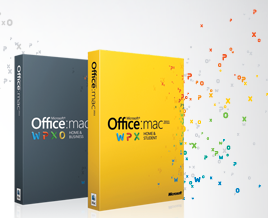
Office for Mac 2011 was released at the end of last month and it seems like it’s a pretty  solid release users who purchased it are really enjoying. With the holiday season around the corner (I wish we had something like Black Friday here in Italy), the Office for Mac team decided it would be appropriate to offer from sweet discounts on its brand new suite.

So this year Apple, Best Buy, and Mac Mall shoppers can save $20 on purchases of Office for Mac 2011 Home & Student. Amazon customers will receive $40 off, which is a great deal. These offers are available Thursday, November 25 – Monday, November 29.

We’ll update this post once the links to purchase the suite on Amazon will go live.

• Apple Stores (US & Canada): $20 off Home & Student Family Pack for $129 (regularly $149 ERP).
• Best Buy and MacMall (US): $20 off Home & Student 1-pack for $99 (regularly $119 ERP) and $20 off Home & Student Family Pack for $129 (regularly $149 ERP).
• Amazon (US): $40 off the Home & Student 1-pack for $79 (regularly $119 ERP) and Home & Student Family Pack for $109 (regularly $149 ERP).
• OfficeforMac.com (US): $20 off Home & Student Family Pack for $129 (regularly $149 ERP).


Get 40% Off App Tamer for Mac

Get 40% Off App Tamer for Mac

App Tamer tames applications that are chewing up excessive CPU time and battery life on your Mac. Its unique “AutoStop” feature will stop an application when you switch away from it, and then automatically restart it when you click back to it.

This is a neat app to free up CPU and save battery life I highly recommend. I use it on a daily basis on my iMac, and at $8.97 it’s a great deal. Promo ends in 10 hours.

Permalink

Borderlands: Game of the Year Edition Coming To The Mac On December 3rd

Popular PC and console game Borderlands is coming to the Mac, The Loop reports. Feral Interactive announced its plans to bring the “Game of the Year” edition of its game to Macs in December, though it’s not clear whether the new version will be also be sold on Steam or not.

A first-person shooter spliced with the DNA of a role-playing game, Borderlands takes you to the scarred desert surface of planet Pandora. Ravaged and abandoned by mega-mining corporations, and populated by prison convicts, miscreants and bloodthirsty alien monsters, it’s a hostile land. You’re a fortune hunter determined to find and open the mythical ‘Vault’, an alien artefact of unimaginable power. Luckily for you,Borderlands’ random content generation system means you’ve got guns. Lots of guns.

The game can be pre-ordered here at £35 (around $55), but if you don’t want to wait and prefer to run the game via Boot Camp, you can buy the Game of the Year edition for PC on Amazon at $49.


Zen Bound 2 Now On The Mac via Steam

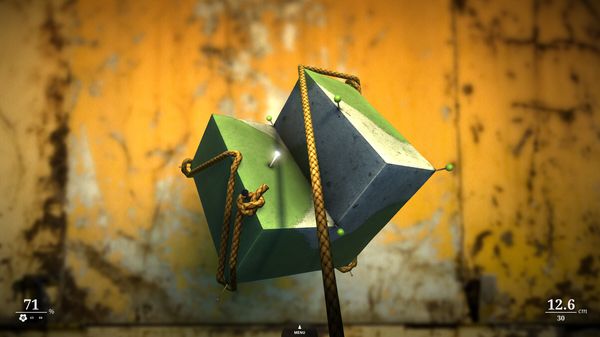
This summer, there was this friend of mine at the camping – Marco – who regularly came asking for my iPhone 4 to play one game: Zen Bound 2. He had become addicted to it since I first showed the app to him, and he turned out to be so good at covering creepy wood shapes with paint that I had to make him stop. Seriously, I uninstalled the app.

For those who of you unaware of the total awesomeness of Zen Bound 2, here’s the gist: in this game you have to wrap a rope around wood objects, the rope covers them with paint, you have to cover objects with a certain percentage of paint to complete a level. Absurd, simple. A must-have available at $2.99 for iPhone and iPad with Game Center support and Retina graphics. Read more


Going SSD On Your Mac

Those who follow me on Twitter know that a couple of weeks ago I upgraded my MacBook Pro (15-inch model, late 2008) to the new generation of hard drives: I bought a Solid State Drive, also simply known as SSD. Many have been asking and sending emails about the best tips to follow while changing a MacBook’s internal drive and upgrading to SSD, but the truth is there is no real “guide” or “tutorial” to follow. Yet another list post of must-read tips would be useless as my experience and setup is different than yours, and I’m not forcing anyone to follow steps and procedures that might just waste time.

So instead of putting together a tutorial, here’s the story of what I did. Read more


Developers Can Now Submit Apps With Identical Names in the iOS and Mac App Store

Two weeks ago we reported several developers were facing issues with Mac App Store submissions, as they weren’t able to register their app’s name in iTunes Connect. At that time it looked like “name squatters” were sitting on popular app names to force developers to pick different ones, but it turned out that a major issue was lying in Apple’s system itself.

Two weeks ago, in fact, developers who had already submitted an app to the iOS App Store with a certain name weren’t able to use that same name in the Mac App Store registering process. Imagine the frustration of developers who already had iPhone apps in the App Store and wanted to submit Mac counterparts to the upcoming store. Read more


Create PDFs From Any iOS Device

Create PDFs From Any iOS Device

I’ve decided to take it a step further for those who want to “print” but remain paperless: Print to a PDF. And not only print to a PDF, but then immediately have that PDF accessible to the same device.

Great tip over at TUAW. Not only you’ll be able to create PDFs inside apps that support AirPrint, you’ll end up having the document available in Dropbox with just one tap.

Permalink