This Week's Sponsor:

SoundSource

New Year, New Audio Setup: SoundSource 6 from Rogue Amoeba


Posts tagged with "Vision Pro"

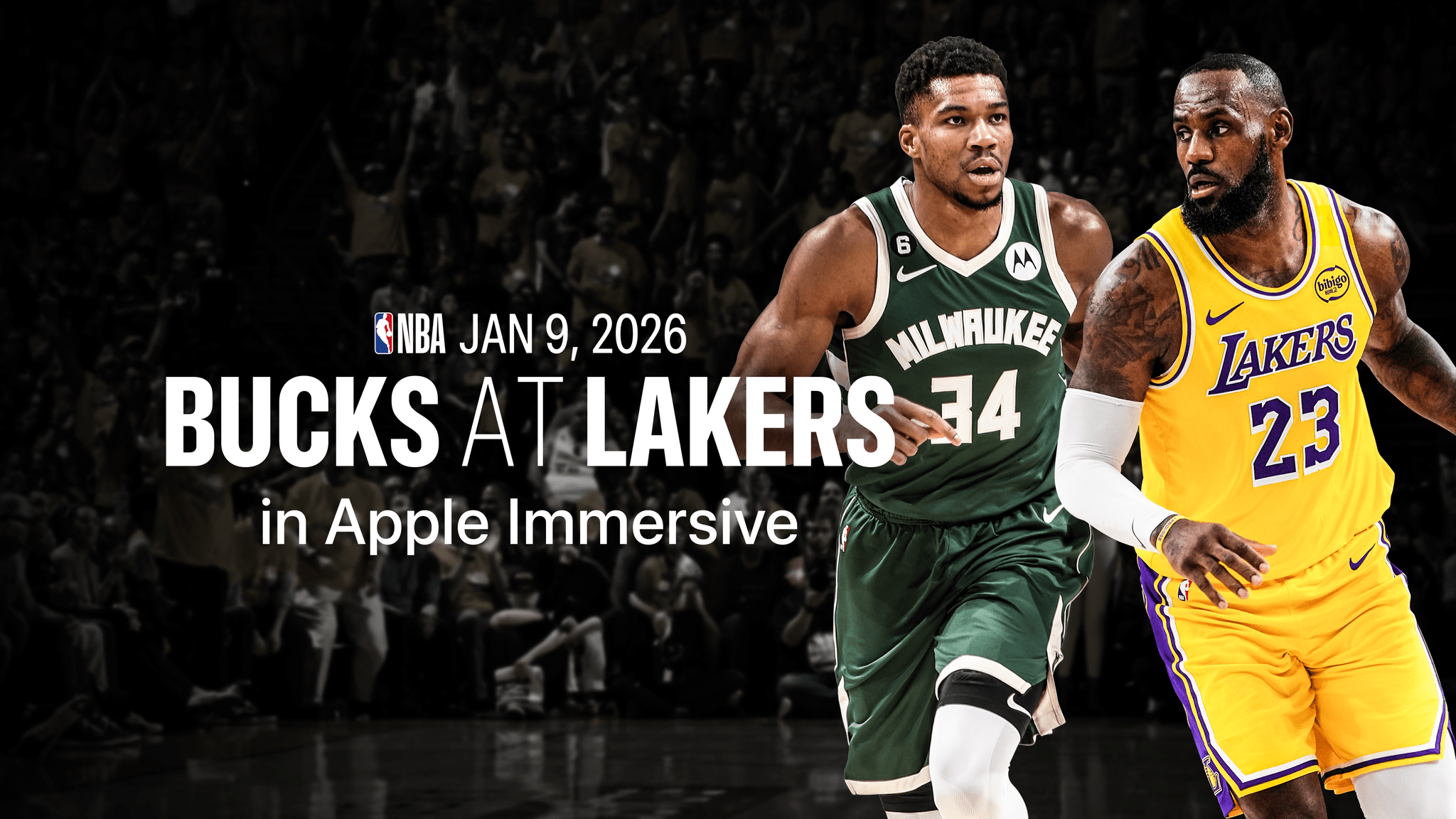
Immersive Lakers Game Now Widely Available on Apple Vision Pro

Last Friday, basketball fans in the Los Angeles Lakers market got their first glimpse of an immersive live game when the Lakers faced the Milwaukee Bucks on Spectrum Front Row on Apple Vision Pro. While that experience was limited geographically and only available to Spectrum customers via the Spectrum SportsNet app, the game replay is now available widely and for free in the NBA app. Vision Pro users in eligible regions outside Lakers territory can download the app, sign up for an NBA ID, and stream the game replay and highlights today. The full schedule and availability of immersive Lakers games were announced last week.

Being from Arkansas and not California, I missed out on the live premiere, but I was able to check out the game replay on my Vision Pro yesterday, and the experience was fantastic. Most of the game was shown from a front-row courtside perspective, which meant I was literally turning my head from side to side as the teams moved up and down the court. It was very different from the bird‘s-eye view I’m used to watching televised sports from, and it really gave me the impression of being in the arena. At one point, when a member of the Lakers scored a point, I felt the urge to start clapping as if they could hear me, even though I was sitting in my bedroom, not at the Lakers game.

There were several other camera angles that the broadcast cut to from time to time. The behind-the-basket view was a fun way to take in the action when someone was about to score, and there was a roaming camera that brought you onto the court itself before the game and during halftime as well. The cuts were sparing, which made the whole experience feel less jarring than some of the immersive sports highlights we’ve seen on Vision Pro before, but the combination of immersive video and multiple angles offered the best of both worlds. It felt like I was actually there taking in the game, and no matter what was happening, I always got to see it from the best angle.

Even if you’re not a big fan of basketball or the Lakers, it’s worth checking out the replay to see what the experience is like. Right now, broadcasting a game in this way is a big undertaking, but I have a feeling it will only become more and more common with time. If this concept eventually expands to other sports and live experiences like concerts, theatrical performances, and more, it would make a really compelling case for the Vision Pro and the sorts of capabilities only visionOS can offer.


visionOS 26: The MacStories Overview

Source: Apple.

Source: Apple.

As part of this year’s WWDC keynote, Apple today announced visionOS 26, the next major version of visionOS coming this fall. The update features new ways for users to experience spatial content, display information in their environment, and interact with apps and games. It represents the next step forward for Apple’s vision of spatial computing, including what the company refers to as “the spatial web.”

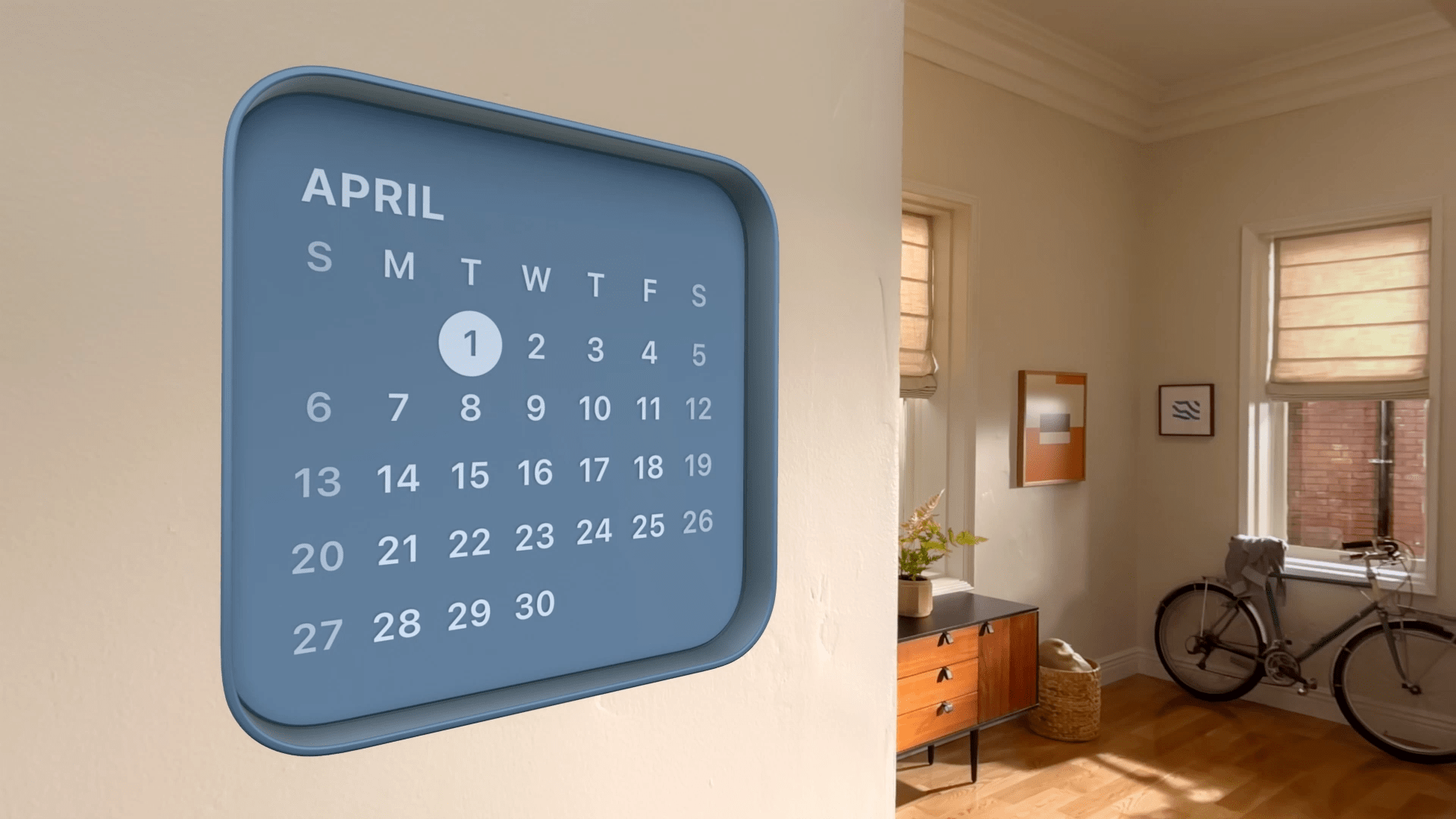
Since Apple’s new Liquid Glass design language borrows heavily from visionOS, design changes won’t be as striking on the platform. The most prominent user-facing feature of the update is likely to be spatial widgets.

Up to this point, native widgets have been completely absent on visionOS, and the company has introduced them in a way that is consistent with its other devices while adding a spatial flair. Widgets can be customized to include a border and a depth effect to blend in with the user’s environment, and they remain fixed persistently in place even after the Vision Pro restarts. Built-in options like the Clock, Calendar, Music, and Photos widgets were featured, though third-party developers will be able to provide their own widget options via the new Widgets app.

Various ways of experiencing spatial content have been enhanced in visionOS 26 as well. Building on last year’s introduction of spatial photo conversion, Apple this year added a feature called spatial scenes to all of its platforms. Spatial scenes add depth to photos, enabling users to experience their pictures from different perspectives by moving their heads. These scenes can be viewed in Photos, the Spatial Gallery, and Safari, and developers can add them to their own apps. visionOS 26 also adds native support for playing back 180-degree, 360-degree, and wide field-of-view content.

Read more


Apple Previews a Wide Range of Upcoming Accessibility Features to Mark Global Accessibility Awareness Day

Source: Apple.

Source: Apple.

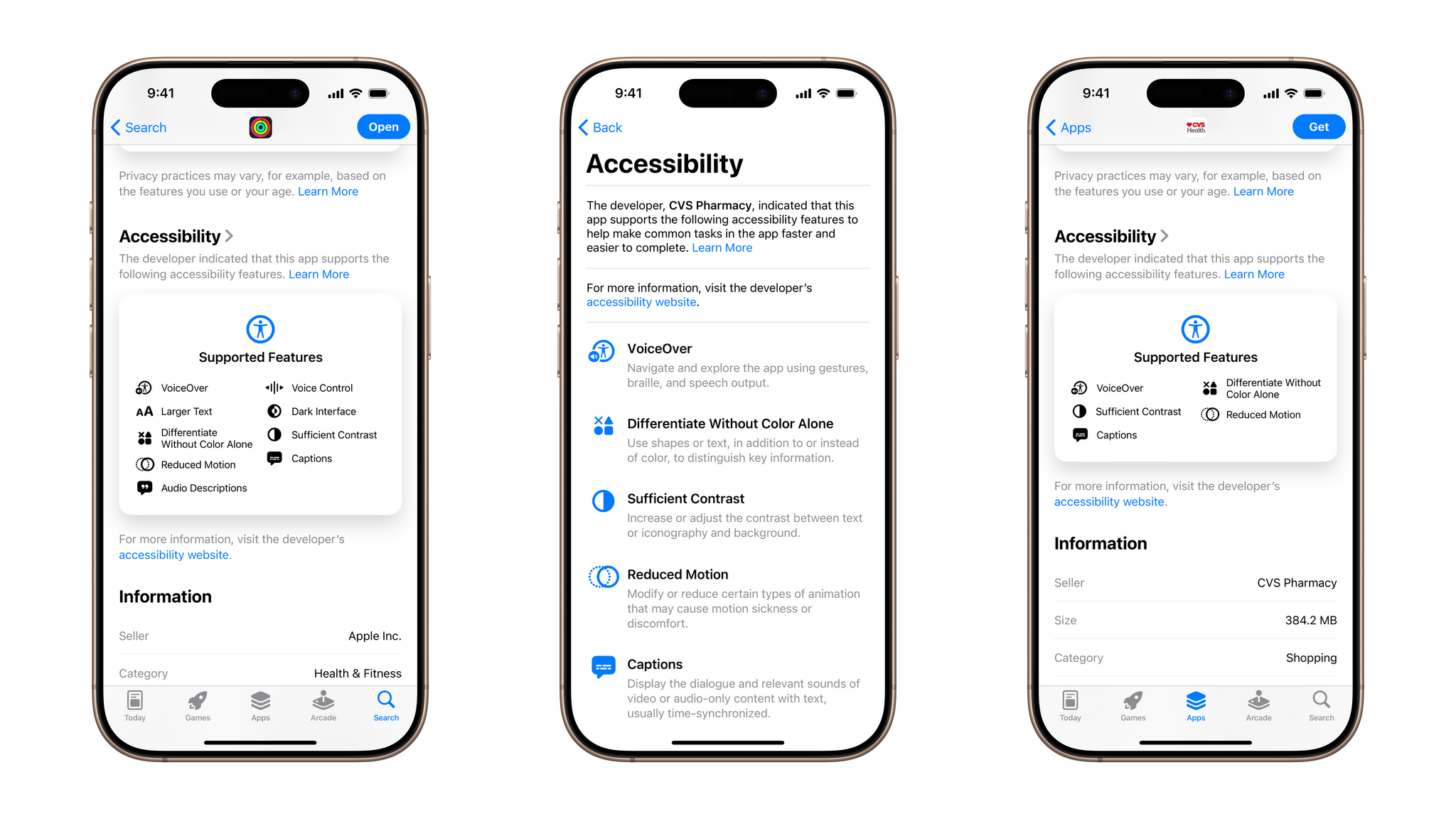
With Global Accessibility Awareness Day coming up this Thursday, May 15, Apple is back with its annual preview of accessibility features coming to its platforms later in the year. This year marks the 40th anniversary of the creation of the first office within Apple to address accessibility, and there’s no sign of any slowdown in the company’s development on this front. While no official release date has been announced for these features, they usually arrive with the new OS updates in the fall.

In addition to a new accessibility-focused feature in the App Store, Apple announced a whole raft of system-level features. Let’s take a look.

Read more


Apple Immersive Video Utility Released

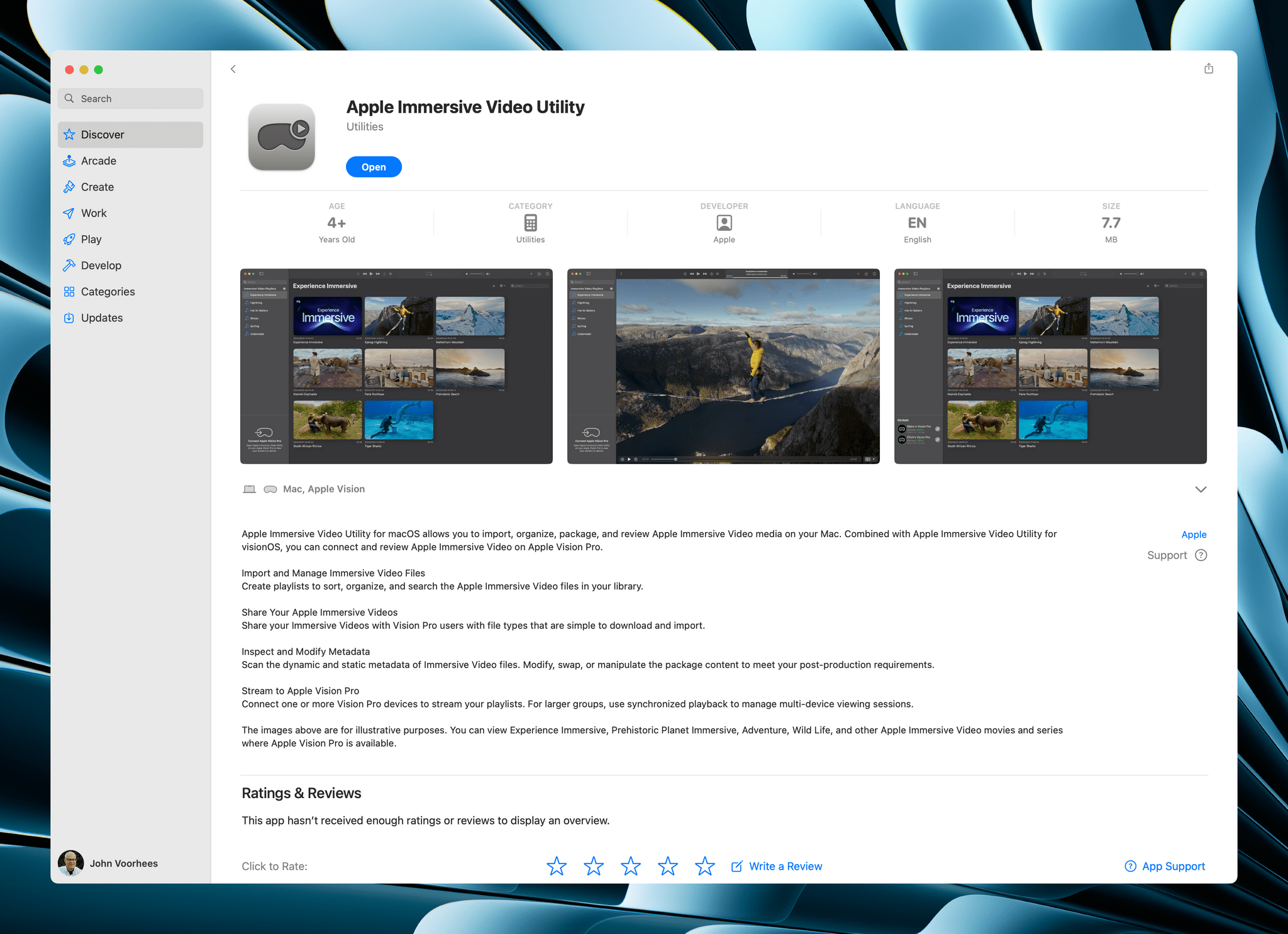
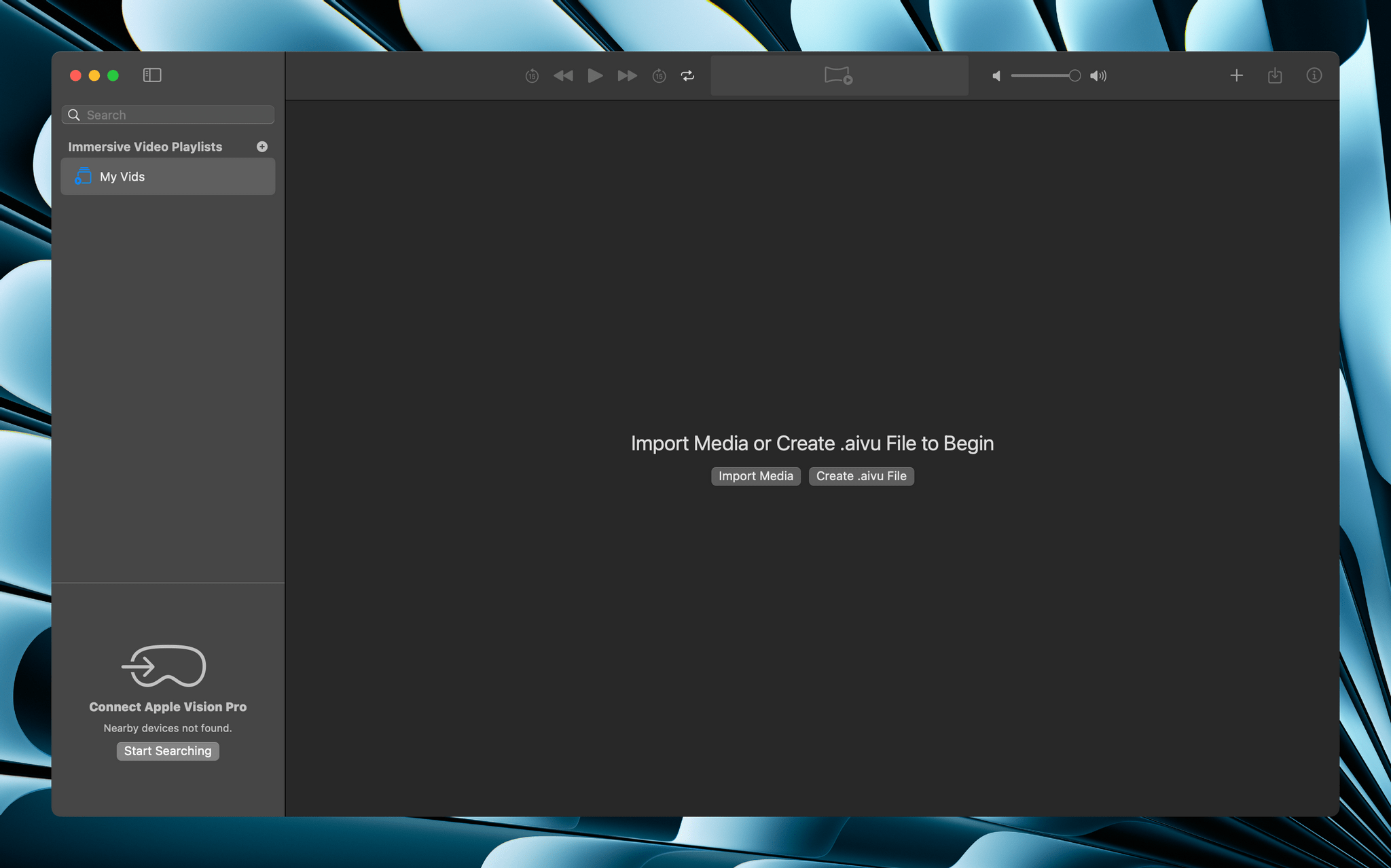
Apple has released a new companion app called Apple Immersive Video Utility for Vision Pro owners that allows them to organize and manage immersive content with the help of a Mac. The utility, which is available for the Mac and Vision Pro, allows users to view, stream, and organize Apple Immersive Video into playlists. The app supports more than one Vision Pro, too, synchronizing playback of content streamed from a Mac to multiple Vision Pros. Videos can also be transferred from the Mac app to a Vision Pro for watching them there.

Apple Immersive Video Utility.

Apple Immersive Video Utility.

The App Store description only touches on it, but Apple Immersive Video Utility, the company’s first new Mac app in a long time that wasn’t released as part of an OS update, appears to be designed for post-production work by video professionals. The app could also be used in group educational and training settings based on its feature set.

The Blackmagic URSA Cine Immersive Camera. Source: Blackmagic.

The Blackmagic URSA Cine Immersive Camera. Source: Blackmagic.

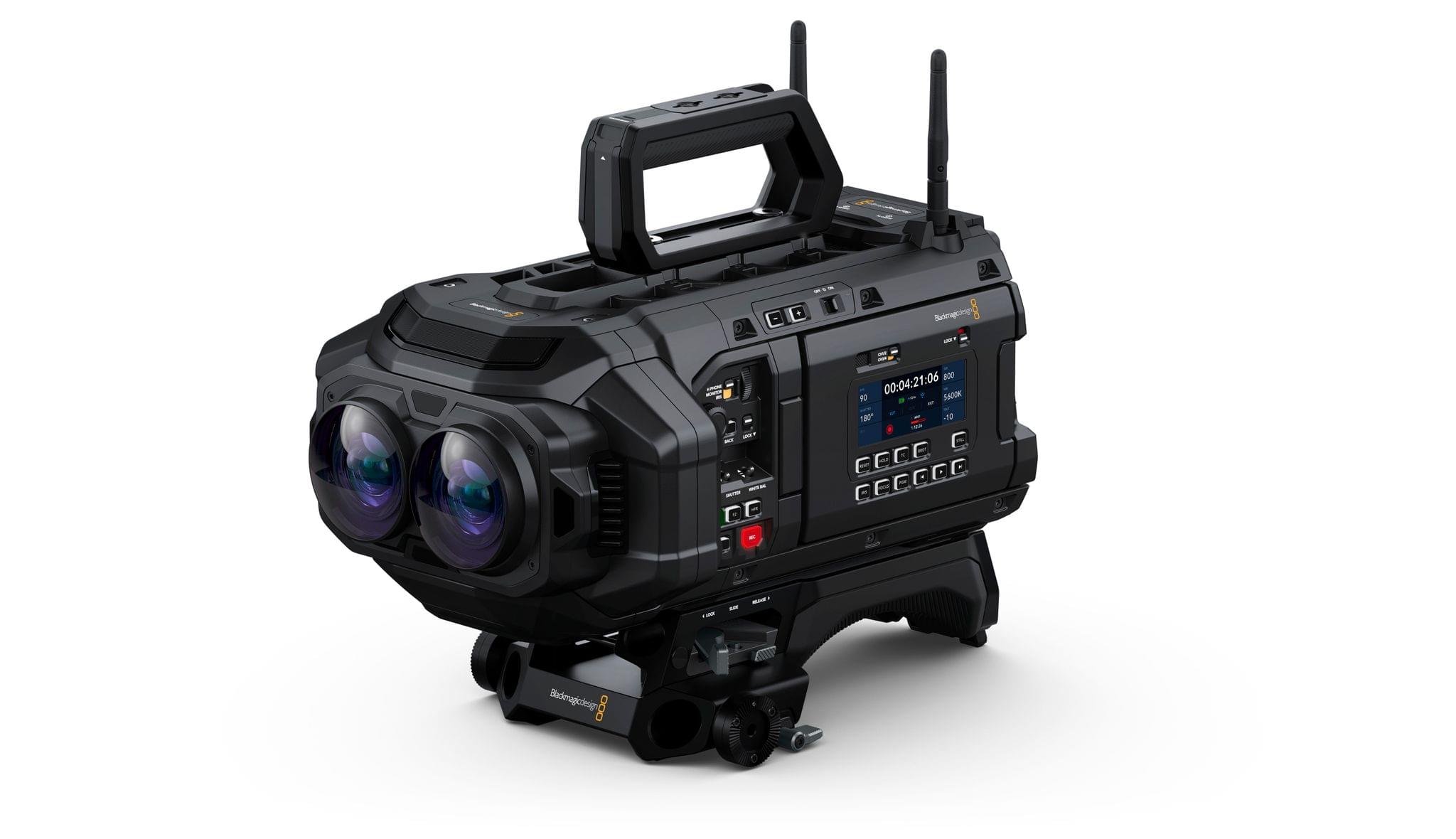
However, the fact that NAB, the National Association of Broadcasters, conference is going on this week suggests that the app is primarily designed for post-production video work. In fact, the app seems to go hand-in-hand with Blackmagic’s URSA Cine Immersive, an Apple Immersive Video camera that was also shown off at NAB this week, and DaVinci Resolve Studio 20, which supports editing of Apple Immersive Video.

To expand the library of available Apple Immersive Video, there need to be tools to create and manage the huge video files that are part of the process. It’s good to see Apple doing that along with companies like Blackmagic. I expect we’ll see more hardware and software solutions for the format as the months go by.


Hands-On with Guest User Mode in visionOS 2.4

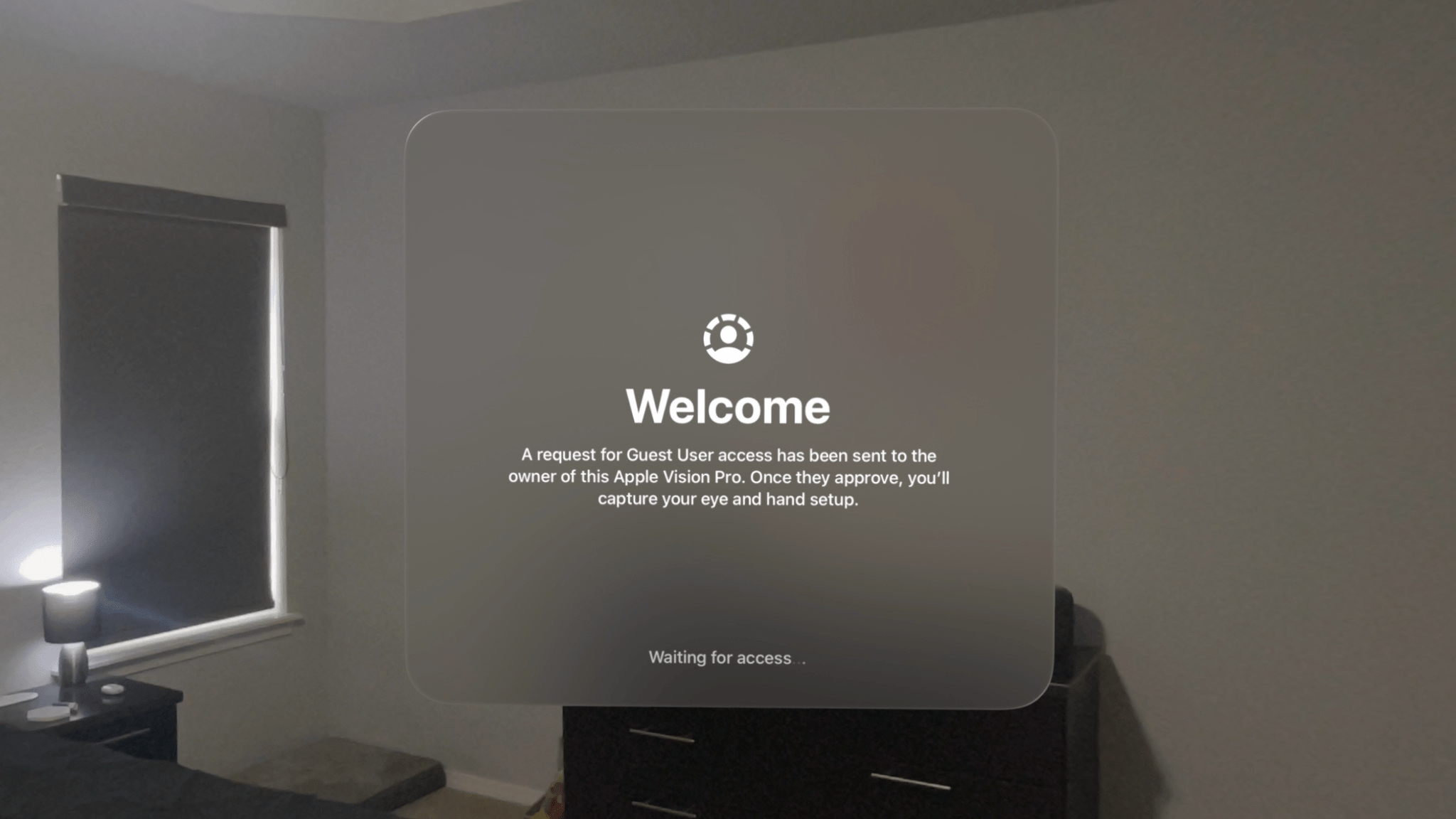
The Apple Vision Pro is a device that begs to be shared with others. Sure, mirroring your view to a TV or iPhone via AirPlay is a decent way to give people a glimpse into the experience, but so much about visionOS – the windows floating in real-world spaces, immersive videos, 3D environments, spatial photos, and more – can only be truly understood by seeing them with your own eyes. That’s why Guest User mode is so vital to the platform.

Guest User was included in the very first version of visionOS, and Apple has iterated on the feature over time, most notably by adding the option to save a guest’s hand and eye data for 30 days in visionOS 2.0 to speed up repeat sessions. With this week’s release of visionOS 2.4, Guest User has received another major update, one that I think Vision Pro users will be very happy about.

Read more


Scratchpad: The Cross-Device Text Utility That Pairs Perfectly with Your Clipboard Manager

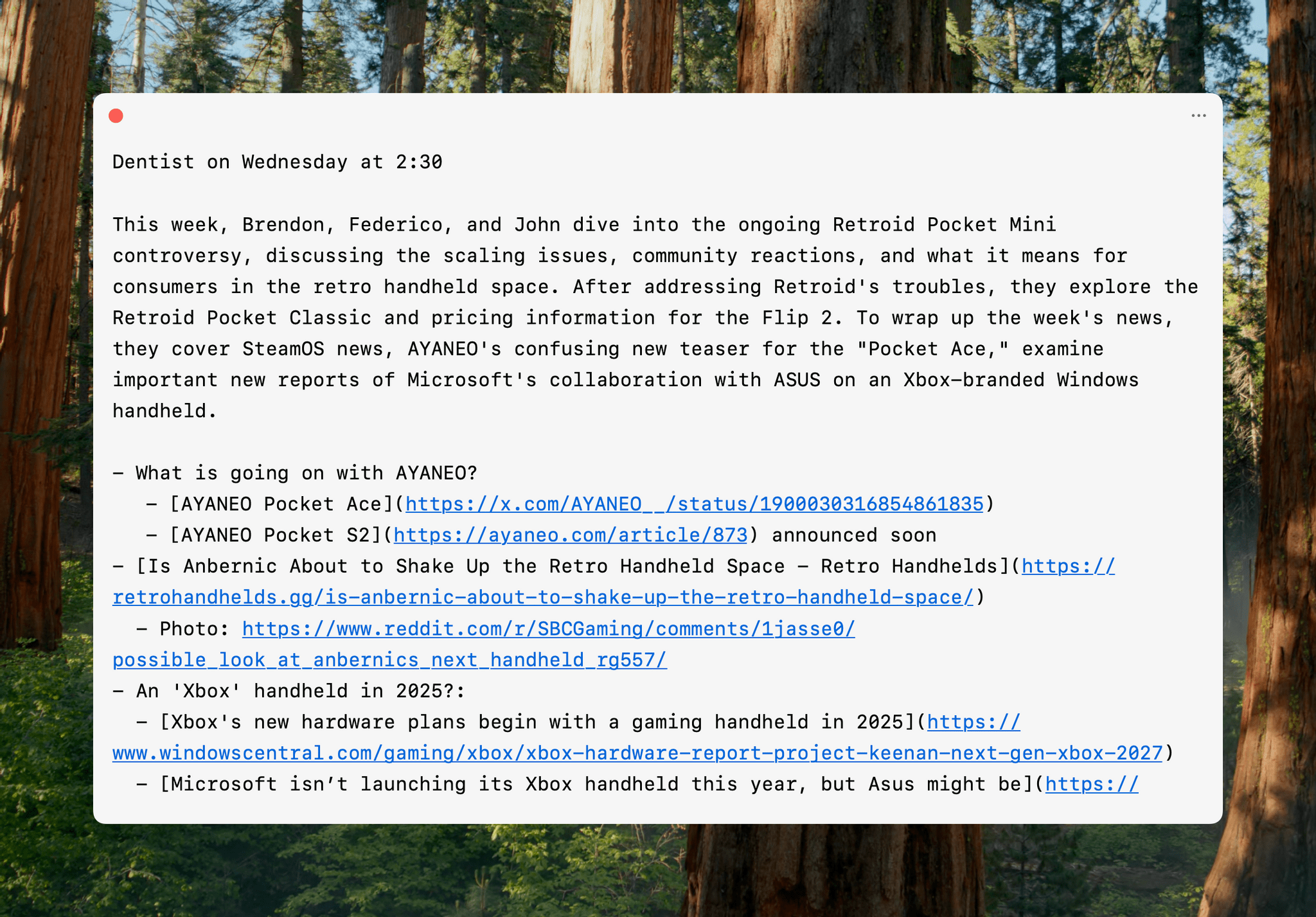
One of the best indicators of how sticky a cross-device utility will be in my setup is how quickly I install it everywhere. For Sindre SorhusScratchpad, the answer was “very sticky.” The simple text utility works on the iPhone, iPad, Mac, Apple Watch, and Vision Pro (via iPad compatibility mode), and as soon as I tried it on my desktop Mac, I grabbed all of my other devices and installed it on them, too.

At its core, Scratchpad is a single view for typing or pasting plain text that syncs everywhere. What sets it apart from similar apps is its many small touches that demonstrate a deep understanding of the way people use a scratchpad app.

Read more


Metallica Is Coming to the Apple Vision Pro

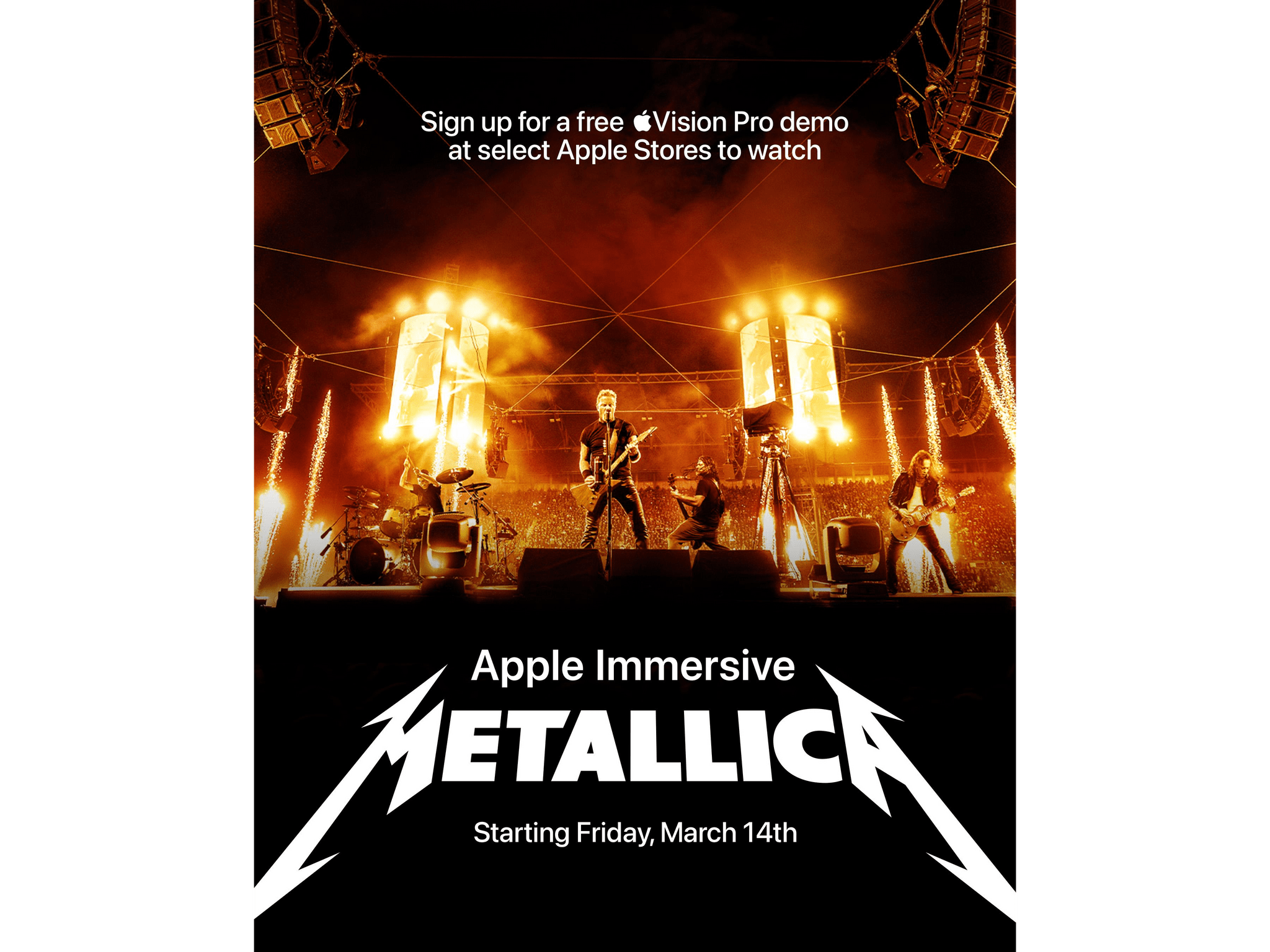
Apple revealed a new Immersive Video title for the Vision Pro. As announced at SXSW today, Vision Pro users will be treated to a live performance of three Metallica songs: “Whiplash,” “One,” and “Enter Sandman” on March 14th.

According to Metallica’s press release:

This project marks a new foray into immersive technology, using ultra-high-resolution 180-degree video and Spatial Audio to give fans unprecedented access from vantage points as close up as the Snake Pit to wide-angle views. It brings the live show to a whole new level, and to achieve this, Apple built a custom stage plot featuring 14 Apple Immersive Video cameras using a mix of stabilized cameras, cable-suspended cameras, and remote-controlled camera dolly systems that moved around the stage.

For its part, Apple released a trailer for the video on YouTube:

along with an interview by Zane Lowe with Metallica’s Lars Ulrich:

Today’s Metallica news follows the recent Immersive Video announcements of VIP: Yankee Stadium and Bono: Stories of Surrender. It’s great to see new content coming to the Vision Pro, especially live concerts and sports, which are a perfect matches for the format.


Vision Pro to Gain Apple Intelligence, Spatial Gallery App, and Companion iPhone App

Source: Apple.

Source: Apple.

Apple announced today that visionOS 2.4 will add some big features to the Vision Pro.

For starters, Apple Intelligence is coming to the Vision Pro. When I was at WWDC, I was surprised when there was no mention that Apple Intelligence would be added to visionOS. Since then, visionOS 2.0 and three subsequent releases have debuted without any sign of Apple Intelligence. However, that will change with the release of visionOS 2.4 in April.

Apple says visionOS 2.4 will include:

  • Writing Tools;
  • ChatGPT integration;
  • Genmoji;
  • Image Playground; and
  • Other unspecified features
Spatial Gallery. Source: Apple

Spatial Gallery. Source: Apple

In addition, visionOS will debut Spatial Gallery, a new Vision Pro app that Apple says will feature “a curated collection of spatial photos, spatial videos, and panoramas from artists, filmmakers, photographers, and more,” including new Immersive video titles.

Apple is also releasing a Vision Pro app for the iPhone that adds:

a new way to download apps and games from the App Store; discover experiences from Apple TV, Spatial Gallery, and more; easily find helpful tips; and quickly access information for their Vision Pro. Enhancements to Guest User make it easier than ever for users to share apps and experiences with family, friends, and colleagues using a nearby iPhone or iPad.

The Apple Vision Pro app. Source: Apple.

The Apple Vision Pro app. Source: Apple.

Apple says you’ll be able to queue a download from your iPhone for your Apple Vision Pro. I gave up trying to share my Vision Pro with my family almost immediately because it was such a cumbersome process, so better sharing will be welcome. If it works as promised, this sounds like a much better approach:

With new enhancements to Guest User in visionOS 2.4, users can start a Guest User session with their nearby iPhone or iPad. When their device is unlocked, they can choose which apps are accessible to their guest and start View Mirroring with AirPlay, making it easy to guide a guest through their Vision Pro experience.

It’s great to see Apple continue to push the Vision Pro forward with better user experiences, new content, and additional ways to enjoy its unique features.


The Vision Pro Lends a Hand to the STRUTT ev¹ Personal Mobility Device

YouTuber Two F Zero T has a first look at the STRUTT ev¹, a personal mobility device that was shown off at CES and can be controlled with the Vision Pro. The video, which I first saw linked by Apple’s Mike Stern on Mastodon, demonstrates the impressive tech packed into the STRUTT ev¹, including a unique integration with the Vision Pro. Thanks to Apple’s headset, users can navigate their surroundings with the Vision Pro’s eye and head tracking.

One of the things that’s easy to forget is that the Vision Pro builds on Apple’s years of accessibility research and development, which pioneered many of the interactions central to how people use it. With the release of the Vision Pro, developers working on new hardware like the STRUTT ev¹ can build on Apple’s innovation to offer an even richer feature set in their products. It’s a virtuous circle that benefits everyone. Apple’s products work better for more people, and companies like Strutt can build on that technology to offer an enhanced experience to their customers, too.

Permalink