

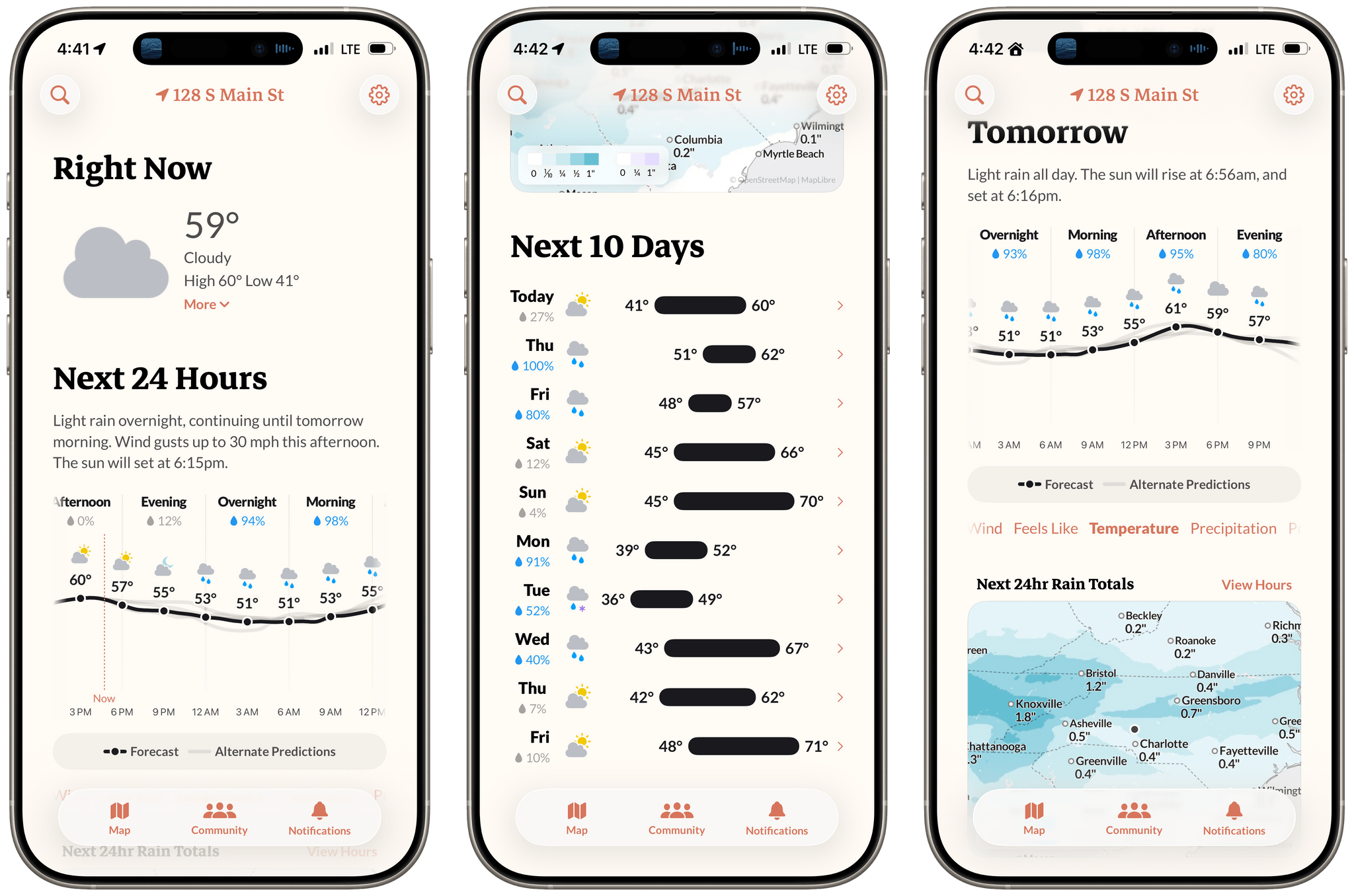
Earlier this week, the founders of Dark Sky made their post-Apple debut with a new weather app for the iPhone and Apple Watch: Acme Weather. It’s a terrific 1.0 with all the details you’d expect, plus a few interesting features that set it apart from other apps in its category.
Posts tagged with "weather"
Acme Weather: A Fresh Take on Forecast Uncertainty
Notes on Mercury Weather’s New Radar Maps Feature
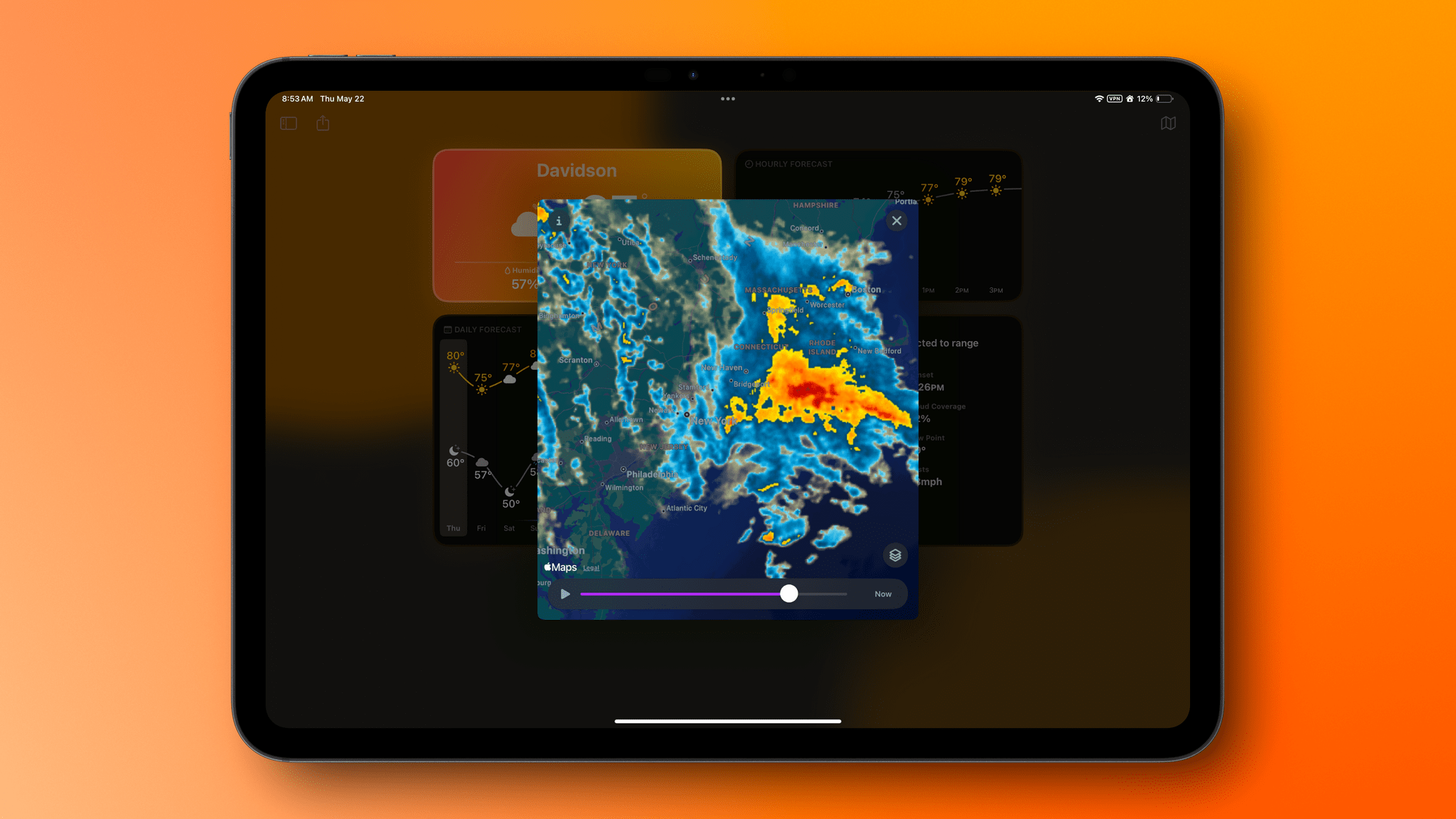
Since covering Mercury Weather 2.0 and its launch on the Vision Pro here on MacStories, I’ve been keeping up with the weather app on Club MacStories. It’s one of my favorite Mac menu bar apps, it has held a spot on my default Apple Watch face since its launch, and last fall, it added severe weather notifications.
I love the app’s design and focus as much today as I did when I wrote about its debut in 2023. Today, though, Mercury Weather is a more well-rounded app than ever before. Through regular updates, the app has filled in a lot of the holes in its feature set that may have turned off some users two years ago.
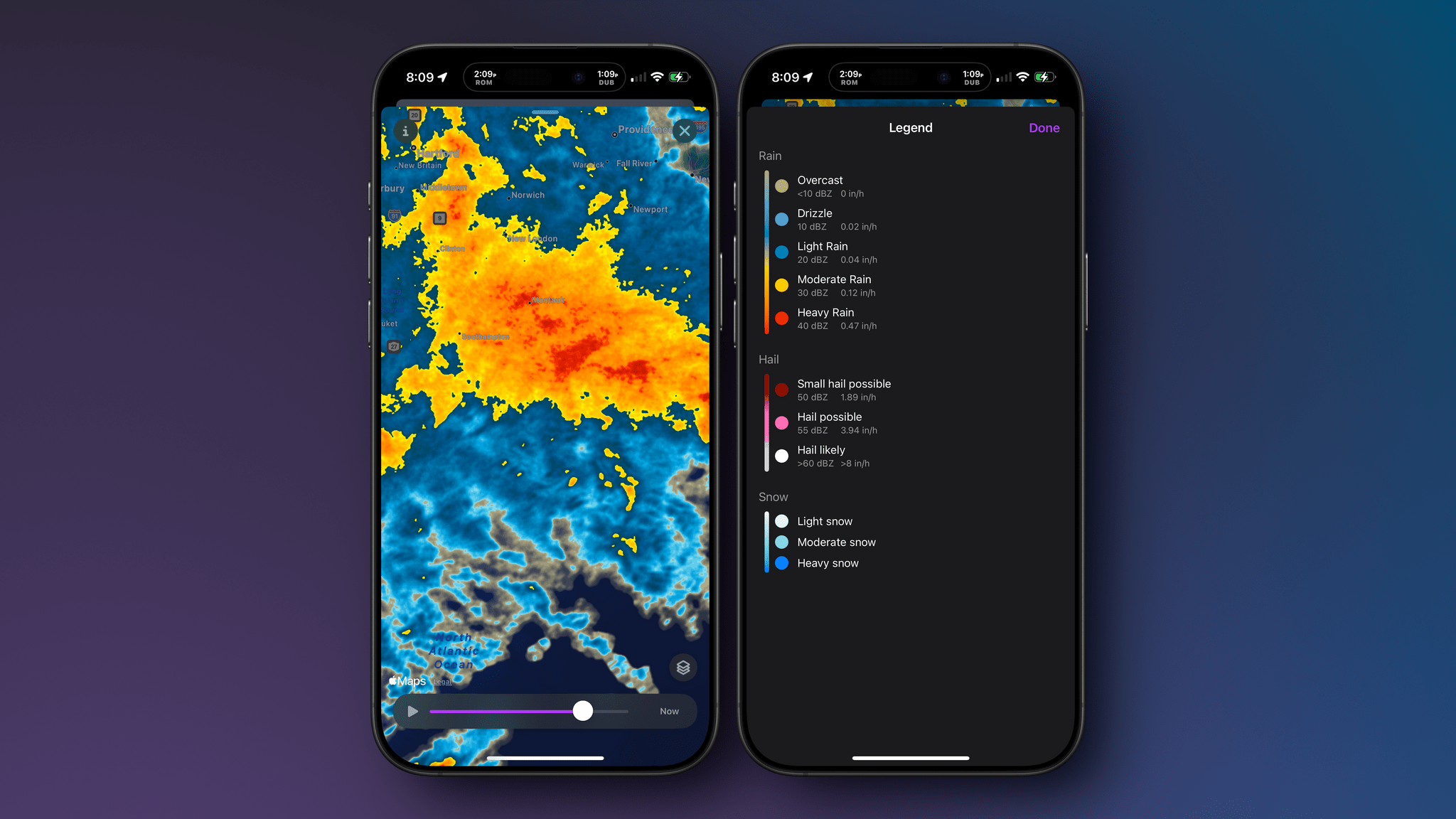
Today, Mercury Weather adds weather radar maps, which was one of the features I missed most from other weather apps, along with the severe weather notifications that were added late last year. It’s a welcome addition that means the next time a storm is bearing down on my neighborhood, I won’t have to switch to a different app to see what’s coming my way.
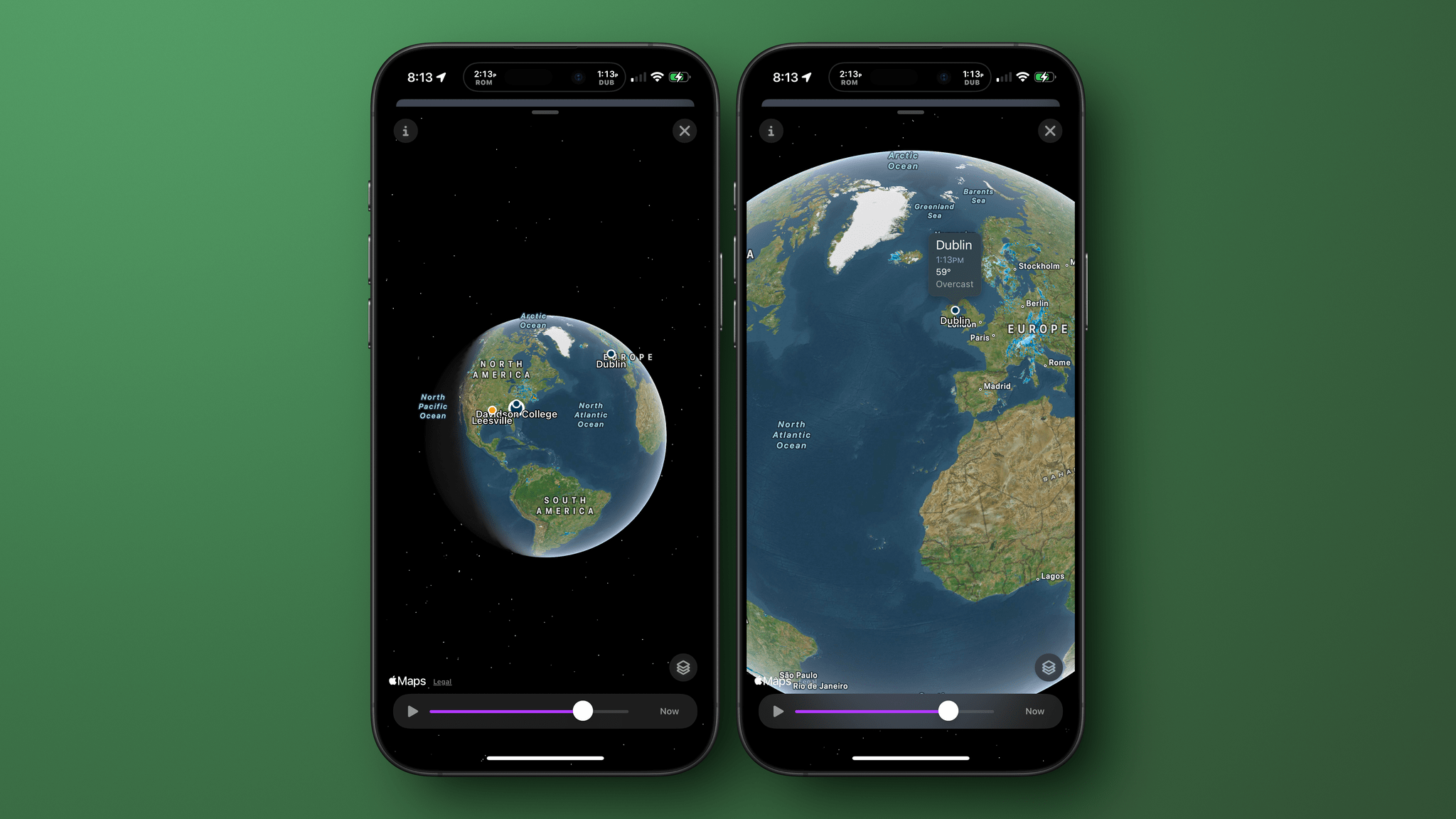
Radar maps are available on the iPhone, iPad, and Mac versions of Mercury Weather; they offer a couple of different map styles and a legend that explains what each color on the map means. If you zoom out, you can get a global view of Earth with your favorite locations noted on the map. Tap one, and you’ll get the current conditions for that spot. Mercury Weather already had an extensive set of widgets for the iPhone, iPad, and Mac, but this update adds small, medium, and large widgets for the radar map, too.
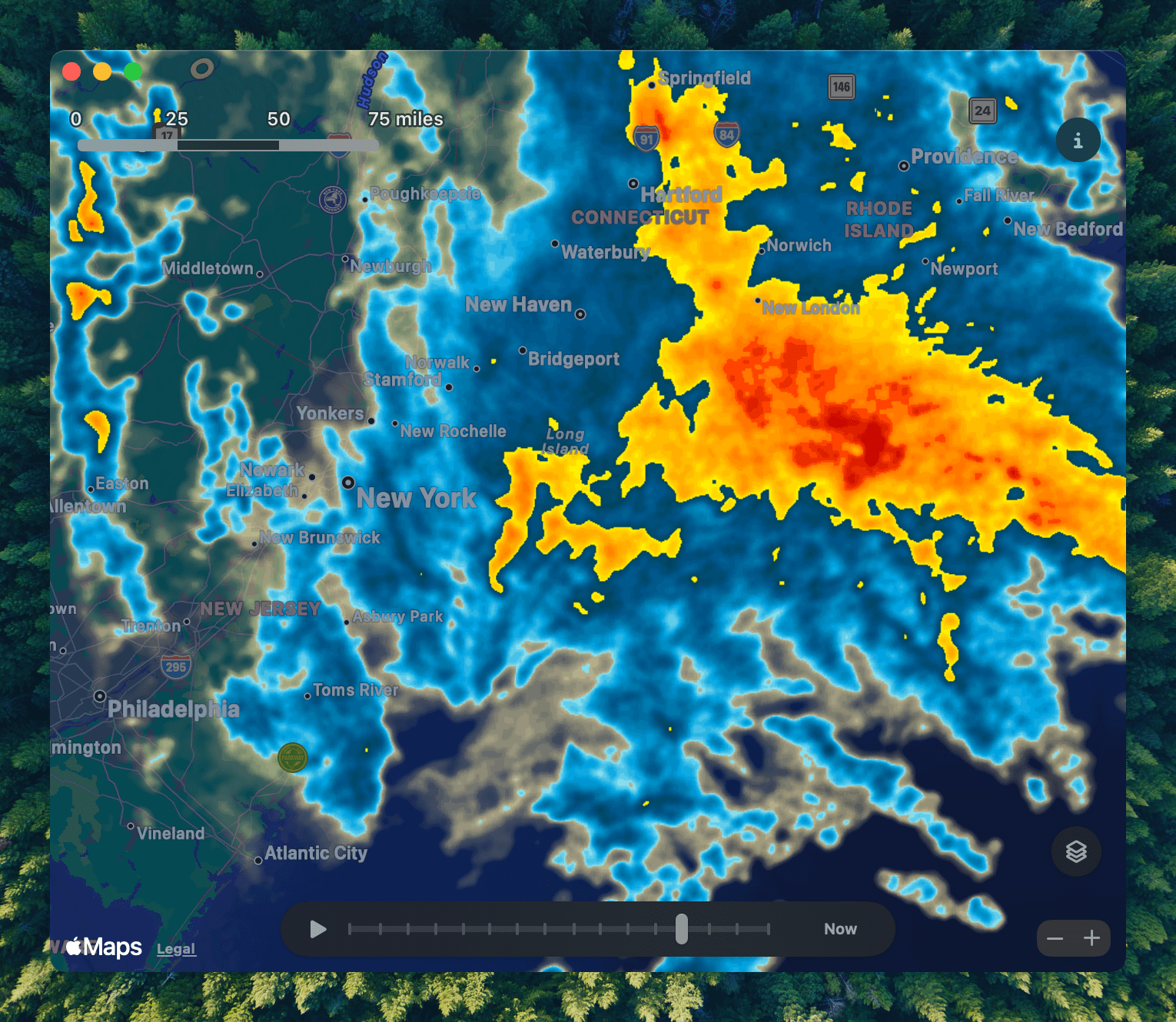
With a long list of updates since launch, Mercury Weather is worth another look if you passed on it before because it was missing features you wanted. The app is available on the App Store as a free download. Certain features require a subscription or lifetime purchase via an in-app purchase.
Creating a Custom Weather and Home Climate Control Menu Bar App with MenuBot and Shortcuts
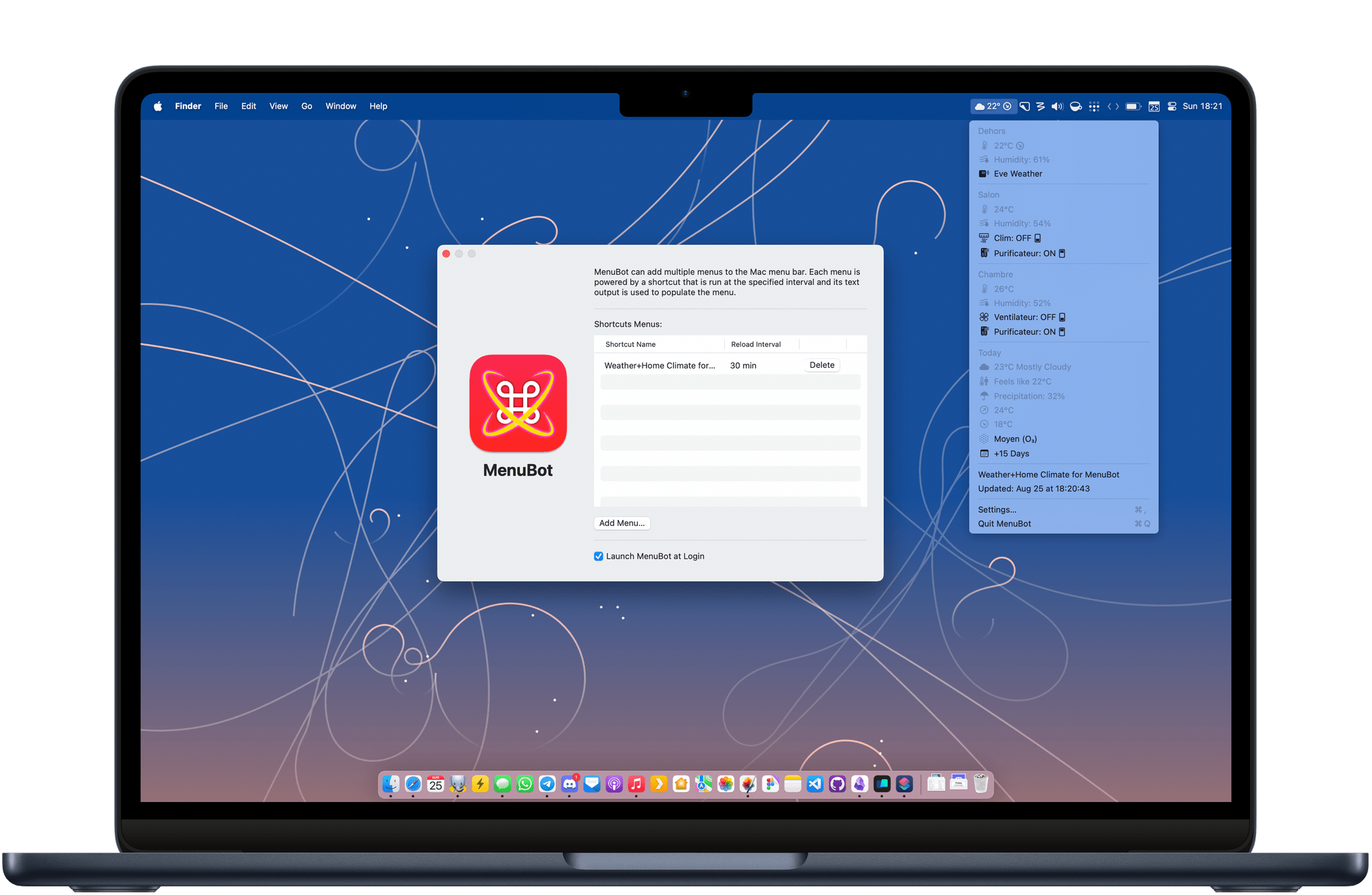
Last year, I wrote about how I was able to display the temperature from my outdoor sensor in my Mac’s menu bar using a combination of Shortcuts, SF Symbols, and small utilities like One Thing and Data Jar. I’ve been using this approach ever since, but this summer, I came across a tool that changed that: MenuBot.
MenuBot is an app for the Mac that lets you build your own indicators and applets for your menu bar directly from the output of a shortcut. The app is more powerful than it may seem at first: you can create entire submenus and even tie URLs and actions to each menu entry. In the end, I was able to use it to completely revamp my outdoor temperature indicator in the menu bar and even enhance it with HomeKit controls.
I’ve been having a ton of fun playing with MenuBot. Let me show you what I’ve done with it.
Vision Pro App Spotlight: Seasons Weaves Immersive Conditions Into a Comprehensive Weather App
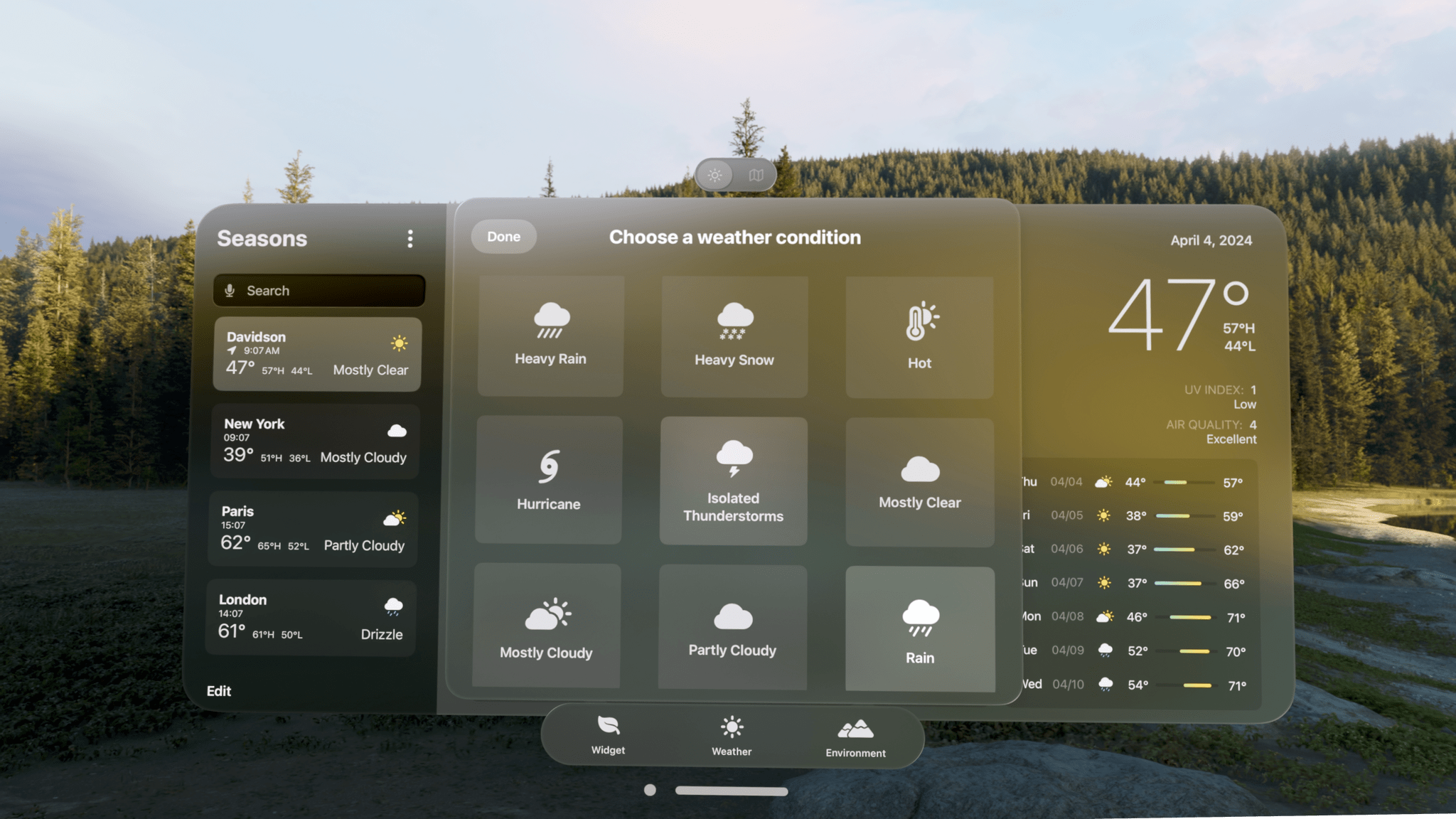
Seasons is the sort of weather app I’d hoped for ever since I ordered my Vision Pro. It’s a unique mix of detailed forecast data combined with an immersive spatial computing experience. There’s a gee-whiz, proof-of-concept aspect to the app, but at its core, Seasons is a serious weather app and a spatial widget that’s a pleasure to incorporate into an everyday Vision Pro workflow.
Looks Like Rain: Visualizing the Weather on a Color-Coded Timeline
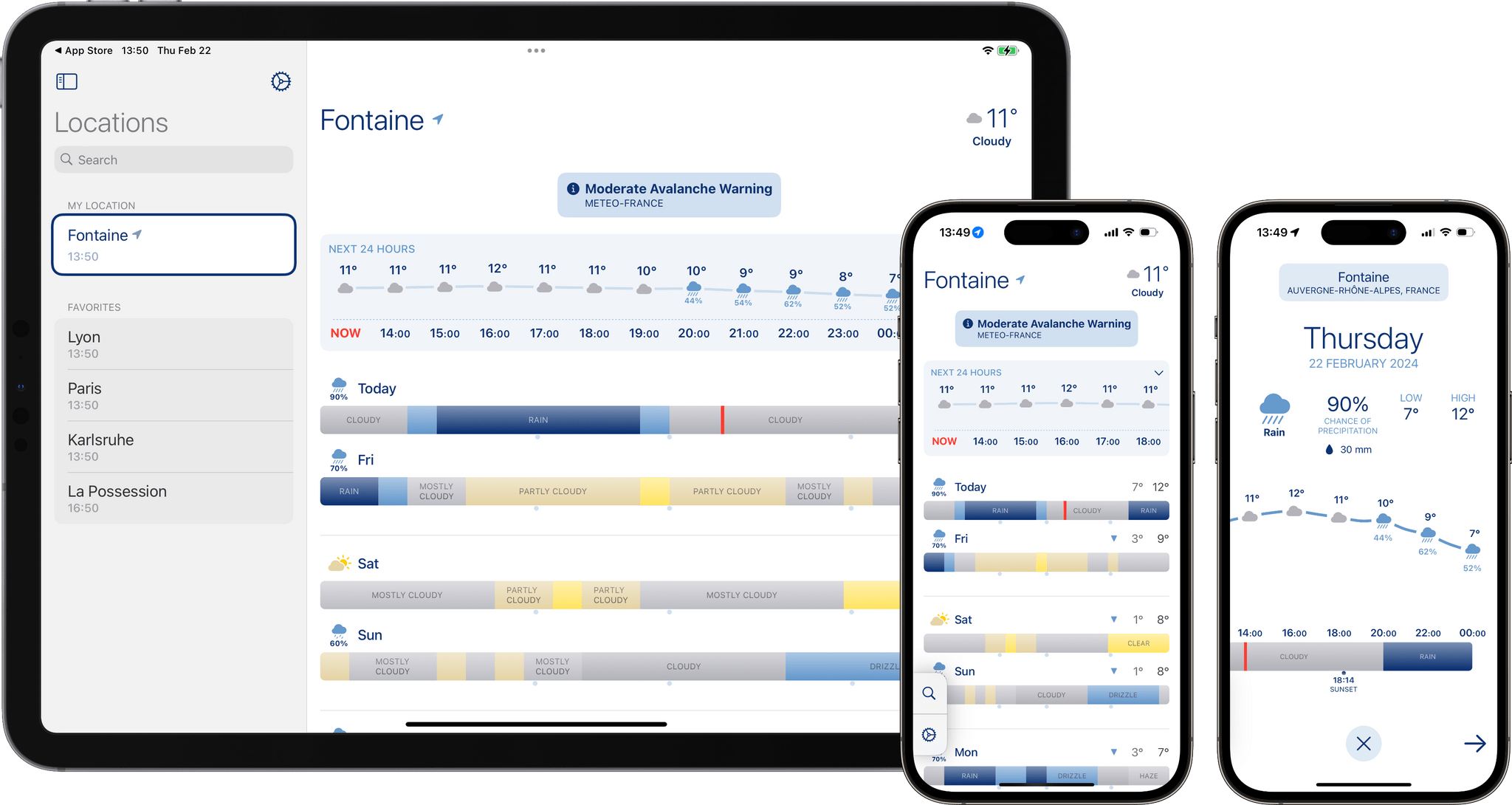
I’m always excited when a new weather app is released, especially when it’s a weather app that looks different from most of its counterparts. Looks Like Rain by Thinkbits is beautifully designed, and it certainly looks different, to say the least. The layout of the app is clean, the elements are well-spaced, and the color palette has clearly been composed with care. Most importantly, though, I’m absolutely loving its unique approach to visualizing the weather forecast on a color-coded timeline.
I’ve been using this brand-new weather app for the past few weeks on the iPhone, the iPad, and the Mac, and it has already earned a permanent place in the rotation of my favorite weather apps.
Let’s check it out.
Vision Pro App Spotlight: CARROT Weather and Mercury Weather
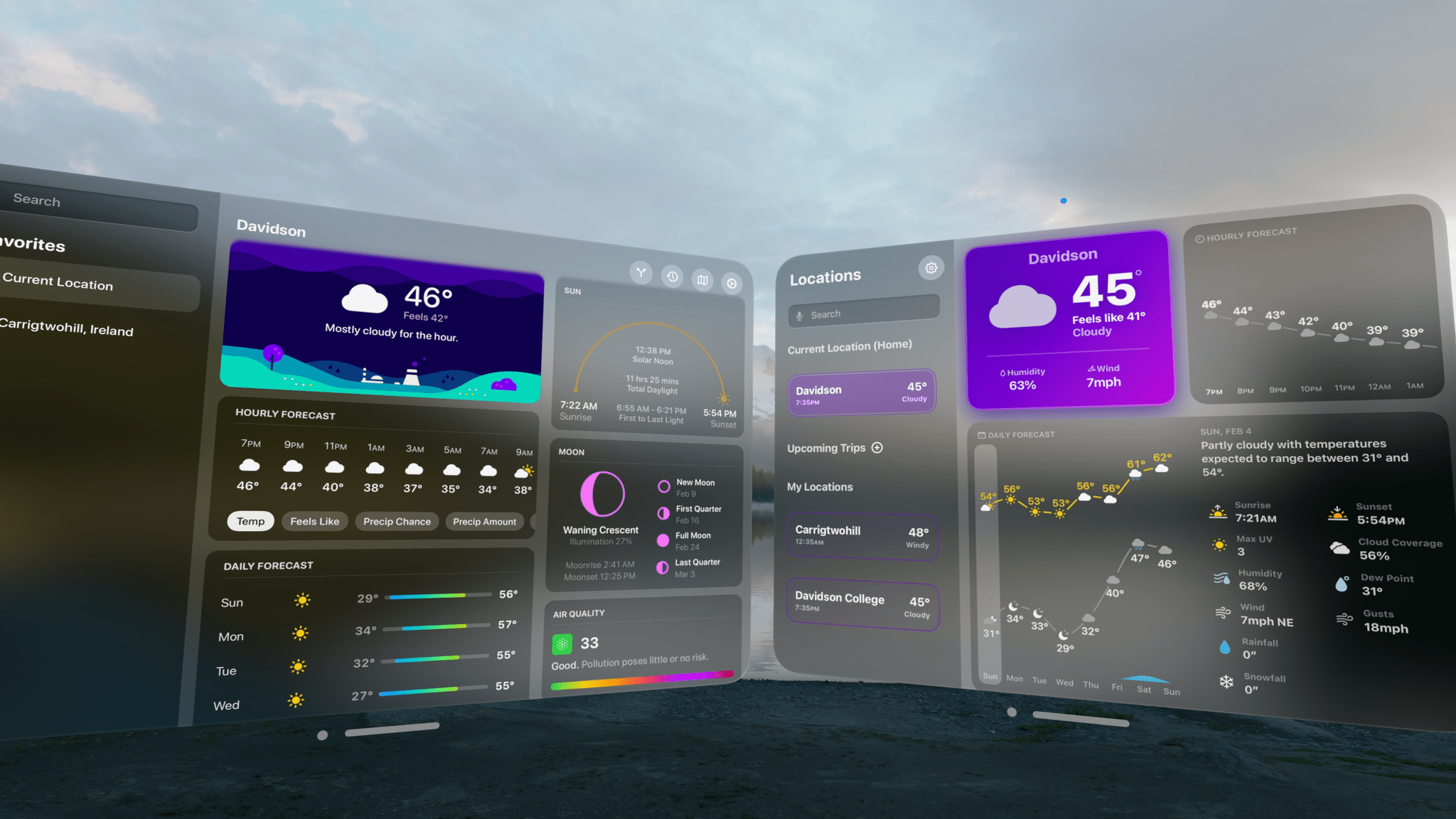
We’re going to be covering a lot of visionOS apps over the coming weeks, so I thought a fitting place to start would be with two of our favorite weather apps from other Apple platforms: CARROT Weather and Mercury Weather. Both apps are past MacStories Selects award winners. CARROT Weather won the Best Watch app in 2020 and the Readers’ Choice award in 2022, and we named Mercury Weather the Best Design winner of 2023. So, I expect a lot of readers are already familiar with both apps. However, if you’re not, be sure to check out these past stories for more on what makes them two of our favorite weather apps on the iPhone, iPad, Mac, and Apple Watch:
- Recent CARROT Weather Coverage:
- CARROT Weather 5.9: A Robot Relationship and Layouts - Recent Mercury Weather Coverage:
So today, my focus is solely on the visionOS versions of both apps, which fill the gap left by Apple’s curious omission of its own Weather app from Vision Pro.
The Weather App Adds More Detailed Data in iOS 17, iPadOS 17, and macOS Sonoma
Apple’s Weather app is packing more data than ever before on iOS 17, iPadOS 17, and macOS Sonoma. The thing about weather is that beyond the basics, everyone cares about different things, and some people care about it all. With Apple’s latest version of Weather, there’s more weather to nerd out on than ever before.
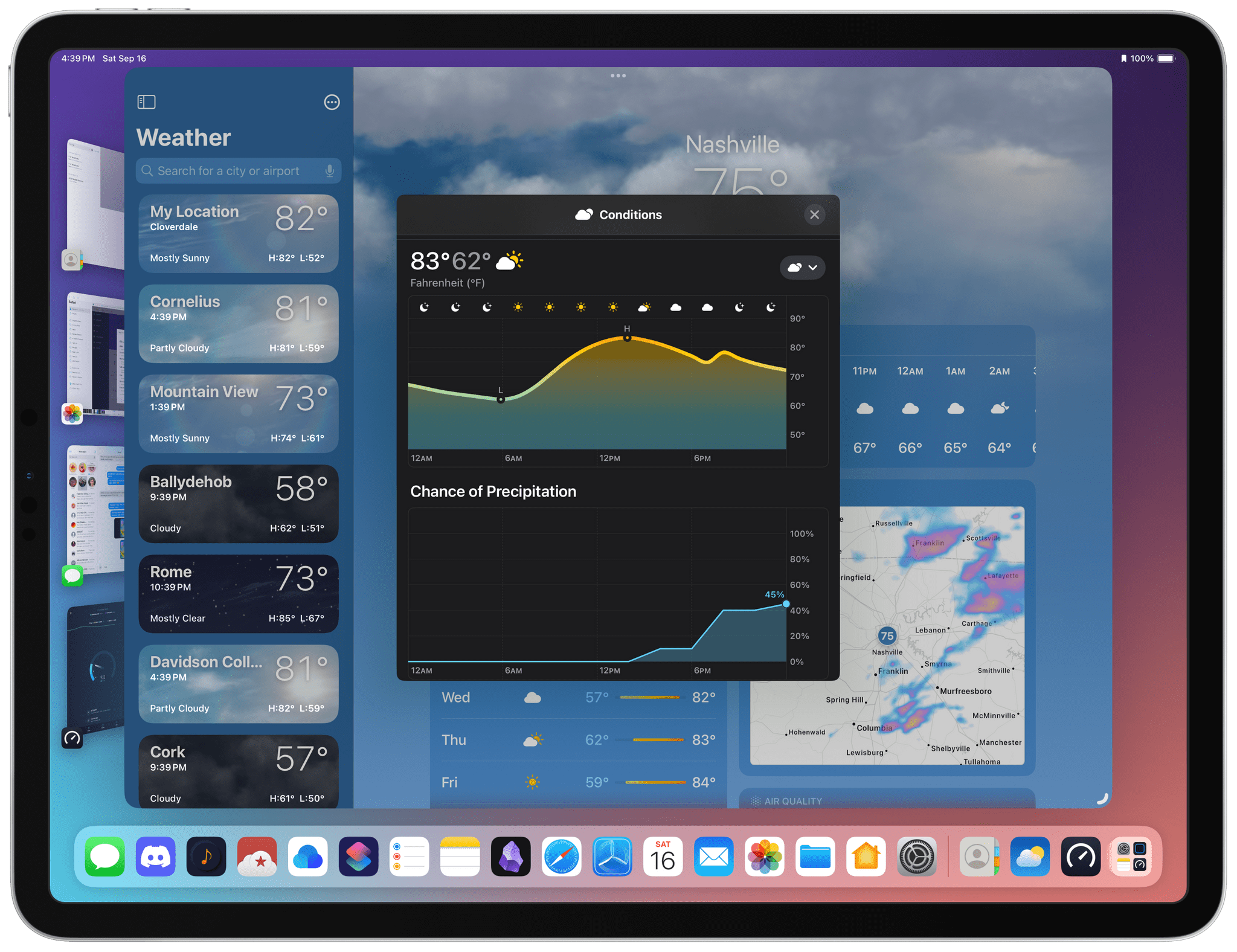
The Weather app includes hourly precipitation predictions in its 10-day forecast detail view. Is there really a 45% chance of rain in Nashville a week from Monday? Probably not, but if that sort of precision is what you’re looking for in a weather app, Weather has it.
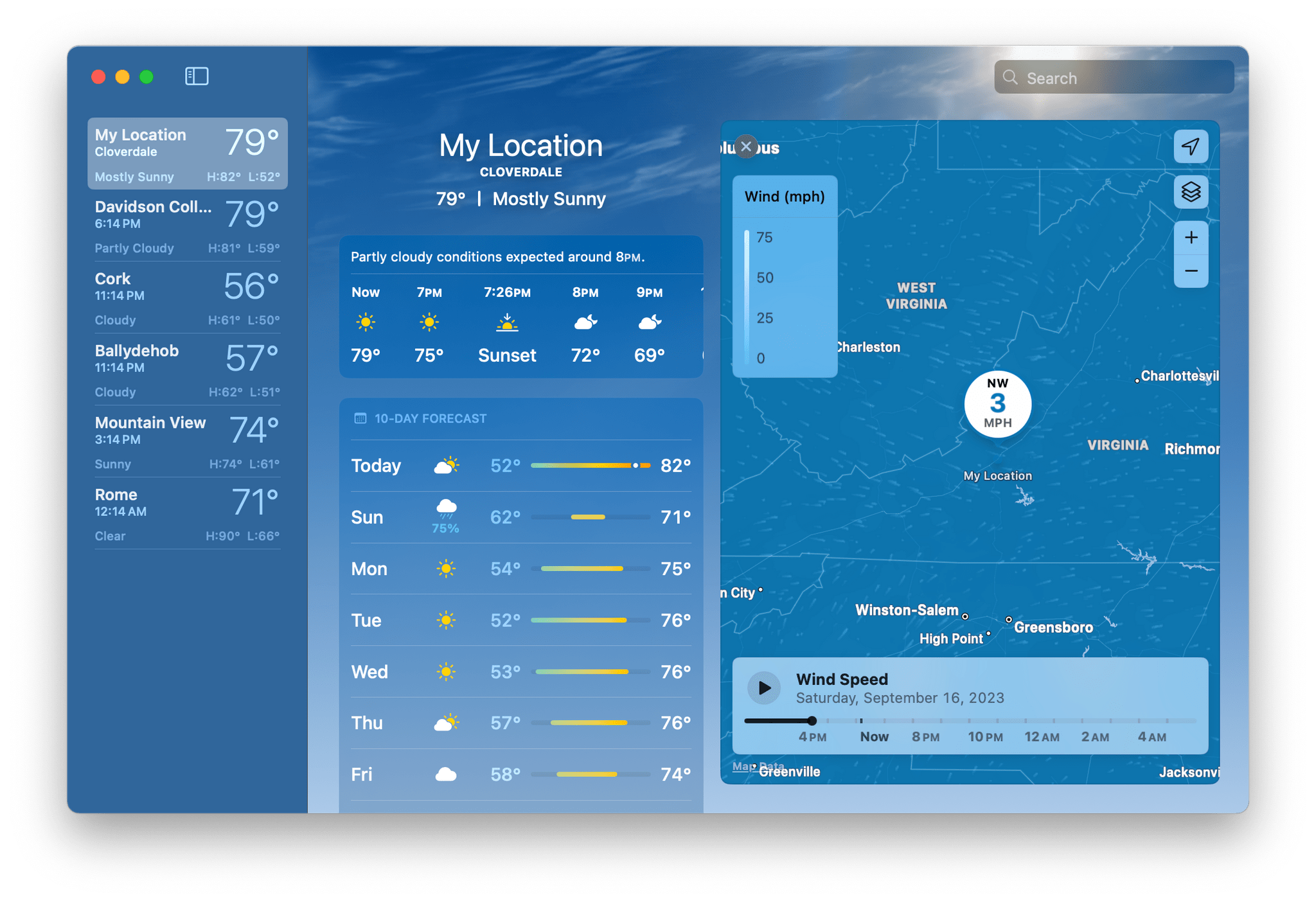
Wind map overlays have been added to Weather, too. The overlay looks excellent and animates to show you which way the wind will blow over the next 24 hours. It’s a great addition if you’re going out to fly a kite or a drone, sail a boat, and more.
Mercury Weather 2.0 Adds Trip Forecasts
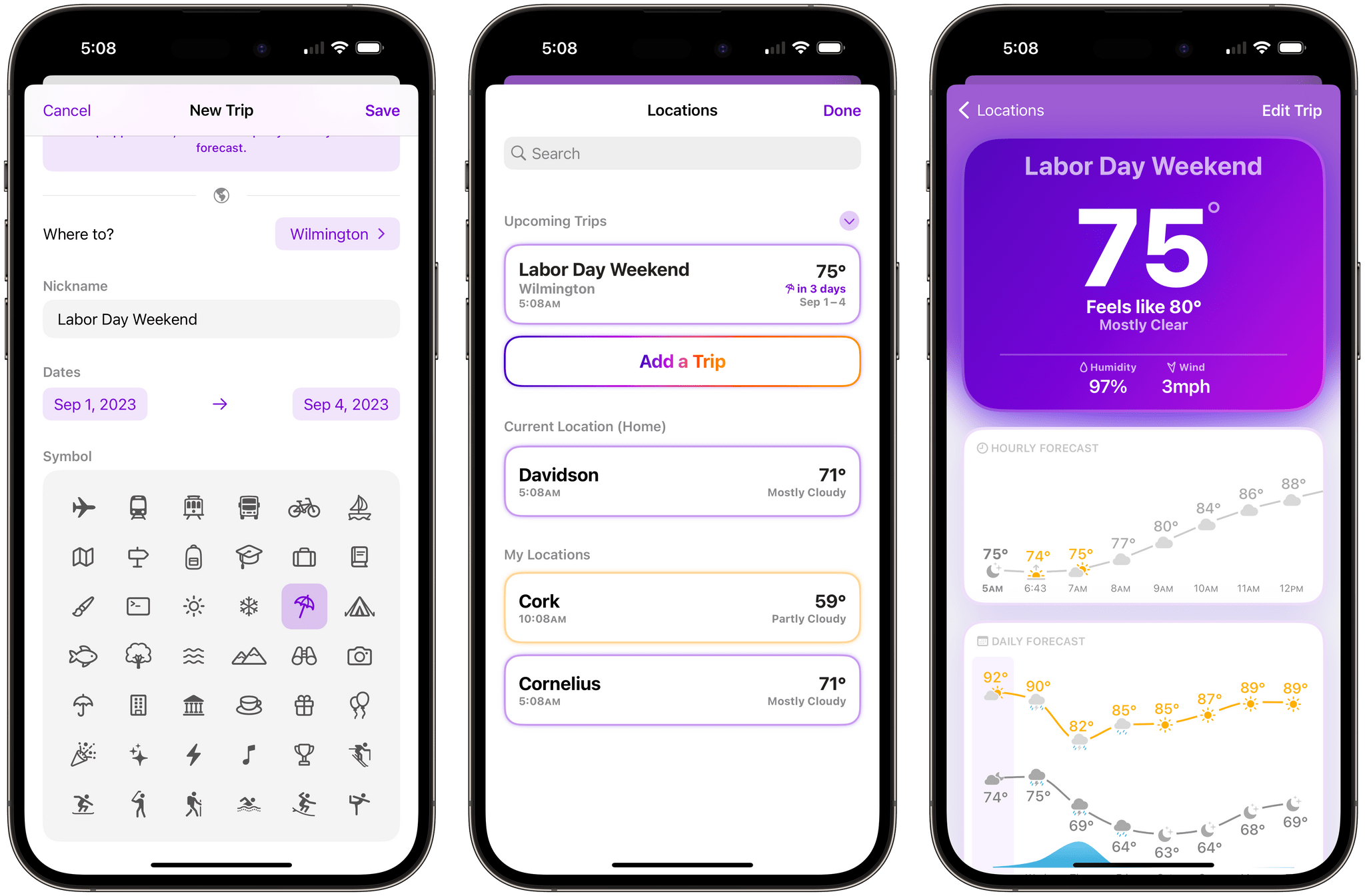
If you’ve ever found yourself repeatedly checking the weather of a trip destination in the days leading up to your travels, you’ll appreciate Mercury Weather 2.0, which was released today for iPhone, iPad, Mac, and Apple Watch. The update’s marquee feature is Trip Forecast, which lets you set up a trip once and keep tabs on your destination’s weather as your travel dates approach. I reviewed Mercury Weather a couple of weeks ago, so for more on the app’s other features, be sure to check out that review.
From Mercury Weather’s Locations view, there’s now an option to add upcoming trips. Just add your destination and the dates of your trip, and it will appear in a separate, collapsable ‘Upcoming Trips’ section, along with the current conditions and dates of the trip. You can also name your trip and add a custom icon.
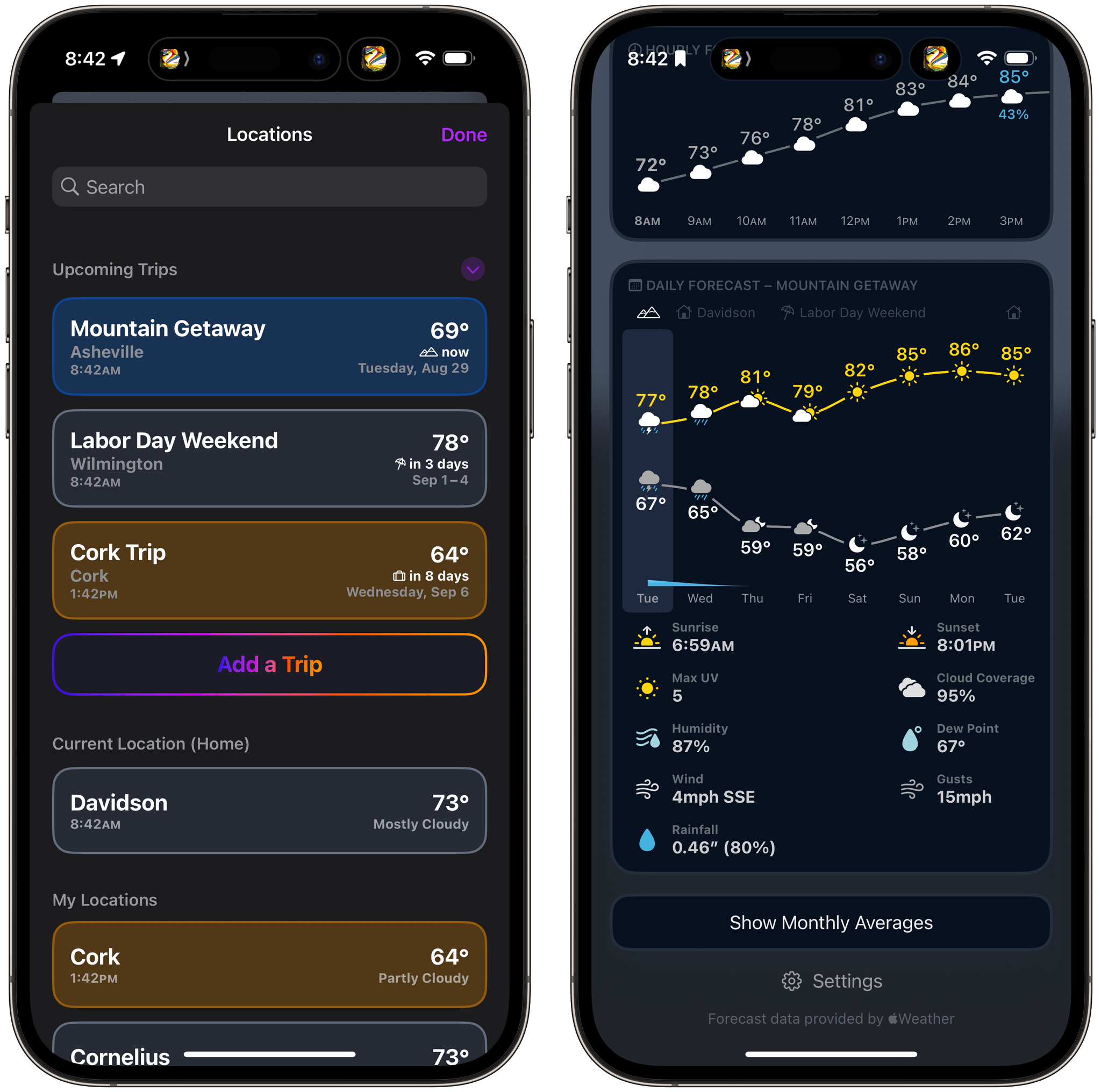
As your departure date approaches, your destinations will appear along the top of the Daily Forecast graph. Tap a trip’s name to see that location’s weather forecast or the ‘Home’ button to return to your home location’s weather. Once your trip dates pass, the forecast for your destination just disappears from the app unlike destinations you might otherwise save in a weather app’s list of locations.
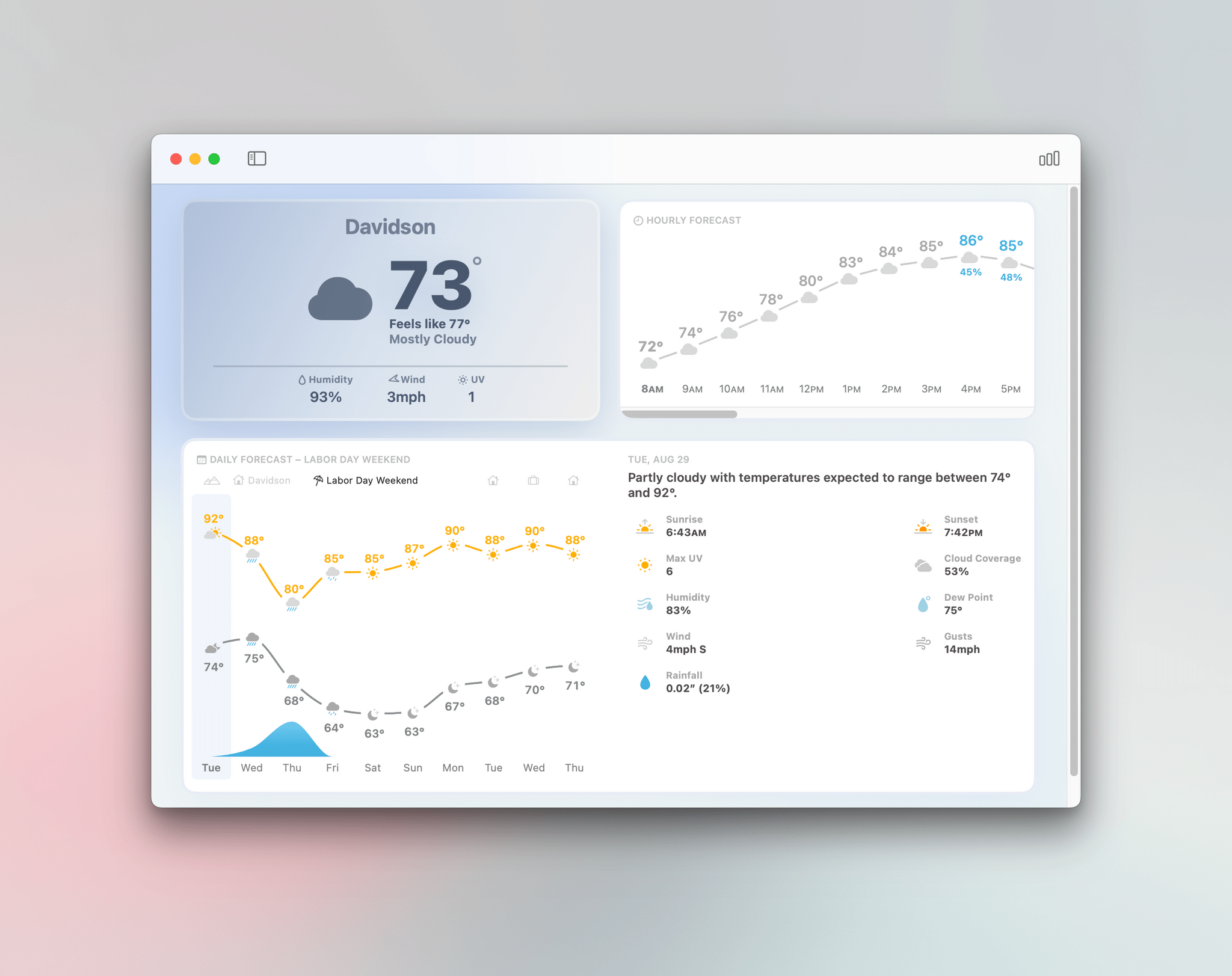
Trip Forecasts have been incorporated in Mercury Weather’s small and medium-sized ‘Daily Forecast (Customizable)’ widgets too. The widget includes a summary forecast for the next eight days, and if any of those days are part of your upcoming trip, it will show the forecast for that location instead of your current location.
Trip Forecast is an excellent addition to Mercury Weather. I love that I can set up a trip once and forget about it, letting the app show me the upcoming forecast as my travel day approaches and staying out of the way until then. One thing I still miss from other weather apps is radar data, but aside from that, I’ve loved using Mercury Weather this summer.
Mercury Weather is free to download on the App Store, with Home and Lock Screen widgets, the Apple Watch app, historical data, and more than one saved location available to subscribers for $1.99/month or $9.99/year, with a $34.99 lifetime purchase option. A Family Sharing subscription is $3.49/month, $16.99/year, or $59.99 for a lifetime purchase.
Mercury Weather: A Crystal Clear Design for Every Apple Device
There’s something for everyone in the weather app category. There are incredibly technical, complex apps, apps with a narrow focus, ones junked up with ads that don’t respect your privacy, and everything in between.
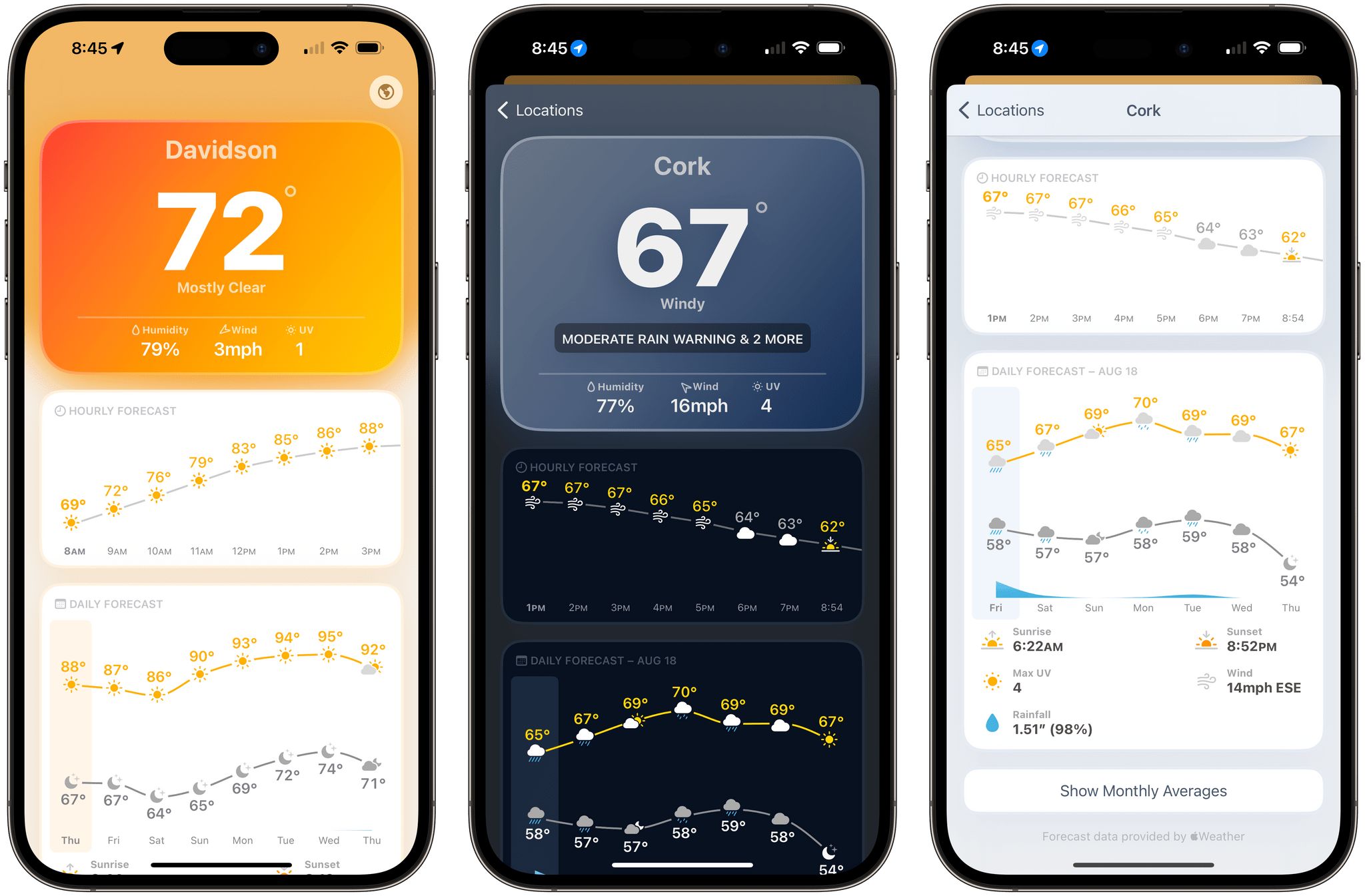
One of my favorite newer entrants in the category that I’ve been keeping an eye on for a while is Mercury Weather, a weather app that’s available as a universal purchase on all of Apple’s platforms. The app, by Triple Glazed Studios, is a pleasure to use, combining a clear, simple design with coverage on of all of Apple’s platforms.
In some ways, Mercury Weather is a spiritual successor to Weather Line, a graph-centric weather app that was sold to an unnamed purchaser a couple of years ago, which some suspect was Fox Weather based on the app’s 2023 redesign. The comparison is apt but sells Mercury Weather short because its design is superior to what Weather Line’s ever was. The app uses beautiful gradient backgrounds to convey the temperature and conditions, along with a modern layout and clear typography to make it fast and easy to check current conditions and the forecast.