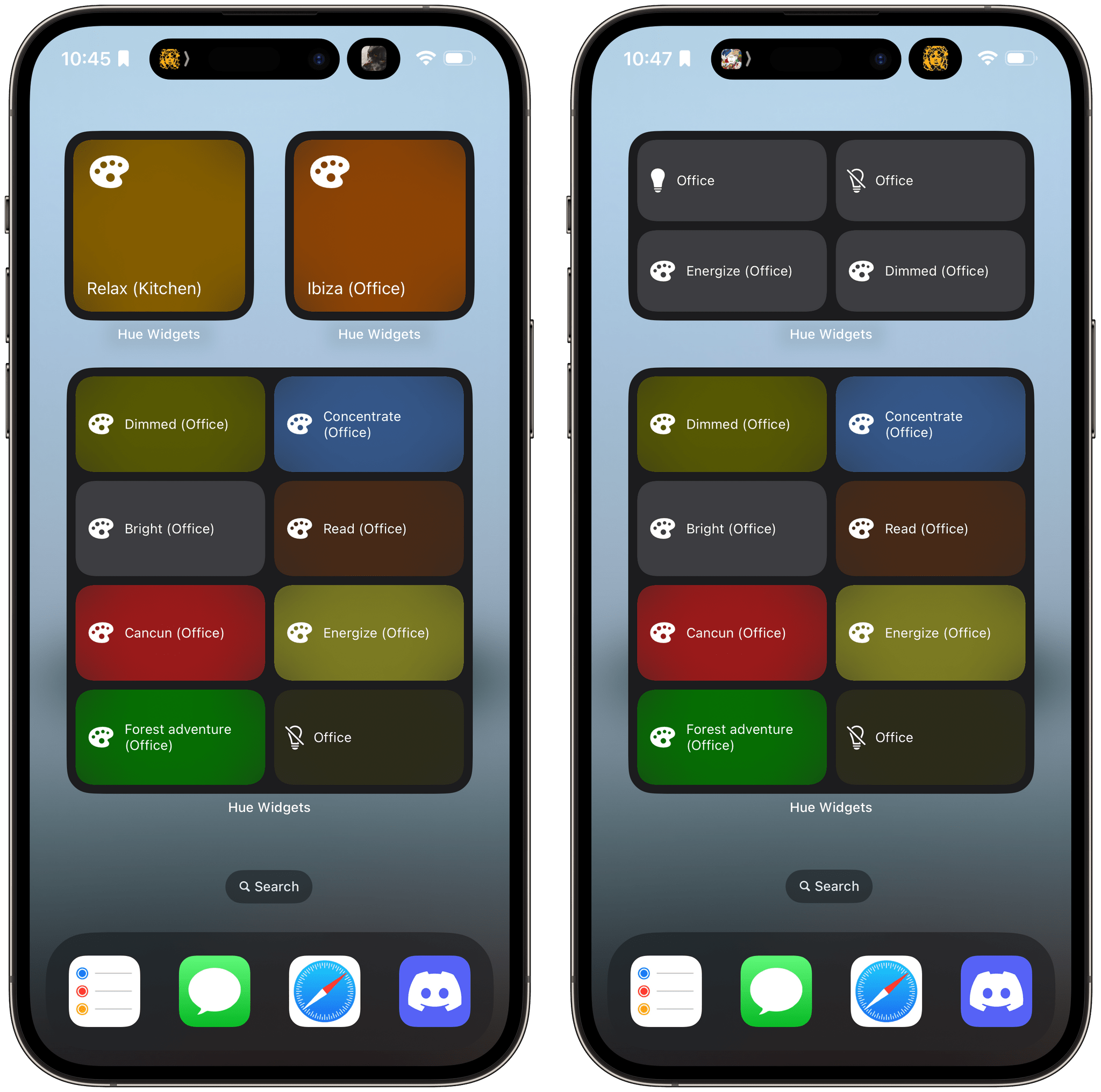
I’ve never been a big fan of the Philips Hue app. It has improved over time, and I appreciate its fine-grained control over my lights and its Shortcuts support, but the app has always felt a little clunky. That’s why I was happy when I discovered Hue Widgets over a year ago now. It’s a simple widget creation tool that lets you activate your Hue lights and scenes from your iPhone’s Home Screen, which is a much easier and nicer experience than using the Hue app. Better yet, with iOS 17, the app’s widgets are interactive, so lights and scenes can be triggered without ever opening the app.
Many Hue lights support features you can’t control from Apple’s Home app. For instance, many Hue lights can create animated and multi-color gradient lighting scenes that aren’t supported by HomeKit. These extended features can be accessed in the official Hue app, but it doesn’t have widgets, which is a faster and easier way to control your lighting and where Hue Widgets comes in.
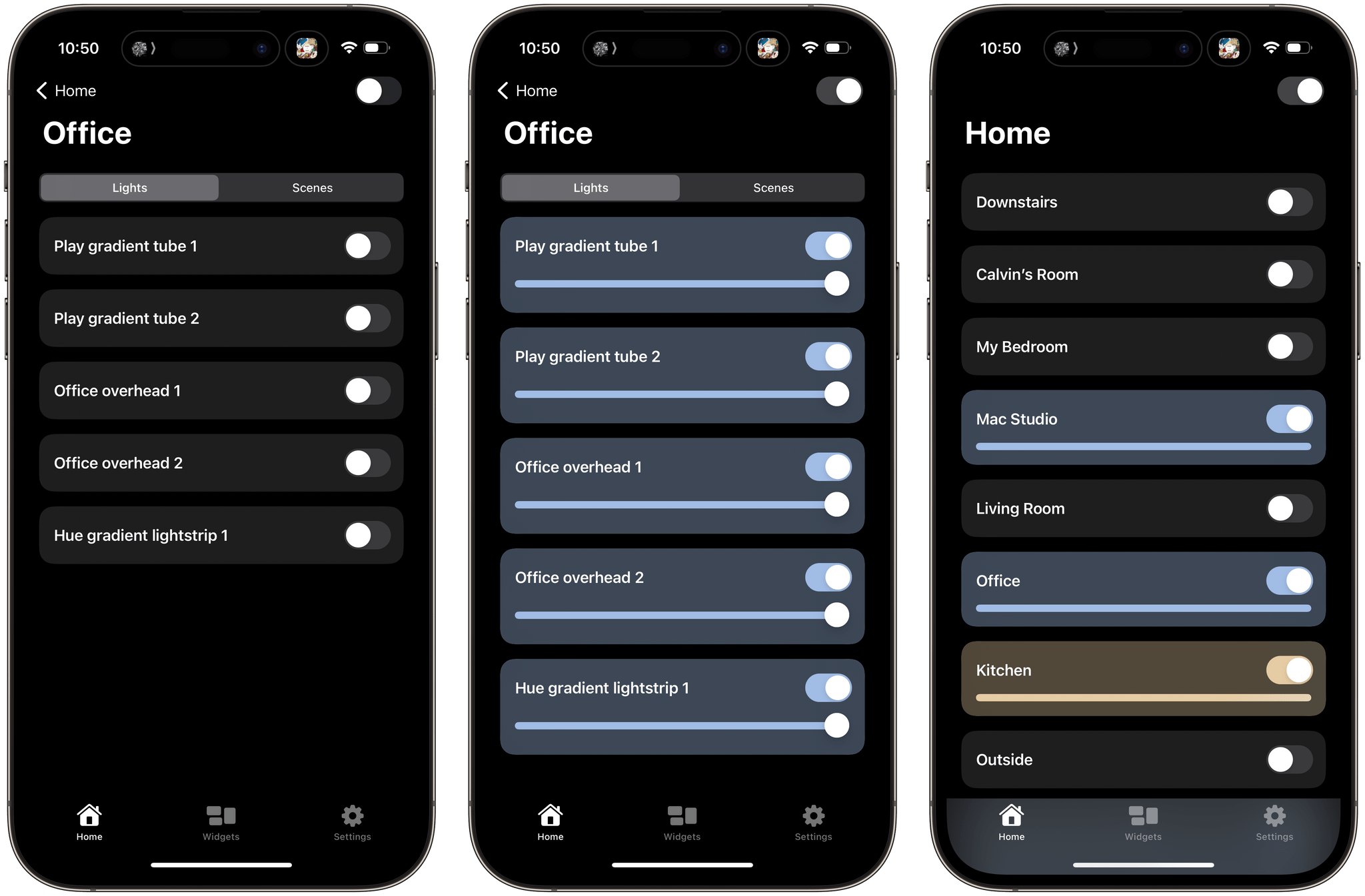
The Hue Widgets app has two main tabs: a list of the rooms in your home, and an interface for creating widgets. The Home tab allows you to turn on an entire room or zone’s lights or control them individually, turning lights and scenes on and off and adjusting brightness levels, light temperatures, and colors. The official Hue app works similarly, but Hue Widgets’ interface is simpler and faster.
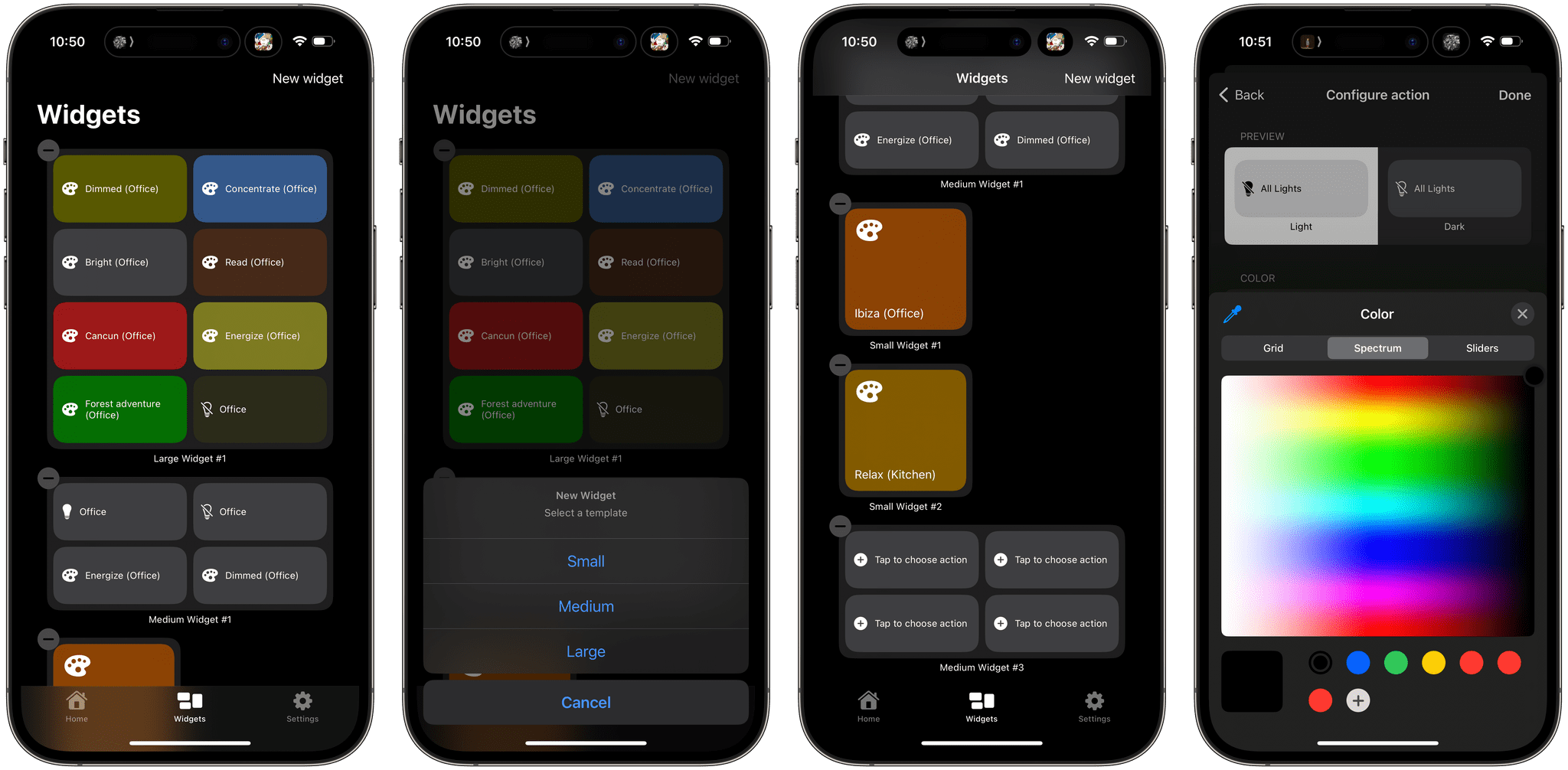
However, I’ve spent most of my time in the Widgets tab. Here, you can set up small, medium, or large widgets to control your Hue lights. The small version of the widget controls one light or scene, while the medium and large sizes control four and eight, respectively. After you pick the widget size you want, it appears in the Widget tab’s main interface. Then, tapping on each widget’s tiles walks you through picking a room and light or scene to control. Hue Widgets also lets you assign a color for each tile in your widget. It’s a quick and simple process but requires you to set up your lights and scenes in the Hue app first because Hue Widgets acts as a controller for the Hue app, not a replacement. When you’re satisfied with the widgets you’ve designed, return to your iPhone’s Home Screen to add one of the widgets you built, choosing the size you created in the app.
One thing I wish I could change in Hue Widgets is how it names widgets. Each is named automatically along the lines of ‘Small Widget #1’ and ‘Small Widget #2.’ If you create a lot of widgets, this isn’t ideal because it makes it hard to remember which widget is which. I’d prefer to assign more memorable names myself. I’d also love to see Hue Widgets on the iPad, where it could offer an extra-large widget.
I was a fan of Hue Widgets before iOS 17, but having tried the interactive versions of its widgets, I can already tell I will be using them a lot more than before. Paired with the recent addition of Matter support for Hue hubs, which seems to have improved the responsiveness of my lighting, Hue Widgets has become a core part of my growing home automation setup.
Hue Widgets is available on the App Store for $1.99.




 Federico








.](https://cdn.macstories.net/wednesday-27-sep-2023-11-00-17-1695827189031.png)