Scott Stein of CNET interviewed Apple’s Kevin Lynch about watchOS 7’s upcoming sleep tracking feature. Unlike third-party sleep tracking wearables and apps, Apple’s approach is simpler. As Stein explains:
Unlike other wearables such as the Fitbit or Oura, which measure how much time you spend in the various sleep phases and even give calculated sleep quality scores, Apple’s sleep tech is more simplified. It just tracks duration of sleep, movement disturbances and heart rate. The content of your sleep isn’t analyzed much at all. Instead, Apple’s placed a big focus on the time you go to bed and what you do while you wind down.
Instead of tracking time spent in different sleep phases, Apple’s focus is on winding down before bed and sleep duration, using positive reinforcement to encourage better habits. As Lynch says:
“You can’t really coach yourself to have more or less REM stages,” he says. “We felt like that wasn’t the best way Apple could add value here on sleep. We focused on the transition to the bed, which we think is way more actionable, and will result in people getting a better night’s sleep, which then has secondary effects of perhaps your REM stages sorting themselves.”
I haven’t had a chance to install the watchOS 7 beta yet, but sleep tracking is right at the top of my list of features I want to try this summer. I’ve used third-party apps that made me feel anxious about my lack of sleep, so I’m keen to see how Apple’s approach stacks up.
This week Federico and John cover updates coming to Messages, Home, Notes, Reminders, and Safari this fall.
Read more
Typically, the Apple Design Awards have been held on the evening of the first day of WWDC. With the conference online this year, Apple held off until today to announce the winners. This year, in a collection that has a distinct iPad focus, the company announced four app winners and four game winners.
The 2020 Apple Design Award winners for apps are:
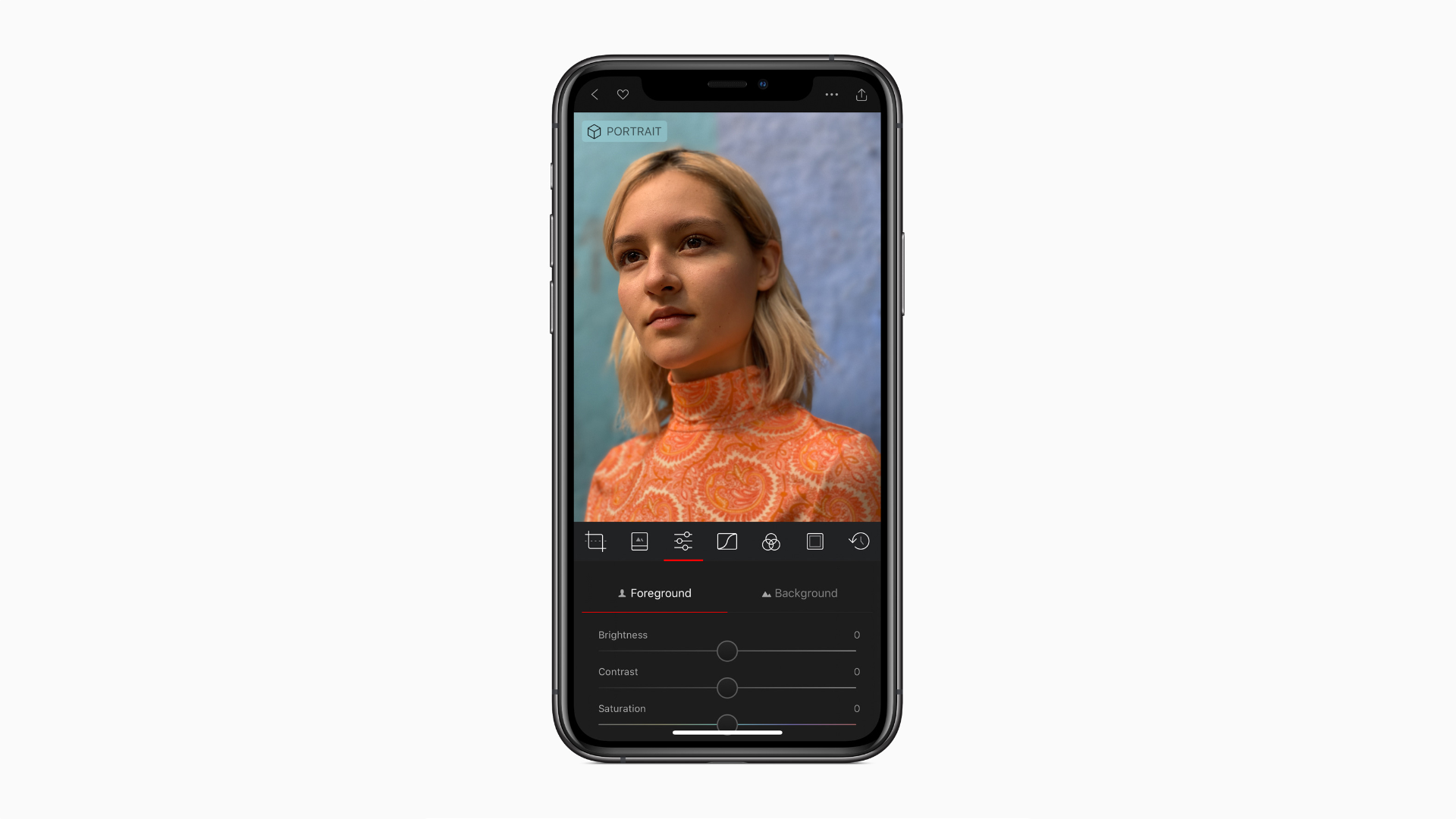
A MacStories favorite, Darkroom by Bergen Co. is a beautiful photo and video editor for the iPhone and iPad that takes advantage of many of Apple’s latest OS features.
Read more
Question: What are some potential issues to be mindful of when using any of the betas just announced? I am particularly interested in how Shortcuts and iCloud data could be affected. I plan to use non-production devices, but I’m concerned that Shortcuts and iCloud data could be affected since I would use the same Apple...
Crossy Road Castle Crossy Road Castle has been one of my favorite Apple Arcade titles to release this year, but when it first debuted there was only a single endless tower available to climb, with the promise of new towers coming later. This week the first of those new towers was released in an...
Keeping up with WWDC can be tough. Writing, watching videos, and recording and editing podcasts leave very little room for monitoring the commentary, discoveries, and insights of others published across the web and on social media. That’s why I spent some time before WWDC tweaking my systems for collecting information coming out of the...
When I reviewed GoodLinks, I knew its unique combination of Shortcuts integration and custom in-app actions that rely on URL schemes had the potential to sit at the center of powerful, automated workflows. My hunch was correct.
When I tried GoodLinks for the first time, I began thinking of ways to integrate it into the research I do for MacStories and Club MacStories. Michael LaPorta’s thoughts, however, immediately turned to music.
LaPorta has built a ton of music-related shortcuts that you can find on his website. After reading my review of GoodLinks, he set out to create a shortcut to allow him to save music reviews and related reviews to read and listen to later. Here’s how LaPorta explains it:
So here’s the concept: GoodLinks can grab music reviews and store them to read or access later. When grabbing the music reviews you can customize the information associated with the review. You can use this customized info to also grab the album and add it to your Music library. Once you have the review (along with its customized info) saved in GoodLinks and the album saved in Music, you can use GoodLinks as a read-and-listen-to-it-later app that can be accessed via Shortcuts in a variety of contexts.
LaPorta didn’t stop there, though. He also added a way to handle upcoming releases and begin listening to an album from inside its review in GoodLinks using the app’s custom action builder.
I highly recommend giving LaPorta’s shortcut and GoodLinks action a try. These are precisely the sort of automations that the new breed of read-it-later apps like GoodLinks make possible.
Wrapping up AppStories’ WWDC coverage, we talk Apple Silicon, the macOS redesign, and dig into the many changes to Shortcuts.
Sponsored By:
- Spark – Love your email again with the best email client for professionals and their teams.
https://staging.macstories.net/podcasts/appstories/episodes/172/embed/




 Federico






 Ryan
Ryan