


 Ryan
RyanUlysses Getting out one more summer update before the fall OS releases, Ulysses this week brought its keyword manager to iOS, previously a Mac exclusive, along with favorite keywords; it also introduced a tweaked fullscreen view on iPad that displays only your on-screen text, and when exporting to PDF or DOCX there are four...
Porsche to Include Apple Music App in Its Electric Taycan Electric Sports Car
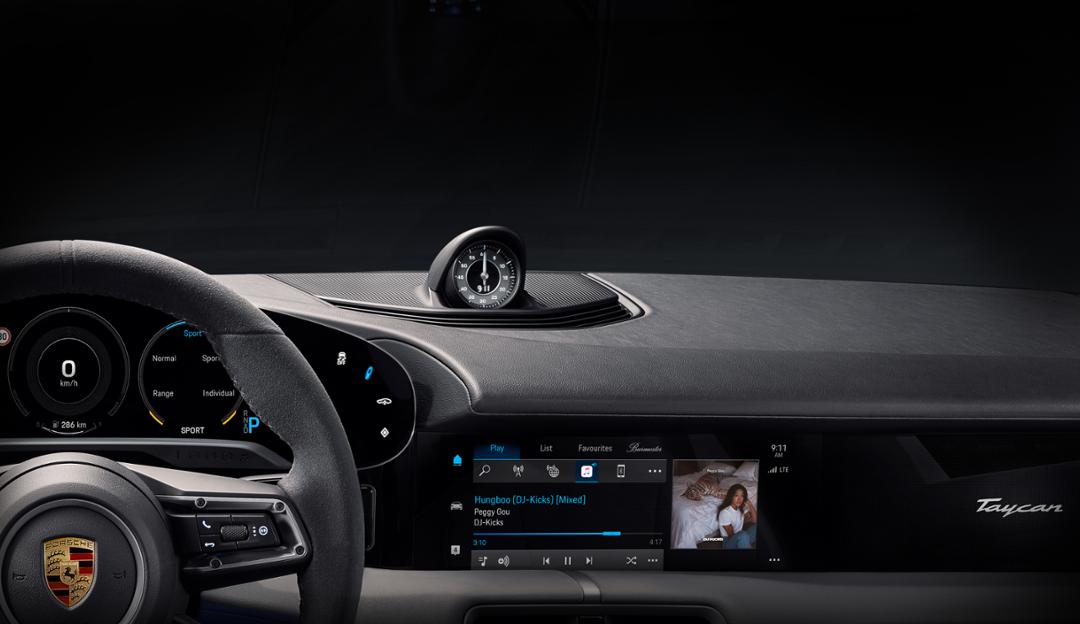
Yesterday, Porsche announced that it’s partnering with Apple to integrate Apple Music directly with the in-car entertainment system of the Taycan, which is debuting in September.
The streaming service will be available in Porsche’s fully-electric Taycan first and later, in other models. According to TechCrunch’s Kirsten Korosec who spoke to Porsche’s North American CEO Claus Zellmer:
The integration means more than an Apple Music app icon popping up on the Taycan’s digital touchscreen. The company wanted the experience to be seamless, meaning no wonky sign-ins, phone pairing or separate accounts. Instead, Porsche is linking an owner’s Apple ID with their Porsche Taycan ID. Apple Music content in the Taycan will be identical to what’s on the user’s iPhone app.
System-level integration with Apple Music will allow Taycan owners to enjoy the service regardless of whether they have an iPhone with them because the Taycan comes with in-car Internet service. The car company announced that it will offer a six-month free trial of Apple Music with the Taycan and incorporate CarPlay support into its in-car entertainment system too.
Direct integration of Apple Music with Porsche’s in-car system, plus six months of free service sounds an awful lot like what satellite radio company SiriusXM offers with many new cars. The move has the advantage of ensuring that Apple’s service will always be available onscreen where it can compete directly with other services. Of course, the downside is that because Apple doesn’t control the hardware its app runs on, it will undoubtedly be subject to the whims of Porsche if it wants to update it, which is part of why CarPlay exists in the first place. Fortunately, regardless of how Porsche handles updates, CarPlay will be available to Taycan owners too. It will be interesting to see whether Apple Music and perhaps other Apple apps make their way into additional manufacturers’ automobiles in the future or if this is a one-off deal.
AppStories, Episode 125 – Apple Maps in iOS 13 with Ryan Christoffel→
On this week’s episode of AppStories, John is joined by MacStories colleague Ryan Christoffel to talk about the big changes coming to Apple Maps this fall with iOS 13.
Sponsored by:
- Monday.com – Start your 14-day free trial by going to monday.com/appstories
- Pocket Lists – The friendliest to-do list app for families
https://staging.macstories.net/podcasts/appstories/episodes/125/embed/






Swapping Dongles for a Dock: The OWC Thunderbolt 3 Dock
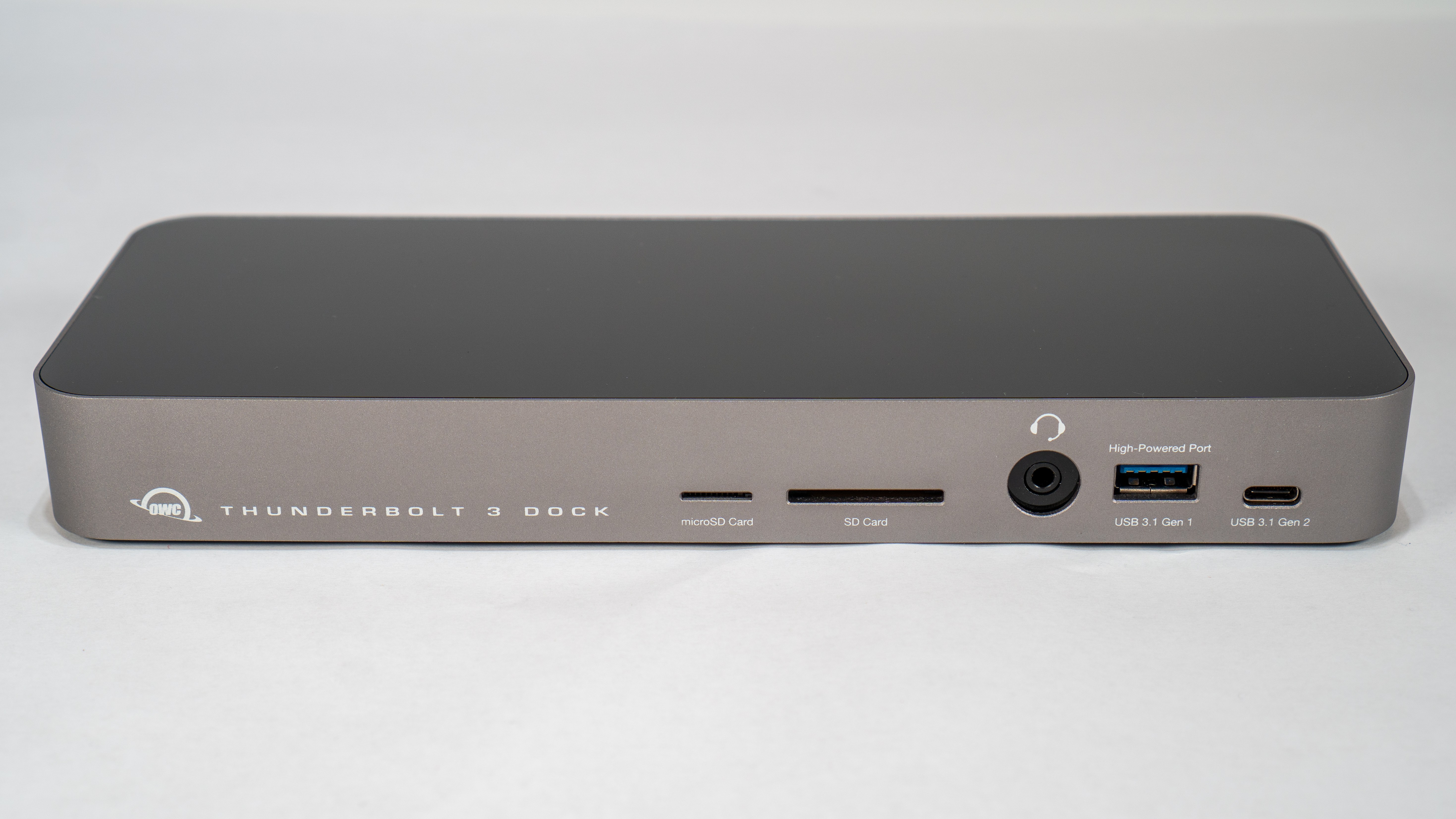
By limiting its laptops to Thunderbolt 3 and USB-C ports, Apple has been able to continue its relentless pursuit of thinness. That’s great when you’re on the go. However, if an Apple laptop is your primary computer, the number and lacking diversity of ports is problematic. When you’re back at home or work, connecting legacy USB-A devices, SD and microSD cards, and Ethernet and HDMI cables requires an array of often expensive dongles and cables that quickly fill up the available ports on your Mac.
When I commuted to downtown Chicago for work, I carried a 2016 MacBook Pro with me. At the end of the day when I returned home, I sat the laptop on my desk and plugged in a bunch of cables and dongles, which was a pain. Because I work from home now, I don’t use my MacBook Pro that way very often anymore, except in the summertime when that laptop becomes a testbed for the latest macOS beta. I’ve been trying to work on the macOS beta from a MacBook Pro as much as possible over the summer, and the experience has caused me to revisit the frustration of unplugging cables and dongles every time I want to leave my desk and work elsewhere.
I had been thinking about ways to improve my summertime beta setup when Other World Computing offered to send me its OWC Thunderbolt 3 Dock to test. I took them up on the offer, and having used it for a while now, I love the convenience of being able to connect everything to my MacBook Pro with a single Thunderbolt 3 cable. It’s not an inexpensive solution, but compared to the cost of purchasing multiple over-priced dongles, it’s not as extravagant as it might seem at first.
 Apple Maps in iOS 13 with Ryan Christoffel
 Federico
Sidecar in iPadOS 13 and macOS Catalina: Working Seamlessly Between an iPad and Mac
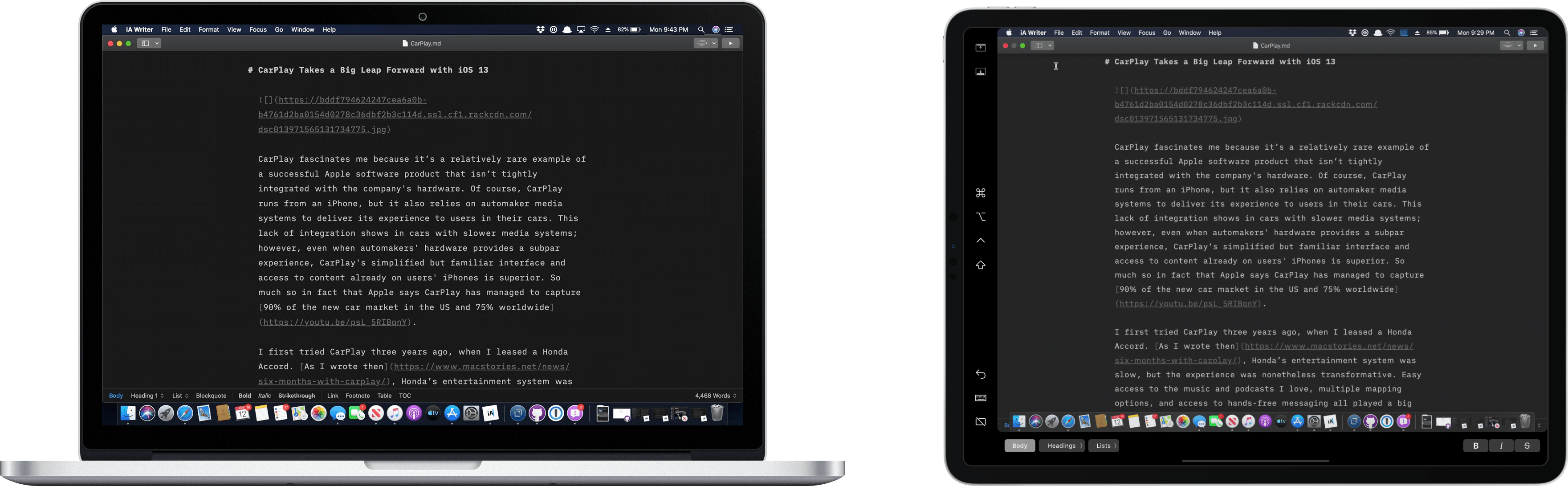
The core experience of using Sidecar is fantastic. Part of the reason is that running an iPad as a second display for a Mac with Sidecar is immediately familiar to anyone who has ever used multiple displays. The added screen real estate, portability, and functionality are part of the appeal too. Of course, there are differences that I’ll get into, but Sidecar is so close to a traditional dual-display setup that I expect it will become a natural extension of the way many people work on the Mac.
There’s more going on with Sidecar though, which didn’t dawn on me until I’d been using it for a while. One of the themes that emerged from this year’s WWDC is deeper integration across all of Apple’s platforms. As I’ve written in the past, SwiftUI is designed to accomplish that in the long-term across all the devices Apple makes. In contrast, Catalyst is a shorter-term way to tie the Mac and iPad closer together by bringing iPad apps to the Mac and encouraging developers to build more robust iPad apps.
Sidecar strikes me as part of the same story. Apple made it clear when they introduced Catalyst in 2018 at WWDC that it’s not replacing macOS with iOS. Some tasks are better suited for a Mac than an iPad and vice versa. Sidecar acknowledges those differences by letting an iPad become an extension of your Mac for tasks best suited to it. At the same time, however, Sidecar takes advantage of functionality that’s unavailable on the Mac, like the Apple Pencil. Combined with the ability to switch seamlessly between using Mac apps running in Sidecar and native iPadOS apps, what you’ve effectively got is a touchscreen Mac.
However, to understand the potential Sidecar unlocks, it’s necessary to first dive into the details of what the new feature enables as well as its limitations.
AppStories, Episode 124 – CarPlay in iOS 13 and Vignette with Casey Liss→
On this week’s episode of AppStories, John is joined by Casey Liss to dig into the big changes coming to CarPlay in iOS 13 and the story behind Vignette, Casey’s app for assigning profile pictures to contacts.
Sponsored by:
- Linode: High-performance SSD Linux servers for all of your infrastructure needs. Get a $20 credit.
- Club MacStories – Exclusive access to extra MacStories content, delivered every week for just $5/month or $50/year.
https://staging.macstories.net/podcasts/appstories/episodes/124/embed/
Dialog Season 1 Finale, Writers and Writing: Wrap-Up→
Today on Dialog, we conclude season one with a discussion of what we learned from each of our guests. Despite vastly different backgrounds, there were several themes that ran throughout our interviews with John Gruber, Frank Turner, John August, Carrie Patel, and Pierce Brown. To wrap up season one we revisit getting started as a writer, the impact and use of social media, influences and idea generation, getting past writer’s block, and the roles of hard work, luck, and privilege in succeeding.
Thank you for listening to season one of Dialog. We haven’t decided when season two will begin, but we’ll be back with an all-new set of guests and a different topic in the near future. In the meantime, if you missed any of previous interviews, go back and check them out. A big benefit of a show like Dialog is that the topics are evergreen and just as relevant today as they were when they were first published.
We also want to thank each of our guests for taking the time to chat with us about writing. Without the generosity of John Gruber, Frank Turner, John August, Carrie Patel, and Pierce Brown, this season wouldn’t have been possible. Thanks too to this season’s sponsors who believed in the show and supported it before we had even recorded the first episode.
You can find the final episode of season one here or listen through the Dialog web player below.
Sponsored by:
- Astropad Studio – Turn your iPad into a professional graphics tablet. Get started today with a 30-day free trial.
- 1Blocker – Making the Web faster & safer on iOS and Mac.
CarPlay in iOS 13 and Vignette with Casey Liss

AppStories Episode 124 - CarPlay in iOS 13 and Vignette with Casey Liss
0:00
49:39
49:39
This week, John is joined by Casey Liss to dig into the big changes coming to CarPlay in iOS 13 and the story behind Vignette, Casey’s app for assigning profile pictures to contacts.