

Hulu I’ve been a Hulu subscriber for about two years now, and what started as one of the worst UIs of any streaming service available has steadily improved. With the latest update, Hulu has taken another run at the UI of its Live TV service. Last year the company added a more traditional TV...
Apple Announces Fall Media Event
As first reported by Rene Ritchie, Apple has announced a media event for September 10, 2019 at 10:00 am Pacific. The event will be held at Steve Jobs Theater in Cupertino.
https://twitter.com/reneritchie/status/1167105373775548417
Based on widespread speculation, Apple is expected to introduce three new iPhones based on the iPhone XS design with a new rear-facing, three-camera array that includes a new wide-angle lens and will be able to take better low light photos. Rumors also point to the introduction of new Apple Watch models, and possibly a 10.2-inch iPad to replace the current 9.7-inch model. Apple is said to be working on a 16” MacBook Pro, new water-resistant, noise-cancelling AirPods, and a new HomePod, but it’s likely if those products materialize at least some won’t be shipped until later this year or 2020.
In addition to hardware, Apple is expected to announce release dates for updates to its operating systems, including iOS 13, iPadOS, macOS Catalina, and watchOS 6. As in the past, Apple should release a Gold Master of the OSes shortly after the event with a public release date within approximately 10 days.
Apple Announces Changes to Siri Grading Program

Earlier this month, Apple suspended its Siri grading program, in which third-party contractors listened to small snippets of audio to evaluate Siri’s effectiveness. Today in a press release, Apple explained its Siri grading program and changes the company is making:
We know that customers have been concerned by recent reports of people listening to audio Siri recordings as part of our Siri quality evaluation process — which we call grading. We heard their concerns, immediately suspended human grading of Siri requests and began a thorough review of our practices and policies. We’ve decided to make some changes to Siri as a result.
Apologizing for not living up to the privacy standards customers expect from it, Apple outlined three changes that will be implemented this fall when operating system updates are released:
First, by default, we will no longer retain audio recordings of Siri interactions. We will continue to use computer-generated transcripts to help Siri improve.
Second, users will be able to opt in to help Siri improve by learning from the audio samples of their requests. We hope that many people will choose to help Siri get better, knowing that Apple respects their data and has strong privacy controls in place. Those who choose to participate will be able to opt out at any time.
Third, when customers opt in, only Apple employees will be allowed to listen to audio samples of the Siri interactions. Our team will work to delete any recording which is determined to be an inadvertent trigger of Siri.
This is a sensible plan. It’s clear, concise, and has the benefit if being verifiable once implemented. It’s unfortunate that Siri recordings were being handled this way in the first place, but I appreciate the plain-English response and unambiguous plan for the future.
Game Day: Dead Cells

Dead Cells by Motion Twin landed on mobile for the first time today with its release on iOS. The game, which the Bordeaux, France-based game studio describes as a ‘rogue-lite, metroidvania action-platformer,’ has been adapted for mobile by publisher Playdigious. I’ve been playing Dead Cells on a variety of iOS devices for the past two weeks both with onscreen controls and controllers, and it’s quickly become my favorite iOS game of 2019 so far.
Dead Cells, which debuted in 2017 and is also available for consoles and PC, is not an easy game. You play as a warrior raised from the dead, battling your way through dungeon mazes. Along the way, you collect weapons, cells, which can be used to upgrade your weapons, and other items. When you die, you lose any unused cells and some of the items you’ve collected. However, other upgrades are permanent and remain intact between sessions. Combined with levels that are partially procedurally generated and provide variety between attempts to defeat enemies, the mechanic creates a fun tension that makes Dead Cells extremely hard to put down.
Prizmo 5 for iOS Delivers Fast Scanning and Powerful OCR
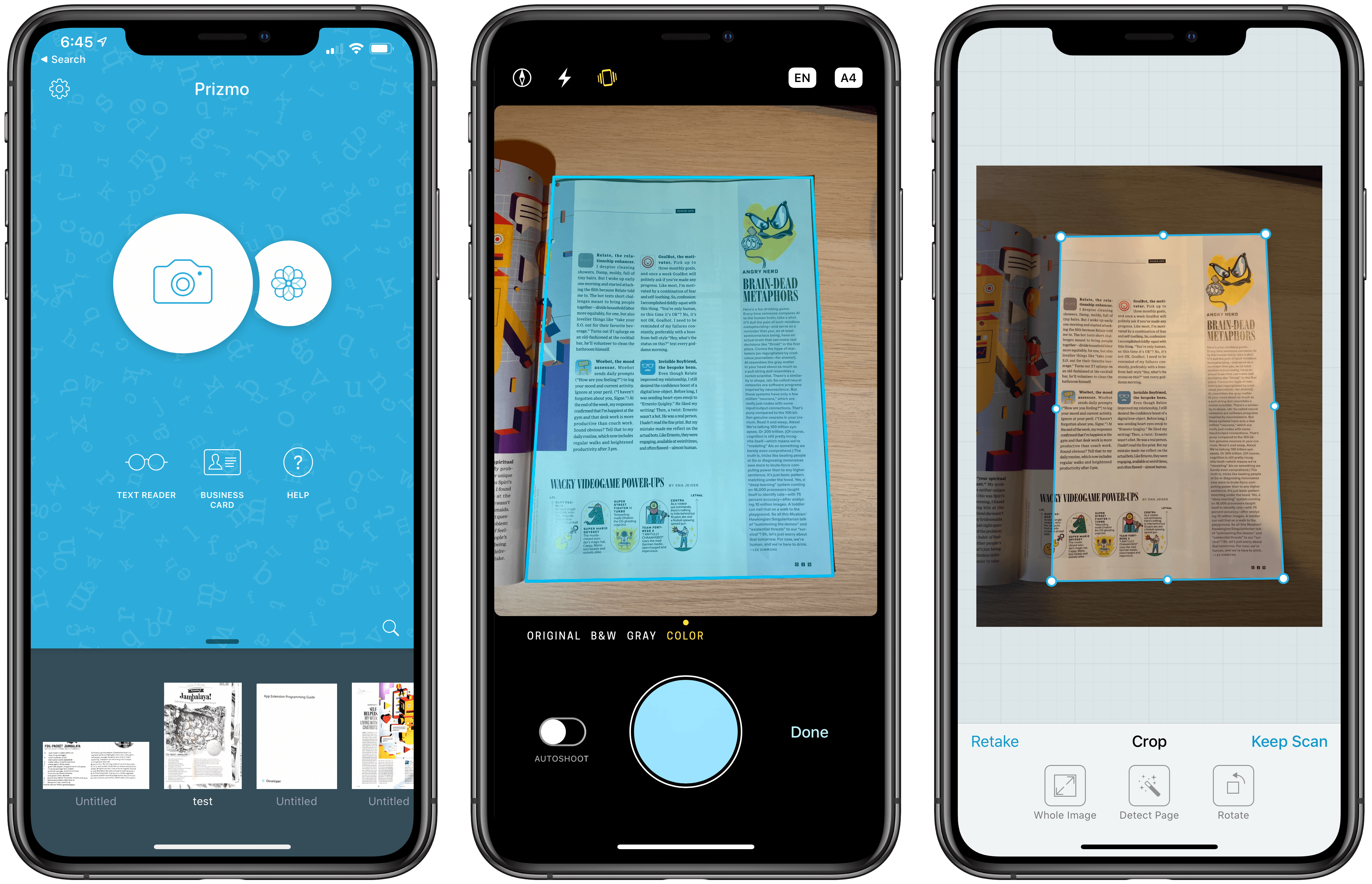
I own a ScanSnap S1300i scanner, but I’m not sure why anymore. I used to scan paper documents and store them on my Mac. I’d OCR the scans, so they would be text searchable, and I used Hazel rules to organize them in folders automatically. However, I realized recently that not only do I rarely need to refer back to those scanned documents, but most are already available in electronic form online. If I need to look at an old credit card statement or bill, I can log into those accounts to find the information I need, so I tossed my scanner in a drawer.
Important bits of paper still come into my life now and then, but I’ve found that an iOS scanning app is more convenient for the volume of scanning I do now. There are lots of terrific apps on iOS to capture and organize scans, but Prizmo by Creaceed, which I’ve been testing for the past week, has quickly become one of my favorites, distinguishing itself with its ease of capture and terrific OCR functionality.
AppStories, Episode 126 – Sidecar→
On this week’s episode of AppStories, we cover Apple’s new second-screen feature coming to macOS Catalina and iOS 13 in the fall and what it means for both platforms.
Sponsored by:
- Monday.com – Start your 14-day free trial by going to monday.com/appstories
- Genius Scan – A scanner in your pocket. Visit geniusscan.com/appstories for a chance to win one of 10 copies of Genius Scan+, which will be selected randomly.
https://staging.macstories.net/podcasts/appstories/episodes/126/embed/






 Sidecar
 Federico
NetNewsWire Review: The Mac RSS Client, Rebooted with a Solid Foundation for the Future
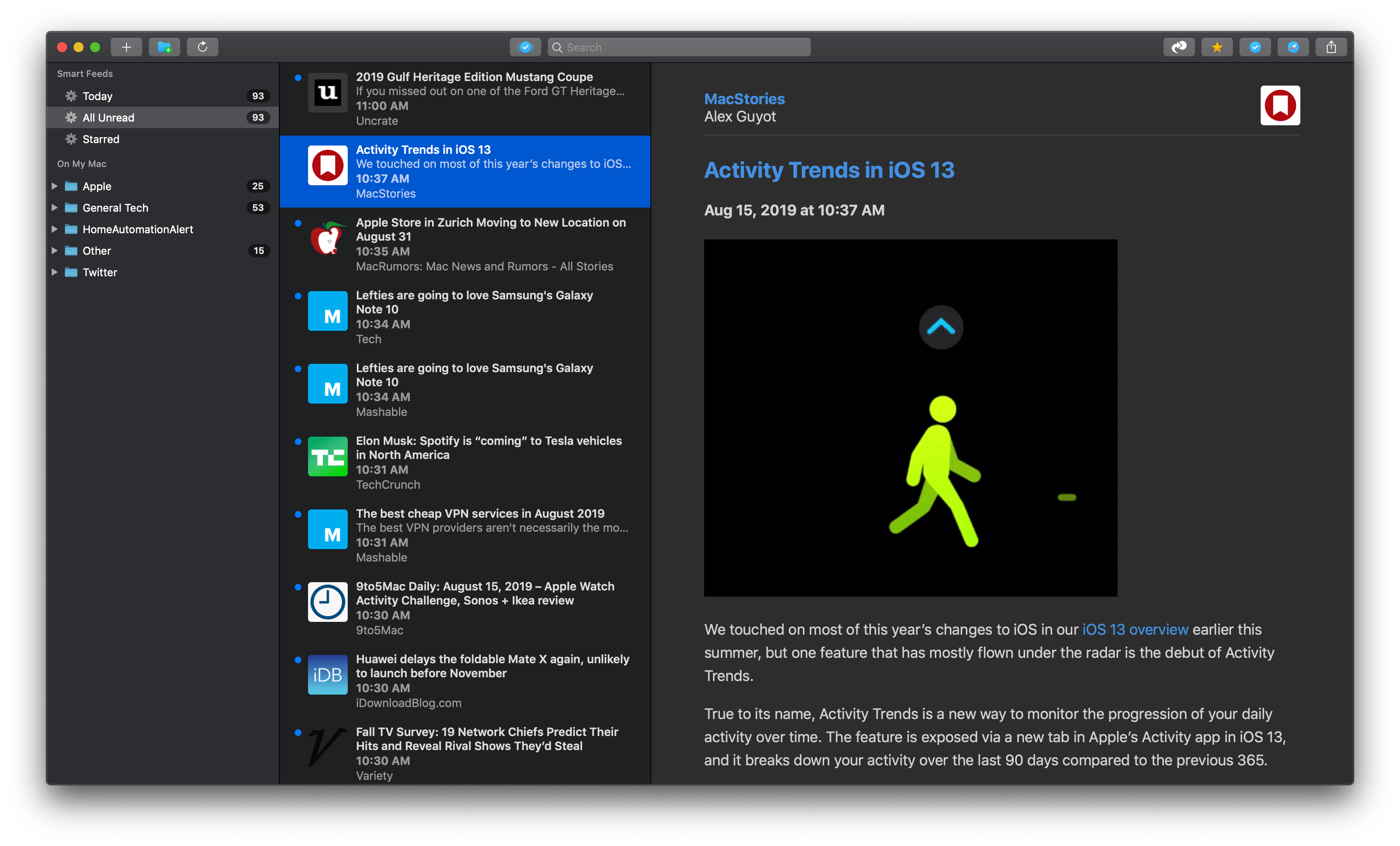
After Google Reader disappeared, a lot of people drifted away from RSS readers. For many, social networks like Twitter filled the void, leading some observers to declare the death of RSS. However, a funny thing happened in the aftermath of Google Reader’s demise. New sync services arose, and RSS readers flourished on iOS, where competition to provide users with new and innovative ways to read their favorite feeds has been fierce.
However, feed reader options haven’t been nearly as robust on the Mac. As I’ve noted before, many of my favorite RSS readers for iOS don’t have Mac counterparts, and those that do haven’t been developed with the same regularity we’ve seen on iOS. It’s into this landscape that NetNewsWire 5 launches today.
If you’ve been using RSS for any length of time, you’ve undoubtedly heard of NetNewsWire, but may not be aware of its long history. The app’s roots stretch back to 2002 with NetNewsWire Lite 1.0, which Brent Simmons developed. In 2005, the app was purchased by NewsGator, then Black Pixel bought the app in 2011.
Simmons began working on a new open-source RSS reader called Evergreen in 2015. But then in 2018, he reacquired the rights to NetNewsWire from Black Pixel, bringing the app back to where it started for the first time in 13 years.
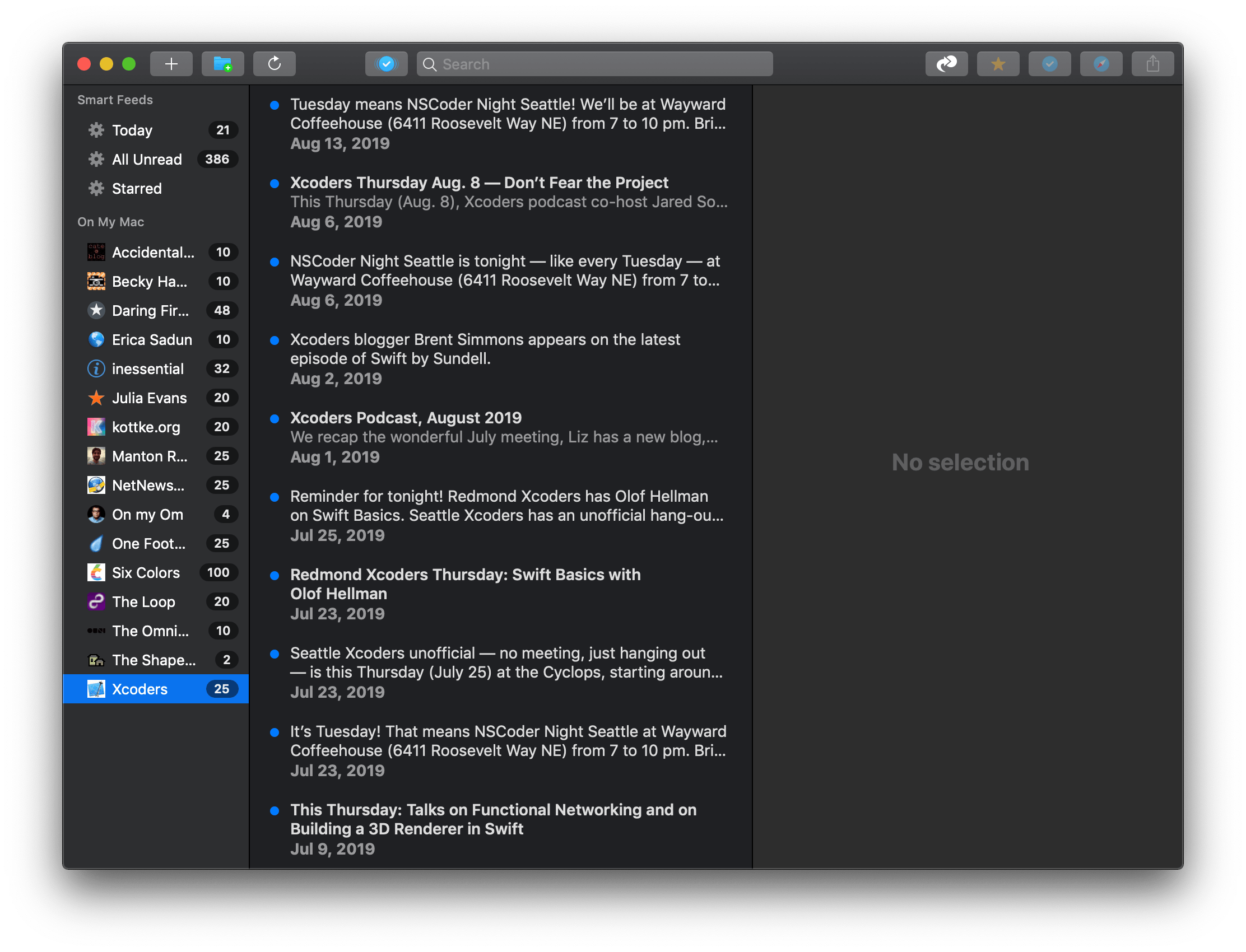
NetNewsWire 5 is an all-new, free app rebuilt from the ground up using Evergreen’s code, but bearing the name of Simmons’ original feed reader. The time and hard work by Simmons and other contributors to the open-source project are apparent. NetNewsWire 5 is a thoughtfully-designed, fast app with powerful search. The app won’t be my primary Mac feed reader until it has more syncing options or the planned iOS version is released, but if your feed reading is limited to the Mac or you use Feedbin to sync your feeds to iOS, NetNewsWire is an excellent choice.
 Cooking Apps on iOS and Apple TV
Cooking apps are a natural fit with the portability of iOS devices, and you’ll find lots of good options to organize your shopping list, find recipes, and learn how to be a better cook. Cooking, travel, and lifestyle shows have long been a staple on TV too, so it’s not surprising that there...