

Scanbot Scanbot 9 was released this week with several new features that are available with a subscription. Existing users will continue to be able to use the app, but new features will be exclusive to subscribers. Many of the new features are focused on organization. Folders have a new look, documents can be arranged...
 Craig Federighi: The AppStories Interview
 Federico
AppStories Episode 114 - Craig Federighi: The AppStories Interview
0:00
48:22
48:22
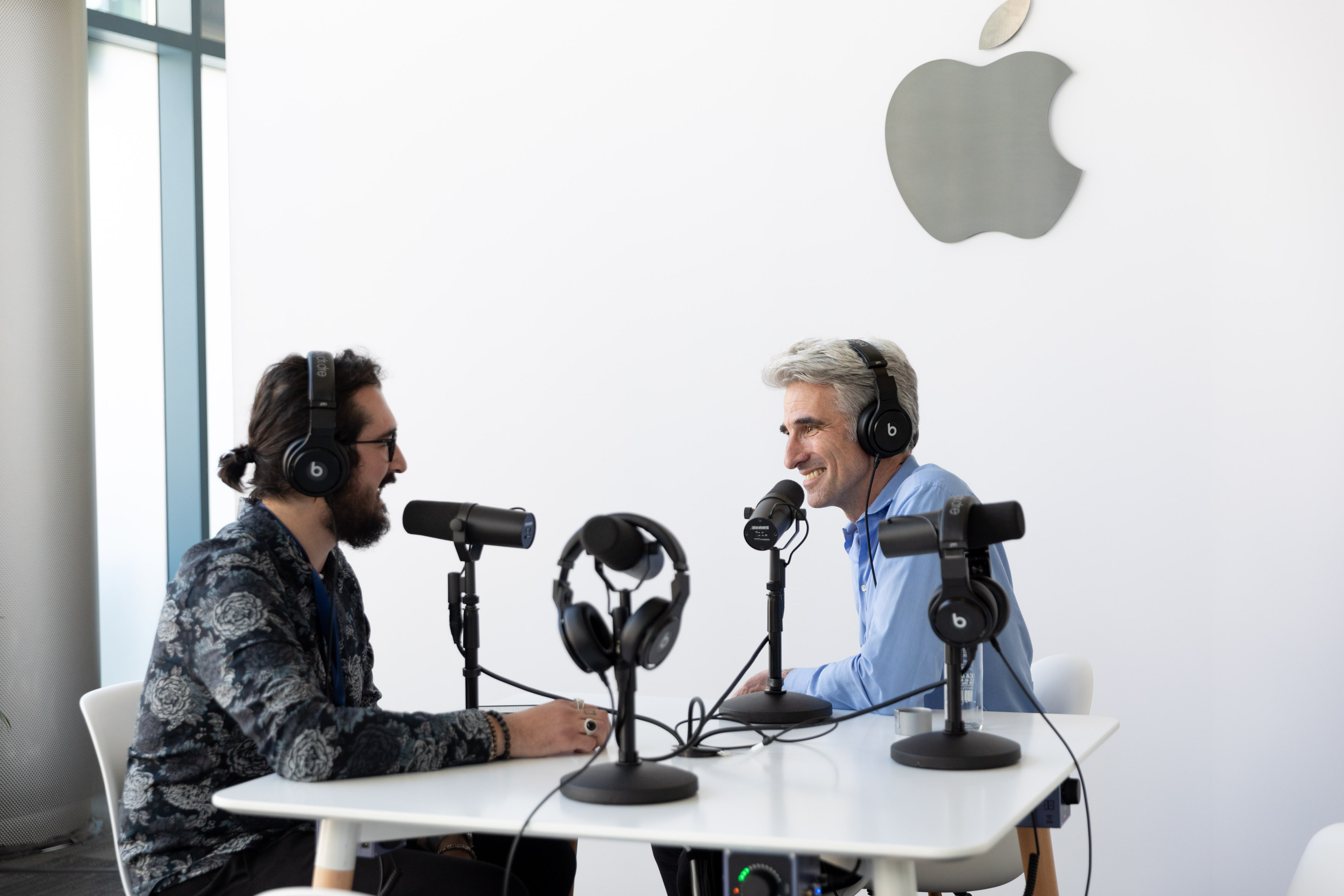
This week, Federico and John are in San Jose attending WWDC where Federico sat down with Craig Federighi, Apple’s Senior Vice President of Software Engineering to talk about Apple’s new developer tools like Catalyst and SwiftUI, as well as iPadOS.
Craig Federighi: The AppStories Interview
It’s been an exciting week at WWDC. Despite rumors and leaks going into the keynote on Monday, the presentation was full of surprises and fulfilled many of the wishes of Mac and iOS developers and users.
Federico and I arrived in San Jose last weekend and planned to record an episode of AppStories that would begin to sift through the huge stack of announcements made by Apple. Those plans were almost immediately cast aside when a unique opportunity presented itself.
Federico is attending WWDC this week, and Apple graciously offered to schedule a time for him to interview Craig Federighi, the company’s Senior Vice President of Software Engineering. With a WWDC packed with announcements that will affect app development for years to come, we of course agreed immediately.
When you step back from the details of what was announced in the keynote and since, I expect that WWDC 2019 will be remembered as the event when a new vision for apps on all of Apple’s platforms from a tiny Watch face to a Mac Pro driving a 32-inch Pro Display XDR began to come into focus. The tools made available to developers – like Catalyst for bringing iPad apps to the Mac, and SwiftUI, a new declarative way to build app UIs with less code – promise new efficiencies and capabilities to help developers build apps on every Apple platform. Combined with powerful new features coming to the iPad in iPadOS and an extensive Shortcuts update, there’s an opportunity for a future with deeper, pro-level iPad apps and experiences, a more diverse Mac app ecosystem, and tighter integration across Apple’s entire hardware lineup.
Against that backdrop, Federico sat down with Craig Federighi for a special episode of AppStories, one of MacStories’ growing lineup of podcasts, to explore the impact of developer tools like Catalyst and SwiftUI and the new iPadOS on the apps we use today and the apps these technologies will enable in the future.
Thank you to Apple for arranging the interview, Craig Federighi for participating, and as always, thank you for listening to AppStories. We hope you enjoy the show.
You can find the episode here or listen through the AppStories web player below.
Sponsored by:
CarPlay Dashboard to Enable Displaying Multiple Apps in the Fall
According to Apple, CarPlay is currently available in 90% of all cars manufactured in the US and 75% worldwide, which explains why the company announced what it described as the biggest update to CarPlay since its introduction in 2014.
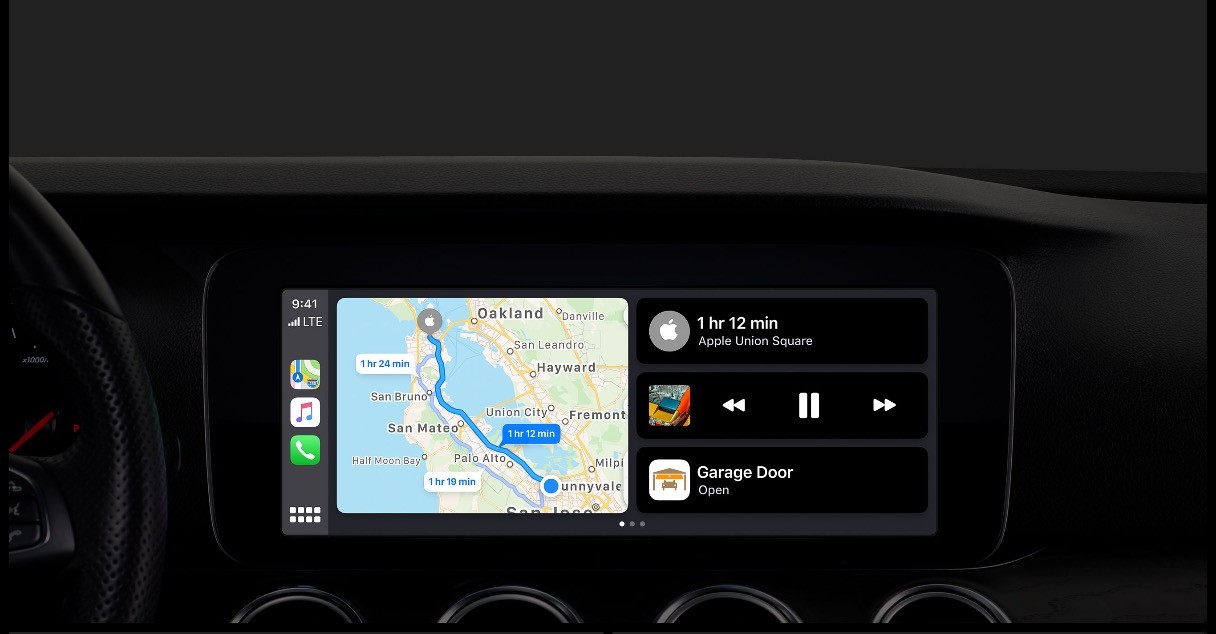
The update, which will be released in the fall with iOS 13, is dominated by a redesign of CarPlay’s interface. In the current version of CarPlay, only one app is displayed onscreen at a time and using Siri takes over the whole screen. The new UI, which Apple is calling CarPlay Dashboard, allows two apps plus Siri suggestions or the Siri interface to be displayed at one time.
During the demo, Apple showed off Maps side-by-side with Music and a Siri suggestion to open a garage door using a HomeKit shortcut. Although apps can coexist next to each other in the update, the demo also showed apps like Music being used full-screen. When Siri was activated while Music was displayed full-screen, Siri’s familiar stylized sound wave pattern appeared beneath the Music controls and artwork, which is a nice departure from the current system where Siri’s UI takes over the entire display.
In another nice Siri addition, the voice assistant will now work with third-party CarPlay-enabled apps like Waze and Pandora. Currently, Waze has a separate button in the app’s UI to trigger voice control. That makes voice control more difficult and frustrating in third-party apps because they all implement voice control a little differently. In the fall though, developers will be able to update their apps to take advantage of the same in-car Siri hardware buttons as Apple’s apps.
Apps will also be added and updated. Apple previewed a new CarPlay version of the iOS Calendar app, and Music has been redesigned to include album art.
Apple didn’t say whether the update will be backwards compatible with existing car entertainment systems, but because that’s historically been one of CarPlay’s selling points, I expect it will be. A revamped CarPlay was an unexpected surprise yesterday, and although I haven’t had a chance to try it yet, I like what was shown during the demo, especially the ability to keep Maps on the same screen as another app.
You can also follow all of our WWDC coverage through our WWDC 2019 hub, or subscribe to the dedicated WWDC 2019 RSS feed
WWDC 2019 Keynote: By the Numbers
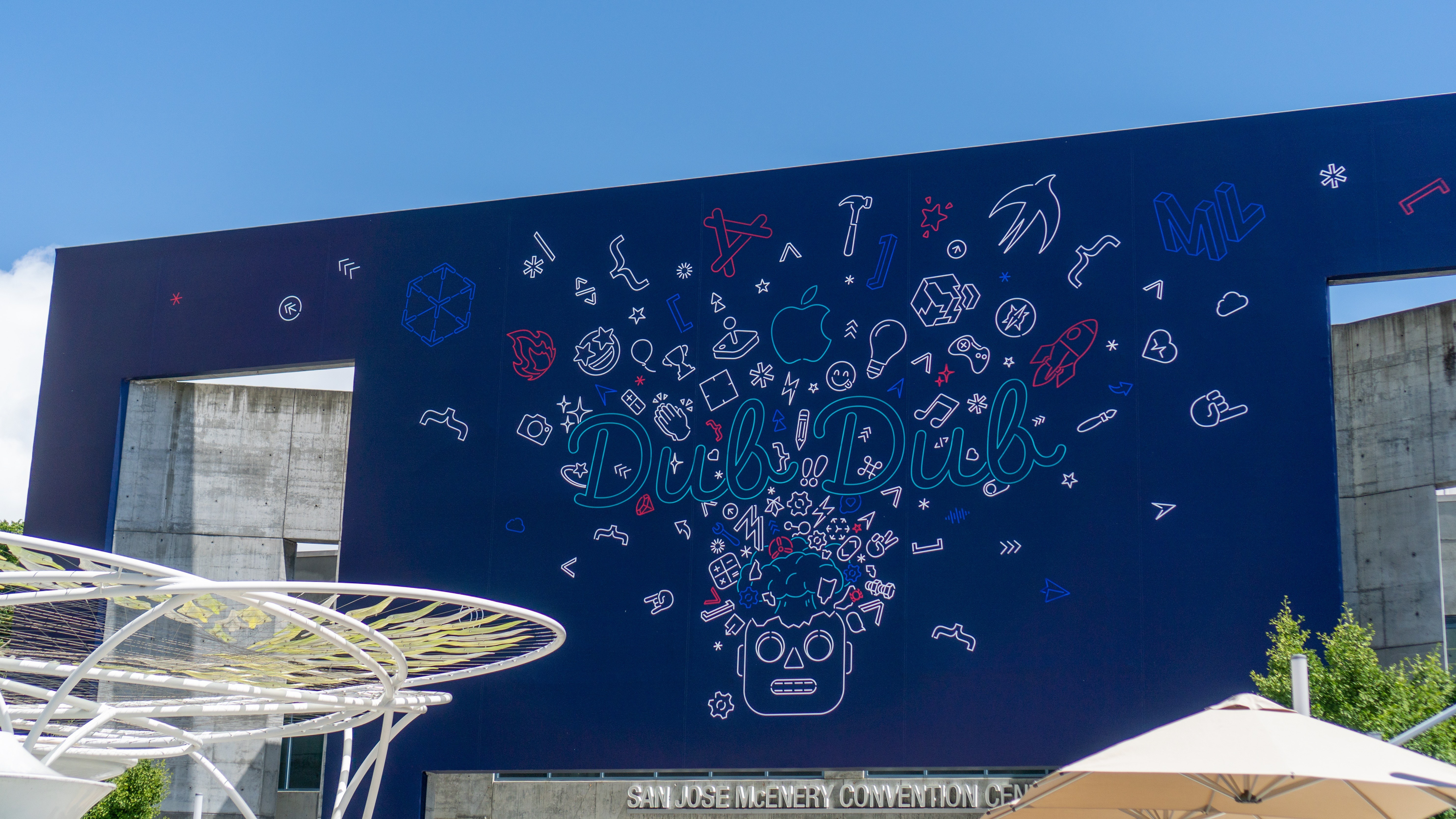
Every time Apple holds a keynote event, the company shares a variety of numbers related to things like user counts for certain products, software performance improvements, and customer satisfaction. With the company announcing the future of key platforms like iOS, macOS, watchOS, tvOS, and the all-new iPadOS today, there was unsurprisingly a lot of data mentioned at today’s WWDC event.
We’ve collected some of the most interesting numbers shared on-stage during the keynote and on Apple’s product pages:
iOS, iPadOS, and macOS
- iOS has a 97% customer satisfaction rating
- 85% of iOS users have updated to iOS 12 compared to 10% of Android users on the latest version
- iOS devices will unlock 30% faster with Face ID on iOS 13
- iOS 13 downloads will be up to 50% smaller and updates 60% smaller than previously
- Apps will launch up to twice as fast as before
- Apple Pencil latency will be reduced to 9 milliseconds
- Sidecar will work wirelessly within 10 meters
- 100,000 radio stations will be available on HomePod
- There are over 450,000 apps on the App Store built using Swift
Mac Pro
- Up to 28 cores
- 8 expansion slots
- 64 PCI Express lanes
- Can handle 3 streams of 8K ProRes RAW video and 12 streams of ProRes 4K video
- 1.4 kilowatt power supply
- Up to 56 teraflops of graphics performance
- Up to 1.5TB of system memory on 12 DIMMs
- Up to 4TB of internal storage
- Up to 6.3 billion pixels processed per second
- Users can connect up to 6 Pro Display XDRs, which would cost up to $42,000
Pro Display XDR
- Maximum 1,600 nits
- 1,000,000:1 contrast ratio
- 20 million pixels
- 40% more screen real estate than 5K Retina display
- 10-bit color
- Over 1 billion colors
You can also follow all of our WWDC coverage through our WWDC 2019 hub, or subscribe to the dedicated WWDC 2019 RSS feed
Apple Shows Off New Mac Pro and Pro Display XDR Coming in the Fall
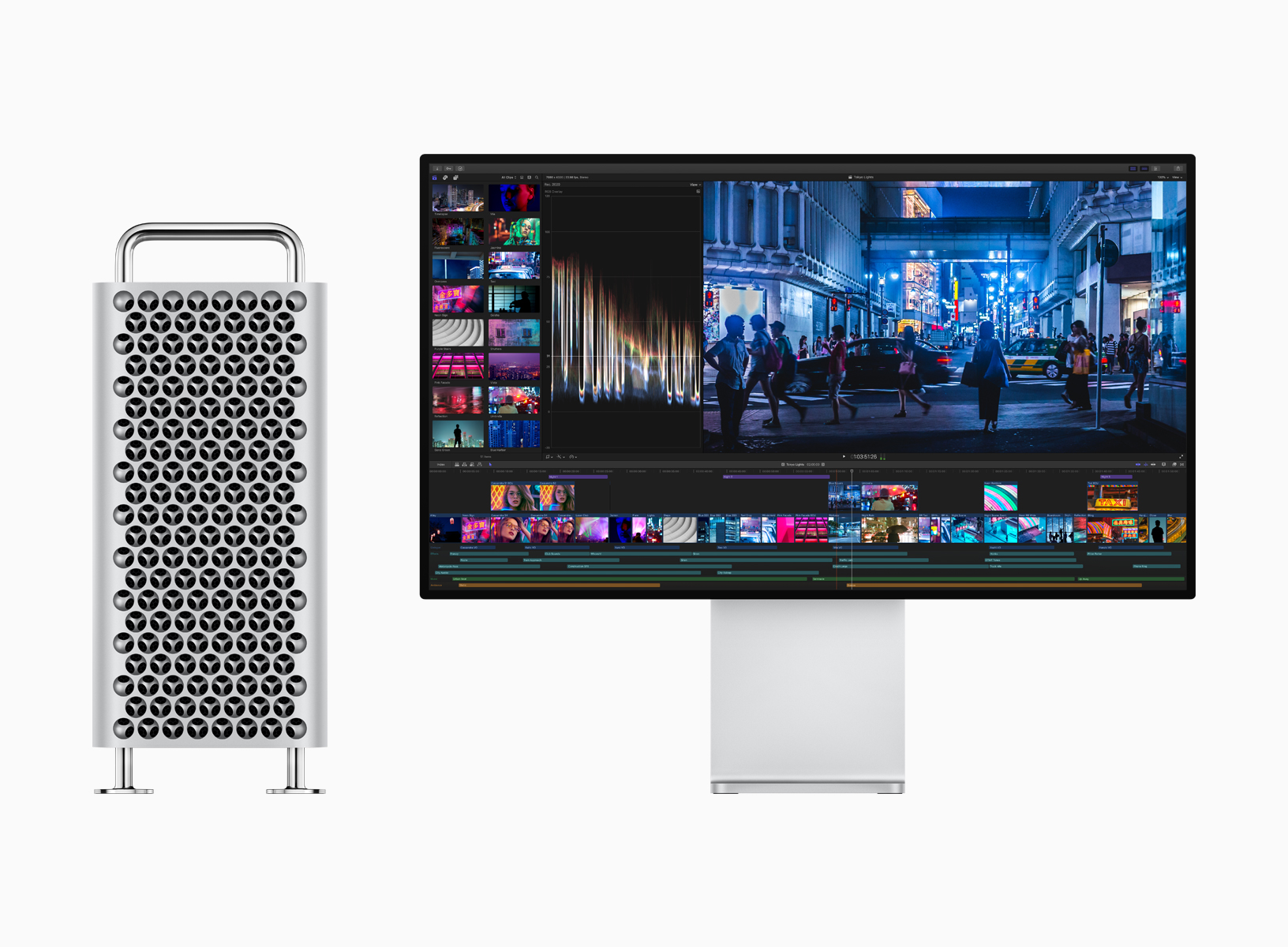
During the keynote presentation at WWDC today, Apple previewed the long-awaited Mac Pro alongside a new 32-inch pro display. Both hardware announcements are aimed at professionals in fields like video compositing, 3D rendering, photography, and audio engineering.
Mac Pro
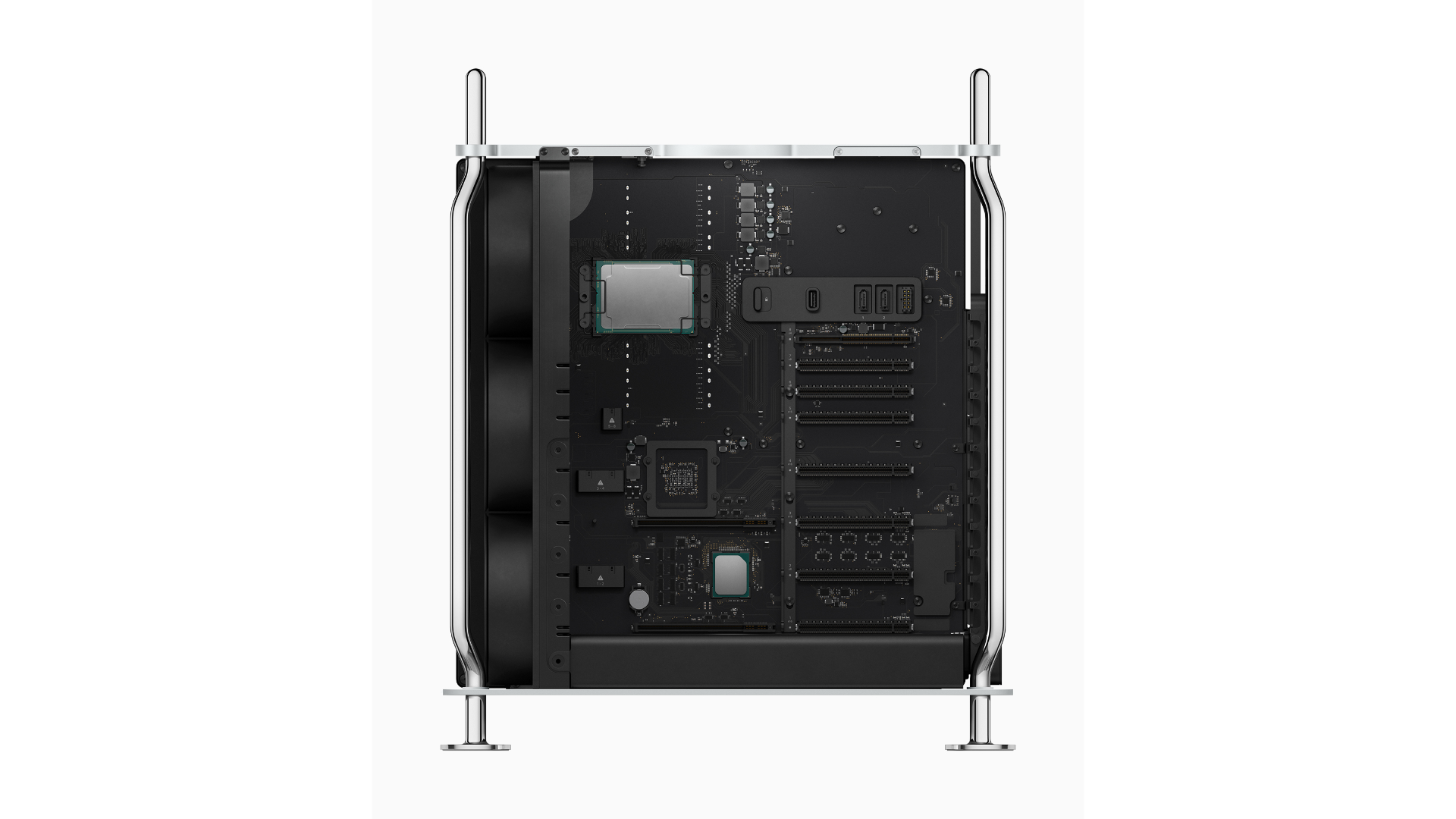
The Mac Pro is designed with performance and customization in mind. The computer’s design echoes the classic ‘cheese grater’ Mac’s shape, vent system, and handles. The frame of the Mac Pro is built from stainless steel, and the casing is aluminum. With a twist of a latch on the top of the computer, users can lift the case off using the two stainless steel handles to access internal components from all sides and install expansion cards.
The case also incorporates a lattice pattern to maximize airflow through the case. According to Apple, the three-dimensional interlocking hemisphere pattern simultaneously assists with airflow by maximizing surface area and makes the case rigid but lightweight. Optional wheels can be added to the case to make it easier to transport in a workspace.
 Developing Dialog with Concepts and GoodNotes
I knew Dialog was a good idea when it started keeping me up at night. That was sometime in January, and the show had already been kicking around inside my head for months in one form or another. That’s how I knew the idea had potential; it didn’t fade into the background with the...
App Debuts
Kids Kids is a strange, sometimes vaguely creepy interactive game that’s a whole lot of fun. You manipulate legions of simple, faceless human figures that respond to touches on the screen. In some levels the characters swim to a goal by following your finger, and in others you have to swipe at the screen...
What’s in My WWDC Bag?
This year packing my bag for WWDC has been tough. I tend to overpack and always regret having to pull multiple items out of my backpack at security then lug a heavy bag around the airport. I told myself this year would be different. I’d bring my MacBook Pro or my iPad Pro, my...