

This collection is inspired by Episode 226 of Connected, ‘The Instagram Secret Society,’ an episode that featured a segment with Tyler Stalman about iOS photography. There are a lot of great apps for creating good-looking Instagram posts and Stories, and near the end of the segment, Stalman shares some of his favorites. It’s...
 Redecorating Ulysses
I recently spent a while re-tuning my Ulysses setup after a couple of months working exclusively in iA Writer. I’m back for a couple of reasons. The first is to test the latest Ulysses beta. The second is that although I love iA Writer’s tight integration with iCloud Drive and new Quattro typeface, I...
Jason Snell’s Transcription of Apple’s Q1 2019 Earnings Call→
As in past quarters, Jason Snell has prepared a transcript of Apple’s earnings call on Six Colors.
This quarter marked the first time since the iPhone was introduced that Apple saw a year-over-year revenue decline for the holiday quarter. It was also the first quarter since the company announced that it would no longer report unit sales for its major product categories. Although Apple reported less information than in the past, the earnings call included some interesting tidbits including some insights into the company’s services business and hints regarding the company’s anticipated video service, which makes Snell’s transcript a great resource for prognosticators and anyone who would rather read it than listen to the recorded version.
Apple Q1 2019 Results - $84.3 Billion Revenue, the First Holiday Quarter Decline Since the iPhone’s Introduction

Apple has just published its financial results for Q1 2019, which is the company’s holiday quarter. The company posted revenue of $84.3 billion, which is the first holiday quarter decline in sales since the iPhone’s introduction. Apple CEO Tim Cook said:
“While it was disappointing to miss our revenue guidance, we manage Apple for the long term, and this quarter’s results demonstrate that the underlying strength of our business runs deep and wide,” said Tim Cook, Apple’s CEO. “Our active installed base of devices reached an all-time high of 1.4 billion in the first quarter, growing in each of our geographic segments. That’s a great testament to the satisfaction and loyalty of our customers, and it’s driving our Services business to new records thanks to our large and fast-growing ecosystem.”
Fortnite Adds MFi Controller Support

The latest update to Fortnite on iOS adds support for MFi controllers. I don’t play Fortnite on iOS regularly, but I tried the game when it was released on iOS and have played on the Nintendo Switch from time to time. The game has done extraordinarily well on iOS, but on balance, I’ve preferred playing on the Switch because I found it much easier to play with a physical game controller than onscreen gestures. That calculus could change for a lot of players now that the iOS version of the game supports MFi controllers.
I paired my SteelSeries Nimbus Bluetooth controller with my iPad Pro and gave Fortnite a try for the first time in months. Having played on the Switch, the controls felt immediately natural. The game’s HUD has labels showing what each button does, and there are diagrams available in Fortnite’s help system too. The responsiveness of a Bluetooth controller isn’t on par with a wired game controller, but it’s a big improvement over onscreen controls and paired with an iOS device that can push 60fps, iOS can be an excellent way to play Fortnite.
A full rundown on the latest Fortnite update is available on Epic Games’ website.
AirBuddy: An AirPods Companion for Your Mac

AirBuddy by Guilherme Rambo is one of the handiest Mac utilities I’ve tried in a while. AirPods connect almost instantly to iOS devices, but the process of pairing them to a Mac is not as simple, often requiring fiddling with your Mac’s Bluetooth settings from the menu bar or System Preferences. AirBuddy solves that problem, making it as trivially easy to connect AirPods to a Mac as it is to do the same with an iPhone.
The app works with a Mac that supports Bluetooth LE and is running macOS Mojave and any headphones that include Apple’s proprietary W1 chip. That means in addition to AirPods, AirBuddy can also control Beats headphones that have a W1 wireless chip. The app runs in the background as a helper process, so you won’t usually see a window or dock icon while it’s running. Nor is there a menu bar icon. Instead, once you’ve adjusted the app’s handful of settings to your liking, the app appears almost immediately when you open your AirPods case near your Mac or turn on your Beats headphones.
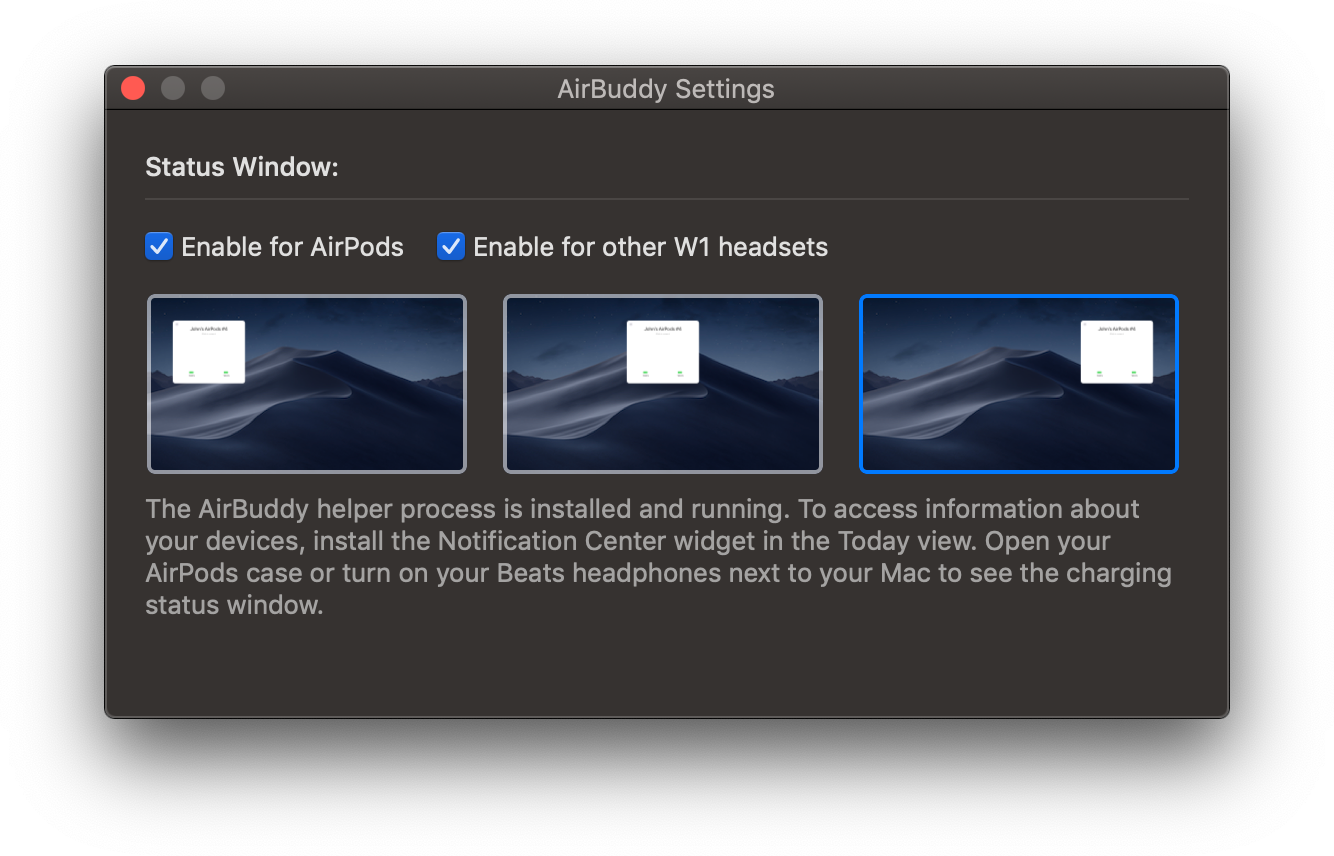
AirBuddy has a few settings that are available by opening the app from the Finder. There are checkboxes for enabling the app to work with AirPods and other W1 headphones and display options for picking where onscreen you want AirBuddy to appear when it detects nearby headphones.
Once you have the app set up, opening your AirPods case near your Mac causes a window to slide down from the top of your screen that looks just like you’d see if you did the same thing in proximity to your iPhone or iPad. For AirPods, you’ll see rotating images of your AirPods and their case with a charge indicator beneath them. The same sort of window appears when you turn on Beats headphones nearby.
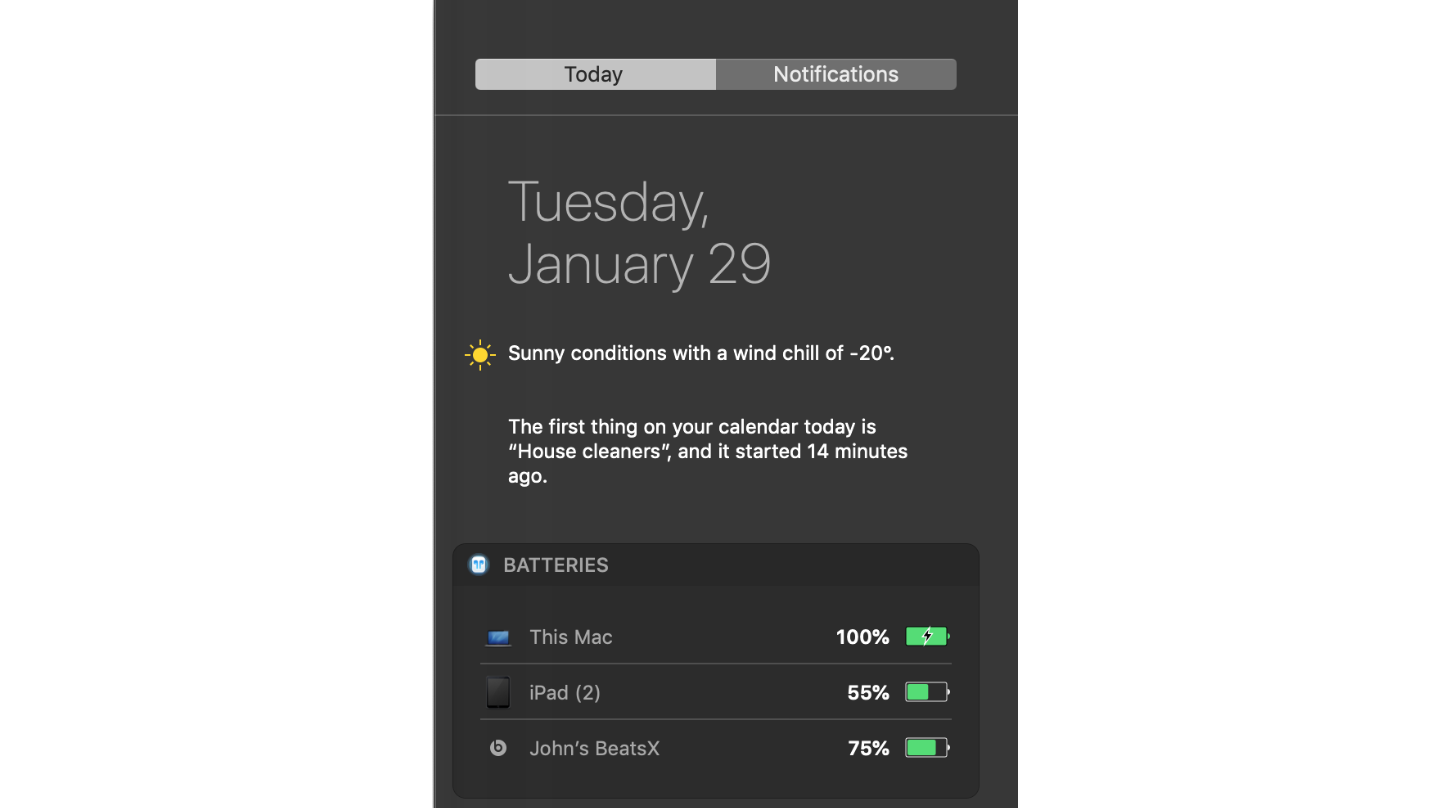
AirBuddy doesn’t just provide the status of your AirPods though. It also allows you to connect them to your Mac with a single click. There is a Mac Today widget that provides battery status for your Mac and any headphones or iOS devices you’ve ever connected to your Mac too. It’s easy enough to check the battery of devices sitting nearby without the help of AirBuddy, but it’s nice that I can also see that the battery of my iPad sitting two floors above me is running low and should be plugged in if I want to read in bed tonight.
In the past, I’ve rarely connected my AirPods to my Mac. Instead, I used headphones with my Mac’s 3.5mm audio jack because AirPods weren’t worth the trouble. In my tests of AirBuddy though, the app works as expected every time eliminating the friction from the connection process. AirBuddy is so simple and works so well that it begs the question of why Apple hasn’t built this sort of functionality into macOS. For whatever reason, Apple hasn’t, which is a shame. Perhaps Apple will add a similar feature to macOS in the future, but unless and until that happens, anyone with AirPods and a Mac should download AirBuddy.
Rambo is selling AirBuddy using a ‘name-your-price’ model with a suggested price of $5.
AppStories, Episode 96 – Alternatives to Apple’s App Short List→
On this week’s episode of AppStories, we consider Apple’s latest iPad ads and provide suggestions for other third-party apps the company could use to show off its hardware.
Sponsored by:
- Clean My Mac X: The all-in-one package to awesomize your Mac.
https://staging.macstories.net/podcasts/appstories/episodes/96/embed/






 Alternatives to Apple’s App Short List
 Federico
Favorite Mac Games (Vol. 1)
The Mac has a well-deserved reputation for not being a great gaming platform. That’s true if your favorite desktop games are the sort that require a bleeding-edge GPU. Still, there are plenty of fun games available on the Mac – many of which are available on the Mac App Store – that are...