John Voorhees

5429 posts on MacStories since November 2015

John is MacStories' Managing Editor, has been writing about Apple and apps since joining the team in 2015, and today, runs the site alongside Federico. John also co-hosts four MacStories podcasts: AppStories, which covers the world of apps, MacStories Unwind, which explores the fun differences between American and Italian culture and recommends media to listeners, Ruminate, a show about the weird web and unusual snacks, and NPC: Next Portable Console, a show about the games we take with us.

Tom Gruber, Co-Founder of Siri, Retires from Apple

The Information reports that Tom Gruber, Apple’s head of the Siri Advanced Developments group, has retired to pursue personal interests including photography and ocean conservation. Gruber joined Apple as part of the company’s acquisition of Siri in 2010 along with his co-founders Dag Kittlaus and Adam Cheyer, who previously left Apple in 2011 and 2012 respectively. In addition to Gruber, The Information reports that Vipul Ved Prakash, Apple’s head of search, has left the company. Apple confirmed both departures to The Information.

Siri, which Apple incorporated into iOS in 2011, has been through recent leadership changes as it has fallen behind voice assistants like Amazon’s Alexa and Google Assistant. In 2017, Craig Federighi, Apple’s Senior Vice President of Software Engineering, took over Siri’s oversight from Eddy Cue. Just this past May, Apple hired John Giannandrea, Google’s former Chief of Search and Artificial Intelligence to be Apple’s Chief of Machine Learning and AI Strategy. Last week, Giannandrea showed up on the leadership page on Apple.com, and, according to a TechCrunch story, the Siri team now reports to him.

With all of Siri’s co-founders departed from the company, it will be interesting to see in what direction Giannandrea and the Siri team take Apple’s voice assistant.


Fantastical 2.5 for Mac Adds Time Change Proposals, Meetup.com Support, and More

Flexibits has released an update to the Mac version of its popular calendar app Fantastical. The feature that should be useful to most users immediately is the ability to send and receive new time proposals for events. Fantastical already could send meeting invitations and acceptances, but with version 2.5, recipients of an invitation can propose a new time. The feature works with iCloud, Google, Exchange and CalDAV calendaring services, which should cover most use cases.

Read more


Microsoft Releases Cross-Platform Skype Update and Announces Call Recording and Other Features

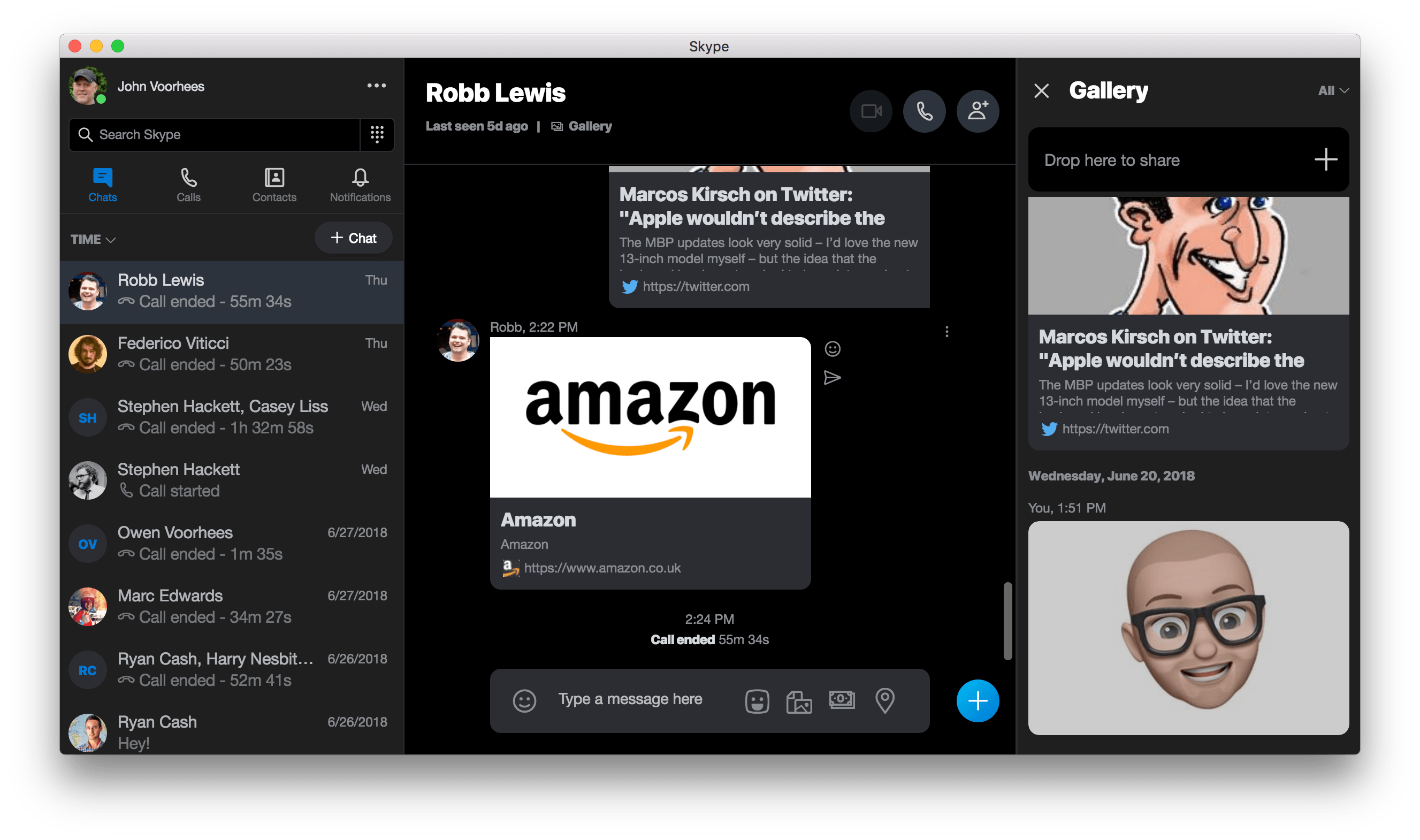
Microsoft has released version 8 of Skype for the desktop, which features a redesign inspired by the app’s mobile clients. The update, which is available on Mac, Windows, and Linux, replaces version 7, which will no longer work after September 1, 2018.

The update includes 1080p video calls with screen sharing for up to 24 participants. Twitter-style ‘@mentions’ have been added too. Mentioning someone by name preceded by the ‘@‘ symbol sends them a notification. Microsoft has also added a media gallery. Clicking on ‘Gallery’ in a conversation opens a panel on the right side of the Skype window with links, files, and other media that has been shared. Finally, users can share files, photos, and videos of up to 300 MB by dragging them into a conversation.

Microsoft also updated Skype’s iOS apps. The update to the iPad version of Skype is noteworthy because it’s been about a year since it was last updated, and it now includes features that are in line with the more frequently updated iPhone version.

Microsoft says it has other features planned for later this summer too. Skype will add read receipts that display avatars beneath the most recent message a user has read, so you can see at a glance where each participant in a conversation is. End-to-end encrypted audio calls and text messaging with file attachments based on the Signal protocol is coming later too.

Perhaps the most significant new feature that Skype will introduce is cloud-based call recording that works with audio and video calls. When a recording is begun, each participant will be notified that the call is being recorded. This should be an excellent addition for anyone who has relied on third-party solutions or QuickTime to record Skype calls.

Also, starting conversations should become simpler. Users will be able to invite new users to join Skype by sharing a link from their profile. In addition, shareable links to group chats will make it easier to add new members to a group.

I’ve never been a fan of Skype’s Mac app. Unifying the app across different platforms undoubtedly simplifies Microsoft’s development process and will be useful to anyone who uses Skype on multiple OSes. The unification comes at a cost though. Skype 8 is a cross-platform Electron app based on Chrome OS, which means non-standard windows and controls on the Mac. Apps like Skype are why I’m looking forward to UIKit coming to the Mac. If it isn’t worth the effort to Microsoft to build a native AppKit version of Skype, a UIKit version on the Mac that is based on Skype for iOS should at least be more familiar to users.


AppStories, Episode 70 – Apps for Managing Big Projects

On this week’s episode of AppStories, we discuss the apps we use to manage large projects like the MacStories and AppStories coverage of the App Store’s 10th anniversary and Apple’s fall OS releases.

Sponsored by:

  • Casper - The Internet’s favourite mattress. Get $50 off select mattresses with the code ‘APPSTORIES’.
  • iTubeDownloader - Download YouTube videos, channels, or entire playlists. Get 10% off until July 25th with the code: APPSTORIES18

https://staging.macstories.net/podcasts/appstories/episodes/70/embed/

Permalink

Apps for Managing Big Projects

AppStories+ Deeper into the world of apps

AppStories Episode 70 - Apps for Managing Big Projects

0:00
40:37

AppStories+ Deeper into the world of apps

Federico and John discuss the apps they use to manage large projects like the MacStories and AppStories coverage of the App Store’s 10th anniversary and Apple’s fall OS releases.

Read more


1Blocker X: The Fast and Secure Safari Content Blocker [Sponsor]

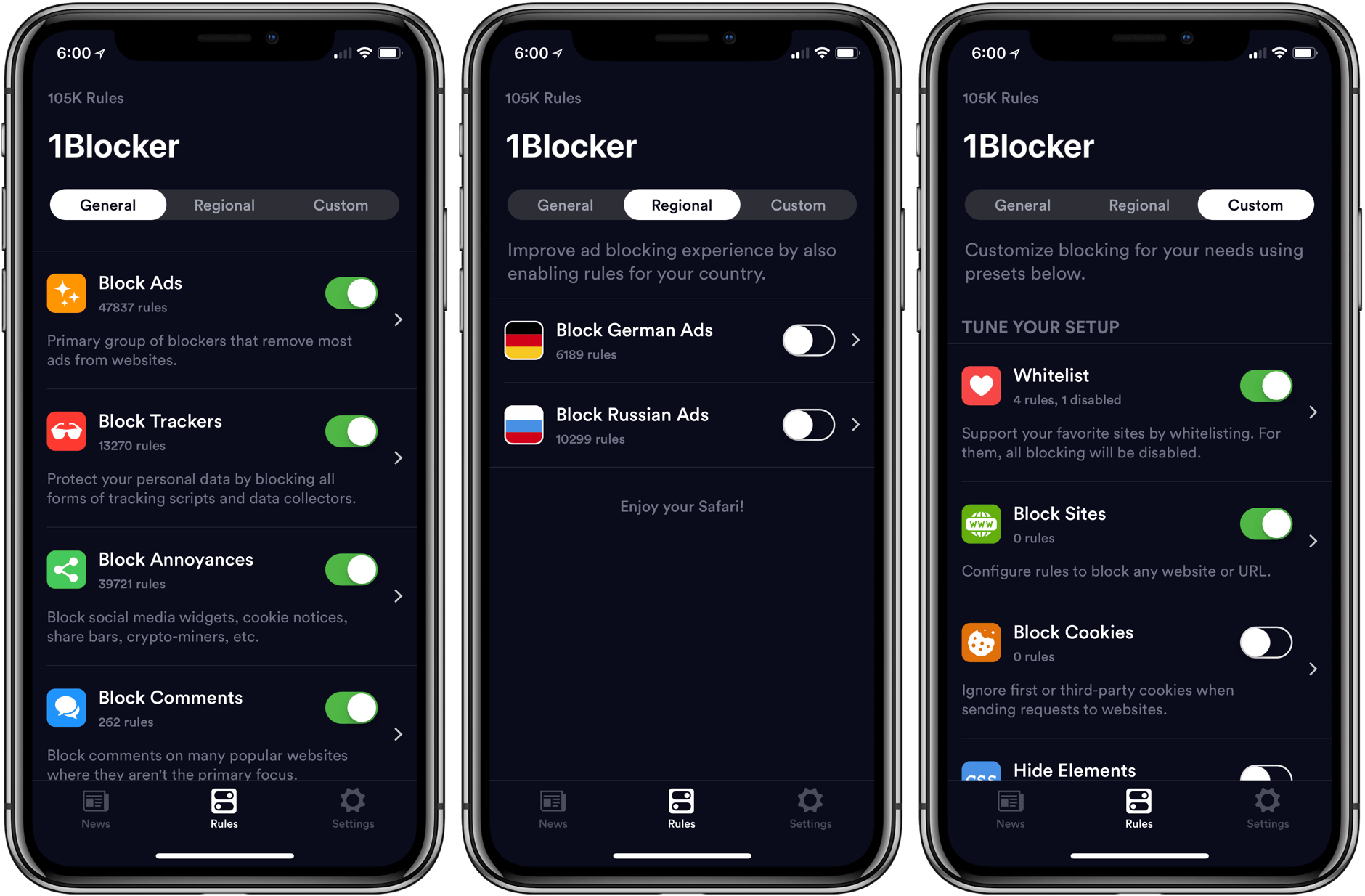
Advertising and trackers are a big problem on many websites. Pages load slowly wasting your time, draining your battery, and using up your mobile data. Even worse, ads sometimes serve malware to unsuspecting users. To take back control, you need 1Blocker X.

1Blocker X is a complete ground-up rewrite of the original 1Blocker that puts even more fine-grained controls in the hands of its users. In fact, the app now has over 120,000 powerful rules that are organized into categories like:

  • Block Ads
  • Block Adult Sites
  • Block Annoyances
  • Block Comments
  • Block Trackers
  • Custom Rules
  • International Rules

In the unlikely event that 1Blocker X doesn’t have a rule you need, you can add your own too.

One aspect of content blocking that often gets forgotten is that they aren’t just about blocking ads. 1Blocker X also eliminates distracting page elements like social network share buttons and comments that get in the way of an enjoyable web experience.

You can even hide individual elements on a webpage with 1Blocker’s powerful action extension. All you have to do is invoke the extension, tap what you want to hide, and then save. It’s incredibly simple and effective for page elements that aren’t already blocked by 1Blocker X’s extensive built-in rules.

So don’t wait, go get 1Blocker X today on the App Store or if you’re feeling lucky, enter to win one of 30 copies of 1Blocker X that we are giving away here. The giveaway will be open until Noon Eastern time on Monday, July 23, 2018 and winners will be contacted within 7 days thereafter.

Our thanks to 1Blocker X for sponsoring MacStories this week.


An Interview with Zach Gage

AppStories+ Deeper into the world of apps

AppStories Episode 67 - An Interview with Zach Gage

0:00
45:38

AppStories+ Deeper into the world of apps

Federico and John are joined by independent game developer Zach Gage the creator of hit games like Ridiculous Fishing, SpellTower, Really Bad Chess, Typeshift, Flipflop Solitaire, and Pocket Run Pool to discuss the App Store’s effect on gaming.

Read more