John Voorhees

5429 posts on MacStories since November 2015

John is MacStories' Managing Editor, has been writing about Apple and apps since joining the team in 2015, and today, runs the site alongside Federico. John also co-hosts four MacStories podcasts: AppStories, which covers the world of apps, MacStories Unwind, which explores the fun differences between American and Italian culture and recommends media to listeners, Ruminate, a show about the weird web and unusual snacks, and NPC: Next Portable Console, a show about the games we take with us.

Apple Store iOS App Updated with New Sessions Tab and Personalization Features

Apple has updated the iOS Apple Store app to version 5.0 with a new Sessions tab and improved personalization.

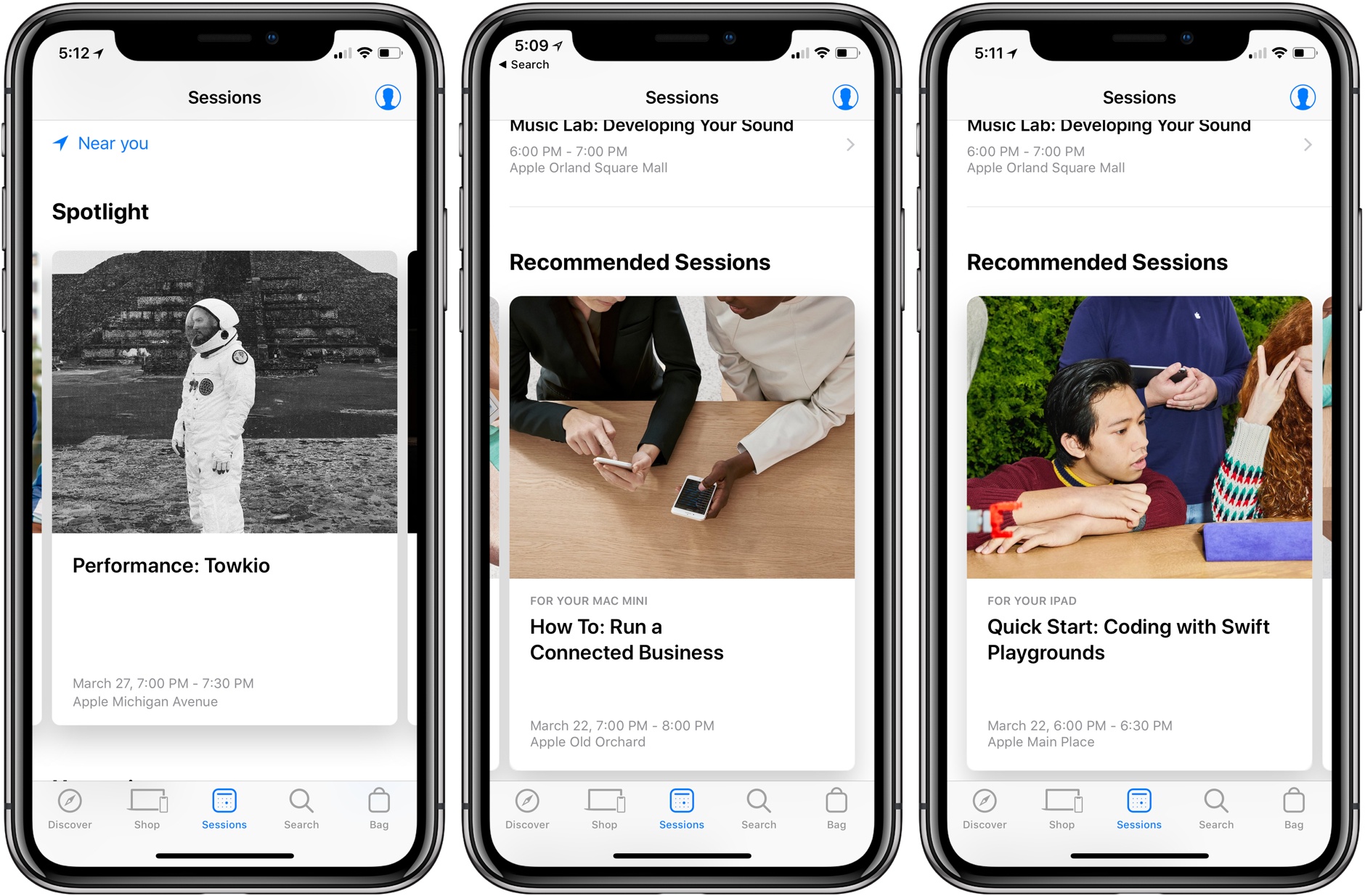
In the center of the tab bar, the new Sessions tab highlights upcoming Today at Apple programs. The tab is broken into Spotlight, Upcoming, Recommended Sessions, and Signature Programs sections. At the very bottom of the page, you can also browse sessions by category.

Recommended sessions are based on the Apple products you owned and perhaps also previous sessions you’ve attended. For example, in my case, the app recommended a Swift Playgrounds session either because my son attended a similar class in December or because I own an iPad Pro and ‘How To: Run a Connected Business’ because I have a Mac mini. The sessions listed were located all over the Chicago area, which I like, except that it made it harder to find sessions at the Apple Store closest to my home.
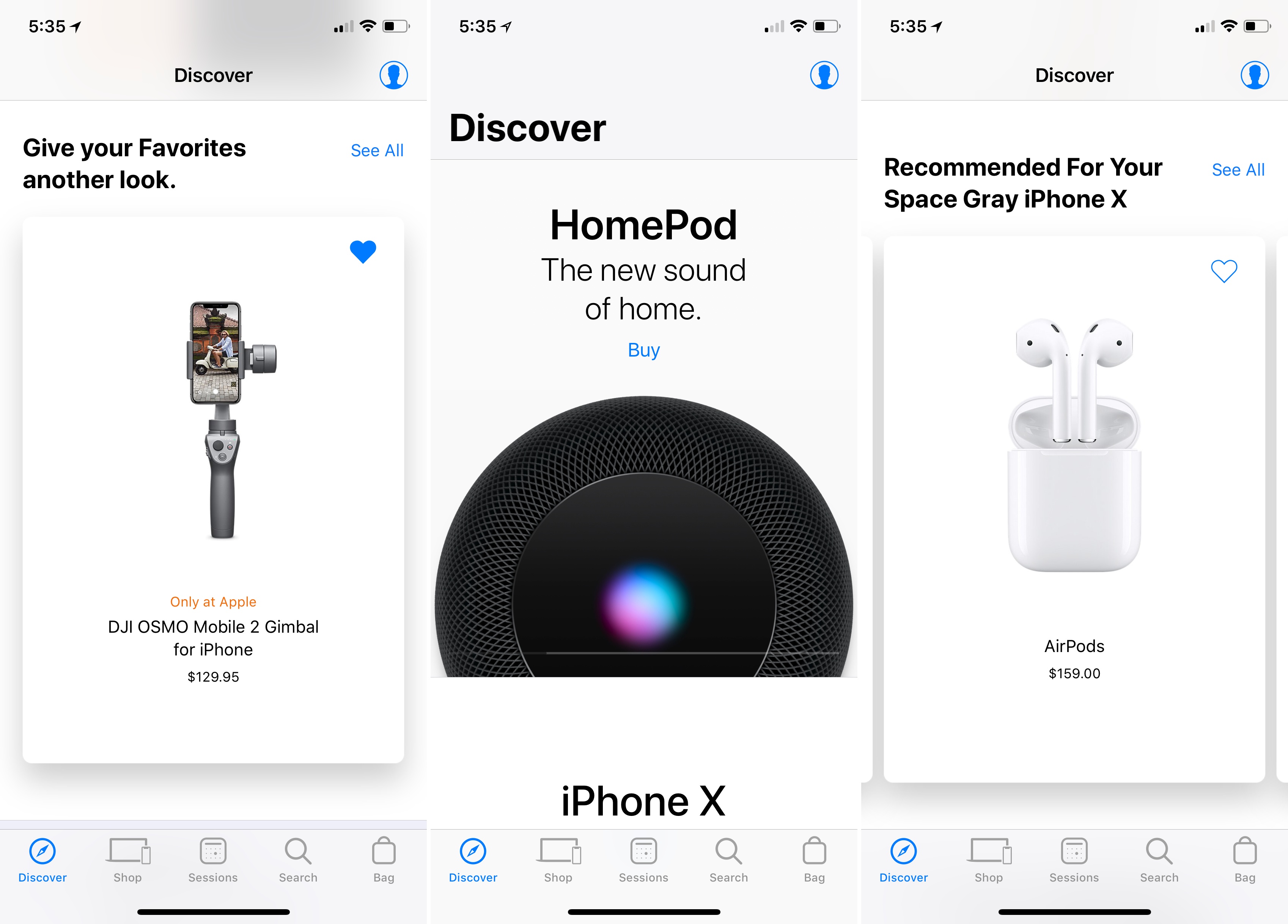
The app also uses its history of your Apple devices to let you know if accessories you purchase are compatible with the hardware you already own. I like this feature a lot because it spares me the trouble of investigating compatibility myself, and presumably will spare Apple from some returns by customers.

In the Discover tab of the app, your product history is used to provide personalized product recommendations.1 The tab also includes reminders of items you’ve marked as favorites, suggesting you take another look at them, and adds new ways to manage your orders.

In my limited time with the update, I’ve been impressed with the recommendations and greater personalization. Apple Stores are almost always packed with people near my home, so an improved Apple Store app experience is always welcome.

The Apple Store app is available as a free download on the App Store.


  1. Somehow Apple seems to know I put my AirPods through the laundry and need a new pair. 

Apple Publishes Video Promoting the Use of Face ID with Apple Pay

Following on the heels of last week’s video highlighting the power of Face ID as a way to unlock the iPhone X, today Apple released an ad promoting the technology’s use with its Apple Pay service. The new video follows in last week’s tongue-in-cheek footsteps.

Set to Back Pocket by Vulfpeck, the ad follows a young man as he walks through a crowded market. He sees a hat he likes, uses Face ID with Apple Pay to buy it, and the hat flies off the rack and onto his head. Next, he does the same thing with a pair of sunglasses he likes. From there, he uses Face ID and Apple Pay to try on a dizzying array of shirts, suits, and shoes. He even buys a chair as a gift that rockets away leaving a trail of flame. Like the video last week, the ad is fun and does a nice job of conveying how Apple Pay works and how easy it is to use, while also being entertaining.


iOS Plays a Big Role at the Game Developers Conference without Apple’s Direct Participation

Just before the annual Game Developers Conference began in San Francisco, Epic Games released its hit game Fortnite on iOS. In the first four days as an invitation-only game, it made over $1.5 million. As the conference got into full swing this week, PUBG was released. Both games are full versions of their PC and console counterparts and support cross-platform play, which is an impressive accomplishment.

Matthew Panzarino of TechCrunch interviewed Apple Vice President Greg Joswiak about the ramifications for mobile gaming:

“They’re bringing the current generation of console games to iOS,” Joswiak says, of launches like Fortnite and PUBG and notes that he believes we’re at a tipping point when it comes to mobile gaming, because mobile platforms like the iPhone and iOS offer completely unique combinations of hardware and software features that are iterated on quickly.

“Every year we are able to amp up the tech that we bring to developers,” he says, comparing it to the 4-5 year cycle in console gaming hardware. “Before the industry knew it, we were blowing people away [with the tech]. The full gameplay of these titles has woken a lot of people up.”

Ryan Cash of Snowman, part of the team that recently released Alto’s Odyssey agreed:

“We have a few die-hard Fortnite players on the team, and the mobile version has them extremely excited,” says Cash. “I think more than the completeness of these games (which is in of itself a technical feat worth celebrating!), things like Epic’s dedication to cross-platform play are massive. Creating these linked ecosystems where players who prefer gaming on their iPhones can enjoy huge cultural touchstone titles like Fortnite alongside console players is massive. That brings us one step closer to an industry attitude which focuses more on accessibility, and less on siloing off experiences and separating them into tiers of perceived quality.”

There’s a lot to like about iOS if you’re a game developer. The hardware is iterated on faster than consoles, a high percentage of users are on the latest version of the operating system, the device is always with players, and the install base is enormous. Those are all factors that have led iOS devices to succeed as gaming platforms, even though it sometimes feels as if Apple doesn’t quite understand the industry. The fact that Greg Joswiak comprehends the importance of full console games coming to iOS gives me a little hope that we may see better support for games on platforms like the Apple TV in the future.

For more from Ryan Cash about the state of gaming on iOS and a look behind the scenes at the making of Alto’s Odyssey, check out Episode 45 of AppStories.

Permalink

Apple Debuts Its Spring Collection of Watch Bands

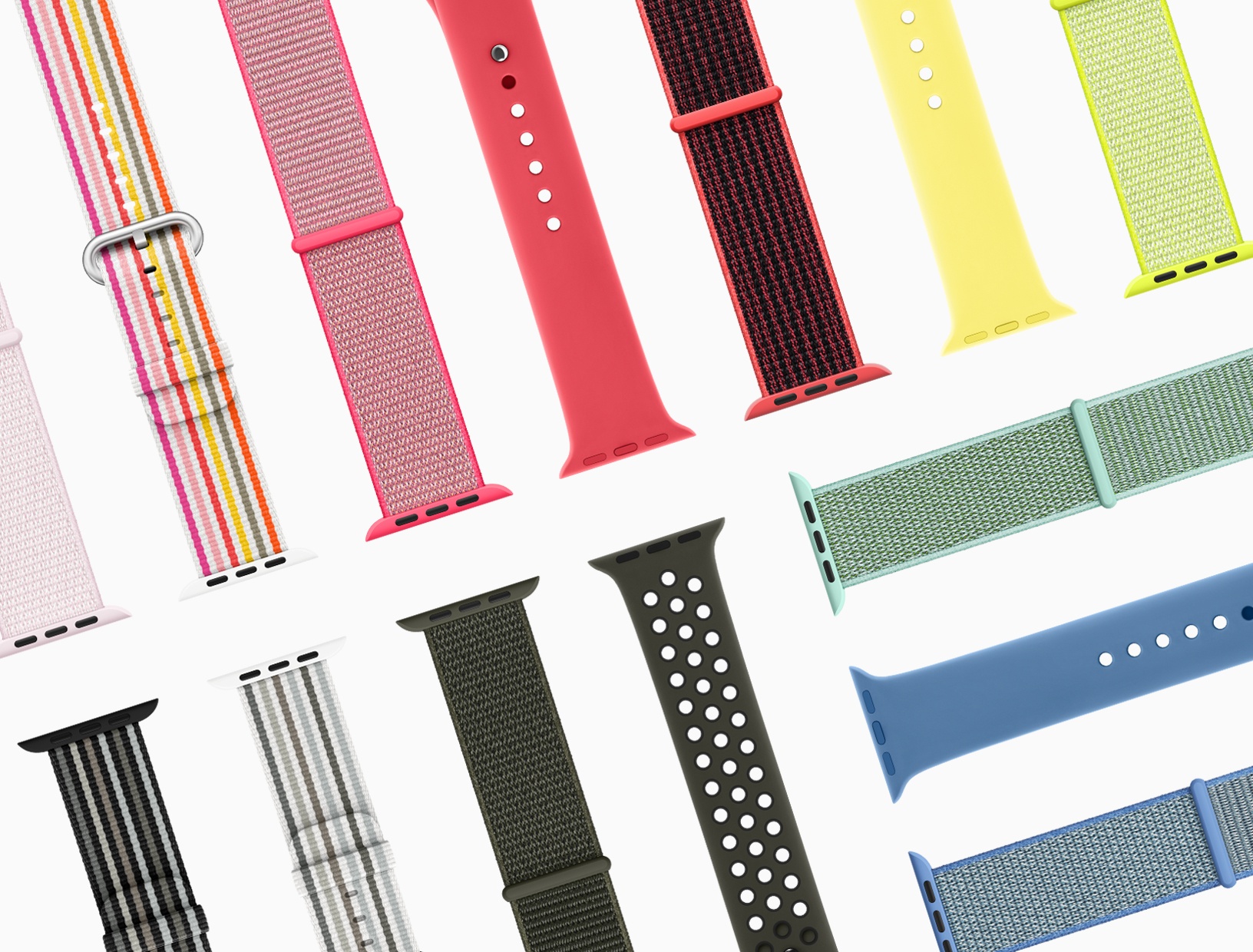
In a press release today, Apple announced new spring bands for the Apple Watch. The lineup includes new Woven Nylon, Nike, and Hermès bands, which will be available later this month online and in Apple Stores.

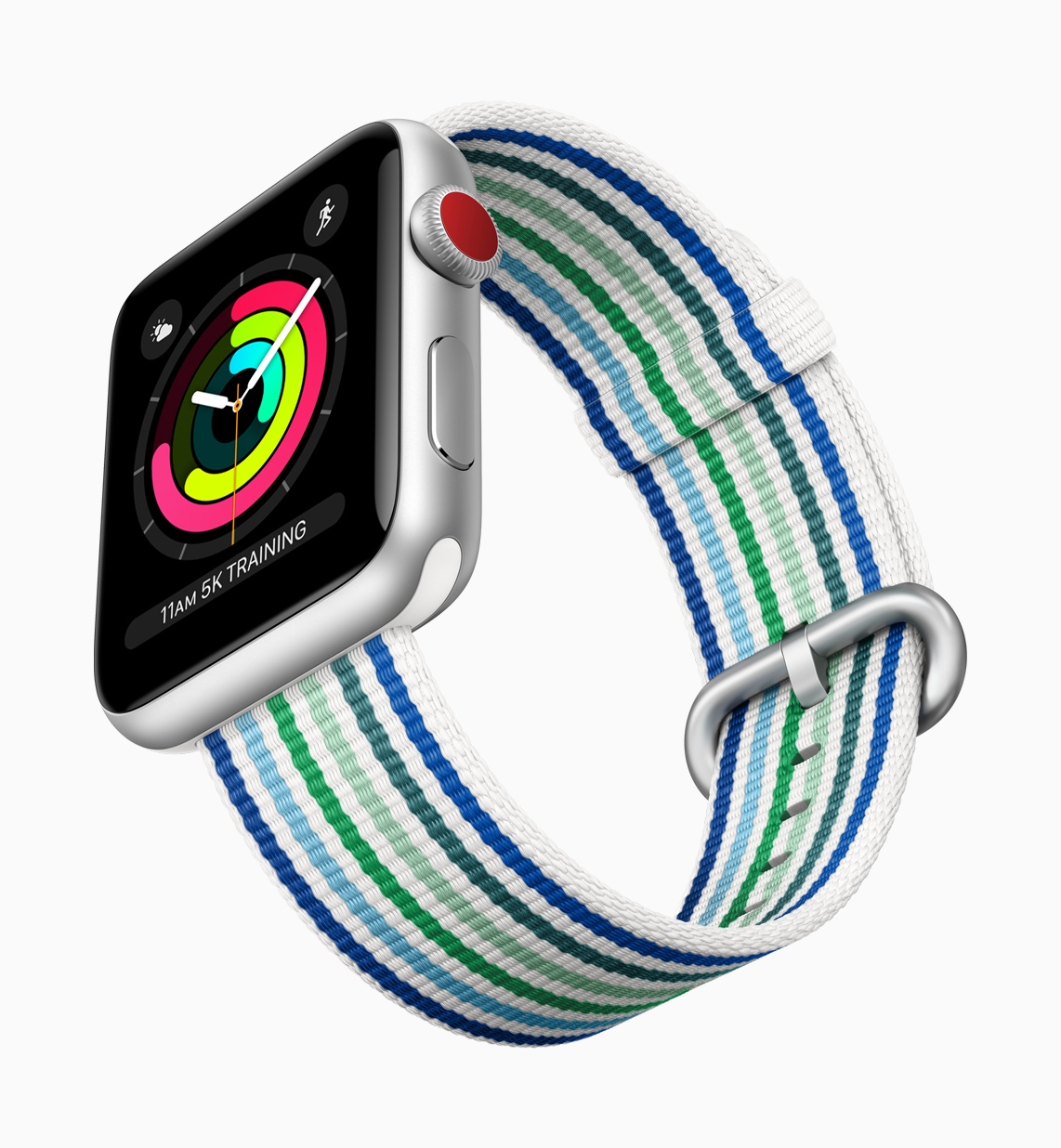
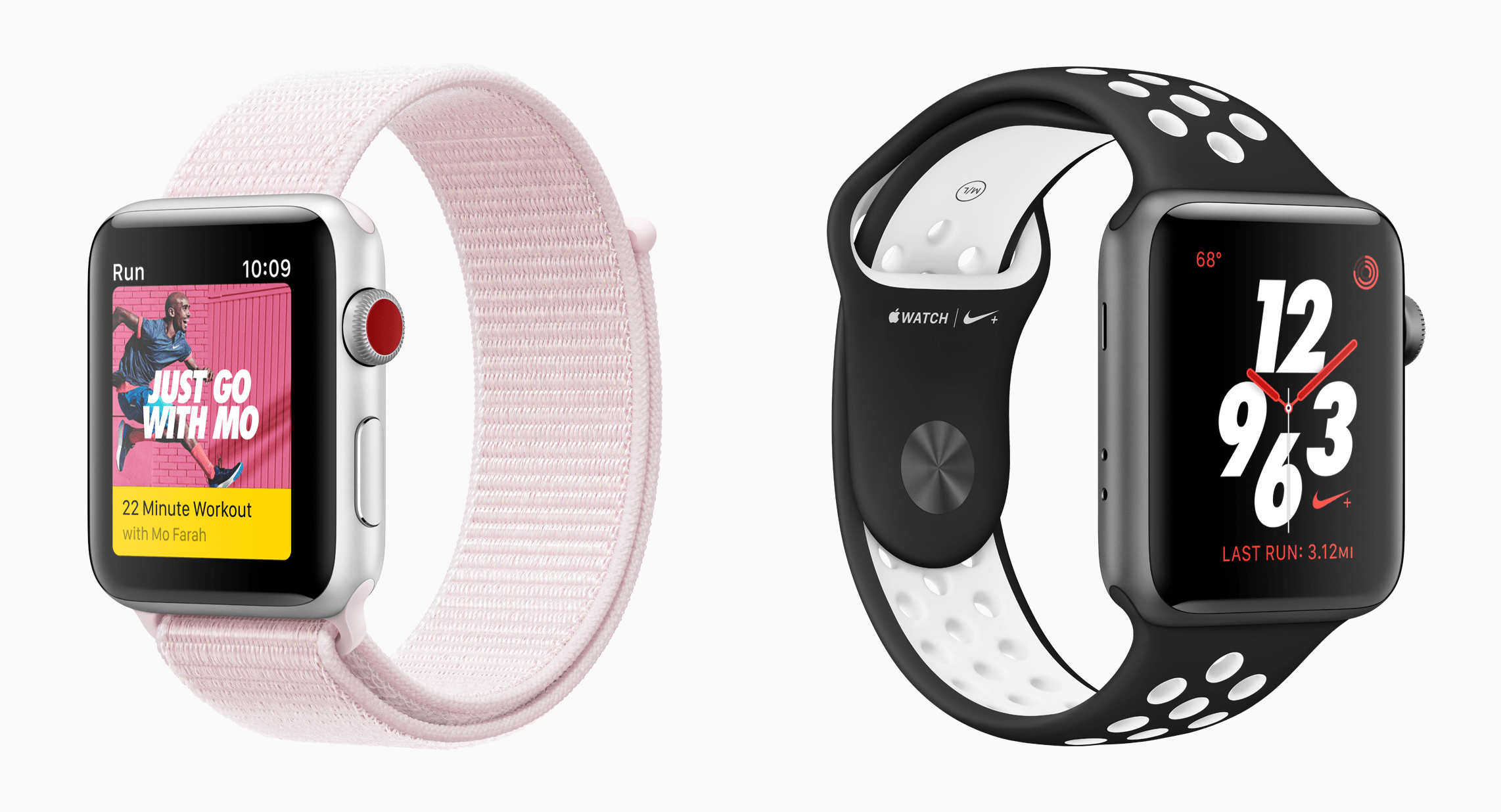
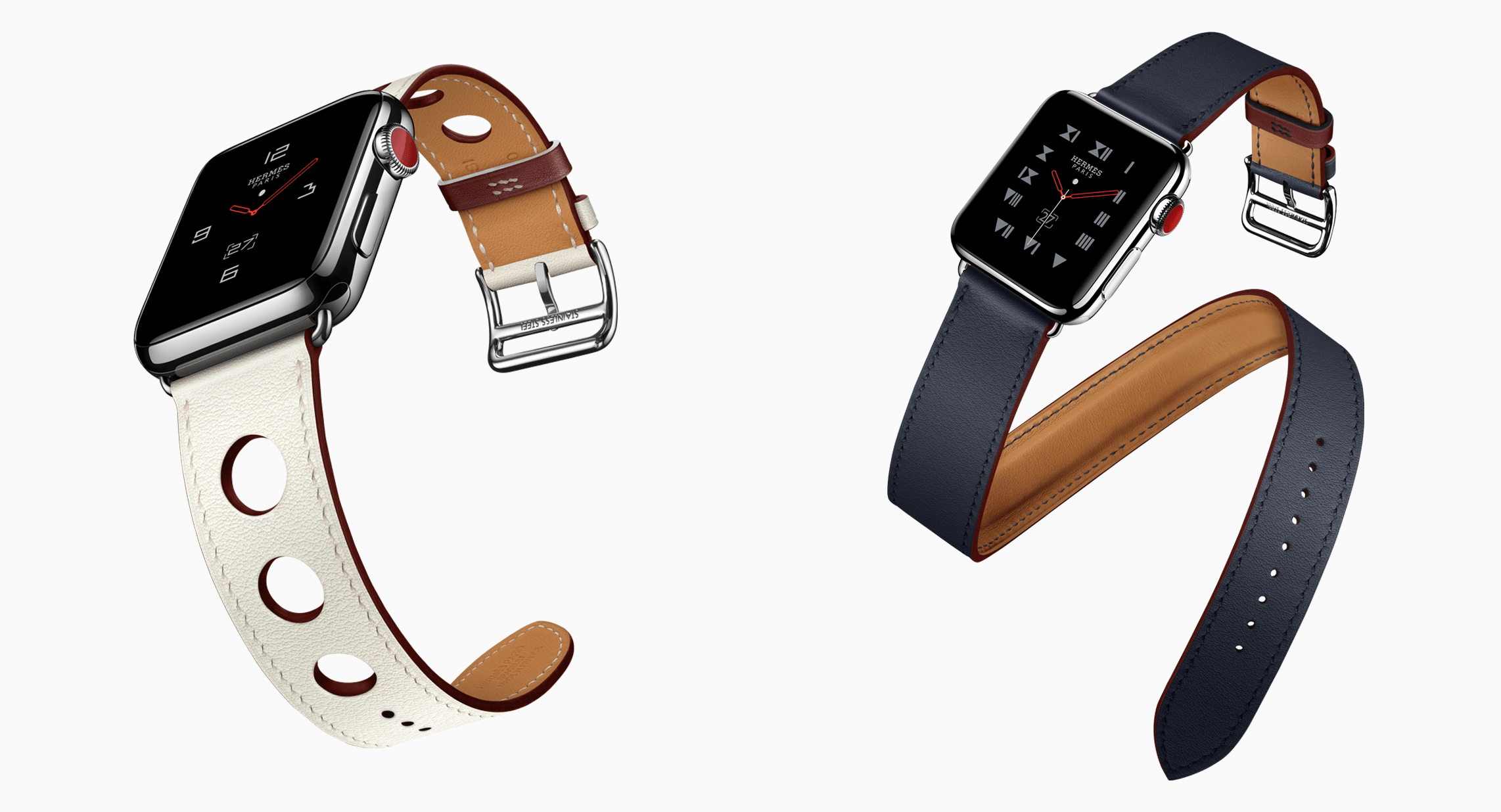
Among the bands highlighted by Apple are striped versions of the Woven Nylon band, new Nike color schemes that match the color of the company’s running shoes, and Hermès bands with a new edge paint color.

Apple says the full spring line of its bands include the following:

  • Sport Band in Denim Blue, Lemonade and Red Raspberry
  • Woven Nylon in Black Stripe, Blue Stripe, Gray Stripe and Pink Stripe
  • Sport Loop in Flash Light, Hot Pink, Marine Green and Tahoe Blue
  • Classic Buckle in Spring Yellow, Electric Blue and Soft Pink

The Nike lineup includes:

  • Nike Sport in Barely Rose/Pearl Pink, Black/White and Cargo Khaki/Black
  • Nike Sport Loop in Black/Pure Platinum, Bright Crimson/Black, Cargo Khaki, Midnight Fog and Pearl Pink

Finally, the Single Tour Rallye and Double Tour Hèmes bands include:

  • 38mm Double Tour in Indigo with rouge H polished edge and rouge H contrasted loop
  • 38mm Double Tour in Blanc with rouge H polished edge and rouge H contrasted loop
  • 42mm Single Tour Rallye in Indigo with rouge H polished edge and rouge H contrasted loop
  • 42mm Single Tour Rallye in Blanc with rouge H polished edge and rouge H contrasted loop

It’s interesting that the new Watch bands are not yet available. I suspect we’ll see them appear next week after the education event in Chicago alongside any products announced there.


Linea Sketch 2.0: Elegant, Approachable Sketching for the iPad

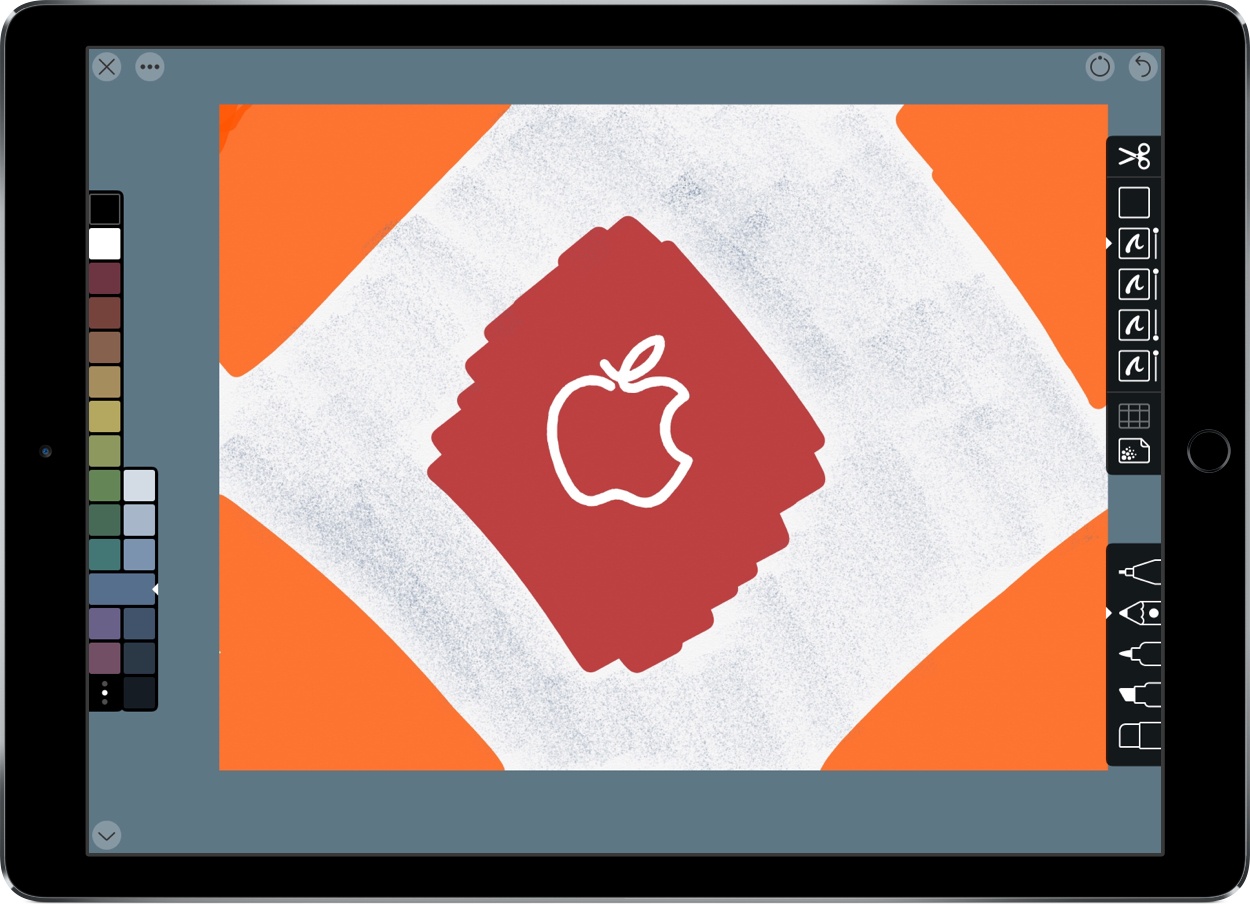
Today, The Iconfactory released a major update to its iPad sketching app, Linea. Version 2.0, which has been renamed Linea Sketch, takes what was already one of my favorite Apple Pencil-enabled drawing apps and has extended it with new features that make it more powerful than ever before. Most importantly though, the new features don’t come at the expense of the app’s usability.

When I reviewed Linea 1.0 last year, I was struck by how approachable yet capable the app was. That’s still the case, but The Iconfactory has added several new features that should make it appeal to an even broader audience.

Read more


Setapp: An App for Every Job, Already on Your Mac [Sponsor]

Setapp is a Mac app subscription service created by MacPaw, the maker of CleanMyMac. For one low monthly fee, Setapp offers more than 110 of the very best Mac apps from big names like Ulysses, Bartender, and iMazing. It’s a collection that grows every month becoming more and more valuable to subscribers.

Setapp includes a vast array of apps. There are productivity apps like task managers, time trackers, and text editors, as well as photo editors, developer tools, and much more. When you sign up, Setapp installs a handy catalog on your Mac that lets you easily browse its offerings. Nothing is downloaded until you decide to install it.

The app is designed to make finding just the right app easy too. The included apps are carefully vetted and curated, so you know that only the highest quality apps from the best developers are included. The business model couldn’t be more clear either. There are no hidden costs or gimmicks. You pay just $9.99 per month for access to the entire catalog of apps including any updates. There are no fees for upgrades, no In-App Purchases, or other hidden costs. Every app is a fully functional version that updates automatically.

Sign up today to unlock this amazing collection of Mac apps. Setapp is free to try, and you can extend the trial period up to six months by referring friends.

Our thanks to Setapp for sponsoring MacStories this week.


Apple App Acquisitions

AppStories+ Deeper into the world of apps

AppStories Episode 47 - Apple App Acquisitions

0:00
35:28

AppStories+ Deeper into the world of apps

Federico and John look at the apps Apple has acquired over the years and where they are now.

Read more


Apple Promotes Face ID with a Video That Asks What if You Could Open Anything by Looking at It?

A new tongue-in-cheek ad from Apple highlighting the power of Face ID has been published on YouTube. The ad begins with a girl walking through the halls of a high school who looks startled when she unlocks her iPhone X by looking at it. Next, she looks at a locker in the hallway that unlocks too, spilling its contents onto the floor. From there, the girl runs through the school unlocking and opening everything in sight, wreaking havoc to the beat of Bang Bang by Pete Cannon, a single that was released on Apple Music today.

The video is fun way of promoting Face ID by imagining what it would be like if you could unlock anything with just a glance.