John Voorhees

5429 posts on MacStories since November 2015

John is MacStories' Managing Editor, has been writing about Apple and apps since joining the team in 2015, and today, runs the site alongside Federico. John also co-hosts four MacStories podcasts: AppStories, which covers the world of apps, MacStories Unwind, which explores the fun differences between American and Italian culture and recommends media to listeners, Ruminate, a show about the weird web and unusual snacks, and NPC: Next Portable Console, a show about the games we take with us.

Apple Invites Press to An Event For Teachers and Students in Chicago

Last December, Apple announced a partnership with the Chicago Public Schools to bring Apple’s Everyone Can Code program to the city’s students. Today, Apple sent invitations out to members of the press about an event that will be held at Lane Tech College Prep High School in Chicago. The invitation, which is titled ‘Let’s Take a Field Trip,’ says ‘Join us to hear creative new ideas for teachers and students.’ The event is scheduled for March 27, 2018 at 10:00 a.m.

https://twitter.com/reckless/status/974640632697368576

The invitation doesn’t provide details of what Apple has in store for the event, but the debut of iOS 11.3, a new Apple Books app, and new entry-level iOS hardware targeted at the education market are all possibilities.


Jot Takes a Stripped-Down Approach to Note Taking

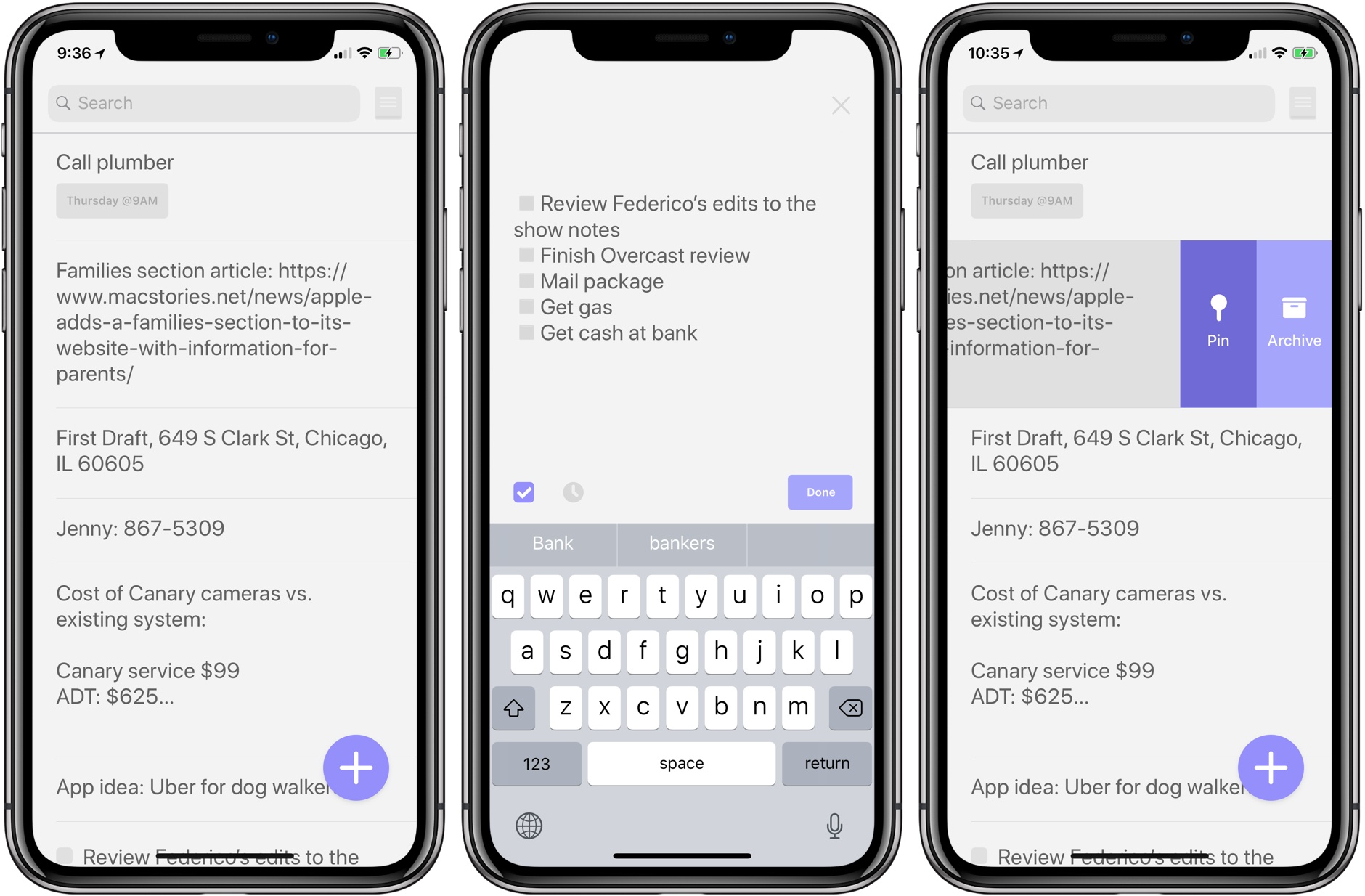
Jot is a simple note taking app that collects the little bits of textual ephemera that come at you throughout the day. True to its name, Jot makes it easy to take down notes quickly. Although I think there’s room for a few more features that would enhance the app without compromising its simple approach, anyone with basic note taking needs that is looking for an app that focuses first and foremost on the words captured should appreciate Jot.

Read more


Apple Adds a Families Section to Its Website with Information for Parents

Apple has introduced a new webpage that highlights the tools it makes for parents to limit kids’ use of the company’s devices, keep them safe, and make sure they are viewing appropriate content. The page provides an overview of:

  • The Kids section of the App Store
  • The App Store’s Ask to Buy feature, which requires children to get an adult’s permission to download apps
  • Restrictions that allow parents to block In-App Purchases and viewing of certain media
  • Settings that block adult content or limit browsing to certain sites on the Internet
  • Location Services, including Find My Friends and Find My iPhone
  • Media sharing
  • Health and Safety Features, including the Emergency SOS and Medical ID features of the iPhone
  • The Apple Watch’s fitness features
  • Privacy features like Face ID and Touch ID
  • The Classroom app

Each section links to additional resources on Apple’s website.

Apple was recently criticized by certain institutional shareholders in advance of its annual shareholders’ meeting for doing too little to help parents protect children that use their devices. The company responded swiftly with a statement:

“We think deeply about how our products are used and the impact they have on users and the people around them,” Apple said in the statement. “We take this responsibility very seriously and we are committed to meeting and exceeding our customers’ expectations, especially when it comes to protecting kids.”

Apple’s new Families webpage doesn’t include any new features. Instead, it’s a useful one-stop resource for parents looking for guidance about the tools already at their disposal. Apple has said, however, that additional features and enhancements to parental controls in the works.


Apple Commissions Videos by Artists That Showcase the iMac Pro’s Power

Apple has published a trailer and six short films by artists showcasing the power of the new iMac Pro. Apple also posted six behind-the-scenes videos explaining how each artist used the iMac Pro to create their film.

The videos each begin with the tagline ‘The Most Powerful Mac Ever’ followed by ‘Pushed to the Limit.’ The artists were tasked with creating a project that put the iMac Pro’s hardware through its paces. The six shorts combine CG effects, animation, and bring other techniques to bear using professional-grade apps with stunning results.

The behind-the-scenes videos explain how each film was created along with commentary by the artists who all walked away impressed by the iMac Pro’s capabilities.

Below is the trailer for the film series. The full videos and behind-the-scenes features are available after the break.

Read more


Spotify Is Testing Voice Control of Its iOS App

Spotify is testing a voice navigation feature that lets users search for and play songs, albums, and playlists in the music streaming service’s iOS app. The feature, which was first reported by TechCrunch, is found under the Spotify app’s Search tab, but it’s currently only available to a small number of users.

Casey Newton of The Verge got a chance to try the feature:

I got early access to the test and tested out the feature set. In short, it’s an excellent step forward for navigation in app that has historically required too much tapping and typing to get where you’re going.

Spotify confirmed the test to both TechCrunch and The Verge but declined to provide any details.

If you have the feature, it appears as a microphone icon inside a circular white button in the search view. According to Newton, voice search provided ‘mostly accurate results.’

Spotify’s experiment with voice commands is notable because rumors have been circulating that it is developing a smart speaker to compete with offerings from Apple, Amazon, and Google. It’s not as useful as having built-in voice search functionality, but unless Apple opens up Siri to other music services, building the feature into its iOS app is also the closest Spotify can get to working like Apple Music on the HomePod.


Overcast Adds Smart Resume, New Auto-Deletion Option, and Support for Password-Protected Podcasts

Overcast 4.1 is out with a handful of new, notable features and bug fixes.

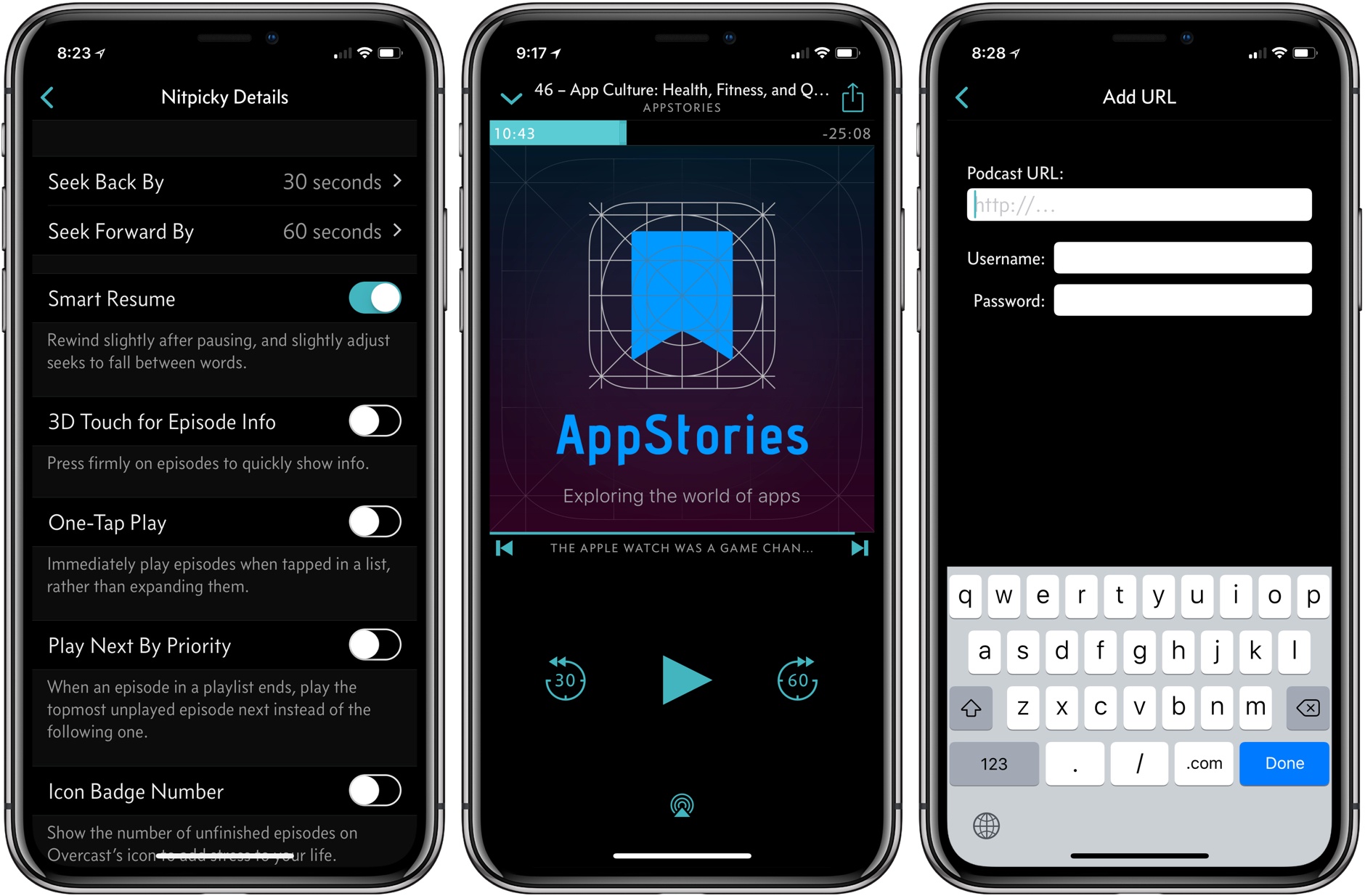
My favorite addition is what Marco Arment calls Smart Resume, which does two things. First, when resuming playback, Overcast skips back a few seconds to remind you of where you left off in a paused episode. Second, Overcast resumes playback in the dead space between words where possible.

The effect is understated but perceptible. During the beta of 4.1, I had a sense that something more than simple skipping back was going on with Smart Resume, but I couldn’t put my finger on it until I dug into Arment’s release notes. Smart Resume reminds me of what happens when an in-person conversation is interrupted. If you’re sitting at a table in a restaurant with a friend and the waiter interrupts one of you mid-sentence, you don’t pick up where you left off mid-word. You back up and start over.

Smart Resume is similar. I hadn’t realized it, but when resuming a podcast, I’d gotten into the habit of skipping back 30 seconds when I lost track of where I was in an episode. That was more time than necessary to recall where I had left off, but it worked. With Smart Resume, I’ve found I rarely do that anymore. Instead of the extra fiddling with the app’s buttons, Overcast skips back just far enough to jog my memory but not so far that I feel like I’m re-listening to too much of an episode. Moreover, dropping the seek point in between words makes the feature feel natural. Smart Resume can be turned off in Settings, but I wouldn’t recommend doing so.

Overcast 4.1 also adds a new auto-deletion setting. Previously, you could choose between auto-deleting episodes immediately after finishing them or leave them on your iOS device for manual deletion. Overcast now has a third choice, which is automatic deletion after 24 hours. Premium members’ uploads to Overcast are no longer subject to auto-deletion either.

Password-protected podcasts are now officially supported in Overcast too. In the Add URL screen, there is an option to ‘Use Password,’ which reveals username and password fields when tapped. Podcasts that require a password do not show up in Overcast’s search results or show recommendations.

Smart Resume is an excellent example of what I like most about Overcast. The feature highlights the app’s overall attention to detail when it comes to the listening experience, which makes it a pleasure to use.

Overcast is available on the App Store.