John Voorhees

5429 posts on MacStories since November 2015

John is MacStories' Managing Editor, has been writing about Apple and apps since joining the team in 2015, and today, runs the site alongside Federico. John also co-hosts four MacStories podcasts: AppStories, which covers the world of apps, MacStories Unwind, which explores the fun differences between American and Italian culture and recommends media to listeners, Ruminate, a show about the weird web and unusual snacks, and NPC: Next Portable Console, a show about the games we take with us.

Snapthread Combines Live Photos and Videos into Special Shareable Moments

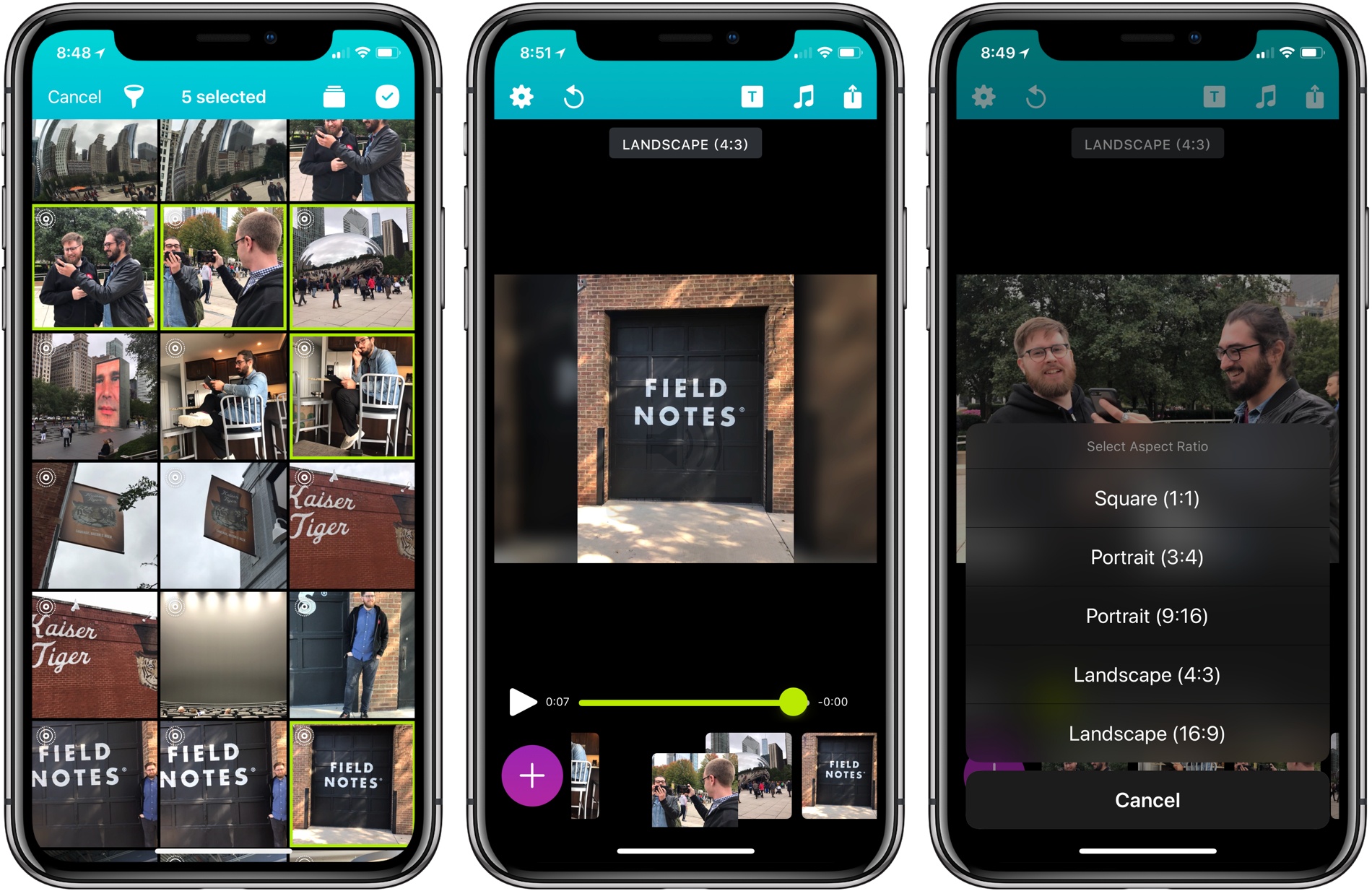
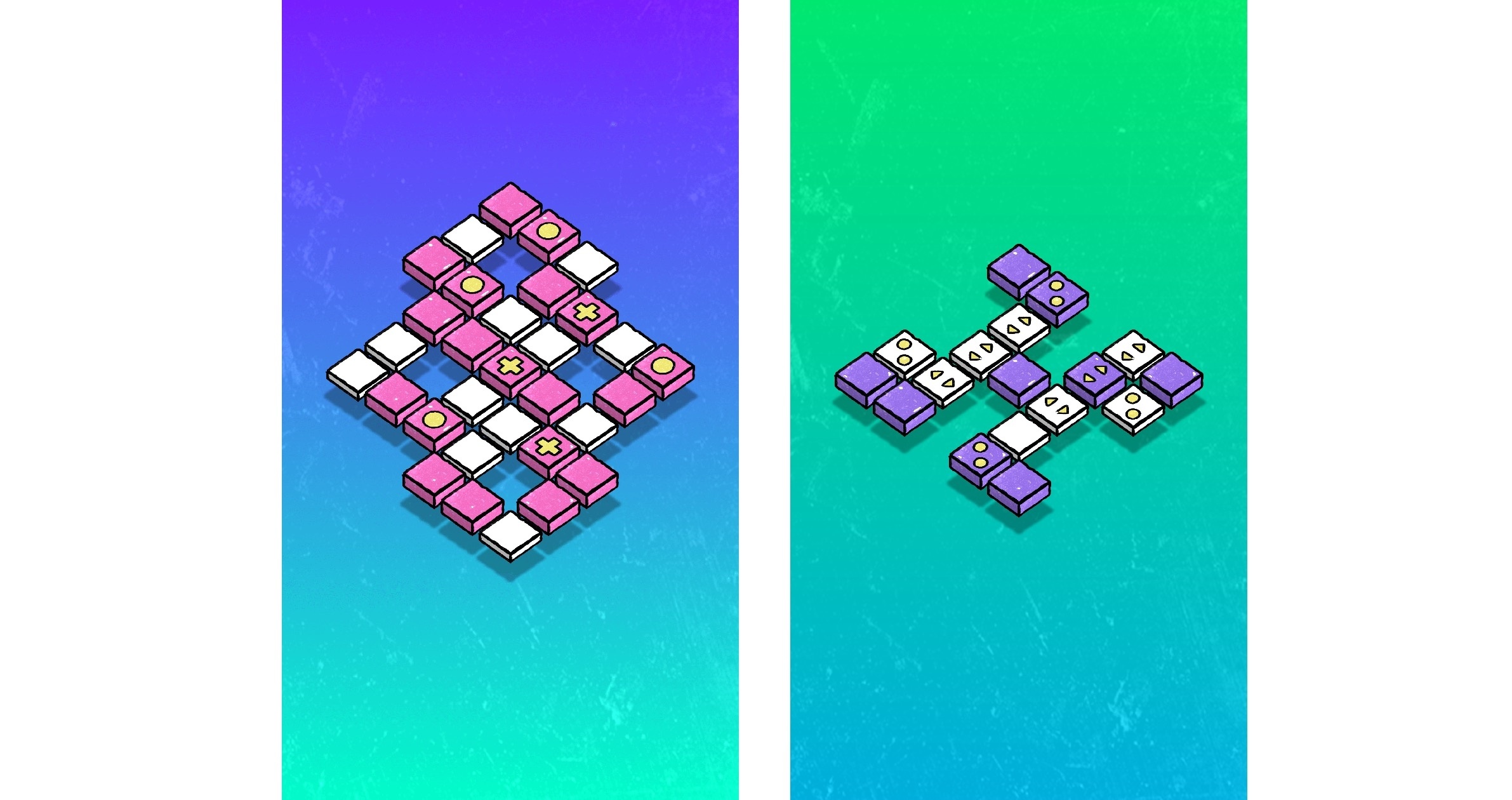
Becky Hansmeyer started building Snapthread to combine Snapchat videos. What she ended up creating is an elegant way to combine Live Photos and videos into short movies that are greater than the sum of their parts and perfect for sharing with friends and family.

What I love about the origin story of Snapthread is how much the app changed from its inception to launch, yet how close the resulting app remains to Hansmeyer’s original vision. That’s because at its core is a great idea: creating a better way to share life’s fleeting moments.

With version 1.5, Snapthread has grown into a mini iPhone video studio with a focus on making it as quick and simple as possible to assemble a video from several Live Photos or standard videos. The approach is smart. It’s easy to get caught up in filters, effects, and transitions when you’re editing video. There’s a place for that sort of app, and Snapthread lets you add things like a title card and overlay music, but what I like most about it is that the app’s focus on the basics prevents me from obsessing about my creation. It’s a design choice that makes me far more likely to create and share a clip.

Read more


OneDrive for iOS Updated with Drag and Drop on iPad, A New Design, and More

Microsoft has released version 10.1 of its OneDrive app with support for drag and drop on the iPad and a new, cleaner design.

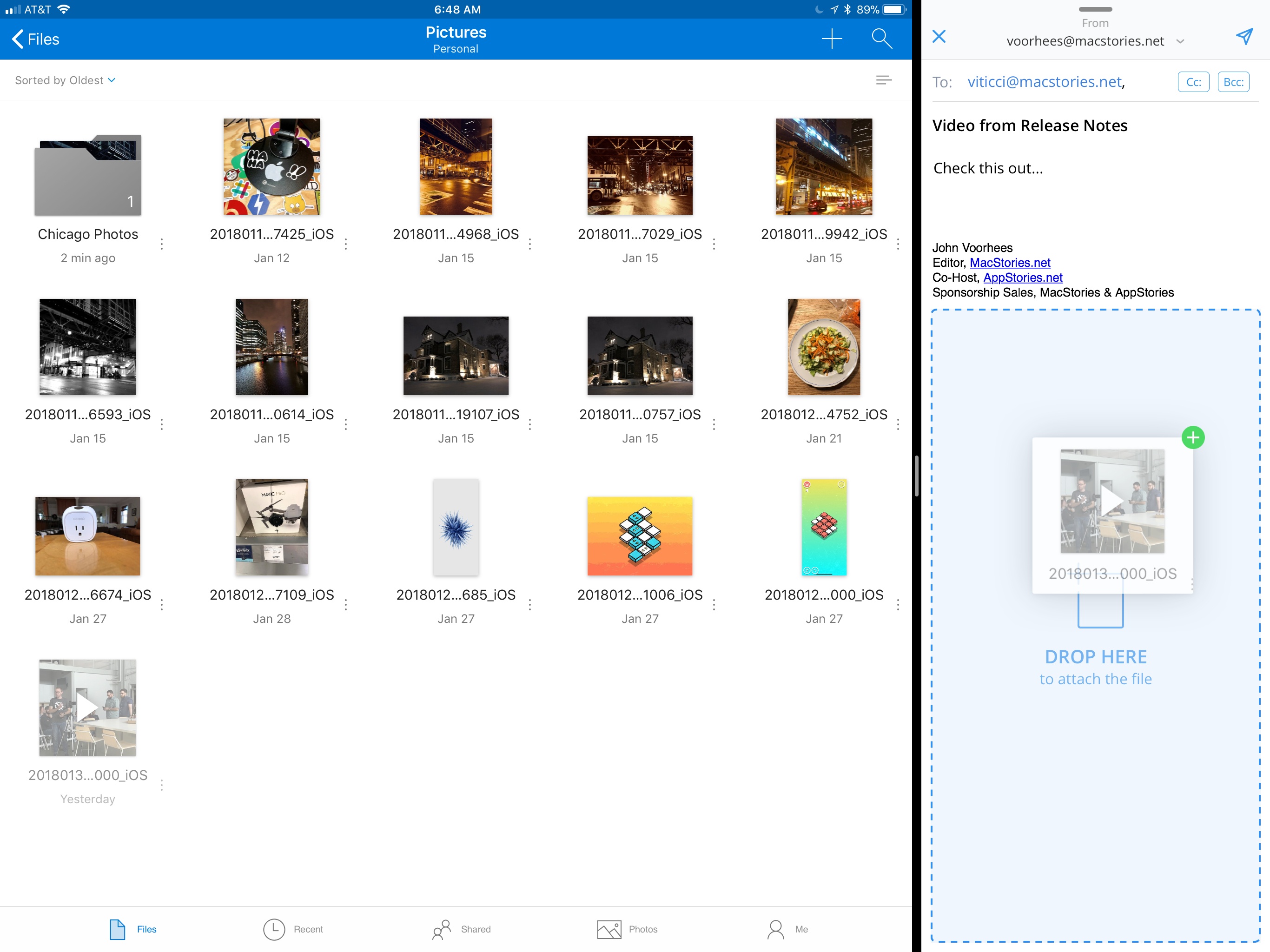
Drag and drop support allows users to move files and folders within the OneDrive app or drag files into and out of other apps. For example, users can drag photos from OneDrive into an email message to add as an attachment or drag attachments from messages into OneDrive. Users can also access their OneDrive files from Apple’s Files app.

OneDrive now supports drag and drop on the iPad.

OneDrive now supports drag and drop on the iPad.

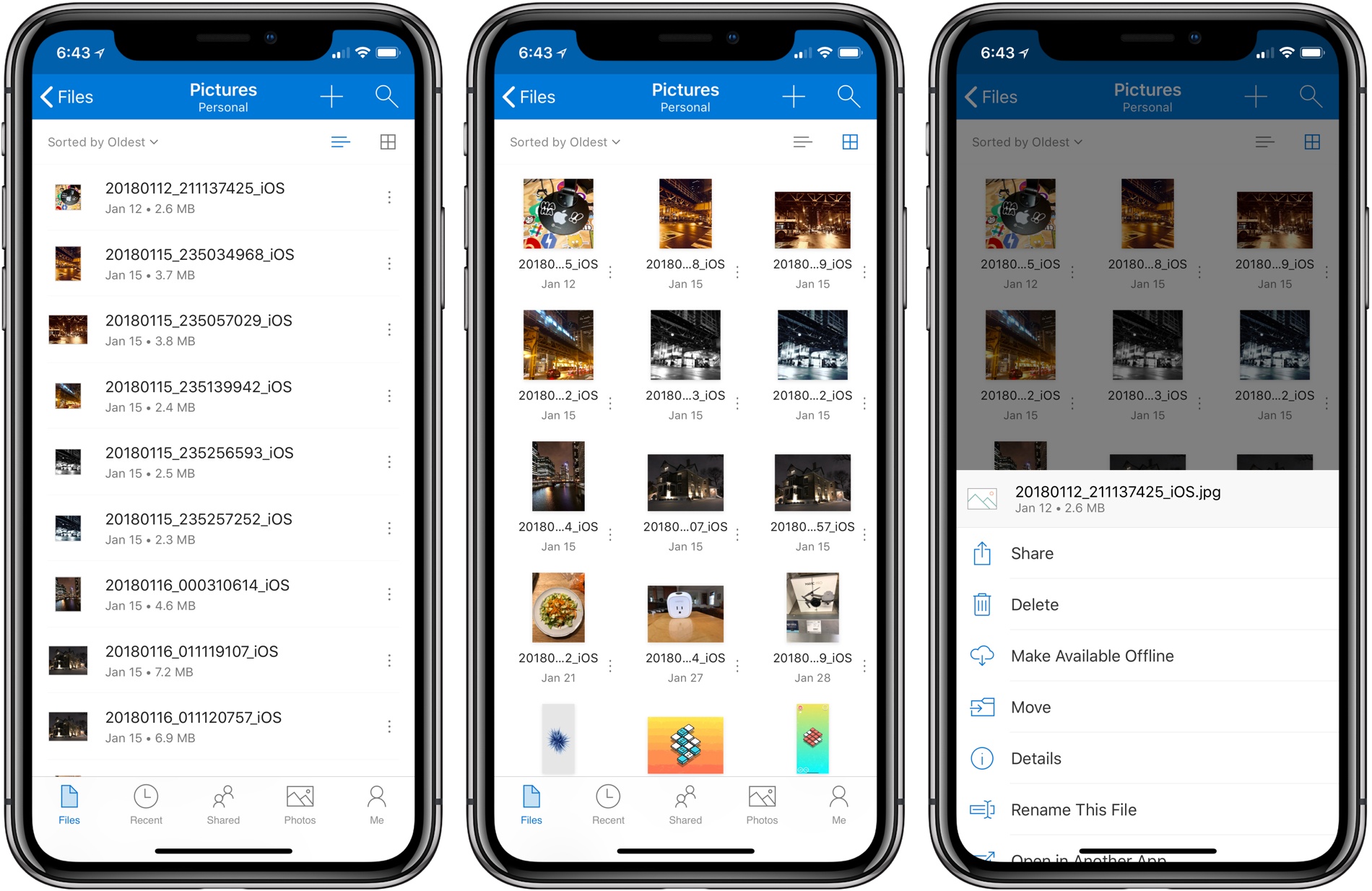
OneDrive also received a significant UI redesign. File names are easier to read on all devices, the organization more closely mirrors what users expect to see on a Mac or PC, and the icons of shared files have been updated to make them easier to identify at a glance.

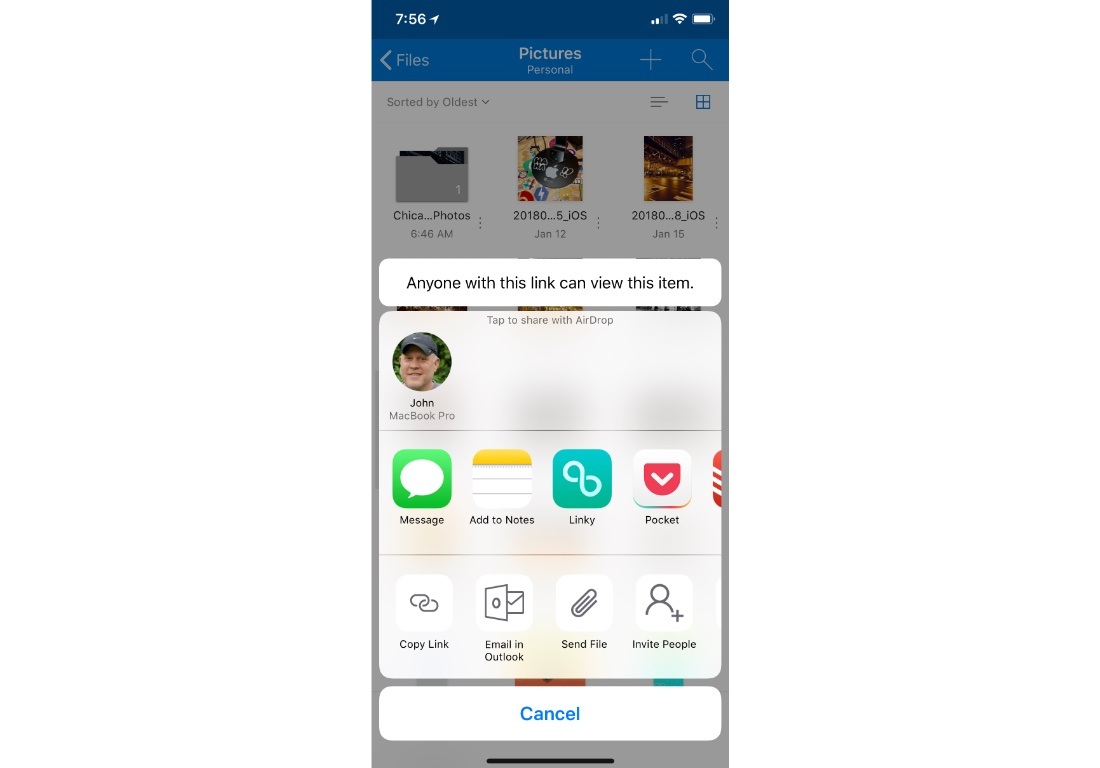
Before the update, file and folder actions required users to tap and hold on an item, which created discoverability issues. Now, there is a tiny three-dot button next to each file and folder that opens a contextual menu with options like ‘Share,’ ‘Delete,’ ‘Make Available Offline,’ ‘Move,’ and more. Additional file and folder actions, including ‘Copy Link,’ ‘Email in Outlook,’ ‘Send File,’ and ‘Invite People,’ are available via the system share sheet. OneDrive can now preview 130 different file types too.

Additional file and folder actions are available via the share sheet.

Additional file and folder actions are available via the share sheet.

It’s unfortunate that it’s taken so long for OneDrive to adopt iOS 11 features like drag and drop. Still, the update is a significant improvement over previous versions and brings the app’s functionality in line with many of its competitors, which makes it worth another look if you have been thinking about switching online storage providers.


Backblaze: Unlimited Cloud Backup [Sponsor]

Backblaze is unlimited cloud backup for Macs and PCs for just $5 per month. Backups are critical. The drive on your computer is packed with your most precious content: home movies, family photos, work documents, your music and video collections, and much more. Backblaze backs it all up and makes it easy to recover.

Having a Backblaze cloud backup means your files are safe even if your computer isn’t. If your computer is stolen or your house burns down, you can still recover your files. But Backblaze is valuable even when disaster doesn’t strike because it’s also a handy way to access your files wherever you are using your phone or a web browser.

Best of all, you can access a single file or restore everything you’ve backed up just as easily. If you need to restore more files than you can download quickly, you can use Backblaze’s Restore by Mail service. Backblaze will overnight you a flash drive or hard drive by Fedex so you have your files the next day. If you need to recover files after a complete system failure, it’s painful enough as it is, so Backblaze provides you with a full refund of the cost of the drive they ship you if you return it within thirty days.

When you use Backblaze, you know your files are in good hands. Backblaze is currently managing over 400 Petabytes of data for its customers and has restored over 27 billion files. Those are big numbers that show just how many people have entrusted their documents and precious memories to Backblaze.

It’s the start of a new year, which is a good time to re-evaluate your backup strategy and take Backblaze for a spin. Start a 15-day free trial today and rest easy knowing your files are in good hands Backblaze.

Thanks to Backblaze for supporting MacStories this week.


How Apps Fit Into Our TV and Movie Watching

AppStories+ Deeper into the world of apps

AppStories Episode 40 - How Apps Fit Into Our TV and Movie Watching

0:00
35:51

AppStories+ Deeper into the world of apps

Federico and John discuss their TV and movie watching habits, hardware, and how they use apps as part of the process.

Read more


HomePod First Impressions Roundup

In advance of HomePod pre-orders, which began earlier today, Apple invited a handful of writers to hear the HomePod in action. Apple’s smart speaker was met with universal praise for its sound quality but also, some skepticism.

Read more


Omni Outlines Its 2018 Plans, Including Updates to OmniFocus for iOS and Other Apps

Every year, The Omni Group reflects on the past year and provides a roadmap for coming year. In 2018, OmniFocus will play a prominent role along with updates to OmniGraffle, OmniPlan, and OmniOutliner.

OmniFocus for iOS has been around since the earliest days of the App Store. One of the biggest changes that will be debuted in OmniFocus 3 for iOS is the elimination of contexts, a Getting Things Done concept that hasn’t aged well. Contexts will be replaced with tags, which can be used like contexts or to indicate other attributes of a task like its priority, location, or time. With tags, Omni is will also introduce manual reordering of tasks within a tag.

The way OmniFocus deals with dates and notifications is being revamped too. With version 3, OmniFocus will add more fine-grained control over repeating tasks. To avoid complexity, The Omni Group’s Ken Case says:

we turned to a design principle called progressive disclosure: we ask you to make simple decisions up front (like checking the option “does this repeat or not”), and as you proceed through the interface we progressively disclose more and more options based on what we already know about the task.

Similar flexibility is being added to notifications, which will include more detail in each notification. OmniFocus is also adding the ability to add multiple custom notifications to single tasks and notifications that will continually badger you until a task is marked as complete, as can be done today in apps like Due.

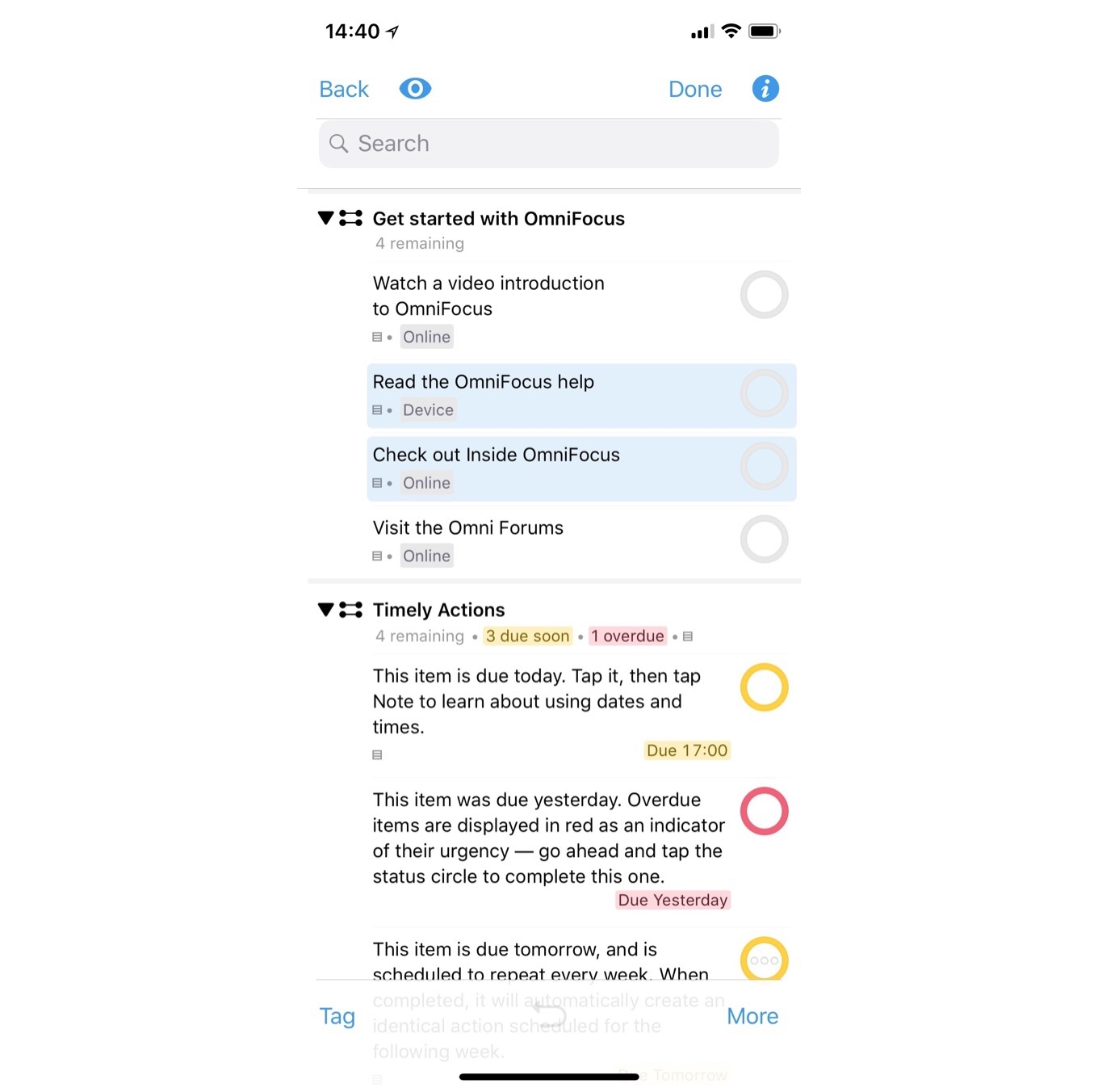
OmniFocus 3’s design will also be refreshed. Omni hasn’t shared many examples of what the update will look like, but here’s an example from the company’s blog post:

JavaScript-based automation, which is included in some of Omni’s other apps, is coming to OmniFocus as is collaboration, which will feature a system that lets multiple people share the same task by linking them. Omni says the system will allow everyone on a shared task to see its status, but place the task wherever they want within their task management setups. Finally, Omni plans a basic web version of OmniFocus that will allow users to access their tasks, though with a limited feature set.

Omni has changes in store for its other apps too. The first 2018 update to OmniGraffle for Mac will focus on the Stencil Browser, which users will be able to place in the left-hand sidebar. A later update will add improvements to SVG import and export support. Later in the year, another update is planned to improve diagramming.

OmniPlan for Mac will add a Project Summary Inspector that provides summary information about a project like its total cost and duration. OmniPlan Pro users will get a new timescale feature for customizing Dashboards too. Improvements to OmniPlan Pro’s publish and subscribe sync feature are planned for later in the year.

OmniOutliner 3 for iOS is scheduled for release in February 2018. The update will introduce Essentials and Pro versions of the app. Essentials offers a simplified outlining environment, while Pro includes advanced features like saved filters, encryption, and JavaScript automation.

It looks as though 2018 will be a busy year for Omni. Updates to apps like Things have raised the bar on task management apps, so it’s good to see Omni rethinking and redesigning some of the fundamental aspects of OmniFocus. I’m also looking forward to the OmniOutliner, an app that I’ve used on and off since it was first introduced on iOS.