

It’s easy to ignore the little info button sitting unassumingly in the top right corner of your Messages conversations, but behind it are several handy features. At the top is the person with whom you’re chatting. Tap on their name to open their contact card or tap the video or phone icons to start...
 App Debuts
Things 3 One of the limitations noted by Ryan in his review of Things 3 was the lack of repeating tasks inside projects. With version 3.1 of Cultured Code’s task manager, that limitation has been removed, which is welcome news. The Things update includes a number of bug fixes and enhancements to existing features...
Hopper

Hopper helps you save money on airfare. I’ve used the app a few times over the past year, most recently when planning my trip to San Jose for WWDC. Hopper has a four-tab interface that opens to a search screen where it uses your location to suggest your ‘from’ airport. You can change that...
Album
Cactusmoji - Cacti Life This smallish set of cacti emoji with more promised in future updates is great for anyone who lives in cactus-country or visits over the summer. These expressive cacti add a nice touch of green to any conversation. The Animal Sticker Pack Cute animals reminiscent of illustrations in a children’s book...
AppStories, Episode 12 – The State of Non-Native Apps→
On this week’s episode of AppStories, we look at the state of non-native apps, the trade-offs inherent to them, and discuss examples of non-native apps we like and a few we don’t.
Sponsored by:
- FlightLogger – Elegantly-designed, real-time flight tracking for worry-free travels.
- Deliveries – Simple package tracking that syncs everywhere.
- Sign up here by Thursday, July 6, 2017 at 9 pm New York time for a chance to win one of 10 free copies of Deliveries for iOS.
https://staging.macstories.net/podcasts/appstories/episodes/12/embed/






 The State of Non-Native Apps
 Federico
AppStories Episode 12 - The State of Non-Native Apps
0:00
38:29
38:29
Ten years after Scott Forstall suggested web apps as a ‘sweet solution’ for would-be iPhone developers, Federico and John look at the state of non-native apps, the trade-offs inherent to them, and discuss examples of non-native apps they like, and a few they don’t.
Airmail: An Elegant, Customizable Email Client for Mac and iOS [Sponsor]
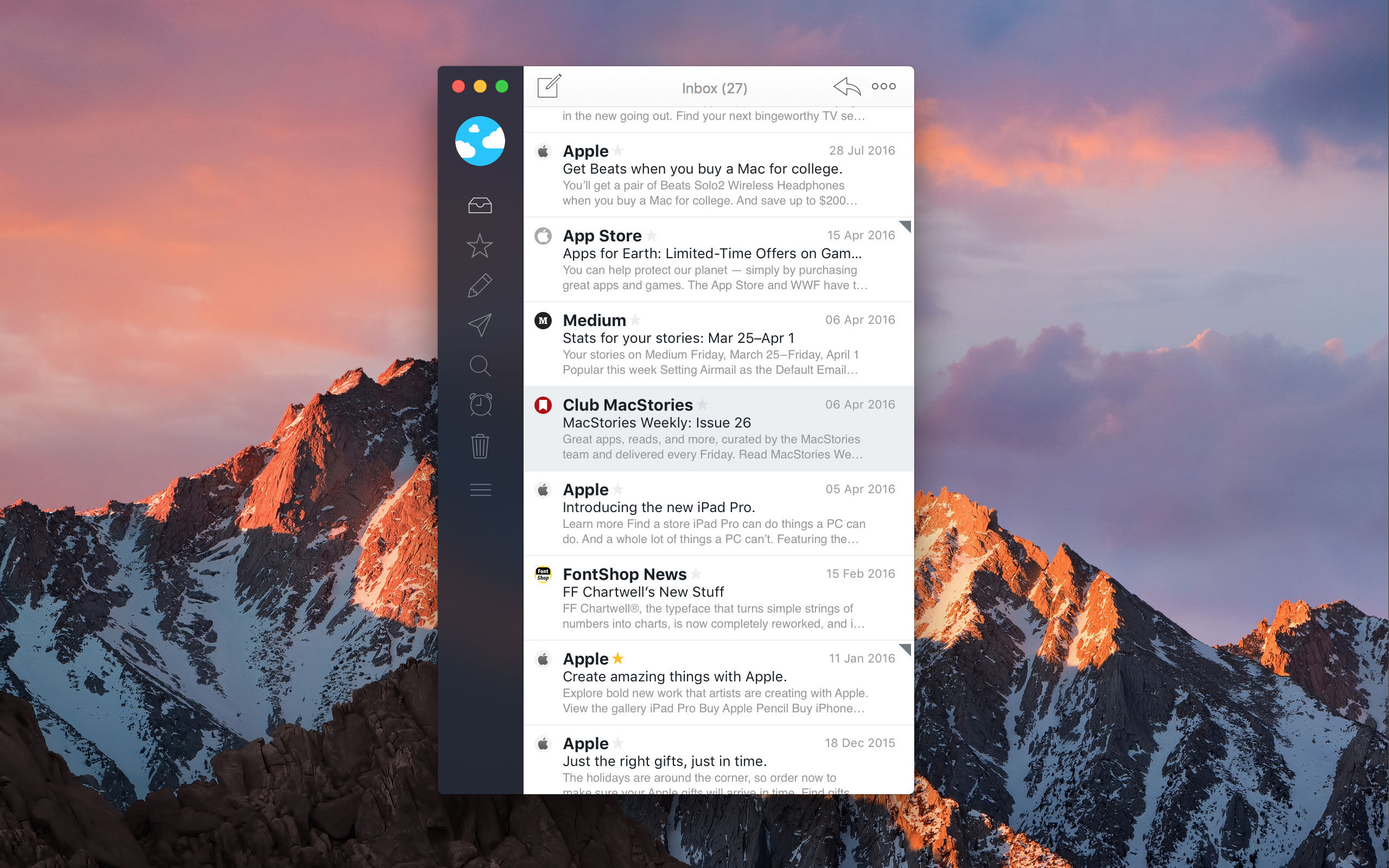
Airmail is the 2017 Apple Design Award-winning email client from Bloop that marries elegant design with rich, customizable features that tame your inbox.
Everyone approaches email a little differently. For some people, their inbox is a sort of task manager. For others, keeping their inbox empty and messages neatly organized into folders is paramount. No matter how you manage your email accounts, Airmail from Bloop has you covered.
Airmail is highly customizable while maintaining a clean, intuitive interface that makes it a pleasure to use. The app supports all major email technologies, including Gmail, iCloud, Exchange, IMAP, and POP3. On macOS, Airmail also incorporates the latest operating system features like the Touch Bar.
With Airmail, you can manage one or several email accounts. With multiple accounts, it’s just as easy to review messages from every account in a unified inbox as it is to dive into just one account. Airmail also features rich customization like the ability to send messages later, snooze messages, and create smart folders and rules. Actions let you send messages to other apps you use like task managers and your calendar or create a PDF from a message. Best of all, you only need to set up Airmail once because your settings sync via iCloud to all your Macs and iOS devices.
Airmail is available on macOS from the Mac App Store and on the iPhone, iPad, and Apple Watch from the App Store.
Our thanks to Airmail for sponsoring MacStories this week.
Game Day: Missile Cards

Missile Cards, which originally debuted on Steam, combines so many of my favorite game elements - a strategy-based mashup of genres, retro graphics, and a fun chiptune soundtrack - that I knew I had to try it. My only hesitation was that it’s a mashup of a Missile Command-style arcade shooter with a card game, which isn’t one of my favorite genres. My reluctance disappeared the minute I began playing though. Missile Cards is a fantastically fun game that’s incredibly hard to put down.
Creating a Formatted Pull-Quote with Link in Messages
I discovered a Messages trick earlier this week that was new to me so I thought I’d share it. If you highlight a passage of text in Safari to send to someone as an iMessage and use the contextual Share button that pops up when you’re finished selecting the text, all that’s sent to...