John Voorhees

5429 posts on MacStories since November 2015

John is MacStories' Managing Editor, has been writing about Apple and apps since joining the team in 2015, and today, runs the site alongside Federico. John also co-hosts four MacStories podcasts: AppStories, which covers the world of apps, MacStories Unwind, which explores the fun differences between American and Italian culture and recommends media to listeners, Ruminate, a show about the weird web and unusual snacks, and NPC: Next Portable Console, a show about the games we take with us.

The Omni Group’s Year In Review

Each year, Ken Case of The Omni Group takes a look back at the past year and ahead to what’s coming next for the company’s products. It was a good year for Omni, which released a major update of OmniGraffle for Mac as well as updates to OmniFocus for Mac and iOS and OmniPlan for iOS. The year concluded with OmniGraffle for Mac and OmniPlan for iOS making Apple’s ‘Best of 2016’ list.

In addition to planned updates to OmniGraffle for iOS, OmniOutliner for Mac, and OmniFocus, Ken Case outlined ambitious plans to bring new automation features to its iOS apps with some help from Sal Soghoian, who has been reviewing Omni’s efforts:

In 2016 we scratched the surface with URL automation on iOS, but in 2017 we plan to roll out user automation on iOS in a big way across all our apps with a much richer set of capabilities. This automation support won’t be limited to a simple set of URL primitives; instead, we’re adding support for running JavaScript code: code that has the same level of deep support for manipulating the data in our apps as we’ve previously exposed to AppleScript.

We’re also adding support for background scripts which can automatically respond to document edits.

Omni is going further with URL schemes too:

Oh, and did I mention that we’re including support for calling out to other apps by their URL handler? So you’ll be able to tie into the Workflow app and its already great ecosystem of automation. In OmniFocus, imagine the possibilities that open up when you can trigger a workflow just by checking something off!

The prospect of desktop-class automation in The Omni Group’s iOS apps is exciting and right in line with its original vision for the iPad.

Permalink

Additional Details on the New App Reviews API

Apple spoke to Jim Dalrymple of The Loop about its new app reviews API for developers. In addition to the details we previously reported, Apple told The Loop:

Apple is also limiting the amount of times developers can ask customers for reviews. Developers will only be able to bring up the review dialog three times a year. If a customer has rated the app, they will not be prompted again. If a customer has dismissed the review prompt three times, they will not be asked to review the app for another year.

In addition, App Store reviews can be marked as ‘Helpful’ using 3D Touch from an iPhone, which is a first.

These limits strike me as fair and should help prevent the new app reviews API from being abused.

Permalink

Pokémon Duel Release Expanded to the US and Other Countries

The Pokémon Company has released another Pokémon game for the iPhone and iPad: Pokémon Duel. First released in Japan, Duel is now available in the US App Store and many other countries. Duel is a strategic board game the object of which is to maneuver your Pokémon to a goal in your opponent’s territory. According to The Pokémon Company:

Selecting the six Pokémon for your team is an important part of Pokémon Duel. Each Pokémon figure has different strengths and a set number of steps it can take, so you’ll have to plan your moves strategically. Send your Pokémon along different routes in a rush to the goal, or block your opponent’s Pokémon from advancing.

When you get next to one of your foe’s Pokémon along your route, you’ll need to engage in battle to advance. Battles are determined by Attacks on each Pokémon’s Data Disk—spin the disk to see which Attack each Pokémon will use.

Pokémon Duel is available on the App Store as a free download. The game includes an in-game shop to purchase items with gems, which are collected by playing the game, but which can also be bought with In-App Purchases.

Permalink

TextTool 2.0 Review

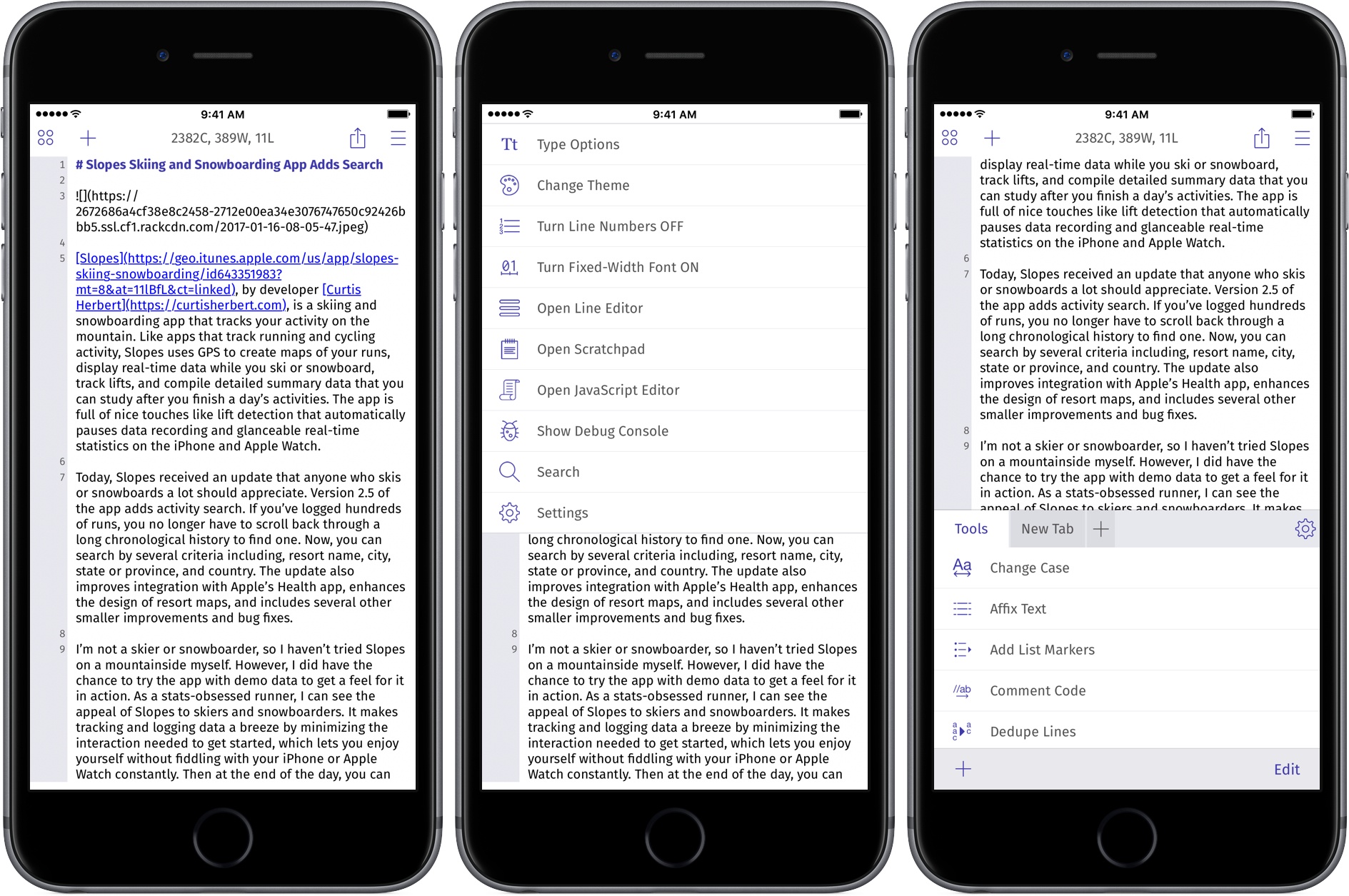
TextTool is a powerful text editor with an extensive catalog of built-in text transformations. Developer Craig Pearlman has rewritten the app from the ground up and released it as a new Universal app. With support for URL schemes, JavaScript, and an extension, TextTool’s flexibility has never been greater.

TextTool defies easy categorization. It’s a text editor, but not a place where text lives. You won’t find an archive of past text documents you’ve created. Instead, TextTool is a temporary place to write, edit, and manipulate text that ends up somewhere else.

Read more


Slopes Skiing and Snowboarding App Adds Search

Slopes, by developer Curtis Herbert, is a skiing and snowboarding app that tracks your activity on the mountain. Like apps that track running and cycling activity, Slopes uses GPS to create maps of your runs, display real-time data while you ski or snowboard, track lifts, and compile detailed summary data that you can study after you finish a day’s activities. The app is full of nice touches like lift detection that automatically pauses data recording, and glanceable real-time statistics on the iPhone and Apple Watch.

Today, Slopes received an update that anyone who skis or snowboards a lot should appreciate. Version 2.5 of the app adds activity search. If you’ve logged hundreds of runs, you no longer have to scroll back through a long chronological history to find a particular trip. Now, you can search by several criteria including, resort name, city, state or province, and country. The update also improves integration with Apple’s Health app, enhances the design of resort maps, and includes several other smaller improvements and bug fixes.

I’m not a skier or snowboarder, so I haven’t tried Slopes on a mountainside myself. However, I did try the app with demo data to get a feel for it in action. As a stats-obsessed runner, I can see the appeal of Slopes to skiers and snowboarders. It makes tracking and logging data a breeze by minimizing the interaction needed to get started, which lets you enjoy yourself without fiddling with your iPhone or Apple Watch frequently. Then at the end of the day, you can sit back and study the breakdown of your activity to your heart’s content.

The core features of Slopes are free on the App Store, which makes trying Slopes on your next ski trip a no-brainer. You can unlock the ability to track additional detail about your skiing and snowboarding runs, daily timeline data, premium maps, and 3D interactive run replays by purchasing an in-app subscription for $19.99/year, $8.99/month, $4.99/week, or $1.99/day.


Game Day: Yuri

Yuri is a delightful hand-drawn platformer for iOS and macOS by Fingerlab that follows the adventures of Yuri, a small child who wakes up in a dreamlike world. You may recognize the Fingerlab name from one of its previous iOS releases, DM1 - The Drum Machine, an excellent music app for the iPad that won an Apple Design Award in 2012.

Yuri was conceived of by French brothers Ange and Aurélien Potier. Ange drew Yuri for over ten years as a comic strip and made short films featuring the character before he and three others built a game around Yuri. As a game, Yuri immediately reminded me of Limbo because of its monochromatic, dream-like art. According to Fingerlab, the game is also a tribute to comic adventures like Tintin by Hergé and Little Nemo by Winsor McCay, the influences of which shine through in the plot and artwork.

The whole package is tied together with incredible sound design. Right from the opening screen of the game, the sound of rain against Yuri’s window adds to the atmospherics. That, combined with an exceptional soundtrack that is available separately on iTunes, bring Yuri’s dream world to life.

The game itself is easy to play. Yuri wakes up lying in his bed surrounded by vegetation. On iOS, there are buttons with left and right facing arrows in the bottom left corner of the screen for moving forward and backward. In the lower righthand corner of the screen is a button with an upward-facing arrow for jumping. On the Mac, the left and right arrow keys are used to move forward and backward, and the spacebar makes Yuri jump.

When Yuri first gets up, his bed turns into a sort of scooter, which is how he navigates the strange world that surrounds him. The world is dark like Limbo but rendered in shades of blue that create a less foreboding atmosphere than Limbo. As you explore, there are birds and bugs everywhere, some of which are obstacles that will cause you to die if you run into them too many times. The consequences of dying in Yuri are minimal, though; you just restart close to where you left off, and try again. That makes the game less challenging than some but fits well with the theme of the game. Yuri is more about exploration than defeating enemies.

In all, there are ten levels to play in Yuri, and the developers say more are on the way. That isn’t very many levels, but each is detailed and longer than many games, so the level count is a bit deceiving. Moreover, the length of the game strikes me as reasonable in relationship to its price. The iOS version of Yuri is also available on the Apple TV, where its simple controls make it a delight to play.

Yuri drew me into its mysterious world immediately. It’s the kind of game I love to relax with because it’s as much about experiencing the story as it is a game. If you want to get lost in another world this weekend, Yuri is an excellent choice.

Yuri is available on the iOS App Store for $2.99 and the Mac App Store for $2.99.


Paprika

Paprika combines recipe management, automatically-generated grocery lists, and meal planning into one of the best-designed packages I’ve seen. The app is available separately on the iPhone, iPad, and Mac, but I’m going to focus on the iPad version, which I find is easiest to use in the kitchen while I’m cooking. What I enjoy...


App Debuts

1Writer 1Writer is one of the best Markdown text editors available. This week it was updated to version 2.5 with a long list of powerful features. Highlights include find and replace functionality, the ability to insert images as part of a document’s containing folder that are locally referenced, a new customizable extended keyboard row,...


Q&A

Question: Which Mac RSS reader is your favorite, and why? (Jim Krenz, @Lecter)

I don’t read RSS feeds on my Mac very often. That’s something I usually do on iOS, so I haven’t spent a lot of time finding the perfect reader on macOS. That said, I am a longtime user of Reeder on...