


At its simplest, Alfred is an app launcher not unlike Spotlight, which is built into macOS. However, Alfred is much more than an app launcher. Spotlight does other tricks too, but Alfred beats it hands-down. In addition, because Alfred learns the way you work over time, the more you use it, the better it works....
 Q&A
Q&A
Question: What note-taking app do you recommend between Evernote, Bear, Apple Notes, and other alternatives? (Manu Olavarriaga, @1manuo)
 Federico
As I wrote in my story about Bear, I’m trying to see if this app can replace Apple Notes for me because of its power user features and Markdown support. I’ve been a heavy Notes user...
Album
HUSKy Lots of stickers for husky lovers with a super cute main character displayed in different contexts and expressions. Some of the stickers are animated, too. The Little Ones Fun and cute creatures by Renaud Forestié, who has worked for years as an illustrator and art director at companies like Ubisoft and Danone. The...
App Debuts
Another Voice Fun new iMessage app to send voice messages with a variety of built-in effects. There have been a few apps like this on the iMessage App Store, but Another Voice is fast, the design is clean, and you can also browse popular voice messages from the community and share them with friends....
Apple Releases ‘Bulbs’ Video→
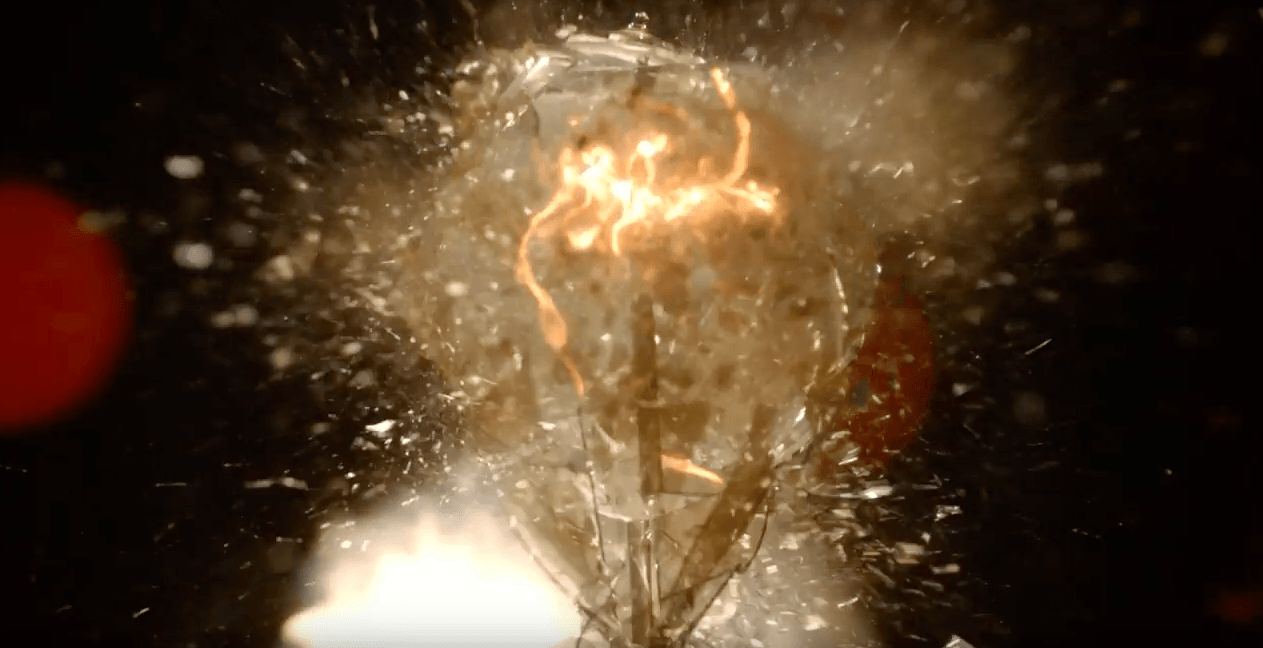
Apple posted a video on YouTube promoting the new Touch Bar MacBook Pros. The video cuts frenetically between a long line of Edison bulbs exploding down a darkened street and into the countryside, and scenes of human inventions from the discovery of fire to a robot walking down a street. The spot concludes with ‘Ideas push the world forward,’ echoing the line ‘They push the human race forward’ from Apple’s famous 1997 ‘Crazy Ones’ ad.
The ad then cuts to the line ‘Introducing a tool for all the ideas to come.’ A MacBook Pro comes into view with an Edison bulb on the screen. A hand scrubs back and forth across a slider on the Touch Bar making the video of the exploding bulb fast forward and rewind. The video does a nice job demonstrating the marquee feature of the new MacBook Pros, but an even better job, through its use of pacing, music, and editing, of giving a sense of the speed at which technology advances in what feels like an oblique response to critics of the changes made to Apple’s laptop line.
Apple Creates Special Swift Playgrounds Challenge for the ‘Hour of Code’→
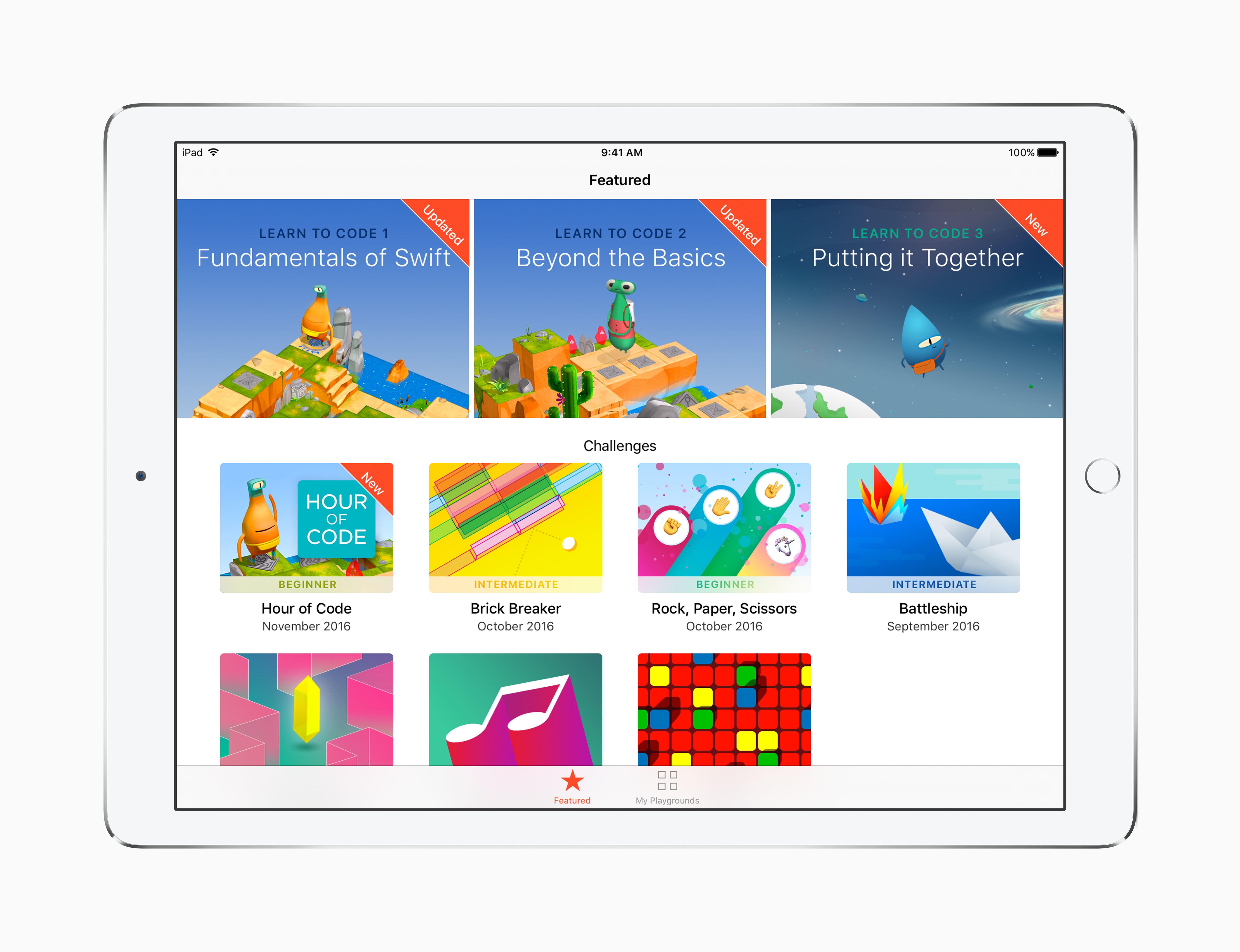
Apple has participated in Code.org’s Hour of Code challenge for the past three years. Apple announced today that it will participate again this year with a series of workshops for kids from December 5 - 11, 2016, which coincides with Computer Science Education Week.
Angela Ahrendts, Apple’s senior vice president of Retail had this to say:
Hour of Code embodies our vision for Apple stores as a place for the community to gather, learn and be entertained…. We’re proud to introduce the Swift Playgrounds app into the workshops and honored to again work side-by-side with Code.org on this incredibly important initiative. Hour of Code is one of the absolute highlights of the year for both our teams and the families that visit our stores.
In addition to using Swift Playgrounds in the workshops for the first time, Apple is adding a new Hour of Code challenge to Swift Playgrounds called ‘Putting it Together.’ Apple’s press release explains that:
A new Hour of Code challenge in Swift Playgrounds makes it easy for anyone to set up their own one-hour coding event, and for those continuing to build their coding skills on iPad, Swift Playgrounds adds a new Learn to Code 3 set of lessons and a companion Teacher Guide.
Signup for the workshops is not yet live, but should be available here soon.
Google Play Newsstand Redesigned→
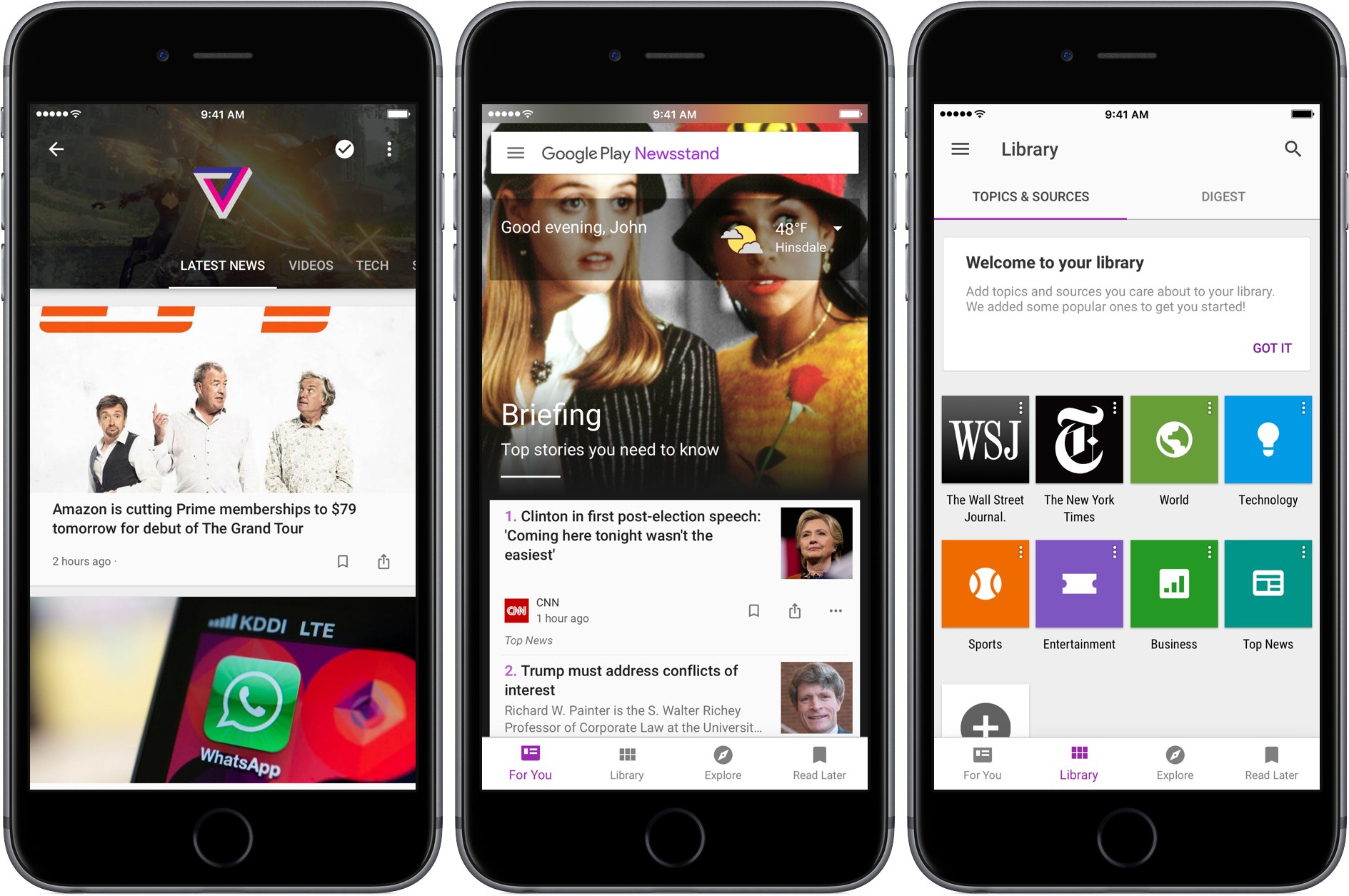
Google has been on a tear with new and updated iOS apps. The latest is a redesign of Google Play Newsstand, a free app for browsing news outlets and magazines similar to Apple News.
Blending a variety of national and local news with article recommendations based on your personal interests using machine learning, Newsstand creates a media-rich ‘For You’ page divided into two sections. The ‘Briefing’ includes a handful of what Google deems the most important and relevant stories to you. Below the Briefing is ‘Highlights,’ a longer list of articles culled from you favorite sources and topics. Each article in Highlights helpfully explains why it was suggested.
Tapping the three dot menu button below any article lets you hide stories from its source, have fewer articles of that type suggested (I took advantage of this immediately with CNN’s report on a Parmesan cheese recall), or jump directly to the source or topic of the article. I’ve found the last two options a great way to quickly build a database of topics and sources that I want to follow.
Newsstand is built on an AMP foundation:
We have improved our support for multimedia content building on the AMP support we launched earlier this year. Scroll through your feed, and you will see autoplay videos, easy podcast controls, and high-resolution, full-bleed images. Every story and topic in Newsstand now comes to life in a more engaging, beautiful presentation.
I’m not a fan of autoplay anything, but Newstand’s articles look terrific and load fast.
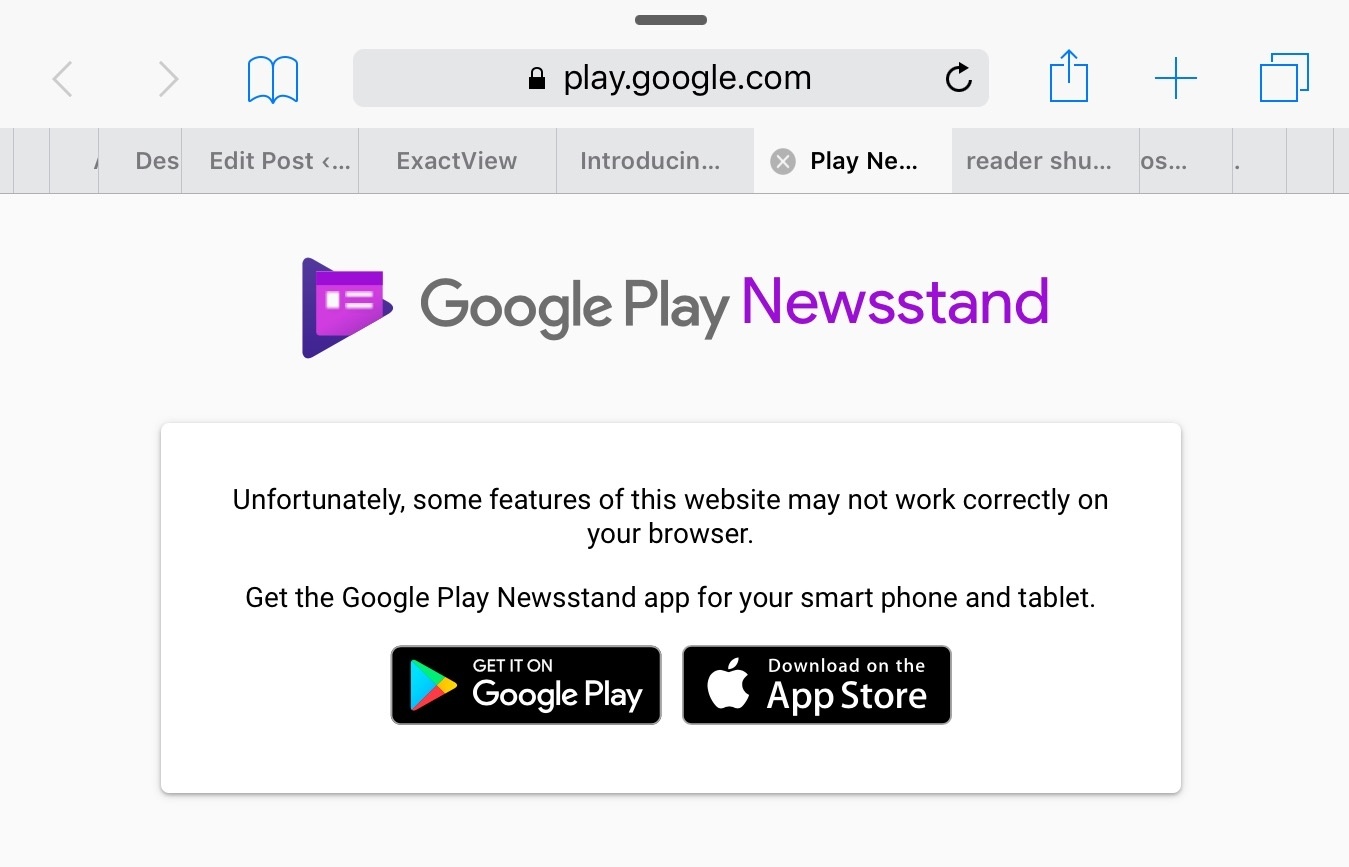
Finally, Google also touts Newsstand’s new web app as a way to access news wherever you are. It’s broad claim that needs to be qualified. The unstated assumption seems to be that the web app is for desktop use only because it doesn’t work on iOS even if you use Google’s Chrome browser. Moreover, on macOS, Newsstand doesn’t work with Safari, instead directing you to download Chrome.
In some ways Google Play Newsstand feels like a modern implementation of Google Reader, which was shuttered in 2013 around the same time that Newsstand was introduced. I wonder how much better my recommendations would be if Newsstand had the benefit of all the years I used Google Reader. Maybe it does have access to that data, but using Newsstand feels too much like starting over for that to be the case. In any event, Google Play Newsstand is a worthy competitor to Apple News. Perhaps 2017 will see competition among news services similar to what we’ve seen with photo services this year.
Reddit Adds iPad Support
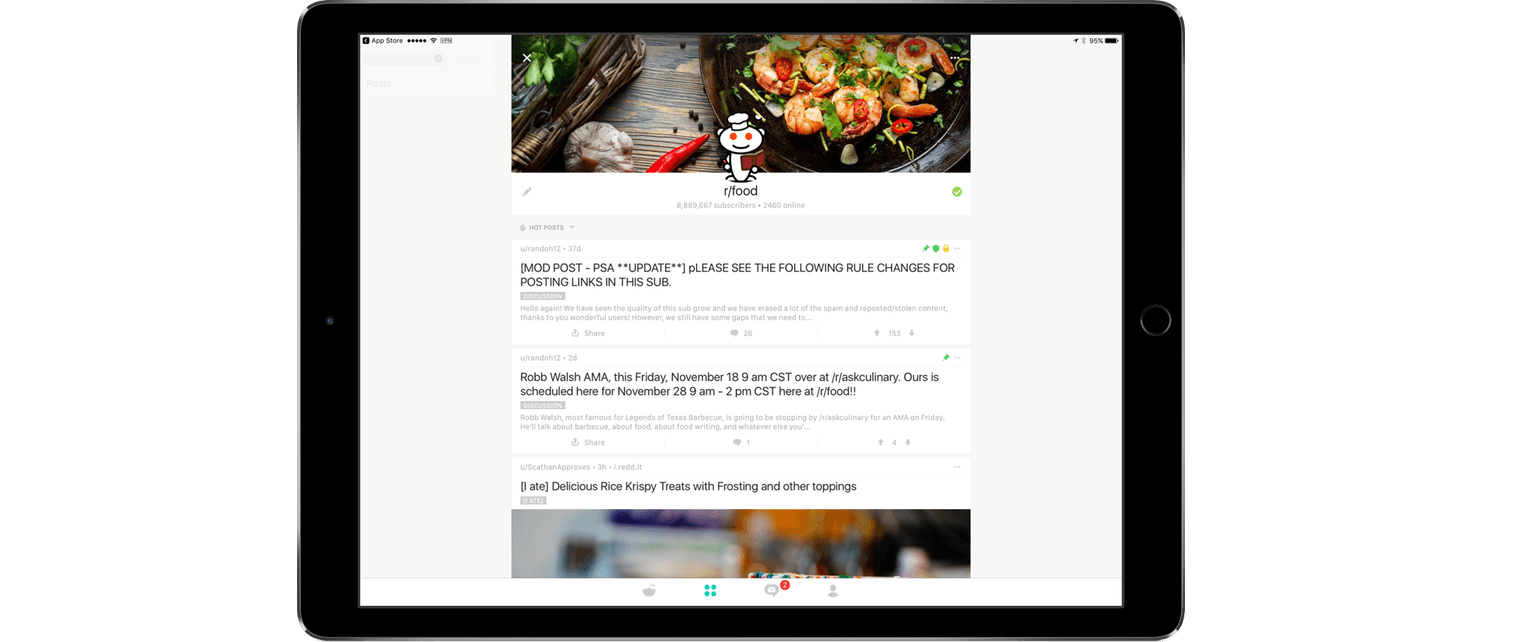
Reddit purchased third-party client Alien Blue in 2014. This past Spring, Reddit launched its first official client. Many of Alien Blue’s features found their way into the official client. However, one notable exception was iPad support. As a result, Alien Blue for iPad remained on the App Store and, in fact, is still there.
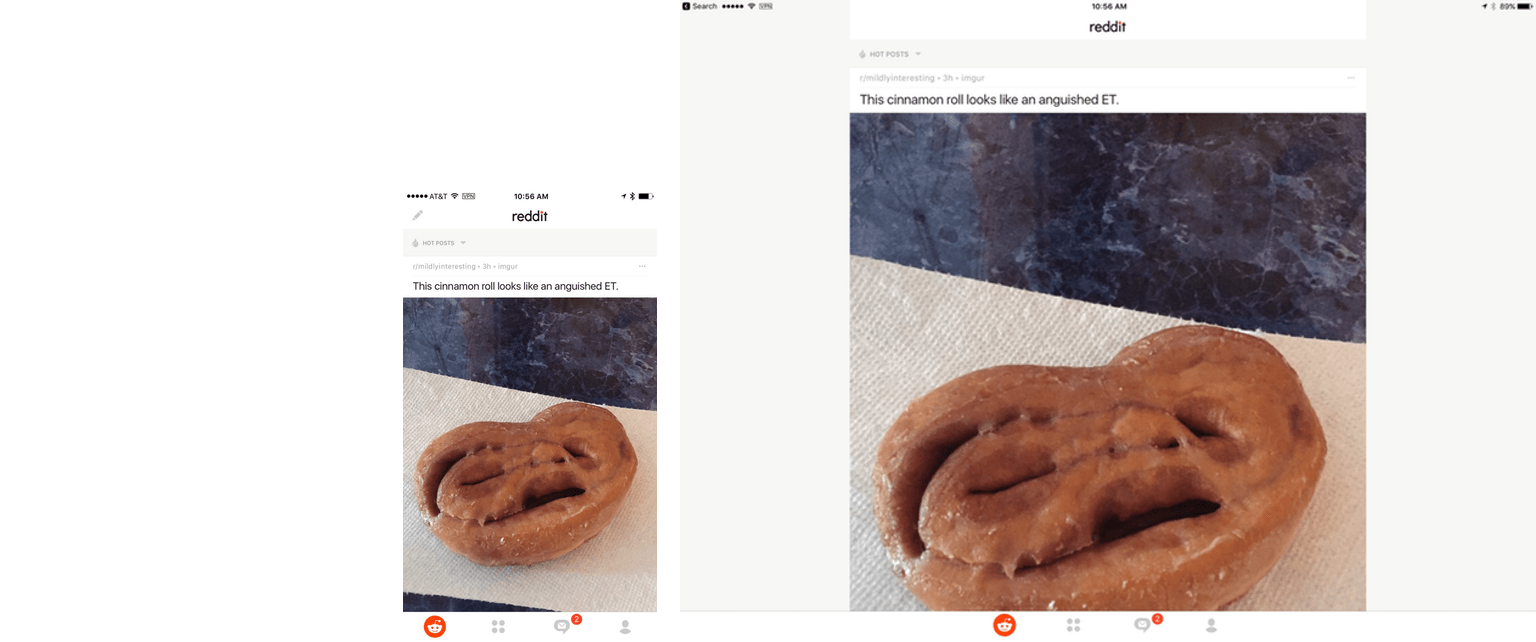
Today, Reddit updated its official client to support the iPad. The UI of the iPad version is the same as the iPhone version, but with margins added to the left and right sides of the screen to avoid it looking like the content is stretched out. As a result there is a lot of white space if you use the app in landscape mode. I would have preferred to see a more creative use of the iPad’s added screen real estate, but the update is still better than using the scaled-up version of the iPhone app.
Google Introduces PhotoScan and Updates Google Photos
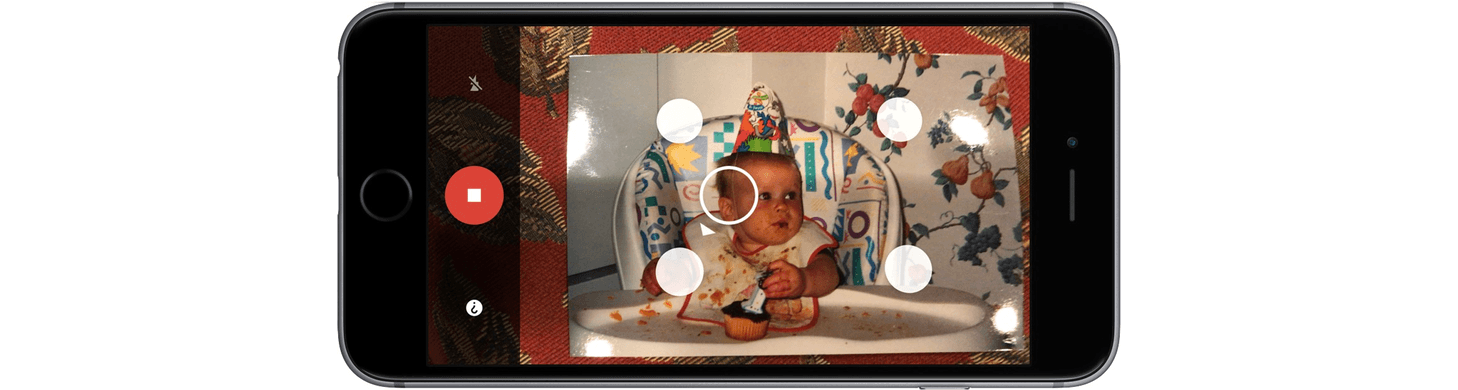
Earlier today, Google announced a new app called PhotoScan and updates to Google Photos. PhotoScan is a simple scanner app for capturing prints. On launch it opens to a camera view with the instruction to frame your photo within the rectangle on the screen. When you tap the shutter, instead of taking a picture of your print, PhotoScan displays a circle in the middle of the view finder with four other circles near the corners of your print. There is a little arrow that prompts you to move your phone to line up the middle circle with each of the four other circles one at a time. When you’re finished, PhotoScan processes the data it’s collected and presents you with your scanned print, which can be further adjusted in-app.
PhotoScan, which is a free download on the App Store, doesn’t require you to sign into a Google account, unless you want to save your scans to Google Photos. If you prefer, you can save your scans to Apple’s Photos.
Google made a video demoing how PhotoScan works:
I tried PhotoScan on a handful of family photos to see how it would fare. In my tests, I found that there are a couple of simple things you can do to greatly improve your scans. First, find a spot where the lighting is good, but indirect which will help avoid glare on glossy photos. Second, don’t use the flash. Here’s an example of a scan with and without the flash that I took in the same spot, from the same distance, and with the same lighting:
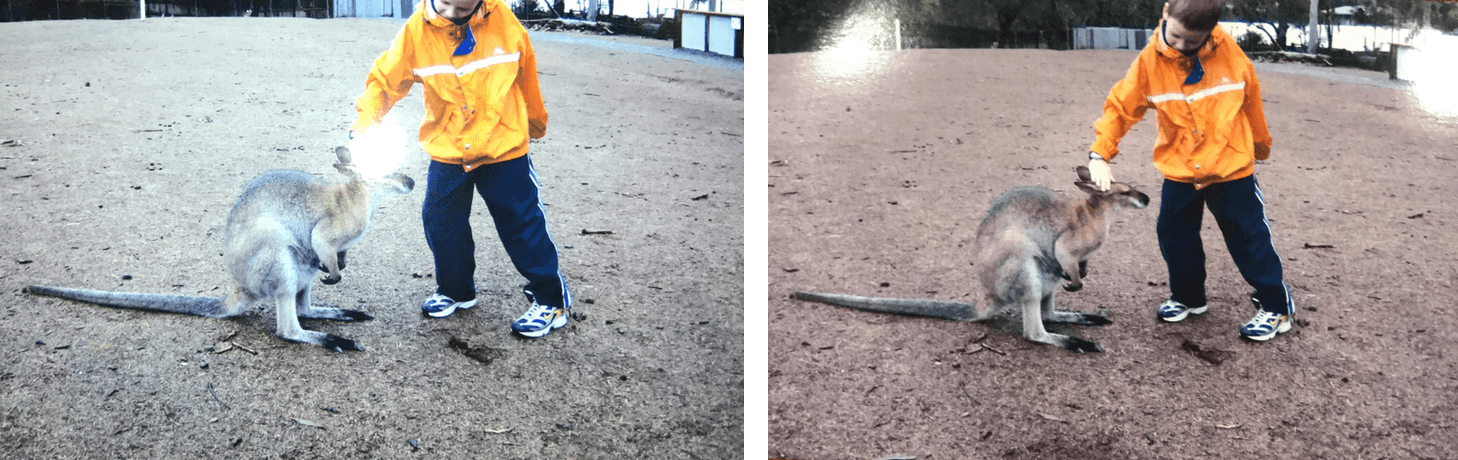
The scan with flash turned on (left) has a nasty white glare spot in the middle of the photo and did a poor job cropping the image.
Not every photo taken with the flash on had this much glare, but most had a bright white spot in the middle of the photos. Here are three scans that came out much better that were taken under normal lighting conditions in my kitchen with the flash turned off:

PhotoScan does have some bugs. It crashed a couple times while I was using it. The second crash happened after I scanned fourteen photos. I went to the preview page to save them and when I tapped ‘Save All,’ PhotoScan crashed. When I reopened the app, all of my scans were gone. I thought I had lost data, but it turns out they were saved to Photos before the app crashed, so what could have been a scary moment if I had scanned dozens of photos turned out fine.
Overall, PhotoScan did a good job detecting the corners of prints and properly cropping most of them. PhotoScan also did a good job capturing the colors and detail of each shot as long as the flash was disabled. None of the snapshots I scanned were in perfect focus, but the scans of each were noticeably fuzzier and the colors off a little in some. Despite the bugs and limitations though, PhotoScan is an app I’ll keep close by when I visit relatives over the holidays for when they pull out family albums of photos because it’s so convenient and easy to use.
Google also added three new features to Google Photos today. The first is an improved auto-enhance tool. Second, Google added twelve new filters, which it calls ‘Looks.’ The feature first edits the photo to enhance it and then applies a filter that complements your photo. How does Google Photos know how to adjust its filters complement your photos? Machine learning of course. The third feature is fine-grained light and color editing tools. The Verge reports that Google is also introducing three new automatically created videos to Google Photos, for newborns, formal occasions like weddings, and a ‘through the years’ a slideshow for annual events like holiday gatherings.