John is MacStories' Managing Editor, has been writing about Apple and apps since joining the team in 2015, and today, runs the site alongside Federico.
John also co-hosts four MacStories podcasts: AppStories, which covers the world of apps, MacStories Unwind, which explores the fun differences between American and Italian culture and recommends media to listeners, Ruminate, a show about the weird web and unusual snacks, and NPC: Next Portable Console, a show about the games we take with us.
Apple has released the first iOS 10.2 beta to developers. The update includes:
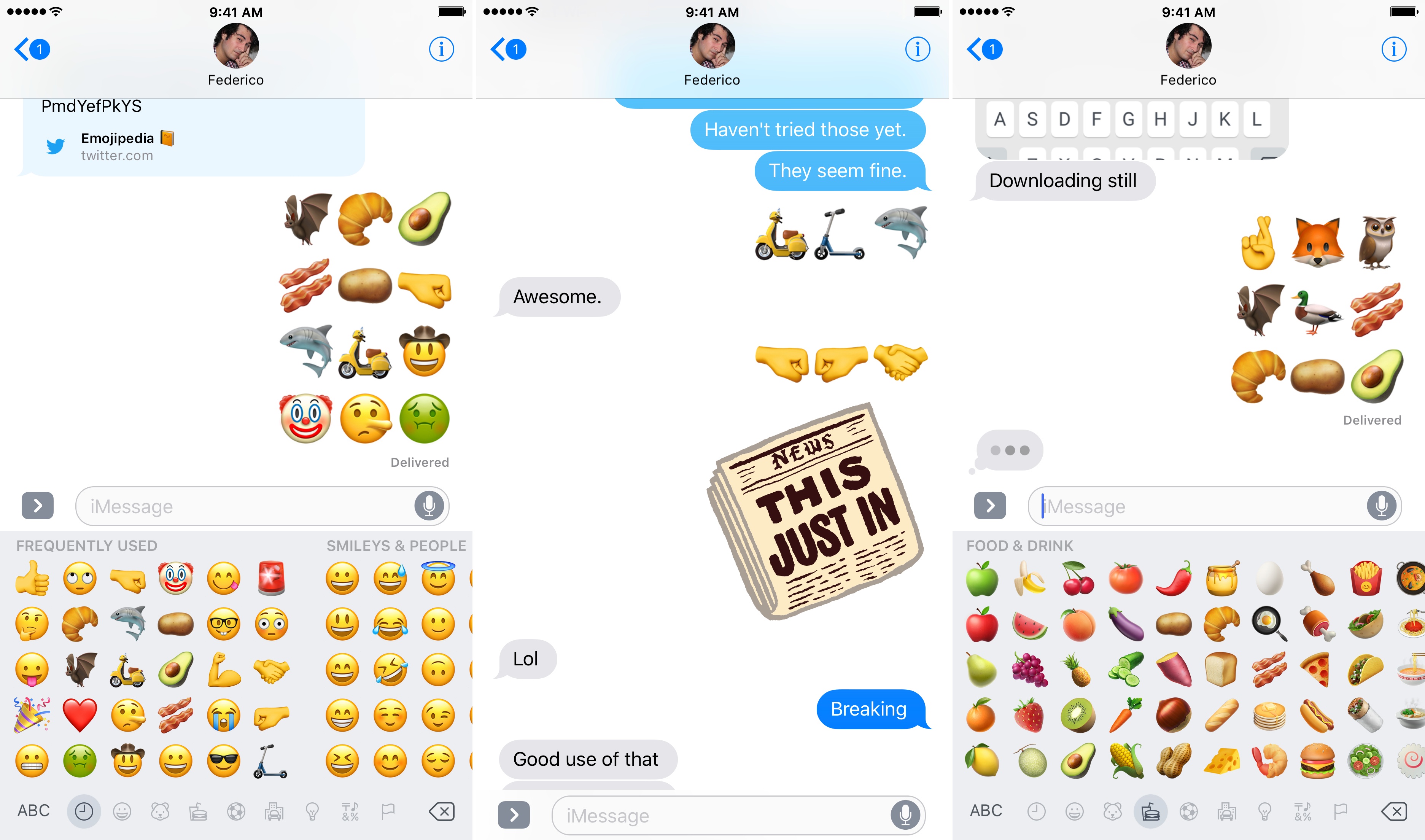
new Unicode 9.0 emoji support (for a full list of the new emoji, check out this post on Emojipedia);
redesigns of existing emoji;
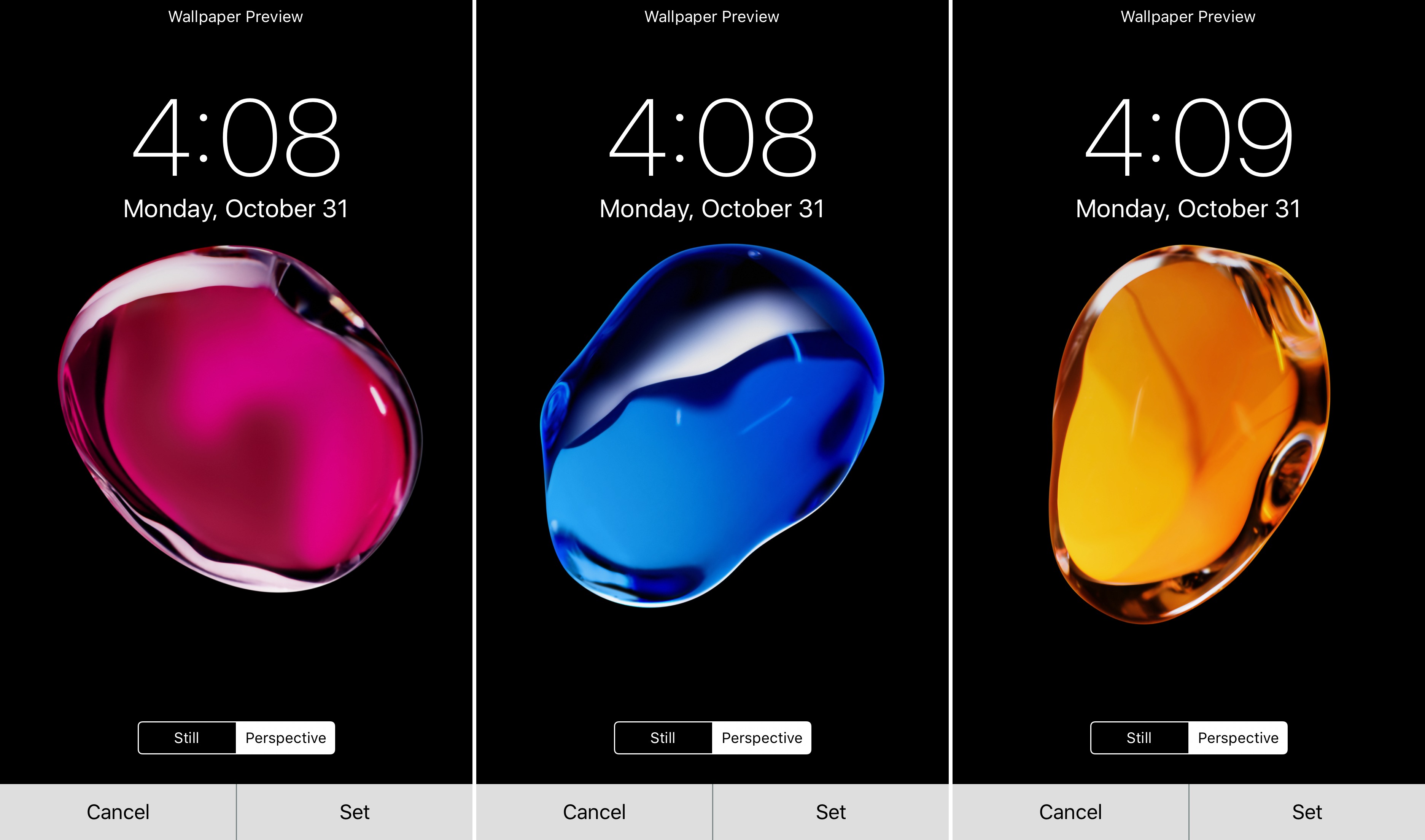
three new wallpapers, previously seen in Apple’s marketing materials for iOS 10;
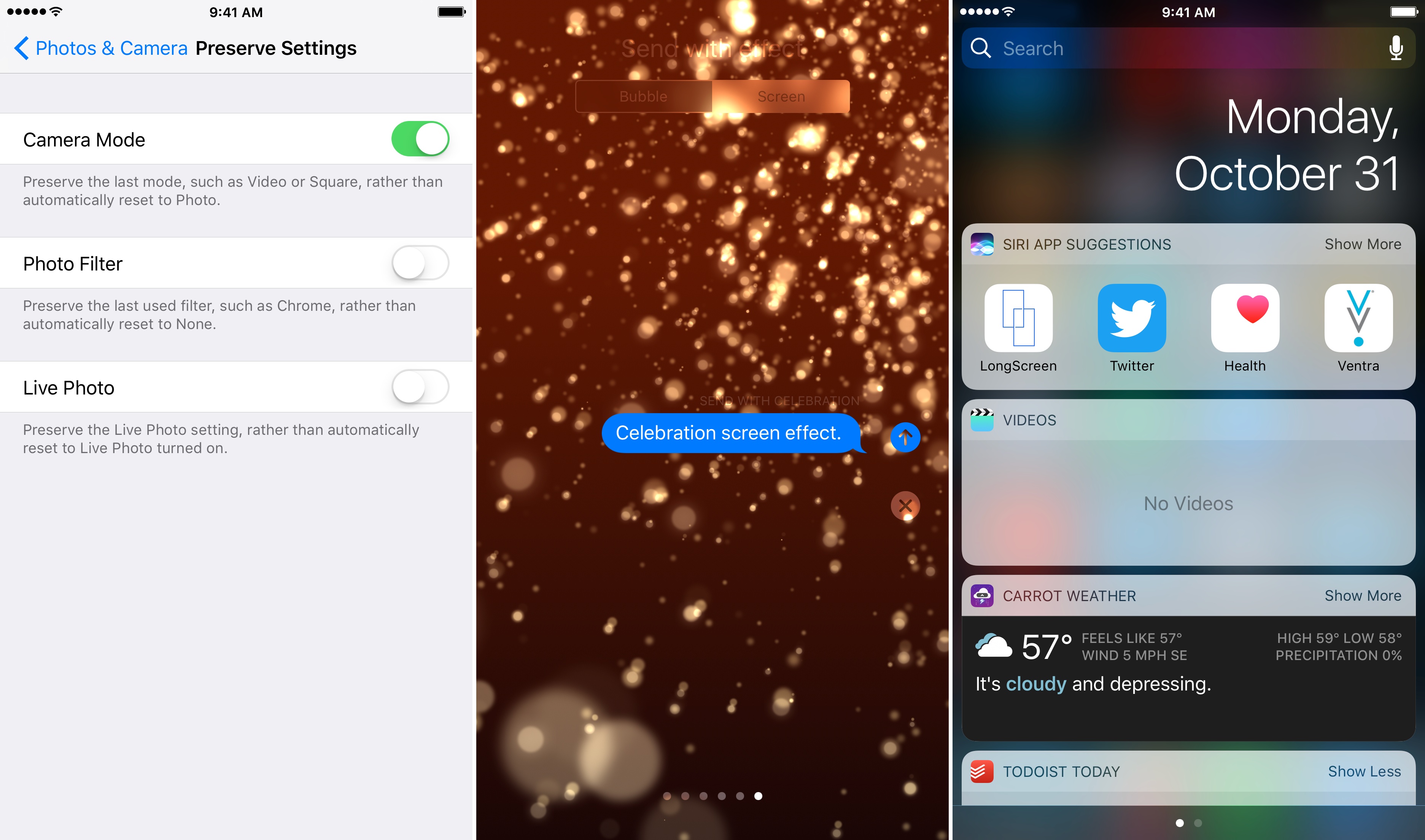
a new celebration screen effect in Messages;
a widget for Apple’s built-in Video app;
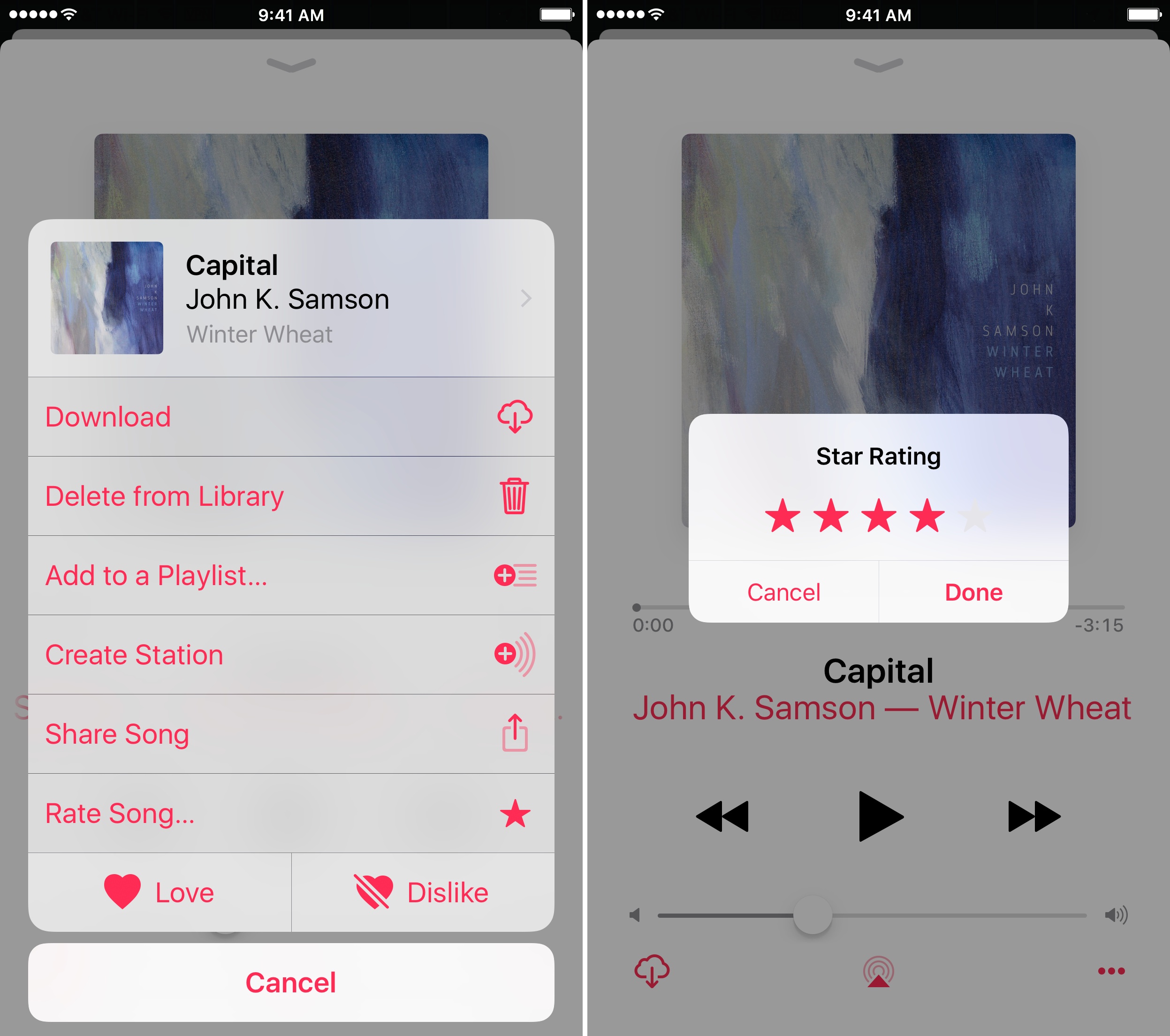
a setting in the Music app to display star ratings that does not affect Apple Music ‘For You’ recommendations; and
a setting to maintain the Apple Camera app’s settings between uses.
Dang. The ancient Apple emoji — which were never really meant to be seen bigger than 32 × 32 — are redrawn quite well in iOS 10.2! Good job! pic.twitter.com/X6WskExq1D
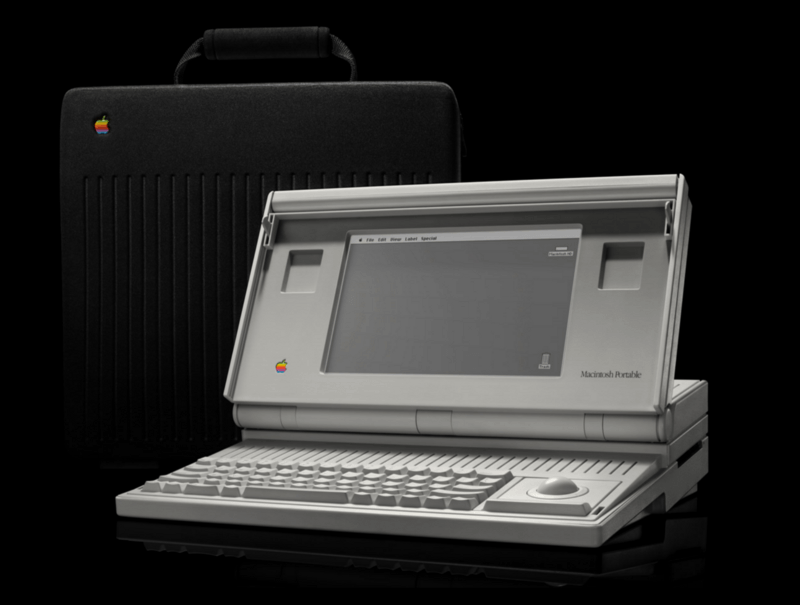
Jonathan Zufi, author of ICONIC, a coffee table book that celebrates the history of Apple products through beautiful photography, uses the October 27th Apple event to challenge a comment by Phil Schiller in 2012 that Apple is ‘focused on inventing the future, not celebrating the past.’
Although Steve Jobs shut down Apple’s internal Apple museum in 1997 and transferred its collection to Stanford, Zufi points out that Apple has begun honoring past products more often in recent years, especially where doing so highlights the innovations of current products. As Zufi observes:
People love reminiscing about the past, and there are still many Apple fans who love to celebrate the company’s rich product history — its successes and its failures. I’ve heard from readers who simply loved the fact that they sat down with [ICONIC and] a glass of wine and lost themselves for hours reliving these old machines, where they were in their lives when they first came across them, and how much has changed.
That’s why Phil Schiller’s comment about not celebrating the past always bothered me and I’m going to disagree with Phil on this — I’m certain Apple will continue celebrating their past as they blaze the future.
Selling the past short isn’t a prerequisite to embracing the future. Apple’s newfound willingness to look back feels like the mark of a mature company that’s as confident with where it’s been as it is with where it’s going.
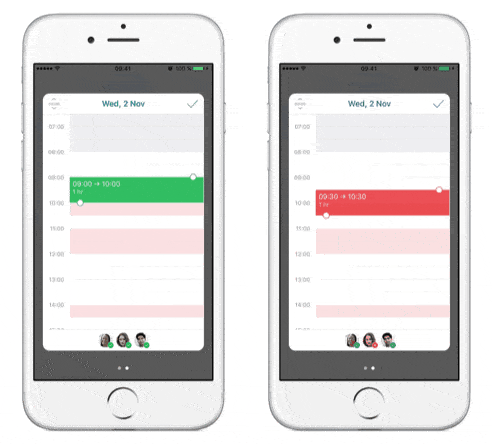
Once you’ve created an event from your calendar and added your coworkers to the People field, tap the date picker. Times that work for everyone show in white, yellow indicates availability for one or more people in the group, and red indicates times with no availability. Next, tap the time picker and just drag and drop until it turns green—indicating everyone is available at that time.
After you have found a time that works for everyone and fill out any additional information about your event tapping the checkmark sends an invitation to each invitee and saves the event to your calendar.
Back in April, I did an Ongoing Development column about the difference between trying to find time for projects and making time for them. Recognizing that your time is yours and consciously choosing how you’re going to spend it may seem obvious, but it’s easy to lose control of your own schedule. The first...
The end of the startup chime is a small thing, but as Hackett observes:
…the startup chime is ingrained into the experience of having a Mac, I’m sad to see it go. A Mac without the chime feels broken, even if I know it isn’t. I don’t power down my machines often, but I liked hearing the chime when I power them back up.
It makes me a little sad and nostalgic to lose the Mac’s familiar chime too. It’s not a big deal, but it’s one more link to the Mac’s origins that is gone, which feels like a loss.
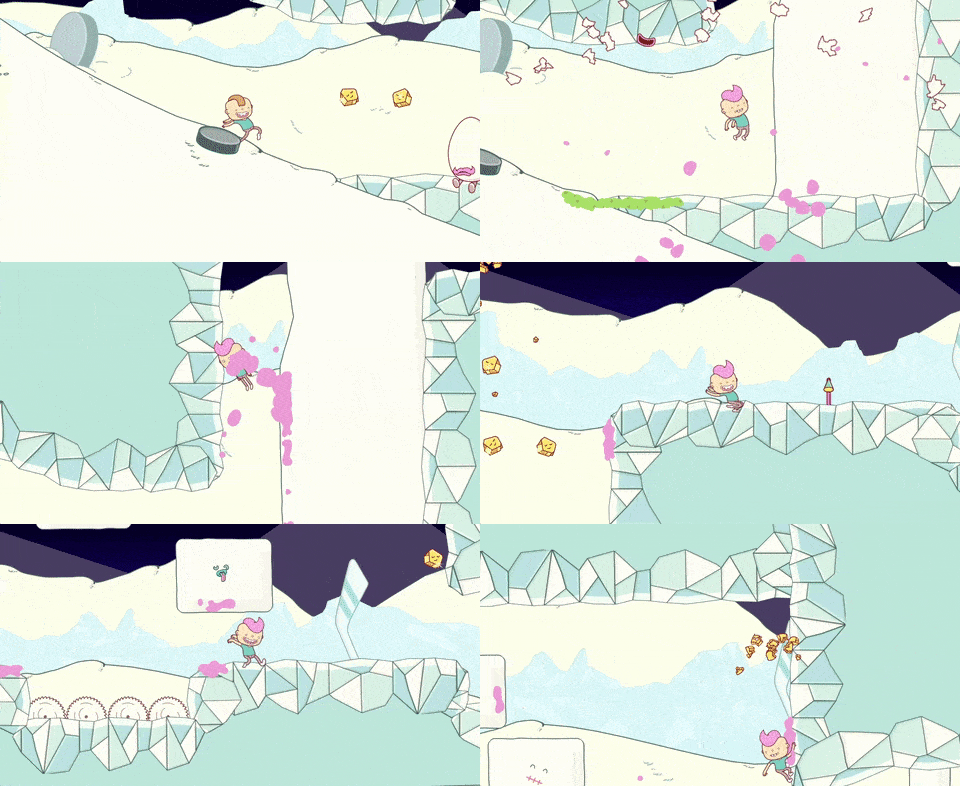
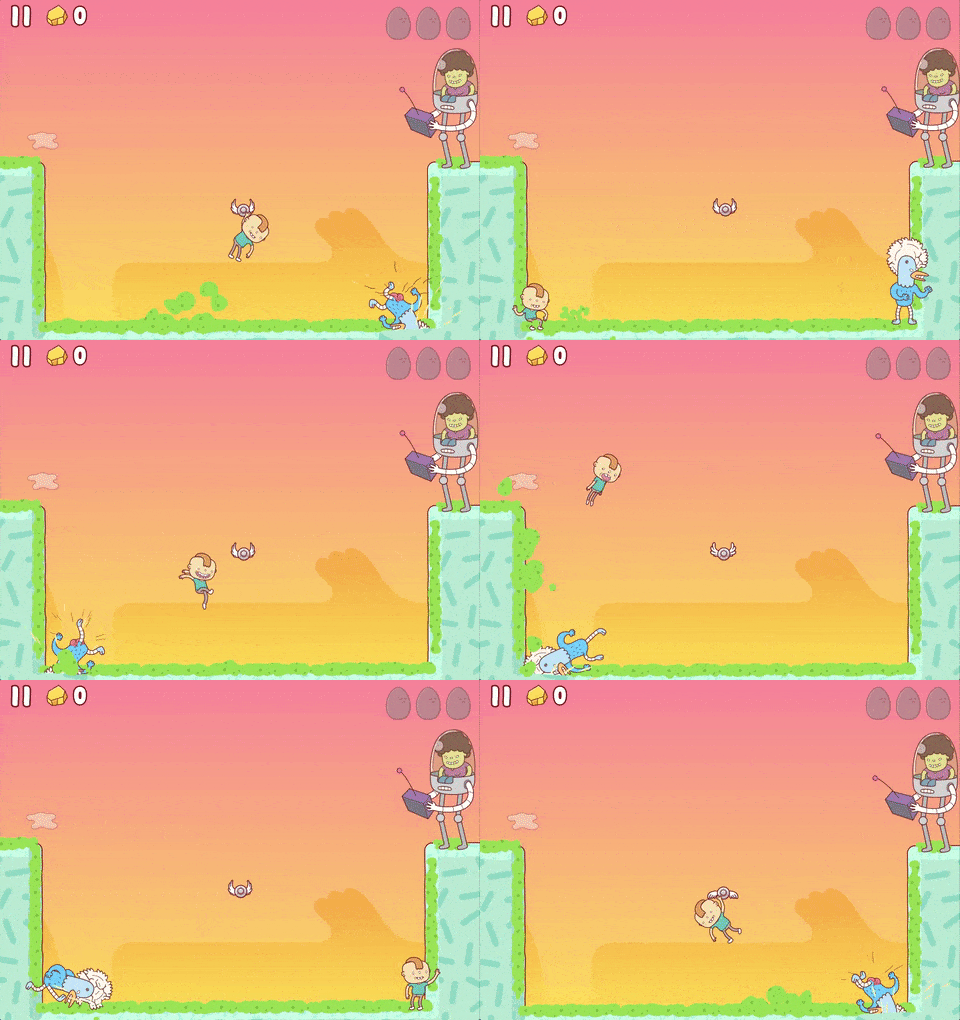
Eggggg, by Norwegian developer Hyper Games, bills itself appropriately enough as a platform puker. You play as Gilbert who jumps out a window and into a giant egg to escape his mean Aunt Doris who won’t let him go to a birthday party. The trouble is, Gilbert is allergic to eggs. They make him vomit – a lot. Thrown into a world of eggs and cyborg chickens, Gilbert uses what he’s got – his vomit – to propel him through each level. If Eggggg sounds odd, that’s because it is, but it’s also not as gross as you might expect, and it’s a whole lot of fun.
Eggggg draws inspiration from many sources. The levels are reminiscent of Mario platformers. Each is full of secret items to collect and hard-to-reach areas to explore. Eggggg only has 20 levels, but they are more complex and varied in their look and feel than most mobile games, which makes them a joy to replay.
When I first tried Eggggg, I immediately thought of Adventure Time. Eggggg shares a certain visual absurdity and bizarreness with the popular Cartoon Network show thanks to the fantastic artwork of Brosmind, a design studio based in Barcelona, Spain. But the visual style of Eggggg also harkens back to 90s cartoons like Rugrats. It’s an interesting mix of styles that feels fresh and works well in the game.
Eggggg’s game mechanics are simple, but a little different than you might have seen in other games – not different in a bad way, but they take some getting used to. You can tap on either side of the screen to send Gilbert in that direction. A second tap makes Gilbert jump. So, if Gilbert is running left, tapping the right side of the screen changes his direction and tapping again makes him jump. If Gilbert is already running to the right tapping just makes him jump. Fortunately, the first two levels of the game have no obstacles and are enough practice to get the hang of the controls before you start battling enemies.
Each level includes unique obstacles like chicken-spiders, buzzsaws, chickens in flying saucers, and more. You are timed as you race through each level, which gives you some incentive to go back and try levels again to see if you can beat your time and move up the Game Center leaderboards, though the game is just as fun when you take it at your own pace.
Platformers are hard to get right on mobile devices without joysticks and dedicated buttons. Eggggg’s controls took some getting used to, but I think Hyper Games made the right choice by avoiding dedicated buttons or simulated joystick controls on the screen. The blend of deep Mario-style levels, colorful artwork, and squishy sound effects come together to make Eggggg one of the best platform games I’ve seen on iOS. It’s definitely one worth trying.
The box was striking, with a kinetic photo of Jimi Hendrix. When you opened it, the stark white device — which I’d describe as a thermostat control in a David Hockney painting — sat like a gem in a jewel box. Apple had also provided reviewers with a stack of CDs (presumably to dispel the charge that illegally downloaded music would populate the iPod’s 5-gigabyte hard drive).
In 2001, the iPod wasn’t the first MP3 player, but it combined existing technologies in a simple and stylish way that caused people to sit up and take notice. That first iPod was expensive and only worked tethered to a Mac via FireWire, which it was criticized for by some. But Levy and others saw the promise of the fledgling device.
Fifteen years later, it’s interesting to consider Levy’s interview of Steve Jobs as he legitimately questions who the iPod is for and why Apple made it. Few products reach the heights that the iPod eventually did, but it’s the possibility that one might that makes the introduction of new gadgets and technologies exciting to all but the most jaded.
Cardiogram Cardiogram continues its quest to turn heart rate captured from the Apple Watch into meaningful insights to improve your lifestyle. Version 2.0 introduces Habits, a feature aimed to improve your health in 3 categories: Fitness, Sleep, and Stress. You can monitor how an ongoing habit is affecting your heart rate over time, and...
Pusheen From the webcomic series on the life and dreams of a gray tabby cat, this sticker pack shows Pusheen with multiple emotions and adventures. If you already know Pusheen, this is a must-have. Sushi Stickers More delicious food-inspired puns – a strong category on the iMessage App Store – this time with sushi....






 Federico