


The educational app category is full of great apps for school-aged kids, but there are also great apps for adults. When I first looked at apps for learning something new, they were primarily focused on computers, math, and science. Now, however, what you can learn is only limited by your own imagination. Here...
CNET Asks: Does the Mac Still Matter?→
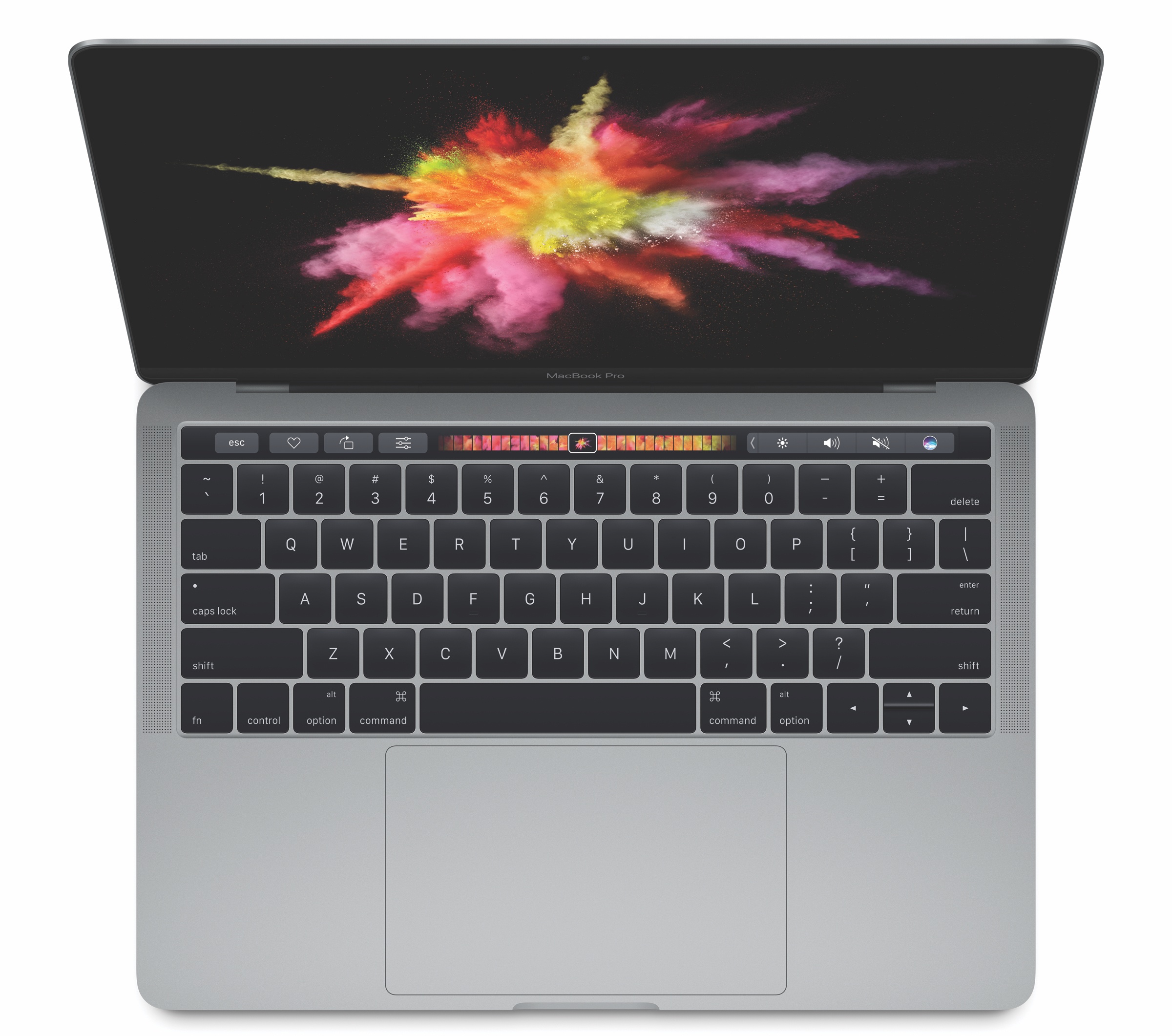
Apple announced a new line of MacBook Pros today that replace the function keys with a Touch Bar, a touch sensitive strip that includes customizable software buttons and Touch ID functionality. CNET, in an exclusive 90-minute briefing with Phil Schiller, Craig Federighi, and Jony Ive, discussed the new MacBook Pros and explored the relevancy of the Mac in a mobile era.
That the new MacBook Pros are thinner, lighter, faster, and brighter is not unexpected for a laptop that hasn’t been updated for a while. What’s special about the new MacBook Pros is the Touch Bar. In a typically understated fashion, a reticent Jony Ive described the Touch Bar to CNET as:
’the beginning of a very interesting direction’ that combines ‘touch and display-based inputs with a mechanical keyboard.’
Phil Schiller was a little more forthcoming about what Apple hopes its new laptops will mean to users:
’We didn’t want to just create a speed bump on the MacBook Pro,’ he says. ‘In our view this is a big, big step forward. It is a new system architecture, and it allows us to then create many things to come, things that we can’t envision yet.’
The Touch Bar is a fascinating blend of ideas from iOS, such as touch tools for straightening photos, and existing macOS toolbars moved to the keyboard. Regardless of how you feel about how long it’s taken Apple to refresh the MacBook Pro, I’m optimistic about this new approach to the MacBook Pro and the possibilities it opens up to third-party developers.
Apple and Accessibility
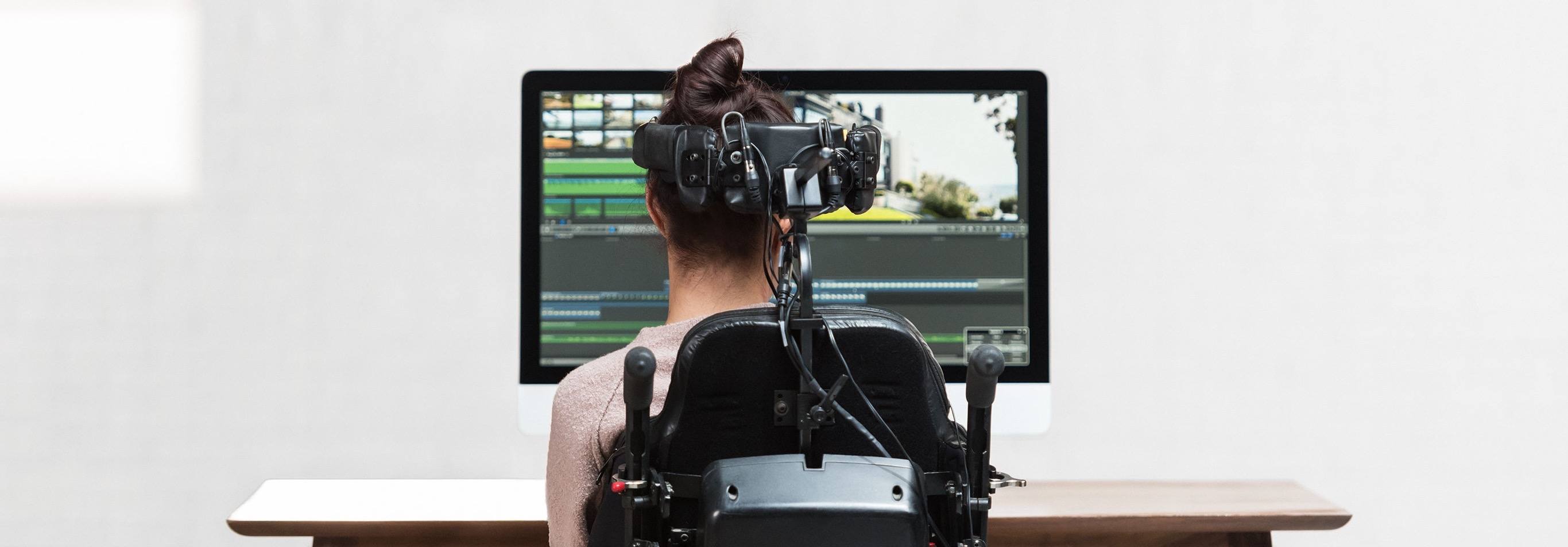
Apple opened what will in all likelihood be its last event in Town Hall at One Infinite Loop in Cupertino with a video highlighting the importance of accessibility features built into its products. In addition to a video, Apple has created a separate webpage highlighting the accessibility. The page includes videos highlighting wheelchair workouts on the Apple Watch, switch controls on the Mac, Live Listen designed for the hearing impaired, VoiceOver, and Speak Screen.
You can also follow all of the MacStories coverage of today’s Apple’s keynote through our October 27 Keynote hub, or subscribe to the dedicated October 27 Keynote RSS feed.
Apple Posts October 27 Event and MacBook Pro Videos
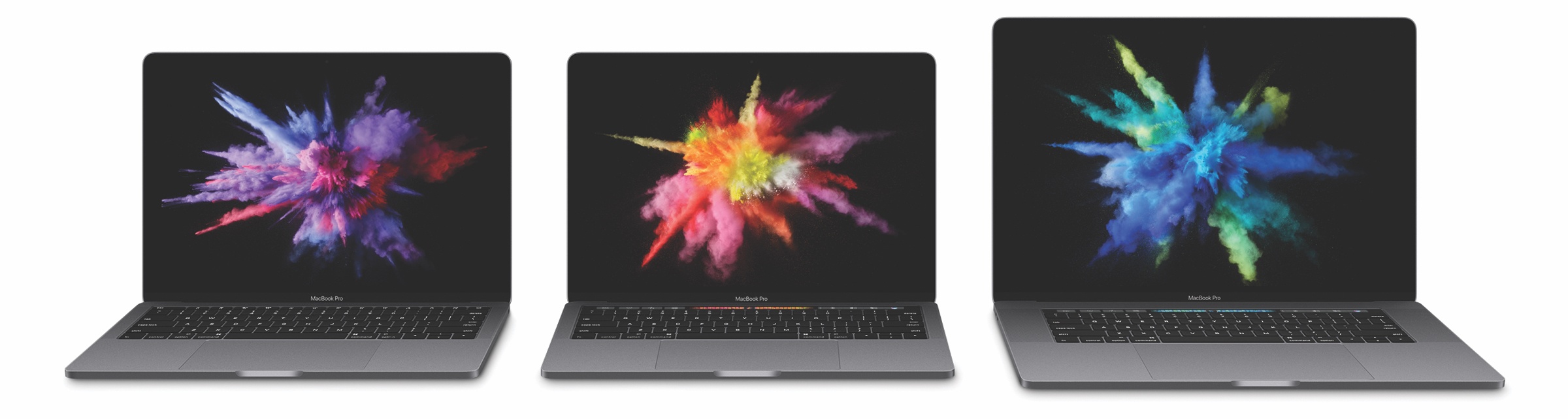
If you didn’t follow the live stream or announcements as they unfolded today, Apple posted the video of its October 27th keynote held earlier today at Apple’s Town Hall at One Infinite Loop in Cupertino along with videos for the new MacBook Pros announced on stage.
The keynote video can be streamed here and on the Apple TV. A higher quality version should be made available in a few hours through iTunes (on the Apple Keynotes podcast). To avoid streaming errors, Safari is recommended for the best viewing experience.
In addition, Apple also posted new product reveal videos for the MacBook Pro on its YouTube channel. You can find all the videos below.
You can also follow all of the MacStories coverage of today’s Apple’s keynote through our October 27 Keynote hub, or subscribe to the dedicated October 27 Keynote RSS feed.
Apple Announces TV App
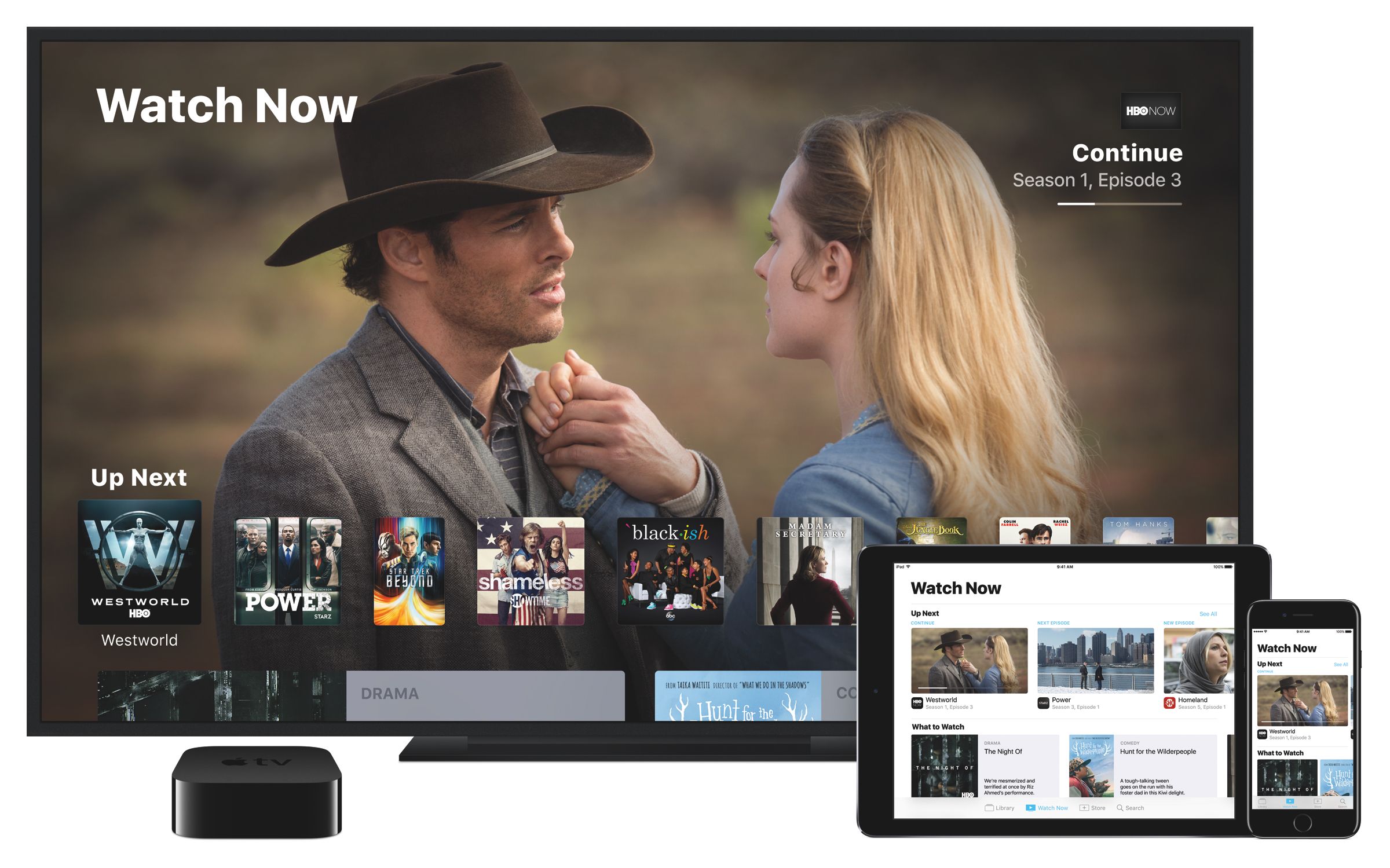
Apps as the future of TV creates a problem. Apps are isolated silos of content not unlike channels on cable TV, but harder to switch between. Today, Apple announced its solution. Jen Folse, a design lead at Apple, explained that the solution is, not surprisingly, an app.
Apple took a stab at the discovery shortcomings of tvOS with the Siri Remote. Introduced with the fourth generation Apple TV, the remote allows you to execute voice searches across many, but not all, content providers simultaneously. Today, Apple announced at an event in Cupertino that it will also tackle content discovery with a new app.
The app announced today is called TV and will be integrated with the upcoming Single Sign-on feature that was announced at WWDC in June. Single Sign-on allows users to enter their cable TV credentials into the Apple TV’s settings once to get access to content in any participating app that requires a cable TV subscription. Originally anticipated to launch with tvOS 10, which debuted alongside iOS 10 in September, Single Sign-on has not yet launched.
During the event in Cupertino, Apple said that the TV app will recommend content across apps installed on customers’ Apple TVs based on the apps a customer has downloaded as well as media watched, purchased, and rented. TV will also be available on iOS devices, unifying TV and movie watching across iOS and tvOS. In addition, TV will include curated suggestions based on user’s watching habits.
Unfortunately, not all content providers will participate in TV. According to Recode, Netflix, which was an early third-party supporter of search on the Siri Remote, will not be part of the guide, which leaves a rather large hole in the app at launch.
The TV app will be available as a free download on the US App Store in December.
You can also follow all of the MacStories coverage of today’s Apple’s keynote through our October 27 Keynote hub , or subscribe to the dedicated October 27 Keynote RSS feed.
Apple Delays AirPods Release→

In a statement to TechCrunch, Apple said that it is delaying the introduction of AirPods:
The early response to AirPods has been incredible. We don’t believe in shipping a product before it’s ready, and we need a little more time before AirPods are ready for our customers.
Beyond the statement to TechCrunch, Apple has given no indication of the reason for the delay. Perhaps we will hear more during the Apple event tomorrow.
PDF Viewer Delivers Free PDF Viewing and Editing Tools
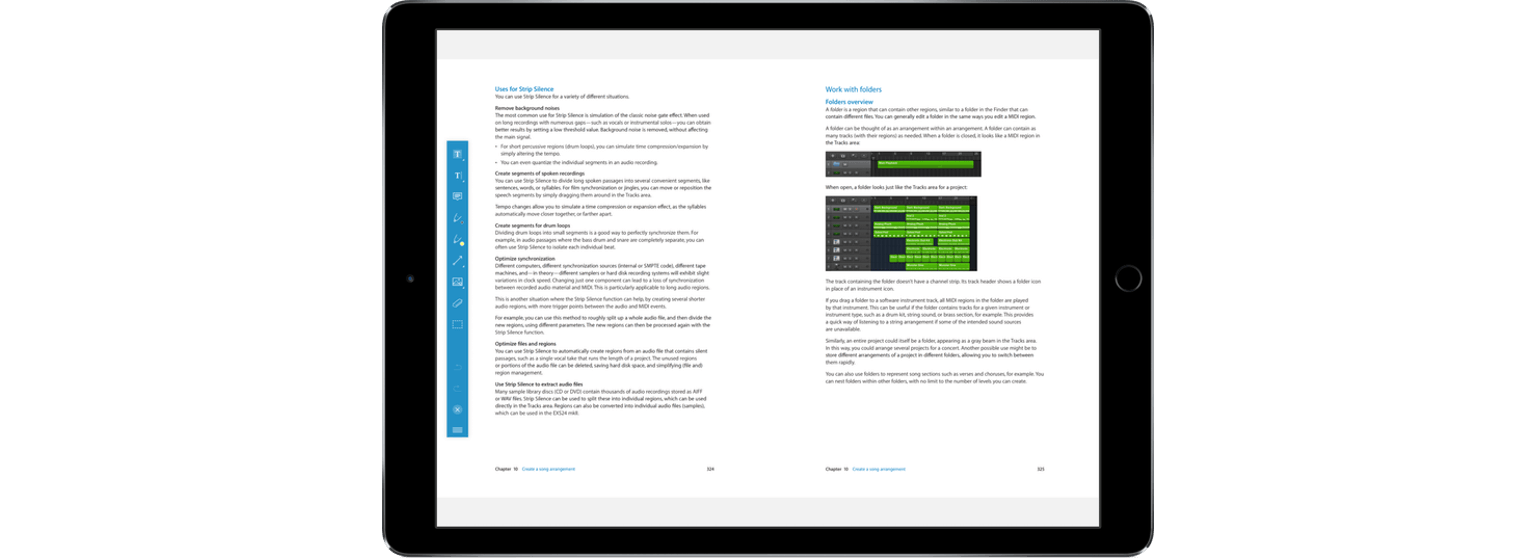
PDF Viewer’s name belies the power under its hood. This is more than just a viewer app. PDF Viewer includes powerful PDF editing tools on par with, and in some cases more extensive than, some of the best PDF apps I’ve tried. That’s not to say that there aren’t a few rough edges and limitations, but for a free app, PDF Viewer should suit the PDF viewing and editing needs of most people.
Screens Updated with Mobile Trackpad and Dark Mode
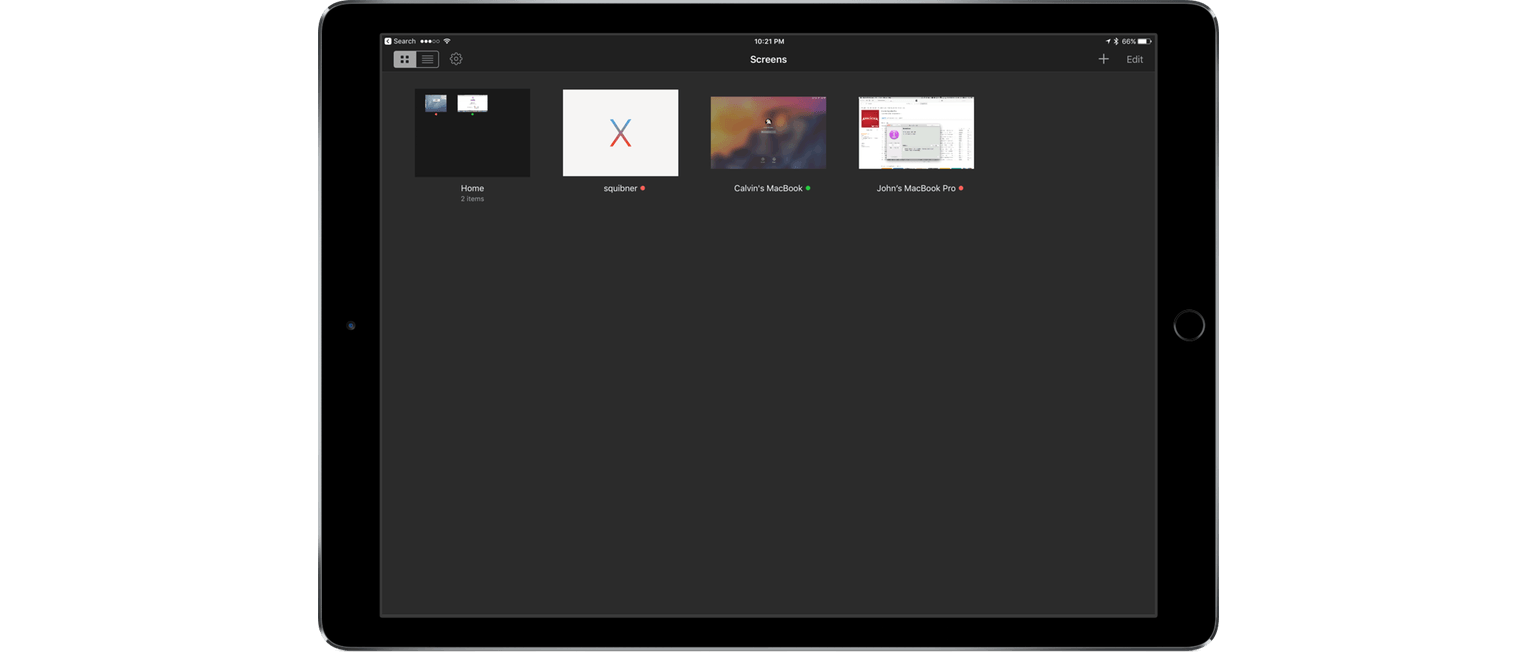
Screens 4, which I reviewed in April, improved the process of logging into and controlling a desktop computer remotely with a long list of features that eliminated hassles inherent in trying to control a desktop computer from a touchscreen display. Screens 4.2 continues down the same path offering a host of smaller refinements along with two headline features – Mobile Trackpad, which lets you use an iPhone as a trackpad for the computer you are connected to remotely, and Dark Mode.
The iPod at Fifteen

I remember my first iPod well. It was a third generation model and I loved it. It was commuting salvation packed into what seemed like an impossibly small package.
The iPod was a transformative device for Apple that laid the groundwork for future devices like the iPhone. Although it synced with a computer, the iPod marked Apple’s first major foray into consumer electronics. In some ways, the introduction of the iPod seems like an impossibly long time ago, but when you look back at its evolution, it’s amazing just how far technology has come in such a short time.
To mark the fifteenth anniversary of that first iPod, The Verge published a visual history of the iPod. I enjoyed scrolling through the product shots and picking out the ones I owned. For a little more history and context on where the iPod fits into Apple’s past, I recommend watching Stephen Hackett’s video on the 512 Pixels YouTube channel. Also, in piece of almost-forgotten history, Nobuyuki Hayashi tells the story of twenty CDs that Steve Jobs and his iPod team chose and put on the iPod prototypes given to journalists for testing (via Daring Fireball). The CDs included an interesting mix of classical, jazz, blues, classic rock, then-current hits, and other selections, each of which is linked in the article.