John Voorhees

5429 posts on MacStories since November 2015

John is MacStories' Managing Editor, has been writing about Apple and apps since joining the team in 2015, and today, runs the site alongside Federico. John also co-hosts four MacStories podcasts: AppStories, which covers the world of apps, MacStories Unwind, which explores the fun differences between American and Italian culture and recommends media to listeners, Ruminate, a show about the weird web and unusual snacks, and NPC: Next Portable Console, a show about the games we take with us.

iOS 10.1 Stands Out Among Updates to All Apple OSes

Apple updated iOS, watchOS, macOS, and tvOS all at once today. Most of the changes consist of bug fixes, security enhancements, and similar updates, but there are also a handful of new features concentrated in iOS 10.1.

iOS 10.1 adds Portrait Mode to the Camera app for iPhone 7 Plus users. Portrait Mode simulates shallow depth of field photos taken by DSLR cameras by creating a depth map using the dual cameras of the 7 Plus. The result is a foreground image in sharp focus with a blurred background.

In the Photos app, iOS 10.1 improves the display of wide color gamut photos when viewed in the app’s preview grid. In addition, the names of people associated with photos are now included in iCloud backups.

Maps added transit support for the cities of Tokyo, Osaka, and Nagoya in Japan. Sign-based transit navigation, including the layout of underground structures and walkways in large transit stations, and fare comparisons when viewing alternate transit routes were also added to Maps.

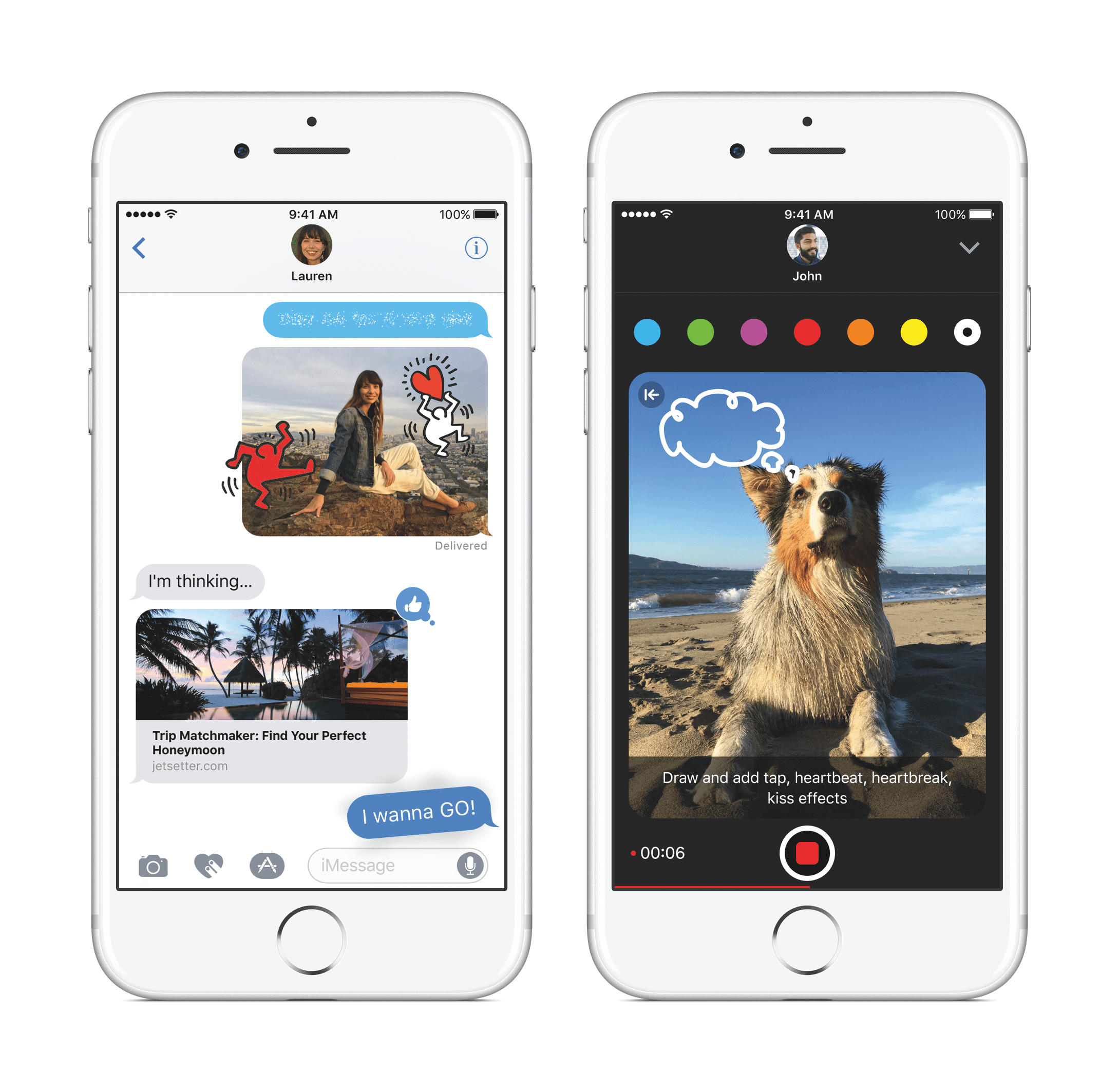
iMessage bubble effects, including ‘slam’ and ‘gentle,’ as well as full-screen effects like ‘balloons,’ ‘confetti,’ and ‘lasers’ can now be replayed in Messages. When you receive a message with effects, iOS 10.1 displays a little replay button below the message. With bubble effects the replay button appears regardless of whether the message you receive is text or a photo. iOS 10.1 also allows users to play effects if Reduce Motion is turned on in the Accessibility settings. In addition, the iMessage app browser has replaced page indicators with a scroll bar so users with lots of sticker packs and iMessage apps no longer have page indicators spilling outside the bounds of the controls below the browser.

In the Activity app, iOS 10.1 adds distance and average pace to workout summaries for outdoor wheelchair run pace and outdoor wheelchair walk pace activities.

Similar to changes to Messages in iOS 10.1, watchOS 3.1 adds the ability to replay messages received with bubble and full screen effects and play effects with Reduce Motion enabled. watchOS 3.1 also includes a handful of bug fixes.

Version 10.12.1 of macOS Sierra primarily improves the ‘stability, compatibility, and and security’ of Macs running Sierra. The update adds a new smart album to the Photos app that collects ‘Depth Effect’ photos taken in Portrait Mode using an iPhone 7 Plus. Sierra also includes improved compatibility with Microsoft’s Office Suite when iCloud Desktop and Documents is turned on.

tvOS received a minor update that fixes unspecified bugs and improves security.

Nike-Branded Apple Watch Coming October 28

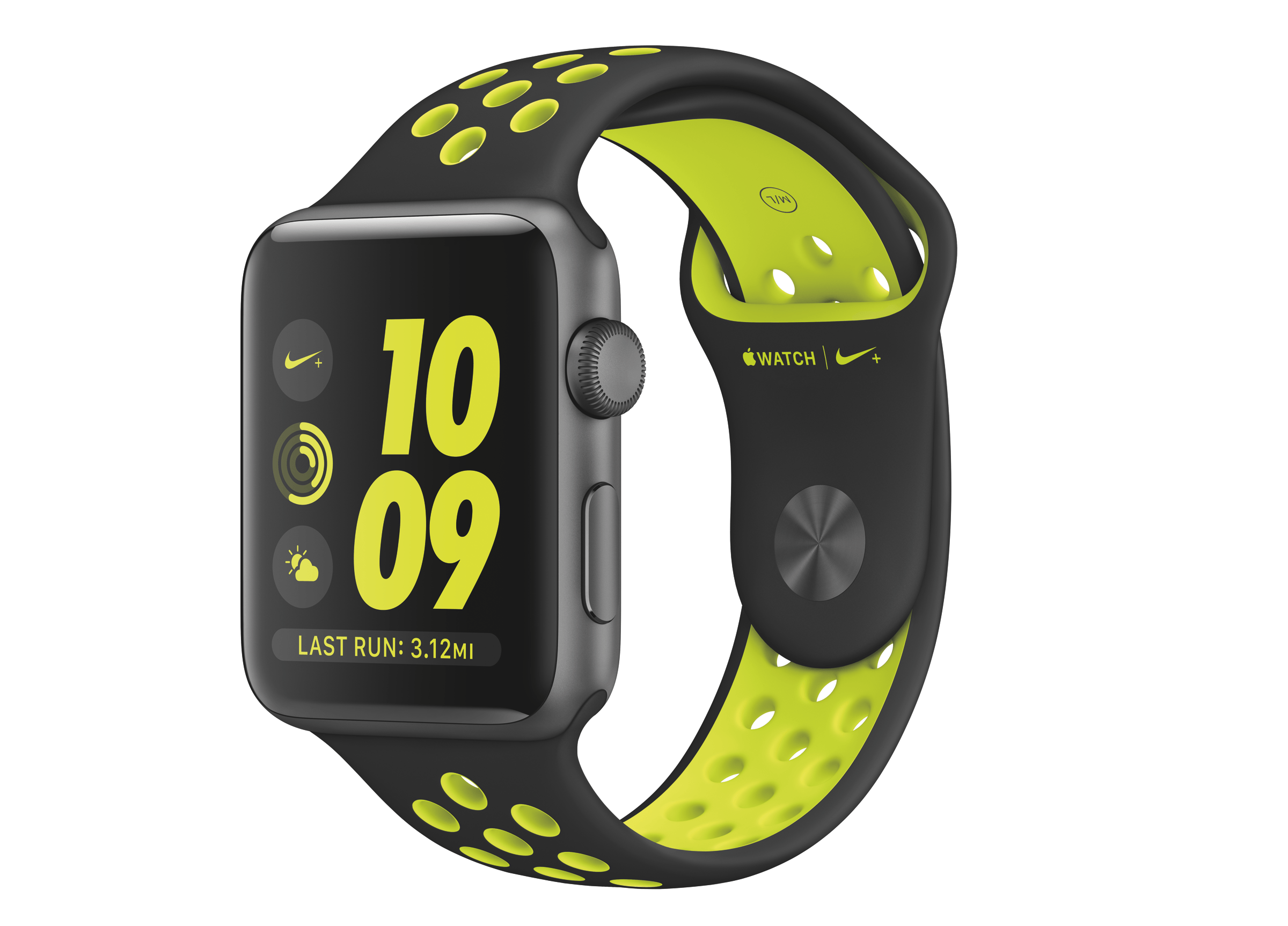
On September 7, 2016, Apple and Nike announced a Nike-branded version of the Apple Watch called the Apple Watch Nike+. Nike’s version of the Apple Watch did not debut with the Apple Watch Series 2, which became available on September 16th. Instead, Apple Watch Nike+ will go on sale October 28. 2016.

The Apple Watch Nike+ features a custom watch face and four distinct bands. As we reported after the September 7th event:

The new Nike-branded Apple Watch consists of a custom watch face available only to buyers of the watch, and a custom band. The band is basically a standard Sport band in construction, but includes distinctive holes throughout the surface, the interiors of which are a different color than the surrounding area. The result stands out, and I actually quite like it.

The band is available in four different colors, which vary the scheme between light and dark gray and a neon yellow-green (Nike calls the color “Volt”). The watch face mirrors these colors, and is available in several different styles, all which incorporate Nike’s distinctive font and logo. The Apple Watch Nike+ also includes a permanent complication along the bottom of the display for the Nike+ Run Club app, which I assume comes preinstalled on the devices since the Complication can’t be removed.

Earlier this month, Apple updated its website with a teaser that said the Apple Watch Nike+ would debut on October 28, 2016. That was confirmed by Apple today with a press release. According to Jeff Williams, Apple’s chief operating officer:

Running is one of the world’s most popular activities for staying in shape and being healthy, and with Apple Watch Nike+, runners will be even more motivated to achieve their performance goals…. The response so far has been incredible and we’re thrilled to get Apple Watch Nike+ onto customers’ wrists starting Friday.

The Apple Watch Nike+ comes in an aluminum finish and is priced the same as the Apple Watch Series 2. The watch will be available on Friday in Australia, Austria, Belgium, Brazil, Canada, China, Columbia, Czech Republic, Denmark, Finland, France, Germany, Hong Kong, Hungary, India, Ireland, Italy, Japan, Luxembourg, Macau, Malaysia, Mexico, Monaco, Netherlands, New Zealand, Norway, Poland, Portugal, Puerto Rico, Singapore, South Africa, South Korea, Spain, Sweden, Switzerland, Russia, Taiwan, Thailand, Turkey, the UK, and the US, with other countries being added shortly thereafter.

Permalink

Game Day: Mini Metro

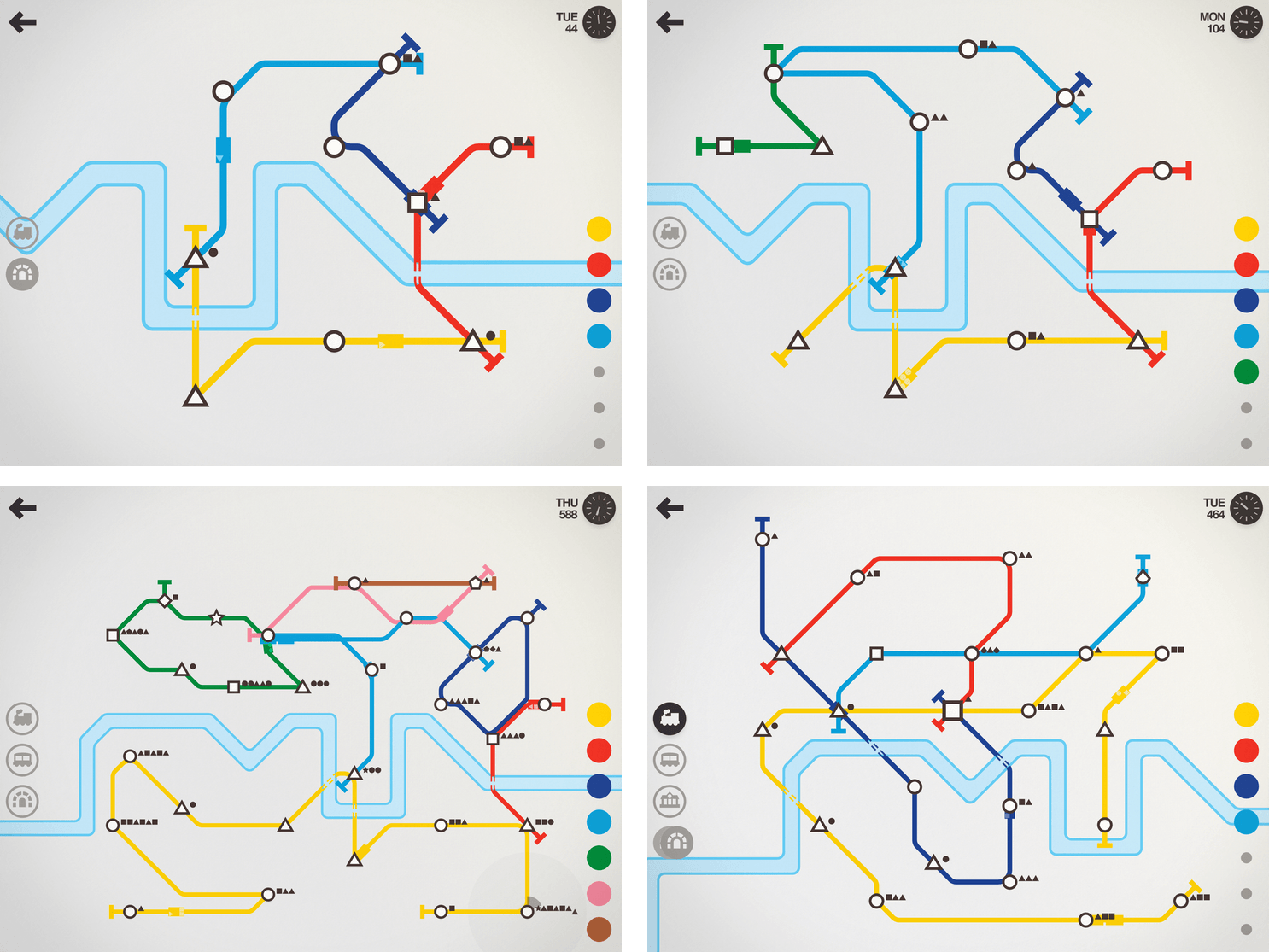
I haven’t been able to put Mini Metro down all week. The game, by New Zealand-based Dinosaur Polo Club, debuted on the desktop with promises of an iOS version ‘soon.’ It took about two years, but the wait was worth it. Touch Arcade is right on point with its assessment:

the iOS version [of Mini Metro] may well be the definitive version of one of the best indie puzzle games of recent years.

That’s high praise, but deserved. Mini Metro combines simple mechanics with elegant, minimalist artwork and challenging puzzles into a whole that transcends the sum of its parts.

What makes the iOS version of Mini Metro special is how you interact with it. The premise of the game is simple. You are in charge of building a transit system for your citizens. Mini Metro starts by tasking you with building London’s Tube from a few initial train stops that you connect with rail lines by dragging your finger between them. It’s the direct manipulation of the transit system – building parts up and tearing others down – that makes Mini Metro so engrossing.

Read more


Member Requests

Question: Is there an app that lets me open a link quickly (either in Safari or in-app search) like what I can do with Workflow and its URL-Open URLs actions? (Alessandro, @Roseofwolf)

You may want to look at Opener, an app specifically built to work as an extension to open URLs in apps that...


GoodNotes

I spend most of my day typing on a keyboard. Sometimes the keyboard is Magic; other times it’s just Smart, but either way, I find myself pressing keys for hours a day. Most of the time that’s fine, but sometimes I need a change of pace, especially when I’m tired or having a hard...


Album

Very Cute Stickers Italian developer Ferdinando Messina has released a pack of over 150 strikers with various animals, expressions, and objects. They’re very cute indeed. fruity Who doesn’t love a dancing banana or his friend, the dancing pineapple? You can now have this dancing squad in your iMessage. HeySkull I never thought a skull-based...


App Debuts

SongShift I reviewed SongShift when it launched in April. At the time, it was designed to ease the transition of Spotify users who wanted to move their playlists to Apple Music. The app worked well, but the UI had some rough edges. This week, SongShift 2.0 was released with much-improved UI and dark mode....


Place PIP Window Anywhere on a Mac

macOS Sierra introduced picture-in-picture (PIP) for Mac users. As on the iPad, clicking the PIP button in the control bar of a video player places the video in a resizable window in the corner of your screen. Dragging the window towards another corner and releasing causes it to snap into that corner. As pointed...


SoundShare Adds an iMessage App

SoundShare is designed to bring music lovers together regardless of the streaming services they use. I reviewed SoundShare back in May when it launched a big update and since then, Matt Abras has continued to refine and improve the app with a series of updates.

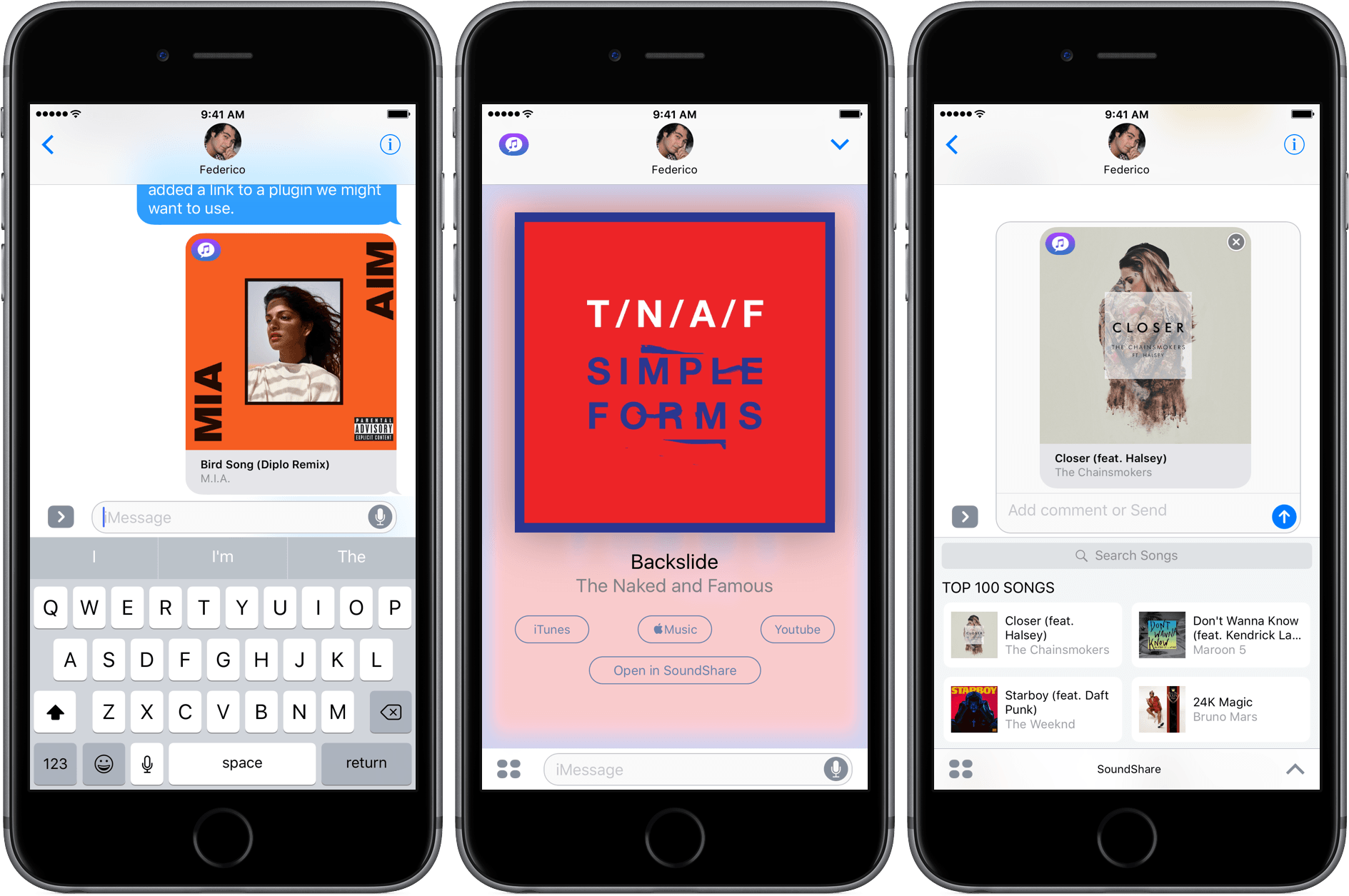
Today, SoundShare released an update that includes a great iMessage app. From SoundShare’s iMessage app, you can pick a song from among the iTunes Top 100 list or search for something else using the search bar at the top of the iMessage drawer. Tapping a song adds album art, the title, and artist to a message ready to send with or without a comment.

What makes SoundShare’s iMessage app so handy is that when your recipient taps on the album art, it opens full screen with options to open the song in iTunes, Apple Music, YouTube, or the SoundShare app. This isn’t the full compliment of services that SoundShare works with, but the others (Spotify and Deezer) can be accessed through the ‘Open in SoundShare’ option. That opens the SoundShare iOS app and immediately starts playback of the song with one of those services if you are logged into them through SoundShare.

We have started to see some interesting iMessage apps a month into the iMessage App Store that take advantage of platform. SoundShare is one of my favorites so far because it removes the friction of sharing music. I can send a nicely formatted link to a song without thinking about whether the person on the other end of my message has the correct service to play it.

SoundShare is iPhone-only and can be downloaded for free on the App Store.