John Voorhees

5429 posts on MacStories since November 2015

John is MacStories' Managing Editor, has been writing about Apple and apps since joining the team in 2015, and today, runs the site alongside Federico. John also co-hosts four MacStories podcasts: AppStories, which covers the world of apps, MacStories Unwind, which explores the fun differences between American and Italian culture and recommends media to listeners, Ruminate, a show about the weird web and unusual snacks, and NPC: Next Portable Console, a show about the games we take with us.

Game Day: Gemini

Some games are as much about art and the experience they create as they are about gameplay. Monument Valley comes to mind for instance. Gemini – A Journey of Two Stars is a beautiful new game from Echostone Games that falls into the same category and succeeds by being simultaneously stunning and engrossing.

As you start Gemini, two stars have fallen from the sky. You play as the larger star. There are no instructions or tutorials, just subtle visual hints about what you are supposed to do. Tapping the left and right sides of the screen guides your star in those directions.
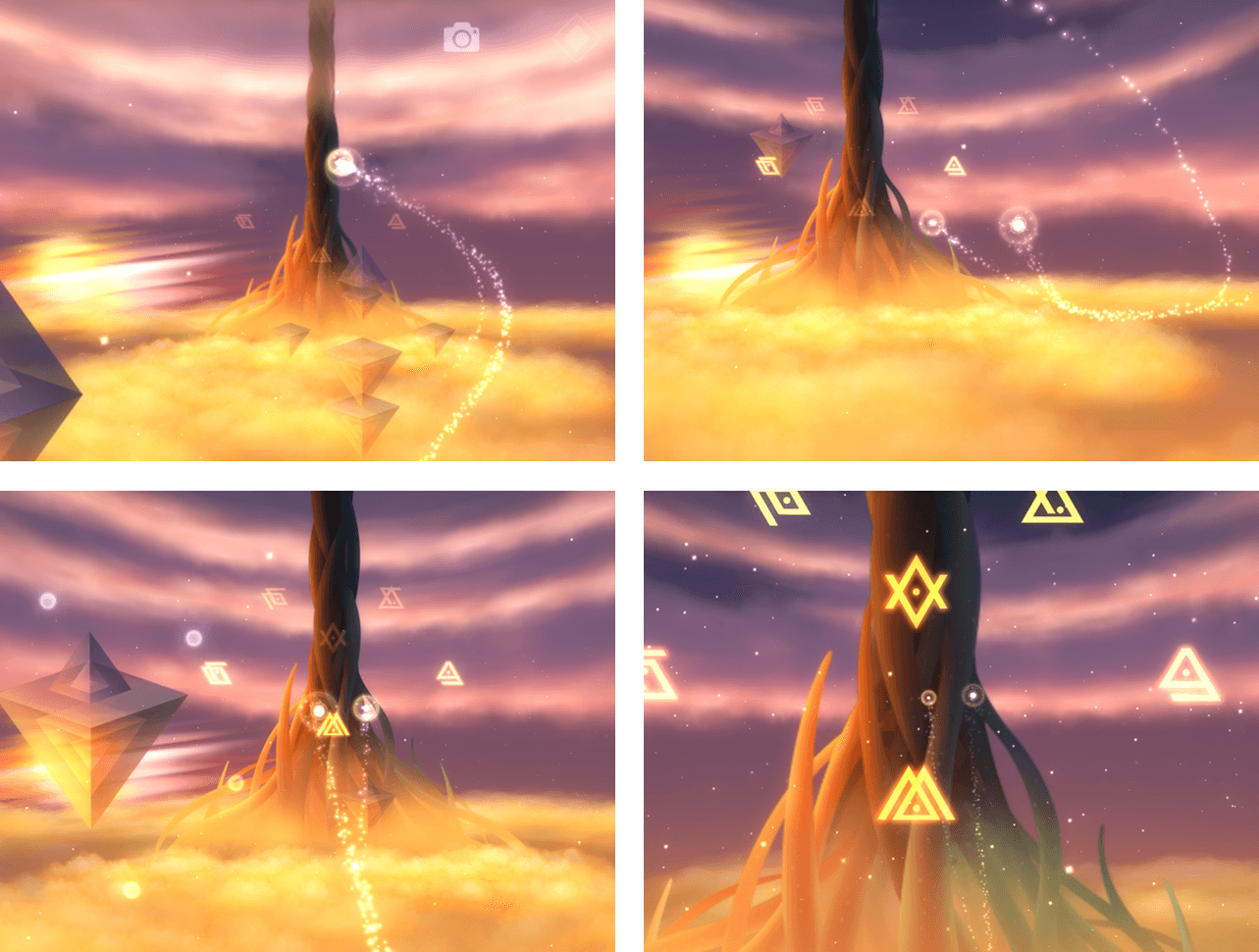
As you approach the smaller star, the two interact and begin to rise. Get too far away from the smaller star and both start to fall from the sky. This makes for an interesting tension as you try to stay close to the smaller star, which can have a mind of its own, while also completing the game’s tasks.

As you rise through a gorgeous abstract landscape, the sky darkens. If it gets too dark, your stars will fall. To avoid that you need to light beacons by steering your star over them. Lighting up the sky has the added advantage of revealing more of your surroundings. The stunning artwork of Gemini is paired with an equally impressive and soothing soundtrack that sets the tone for the game.

As you lose yourself in Gemini, the game is more about the interaction of the stars than anything else. The dance between the stars and making sure you bring the little star along become the focus. This is a very different game, but the feeling of a connection with the small star that Gemini created as I played reminded me a lot of playing Journey last Summer on my PS4.

Gemini is relatively short. The six stages of the game should take most people no more than 1-2 hours to complete. If you evaluate games by the numbers of levels per dollar you spend, you may be disappointed with Gemini, but as a piece of interactive art, I suspect many people, myself included, will return to Gemini over and over just to enjoy the visuals and soundtrack.

Gemini is available on the App Store at an introductory price of $2.99.


Instagram

Instagram has been around since 2010 and had begun to show its age. Until recently, Instagram stubbornly held on to a skeuomorphic icon so dated that it became a meme of sorts. Instagram was also slow to adopt new iOS features like extensions. In the past few months though, a positive trend has emerged...


Selecting Multiple Photos on iOS

I take a lot of bad photos. I also take a lot of screenshots. At some point, I want to delete both, but deleting multiple unwanted photos or screenshots is tedious. Fortunately, there’s an easy way to select multiple photos in the iOS Photos app. From any photo view in the Photos app, tap...


Q&A

Question: It’s been some time since Content Blocker introduced on iOS/macOS. After the dust settles, I wonder what app you’re using for Content Blocker. (Jung)

I’ve used a combination of a couple different content blockers on iOS and OS X. The first is 1Blocker, which started on iOS and was later released for OS...


Member Requests

Question: I work in IT, and we receive pages when we get support tickets. The page system works by emailing a message to our cellphone. Each major carrier in the US lets you send an email as an SMS. However, these emails don’t come across in one thread – each email starts a new one....


Review Guidelines Added for Subscriptions, Stickers, and SiriKit

On the heels of Apple’s announcement of an impending App Store cleanup, it has updated its App Review Guidelines to cover app subscriptions, stickers, and SiriKit apps. Among other guidelines, Section 3.1.2(a) states that:

While the following list is not exhaustive, examples of appropriate subscriptions include: new game levels; episodic content; multi-player support; apps that offer consistent, substantive updates; access to large collections of, or continually updated, media content; software as a service (“SAAS”); and cloud support.

The availability of subscriptions for apps that are ‘continually updated’ provides additional clarity to an issue that was hotly debated and discussed among developers since subscriptions were announced shortly before WWDC.

The App Review Guidelines also include an entire section on stickers.

Whether your app contains a sticker extension or you’re creating free-standing sticker packs, its content shouldn’t offend users, create a negative experience, or violate the law.

Section 4.4.3 includes a link for making infringement claims and states that if you cannot back up your rights to content contained in stickers with documentation, your sticker packs and extensions will be removed from the App Store. Repeat violators risk having their developer accounts revoked.

With respect to SiriKit, section 2.5.11 of the Guidelines provides:

Apps integrating SiriKit should only sign up for intents they can handle without the support of an additional app and that users would expect from the stated functionality. For example, if your app is a meal planning app, you should not incorporate an intent to start a workout, even if the app shares integration with a fitness app.

This guideline seems to be designed to avoid confusion that could be created by an app without clear SiriKit functionality accessing SiriKit.


Apple Announces App Store Cleanup

Apple has announced a plan to clean up the App Store. Apple’s developer site states it plainly:

To make it easier for customers to find great apps that fit their needs, we want to ensure that apps available on the App Store are functional and up-to-date. We are implementing an ongoing process of evaluating apps, removing apps that no longer function as intended, don’t follow current review guidelines, or are outdated.

Beginning September 7, 2016, the same day as the event at the Bill Graham Civic Auditorium where Apple is expected to unveil the iPhone 7, App Review will begin evaluating all existing apps on the App Store to determine if they are functional and meet App Store guidelines. Some of the highlights:

  • If App Review determines that changes need to be made to an app, the developer will be contacted and given 30 days to update it, after which it will be removed from the App Store;
  • If an app crashes on launch, it will be removed from sale immediately; and
  • Existing customers will still have access to apps removed from the App Store.

In addition, Apple announced in an email to developers that going forward, app names will be limited to 50 characters. Apple explained that long app names, which developers use to try to influence search results, provide no value for customers, particularly because they are too long to display in full on the App Store.

Eight years and over two million apps later, the App Store is long overdue for a cleanup. Abandoned and broken apps create a real discovery problem for customers. We are well past the time when the number of apps served as meaningful bragging rights for Apple keynotes. The directness in tone and relatively short time frame given to developers to make changes to apps sends a clear message – Apple is serious about cleaning up the App Store. Developers with neglected apps had better pay attention if they want to remain on the App Store.


Tapbots Announces Pastebot for Mac Public Beta

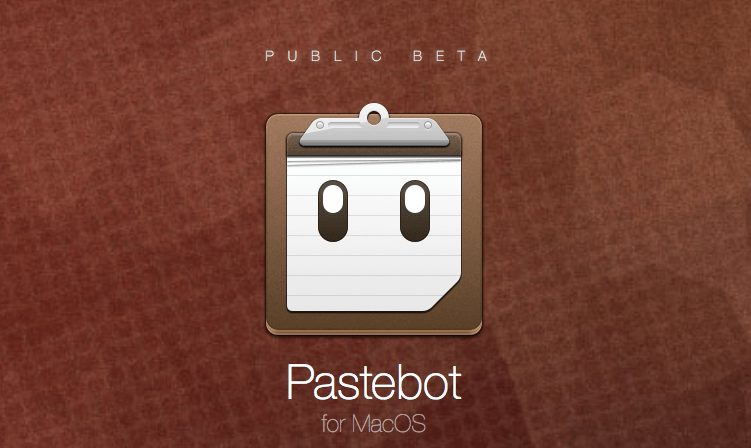
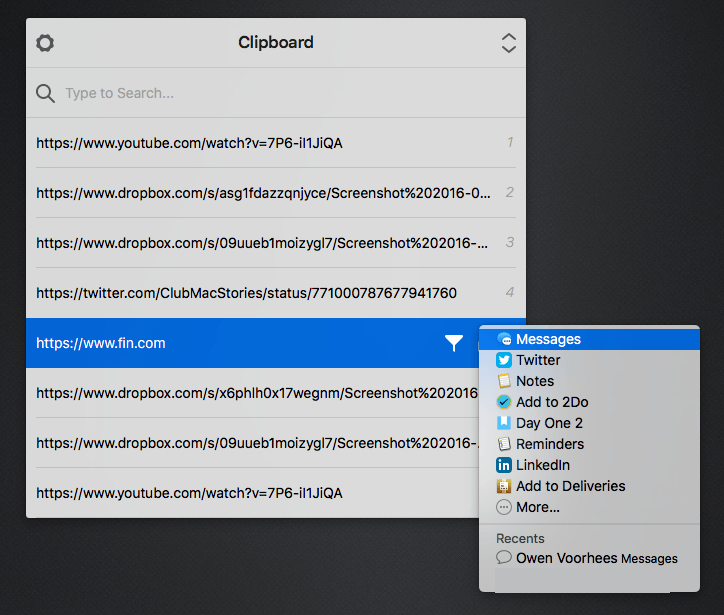
Pastebot by Tapbots was an early iOS clipboard manager that facilitated copying text, links, images and more. Today, Tapbots announced that it is bringing Pastebot to the Mac. As Tapbots did with Tweetbot for Mac, Pastebot is available as a public beta. As Tapbots explains:

We have been wanting to do a full blown Pastebot for Mac long before we first released it on the iPhone. Paul wrote a fantastic little utility app called PTH Pasteboard Pro on the Mac which I had always wanted to rewrite as a Tapbots app, but we were just too busy with iOS. After the release of Tweetbot 2 for Mac, it only made sense to have Todd start on Pastebot for his next big project. So we are very excited to release Pastebot for Mac…as a public beta.

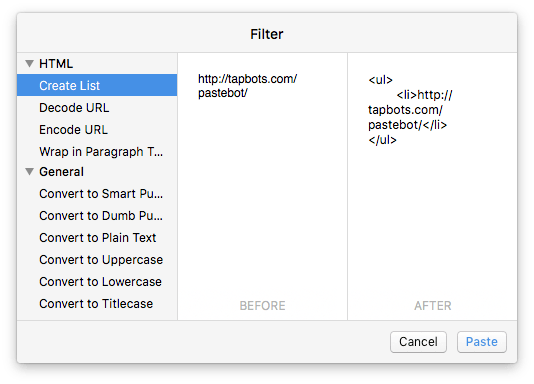
I have been testing Pastebot for Mac for several weeks and it’s got some great features like the ability to create custom filters that allow you to transform clipped text in various ways.

If you are interested in joining the public beta, head on over to tapbots.com/pastebot.

Permalink

A Shift of Perspective

Federico introduced Club MacStories nearly a year ago with this about the Monthly Log: Think of it as a monthly journal on everything MacStories – a behind the scenes mixed with a personal productivity journal. Each of us has written about the tools we use to create articles and publish them on MacStories, but...