John Voorhees

5429 posts on MacStories since November 2015

John is MacStories' Managing Editor, has been writing about Apple and apps since joining the team in 2015, and today, runs the site alongside Federico. John also co-hosts four MacStories podcasts: AppStories, which covers the world of apps, MacStories Unwind, which explores the fun differences between American and Italian culture and recommends media to listeners, Ruminate, a show about the weird web and unusual snacks, and NPC: Next Portable Console, a show about the games we take with us.

Game Day: Linia

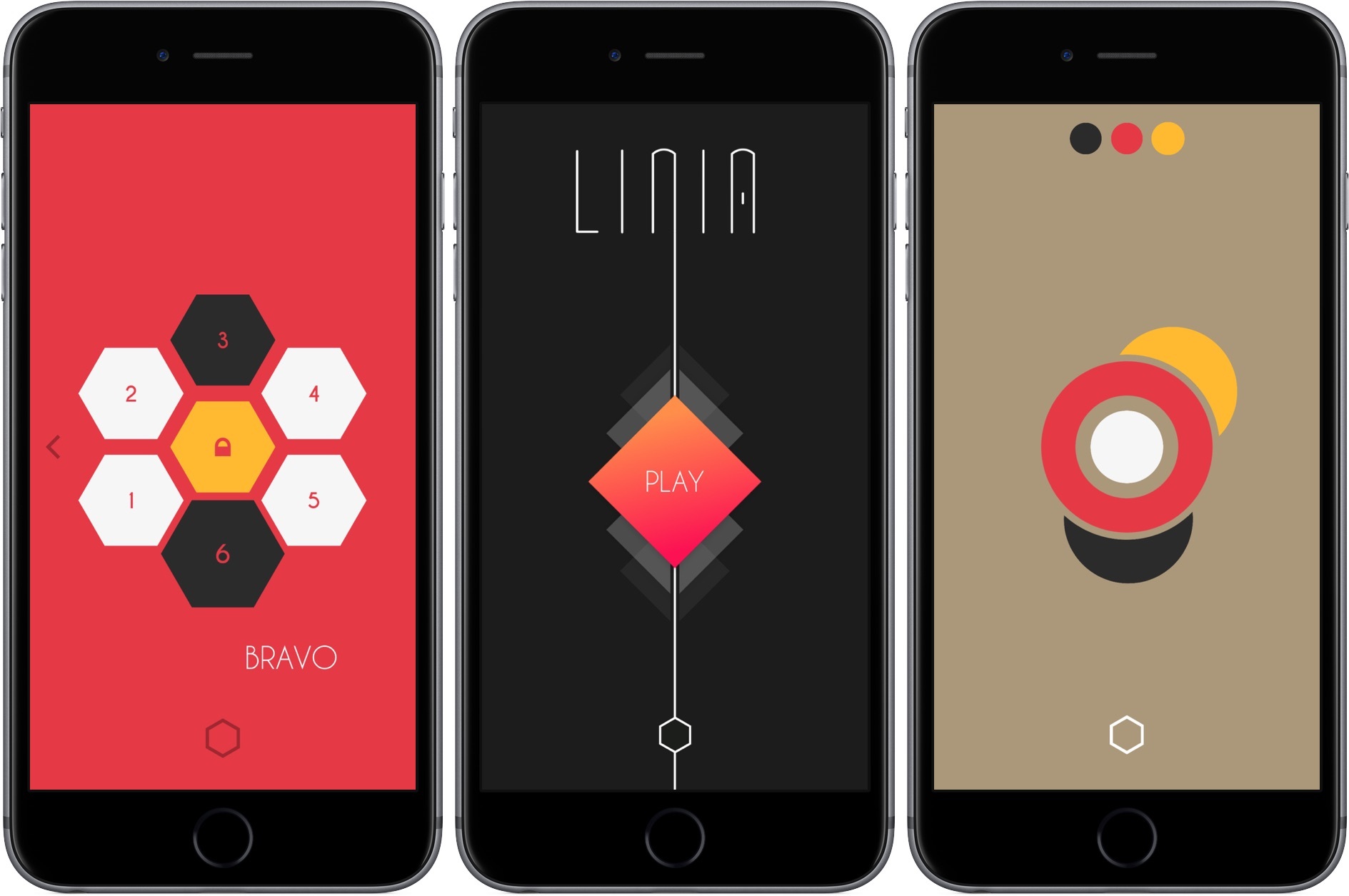
Linia from Black Robot Games is fiendishly difficult, but strangely relaxing in its complexity. The challenge is to draw a straight line through a series of colored shapes that intersects the shapes in the order of the color sequence at the top of the screen. Here’s the thing though, the shapes are moving, rotating, shrinking, growing, and changing color all at once. The movement follows a regular pattern, but it gets complicated fast.

Linia is a creature of the post-iOS 7 design aesthetic. Each of its 80 levels is composed of brightly-colored geometric flat shapes. What’s ingenious about Linia and makes it particularly difficult is that it requires pattern matching, careful timing, and quick reflexes simultaneously. As you draw a line it appears white but fills in behind where you started in red, which is part of the timing element. You have to lift your finger to commit to your line before it turns completely red. If you wait to long, you’ll have to start drawing your line all over, but if you release at the wrong time, you may be unable to hit the right color sequences.
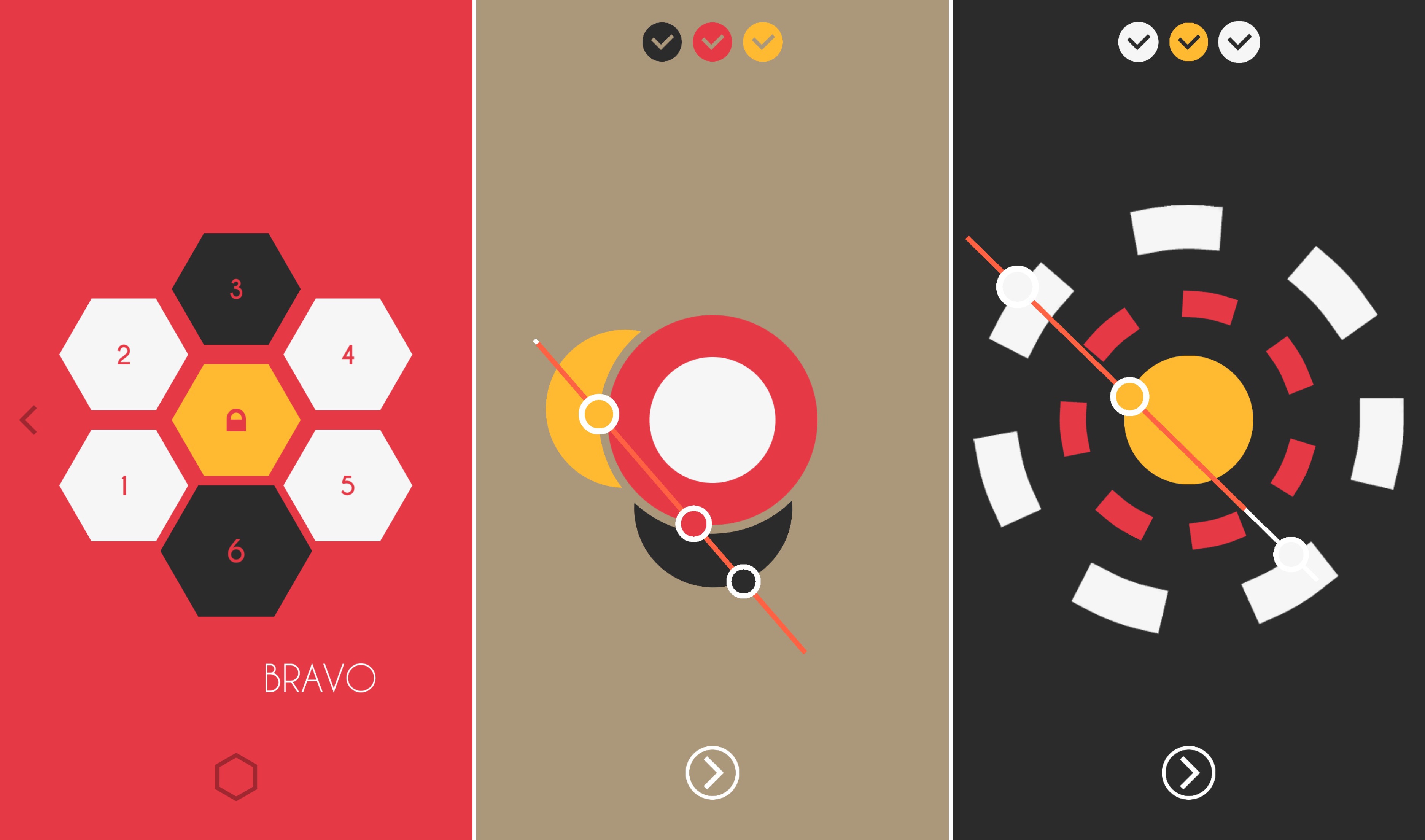
I’ve played Linia on both my iPhone 6s Plus using my finger and on my 12.9 inch iPad Pro using the Apple Pencil. I give a slight edge to using the Pencil to play Linia on the iPad because you can draw such a precise line, but the difference between playing on the iPad and iPhone was much less than I expected.

The soundtrack that accompanies Linia plays a big role in minimizing the frustration of some of the harder puzzles. There’s something inviting about the electronic vibe of the soundtrack that feels like it’s encouraging you to stay a while to keep trying to beat even the hardest puzzles.

Black Robot has done a great job bringing something fresh and clever to the crowded puzzle genre on iOS. It’s especially impressive given that this is Black Robot’s first iOS game. With such a great start, I look forward to seeing what else Black Robot comes up with in the future.

Linia is available on the App Store for $1.99.


Emojis Explained

There’s a lot of confusion about what actually constitute emojis, in no small measure due to the term’s liberal use by apps like Kimoji. Owen Williams sets the record straight, dropping some emoji knowledge over on Emojipedia. Williams starts with a little history:

The term “emoji” originates from Japan, and it’s a generic term there, similar to emoticon in English (though the fact they sound similar is purely coincidental). They started life as a set of pictures out of a research laboratory, and introduced nationwide after DoCoMo i-mode shipped with the first set.

Emoji evolved into the term used to describe the characters approved by the Unicode Consortium that work on any device. As Williams explains:

Put simply: [an emoji is] actually a universal code set that translates from machine speak into the pictures you see when you send a ? to your friends and they know what you’re talking about.

What’s cool about emoji is that they work like a letter of the alphabet. Sending an emoji doesn’t send an image, just the code, which each device translates into the corresponding image.

As Williams explains, Kimoji aren’t emoji at all, they’re image-based stickers wrapped in a custom iOS keyboard app. Twitter hashflags are also custom images that are even more restrictive because they only work on Twitter.

With iOS 10’s adoption of sticker packs in Messages, the distinction between emojis and stickers is likely to get even blurrier, but remember emoji are free, built-in, and cross-platform, which makes them the most flexible way to express yourself to your friends.

(Image by Emojipedia.org).

Permalink

Faster RSS Subscribing with Feed Hawk

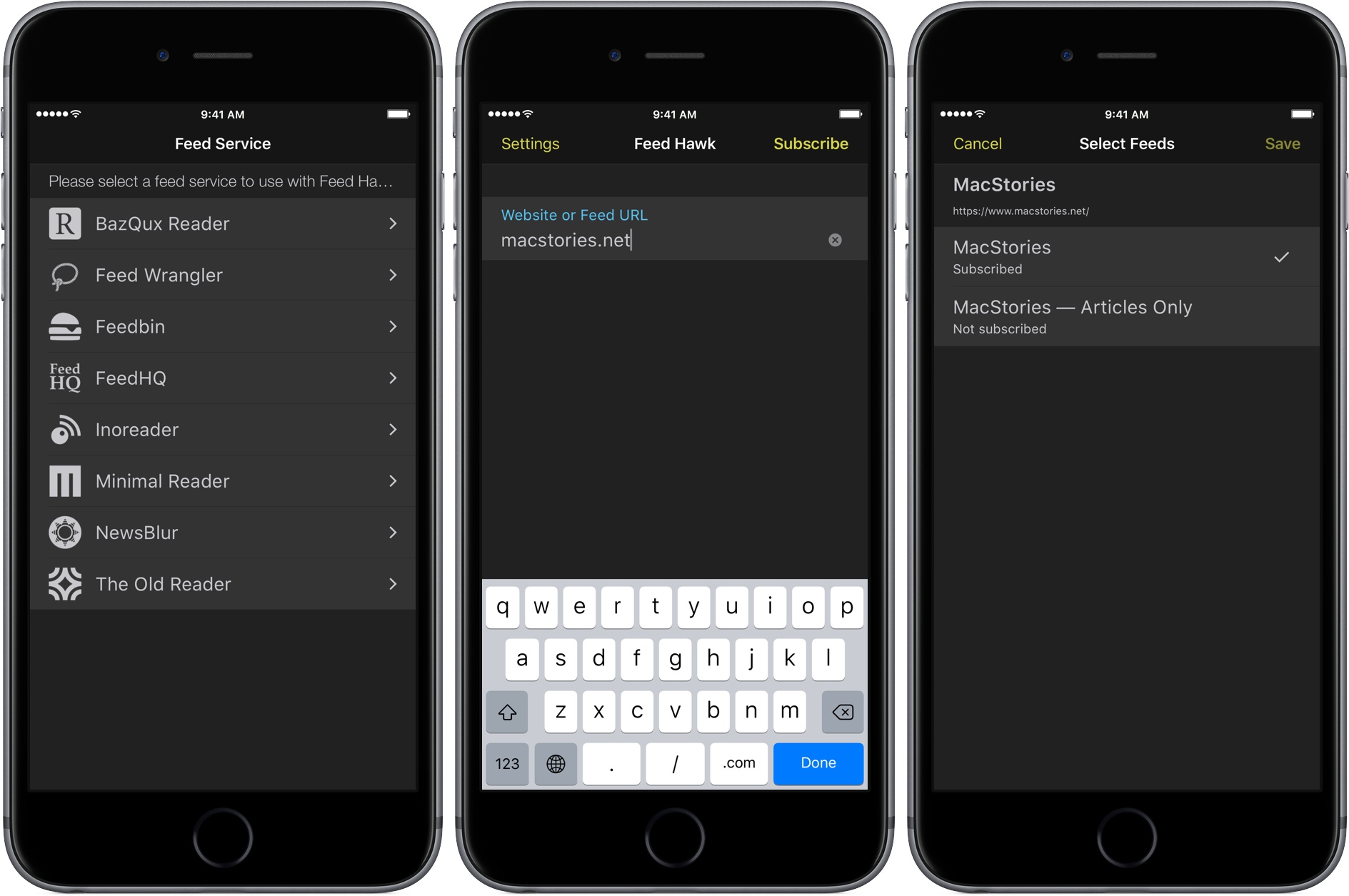
Sometimes a simple, single-purpose utility makes all the difference. Feed Hawk by John Brayton of Golden Hill Software is exactly that type of app. The app’s functionality is encapsulated in a share extension that makes it easier to subscribe to RSS news feeds in several major RSS services, including:

  • BazQux Reader,
  • Feed Wrangler,
  • Feedbin,
  • FeedHQ,
  • Inoreader,
  • Minimal Reader,
  • NewsBlur, and
  • The Old Reader.

Read more


Apple Announces Environmental Progress in China

Apple made two announcements about its environmental initiatives in China today. First, it announced that Lens Technology, which produces glass for Apple, has committed to using 100% renewable energy for all of its Apple operations by the end of 2018. Lens, which is the first Apple supplier to commit to using fully-renewable energy sources, has entered into agreements with local wind energy suppliers to fulfill its commitment.

Lisa Jackson, Apple’s vice president of Environment, Policy and Social Initiatives, said:

We want to show the world that you can manufacture responsibly and we’re working alongside our suppliers to help them lower their environmental impact in China. We congratulate Lens for their bold step, and hope by sharing the lessons we’ve learned in our transition to renewable energy, our suppliers will continue to access clean power projects, moving China closer to its green manufacturing goals.

Second, Apple announced that all of its fourteen final assembly sites in China comply with UL’s Zero Waste to Landfill standard, which “certifies all of their manufacturing waste is reused, recycled, composted, or, when necessary, converted into energy.” Foxconn met the Zero Waste to Landfill standard earlier this year at two of its assembly sites. Twelve other sites were added more recently.


Google Duo Launches

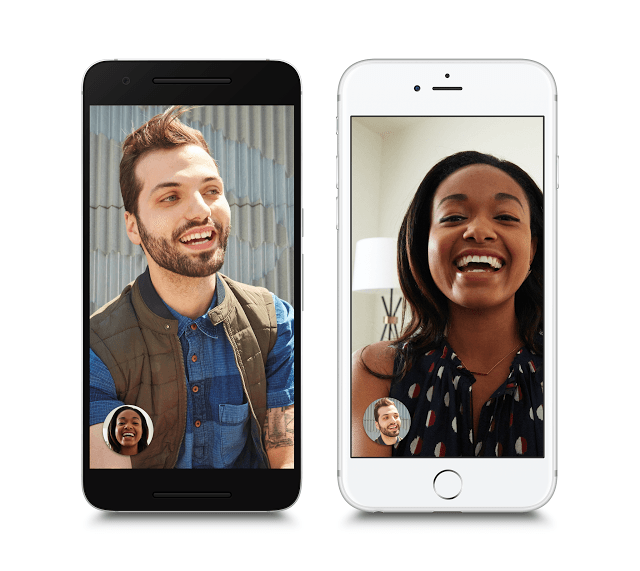
At Google I/O in May, two related mobile products were announced – Duo, a FaceTime-like video calling app, and Allo, an instant messaging client. Earlier today, Google began rolling out Duo worldwide to iOS and Android users. Duo is available in the US App Store now and, according to Google’s blog, will appear in other countries over the next few days. I’ve only just begun to try Google Duo, but it seems to fulfill the promises made onstage at Google I/O, though with a few launch-day hiccups.

Duo is limited to one-to-one calling and is tied to your phone number. As a result, unlike FaceTime, you won’t be able to use Duo on anything but your phone. However, because Duo is on iOS and Android, you will be able to make calls to people on both platforms.

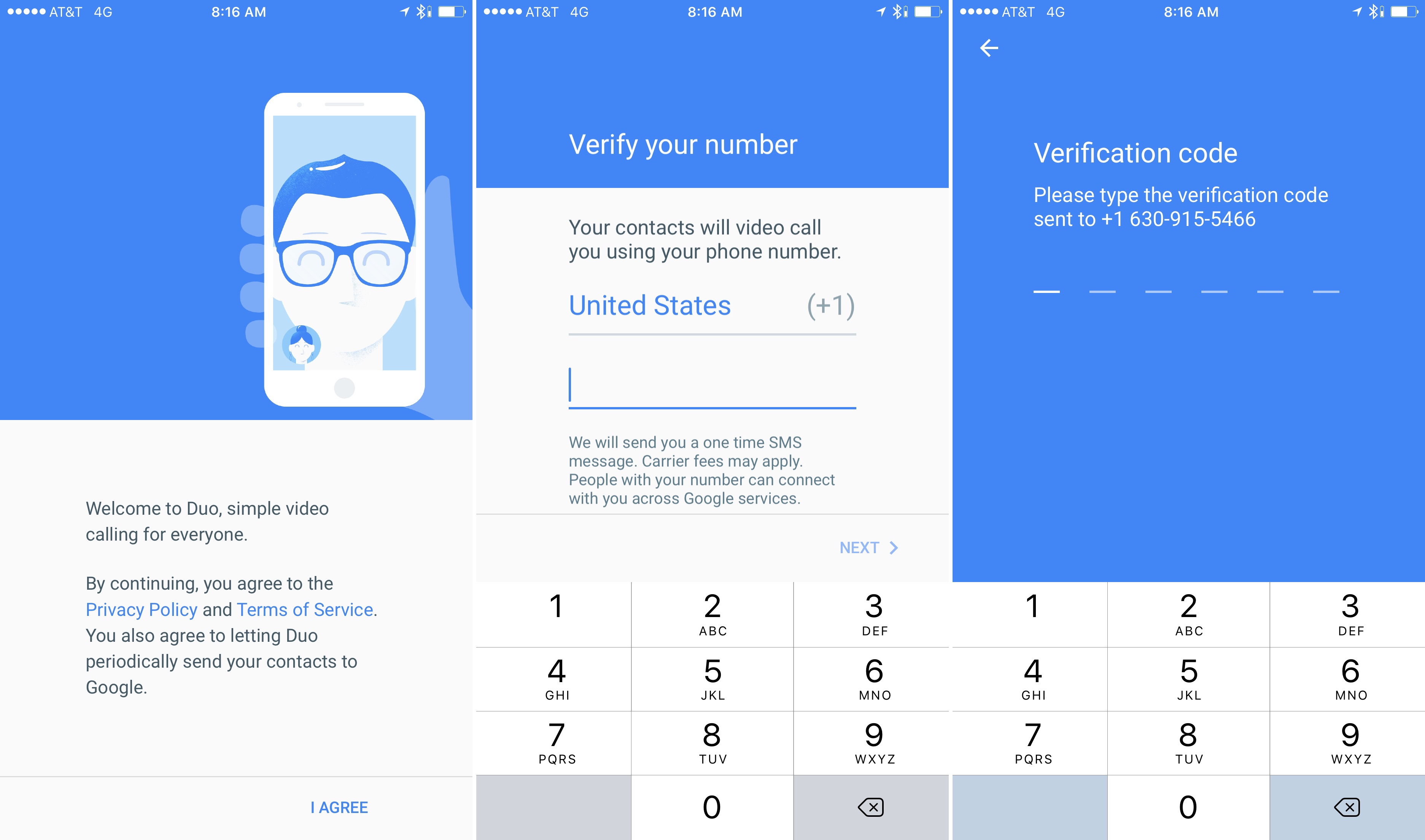
Setting up Google Duo.

Setting up Google Duo.

Duo is extremely easy to set up and start using - all you have to do is verify your phone number and grant the app access to your contacts and camera. The app starts with a live view from the front facing camera. There’s a button to start a call and another that shows your most recently called contact. Settings are available from the familiar three dots in the top right-hand corner of the screen. Google says that video quality will adjust automatically based on the quality of your network connection.

The most unique feature of Duo is ‘Knock Knock,’ which displays your video stream to the recipient of your call as it rings on their end. In my brief tests, Knock Knock worked as advertised, but if you don’t like it, the feature can be turned off in settings.

I have only used Duo a couple of times. It worked as advertised on strong WiFi, but my subsequent attempts to make calls have failed, probably because the rest of the world is simultaneously trying Duo too. Given Google’s infrastructure, I expect connection issues should settle down over time.

Google Duo is available on the App Store as a free download.

You can watch Google’s promotional video after the break.

Read more


An Inside Look at the Apple Watch’s Development

Fast Company spoke to Bob Messerschmidt, who worked on the heart rate sensor for the Apple Watch after his startup was acquired by Apple in 2010, about the lessons he learned during his time at Apple. Some of the most interesting bits were Messerschmidt’s description of how designers and engineers interact on a product like the Apple Watch:

One great example is [when] I went to a meeting and said I’m going to put sensors in the watch but I’m going to put them down here (he points to the underside of the Apple Watch band he’s wearing) because I can get a more accurate reading on the bottom of the wrist than I can get on the top of the wrist. They (the Industrial Design group) said very quickly that “that’s not the design trend; that’s not the fashion trend. We want to have interchangeable bands so we don’t want to have any sensors in the band.”

Like many before him, Messerschmidt was also impressed by Apple’s focus on products over technology:

At Apple I learned that design and user experience is everything when it comes to consumer products. It’s not so much the technology. It’s the design of the product that creates that sense of happiness in the user.

If you look at products like the iPhone or the iPad there aren’t too many totally new technologies included in those products. The real elegance and differentiation doesn’t have a lot to do with the technology idea itself; it’s about the packaging and the value add it gives to people. Those big (new technology) ideas generally happen elsewhere, and they happen earlier.

Messerschmidt’s interview is particularly notable because it’s not often we get a perspective on the interplay between Jony Ive’s design team and Apple’s engineers.

Permalink

Castro 2 Review

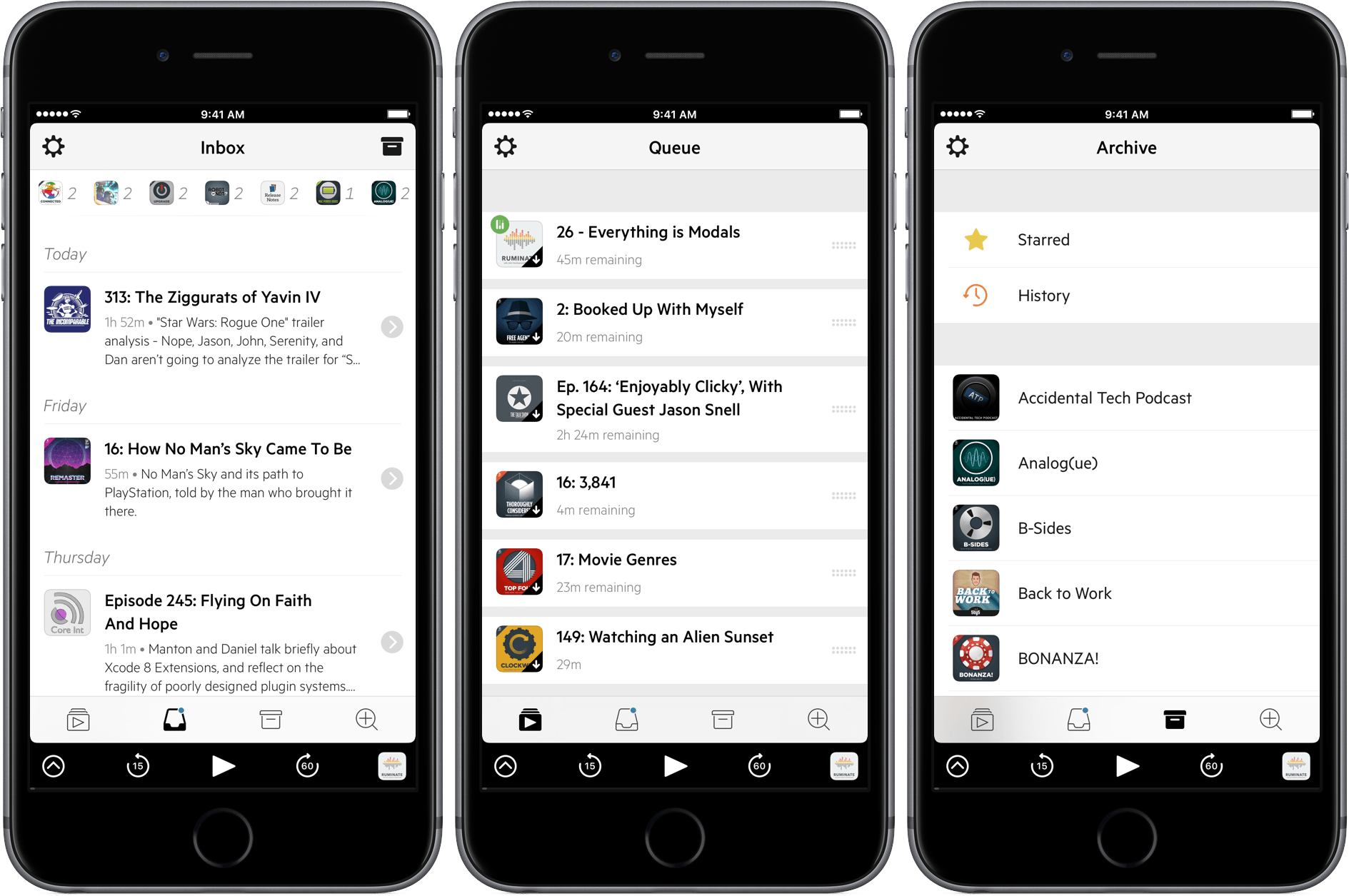
Castro 2 from Supertop demonstrates that there is still plenty of room for innovation in podcast apps. Although every podcast app starts with the goal of helping listeners find and play podcasts, the path each app takes varies as widely as the listening habits of users.

Castro 2 eliminates much of the complexity of other podcast apps by focusing on a single podcast queue. The result is a focused listening experience that emphasizes episodes over shows, playlists, or feeds. It’s not an approach that will appeal to everyone, but if you find yourself looking for a simpler way to manage podcasts, or listening to some, but not all, episodes of shows, Castro is worth considering.

Read more


Tim Cook Reflects on His First Five Years as CEO

The Washington Post has an extensive interview with Apple CEO Tim Cook about his first five years leading the company. Jena McGregor, who writes a daily column about leadership for the Post, spoke to Cook twice, including shortly after the one billionth iPhone was sold. The interview is a great read and spans a wide array of topics that together paint a picture of how Cook approaches his role.

Regarding his desire to not be a traditional CEO, Cook explained:

I think of a traditional CEO as being divorced from customers. A lot of consumer company CEOs — they’re not really interacting with consumers.

I also think that the traditional CEO believes his or her job is the profit and loss, is the revenue statement, the income and expense, the balance sheet. Those are important, but I don’t think they’re all that’s important. There’s an incredible responsibility to the employees of the company, to the communities and the countries that the company operates in, to people who assemble its products, to developers, to the whole ecosystem of the company.

Asked about Apple’s long-term growth prospects, Cook highlighted services and the iPad Pro, which is increasingly being used in enterprise environments:

In today’s products we have services [iCloud, App Store, Apple Pay and the like], which over the last 12 months grew about $4 billion to over $23 billion [in sales]. Next year we’ve said it’s going to be a Fortune 100 company in size.

What else? IPad. The iPad Pro. What we saw in this past quarter is that about half of the people who are buying one are using it at work. We have an enormous opportunity in enterprise. Last year we did $25 billion or so in it around the world. We’re collaborating much better with key partners because it’s important, if you’re making a decision to use our products or anybody’s products in the enterprise, that they work well together.

On social issues, Cook discussed how Apple’s stance on civil rights and climate change fit with its approach to customers and the products Apple creates:

I think everybody has to make their own decision about it. Maybe there are compelling reasons why some people want to be silent. I think for us, though — for a company that’s all about empowering people through our products, and being a collection of people whose goal in life is to change the world for the better — it doesn’t sit right with me that you have that kind of focus, but you’re not making sure your carbon footprint isn’t poisoning the place. Or that you’re not evangelizing moving human rights forward. I think every generation has the responsibility to enlarge the meaning of human rights.

When asked about mistakes made during his tenure as CEO, Cook echoed comments made to Fast Company regarding Maps, but also discussed the hiring of John Browett to lead Apple’s retail team:

I hired the wrong person for retail [former Dixons CEO John Browett] initially. That was clearly a screw-up. I’m not saying anything bad about him. He didn’t fit here culturally is a good way to describe it. We all talked to him, and I made the final decision, and it was wrong. We fairly quickly recognized it and made a change. And I’m proud we did that.

McGregor’s experience writing about leadership is evident from her interview with Cook. The questions go well beyond the kind of things Cook is typically asked about Apple, capturing more about him as an individual and his leadership style than most interviews that I’ve read.

Permalink

Game Day: Reigns

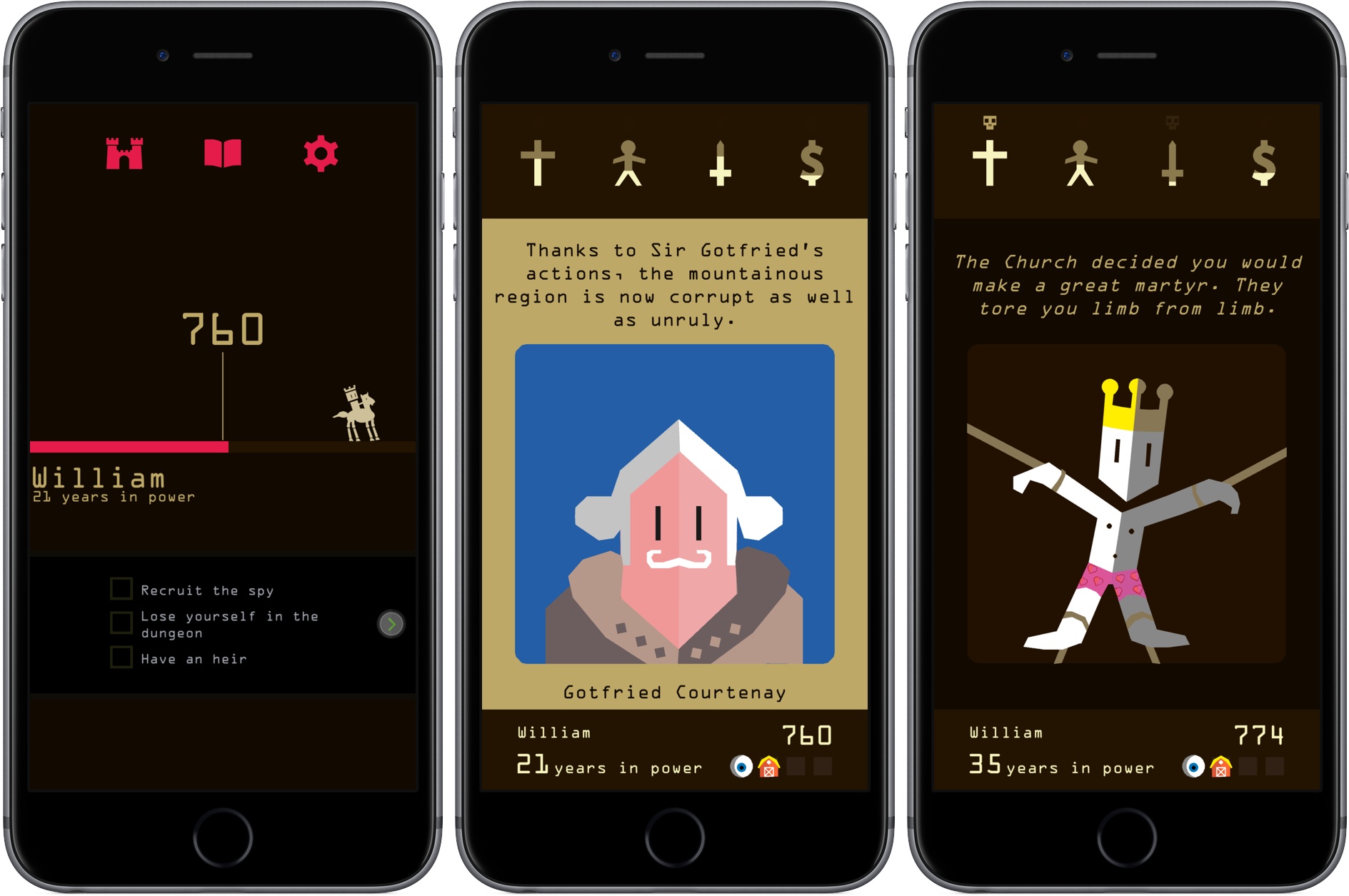
Have you ever wanted to rule your own kingdom? Of course you have. With Reigns you can do just that – while you stand in line to buy groceries. Reigns, an Apple Editor’s Choice, is a card-based adventure game with an clever interaction model. Touch Arcade and Pocket Gamer liken Reigns to Tinder, which I get, but it’s also a little unfair because it ignores the depth and personality of the game that underlies the Tinder-like mechanics.

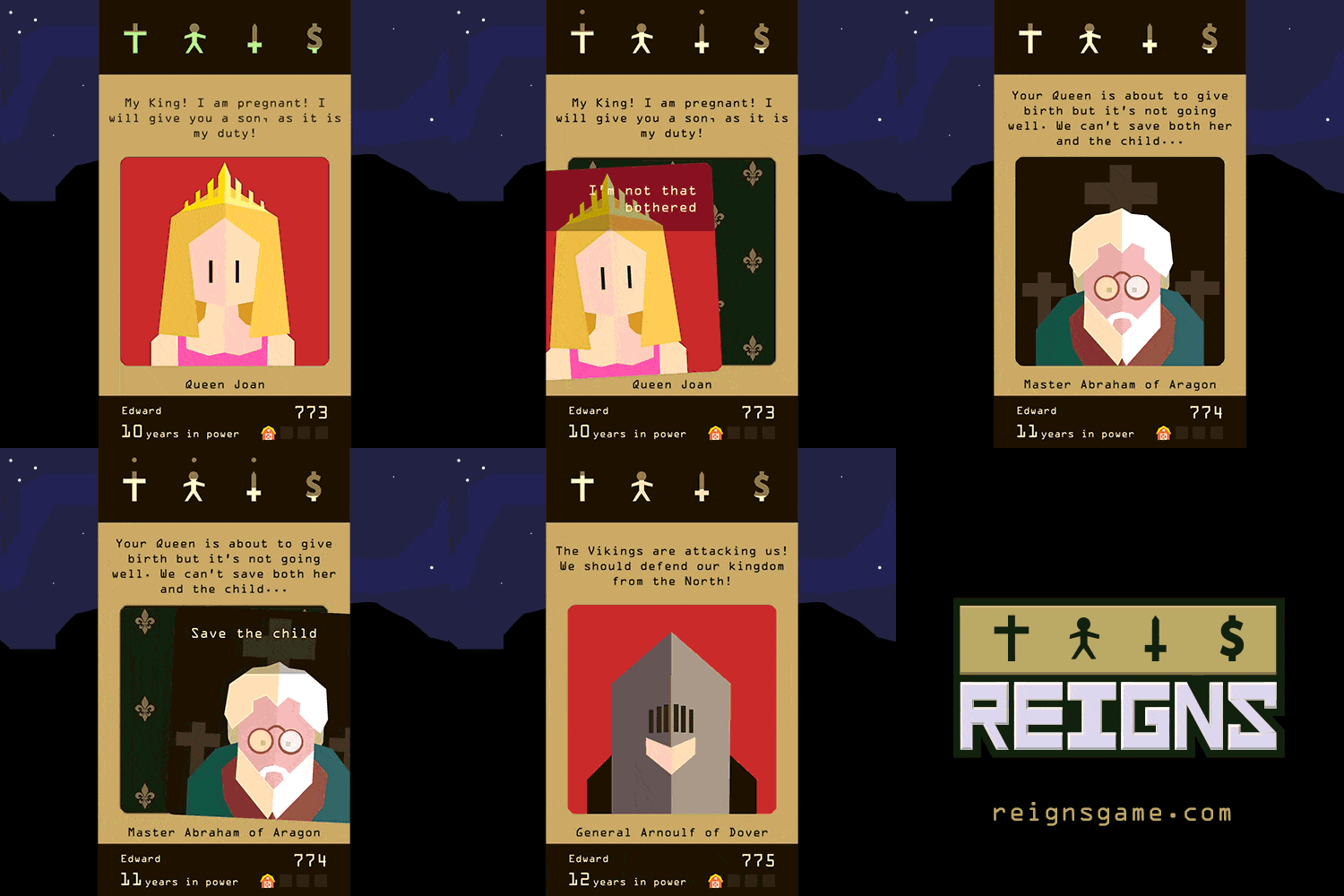
As king, you are presented with a series of decisions in the form of cards that are brought to you by advisors and other characters. Each decision has only two options that you choose between by swiping left or right – hence the comparison to Tinder. But there’s much more to Reigns than just flicking cards. Every choice you make has consequences, some of which affect future generations, and it’s not unusual for a decision to spin out of control quickly ending in your death.

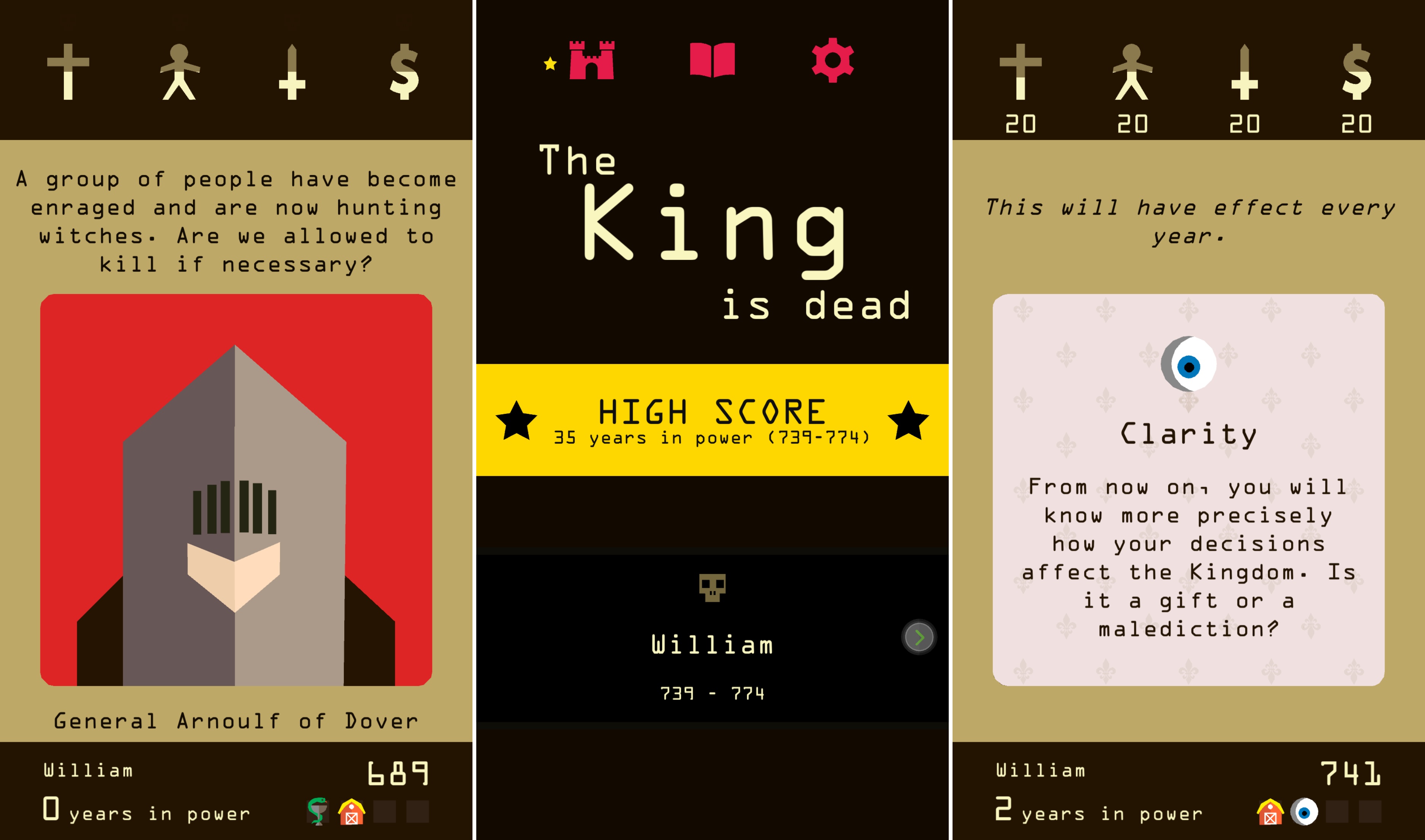
Each choice you make also has an impact on the strength of the church, your subjects, the army, and your finances, which are tracked at the top of the screen. As you play, you can swipe cards part way to the left or right to get a hint of which metrics will be affected by your choices. To survive, you must carefully balance each variable. Allow one category to get too high or too low and your reign will end badly.

All reigns end eventually, but each time one does, you are reborn as a new king and given a series of goals like “Lose yourself in the dungeon,’ ‘Meet the devil,’ or ‘Try the blue one.’ Meeting goals unlocks cards and new aspects of the game keeping it fresh. There are also mini-games like dice and dueling scattered throughout Reigns.

Reigns is perfect for mobile, though it is also available on the Mac via Steam. Swiping left and right to make decisions about your kingdom is quick and easy wherever you are. The combination of the number of cards, consequences that span generations, and need to balance multiple statistics adds an interesting level of strategy. But above all else, what has endeared Reigns to me most is that the artwork and questions are imbued with a sense of humor that gives Reigns a unique personality unlike any iOS game I have played recently.

Reigns is available on the App Store for $2.99.