


I have had my eye on smart thermostats ever since the Nest was released in 2011. I came very close to purchasing one over the years, but something always held me back. Between the price, concerns that installation could be a hassle or require someone else to install it, the lack of simple integrated control systems, and not wanting to complicate something that was already simple, I never bought one. That changed about a month ago when I purchased two ecobee3 smart thermostats for my home. I couldn’t be happier with the simplicity, level of control, and automation that the ecobee3 delivers.
Google Tweaks the Design of Maps and Adds Areas of Interest→
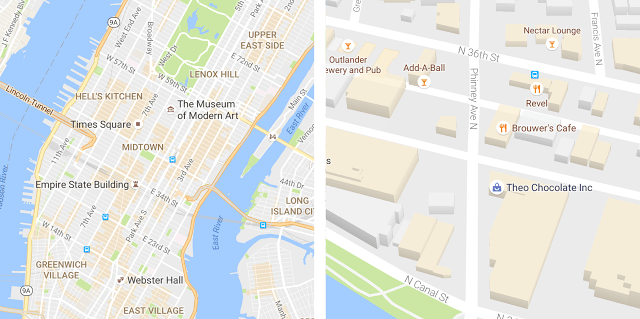
Google Maps is on the move. Just last week, Google added enhanced crowdsourcing features to Google Maps making it easier for users to edit map locations and add richer information about them. Now, Google has updated the design of its iOS, Android, and web apps to make them easier to explore visually too.
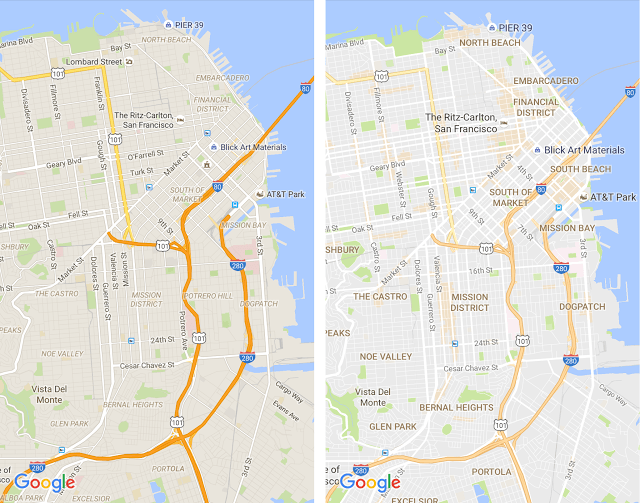
The goal of the Google Maps update was to create a less cluttered look:
… as part of this update, we’ve removed elements that aren’t absolutely required (like road outlines). The result is a cleaner look that makes it easier to see helpful and actionable information like traffic and transit.
Google also modified the typography and color scheme of Maps to make it easier to identify different map elements.
The update to Google Maps includes an all-new feature as well – areas of interest, which are shaded orange. The shading, which is determined algorithmically and by humans makes it easy to spot areas where you may want to zoom in to browse points of interest.
I like the design changes that Google has made. In the before and after screenshots of downtown San Francisco above, the neighborhood names and other points of interest are much more legible than they were previously, which should make it easier to use Google Maps to explore and navigate new places.
Game Day: Nanuleu
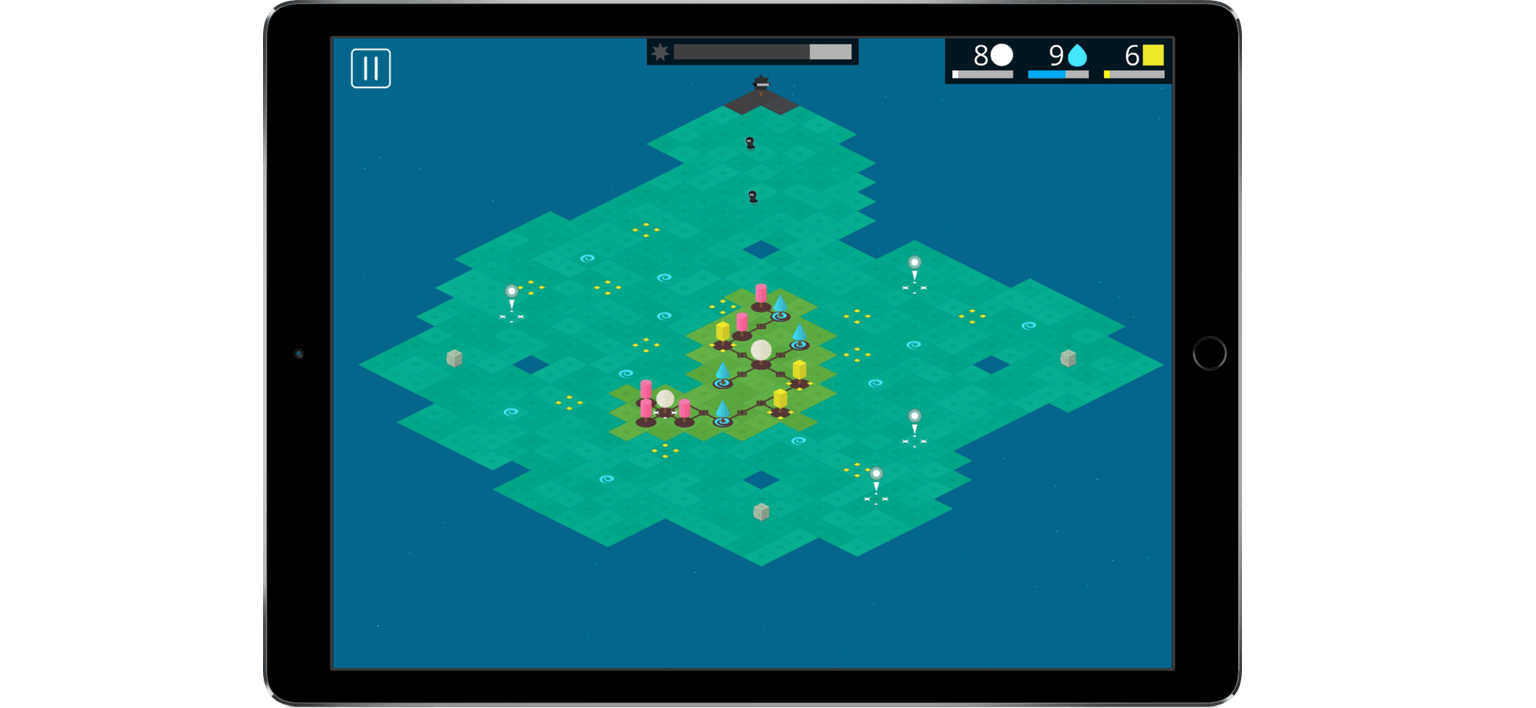
Nanuleu by Selva Interactive is an excellent new tower-defense strategy game reminiscent of Rymdkapsel. I’ve been a fan of tower-defense games since the original Fieldrunners game launched on iOS just a couple months after the App Store opened. Nanuleu is a less frenetic, more laid-back take on that classic style with many of its own distinctive elements.
Nanuleu is played from an isometric perspective on a procedurally generated map that makes each game you play unique. There are three modes, Apprentice, Warrior, and Sage, each of which is progressively more difficult to complete.
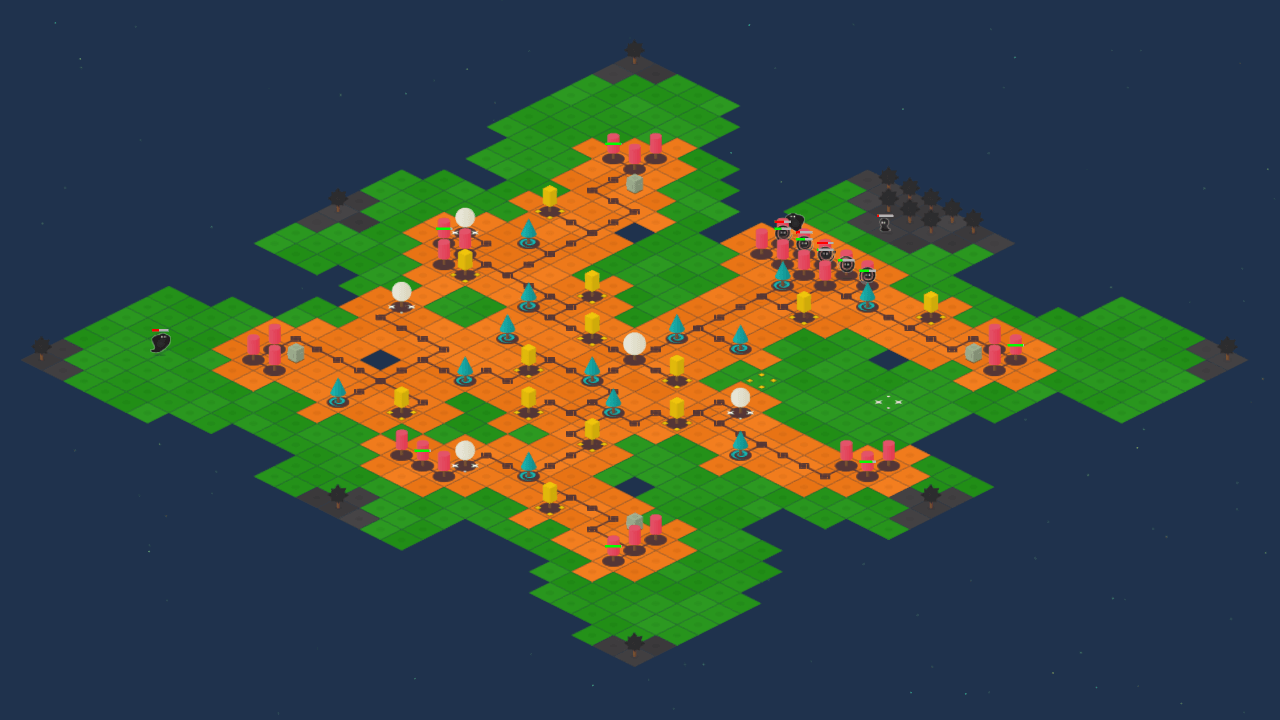
You start each game with a life tree at the center of the map and resources that you can spend to expand your territory across the map. Tapping on the squares on the map that are adjacent to territory you already control gives you the option to plant certain types of trees or simply expand your network of roots. Water, mineral, and life trees can only be planted on squares with corresponding colored symbols and require more resources than simply laying down roots.
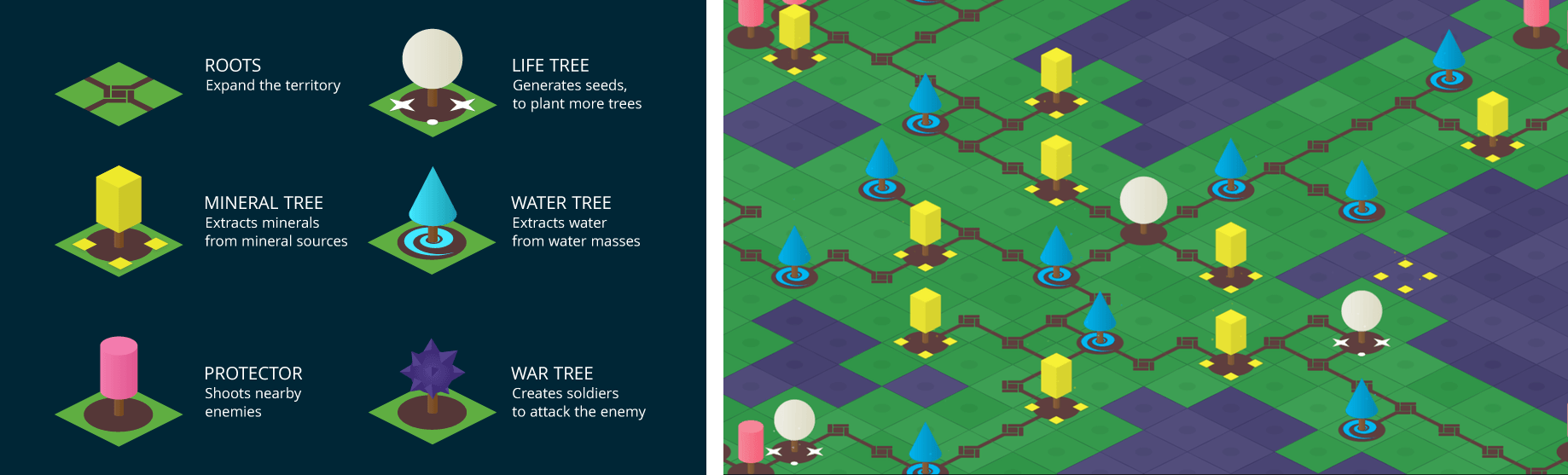
After a while, enemies start attacking from different spots along the edges of the map. Planting protector, and later, war trees helps defend your trees against the enemy. As you expand your network of water, mineral, and life trees, resources accumulate faster, but you need to spend your resources carefully to defend your territory. If the enemies start taking out trees, especially those that produce resources, your territory begins to shrink. Vanquish all the enemies and you win the round. If the enemies get the upper hand and overtake your last life tree, you lose.
It’s easy to understand why Nanuleu won an award at the 2015 Indie Game Maker Contest and has already made a best of 2016 list just over a week since its release. The game combines great visuals and sound with simple, but challenging, gameplay. Nanuleu games are not short. Most of the games I’ve played have lasted 20-30 minutes, but time flies because it’s easy to get absorbed in the action. If you enjoy tower defense and real-time strategy games, Nanuleu is worth checking out.
Nanuleu is available on the App Store for $2.99.
Pokémon GO is Big, Really Big→
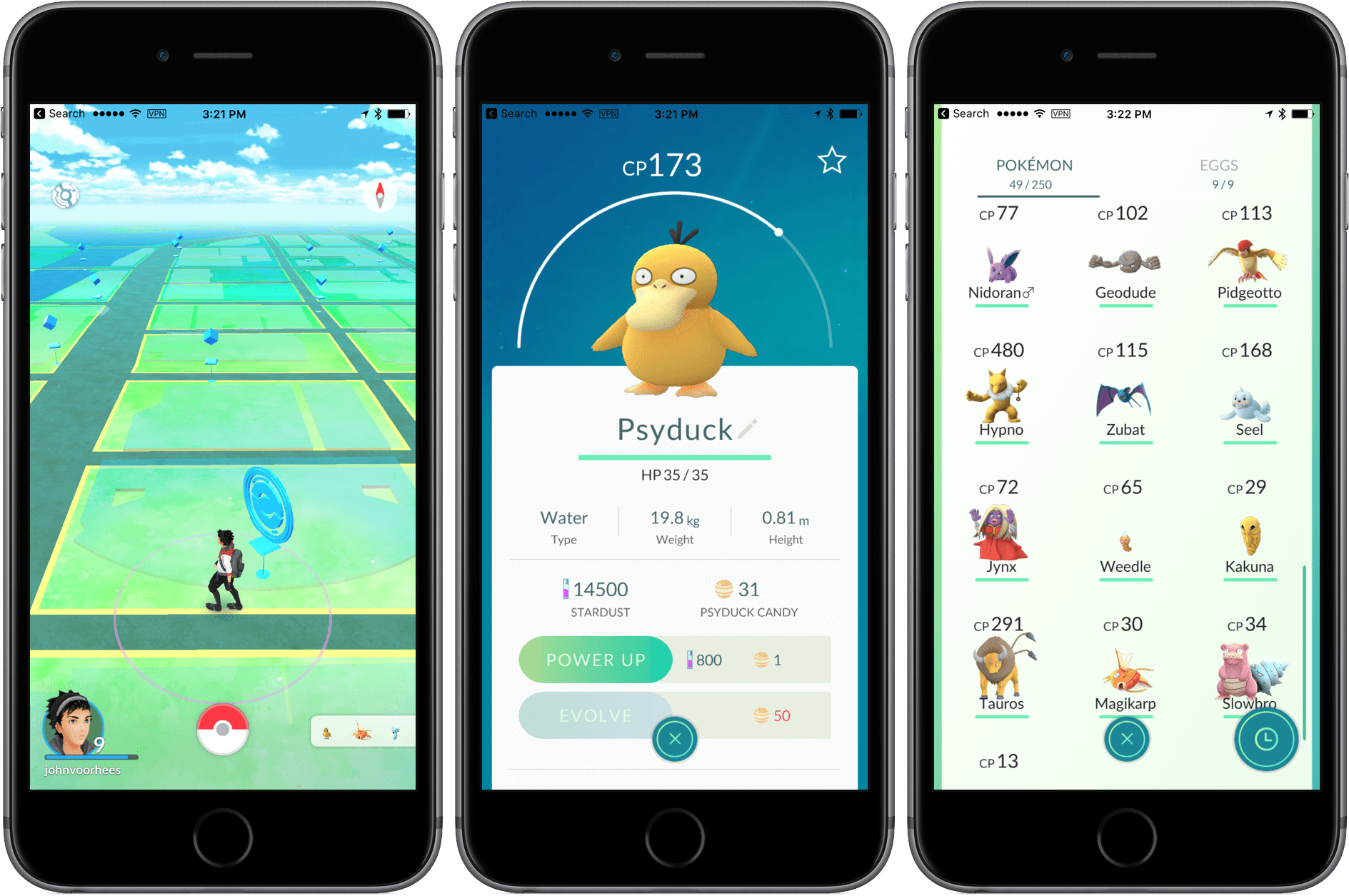
It’s not a surprise that Pokémon GO is a huge hit. All you need to do is walk around any major city or look at the photos of people mobbing spaces like New York’s Central Park to get a sense for just how big the game is. But, today Apple confirmed to The Loop that Pokémon GO is just as big, and perhaps even bigger, than people thought:
Apple told me today that the game has set a new App Store record with more downloads in its first week than any other app in history. That is impressive.
Even more impressive is that for that first week, Pokémon GO was only available in the US, Australia, and New Zealand.
There have been a lot of big games on the App Store. Angry Birds, Clash of Clans, and Candy Crush come immediately to mind, but Pokémon GO feels different. Pokémon GO has captivated the world in a way that no one has seen before. It’s easy to dismiss the game as a waste of time and productivity, but that’s short-sighted. Sure, Pokémon GO is just a game, but it’s a game that has gotten people outdoors and brought them together with other Pokémon players – and there’s nothing wrong with that.
Jumping in with Both Feet
The tagline for my MacStories Weekly column, Ongoing Development, is:
Trying new things, seeing what works, and discarding what doesn’t.
The description captures Ongoing Development well and I like that it’s short, but if I were to add anything to it, I’d expand the middle bit to ‘seeing what works and where it leads’ because when you find something that works, it often leads in new and unexpected directions. When I started recording short audio clips for The MacStories Lounge Telegram channel, I never expected it would lead to a WWDC interview series with developers, but it did.
 Safari Tab Management
I spend a lot of time in Safari with far too many tabs open. I love that I can access open tabs on my iPhone, Macs, or iPad wherever I am using Tab View, but especially on the Mac, it’s easy to lose my tabs by absent-mindedly clicking on that little red stoplight button...
Q&A
Question: I know you guys aren’t the biggest fans of Evernote. However, I have such a large number of notes on Evernote and I am really comfortable with the interface. I am just worried about the potential for losing all my notes some day if there is ever a server issue. Do you know of...
Apple Reveals Limited Edition Apple Watch Bands for the Olympics→
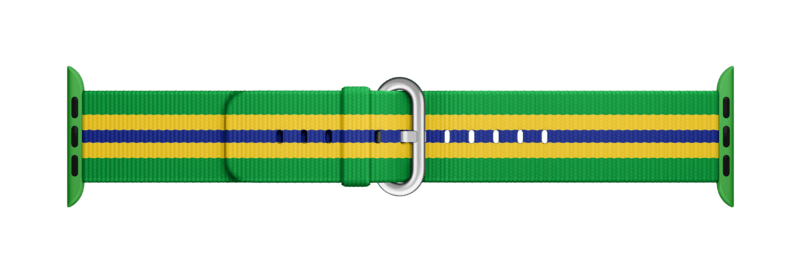
Apple will sell Apple Watch bands based on their nylon watch band line to commemorate the Olympics. According to GQ, which reported the story first:
When the games start in August, the tech company will be selling Apple Watch bands that reference the national flags of 14 major competitors, meaning you can symbolically cheer on Team USA (or Team France, or Team Brazil) every time you get a text message.
The 14 countries with commemorative bands are Australia, Brazil, Canada, China, France, Germany, Jamaica, Japan, Mexico, The Netherlands, New Zealand, South Africa, Great Britain, and the United States.
The catch is that the bands will only be sold at the VillageMall Apple Store in Barra da Tijuca, Brazil. Like the limited edition bands given to Apple employees to celebrate Pride weekend in June, the Olypmic bands are sure to become instant collector’s items. Although the bands will not be sold until August, at least one athlete, Travon Bromell, already has a USA model.
Google Enhances Crowdsourcing of Its Maps Data→
Maps are a highly competitive corner of the mobile device landscape. Today, Google added features that make it easier for users to add new places, suggest edits to locations, and verify other users’ submissions.
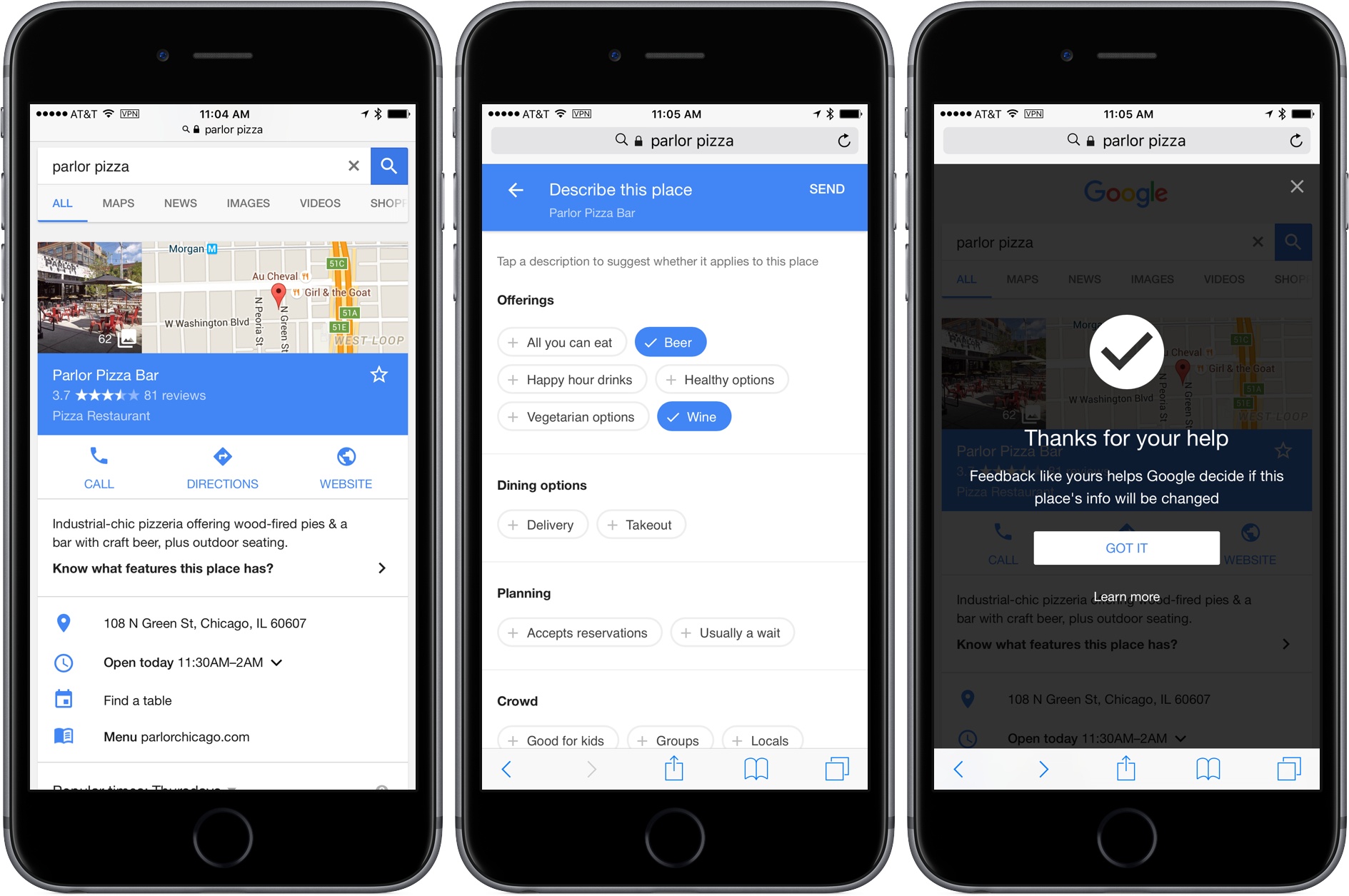
Google announced on the Google Maps blog that adding and editing locations has been expanded worldwide in Google Maps and Google Search. In my limited tests, I only saw links to edit locations in Google Maps, but it may be that the feature is still being rolled out to Search.
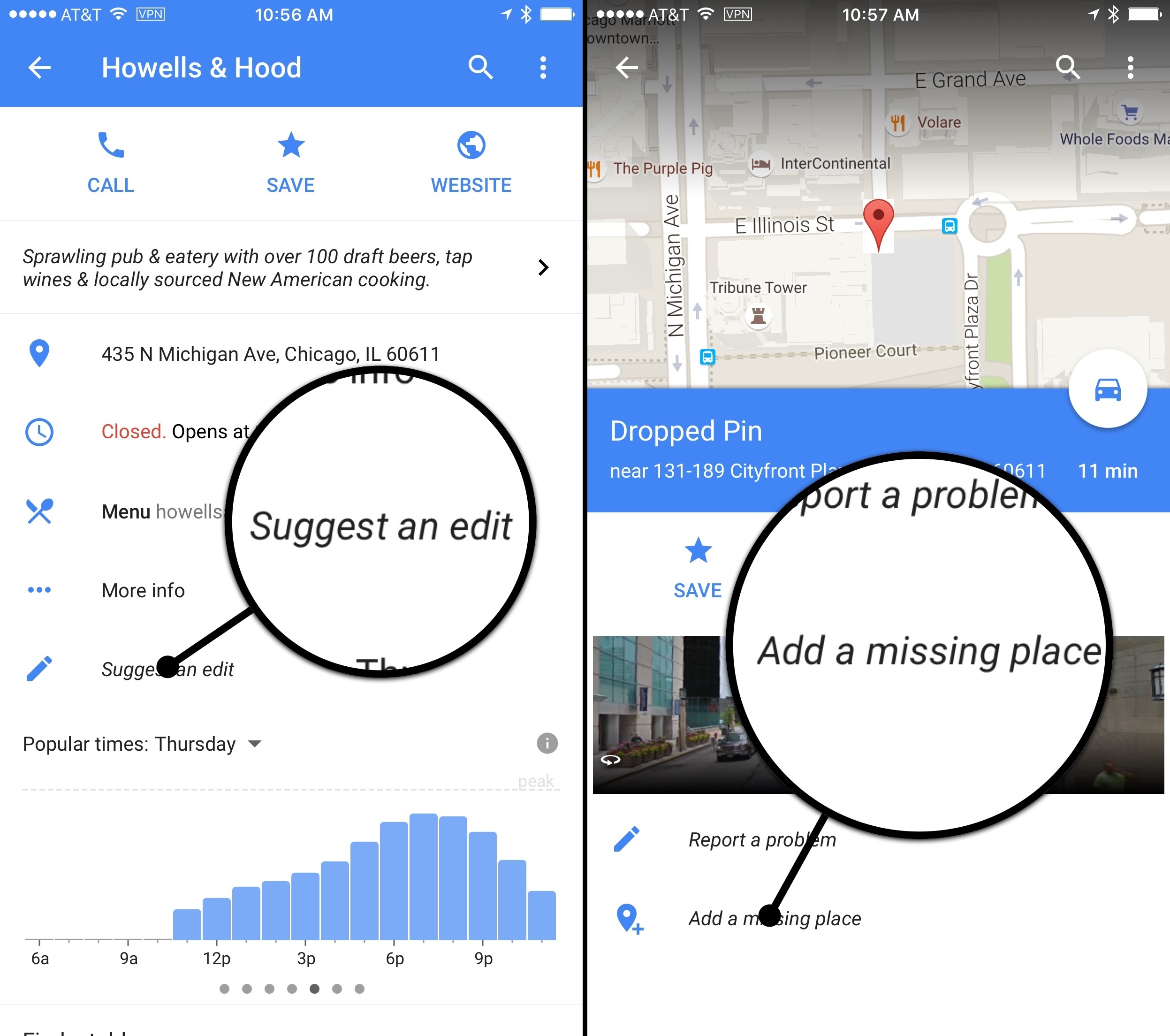
In addition, you can now add additional details about a location that you find using Google search. As Google describes it:
There’s more to a place than its business hours or address—you might want to know if a place has a romantic vibe, serves vegetarian food or offers outdoor seating. Now on Google Maps for Android and when searching on your mobile phone, you can contribute what you know about a place so that others can benefit from the info as well. Knowing these types of details helps us build a deeper understanding of a place so we can better help users find the places most relevant to them.
I added some information about one of my favorite Chicago restaurants and found the process to be easy and fast. On iOS this only works if you use search in Safari. Android users can also add location details in Google Maps.
Finally, Google has opened up verification of user-submitted data to other users. If new data has been added to a location you can indicate whether it is accurate or not. After a location receives sufficient support for a change, Google will make it permanent.
Mapping services are only as good as the data behind them. Google continues to push forward at a fast clip and adding legions of users to its efforts to provide valuable map data makes a lot of sense. Apple Maps has made great strides since its introduction, but I’d like to see something like this added to Apple Maps to help it catch up and stay competitive with Google Maps.