John Voorhees

5429 posts on MacStories since November 2015

John is MacStories' Managing Editor, has been writing about Apple and apps since joining the team in 2015, and today, runs the site alongside Federico. John also co-hosts four MacStories podcasts: AppStories, which covers the world of apps, MacStories Unwind, which explores the fun differences between American and Italian culture and recommends media to listeners, Ruminate, a show about the weird web and unusual snacks, and NPC: Next Portable Console, a show about the games we take with us.

Square Enix Working on Apple Watch-Only RPG

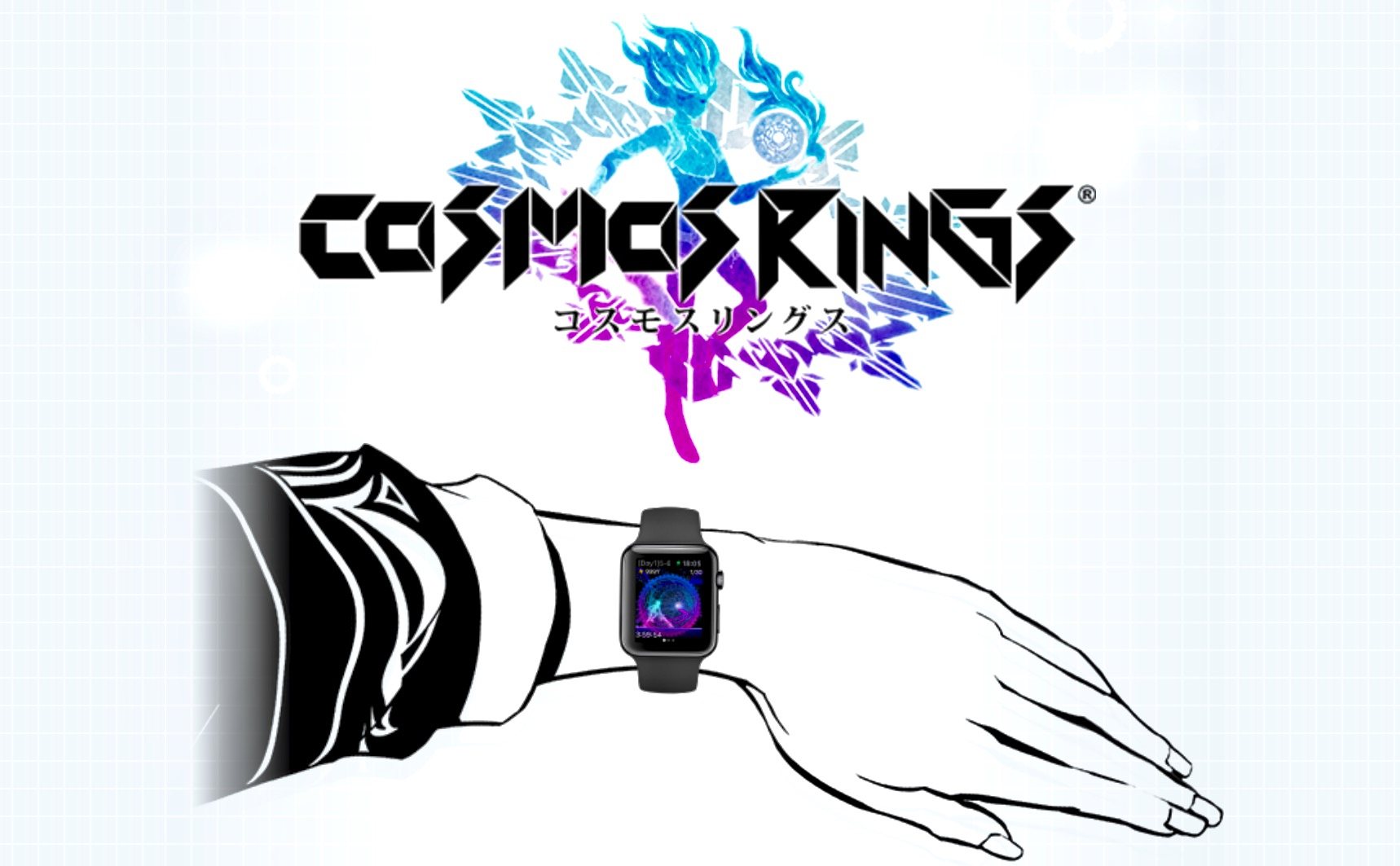
Siliconera reports that Square Enix, the maker of the Final Fantasy franchise and Chaos Rings, is developing an Apple Watch-exclusive role-playing game called Cosmos Rings. Square Enix has a bare bones teaser website up with virtually no information about the game, but Siliconera says that Cosmos Rings:

features the “Time Upstream System” that uses the Apple Watch’s Digital Crown. The game will send you various messages according to your daily step counts as part of an experience that Square Enix says can only be done through the Apple Watch.

Siliconera also says that Cosmos Rings is being produced by Takehiro Ando who worked on the Chaos Rings series of games that originally debuted on iOS in 2010. In addition, Yusuke Naora, who was the art director on several Final Fantasy games and designed characters for Chaos Rings will have a hand in the Cosmos Rings visuals.

Cosmos Rings is slated for release later this summer.

(Via Eurogamer.net)
Permalink

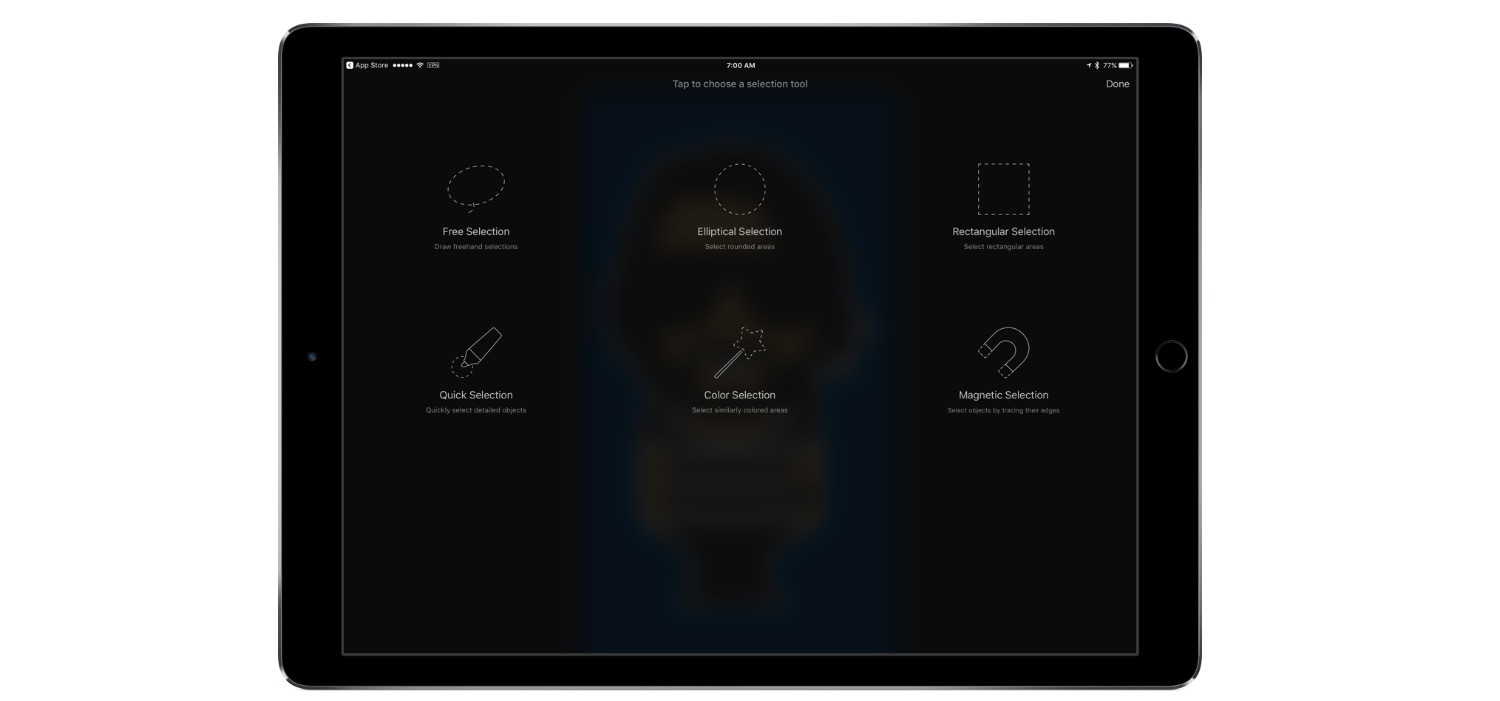
Pixelmator for iOS Adds Quick and Magnetic Selection Tools

Pixelmator 2.3 for iOS was updated today to add the same Quick Selection and Magnetic Selection tools that were introduced on the Mac with Pixelmator 3.5 in May. The Quick Selection Tool lets you paint over an image with your finger to select it. Magnetic selection grabs the outline of an object based on anchor points you create as you trace around the object with your finger. Pixelmator detects the edges of the object in the image and snaps the section to them. In my brief tests, both selection tools worked well and are particularly well-suited to touch.

In addition to the new selection tools, Pixelmator 2.3 adds many small refinements and other improvements, including:

  • Apple Pencil pressure sensitivity support for the Quick Selection Tool;
  • Greater Apple Pencil precision when using the Free Selection Tool;
  • a ‘tap to invert selection’ button;
  • improvements to the precision and speed of the Color Selection Tool; and
  • snap to pixel precision for the Free, Rectangular, and Elliptical Selection Tools.

Pixelmator 2.3 for iOS is a free upgrade for existing Pixelmator customers and is available to new customers on the App Store for $4.99. Pixelmator 3.5 for Mac, which we previously covered, is available for $29.99 on the Mac App Store.


The All-New Glif iPhone Tripod Mount


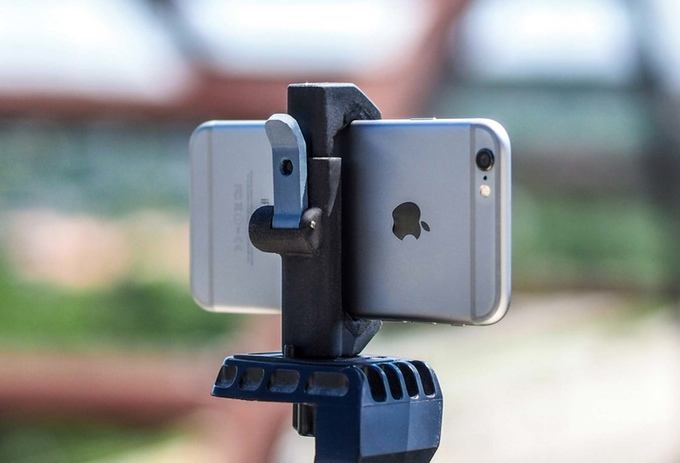
The first Glif, an iPhone tripod mount by Studio Neat, was released in November 2010. Fast forward almost six years to today and Studio Neat is back with an all-new version of the Glif that looks like the best one yet.

Having a tripod mount for your iPhone is surprisingly handy. Club MacStories members may recall that just last month, Graham Spencer and I used the Glif for two very different projects. Graham mounted his iPhone to a Glif to take time-lapse movies of the Australian sky, while I used my Glif with a GorillaPod tripod and microphone to record interviews with developers at WWDC. Those projects, which we described in detail in the Club MacStories Monthly Log, were very different, yet perfectly suited for the Glif.

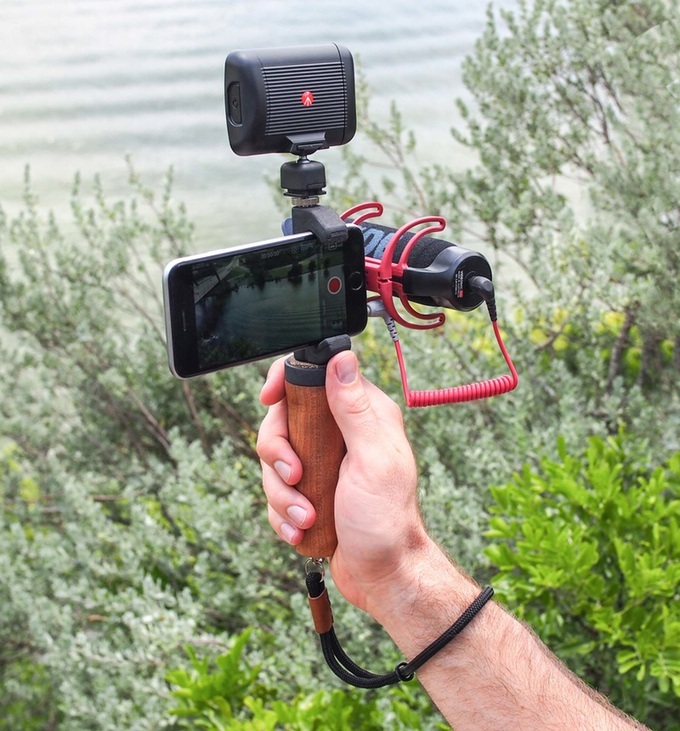
The latest version of the Glif focuses on three areas. The first is a quick-release lever that makes it easier to get you iPhone in and out of the Glif. The second is multiple mounting points that let you mount the Glif in landscape or portrait mode, or attach additional items to the Glif like a light and microphone that can turn your iPhone into a portable movie rig.

Studio Neat introduces two accessories for the Glif, a handle and a wrist strap.

Studio Neat introduces two accessories for the Glif, a handle and a wrist strap.

The third improvement to the Glif is the introduction of two accessories. The first is a handle that screws into one of the Glif’s mounting points. The handle should make it easier to hold your iPhone steady without accidentally covering the camera lens with your finger. The second accessory is a strap that you can loop around your wrist for added protection against dropping your iPhone.

As with previous Studio Neat products, the new Glif is a Kickstarter campaign. Over time, I’ve become more cautious about the Kickstarters I back, especially when it comes to hardware products, but Studio Neat is one of the few companies where I do not hesitate to back a product I want, because it has a solid track record of past success. For a $25 pledge, you will receive the new Glif if the project is funded, while $50 gets you the Glif, handle, and wrist strap. If you want two complete sets of the Glif and its accessories, you can pledge $100.

Permalink

Apple Begins Switching Apple Music Subscribers to Audio Fingerprint-Based Song Matching

A major complaint about Apple Music when it rolled out was that it used a metadata-based matching system, which sometimes caused it to incorrectly match songs in users’ music libraries with Apple’s database. Jim Dalrymple reports for The Loop, that:

Apple has been quietly rolling out iTunes Match audio fingerprint to all Apple Music subscribers. Previously Apple was using a less accurate metadata version of iTunes Match on Apple Music, which wouldn’t always match the correct version of a particular song. We’ve all seen the stories of a live version of a song being replaced by a studio version, etc.

According to Dalrymple, the audio fingerprint matching system that Apple is slowly rolling out to Apple Music is the same system that has been available to customers who subscribe separately to iTunes Match. The new matching functionality is being added by Apple at no additional cost to Apple Music subscribers, which means that if you previously subscribed to Apple Music and iTunes Match, there should be no reason to renew your iTunes Match subscription when it expires. As Jim Dalrymple points out, however, you may want to be sure that the new system is working properly before letting Match expire.

Permalink

GlaxoSmithKline Launches Rheumatoid Arthritis Study Using ResearchKit

Pharmaceutical giant GlaxoSmithKline announced a rheumatoid arthritis study today that takes advantage of Apple’s ResearchKit frameworks. According to Glaxo’s press release:

We are the first in our industry to use Apple’s ResearchKit as part of our research, this time looking at the impact a patient’s disease has on their day-to-day life.

Glaxo will use the app,

to conduct surveys and use iPhone sensors to collect and track common symptoms of rheumatoid arthritis: joint pain, fatigue, and mood. It will also track activity and quality of life measures for 300 patients over a three-month period. 

The app, called GSK PARADE, is available now on the App Store as a free download. Rheumatoid arthritis patients who live in the US and are 21 or older can apply to participate in the study using the app.

Since its introduction last year, ResearchKit has been used to study diabetes, asthma, and a number of other conditions. Last Fall, Apple announced that more than 50 researchers had contributed active tasks in 6 months and more than 100,000 participants had contributed data to ResearchKit. It’s good to see ResearchKit’s use continue to expand in the health care and pharmaceuticals industries.

Permalink

Game Day: klocki

After last weekend’s fast-paced, stress-inducing racing game, Neon Drive, I wanted to play something a little more laid back and mellow this week. I found the perfect game in klocki, a new iOS puzzle game that launched earlier this week.

klocki is from Maciej Targoni, the maker of Hook, a well-regarded puzzler that came out early last year. The tile-based puzzle game is singularly focused on revealing itself through its puzzle mechanics and designed to be relaxing. There are no tutorials, instructions, or text. You play klocki at your own pace, discovering the rules organically as you play.

The goal of klocki, at least in the early stages, is to complete lines by swapping pairs of tiles. When you complete a puzzle, you only advance to the next one after you tap the screen. You are completely in control of the pace of klocki, which is backed by a soothing soundtrack by Wojciech Wasiak.

As you progress through klocki, things get trickier. The 2D puzzles gain a third dimension, the puzzles become larger, and the mechanics become more complex, making it harder to work out the solutions. No worries though, there are no timers or score. It’s just you against each puzzle.

klocki, which was featured on the App Store this week, is the kind of distraction I look for more often than not in an iOS game. It’s challenging without being frustrating and as easy to pick up for short periods of time as it is for an hour.

klocki is available on the App Store for $0.99.


Ongoing Development

Why ‘Minimum Viable Product’ Falls Short ‘Minimum Viable Product’ is one of the most over-used, least useful terms that gets thrown around the development community. The problem is that too often, people emphasize ‘minimum’ at the expense of ‘viable.’ It’s as though there’s a viability line that you will recognize when you cross it, and...


Tips

If I want to watch WWDC session videos on the go and I know I’m going to be offline or have a bad connection, I download the sessions to the WWDC app in advance. But Safari is quickly becoming my favorite way to watch session videos in all other circumstances. Last Saturday, Apple added...


Razer Launches Mechanical Switch Keyboard for iPad Pro

Razer, best known for making mice and keyboards for gamers, announced a keyboard case for the 12.9” iPad Pro that features mechanical backlit keys with twenty levels of brightness and a kickstand that allows for multiple viewing angles. Razer’s keyboard, dubbed the Razer Mechanical Switch Keyboard, connects over Bluetooth and includes what Razer calls an Ultra-Low-Profile Mechanical Switch that it says delivers ’the exact same performance and feel as a full-fledged mechanical keyboard.’ With backlighting enabled, Razer estimates you will get 10 hours of battery life. With backlighting turned off, however, Razer says its keyboard will last a whopping 600 hours. Razer’s keyboard is available for purchase in the US for $169.99 with other countries to follow.