


LiveRotate is a terrific iPhone photo utility from Becky Hansmeyer for rotating Live Photos without eliminating the ‘live’ aspect of the photo. Becky created LiveRotate out of frustration with the limitations of Apple’s Photos app.
Game Day: Shadowmatic
[Editor’s Note: Game Day is a new weekly series on MacStories highlighting iOS games. Each Saturday, we will feature one classic or up-and-coming game just in time for a little weekend fun.]

Many of the best iOS games don’t fight against iOS device hardware. Instead, they embrace the constraints of the touch interface, focusing on fun games based on simple touch interaction models. Touch lends itself particularly well to puzzle games and one of my favorites is Shadowmatic by Triada Studio Games.
 Tips
Tips
You can accomplish a lot of interesting tricks using Option-click on the Mac. Here are a few of my favorites: Option-click the desktop to hide the currently active window. If you click an app icon in your Dock instead, the foreground app will be hidden and the app you clicked in the Dock will...
Music Discovery Apps
SoundCloud I’m not a heavy user of SoundCloud, but I’ve found that it’s a good place to discover interesting music when I’ve grown bored with whatever I’ve been listening to most recently. SoundCloud has a nice mix of up-and-coming bands and well-known artists that are easily browsed by genre or trending tracks. In...
1Blocker Brings Content Blocking with iCloud Sync to the Mac
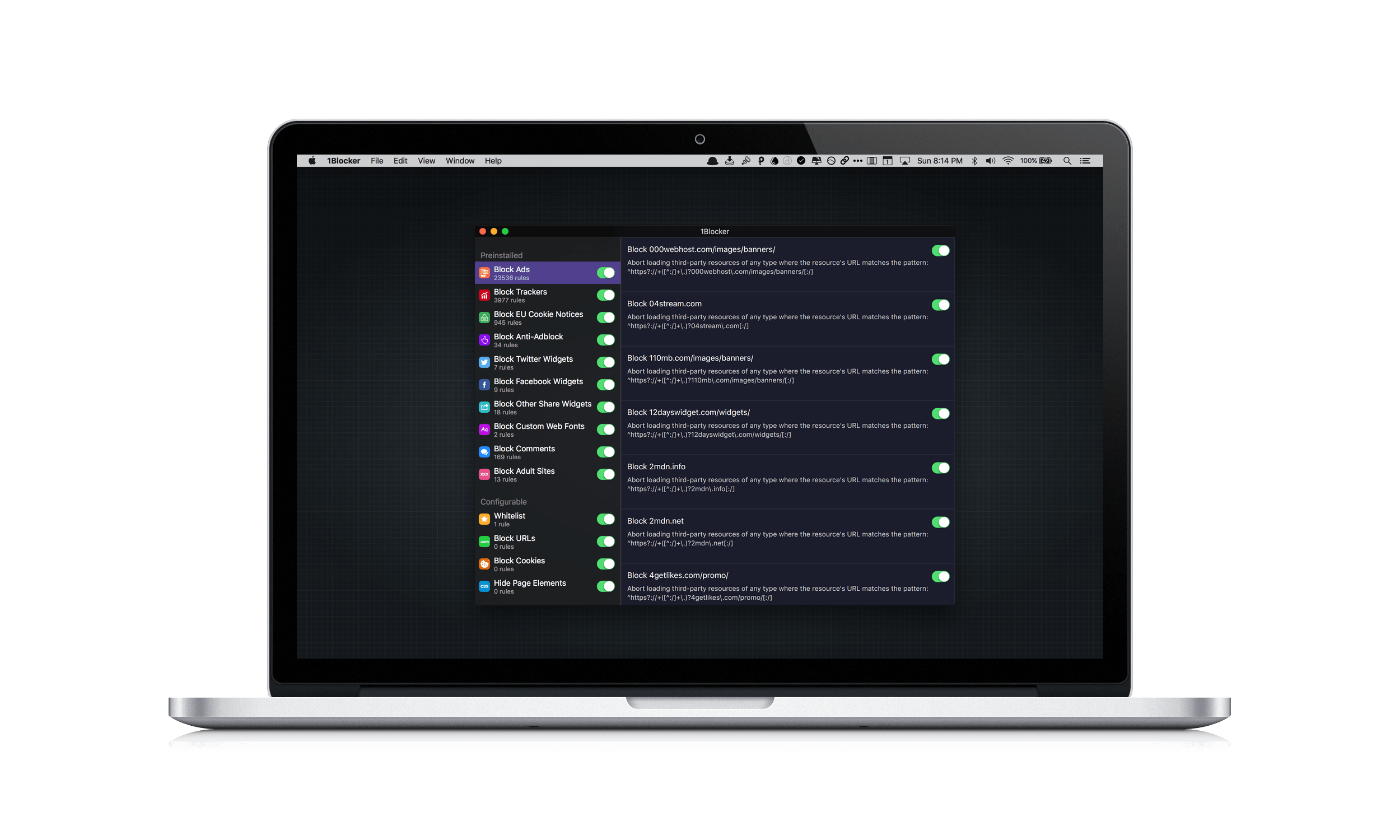
If you are familiar with 1Blocker for iOS, then you will have no trouble figuring out 1Blocker for Mac because the two are nearly identical. What Federico explained about 1Blocker for iOS in his iOS 9 review applies equally well to the Mac version:
1Blocker [is] an excellent all-in-one Content Blocker that can block ads, trackers, social widgets, Disqus comments, web fonts, adult sites, and that lets you create your own rules for URLs, cookies, and page elements to hide or block. 1Blocker is Universal and it comes with over 7000 built-in rules, which you can individually turn on and off.
Sketch Changes Direction on Pricing
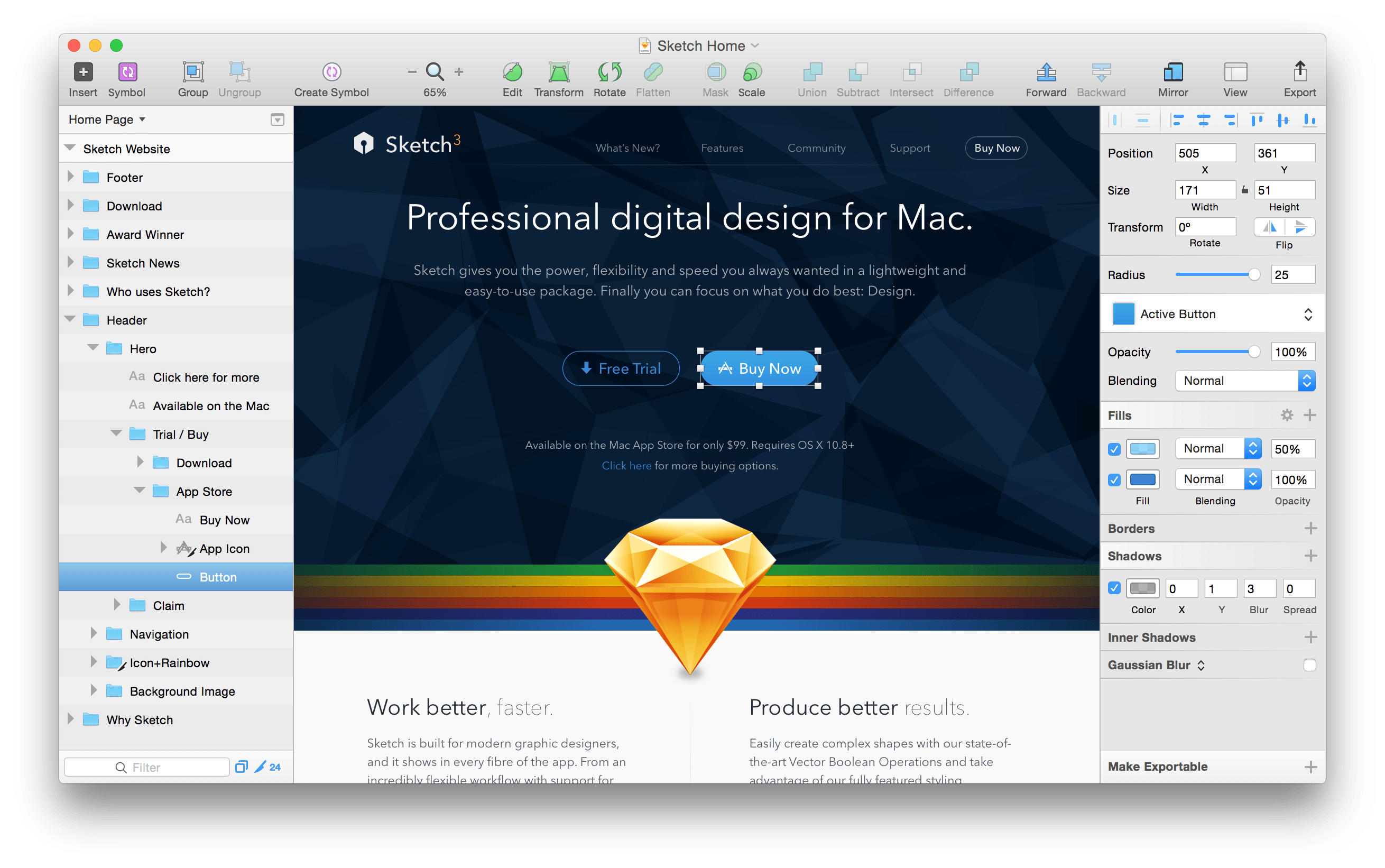
Today, Bohemian Coding, the maker of Sketch, a popular vector design program, announced a new licensing program that has some interesting parallels to the app subscription pricing announced several hours later by Apple. Instead of a paid-up-front model with paid upgrades limited to major releases, Sketch customers will pay an annual license fee to receive upgrades for a year, regardless of how big the updates are during that period.
Sketch’s business model has changed a lot since late last year when Bohemian Coding pulled it from the Mac App Store. Among the reasons cited at the time were:
App Review continues to take at least a week, there are technical limitations imposed by the Mac App Store guidelines (sandboxing and so on) that limit some of the features we want to bring to Sketch, and upgrade pricing remains unavailable.
Previously, Sketch was sold for an up-front fee of $99. Like many other developers, when Bohemian Coding launched a major update to Sketch, it was released as a paid upgrade for existing customers, but between major releases, updates and bug fixes were free.
Under the new licensing scheme, paying $99 annually will entitle customers to one year of all upgrades at no additional charge. Bohemian Coding carefully avoids using the term ‘subscription’ to describe its licensing, presumably to avoid confusion with products like Adobe’s Creative Suite, which can no longer be used if a customer cancels their subscription. In contrast, Sketch will continue to work if your do not pay the annual fee, but updates will not be available.
Looking back at the reasons that Sketch left the Mac App Store, I can’t help but wonder whether Sketch may come back to the store someday, which is exactly what Federico and Stephen Hackett speculated about during episode 94 of Connected. After all, review times are substantially improved and the new subscription model announced seems to be designed to achieve many of the same things that Sketch’s new pricing model is intended to accomplish.
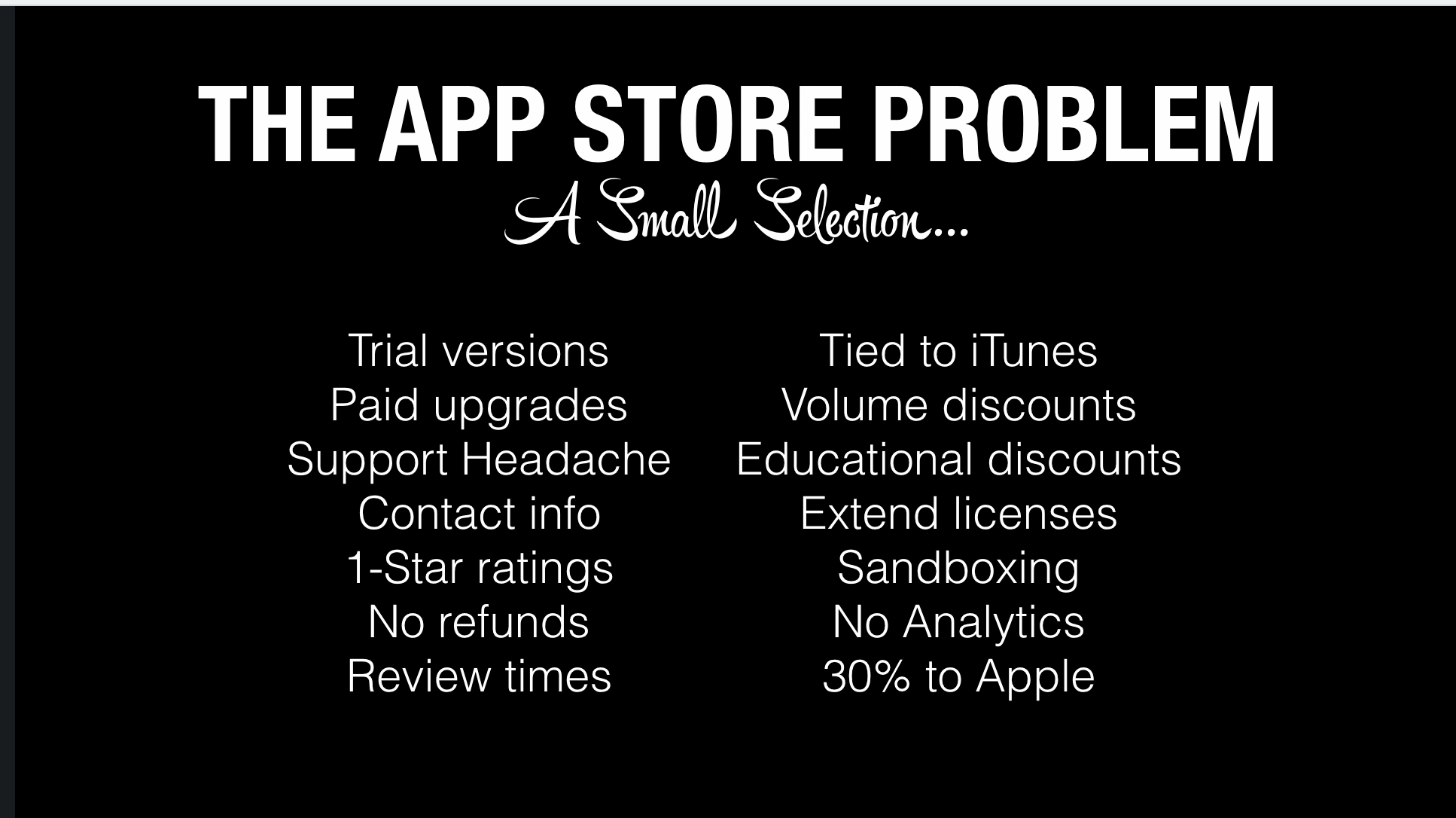
But having attended Pieter Omvlee’s talk1 at the Release Notes conference last Fall, I’m not sure the changes made so far are sufficient to bring Bohemian Coding back to the Mac App Store. Sandboxing and the lack of a direct connection with customers were among the many factors that resulted in Sketch being pulled from the Mac App Store. There are also major questions that remain unanswered by Apple, like which kinds apps will be able to implement subscriptions. Regardless of how Apple’s announcements today impact Sketch, it will be fascinating to watch Bohemian Coding and other app developers use subscriptions and other pricing tactics to adapt to the economics of the modern app economy.
- I highly recommend all the presentations from Release Notes. ↩
Major App Store Changes Announced
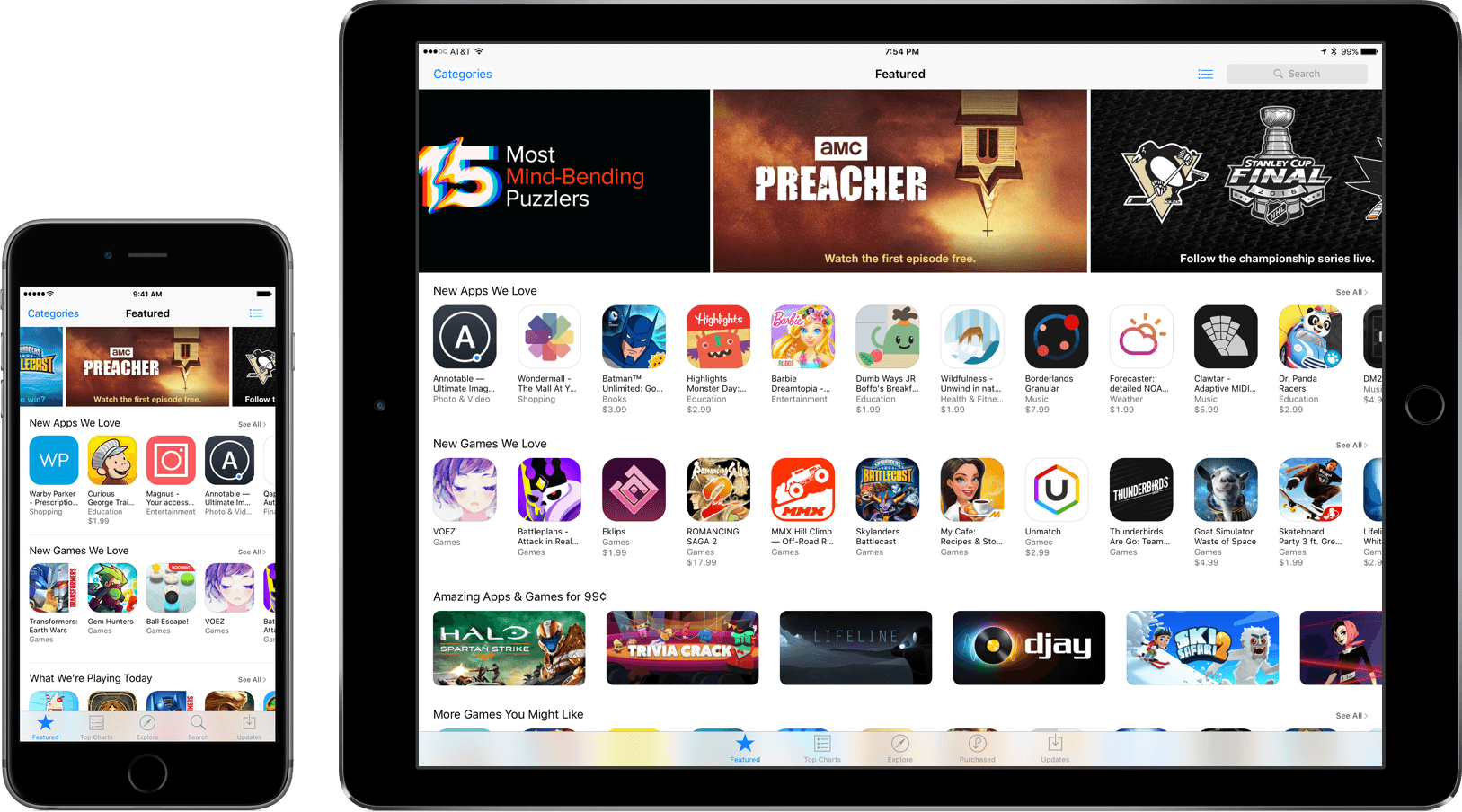
Phil Schiller, Apple’s Senior Vice President of Worldwide Marketing, sat down with The Loop and The Verge to announce sweeping changes to the App Store, including changes to App Review, business models, and app discovery.
We have already seen the effect of the changes to App Review. According to Schiller, as a result of changes to the review process, Apple is reviewing 50% of apps within 24 hours and 90% within 48 hours and reviewing over 100,000 apps per week in aggregate.
Apple is also opening up subscriptions to all app types. Participants in the program will be able to offer auto-renewable subscriptions to services and content using in-app purchases. Under the new subscription models Apple will split subscription revenue 70/30 with developers for the first year a customer is subscribed to an app. For customers that subscribe for more than a year, the split with Apple will increase to 85/15 in favor of the developer. Subscriptions will be available world-wide at over 200 price points. Developers will not be able to increase a subscription price without existing customers’ authorization, but will be able to charge new customers an increased price.
We wrote about app discovery just last week and made a laundry list of suggestions about how it could be improved. The app filtering that was first noticed on the Apple TV App Store last week will be rolled out to all the app stores so apps that are already installed on your iOS device will be hidden, ensuring that visitors to the App Store only see new apps. Apple is also adding access to the share sheet via 3D Touch so users can share apps with others from their Home screens.
In addition, as rumored by Bloomberg in April, Apple will soon begin accepting search ads from developers. At the time the possibility of search ads was raised by Bloomberg, many developers were unhappy. Schiller in his interview with The Loop, said that:
Our store is not for sale—that’s not how we handle things,” said Schiller. “We are only going to do this if we can, first and foremost, respect the user and be fair to developers, especially small developers.
Schiller elaborated that there will only be one ad per search that will be clearly marked and contain the same App Store content returned by unpaid search results. Apple also stated that it would not collect analytics about click rates or share any such data with developers. Search ads will be launched through a beta program later this summer.
As we concluded in our story on app discovery last week:
There is no silver bullet that will improve discovery overnight – it’s a problem that needs to be attacked on multiple fronts simultaneously.
That statement holds true not just for app discovery, but the whole of the App Store. There is much more that Apple can and should do to improve the App Store, but the initiatives announced today are a good start. With this sort of major change being announced shortly before WWDC, I can’t help but wonder what Apple has in store for the WWDC keynote.
Google Research Releases Motion Stills→

Yesterday, Google Research released Motion Stills, an app that turns Live Photos into movies or GIFs. There is heavy-duty computing going on behind the scenes to separate the foreground from the background, stabilize the video clip, and loop it, which is one of Google’s strengths. Here is a taste of Google’s explanation:
We pioneered this technology by stabilizing hundreds of millions of videos and creating GIF animations from photo bursts. Our algorithm uses linear programming to compute a virtual camera path that is optimized to recast videos and bursts as if they were filmed using stabilization equipment, yielding a still background or creating cinematic pans to remove shakiness.
There’s much more to what Google is doing to create Motion Stills clips, so I recommend reading Google’s entire post if you’re curious.

In my limited tests, creating clips was fast and easy, but I also had some trouble with Live Photos not properly displaying in Motion Stills. Occasionally, Motion Stills would seem empty or skip recent Live Photos, showing old ones instead. Hopefully Google will get those issues resolved in a future update because when it works properly, Motion Stills makes fantastic video clips.
Motion Stills is free on the App Store.
Metapho 2.0 Add New Photo Metadata Editing Tools
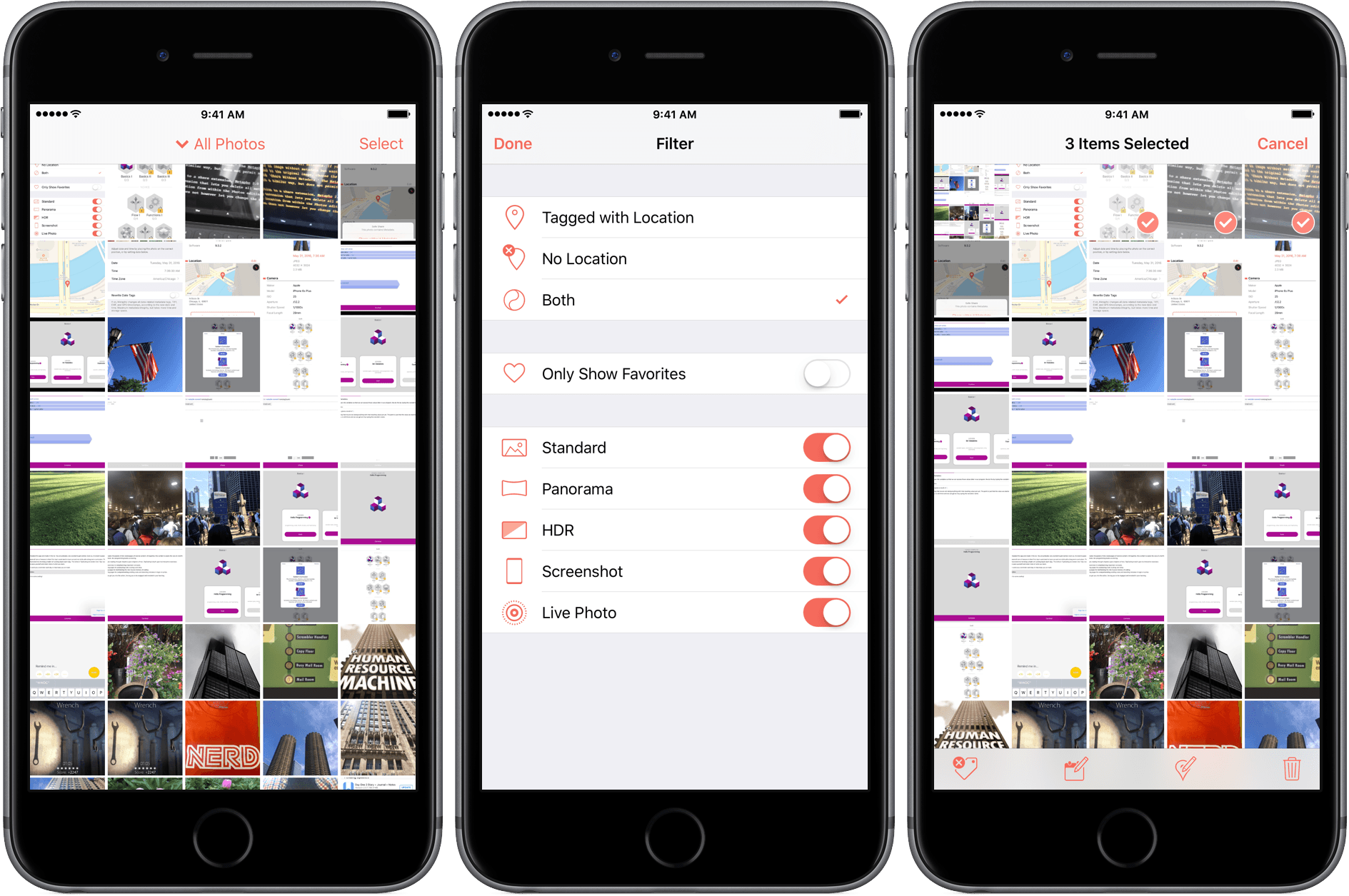
Metapho is an iOS photo utility for accessing, editing, and removing photo metadata. Whether you want to share a photo without the metadata associated with it for privacy reasons, make edits to that metadata, or add metadata such as a location to photos that have none, Metapho has you covered. With version 2.0, a free update to current customers, Metapho has added batch editing, date editing, a photo library filter, and file name display.