John Voorhees

5429 posts on MacStories since November 2015

John is MacStories' Managing Editor, has been writing about Apple and apps since joining the team in 2015, and today, runs the site alongside Federico. John also co-hosts four MacStories podcasts: AppStories, which covers the world of apps, MacStories Unwind, which explores the fun differences between American and Italian culture and recommends media to listeners, Ruminate, a show about the weird web and unusual snacks, and NPC: Next Portable Console, a show about the games we take with us.

Microsoft Flow Adds iOS App

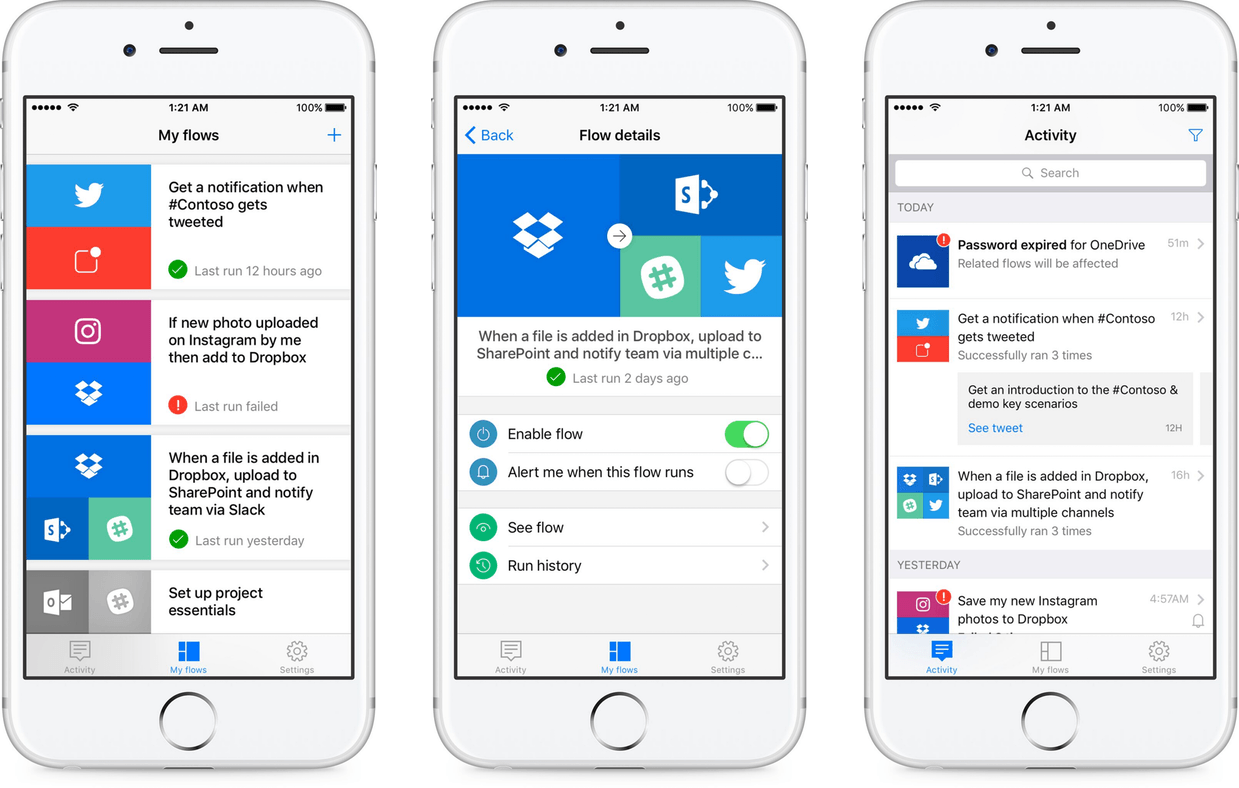
Back in April, Microsoft jumped into web service automation with the introduction of Flow, a business-oriented, Zapier and IFTTT-like service for creating workflows that connects disparate web services like Dropbox, Google Drive, Slack, Mailchimp, GitHub, Twitter, SharePoint, and Salesforce. Yesterday, Microsoft released an iOS app called Microsoft Flow that, according to the Microsoft blog, allows users to ‘manage, track, and explore your automated workflows anytime and anywhere.’

I have spent a little time with the Microsoft Flow app and it works as advertised, but is limited. Unlike IFTTT’s iOS app, Flow does not let you create workflows, though Microsoft says that feature is will be added in the coming months. In addition, the complex workflows that are possible in Zapier are not possible with Flow. For now, Flow is limited to doing things like turning workflows on and off, reviewing history reports of workflows that have run, receiving workflow push notifications, and evaluating error messages for workflows that fail.

Flow has a long way to go before it approaches the power of Zapier or its app has the depth of IFTTT’s, but it’s good to see Microsoft bring Flow to mobile devices and remains a service worth watching.

Microsoft Flow is available on the App Store as a free download.

The Iconfactory Celebrates Its Twentieth Anniversary

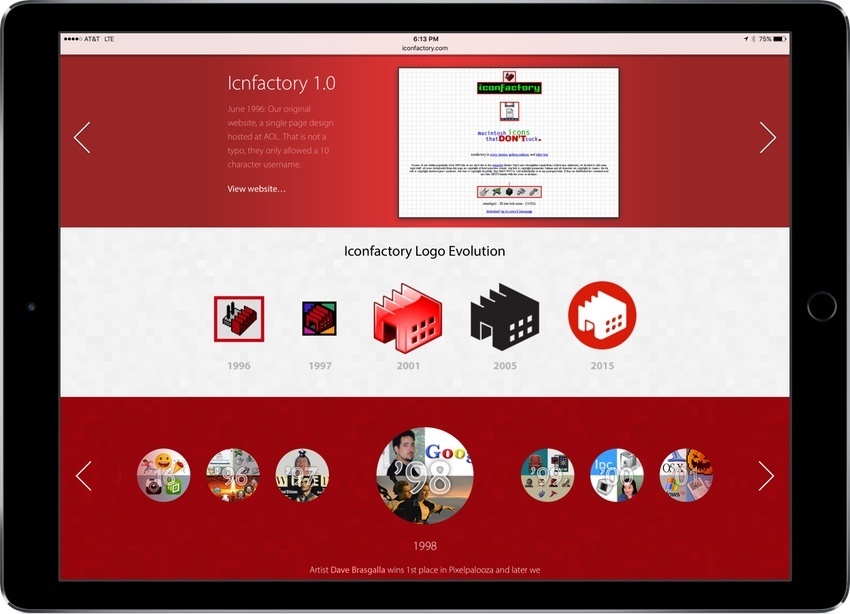
The Iconfactory is celebrating its 20th anniversary this week with a special website that shows off the evolution of its website, icon, and animations through the years, chronicles major events in the company’s history, and much more. I got a sneak peak at the site after my WWDC interview with Craig Hockenberry and this isn’t something you want to miss. It’s a fascinating exploration of the evolution of web and icon design over the past two decades.

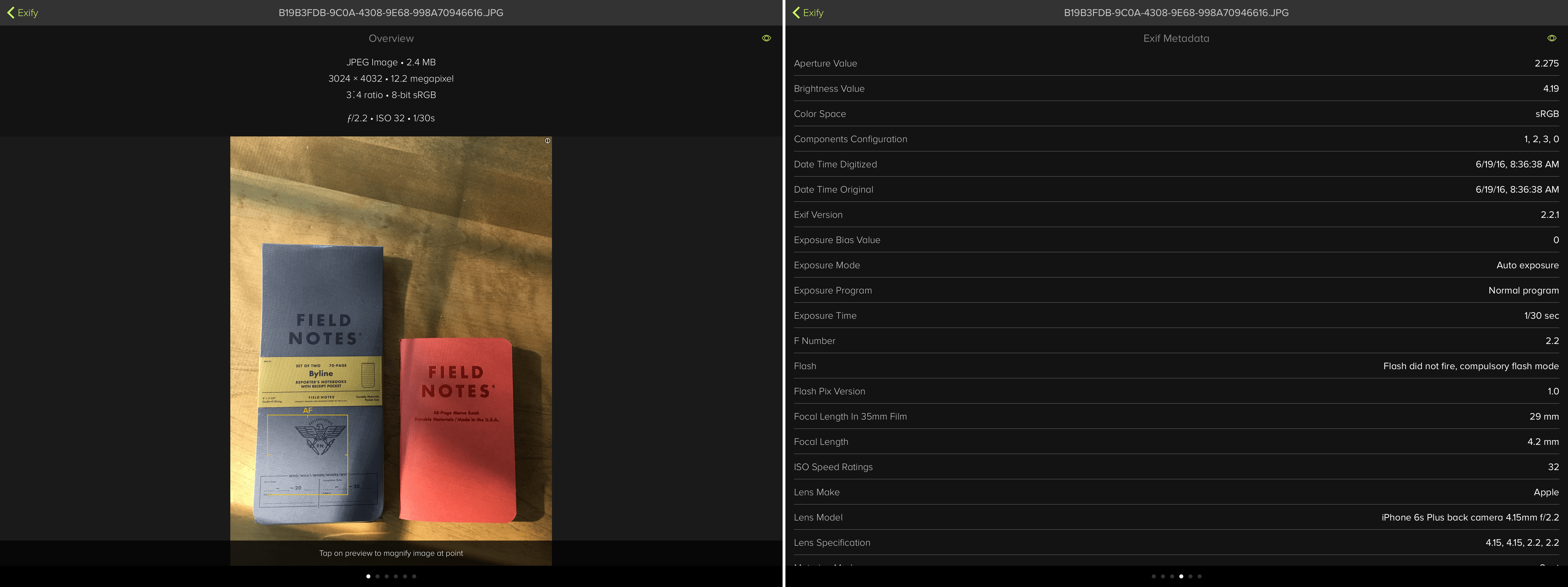
Exify provides photographers with pages of metadata.

Exify provides photographers with pages of metadata.

In addition to the 20th anniversary site, the Iconfactory released a new photography app for iOS called Exify, that provides photographers with several pages of metadata for any photo on your iOS device. Whether it’s a histogram, location data, or data about where the camera was focused, Exify can display it. Exify also includes extensions that let you add watermarks and copyright data to images nondestructively, get data about an image from within Photos or another app, and magnify images.


WWDC 2016 Developer Reactions: The MacStories Interviews

Over the course of WWDC I recorded interviews with fifteen developers and other people from the Apple community (sixteen including one pre-WWDC interview) about their reactions to the announcements made at WWDC and their work. The interviews, which are embedded below, grew out of The MacStories Lounge Telegram channel, where Federico and I have posted short audio updates for the past few months. I didn’t get a ticket in the WWDC lottery this year, but there was never a question in my mind that I would fly out to San Francisco for the week because I go for the people and geeky conversations as much as to learn what’s new. Thinking about those conversations it occurred to me, ‘why not record some of them to share with MacStories readers?’

Interviewing the Workflow team.

Interviewing the Workflow team.

What I recorded over the course of the week are the same sorts of conversations that happen all over San Francisco during WWDC, whether it’s in line for a session at Moscone, over a meal with friends, or yelled at the top of your voice in a noisy bar at night. It was fun to see the many common threads that emerged from the interviews over the course of the week. Everyone had their own unique take on the events and interests in things that are relevant to their own projects, but there were also many reactions to WWDC that were common to most of the people to whom I spoke.

Read more


Game Day: Human Resource Machine

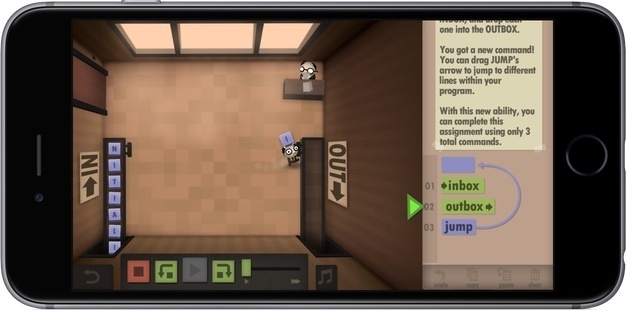
With WWDC just finished, I figured what better game to try than Human Resource Machine, a puzzle game with a development angle that has been available on the Mac and Windows since last Fall, but just debuted on iOS earlier this month. Human Resource starts out simply. You play Human Resource as a nameless worker tasked with moving boxes from an inbox conveyor belt to an outbox conveyor belt. The 41 levels become challenging quickly, but are a lot of fun and cleverly introduce programming concepts in a way that requires no prior knowledge of programming.

Read more


Tips

Apple Pay support is still far from ubiquitous in many countries. If you’re wondering whether somewhere you are going accepts Apple Pay, there’s an easy way to check. Find the location in Apple Maps and tap on it. If Apple Pay is accepted, the listing for the location will include a little Apple Pay...


Letterpress

There is probably no iOS game that I’ve played more than Letterpress. There was a time when I would have five or more games going on at one time. I don’t play as often anymore, primarily because I’ve gotten busier and something had to give, but it’s still one of my all-time favorite iOS games....


WWDC Interviews

Throughout WWDC this week, John has been sitting down with developers and others in the Apple community for short, informal interviews – gathering their reactions to Apple’s announcements and other topics.Here’s a collection of all of the interviews so far. Make sure you’re also a member of the MacStories Lounge on Telegram – that’s where...


Q&A

Question: Hi John, encouraged by your review of Screens 4 I invested in it but thus far my experience has been frustrating as I am unable to remotely log on to my MacBook Air from my iPad Pro when it is in sleep mode with the lid closed. Specifically, here are the issues I’m having:...


2016 Apple Design Award Winners Announced

Each year at WWDC, Apple celebrates developers and the very best apps on its platforms with the Apple Design Awards. These award-winning apps are held up by Apple as raising the bar in design, technology, and innovation. Each app combines rich functionality and high performance, taking advantage of the latest features in Apple’s operating systems to provide unique experiences that enrich the App Store and customers’ lives. As Apple explains it in the WWDC app, the purpose of the Apple Design Awards is to ‘recognize state of the art iOS, OS X, watchOS, and tvOS apps that reflect excellence in design and innovation.’ For the second year in a row, the awards included a special category to recognize the accomplishments of student-developers.

The event, which in recent years has capped off the first day of WWDC, did so again, but this year the ADAs were held in the Bill Graham Civic Auditorium for the first time, as were the opening keynote and Platforms State of the Union. This year’s award ceremony also marks the first time that the ADAs include Apple TV apps.

Read more