

WWDC is an important week. The vast majority of the contacts I have made in the development community have their origins at WWDC or were reinforced there. It’s also the one and only time each year when I get to see many of my nerd friends who are scattered across the globe. This year...
 Member Requests
Question: As amazing as the iPhone 6s Plus camera is for shooting video, I find it cumbersome to sort through multiple videos with different resolutions and/or framerates. For instance, I have 4K/30fps videos as well as 1080p60fps, 1080p120fps, and 720p240fps. All are amazing for their intended use, but sorting them is madness! Is it possible...
Q&A
Question: Sunrise Calendar is sunsetting in August. I’ve learned some alternatives and read individual reviews from MacStories for apps like Fantastical, Outlook, Moleskine Timepage, and Calendars 5. But how do they compare? (Denken, @denkeni)
 Federico
The short version: I haven’t found another calendar app that comes with a) the same third-party service integrations of the...
Ongoing Development
Anatomy of an App Launch App launches can be scary because there is so much you don’t control – like App Review and the press, for instance. But with a little luck, and the experience to know how to recognize and capitalize on an opportunity, app launches can also be a whole lot of fun....
Pixelmator 3.5 Adds Selection Tools and a Photos Extension
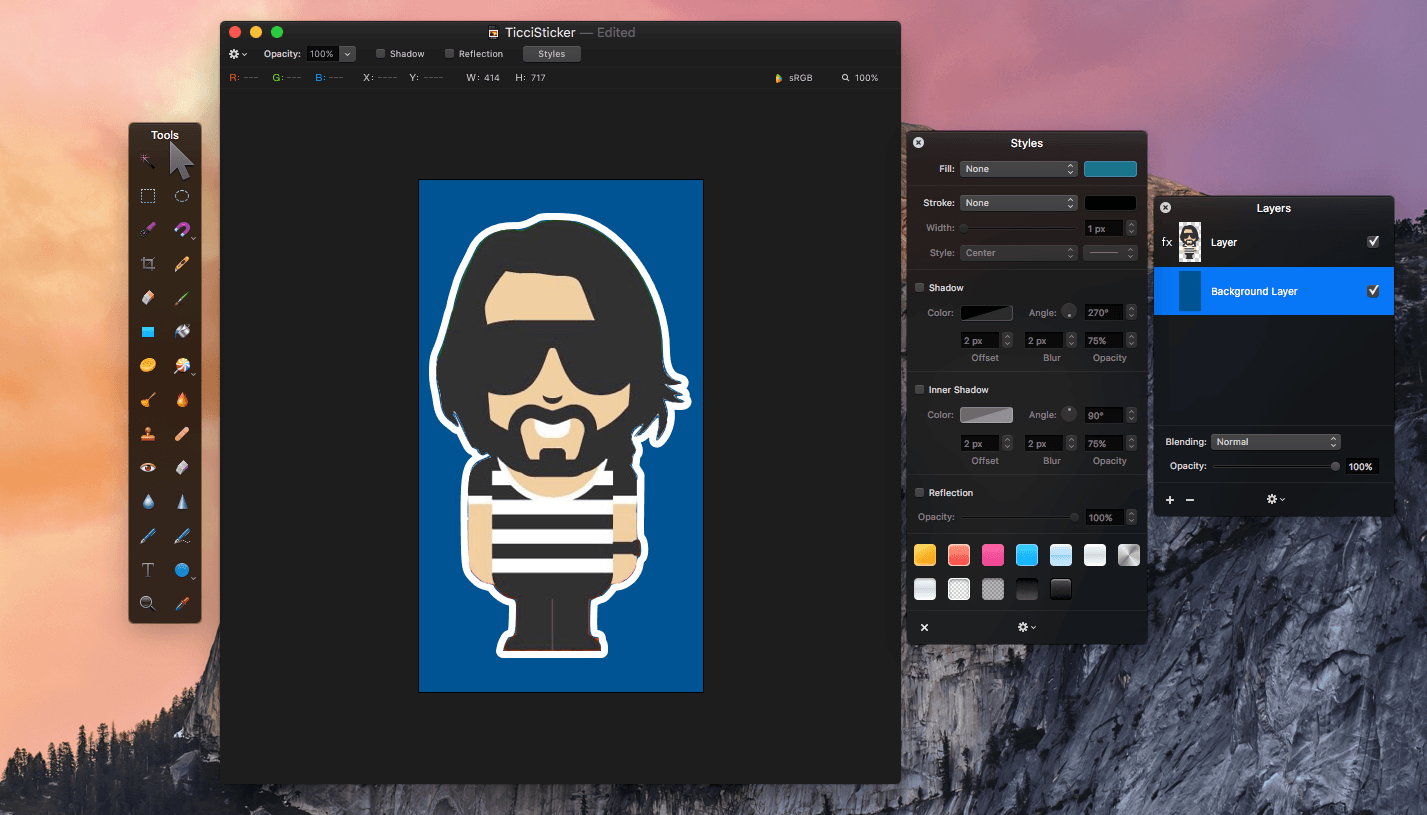
Pixelmator 3.5 was released today with three new tools - Quick Selection, Magnetic Selection, and a retouch extension for Apple’s Photos app. Pixelmator has been my go-to image editor for a long time. I use if for everything from screenshot editing for MacStories and creating assets for my own website, to retouching family photos. As many readers may know, we started a Telegram channel a couple months ago called The MacStories Lounge. One of Telegram’s strengths is its media integration. I figured, what better way to test the new Pixelmator selection tools than to create a Telegram sticker – of Federico.
Twitter Gives Tweets More Room to Breathe

Twitter announced some big changes today that are designed to encourage conversations and media sharing. The 140 character limit of a tweet becomes a more significant constraint as you add more ‘@names’ to a conversation or attach media to a tweet. The changes announced by Twitter, which go a long way toward addressing those constraints, will be rolled out over the coming months in Twitter’s own app and will be available to third-party Twitter clients.
Replies
Large group conversations on Twitter are hard. The more people you add to a thread, the fewer characters you have left to communicate with the group. With the upcoming change to replies, ’@names’ of up to 50 people will no longer count toward the 140-character limit of a tweet. The tweet will still be seen only in the timelines of the people @replied, but eliminating ‘@names’ from the character count should facilitate conversations among more people. I am happy to see this change overall, but I wonder whether Twitter has gone too far by allowing up to 50 ‘@names’ in a single tweet.
The change to ‘@names’ will also eliminate the quandary about what to do when you want to start a tweet with someone’s ‘@name’ that is not a reply. With the changes announced, these tweets will be treated like any other tweet and be visible to all of your followers, eliminating the need to use the convention of a period before an ‘@name’ to ensure that everyone who follows you sees the tweet.
Media
When Twitter rolls out the changes announced, photos, videos, and GIFs will not count against the 140 character limit of a tweet, which should encourage the use of more media in tweets. The existing limits of four photos, or one video or GIF per tweet still apply. Links that are pasted into a tweet and not generated by attaching media will also still count against the 140-character limit.
Retweets
Finally, Twitter announced that you will be able to retweet your own tweets. Though this struck me as strange at first, it eliminates the need for things like the ubiquitous ‘ICYM’ tweets and will allow you to share an @reply, which would normally only be visible to its recipients, with all your followers.
Airmail 3 Review

When Federico reviewed Airmail 1.1 last month, I liked what I saw. I downloaded Airmail and started playing with it. I appreciated the ability to customize nearly every aspect of the app, but it wasn’t sticking because I couldn’t do the same on the Mac.
Like a text editor, my email client is the kind of app for which I prefer a consistent feature set and setup on iOS and OS X. While I was tempted to go all-in with Airmail, the very advancements that made it so attractive on iOS held me back because most of them were unavailable on the Mac.
This changes today with Bloop’s release of Airmail 3 for Mac, which brings Airmail’s best iOS features to the Mac. If you work on both platforms regularly, deal with a lot of email or email accounts, and want to customize your email client to match the way you work, the combination of Airmail 3 for Mac and Airmail 1.1 for iOS is a terrific choice and one to which I am now fully committed.
VSCO to Lead iOS Photography Sessions at Apple’s New Union Square Store→
As we highlighted yesterday, among the components of Apple’s new Union Square store are Creative Sessions that will be held in what Apple has dubbed ‘The Forum.’ Today, VSCO announced a partnership with Apple highlighting iOS photography:
From May 26th until July 7th, Apple Union Square will host four Creative Sessions, each led by an established photographer from the VSCO community. Each photographer will share their story, inspiration, and creative process, and will lead a hands-on lesson based on their unique style and techniques.
VSCO is the maker of a popular iOS photo editor of the same name.
Tips
Telegram has quickly become my favorite messaging app. One thing I love is that Telegram is actively developed. It seems like every couple of weeks another useful feature is launched. Earlier this week, Telegram added a few useful new features. First, you can now edit messages up to two days after sending them. On...