


Knowing When to Get Help One of the pitfalls of being an indie developer is thinking you can, or should, do everything yourself. It’s understandable – after all, one of the advantages of being an indie is self-reliance. It keeps costs down and makes you more nimble and responsive to change. The trouble is, no...
Apple Announces New Apple Music API
Today Apple announced a new Apple Music API via its Affiliate Program Newsletter. According to Apple, the API:
…allows iOS apps to directly control Apple Music playback and more. We encourage affiliates to use the Apple Music API to provide a superior user experience by integrating music into their apps.
With the Apple Music API you can:
- See if a user is currently an Apple Music member
- See which country the user’s account is based in
- Queue up the next song or songs based on a song ID for playback
- Inspect playlists already in My Music or create a new playlist with a title and description (see App Store Review Guidelines for limitations).
The announcement coincides with the introduction of a new Apple Music Best Practices for Apple Developers page that serves as a hub for developer and affiliate program resources related to Apple Music. The page includes:
- App Review guidelines applicable to the Apple Music API, some of which are new.
- Links to developer documentation for the Apple Music APIs.
- A summary of Apple Music identity guidelines regarding the use of the Apple Music name, logos, and related matters, with a link to the more comprehensive Apple Music Identity Guidelines.
- Links to more information regarding the iTunes Affiliate Program.
- A link to the Apple Music Toolbox page for searching Apple Music in each of the 113 Apple Music countries by artist, song, album, playlist, Connect, curator, radio and music video, from which you can generate affiliate links.
One thing I’d like to see added to these tools is the ability to return search results for items like playlists using the iTunes Search API, which would allow developers to generate affiliate links to them programatically. Right now those links can only be generated from the web-based search tool in the Apple Music Toolbox. Nonetheless, it’s nice to see Apple Music being opened up to developers, and not surprising given the emphasis on services during Tuesday’s investor call.
Better File Juggling with Yoink
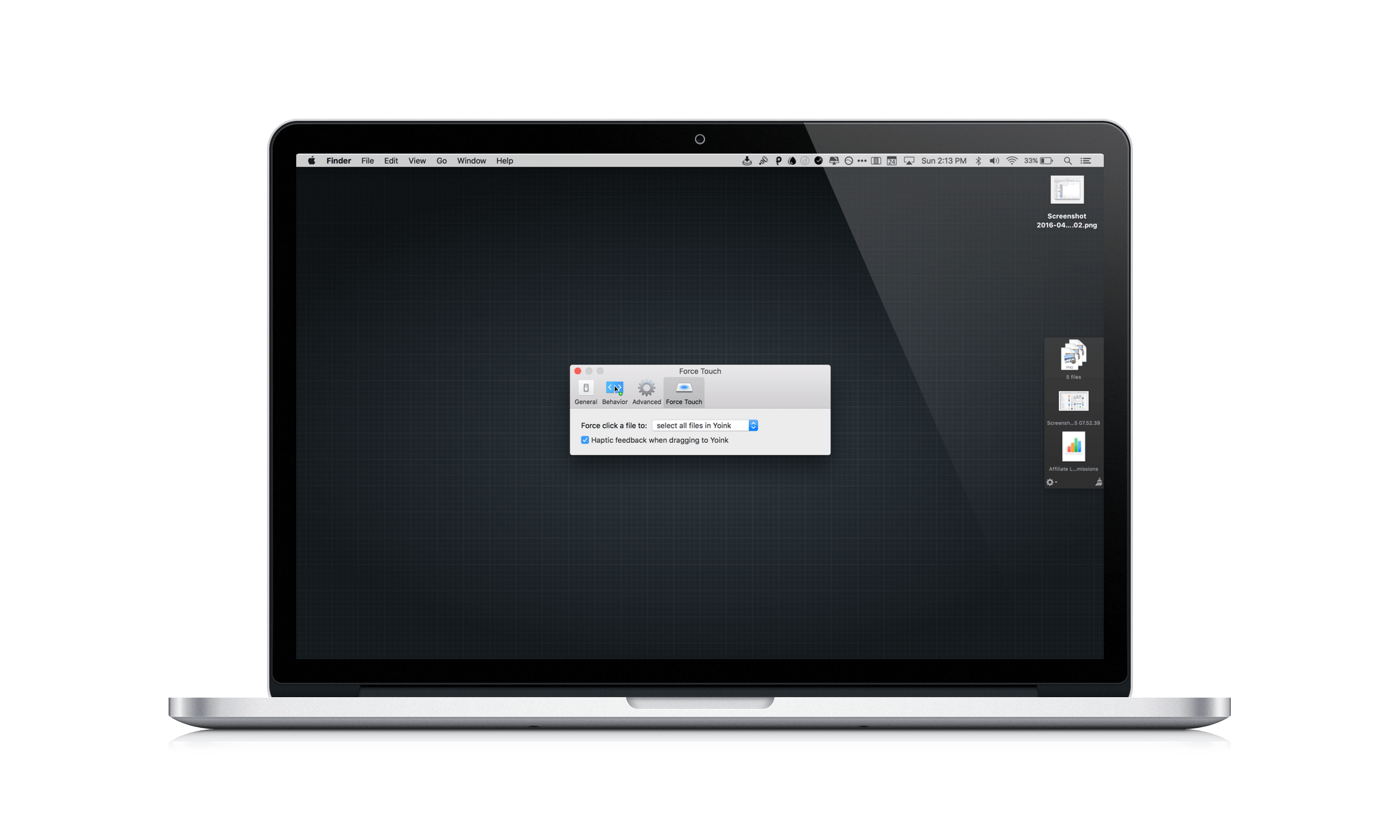
When I put together an article for MacStories on my Mac, Yoink by Eternal Storms Software is what brings order to the messy process of creating screenshots. You see, I like to use Spaces on my MacBook Pro to separate my writing environment from other apps I’m using to produce screenshots. But between Spaces, apps, and the Finder, things get cluttered fast. By being available wherever I am on my Mac, Yoink gives me an easily accessible spot to park images as I create them, so that when I’m finished, I can incorporate them into an article all at once, which saves me time.
Emojinn Emoji Finder and Keyboard
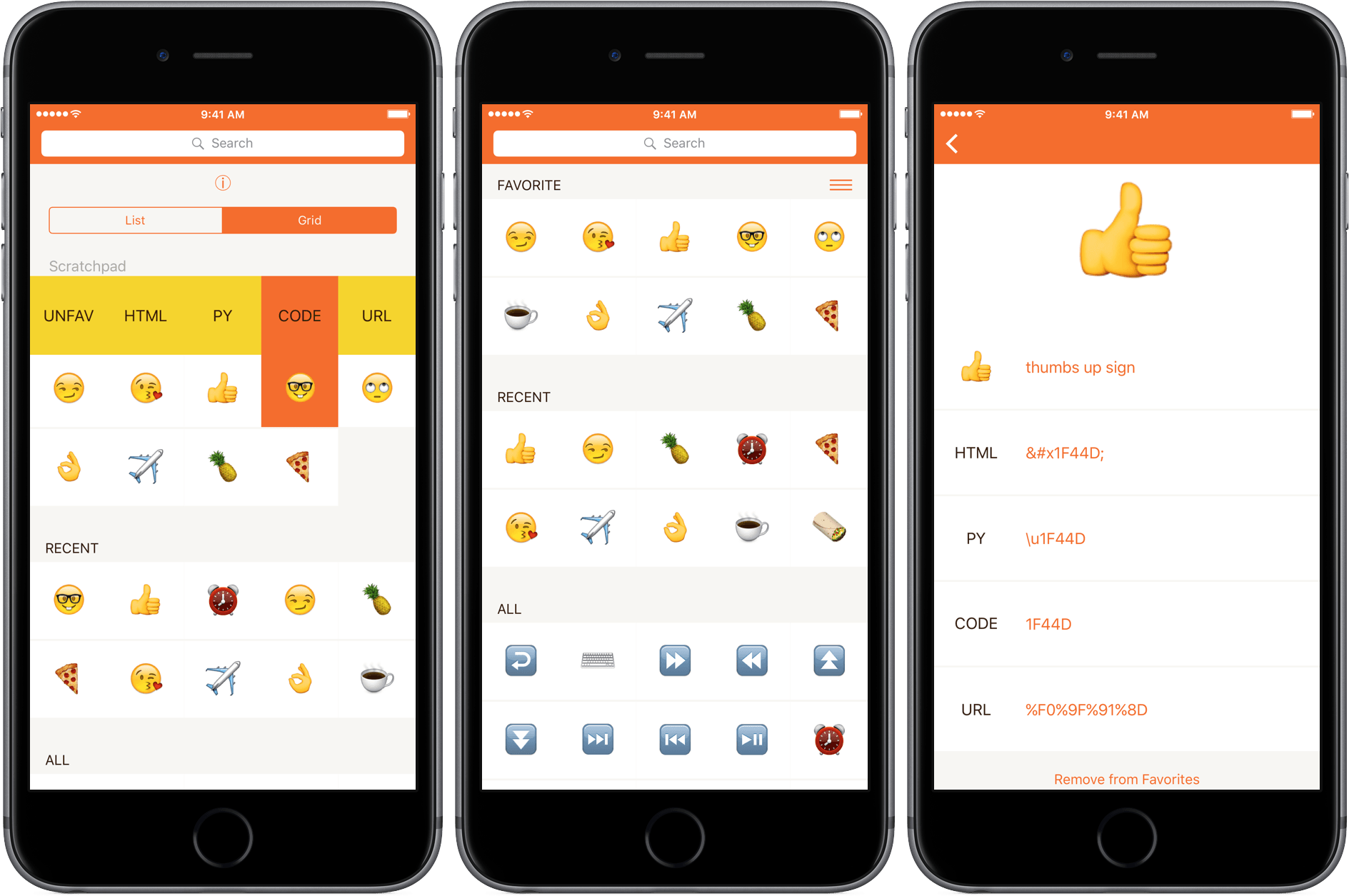
Emoji can be hard to find from the iOS system keyboard. Although they have official names, emoji aren’t accessible by those names from Apple’s keyboard. Instead, if an emoji isn’t in your frequently used, you are left with the task of remembering or guessing which category it falls into to find it. The trouble is, the groupings aren’t that intuitive. Here’s a test: Which category is sunglasses in? Objects or People?1Emojinn is a useful little utility that makes it easier to find the emoji you want without memorizing where they are.
Capture Your Own GIFs with Gifstory

Gifstory makes capturing your own GIFs easy by imposing constraints. One of the difficulties with GIFs is that there are lots of variables that impact how big they are and how good they look. I like GIF Brewery on the Mac, but it is easy to get caught up in tweaking those variables endlessly, trying to get a GIF that looks perfect. Gifstory, which is iPhone-only, eliminates the fiddling by imposing limits that work. Point your camera at something, press and hold the capture button, and you can capture a 320 × 426 or 320 x 320 GIF up to sixty frames long.
Drafts Releases MacSparky Screencasts

Agile Tortoise has teamed up with David Sparks of MacSparky.com to produce a series of screencasts introducing Drafts 4 to new users and highlighting some of its features. The first two screencasts were released today. The first video is an overview of how Drafts works, and some of the things you can accomplish with it. The second video focuses on using Drafts with Dropbox to save text as a separate file in Dropbox or append text to an existing text file.
David Sparks, who has made screencasts for companies like The Omni Group and Smile Software, does a great job of showing how easy it is to get started with Drafts, but also exposing some of the powerful ways Drafts can interact with other apps like Dropbox.
You can watch the first two Drafts videos below.
Microsoft Brings Another Keyboard to iOS
Microsoft is on a roll with iOS keyboards. Just over two weeks ago, Microsoft’s Garage project released Hub, which has tight integrations with Office 365. Today, Microsoft Garage released another keyboard called Word Flow, which is based on the Windows Phone keyboard from Windows Phone 8.1. According to The Verge, Microsoft had promised a public beta period for Word Flow, but skipped that step.
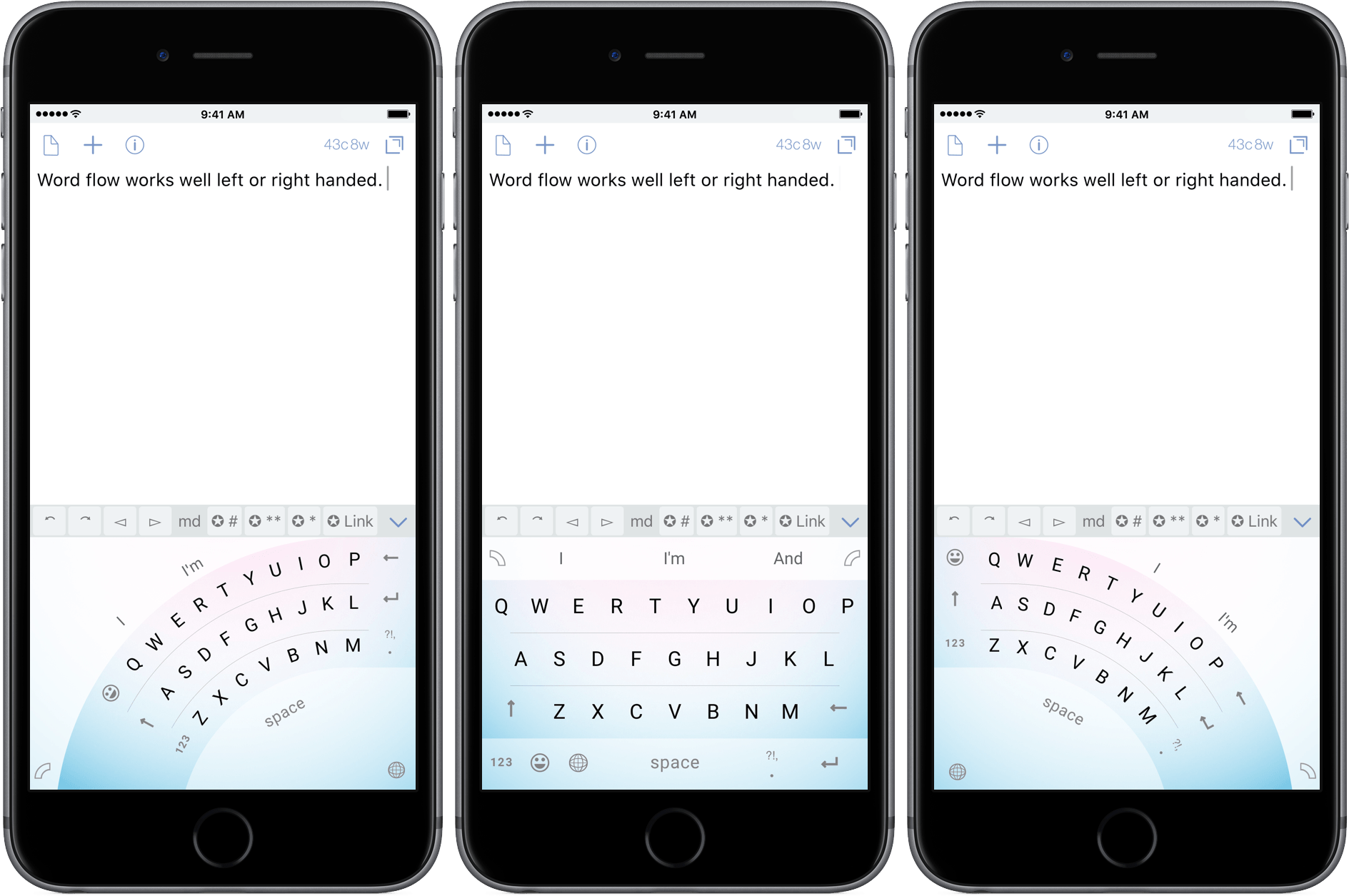
There are multiple options for interacting with Word Flow. Once installed, you can use it in one-handed mode where the keyboard can be displayed in an arc on the left or right side of the keyboard area. Alternatively, you can use a traditional keyboard layout.
In either case, Word Flow accepts both swiping and tapping input and has a strong predictive algorithm that anticipates the words you intend to type. In my limited tests, the one-handed mode was helpful for typing on my iPhone 6s Plus one handed and the predictive input was solid, though it didn’t seem to recognize its own name, failing to capitalize ‘flow’ in the screenshots above. Of course, for the predictive feature to work, you need to grant Word Flow full access to your keyboard input, which not everyone will be comfortable doing.
Word Flow also lets you set backgrounds behind your keyboard, including ones that are built into the app or your own photos. Personally, I think the backgrounds are ugly and distracting, but fortunately you can use Word Flow without a background.
Microsoft Word Flow is available on the App Store for free.
Update: Microsoft Word Flow is a US English keyboard and is only available in the US App Store.
SongShift Eases the Transition From Spotify to Apple Music
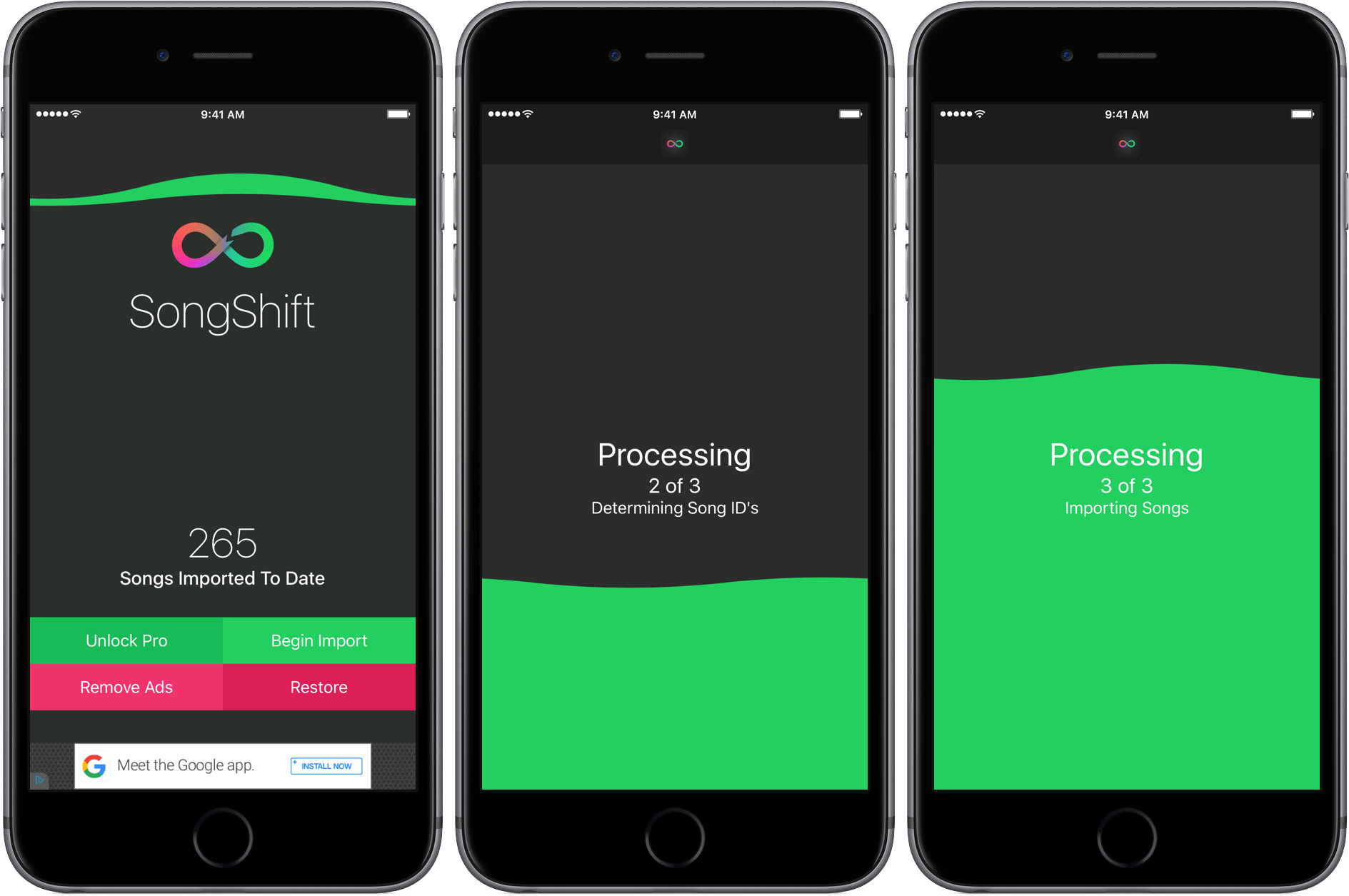
When Apple Music debuted last summer I switched to it from Spotify. I wasn’t on Spotify all that long, but I did have a few playlists I wanted to take with me, including a big one with all the songs I had favorited. At the time, I found a script that logged into both services, tried to match the songs, and replicate the playlists on Apple Music. It worked reasonably well, but not great. SongShift automates that process. In my tests, SongShift did a solid job matching songs between Spotify and Apple Music, but because it is an import utility and not a sync service, it is a little cumbersome to use as a way to keep up with playlists you follow on Spotify that are frequently updated.
Apple Posts Videos Celebrating Earth Day
Apple has posted two videos celebrating Earth Day. Both clips are light-hearted and fun, while also serving as reminders of some of the recently-highlighted steps Apple has taken to increase its use of renewable energy and recycle old hardware.
The first video, which was posted last night, is called iMessage - Renewable Energy and explains that every day, tens of billions of iMessages pass through Apple’s data centers, which are powered by renewable energy. The video, which is set to The Lumineers song Ophelia, concludes that by sending all those messages via iMessage, you are “showing some love for the Earth.”
Apple posted a second video this morning called Siri and Liam – Earth Day. Siri asks Liam, the iPhone disassembly robot, what he’s doing for Earth Day. Liam shrugs (yes, Liam can shrug) and when it becomes clear he’s going to disassemble Siri’s iPhone, she suggests they get an organic smoothy instead. The clip closes to Pieces by Tanlines (total dad joke) and Liam disassembling the iPhone.