
John Voorhees

5429 posts on MacStories since November 2015

John is MacStories' Managing Editor, has been writing about Apple and apps since joining the team in 2015, and today, runs the site alongside Federico. John also co-hosts four MacStories podcasts: AppStories, which covers the world of apps, MacStories Unwind, which explores the fun differences between American and Italian culture and recommends media to listeners, Ruminate, a show about the weird web and unusual snacks, and NPC: Next Portable Console, a show about the games we take with us.

A Screenshot Is Worth a Thousand Words

OneShot, Screenshot++, and Napkin

OneShot, Screenshot++, and Napkin

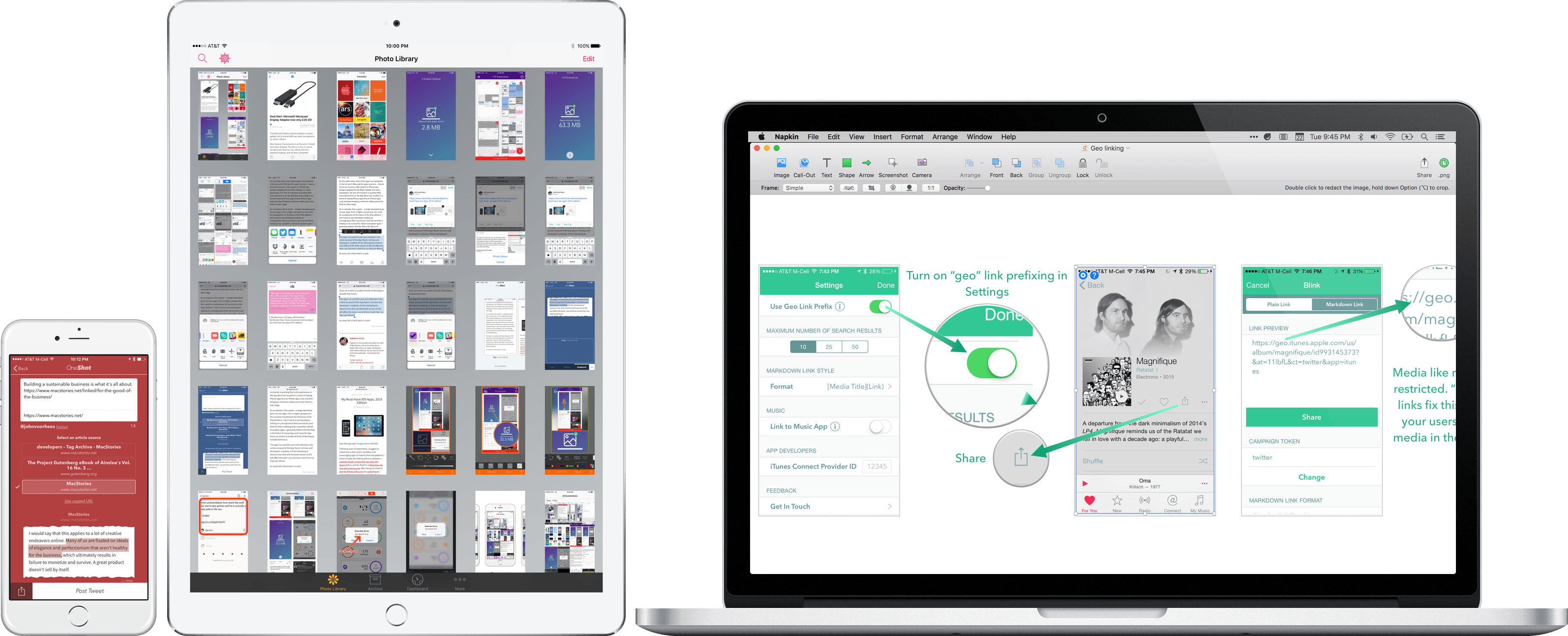
The easiest way to make a point about an app is often with a screenshot. This is especially true on Twitter with its 140 character limit, but it is equally true in a wide variety of other contexts. Designers use screenshots to communicate with clients and developers, or create mood boards and Pinterest-style collections that convey a look and style visually. Developers create screenshots to market their apps and writers use them to illustrate ideas for readers.

Regardless of the context, every screenshot is fundamentally about communication. But sometimes, a quick screenshot isn’t enough – you want to call out a feature or perhaps you have so many screenshots you need a tool to manage them. That’s where screenshot apps come in.

Screenshot apps tend to fall into one of two categories: managers and editors. On iOS, screenshot management apps dominate, likely because until Apple added a ‘Screenshots’ album to the Photos app with iOS 9, there was no good way to separate screenshots from snapshots of family and friends. On the Mac there are fewer apps, but their feature sets tend to be deeper.

The screenshot app market intrigues me. Although most apps address one of a couple basic problems, execution varies widely and there are gaps in functionality, especially on iOS. As a result, the screenshot app category is somewhat fragmented, but in a good way, leaving room for interesting solutions from clever developers.

Screenshots serve an important role at MacStories as revealed by the number of Federico’s 2015 must-have apps sprinkled throughout this article.1 After all, any post about apps that you read here is likely to include at least a few screenshots. But what works for MacStories may not serve your needs. Therefore, this article casts a broad net to provide an overview of the top screenshot apps on iOS and Mac and help you find the apps that meet your specific needs.
Read more


A Comprehensive Guide to the iTunes Affiliate Program

Inexpensive software and other tools, coupled with ubiquitous Internet access, have made it easier than ever for creative people to reach a large audience. Whether you are a writer, a podcaster, a video producer, a software developer, or a maker of some other description, distribution has been reduced to a mere implementation detail.

Yet, with barriers to entry being lowered, this also means that it’s never been more difficult to make a living online. Right now, if you run a website, advertising rates are down while readers are blocking ads in ever-increasing numbers. Podcasters are doing better as sponsorship rates are superior to web ads, but it’s a relatively new medium dominated by a relatively small group of companies that sponsor the most popular shows. The resulting concentration makes many podcasts vulnerable to losing the majority of their income if a sponsor leaves. Meanwhile, app prices continue to race toward free on every platform.

One of the keys to succeeding in any online market where supply outstrips demand, or where risk is concentrated, is to remain nimble and distribute the risk. People have experimented with all sorts of revenue models as a hedge against this uncertainty. Memberships and patronage systems are options that let “super fans” support work that they value more than others. But, there’s another option you should consider that has a lower barrier to entry, the potential to reach a far wider audience, and once set up, works on autopilot, producing cash without any intervention by you and at no added cost to your audience – the iTunes Affiliate Program.

In March, I launched an iOS app called Blink that makes it easy to create links for the iTunes Affiliate Program. I know writers, developers, and podcasters who have used the program successfully for years, but each had their own unique, quirky, and often fiddly solutions for generating links. I set out to streamline that process so they could concentrate on their craft instead of links.

But, Blink is just a tool. It leverages Apple’s iTunes Affiliate Program to help creative people build a sustainable business, but outside of a savvy core of people who recognize that the affiliate program helps them keep doing what they love, the program is still largely unknown. The purpose of this article is to fix that – to lay it all out comprehensively.

There is a lot here on the program because who doesn’t like a nerdy “deep dive” into almost anything? Don’t let that intimidate you. At its core, the program is dead simple. There are tools, like mine, to make linking easier once you have signed up, but you don’t need them to get started.

Read more


Home Screen: John Voorhees

Like many others, I recently realized the wisdom of the Pied Piper of Plus and moved from an iPhone 5s to a 6s Plus. I love the added screen real estate and 3D Touch, but with an extra row of icons and a screen too big to reach everything, I had to rethink my...