

You wouldn’t necessarily expect that there are good podcasts about iOS and OS X development. It’s not exactly a topic that lends itself to audio given the syntax of programming languages. But there are a bunch excellent development-focused podcasts, especially ones focused on the iOS and OS X indie developer scene. Here are some...
Bound is a Dropbox-Connected Audiobook Player
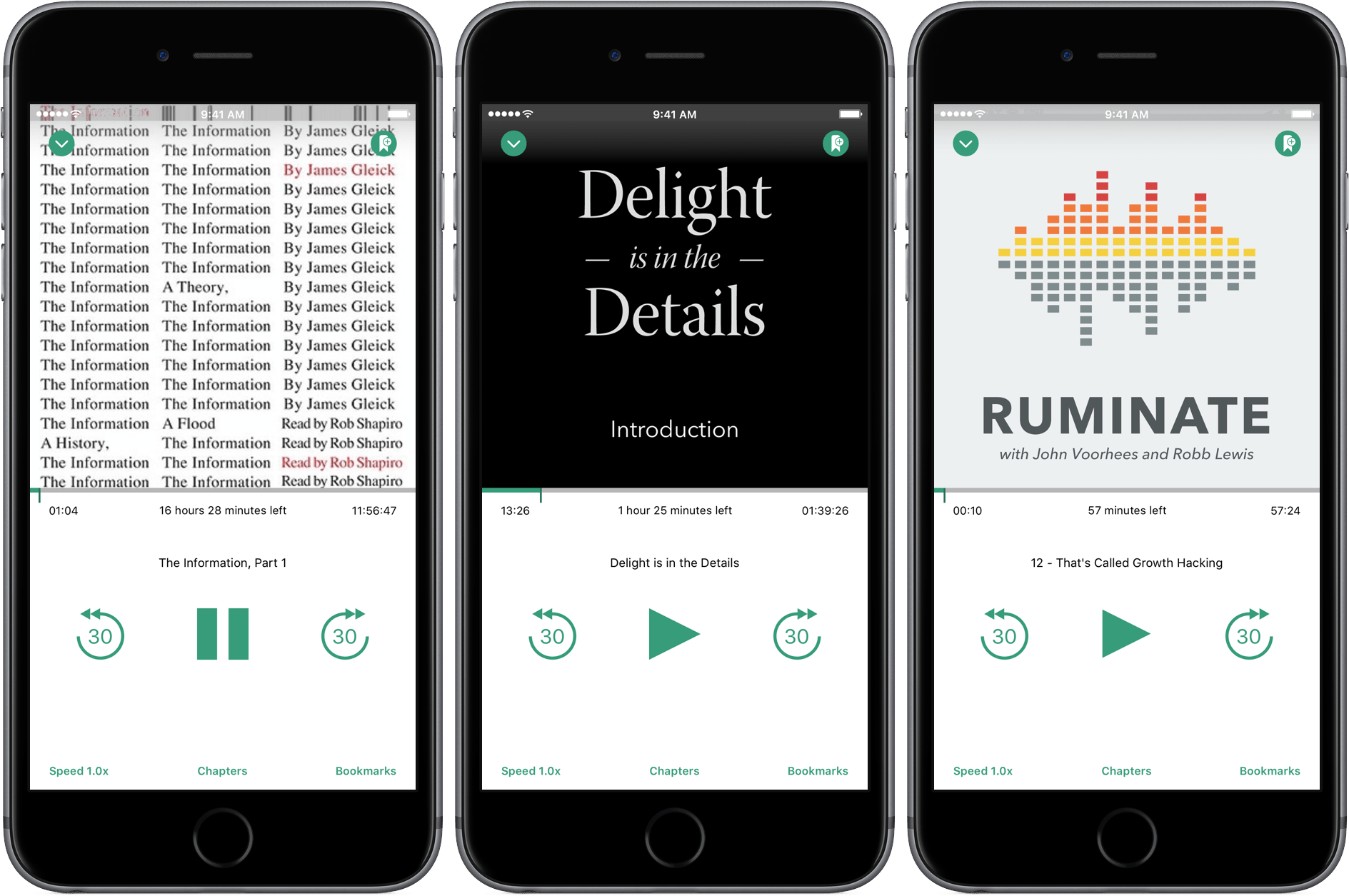
Audiobooks occupy a weird backwater on iOS. Long tucked away in Apple’s Music app behind a ‘More’ button, audiobooks were kicked out of Music with iOS 8.4 and now live alongside eBooks in iBooks. Audiobooks are also one of the most restrictive types of media you can purchase on iTunes. Once downloaded to a device, an audiobook cannot be re-downloaded. Download an audiobook to an iOS device that isn’t backed up and if your iPhone or iPad dies, your audiobook dies with it. iTunes audiobooks are, to borrow a Steve Jobs’ complaint about Blu-ray disks, “a big bag of hurt.”
iTunes is not, however, the only game in town. Services like Audible let you re-download books, and there are plenty DRM-free audiobooks available. But Audible is its own proprietary system and even DRM-free audiobooks cannot sync to iBooks on an iOS device without using a Mac and a cable. Pain points like these are what create opportunities for third party developers like Tim Bueno who has taken the pain out of getting DRM-free audiobooks onto your iPhone with a promising, although imperfect, Dropbox-connected audiobook player called Bound.
 John’s Apps for Developers: Design Apps
PaintCode 2 PaintCode 2 is vector drawing tool that instantly transforms the images you create into code that you can drop into an Xcode project. Programmatically-generated images have a lot of advantages, including smaller app bundles, but also have some disadvantages. For a good primer on the topic, I recommend listening to Episode 10...
Hi, I’m John, the New Guy
My MacStories origin story starts, appropriately enough, with a cup of coffee. Last Fall, Myke Hurley and I were catching up with each other as we walked back to our hotel from grabbing a cup of coffee during the Release Notes conference. I told Myke that I was writing a guide to affiliate linking....
Chapters Makes Quick Work of Adding Chapter Markers to Podcasts
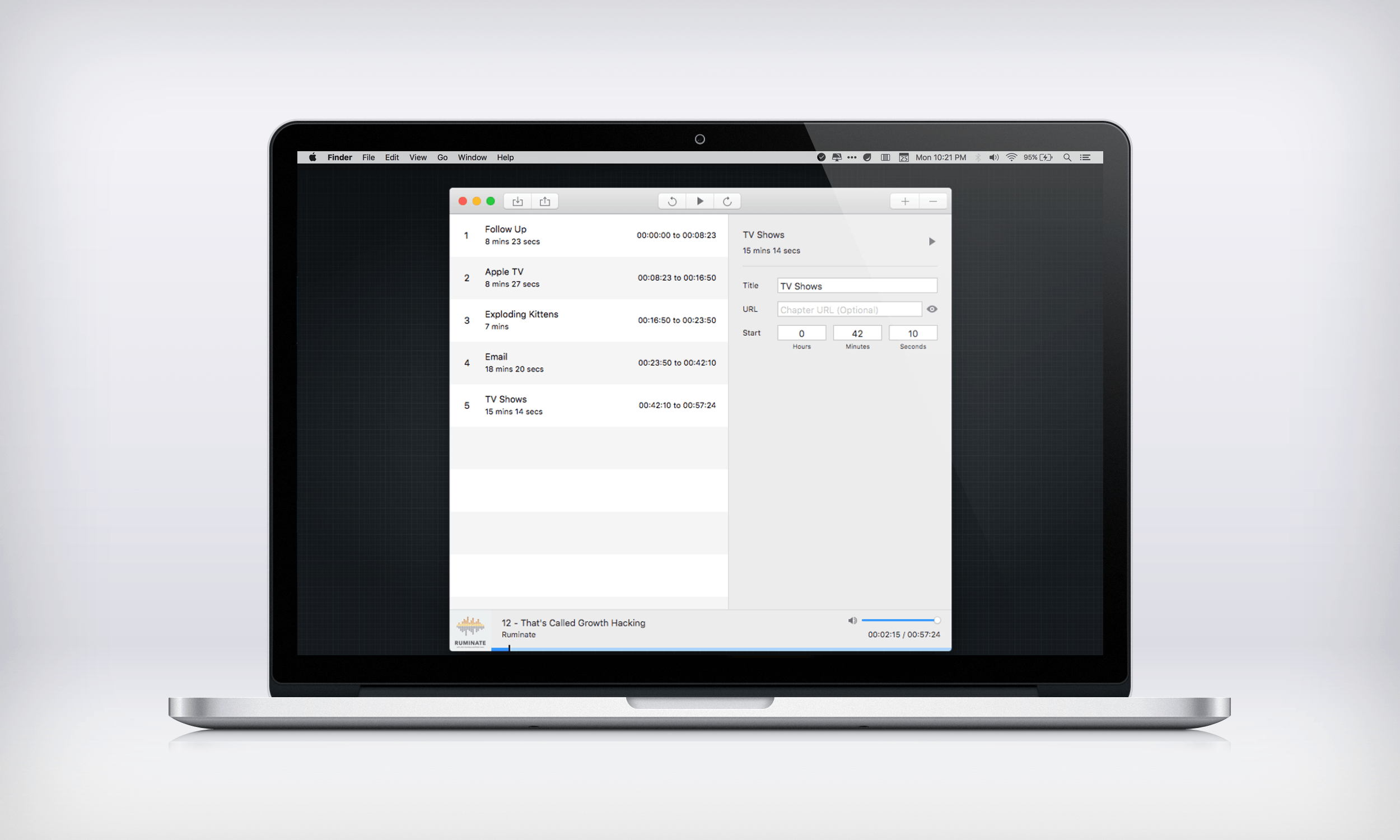
Historically, adding chapter markers to a podcast has been more trouble than it is worth for many podcasters. The ‘hassle factor’ is a legitimate concern. Producing a podcast can be a lot of work even without chapter markers, but that is beginning to change with the introduction of tools like Chapters, a new Mac utility from Thomas Pritchard that makes adding chapter markers a breeze.
MailButler Adds New Tools to Apple Mail
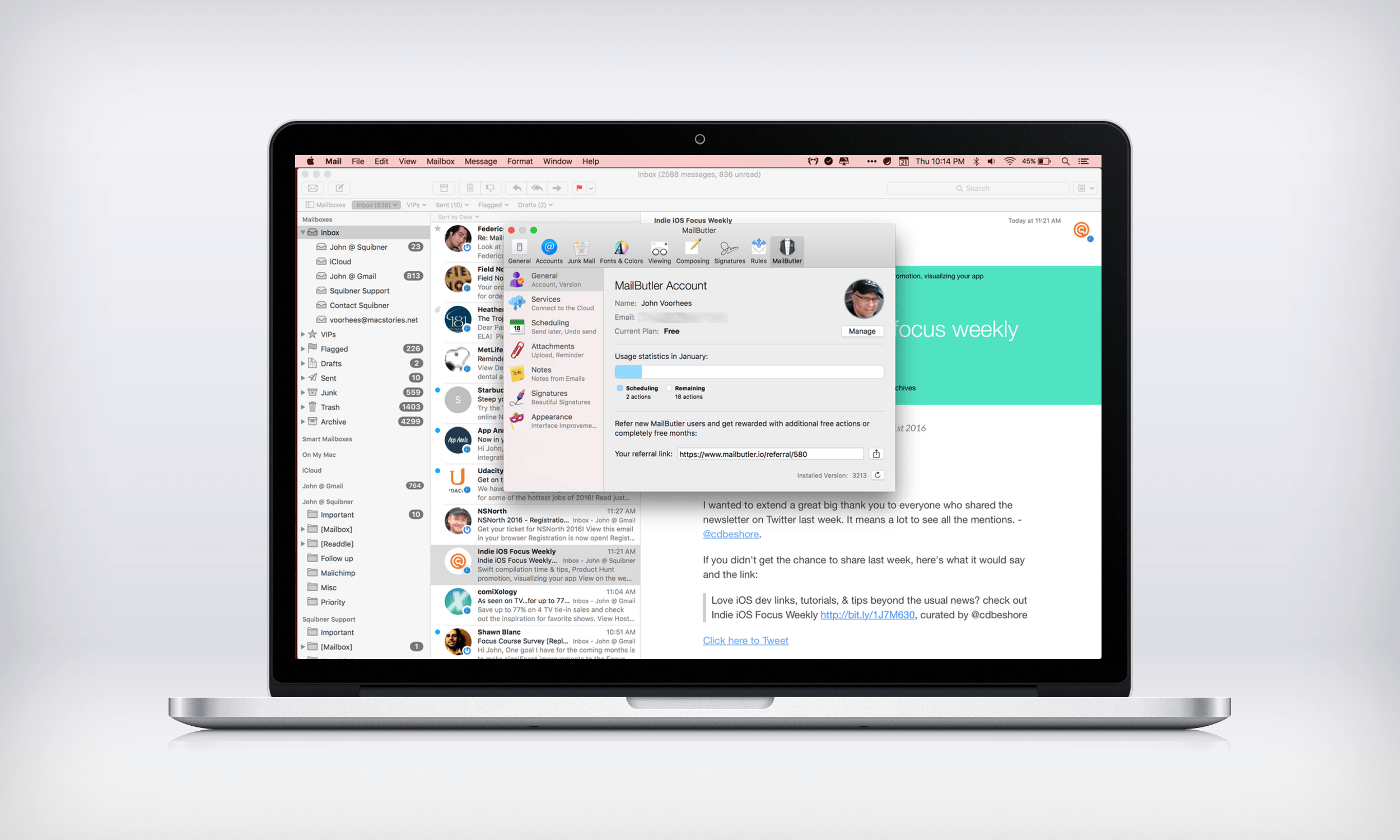
Like many of Apple’s stock Mac apps, Mail gets the job done without many bells and whistles. That leaves gaps for third-party developers to fill with their own apps and plugins. MailButler does just that – it’s a plugin for Apple Mail from Berlin-based Feingeist Software that adds six tools to Mail that are especially useful if you send a lot of email.
A Good Snowman Can Help You Get Through the Winter
I ride the train into Chicago every weekday. Most days, you can find me listening to one of my favorite podcasts, or getting some work done while I listen to music, but other times, I just want to enjoy a good game. For the past couple of weeks I’ve been playing a wonderful game called A Good Snowman is Hard to Build that is trivial to learn, but full of challenging puzzles, and tremendously charming.
Achieving Personal Goals with Streaks
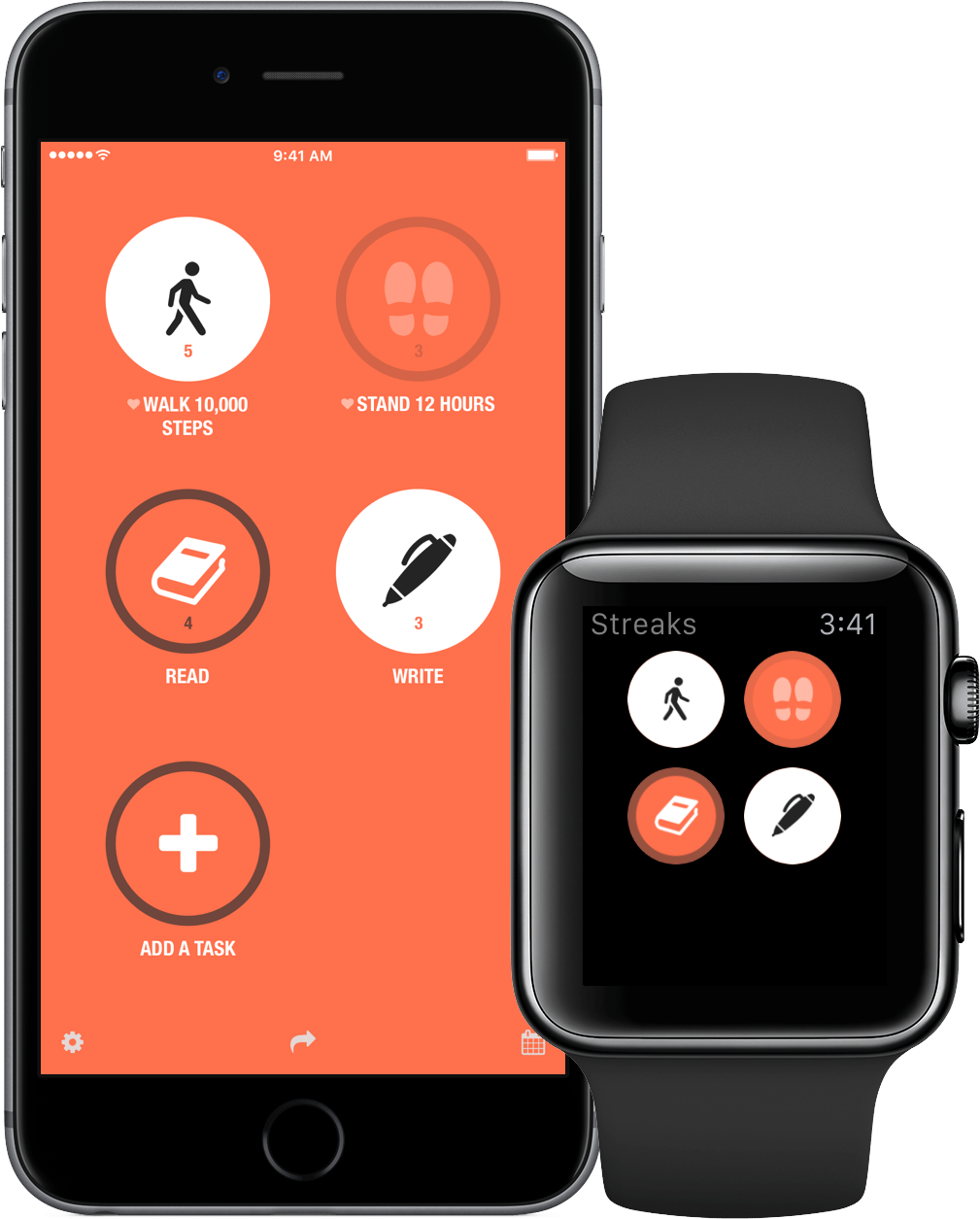
Good habits are hard to form. Before something becomes a habit that you don’t have to think about, it’s just a task that must be repeated over and over. The trouble is, good intentions only get you so far, which at least for me, is not very far at all.
So how do you get from aspiration to execution? An app isn’t going to magically make you eat better or wake up early to work on your next big project, but through a system of reminders and tracking, Streaks creates a sense of personal accountability that I find helps a lot.
It is easy to see why Apple named Streaks one of the best apps of 2015. Streaks looks great, with a design language that is right at home with today’s iOS, and is a great example of an app with a narrow focus, but deep, singular attention to detail.
Quiver 3: A Notebook That Adapts to How You Work
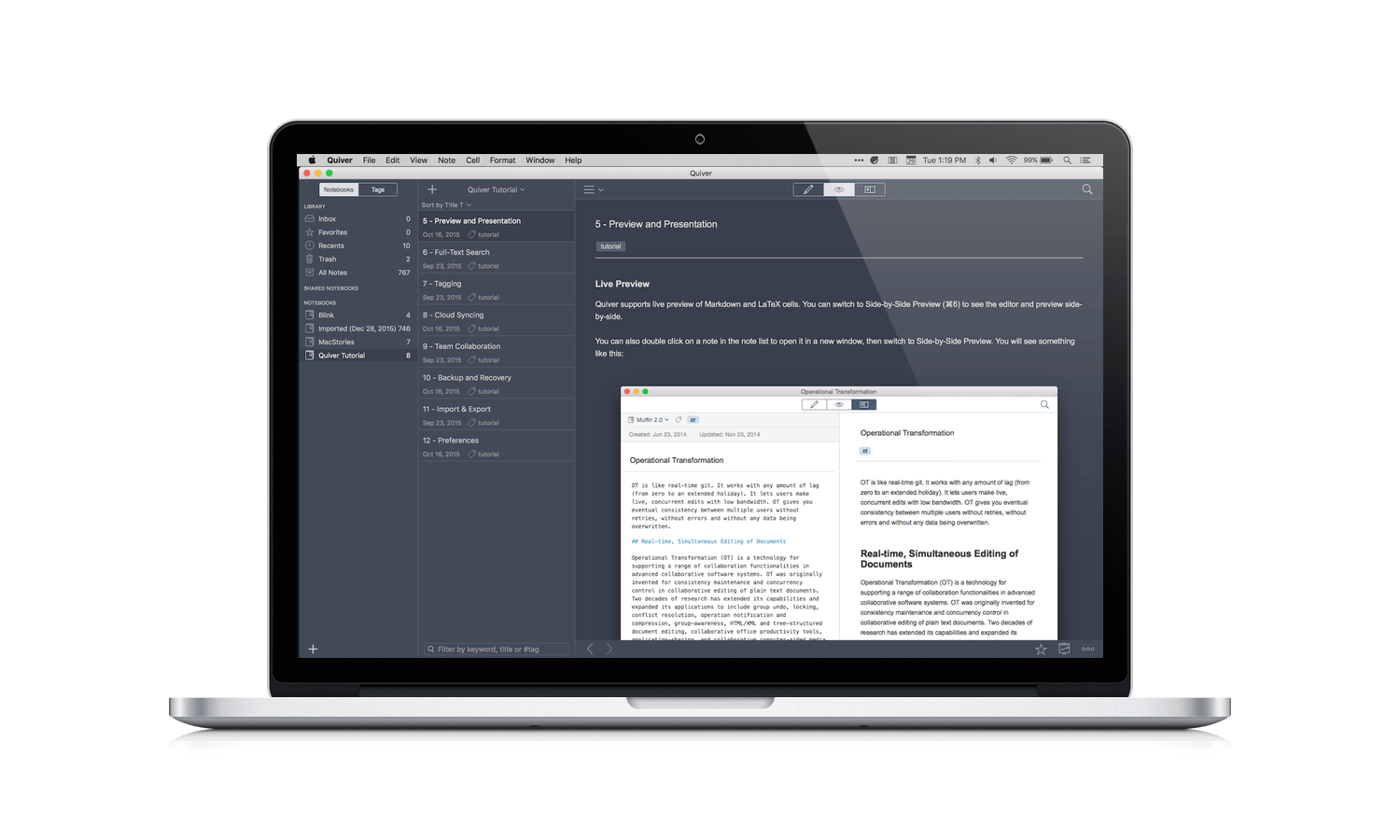
Research is a big part of all my projects, but I’ve never found a research app that fits my needs. My ideal research app is more than just a text editor or other app that I get by with. I want a tailor-made app designed from the ground up with research in mind that is lightweight and fast, even if I stuff it full of hundreds of notes with all kinds of embedded media. Just as important though, the app should sort and search my notes in a manner suited to the way I work, not the way the app wants me to work. It’s a tall order and one that nobody has pulled off before to my satisfaction, which is why I was so excited to discover Quiver 3.
Quiver, by Yaogang Lian of HappenApps, bills itself as programmer’s notebook, but it has evolved into much more than that. At the highest level, Quiver uses an organizational metaphor like Evernote, with individual notes organized into notebooks. But it’s at the note level where things get interesting.