John is MacStories' Managing Editor, has been writing about Apple and apps since joining the team in 2015, and today, runs the site alongside Federico.
John also co-hosts four MacStories podcasts: AppStories, which covers the world of apps, MacStories Unwind, which explores the fun differences between American and Italian culture and recommends media to listeners, Ruminate, a show about the weird web and unusual snacks, and NPC: Next Portable Console, a show about the games we take with us.
Enjoy the latest episodes from MacStories’ family of podcasts:
This week on Magic Rays of Light, Sigmund and Devon recap the Apple TV and entertainment announcements at WWDC – including tvOS 18, visionOS 2, Immersive Video updates, and more – and score their event predictions.
We’re back! After surviving our first challenge together, the gang is back for more with new goodies, an unexpectedly heavy topic, and a new mysterious challenge we didn’t see coming.
This week, John is joined by Jonathan Reed and Sigmund Judge for an explanation of how John missed his first episode of AppStories in seven years this week, an update from Sigmund on what’s coming to tvOS and Apple TV+, plus a bunch of picks from everyone.
Dan Moren has an excellent guide on Six Colors that explains how to exclude your website from the web crawlers used by Apple, OpenAI, and others to train large language models for their AI products. For many sites, the process simply requires a few edits to the robots.txt file on your server:
If you’re not familiar with robots.txt, it’s a text file placed at the root of a web server that can give instructions about how automated web crawlers are allowed to interact with your site. This system enables publishers to not only entirely block their sites from crawlers, but also specify just parts of the sites to allow or disallow.
The process is a little more complicated with something like a WordPress, which MacStories uses, and Dan covers that too.
Unfortunately, as Dan explains, editing robots.txt isn’t a solution for companies that ignore the file. It’s simply a convention that doesn’t carry any legal or regulatory weight. Nor does it help with Google or Microsoft’s use of your website’s copyrighted content unless you’re also willing to remove your site from the biggest search engines.
Although I’m glad there is a way to block at least some AI web crawlers prospectively, it’s cold comfort. We and many sites have years of articles that have already been crawled to train these models, and you can’t unring that bell. That said, MacStories’ robot.txt file has been updated to ban Apple and OpenAI’s crawlers, and we’re investigating additional server-level protections.
If you listen to Ruminate or follow my writing on MacStories, you know that I think what these companies are doing is wrong both in the moral and legal sense of the word. However, nothing captures it quite as well as this Mastodon post by Federico today:
If you’ve ever read the principles that guide us at MacStories, I’m sure Federico’s post came as no surprise. We care deeply about the Open Web, but ‘open’ doesn’t give tech companies free rein to appropriate our work to build their products.
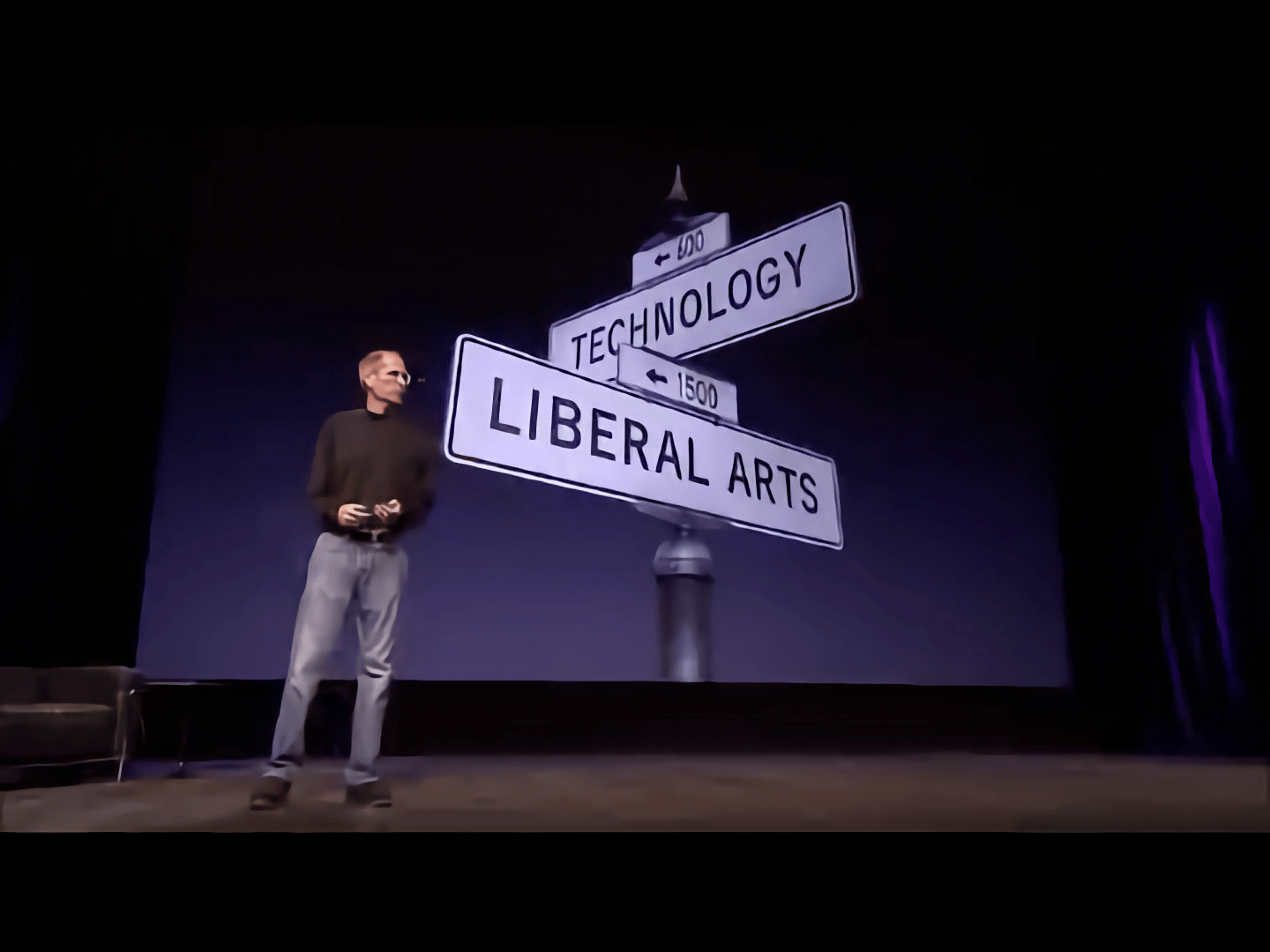
Yesterday, Federico linked to Apple’s Machine Learning Research website where it was disclosed that the company has indexed the web to train its model without the consent of publishers. I was as disappointed in Apple as Federico. I also immediately thought of this 2010 clip of Steve Jobs near the end of his life, reflecting on what ‘the intersection of Technology and the Liberal Arts’ meant to Apple:
I’ve always loved that clip. It speaks to me as someone who loves technology and creates things for the web. In hindsight, I also think that Jobs was explaining what he hoped his legacy would be. It’s ironic that he spoke about ‘technology married with Liberal Arts,’ which superficially sounds like what Apple and others have done to create their AI models but couldn’t be further from what he meant. It’s hard to watch that clip now and not wonder if Apple has lost sight of what guided it in 2010.
For the latest WWDC episode of AppStories, Federico is joined by Myke Hurley to talk about the Vision Pro and Apple Intelligence before John pops up with some AI tidbits and a WWDC vibe check from in and around Apple Park.
Enjoy the latest episodes from MacStories’ family of podcasts:
For the latest WWDC episode of AppStories, Federico is joined by Myke Hurley to talk about the Vision Pro and Apple Intelligence before John pops up with some AI tidbits and a WWDC vibe check from in and around Apple Park.
For this special episode of AppStories, Federico is joined by Jonathan and Niléane live in the Club MacStories+ Discord community to share their first impressions of the WWDC 2024 Keynote.
This episode is sponsored by:
Kolide – It ensures that if a device isn’t secure it can’t access your apps. It’s Device Trust for Okta. Watch the demo now.
Recorded live in the Club MacStories Discord, Federico share their final preparations and plans for WWDC 2024 along with some last-minute predictions.
On AppStories+, Federico reveals his trio of iPad Pros and we take questions from Club members about WWDC.
This episode is sponsored by:
CleanMyMac X: Your Mac. As good as new. Get 15% off today with code APPSTORIES15.
- Kolide – It ensures that if a device isn’t secure it can’t access your apps. It’s Device Trust for Okta. Watch the demo now.
This week, new MacStories podcasts, the Ruminate intro song is back, snack news, some keyboard accessories, and an alternative to the small web.
For this special episode of AppStories, Federico is joined by Jonathan and Niléane live in the Club MacStories+ Discord community to share their first impressions of the WWDC 2024 Keynote.
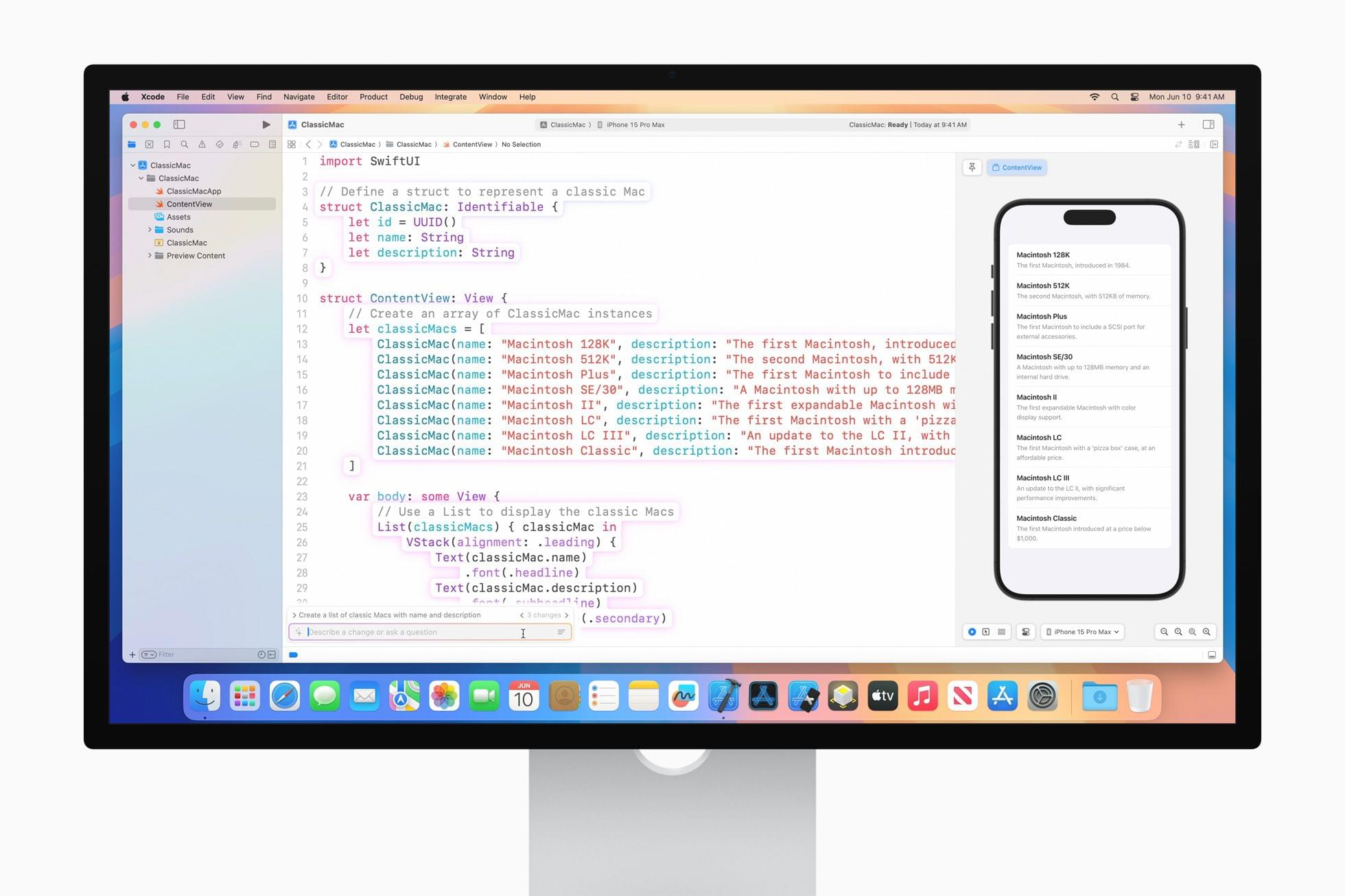
Earlier today, I got the very first live demo of Swift Assist, one of the many developer tools introduced today by Apple. I also saw code completion in action. It was an impressive demo, and although the tools seem like magic and will undoubtedly be valuable to developers, they do have their limitations, which are worth exploring.
Code Completion in Action. Source: Apple.Replay
First, from what I could tell, code completion works extremely well. The demo I saw was of a simple restaurant app that displayed a menu. As an Apple representative typed variables and other items into Xcode, code completion named things in ways that made sense for a restaurant menu, such as Name, Price, and Calories. The feature also filled in types like strings, integers, and bools, along with the appropriate surrounding syntax.
In most cases, after typing just a handful of characters, the correct suggestion appeared and with a quick tap of the Tab key, the rest of the line of code was filled in. When the suggestion wasn’t what was wanted, a little additional typing steered the AI that backs code completion to the correct solution.
The model that drives code completion is trained specifically for the Swift programming language and Apple’s APIs. It runs locally on a developer’s Mac, enhancing privacy and ensuring that it’s available regardless of Internet connectivity. Although Apple was vague about the code on which the model was trained, it was clear from my briefing that it wasn’t on Apple’s own internal code, but Apple said it is code that it is authorized to use. I was also told that the model isn’t trained on the code of the developers that use the feature. Also worth noting is that Apple’s code completion model is continually updated independent of the update release cycle of Xcode itself.
Sebastiaan de With, the designer at Lux behind Halide, Spectre, and Kino has begun blogging again at sdw.space with a story about Siri and Apple Intelligence. (Link) Bloomberg has an in-depth profile on Sam Altman that looks back at his career in the tech industry and his fondness for bending rules. (Link) TechCrunch takes...
Golf Quartz I’m not a golfer, but I love the design of Golf Quartz by Creaceed, the maker of the excellent Prizmo scanning app and other other great apps. Golf Quartz, which is running a 30% off launch sale for the summer, is an iPhone and Apple Watch companion for golfers. The app includes...











 Federico